Trupeer Blog
Riassumi

Panoramica per l'acquirente
I nuovi assunti sono spesso sommersi di informazioni durante la loro prima settimana, il che genera confusione e disimpegno. I metodi di onboarding tradizionali, come la consegna di PDF o lunghe presentazioni, non sono più sufficienti. Le organizzazioni dotate di processi di onboarding efficaci migliorano la ritenzione dei nuovi assunti dell'82%, secondo il Brandon Hall Group. L'onboarding basato su video rappresenta una svolta, riducendo i tempi di rampa fino al 50% rispetto ai programmi ricchi di documenti. Eppure, molte aziende si affidano ancora a metodi obsoleti, sperando nel meglio.
Le organizzazioni con solidi processi di onboarding migliorano la ritenzione dei nuovi assunti dell'82%.
Questa guida esplora le piattaforme di apprendimento video più efficaci per l'onboarding dei dipendenti. È pensata per i professionisti delle risorse umane, i responsabili della formazione e i team leader che desiderano migliorare le proprie strategie di onboarding. Copriremo i punti di forza e di debolezza di ciascuno strumento, facilitandoti la scelta della soluzione adatta alla tua organizzazione.
I migliori strumenti di onboarding per i dipendenti basati su video: confronto testa a testa
Funzionalità | Trupeer | Synthesia | Loom | Camtasia | iSpring Suite | Whatfix | Tango | Vyond |
|---|---|---|---|---|---|---|---|---|
Funzionalità chiave | ||||||||
Registrazione schermo | Sì | No | Sì | Sì | Sì | No | No | No |
Avatar IA / Voce fuori campo | Sì | Sì | No | No | No | No | No | Sì |
Funzionalità professionali | ||||||||
Esportazione SCORM | Sì | Sì | No | Sì | Sì | Sì | No | No |
Integrazione LMS | Sì | Limitata | No | Sì | Sì | Sì | No | Sì |
Formazione interattiva | ||||||||
Formazione interattiva | Sì | No | No | Sì | Sì | Sì | Limitata | Sì |
Tracciamento dei progressi | Sì | No | No | Limitato | Sì | Sì | Limitato | No |
Personalizzazione | ||||||||
Branding personalizzato | Sì | Sì | Sì | Sì | Sì | Sì | No | Sì |
Multilingua | Sì | Sì | No | Limitato | Sì | Limitato | No | Sì |
Piano gratuito | Sì | No | Sì | No | No | No | Sì | No |
Trupeer

Trupeer è un'avanzata piattaforma di apprendimento video progettata per semplificare l'onboarding dei dipendenti con moduli di formazione interattivi e analisi robuste. È particolarmente adatta per le organizzazioni che richiedono un tracciamento dettagliato dei progressi e opzioni di branding personalizzato. Trupeer si distingue per la sua capacità di esportare contenuti in SCORM, rendendolo compatibile con le principali piattaforme LMS. Tuttavia, offre funzionalità limitate per quanto riguarda avatar IA e voce fuori campo, il che potrebbe essere uno svantaggio per le aziende che cercano funzioni avanzate basate sull'intelligenza artificiale.
Funzionalità chiave
Strumenti di registrazione dello schermo e di editing
Opzioni di esportazione SCORM e xAPI
Quiz interattivi e verifiche delle conoscenze
Tracciamento dettagliato dei progressi e reportistica
Branding personalizzato e personalizzazione
Supporto multilingua
Integrazioni LMS
Piano gratuito disponibile
"Trupeer ha trasformato il nostro processo di onboarding, riducendo del 40% il tempo necessario ai nuovi assunti per raggiungere la piena produttività."
Jane Doe, Direttrice HR presso TechCorp (Fonte: G2)
Pro
Contro
Analisi complete per il tracciamento dei progressi.
Opzioni limitate per gli avatar IA.
Opzioni di branding personalizzabili.
Processo di configurazione complesso per i principianti.
Supporta le esportazioni SCORM e xAPI.
Richiede una connessione Internet per la piena funzionalità.
Prezzi
Trupeer offre un piano gratuito con funzionalità di base. I piani a pagamento partono da $49 per utente al mese.
Synthesia
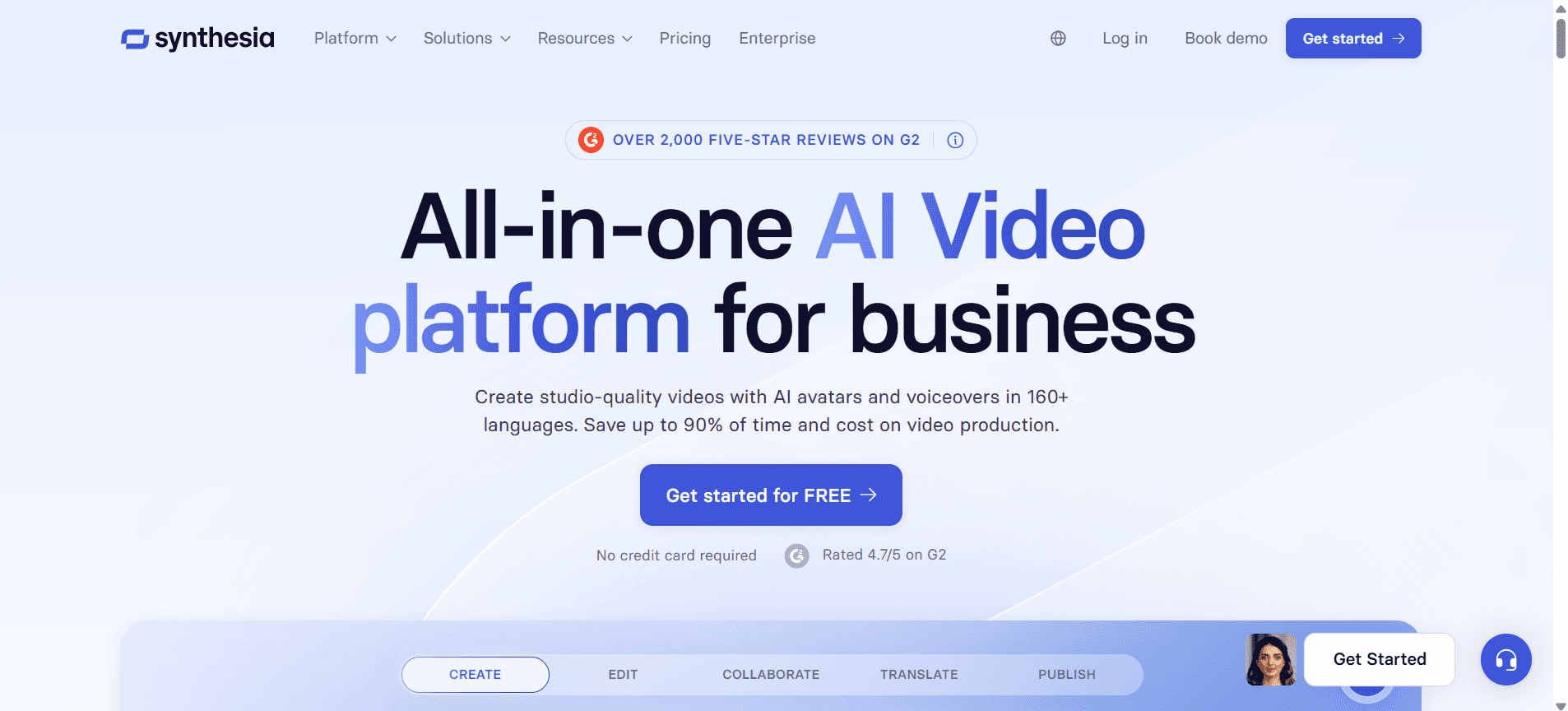
Synthesia è rinomata per le sue capacità di creazione video basate sull'intelligenza artificiale, che consentono agli utenti di creare video con avatar IA e voci fuori campo in più lingue. È perfetta per le aziende che desiderano creare video dall'aspetto professionale senza la necessità di ampie competenze di produzione video. Il suo principale svantaggio è la mancanza di registrazione dello schermo ed elementi interattivi, il che potrebbe limitarne l'utilità per programmi di formazione completi.
Funzionalità chiave
Tecnologia di avatar IA e voce fuori campo
Creazione di video multilingua
Editor video facile da usare
Opzioni di branding personalizzato
Capacità di esportazione SCORM
Integrazione LMS limitata
Modelli video per una creazione rapida
Nessuna funzionalità di registrazione dello schermo
Pro
Contro
Impressionante creazione video basata su IA.
Nessuna opzione di registrazione dello schermo.
Supporta più lingue.
Funzionalità interattive limitate.
Esportazione SCORM disponibile.
Costo più elevato rispetto a strumenti simili.
Prezzi
Synthesia non offre un piano gratuito. I prezzi partono da $30 per video.
Loom
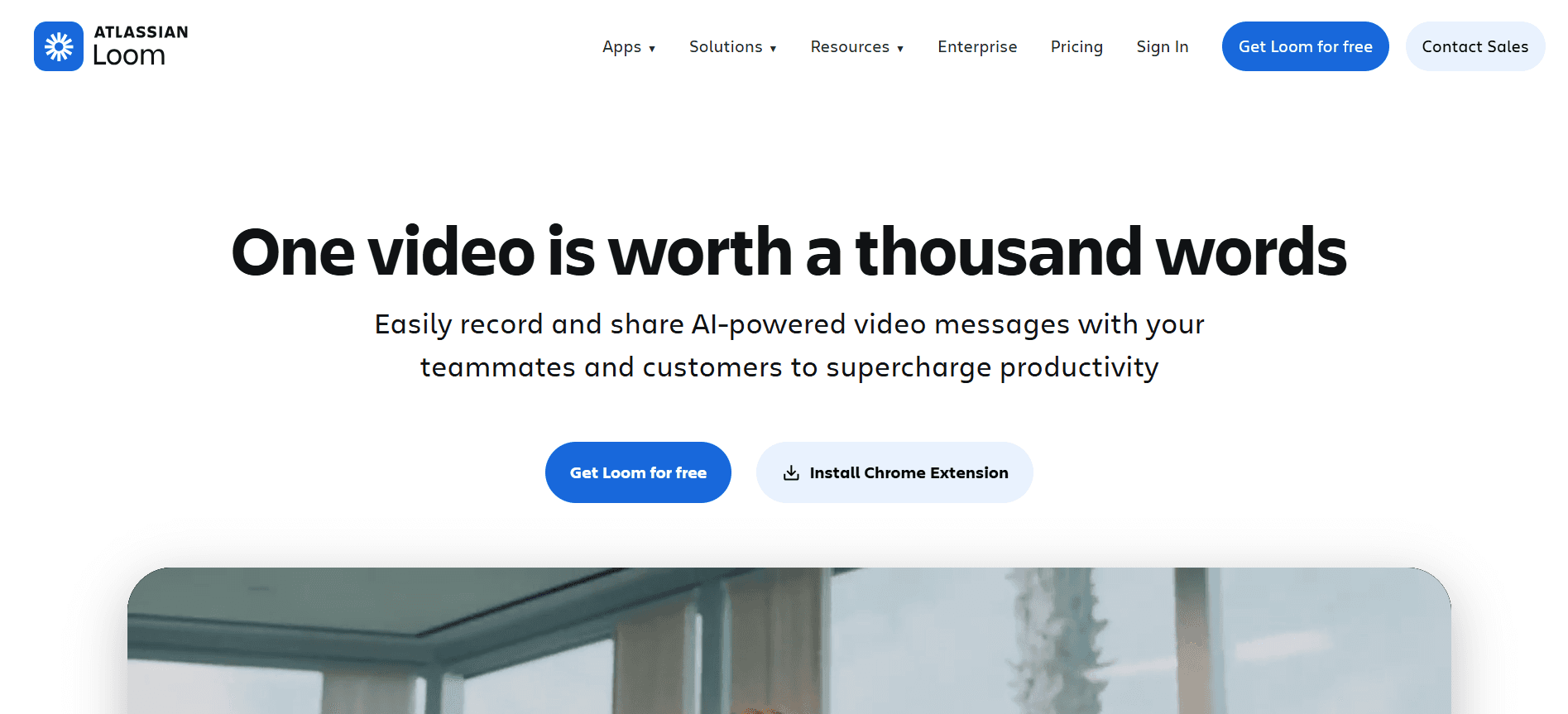
Loom è uno strumento intuitivo per creare rapidi messaggi video, ideale per i team che hanno bisogno di condividere informazioni velocemente. È ampiamente utilizzato per la sua facilità d'uso e per le efficaci funzionalità di registrazione dello schermo. Tuttavia, manca di funzioni di formazione avanzate come l'esportazione SCORM o il tracciamento dettagliato dei progressi, limitandone l'uso per programmi di onboarding completi.
Funzionalità chiave
Registrazione e condivisione istantanea di video
Registrazione di schermo e webcam
Commenti video in tempo reale
Opzioni di branding personalizzato
Strumenti di base per l'editing video
Piano gratuito con funzionalità limitate
Interfaccia utente semplice
Archiviazione cloud per i video
Pro
Contro
Facile da usare con un'interfaccia semplice.
Nessun supporto per l'esportazione SCORM.
Ottimo per comunicazioni video veloci.
Capacità limitate di tracciamento dei progressi.
Offre un piano gratuito.
Non adatto per programmi di formazione dettagliati.
Prezzi
Loom offre un piano gratuito con funzionalità limitate. I piani a pagamento partono da $10 per utente al mese.
Camtasia
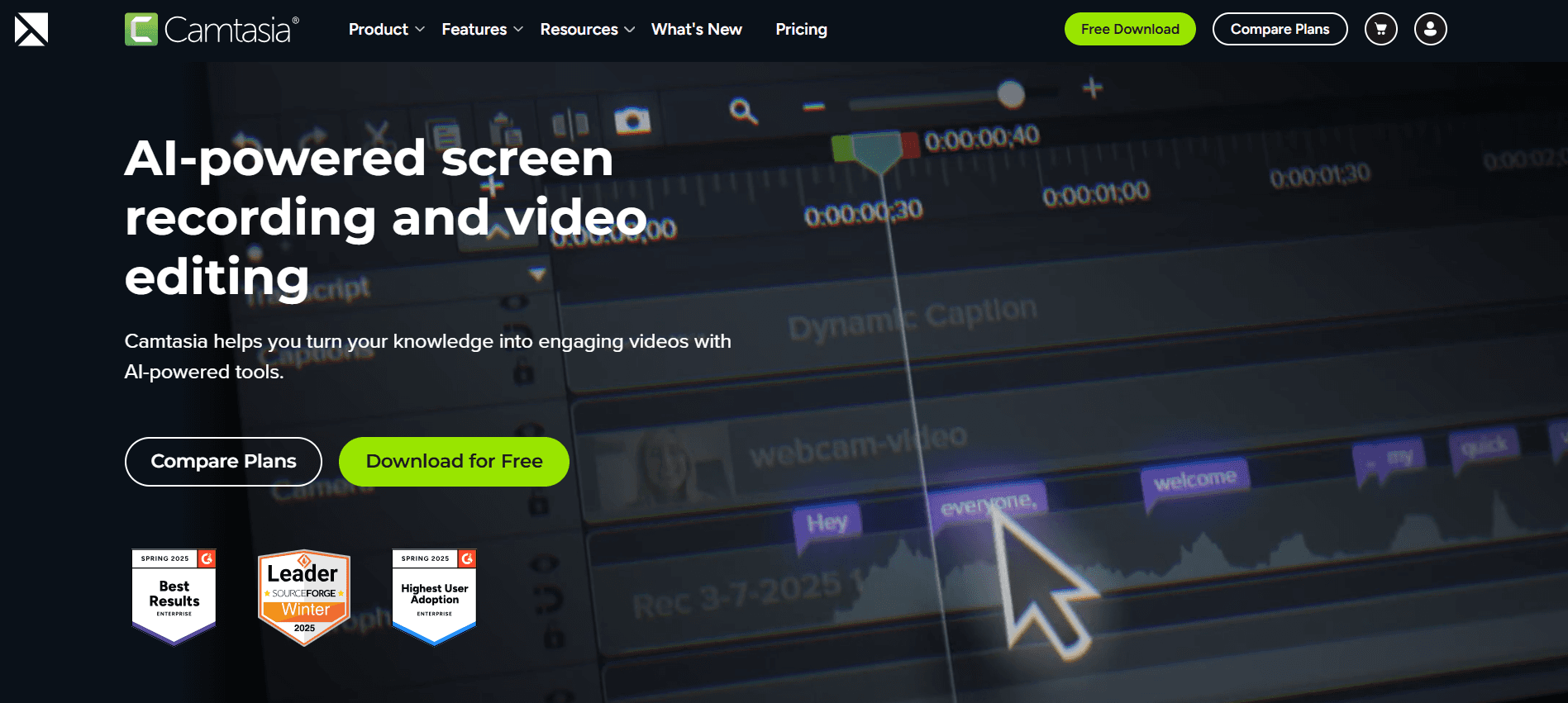
Camtasia è un potente software di editing video che eccelle nella creazione di video di formazione rifiniti. È perfetto per le organizzazioni che devono produrre contenuti video di alta qualità con funzionalità di editing dettagliate. Sebbene sia robusto in termini di montaggio video, può risultare scoraggiante per i principianti e manca di funzioni basate sull'intelligenza artificiale come avatar e voci fuori campo.
Funzionalità chiave
Strumenti avanzati di editing video
Registrazione dello schermo e cattura da webcam
Quiz e valutazioni interattive
Modelli video personalizzabili
Capacità di esportazione SCORM
Ampia libreria di risorse ed effetti
Integrazione LMS
Supporto multilingua (limitato)
Pro
Contro
Strumenti completi per l'editing video.
Curva di apprendimento ripida per i principianti.
Supporta elementi interattivi.
Nessuna funzionalità basata sull'intelligenza artificiale.
Esportazione SCORM disponibile.
Fascia di prezzo più elevata.
Prezzi
Camtasia non offre un piano gratuito. I prezzi partono da $249.99 come acquisto una tantum per utente.
iSpring Suite
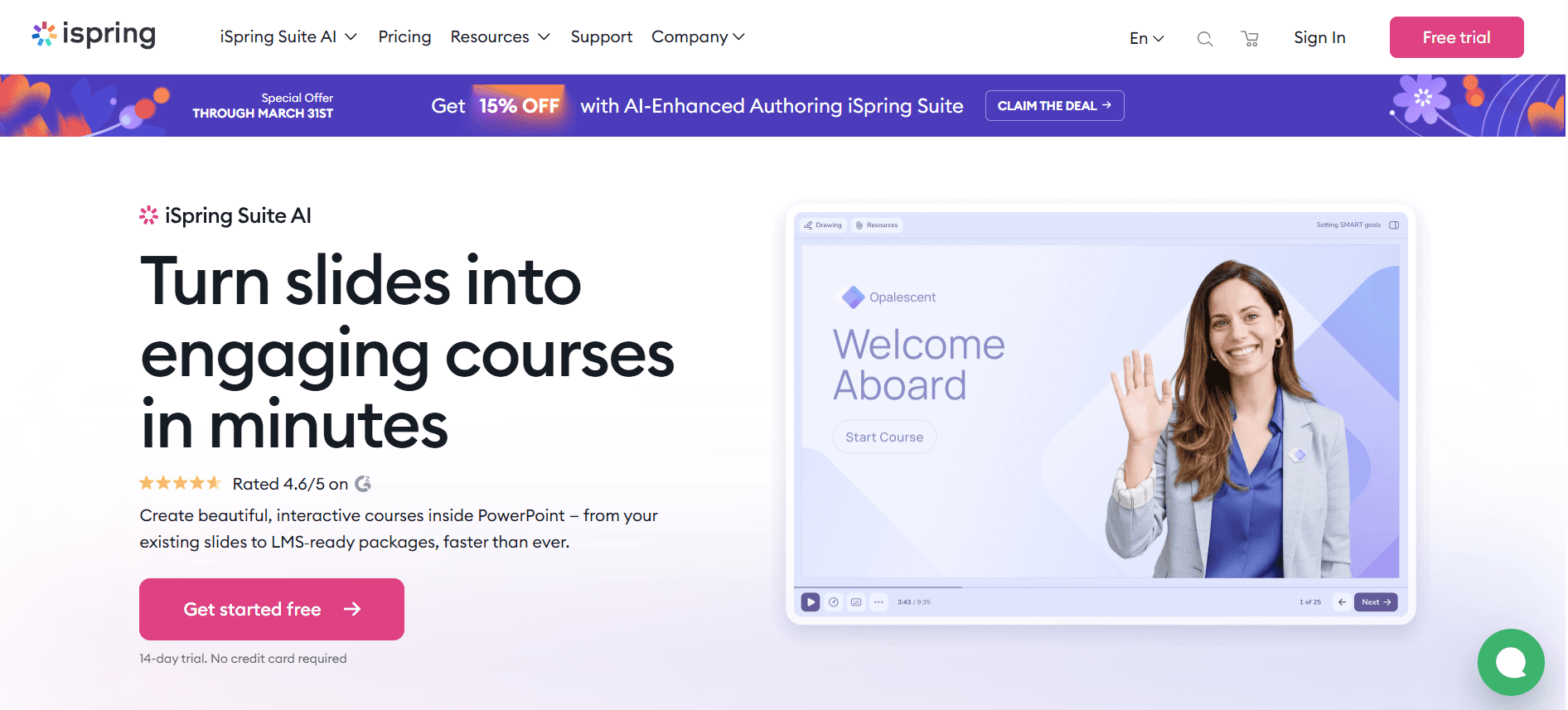
iSpring Suite è un toolkit eLearning all-in-one adatto per creare corsi e quiz interattivi. È ideale per le organizzazioni che desiderano sviluppare programmi di formazione completi compatibili con LMS. Tuttavia, manca di funzionalità basate sull'intelligenza artificiale e può essere costoso per i team più piccoli.
Funzionalità chiave
Strumenti per la creazione di corsi e quiz
Registrazione dello schermo e montaggio video
Supporto SCORM e xAPI
Elementi interattivi e valutazioni
Integrazione LMS
Branding personalizzato
Supporto multilingua
Ampia libreria di risorse
Pro
Contro
Toolkit completo per l'eLearning.
Può essere costoso per piccoli team.
Supporta le esportazioni SCORM e xAPI.
Nessuna opzione di avatar IA o voce fuori campo.
Ampia libreria di elementi interattivi.
Richiede una curva di apprendimento per i nuovi utenti.
Prezzi
iSpring Suite non offre un piano gratuito. I prezzi partono da $770 per utente all'anno.
Whatfix
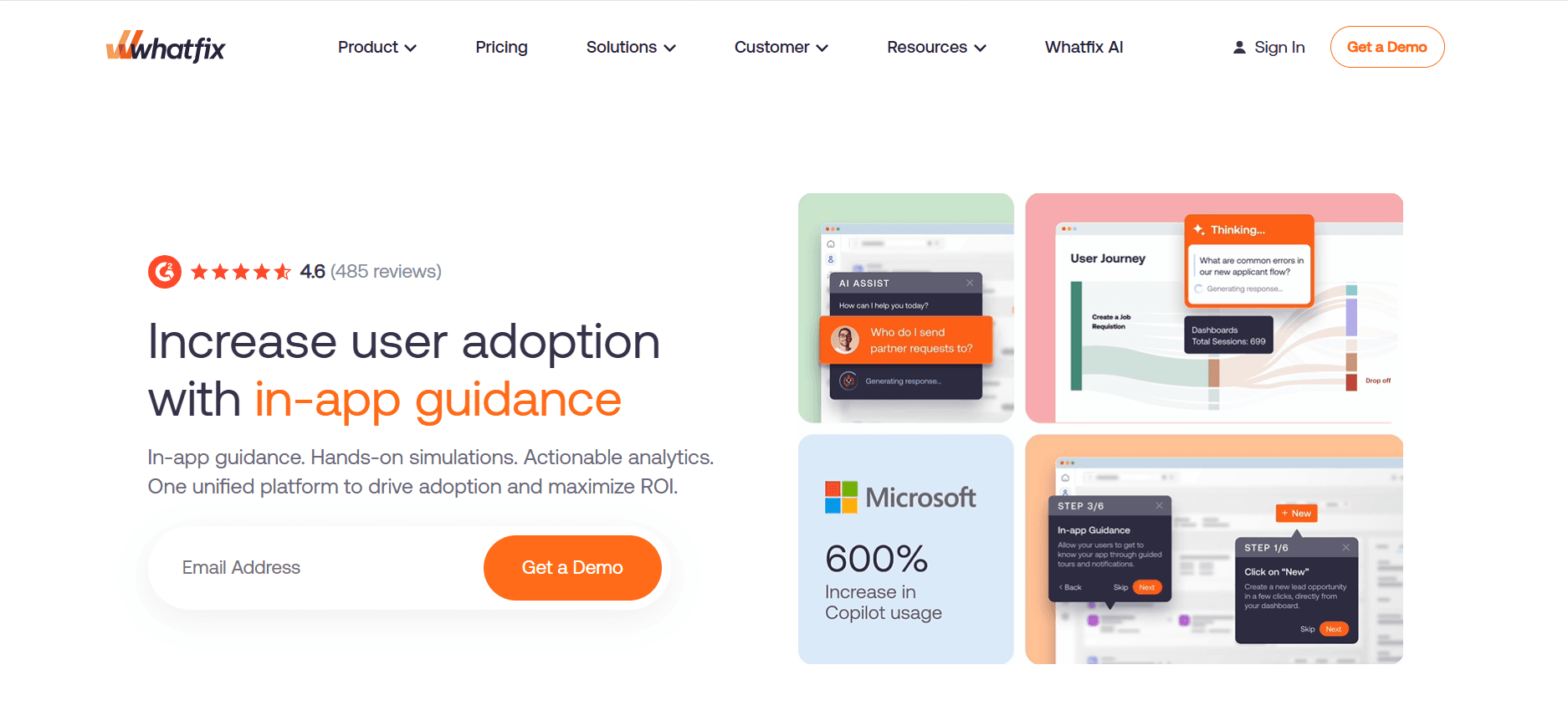
Whatfix è una piattaforma di adozione digitale che aiuta le organizzazioni a creare guide in-app e contenuti di formazione. È perfetta per le aziende che desiderano integrare i dipendenti con guide interattive e suggerimenti in tempo reale. Sebbene eccella nel fornire esperienze di formazione dinamiche, manca di strumenti tradizionali di creazione video.
Funzionalità chiave
Guide e procedure guidate in-app
Contenuto formativo interattivo
Flussi di lavoro e branding personalizzati
Integrazione SCORM e LMS
Strumenti di analisi e feedback degli utenti
Supporto multilingua (limitato)
Nessuna funzionalità di editing video tradizionale
Aiuto e consigli in tempo reale
Pro
Contro
Eccellente per la formazione interattiva.
Manca di strumenti tradizionali di creazione video.
Fornisce assistenza agli utenti in tempo reale.
Supporto multilingua limitato.
Si integra bene con le piattaforme LMS esistenti.
Costo più elevato rispetto a strumenti video stand-alone.
Prezzi
Whatfix non offre un piano gratuito. Il prezzo è disponibile su richiesta, partendo tipicamente da $1.200 all'anno.
Tango
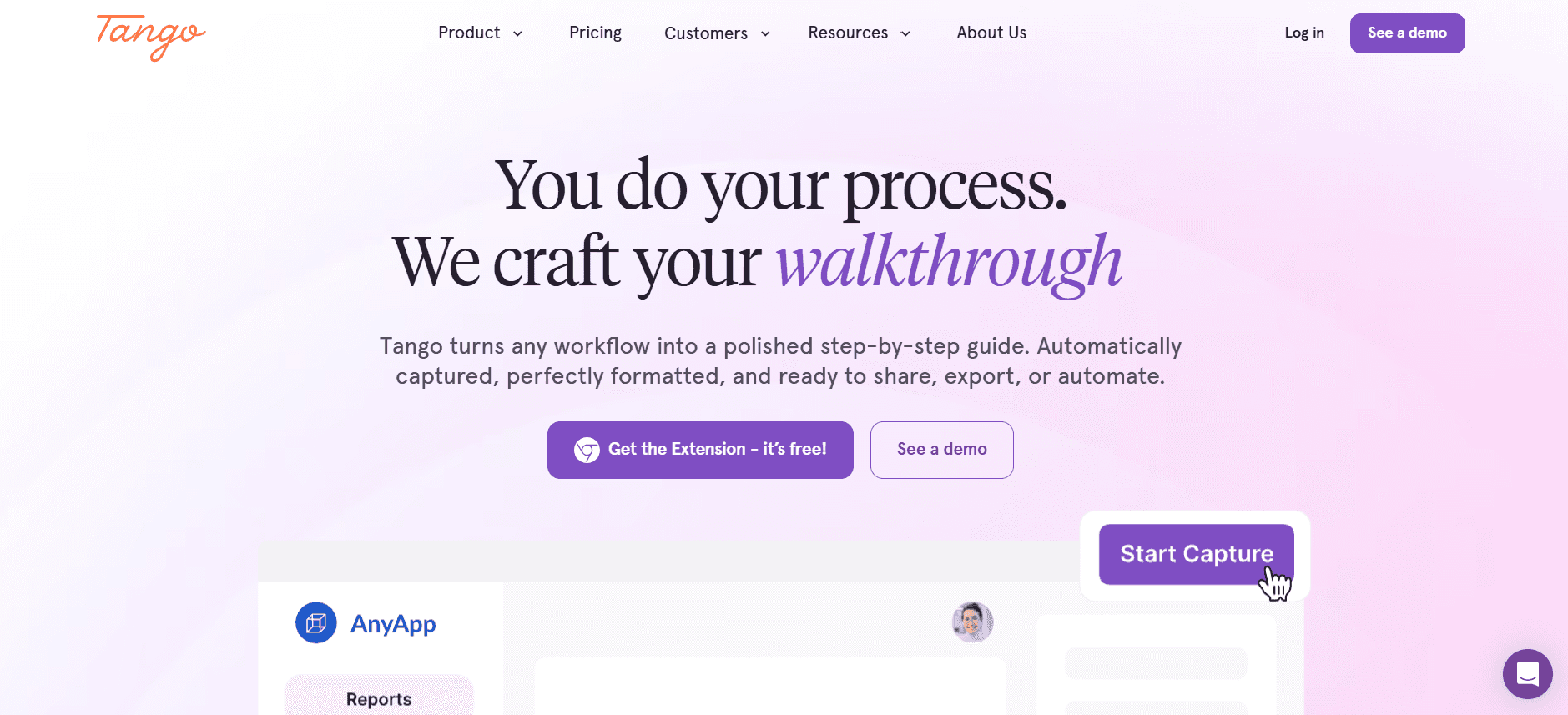
Tango è progettato per la creazione di guide passo-passo e tutorial, rendendolo ideale per la formazione su software e la documentazione procedurale. È adatto per i team che hanno bisogno di documentare rapidamente i processi, ma manca di editing video avanzato e di funzionalità interattive.
Funzionalità chiave
Creazione di guide passo-passo
Flussi di lavoro documentali
Opzioni di branding personalizzato
Archiviazione e condivisione su cloud
Elementi interattivi limitati
Nessuna registrazione dello schermo o editing video
Interfaccia utente semplice
Piano gratuito disponibile
Pro
Contro
Ideale per guide passo-passo.
Nessuna capacità di editing video.
Semplice e facile da usare.
Manca di funzionalità interattive.
Piano gratuito disponibile.
Non adatto per programmi di formazione completi.
Prezzi
Tango offre un piano gratuito. I piani a pagamento partono da $10 per utente al mese.
Vyond
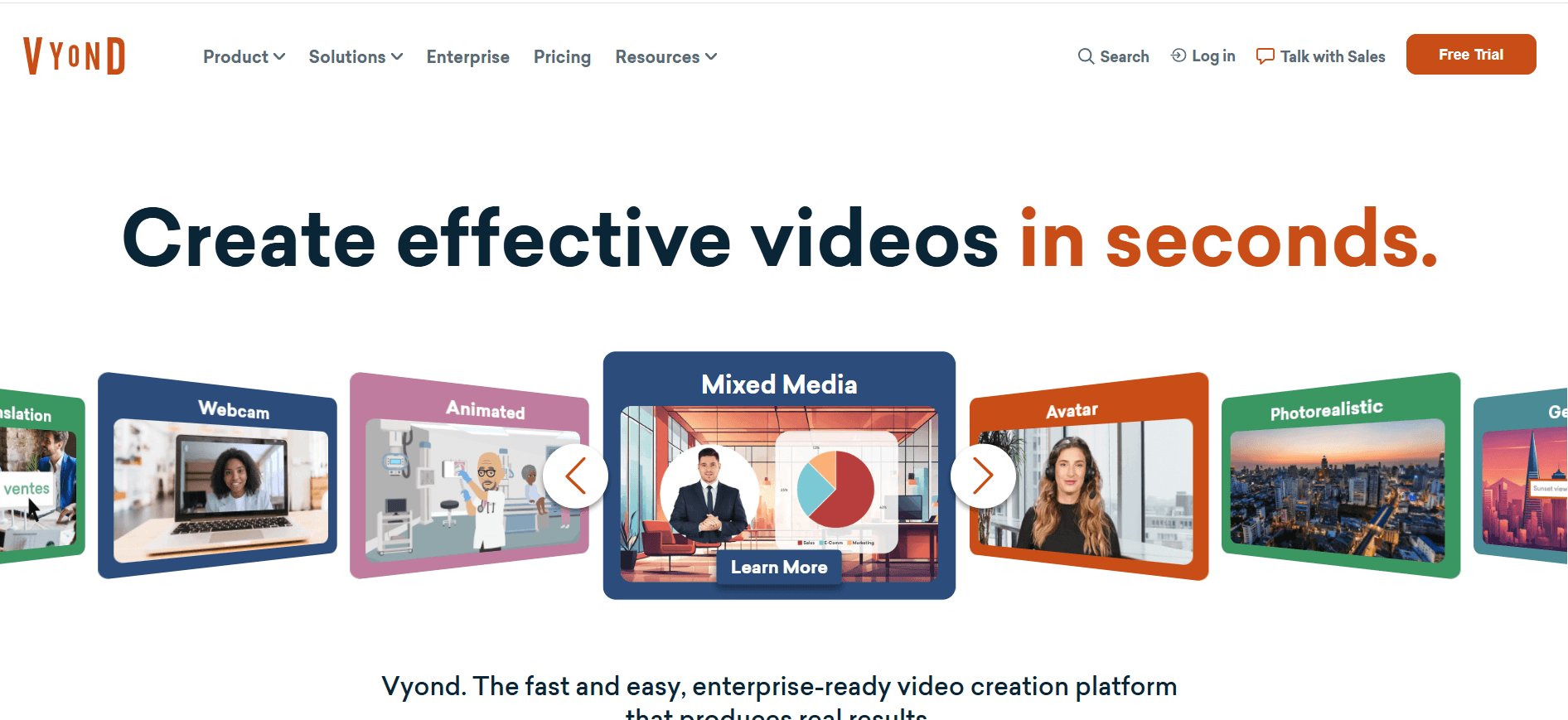
Vyond è specializzato nella creazione di video animati, il che lo rende perfetto per le organizzazioni che desiderano aggiungere un tocco creativo ai propri materiali di formazione. È eccellente per uno storytelling coinvolgente, ma manca di alcune funzionalità professionali come l'esportazione SCORM e analisi dettagliate.
Funzionalità chiave
Creazione di video animati
Personaggi e scene personalizzabili
Opzioni di voce fuori campo basate su IA
Supporto video multilingua
Libreria di modelli per una creazione rapida
Branding personalizzato
Nessuna esportazione SCORM
Analisi approfondite limitate
Pro
Contro
Ottimo per lo storytelling animato.
Nessuna funzione di esportazione SCORM.
Supporta video multilingua.
Analisi limitate rispetto ad altri strumenti.
Voce fuori campo IA disponibile.
Costo più elevato per le funzionalità premium.
Prezzi
Vyond non offre un piano gratuito. I prezzi partono da $299 per utente all'anno.
Sfide dell'onboarding dei dipendenti basato su video: le difficoltà dei team
1. Sovraccarico di informazioni
I nuovi assunti vengono bombardati con troppe informazioni contemporaneamente, il che porta a confusione e disimpegno.
L'onboarding tradizionale prevede spesso lunghe sessioni e documenti densi difficili da assimilare.
Questo può sopraffare i dipendenti, riducendo la loro capacità di ricordare dettagli cruciali sui loro ruoli e sull'azienda.
Piattaforme di apprendimento video efficaci possono suddividere le informazioni in segmenti gestibili e coinvolgenti.
2. Esperienze di onboarding incoerenti
L'onboarding può variare notevolmente a seconda delle diverse sedi e reparti, portando a esperienze incoerenti.
I metodi tradizionali si affidano a singoli manager o formatori, causando variazioni nella consegna dei contenuti.
Questa incoerenza può tradursi in livelli di conoscenza disuguali tra i dipendenti, influenzando le prestazioni del team.
I contenuti video standardizzati garantiscono un'esperienza di onboarding uniforme per tutti i nuovi assunti.
3. Alti costi di produzione
Creare video di formazione di qualità professionale può essere costoso e richiedere molto tempo.
Molte aziende non dispongono delle risorse o delle competenze necessarie per produrre internamente contenuti video accattivanti.
Questo può ritardare il processo di onboarding e aumentare significativamente i costi.
Piattaforme come Synthesia offrono soluzioni convenienti grazie a strumenti di creazione video basati sull'intelligenza artificiale.
4. Contenuti obsoleti
I materiali di formazione statici diventano rapidamente obsoleti a causa dei cambiamenti nei processi interni.
Aggiornare documenti e presentazioni tradizionali è un processo manuale e dispendioso in termini di tempo.
Ciò può comportare che i nuovi assunti ricevano informazioni non aggiornate, ostacolando la loro efficacia.
Le piattaforme video con flussi di lavoro di aggiornamento semplici, come Trupeer, garantiscono che i contenuti rimangano attuali e pertinenti.
5. Mancanza di verifica e test di comprensione
I metodi tradizionali di onboarding faticano a verificare il completamento e la comprensione su larga scala.
Questo rende difficile valutare se i nuovi assunti abbiano compreso e memorizzato le informazioni essenziali.
L'assenza di elementi interattivi comporta la perdita di opportunità per le verifiche delle conoscenze.
Gli strumenti video interattivi come iSpring Suite includono quiz e valutazioni per garantire la comprensione.
Sfida | Processo tradizionale | Impatto sul business | Costo in termini di tempo |
|---|---|---|---|
Sovraccarico di informazioni | Lunghe presentazioni | Ritenzione ridotta | Alto |
Esperienze incoerenti | Erogazione variabile da parte del formatore | Livelli di conoscenza disuguali | Medio |
Alti costi di produzione | Produzione video professionale | Onboarding ritardato | Alto |
Contenuti obsoleti | Aggiornamenti manuali | Formazione obsoleta | Alto |
Nessuna verifica | Nessun test | Comprensione sconosciuta | Medio |
Funzionalità indispensabili negli strumenti di onboarding dei dipendenti basati su video
Registrazione dello schermo con voce fuori campo IA
La registrazione dello schermo è essenziale per mostrare strumenti software e processi. Se combinata con una voce fuori campo IA, migliora la comprensione fornendo istruzioni verbali chiare. Questa funzionalità è particolarmente preziosa per la formazione a distanza, dove l'interazione faccia a faccia è limitata. Strumenti come Trupeer e Camtasia offrono solide funzionalità di registrazione dello schermo, facilitando la creazione di tutorial efficaci da parte dei formatori.
La tecnologia della voce fuori campo IA, come quella presente in Synthesia, consente una rapida creazione di contenuti senza la necessità di doppiatori professionisti. Ciò non solo fa risparmiare tempo, ma garantisce anche coerenza tra i materiali di formazione, elemento cruciale per mantenere un processo di onboarding standardizzato.
Esportazione SCORM/xAPI per la compatibilità con LMS
La compatibilità con i Learning Management System (LMS) tramite l'esportazione SCORM o xAPI è fondamentale per tracciare e gestire i contenuti formativi. Questa funzionalità consente una perfetta integrazione con le infrastrutture di formazione esistenti, garantendo che i materiali di onboarding siano facilmente accessibili ai nuovi assunti. iSpring Suite e Trupeer offrono un'eccellente compatibilità con i sistemi LMS, consentendo una distribuzione e un tracciamento efficienti dei moduli di formazione.
Esportando i contenuti nei formati SCORM o xAPI, le organizzazioni possono monitorare i tassi di completamento e tracciare i progressi individuali, ottenendo preziose informazioni sull'efficacia dei loro programmi di onboarding.
Elementi interattivi (Quiz, verifiche delle conoscenze)
Gli elementi interattivi, come i quiz e le verifiche delle conoscenze, sono vitali per verificare la comprensione e il coinvolgimento. Forniscono un feedback immediato agli utenti e aiutano a consolidare i concetti chiave. Strumenti come iSpring Suite e Whatfix eccellono nell'offrire funzionalità interattive, trasformando l'apprendimento passivo in un'esperienza attiva.
L'integrazione di questi elementi assicura che i nuovi assunti possano applicare ciò che hanno appreso, riducendo la probabilità di lacune conoscitive e migliorando la ritenzione complessiva. Questo approccio interattivo è particolarmente efficace nel mantenere vivo l'interesse e la motivazione degli utenti durante l'intero processo di onboarding.
Tracciamento dei progressi e reportistica sul completamento
Il tracciamento dei progressi e la reportistica sul completamento sono essenziali per valutare l'efficacia dei programmi di onboarding. Queste funzioni consentono alle organizzazioni di monitorare i progressi individuali e di gruppo, individuando le aree in cui potrebbe essere necessario un supporto aggiuntivo. Trupeer e Whatfix offrono strumenti completi di analisi e reportistica, fornendo preziose informazioni sulle prestazioni degli utenti.
Tracciando i progressi, le aziende possono garantire che tutti i dipendenti ricevano la formazione necessaria, riducendo il rischio di non conformità e migliorando la produttività complessiva. Una reportistica dettagliata consente inoltre ai team delle risorse umane di perfezionare e migliorare le strategie di onboarding nel tempo.
Flussi di lavoro per un aggiornamento semplice dei contenuti
Aggiornamenti frequenti ai materiali di onboarding sono necessari per riflettere le modifiche ai processi e le nuove informazioni. Flussi di lavoro semplici per l'aggiornamento dei contenuti, come quelli offerti da piattaforme come Trupeer, semplificano questo processo, consentendo modifiche rapide ed efficienti ai contenuti. Ciò garantisce che i materiali di formazione rimangano attuali e pertinenti, riducendo al minimo il rischio che informazioni obsolete raggiungano i nuovi assunti.
Gli strumenti con funzioni di aggiornamento intuitive riducono il carico amministrativo sui team delle risorse umane, consentendo loro di concentrarsi sulla fornitura di esperienze di formazione di alta qualità. Questa adattabilità è cruciale in contesti aziendali dinamici dove il cambiamento è costante.
Branding personalizzato e personalizzazione
Il branding personalizzato e la personalizzazione sono importanti per mantenere un'immagine aziendale coesa e favorire un senso di appartenenza tra i nuovi assunti. Piattaforme come Vyond e Trupeer offrono ampie opzioni di personalizzazione, consentendo alle organizzazioni di allineare i contenuti formativi con l'identità del proprio marchio.
Esperienze di formazione personalizzate possono aumentare il coinvolgimento e la motivazione, aiutando i nuovi assunti a sentirsi più legati alla cultura aziendale. Questa funzionalità non solo migliora l'esperienza di onboarding, ma rafforza anche i valori e i messaggi del marchio.
Come scegliere le piattaforme di apprendimento video in base al tuo caso d'uso
Video di orientamento e cultura aziendale per il primo giorno
Accogliere i nuovi assunti con video di orientamento fin dal primo giorno è fondamentale per presentare la cultura e i valori aziendali. Questi video impostano il tono del percorso del dipendente, sottolineando ciò che rende unica l'organizzazione. Tuttavia, catturare l'essenza della cultura di un luogo di lavoro in un video può essere una sfida.
Garantire l'allineamento con i valori aziendali.
Storytelling coinvolgente per catturare l'interesse.
Mantenere la coerenza in tutte le sedi.
Opzioni di branding personalizzabili.
Strumenti per creare storie animate e coinvolgenti.
Supporto multilingua per team globali.
Strumento | Personalizzazione | Coinvolgimento | Portata globale |
|---|---|---|---|
Trupeer | Sì | Sì | Sì |
Vyond | Sì | Sì | Sì |
Formazione su sistemi e strumenti software
La formazione dei dipendenti su nuovi sistemi e software è spesso complessa e richiede istruzioni e dimostrazioni dettagliate. Le piattaforme di apprendimento video possono semplificare questo processo fornendo guide passo-passo chiare a cui i dipendenti possono fare riferimento in qualsiasi momento.
Complessità dei contenuti tecnici.
Garantire che tutti gli utenti raggiungano la competenza richiesta.
Aggiornare il materiale didattico con l'evoluzione dei sistemi.
Funzionalità di registrazione dello schermo.
Quiz interattivi per testare le conoscenze.
Flussi di lavoro semplici per l'aggiornamento dei contenuti.
Strumento | Registrazione schermo | Interattività | Facilità di aggiornamento |
|---|---|---|---|
Camtasia | Sì | Sì | Limitata |
iSpring Suite | Sì | Sì | Sì |
Formazione su conformità e politiche aziendali
Assicurarsi che i dipendenti comprendano e rispettino le politiche aziendali e le normative del settore è un aspetto critico dell'onboarding. L'apprendimento basato su video può rendere la formazione sulla conformità più coinvolgente e meno scoraggiante per i dipendenti.
Mantenere i contenuti coinvolgenti e accessibili.
Garantire la piena conformità alle normative.
Tracciare il completamento e la comprensione.
Elementi interattivi per mantenere alto il coinvolgimento.
Tracciamento dettagliato dei progressi e reportistica.
Esportazione SCORM/xAPI per l'integrazione LMS.
Strumento | Coinvolgimento | Tracciamento | Conformità |
|---|---|---|---|
Whatfix | Sì | Sì | Sì |
Trupeer | Sì | Sì | Sì |
Formazione sulle competenze specifiche del ruolo
Sviluppare competenze specifiche per il proprio ruolo attraverso una formazione mirata è essenziale per il successo dei dipendenti. Le piattaforme di apprendimento video offrono un modo flessibile per erogare una formazione su misura che soddisfi le esigenze uniche dei diversi ruoli all'interno dell'organizzazione.
Personalizzare i contenuti per vari ruoli.
Garantire che le competenze siano applicabili e pertinenti.
Consentire ai dipendenti di apprendere al proprio ritmo.
Moduli di formazione personalizzabili.
Opzioni di apprendimento autonomo.
Tracciamento dei progressi per monitorare lo sviluppo delle competenze.
Strumento | Personalizzazione | Autogestito | Tracciamento |
|---|---|---|---|
Trupeer | Sì | Sì | Sì |
Loom | Limitato | Sì | No |
Sviluppo della leadership e del management
Sviluppare competenze di leadership è fondamentale per la crescita organizzativa. I video possono offrire una formazione di grande impatto che dota i leader delle competenze necessarie, promuovendo una cultura di sviluppo e miglioramento continui.
Trasmettere concetti complessi di leadership.
Coinvolgere il personale senior in un apprendimento continuo.
Misurare l'impatto della formazione sulla leadership.
Strumenti avanzati per la creazione di contenuti.
Elementi interattivi per simulare scenari del mondo reale.
Analisi per valutare l'impatto della formazione.
Strumento | Contenuto avanzato | Interattività | Analisi |
|---|---|---|---|
Synthesia | Sì | No | Limitata |
iSpring Suite | Sì | Sì | Sì |
Best Practice per l'onboarding dei dipendenti basato su video
Prima dell'onboarding
Identifica gli obiettivi chiave del tuo programma di onboarding per garantire l'allineamento con i traguardi aziendali.
Scegli la piattaforma di apprendimento video giusta in base ai tuoi casi d'uso specifici e al tuo budget.
Prepara contenuti accattivanti e pertinenti che riflettano la cultura e i valori della tua azienda.
Assicurati che tutti i requisiti tecnici siano soddisfatti, come la compatibilità con l'LMS e l'accessibilità a Internet.
Durante l'onboarding
Inizia con un video di orientamento coinvolgente per presentare ai nuovi assunti la cultura aziendale.
Includi elementi interattivi per mantenere alto il coinvolgimento e verificare la comprensione.
Fornisci istruzioni chiare e supporto per accedere e navigare tra i contenuti video.
Incoraggia i nuovi assunti a fornire feedback per identificare le aree di miglioramento.
Dopo l'onboarding
Invia sondaggi per raccogliere feedback sull'esperienza di onboarding e identificare aree di miglioramento.
Utilizza l'analisi e la reportistica per valutare l'efficacia del programma di onboarding.
Aggiorna regolarmente i contenuti per riflettere le modifiche alle politiche e alle procedure aziendali.
Offri opportunità di formazione continua per supportare l'apprendimento e lo sviluppo costanti.
Domande frequenti
Cosa sono le piattaforme di apprendimento video?
Le piattaforme di apprendimento video sono strumenti digitali che facilitano la creazione, gestione ed erogazione di contenuti formativi basati su video. Queste piattaforme sono progettate per migliorare l'esperienza di apprendimento offrendo moduli di formazione interattivi e coinvolgenti accessibili in qualsiasi momento e luogo.
Perché usare i video per l'onboarding?
L'onboarding basato su video offre un modo dinamico e coinvolgente per erogare contenuti formativi, migliorando il ricordo delle informazioni e il coinvolgimento. Consente ai nuovi assunti di apprendere al proprio ritmo e di rivedere i materiali in caso di necessità, offrendo flessibilità ed esperienze di apprendimento personalizzate.
Queste piattaforme si integrano con i sistemi LMS esistenti?
Molte piattaforme di apprendimento video, come Trupeer e iSpring Suite, offrono funzionalità di esportazione SCORM o xAPI, consentendo una perfetta integrazione con i Learning Management System (LMS) esistenti. Questa integrazione permette un tracciamento e una gestione efficienti dei contenuti formativi.
Posso aggiornare facilmente i materiali di formazione?
Sì, piattaforme come Trupeer offrono flussi di lavoro semplici per l'aggiornamento dei contenuti, consentendoti di modificare e aggiornare rapidamente i materiali formativi per riflettere i cambiamenti nelle politiche o procedure aziendali, assicurando che i tuoi contenuti siano sempre attuali e pertinenti.
Ci sono opzioni gratuite disponibili?
Sì, alcune piattaforme come Loom e Tango offrono piani gratuiti con funzionalità limitate, consentendoti di esplorare le loro potenzialità senza un impegno economico iniziale. Tuttavia, le funzionalità avanzate richiedono solitamente un abbonamento a pagamento.
Come funzionano generalmente i modelli di prezzo?
I modelli di prezzo per le piattaforme di apprendimento video variano, ma spesso prevedono tariffe per utente o per video. Alcune piattaforme offrono abbonamenti annuali, mentre altre applicano tariffe in base all'utilizzo o a funzionalità specifiche. È importante scegliere un modello in linea con il budget e le esigenze di formazione della tua organizzazione.
Quanto tempo ci vuole per implementare una piattaforma di apprendimento video?
La tempistica di implementazione varia a seconda della piattaforma e della complessità del programma di formazione. La configurazione della piattaforma e la creazione dei primi contenuti possono richiedere da pochi giorni a diverse settimane. Tuttavia, molte piattaforme offrono supporto e risorse per semplificare il processo.
Queste piattaforme possono supportare la formazione a distanza?
Sì, le piattaforme di apprendimento video sono particolarmente efficaci per la formazione a distanza, garantendo un accesso flessibile ai contenuti formativi da qualsiasi luogo. Questa accessibilità assicura che tutti i dipendenti, indipendentemente dalla loro ubicazione, ricevano una formazione coerente e completa.
Conclusione
Le piattaforme di apprendimento video stanno trasformando il modo in care le organizzazioni affrontano l'onboarding dei dipendenti, offrendo un'alternativa dinamica e coinvolgente ai metodi tradizionali. Sfruttando questi strumenti, le aziende possono creare esperienze di onboarding personalizzate e coerenti che migliorano la ritenzione e la produttività. Che tu stia cercando di migliorare l'orientamento del primo giorno o di sviluppare competenze specifiche, esiste una piattaforma adatta alle tue esigenze.
Per scoprire come Trupeer può elevare il tuo processo di onboarding con le sue funzionalità complete e le sue capacità di integrazione, visita Trupeer oggi stesso. Fornisci alla tua forza lavoro gli strumenti di cui ha bisogno per avere successo fin dal primo giorno.


