Trupeer Blog
Riassumi

Scopri le principali soluzioni di onboarding dei clienti per migliorare l'efficienza e ridurre l'abbandono nel 2026.
Tempo di lettura stimato: 40 min · 2026. 30 marzo 2026.
Panoramica per l'Acquirente
Nel competitivo panorama aziendale odierno, l'onboarding dei clienti è più critico che mai. I team dedicati al successo dei clienti trascorrono spesso tra il 40% e il 60% del loro tempo in attività di onboarding ripetitive che potrebbero essere facilmente automatizzate. Questo approccio manuale non solo aumenta il time-to-value, ma contribuisce anche all'abbandono precoce dei clienti, influenzando la crescita complessiva del business. Di fatto, processi di onboarding inefficienti possono portare a un aumento significativo dei tassi di abbandono dei clienti.
I processi di onboarding manuali possono aumentare l'abbandono dei clienti fino al 20% nei primi tre mesi.
Fonte: Onboarding Effectiveness Report di Customer Success Insights, 2025
Questa guida esplora le migliori soluzioni software di onboarding dei clienti per il 2026, concentrandosi su quelle che automatizzano le attività ripetitive, forniscono informazioni in tempo reale sui progressi dei clienti e garantiscono un'esperienza cliente coerente. È pensata per i customer success manager, i product manager e i leader aziendali che desiderano ottimizzare i propri processi di onboarding e ridurre l'abbandono.
I Migliori Strumenti di Onboarding dei Clienti: Confronto Diretto
Funzionalità | Trupeer | Rocketlane | Dock | GuideCX | UserPilot | Pendo | ChurnZero | Totango |
|---|---|---|---|---|---|---|---|---|
Funzionalità Chiave | ||||||||
Portale Clienti | Sì | Sì | Limitato | Sì | No | Limitato | Sì | Sì |
Automazione dei Task | Sì | Sì | Sì | Sì | Sì | No | Sì | Sì |
Video Guide | Sì | No | Sì | No | Sì | Sì | No | Limitato |
Funzionalità AI | ||||||||
Tracciamento Progressi | Sì | Sì | Limitato | Sì | No | Sì | Sì | Sì |
Guida In-App | Limitato | Sì | No | Sì | Sì | Sì | No | Limitato |
Funzionalità Professionali | ||||||||
Sequenze Email | Sì | Sì | Limitato | Sì | No | Sì | Sì | No |
Automazione Workflow CSM | Sì | Sì | No | Sì | No | Limitato | Sì | Sì |
Integrazioni | ||||||||
Integrazione CRM | Sì | Sì | Sì | Sì | Limitato | Sì | Sì | Sì |
Analytics | Sì | Sì | Sì | Sì | No | Sì | Sì | Sì |
Trupeer

Trupeer è una soluzione di onboarding dei clienti progettata per le aziende che desiderano automatizzare le attività rivolte ai clienti offrendo al contempo un'esperienza cliente fluida. È particolarmente utile per i team di customer success che vogliono ridurre le operazioni manuali e migliorare la visibilità sui progressi dei clienti. Una delle caratteristiche distintive di Trupeer è il suo portale clienti personalizzabile, che consente ai clienti di monitorare il loro percorso di onboarding. Tuttavia, la guida in-app dello strumento è attualmente limitata, il che potrebbe richiedere risorse aggiuntive per la formazione degli utenti.
Funzionalità Chiave
Portale Clienti Personalizzabile
Gestione Automatizzata delle Attività
Tracciamento dei Progressi
Automazione delle Sequenze Email
Integrazione CRM
Analisi del Time-to-Value
Punteggi di Salute (Health Scores)
Automazione del Workflow dei CSM
"Trupeer ha ridotto significativamente i nostri tempi di onboarding, consentendoci di concentrarci maggiormente sulle interazioni strategiche con i clienti."
Pro
Contro
Il portale clienti personalizzabile migliora l'esperienza utente.
La guida in-app è attualmente limitata.
Automatizza efficacemente le attività di onboarding ripetitive.
Richiede tempo aggiuntivo di configurazione per l'integrazione con il CRM.
Fornisce analisi complete e punteggi di salute.
Opzioni di integrazione limitate per i CRM più piccoli.
Prezzi
Trupeer offre un piano gratuito con funzionalità limitate, con piani a pagamento a partire da $49 al mese.
Rocketlane

Rocketlane è una robusta piattaforma di onboarding dei clienti che eccelle nella gestione dei progetti e nella collaborazione. È progettata per i team che gestiscono processi di onboarding complessi e richiedono forti capacità di tracciamento dei progetti. La caratteristica distintiva di Rocketlane sono i suoi piani di progetto predefiniti (template), che snelliscono il processo di configurazione. Tuttavia, manca di guide video integrate, il che potrebbe richiedere l'uso di strumenti di terze parti per contenuti formativi completi.
Funzionalità Chiave
Piani di Progetto Basati su Template
Spazi di Lavoro Collaborativi
Dashboard Personalizzabili
Automazione dei Task
Accesso al Portale Clienti
Notifiche in Tempo Reale
Tracciamento del Tempo
Integrazione CRM
Pro
Contro
Semplifica la configurazione dei progetti con piani predefiniti.
Nessuna funzionalità integrata per guide video.
Facilita una forte collaborazione di team.
Può essere complesso da adottare completamente per i piccoli team.
Fornisce aggiornamenti sui progressi in tempo reale.
Costo più elevato per le funzionalità premium.
Prezzi
Rocketlane offre una prova gratuita con piani a pagamento a partire da $49 per utente al mese.
Dock

Dock è una soluzione di onboarding che si concentra sulla fornitura di un'esperienza cliente personalizzata attraverso la sua dashboard flessibile. È ideale per i team che desiderano offrire esperienze di onboarding su misura senza richiedere ampie competenze tecniche. Il punto di forza di Dock risiede nella sua capacità di configurare facilmente dashboard rivolte ai clienti. Tuttavia, le sue funzionalità di automazione delle attività sono piuttosto limitate, il che potrebbe richiedere interventi manuali per i processi complessi.
Funzionalità Chiave
Dashboard Clienti Adattabili
Tracciamento dei Progressi
Percorsi di Onboarding Personalizzati
Gestione dei Contenuti
Portale Clienti
Automazione delle Attività di Base
Integrazione CRM
Reportistica di Analisi
Pro
Contro
Dashboard clienti altamente personalizzabili.
Funzionalità limitate di automazione dei task.
Interfaccia intuitiva per utenti non tecnici.
Le funzionalità di analisi sono di base.
Facilita un percorso di onboarding personalizzato.
Prezzi più elevati per le funzionalità avanzate.
Prezzi
Dock offre una versione base gratuita con funzionalità più avanzate a partire da $79 al mese.
GuideCX

GuideCX è progettato per i team che necessitano di un approccio strutturato all'onboarding, offrendo strumenti che garantiscono che i clienti rimangano informati e coinvolti durante tutto il processo. È particolarmente vantaggioso per i grandi team che richiedono una comunicazione coerente. La piattaforma eccelle nella sua capacità di offrire aggiornamenti in tempo reale e gestire le aspettative dei clienti. Tuttavia, GuideCX non dispone di guide video integrate, il che può essere uno svantaggio per la formazione dettagliata sui prodotti.
Funzionalità Chiave
Piani di Onboarding Strutturati
Aggiornamenti in Tempo Reale
Collaborazione con il Cliente
Reportistica sui Progressi
Gestione dei Task
Notifiche Via Email
Portale Clienti
Integrazione CRM
Pro
Contro
Facilita un onboarding strutturato con piani chiari.
Nessuna guida video integrata disponibile.
Gli aggiornamenti in tempo reale migliorano la comunicazione con il cliente.
Curva di apprendimento per i nuovi utenti.
Forti funzionalità di collaborazione con il cliente.
Fascia di prezzo più alta per le analisi avanzate.
Prezzi
GuideCX offre una prova gratuita, con piani a pagamento a partire da $39 per utente al mese.
UserPilot

UserPilot è progettato per le aziende SaaS che desiderano fornire guida in-app e engagement degli utenti. È un'ottima scelta per i team di prodotto che hanno bisogno di istruire gli utenti direttamente all'interno dell'applicazione. Il punto di forza di UserPilot è la sua capacità di creare esperienze in-app personalizzate senza richiedere competenze di programmazione. Tuttavia, manca di ampie integrazioni CRM, il che potrebbe limitarne l'uso per esigenze complesse di gestione dei clienti.
Funzionalità Chiave
Guida In-App
Flussi di Onboarding Utente
Targeting Comportamentale
Analisi e Reportistica
Esperienze Utente Personalizzate
Configurazione Senza Codice
Widget Personalizzabili
Integrazione CRM Limitata
Pro
Contro
Offre una guida in-app personalizzata.
Opzioni di integrazione CRM limitate.
Nessuna competenza di programmazione richiesta per la configurazione.
Non adatto ad aziende non SaaS.
Consente flussi di onboarding utente mirati.
Prezzi più elevati per le funzionalità premium.
Prezzi
UserPilot offre un piano base a partire da $99 al mese, con funzionalità premium disponibili a livelli superiori.
6. Pendo

Pendo è una piattaforma completa che combina l'onboarding degli utenti con l'analisi del prodotto, rendendola ideale per i product manager che desiderano comprendere il comportamento degli utenti e migliorare l'adozione del prodotto. È nota per le sue robuste capacità analitiche e le funzionalità di messaggistica in-app. Tuttavia, la complessità di Pendo può essere eccessiva per i piccoli team e la sua ripida curva di apprendimento potrebbe ostacolarne una rapida adozione.
Funzionalità Chiave
Analisi del Prodotto (Product Analytics)
Messaggistica In-App
Raccolta di Feedback degli Utenti
Tour di Onboarding
Analisi dei Percorsi (Path Analysis)
Insight Comportamentali
Segmentazione degli Utenti
Integrazione CRM
Pro | Contro |
|---|---|
Offre analisi e insight approfonditi. | Processo di configurazione complesso per i nuovi utenti. |
Forti capacità di messaggistica in-app. | Può essere costoso per i piccoli team. |
Facilita il feedback e il coinvolgimento degli utenti. | Ripida curva di apprendimento. |
Prezzi
Pendo offre una prova gratuita, con prezzi disponibili su richiesta per piani personalizzati.
ChurnZero

ChurnZero si concentra sulla riduzione dell'abbandono dei clienti e sul miglioramento della fidelizzazione. È specificamente progettato per i team di customer success che necessitano di informazioni pratiche sulla salute e sul coinvolgimento dei clienti. Gli avvisi in tempo reale e il punteggio di salute (health scoring) di ChurnZero sono caratteristiche distintive che consentono una gestione proattiva dei clienti. Tuttavia, manca di guide video integrate, il che può rappresentare un limite per i team di onboarding che preferiscono contenuti formativi multimediali.
Funzionalità Chiave
Avvisi in Tempo Reale
Punteggio di Salute dei Clienti
Tracciamento del Coinvolgimento
Automazione delle Attività
Campagne Email
Portale Clienti
Integrazione CRM
Dashboard di Analisi
Pro
Contro
Fornisce informazioni utili sullo stato di salute del cliente.
Nessuna funzionalità integrata di video guide.
Consente una gestione proattiva dei clienti.
Costo più elevato per i piccoli team.
Forti capacità di tracciamento del coinvolgimento.
Supporto multimediale limitato.
Prezzi
ChurnZero offre prezzi su richiesta, personalizzati in base alle esigenze della tua azienda.
Totango
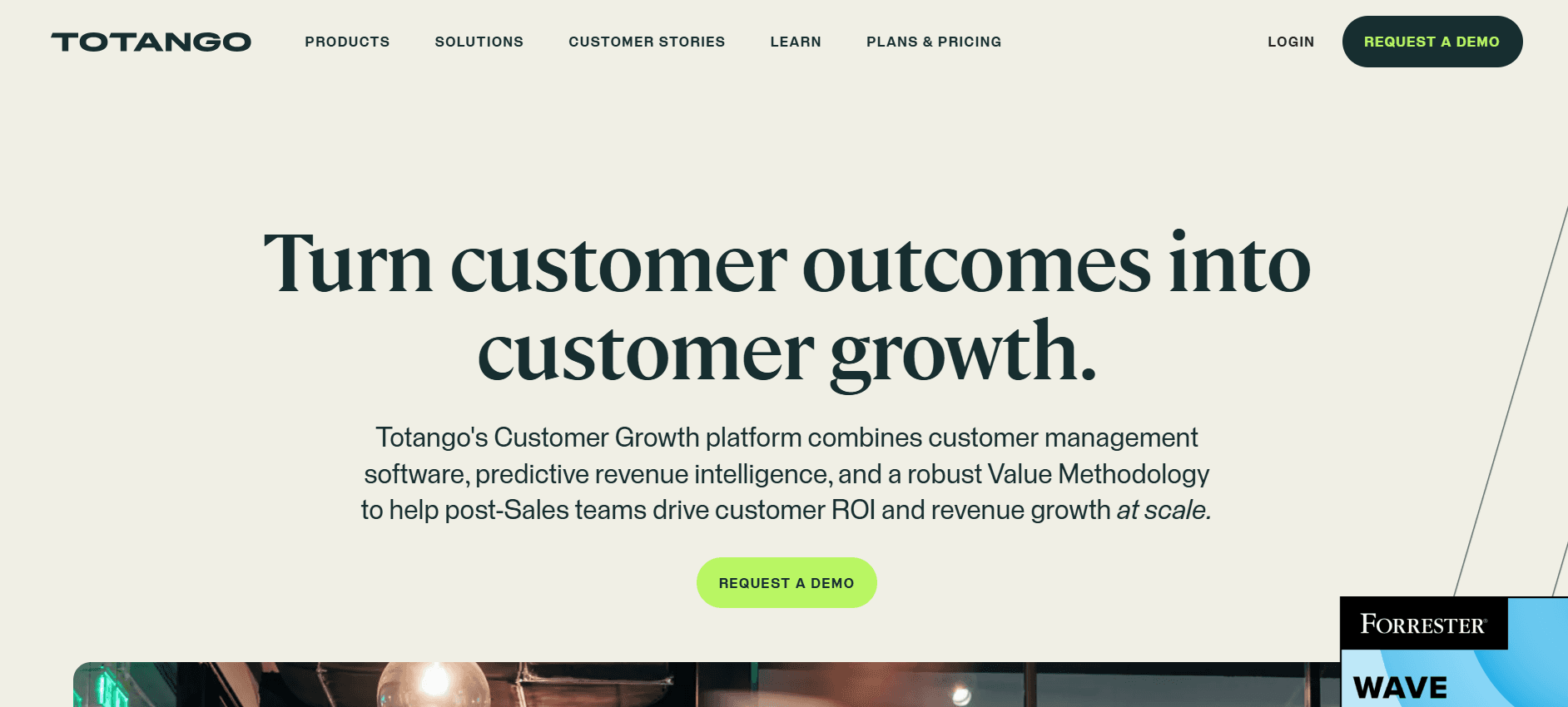
Totango è una piattaforma all-in-one per il customer success che fornisce una vista completa dell'attività e del coinvolgimento dei clienti. È rivolta alle aziende che desiderano migliorare le proprie strategie di fidelizzazione dei clienti. Il punto di forza di Totango risiede nei suoi flussi di lavoro di successo personalizzabili, che consentono ai team di adattare i propri approcci al coinvolgimento dei clienti. Tuttavia, le ampie funzionalità della piattaforma possono scoraggiare i nuovi utenti, richiedendo molto tempo per essere apprese appieno.
Funzionalità Chiave
Flussi di Lavoro di Successo Personalizzati
Tracciamento del Coinvolgimento dei Clienti
Punteggio di Salute (Health Scoring)
Automazione dei Task
Gestione delle Campagne Email
Portale Clienti
Analisi Complete
Integrazione CRM
Pro
Contro
Flussi di lavoro altamente personalizzabili.
Complesso per i nuovi utenti.
Forte tracciamento del coinvolgimento dei clienti.
Richiede tempo per l'apprendimento e l'implementazione.
Fornisce analisi complete.
Fasce di prezzo più alte per le funzionalità avanzate.
Prezzi
Totango offre una versione base gratuita, con funzionalità premium disponibili nei piani a pagamento a partire da $199 al mese.
Sfide dell'Onboarding dei Clienti: I Problemi Più Comuni per i Team
Assegnazione Manuale dei Task
I task vengono spesso assegnati tramite email, con conseguente mancanza di un tracciamento centralizzato.
Le assegnazioni dei task possono essere trascurate, causando ritardi nel processo di onboarding.
Non esiste un sistema di promemoria automatico, il che aumenta il rischio di errore umano.
Sono richiesti follow-up dispendiosi in termini di tempo, che appesantiscono il carico di lavoro dei team di customer success.
Mancanza di Visibilità in Tempo Reale
I team faticano a vedere a che punto sono i clienti nel processo di onboarding.
I clienti non riescono a identificare dove si sono bloccati, il che genera frustrazione e ritardi.
I dati sono sparsi su più sistemi, rendendo difficile la compilazione di insight utili.
Le risposte tardive ai problemi dei clienti possono influire negativamente sulla relazione con il cliente.
Esperienze di Onboarding Incoerenti
Diversi CSM utilizzano strategie di onboarding differenti, il che porta a una mancanza di standardizzazione.
I clienti ricevono informazioni incoerenti, il che potrebbe causare malintesi.
Manca un archivio centrale per i materiali e le risorse di onboarding.
I flussi di feedback sono incoerenti, ostacolando il miglioramento dei processi.
Time-to-Value Prolungato
I processi di onboarding richiedono settimane anziché giorni, ritardando la soddisfazione del cliente.
Tempi di onboarding più lunghi aumentano il rischio di disimpegno del cliente.
I clienti non riescono a percepire rapidamente l'intero valore del prodotto.
Le tempistiche prolungate possono portare ad abbandoni precoci se i clienti si sentono frustrati.
Mancanza di Scalabilità
I team di Customer Success non possono gestire più clienti senza aumentare l'organico.
Le risorse sono limitate, compromettendo la qualità dell'onboarding.
I processi manuali richiedono un uso intensivo di manodopera, limitando la produttività del team.
Scalare l'attività diventa difficile senza soluzioni di onboarding efficienti.
Sfida
Processo Tradizionale
Impatto sul Business
Costo in Termini di Tempo
Assegnazione Manuale dei Task
Assegnazioni basate su email
Aumento degli errori umani e dei ritardi
Oltre 10 ore/settimana
Mancanza di Visibilità in Tempo Reale
Sistemi multipli per il tracciamento
Risoluzione ritardata dei problemi del cliente
8 ore/settimana
Esperienze di Onboarding Incoerenti
Strategie dei CSM diversificate
Confusione e insoddisfazione del cliente
5 ore/settimana
Time-to-Value Prolungato
Processi che durano settimane
Rischio maggiore di abbandono precoce
Oltre 15 ore/settimana
Mancanza di Scalabilità
Attività ad alto tasso di manualità
Crescita aziendale limitata
10 ore/settimana
Funzionalità Indispensabili nei Tool di Onboarding dei Clienti
Tracciamento Automatizzato di Milestone e Task
Il tracciamento automatizzato di milestone e task è essenziale per garantire che tutte le fasi del processo di onboarding siano completate in modo efficiente e puntuale. Automatizzando questi processi, i team possono ridurre gli errori umani e assicurarsi che nulla venga tralasciato. Strumenti come Trupeer eccellono in quest'area fornendo capacità di monitoraggio complete, consentendo ai team di seguire i progressi senza interventi manuali.
L'automazione consente aggiornamenti e avvisi in tempo reale, facilitando la gestione proattiva del processo di onboarding. Questa funzionalità è particolarmente importante in ambienti dinamici in cui i team devono garantire esperienze clienti coerenti e il completamento tempestivo dei compiti.
Portale Rivolto ai Clienti con Visibilità dei Progressi
Un portale rivolto ai clienti è fondamentale per migliorare la trasparenza durante il processo di onboarding. Consente ai clienti di visualizzare i propri progressi e capire quali sono i passi successivi. Dock è noto per le sue forti capacità in termini di portale clienti, consentendo ai clienti di monitorare il loro percorso di onboarding in modo indipendente. Questo non solo dà potere ai clienti, ma riduce anche il numero di richieste rivolte al team di customer success.
Tali portali includono spesso dashboard che mostrano le milestone, i task completati e i passaggi futuri. Questa trasparenza aiuta a costruire la fiducia dei clienti e a ridurre la frequenza delle richieste di aggiornamento dello stato, snellendo la comunicazione tra i clienti e i team di customer success.
Guida In-App e Video Guide
Fornire una guida in-app e video guide è essenziale per l'onboarding efficace degli utenti, in particolare in ambienti software complessi. UserPilot eccelle in questo campo offrendo strumenti che consentono ai team di prodotto di creare esperienze in-app personalizzate. Queste funzionalità aiutano gli utenti a navigare nella piattaforma in modo più efficace, riducendo il tempo necessario per diventare operativi.
Anche le video guide sono preziose, in quanto forniscono istruzioni visive in grado di semplificare attività complesse. Questa funzionalità è fondamentale per ridurre la curva di apprendimento e garantire che i clienti possano trovare risposte rapide alle loro domande senza bisogno di un ampio supporto esterno.
Integrazione con CRM e Sistemi di Ticketing
L'integrazione degli strumenti di onboarding con i sistemi CRM e di ticketing è vitale per mantenere una visione olistica delle interazioni con i clienti. Questa integrazione garantisce che tutte le informazioni sui clienti siano accessibili in un unico posto, consentendo un servizio più personalizzato ed efficiente. Trupeer e Pendo offrono solide capacità di integrazione CRM, rendendoli ideali per i team che desiderano unificare i dati dei propri clienti.
Tali integrazioni aiutano a snellire i processi consentendo l'aggiornamento automatico dei record dei clienti e garantendo che tutti i membri del team siano allineati. Questo è particolarmente importante per i team che interagiscono frequentemente con i clienti attraverso molteplici canali.
Analisi del Time-to-Value e Punteggi di Salute (Health Scores)
Le analisi che forniscono informazioni sul time-to-value e sui punteggi di salute dei clienti sono indispensabili per comprendere il successo delle attività di onboarding. ChurnZero è leader in quest'area, fornendo punteggi di salute dettagliati che consentono ai team di identificare i clienti a rischio e intervenire prima che i problemi peggiorino. Questo approccio proattivo può ridurre significativamente i tassi di abbandono.
L'analisi del time-to-value aiuta i team a valutare la rapidità con cui i clienti raggiungono i loro obiettivi con il prodotto. Monitorando queste metriche, i team possono identificare i colli di bottiglia nel processo di onboarding e prendere decisioni informate per ottimizzare le strategie di coinvolgimento dei clienti, assicurando che i clienti ottengano il massimo valore dal prodotto il più rapidamente possibile.
Come Scegliere un Software di Onboarding dei Clienti in Base al Proprio Caso d'Uso
Automazione dell'Onboarding di Prodotti SaaS
Per le aziende SaaS, l'automazione dell'onboarding è fondamentale per garantire una fluida adozione e fidelizzazione degli utenti. La chiave è fornire una guida chiara e supporto mentre gli utenti navigano all'interno del nuovo software. Con strumenti come UserPilot, è possibile creare flussi di onboarding personalizzati che rispondono alle esigenze specifiche degli utenti, il che è essenziale per mantenere i clienti coinvolti e ridurre l'abbandono.
Elevate aspettative degli utenti per un'esperienza di onboarding fluida.
Necessità di percorsi utente personalizzati.
Pressione per ridurre l'abbandono e aumentare i tassi di adozione.
Fornire guide in-app e tooltip.
Utilizzare il targeting comportamentale per personalizzare le esperienze.
Sfruttare gli analytics per ottimizzare i flussi di onboarding.
Strumento
Targeting Comportamentale
Guida In-App
Analytics
UserPilot
Sì
Sì
Sì
Pendo
Sì
Sì
Sì
Erogazione di Servizi Professionali
Per i servizi professionali, l'onboarding non significa solo far iniziare i clienti, ma definire le aspettative e garantire una transizione fluida. GuideCX è particolarmente efficace in questo caso, in quanto fornisce piani di onboarding strutturati e aggiornamenti in tempo reale per tenere informati i clienti.
Processi complessi che richiedono una comunicazione chiara.
Elevate aspettative dei clienti per la qualità del servizio.
Necessità di gestire efficacemente molteplici stakeholder.
Implementare piani di onboarding strutturati.
Utilizzare aggiornamenti in tempo reale per migliorare la trasparenza.
Facilitare la collaborazione con i clienti attraverso spazi di lavoro condivisi.
Strumento
Piani Strutturati
Aggiornamenti in Tempo Reale
Funzionalità di Collaborazione
GuideCX
Sì
Sì
Sì
Rocketlane
Sì
Sì
Sì
Progetti di Implementazione Enterprise
I progetti enterprise spesso coinvolgono più reparti e integrazioni complesse. Dock è un forte candidato per gestire queste sfide, offrendo dashboard adattabili e il tracciamento dei progressi per garantire che tutti siano allineati.
Richiede un tracciamento e una reportistica completi.
I molteplici stakeholder richiedono una comunicazione chiara.
Complessità di integrazione con i sistemi esistenti.
Utilizzare dashboard adattabili per la visibilità.
Implementare il tracciamento dei progressi per garantire l'allineamento.
Facilitare la comunicazione con gli stakeholder attraverso piattaforme centralizzate.
Strumento
Personalizzazione Dashboard
Tracciamento Progressi
Capacità di Integrazione
Dock
Sì
Sì
Sì
Totango
Sì
Sì
Sì
Programmi di Onboarding dei Partner
Quando si esegue l'onboarding dei partner, l'attenzione si concentra sulla costruzione di relazioni solide e sulla garanzia che i partner comprendano come rappresentare al meglio il tuo brand. Trupeer fornisce gli strumenti necessari per facilitare queste relazioni attraverso flussi di lavoro automatizzati e un portale clienti personalizzabile.
Necessità di coerenza nella comunicazione e nel branding.
I partner richiedono una guida chiara e supporto.
L'onboarding deve essere scalabile per accogliere la crescita.
Implementare flussi di lavoro automatizzati per snellire le attività.
Utilizzare un portale personalizzabile per mantenere la coerenza del brand.
Facilitare check-in regolari e sessioni di feedback.
Strumento
Workflow Automatizzati
Portale Personalizzabile
Scalabilità
Trupeer
Sì
Sì
Sì
ChurnZero
Sì
Limitato
Sì
Best Practice per l'Onboarding dei Clienti
Prima dell'Onboarding
Mappa il tuo percorso di onboarding ideale per identificare le milestone chiave.
Definisci criteri chiari per ogni milestone per garantire la coerenza.
Definisci le aspettative con i clienti fin dall'inizio per evitare malintesi.
Raccogli le risorse e gli strumenti necessari prima di avviare il processo.
Sviluppa un piano di comunicazione per tenere informati tutti gli stakeholder.
Durante l'Onboarding
Automatizza i promemoria per garantire il completamento tempestivo delle attività.
Utilizza contenuti video per spiegare passaggi o processi complessi.
Mantieni una comunicazione aperta con i clienti per affrontare eventuali dubbi.
Monitora i progressi e adatta i piani se necessario per rimanere in linea.
Raccogli feedback per identificare aree di miglioramento.
Dopo l'Onboarding
Esamina i punteggi di salute per monitorare la soddisfazione e il coinvolgimento dei clienti.
Conduci analisi retrospettive per imparare dagli account bloccati e migliorare.
Fai follow-up con i clienti per assicurarti che stiano raggiungendo i loro obiettivi.
Documenta le lezioni apprese per perfezionare i futuri processi di onboarding.
Mantieni check-in regolari per coltivare la relazione con il cliente.
Domande Frequenti
Cos'è un software di onboarding dei clienti?
Il software di onboarding dei clienti automatizza il processo di integrazione dei nuovi clienti nel flusso di lavoro di un'azienda, garantendo una transizione fluida e un'esperienza cliente coerente. In genere include funzionalità come l'automazione dei task, il tracciamento dei progressi e i portali clienti.
Perché è importante l'onboarding dei clienti?
Un onboarding efficace riduce l'abbandono dei clienti, migliora la soddisfazione e accelera il time-to-value. Pone le basi per una relazione di successo a lungo termine, garantendo che i clienti siano pienamente coinvolti e comprendano il valore del tuo prodotto o servizio.
Il software di onboarding può integrarsi con i sistemi esistenti?
Sì, la maggior parte delle piattaforme di onboarding offre integrazioni con i sistemi CRM e di ticketing più diffusi. Ciò garantisce che tutti i dati dei clienti siano centralizzati e accessibili, facilitando flussi di lavoro efficienti e una gestione completa del cliente.
Quanto è sicuro il software di onboarding dei clienti?
La sicurezza è una priorità assoluta per i fornitori di software di onboarding. La maggior parte delle piattaforme include la crittografia dei dati, l'autenticazione degli utenti e la conformità agli standard del settore per proteggere le informazioni sensibili dei clienti.
Quali sono i modelli di prezzo tipici per il software di onboarding?
I modelli di prezzo variano, includendo spesso piani tariffari a scaglioni basati sulle funzionalità e sul numero di utenti. I piani base possono partire da $50 per utente al mese, con funzionalità più avanzate disponibili nei livelli superiori. Le prove gratuite sono comuni e consentono alle aziende di valutare il software prima di impegnarsi.
Esistono opzioni gratuite disponibili?
Alcuni fornitori di software di onboarding offrono piani gratuiti con funzionalità limitate, ideali per le piccole imprese o per chi desidera testare il software. Tuttavia, queste opzioni potrebbero non disporre delle capacità complete necessarie per le organizzazioni più grandi.
Quanto tempo occorre per implementare un software di onboarding?
I tempi di implementazione variano in base alla complessità dei processi di onboarding e dei sistemi esistenti. Le configurazioni semplici possono richiedere alcune settimane, mentre le integrazioni più complesse potrebbero richiedere diversi mesi per essere configurate e testate completamente.
Quale supporto è disponibile durante l'implementazione?
La maggior parte dei fornitori offre un supporto completo durante l'implementazione, inclusi documenti di aiuto, tutorial e team di supporto dedicati per garantire una transizione fluida. Alcuni possono anche offrire servizi professionali per configurazioni più complesse.
Conclusione
Nel panorama in continua evoluzione dell'onboarding dei clienti, la scelta del software giusto può fare una differenza significativa nella capacità della tua azienda di crescere e fidelizzare i clienti. Sfruttando gli strumenti e le strategie qui delineati, sarai ben attrezzato per ottimizzare i tuoi processi di onboarding e guidare il successo dei tuoi clienti.
Pronto a trasformare la tua esperienza di onboarding dei clienti? Scopri come Trupeer può aiutarti a snellire le operazioni e migliorare la soddisfazione dei clienti. Visita Trupeer per saperne di più e iniziare oggi stesso il tuo percorso verso un onboarding efficace.


