Trupeer Blog
Synthétiser

Your operations team wants to know how work really gets done. One vendor offers task mining: install a small agent on employees' desktops and, within weeks, see every application switch, copy-paste and repeated click across thousands of people. Another approach is simpler: ask the people who know the process best to record it, and turn those recordings into step-by-step documentation the whole team can use. Both promise visibility into how work happens. But task mining vs process documentation isn't a like-for-like choice: they answer very different questions.
This guide compares task mining vs process documentation in plain terms: what each one does, how they work, what each is good and bad at, and when you need one, the other or both. It's written for operations, shared services, transformation and automation leaders who are deciding where to invest. Trupeer sits on the process documentation side, and we've tried to be fair about where task mining is the better fit.
What is task mining?
Task mining is a technique that captures how people work on their computers by collecting user interaction data, such as clicks, keystrokes, application switches and screen activity, usually through software installed on employees' desktops. The data is aggregated across many users and analysed to discover common tasks, variations, time spent and repetitive patterns. Task mining is often used alongside process mining, which analyses event logs from systems such as ERP and CRM.
The main goal of task mining is analysis: finding where time goes, how work varies between people and teams, and which repetitive tasks could be automated.
What is process documentation?
Process documentation records how a process should be performed, step by step, so people can follow it, learn it and improve it. Modern process documentation is often created from screen recordings: an experienced person performs the task while narrating it, and a tool turns the recording into a step-by-step guide with screenshots and a video. The result is an SOP, work instruction or training video that lives in a knowledge base.
The main goal of process documentation is enablement: helping people do the work correctly, training new hires, transferring knowledge and keeping a reliable record of how the process runs. For a primer on mapping the current state, see as-is vs to-be process.
Task mining vs process documentation at a glance
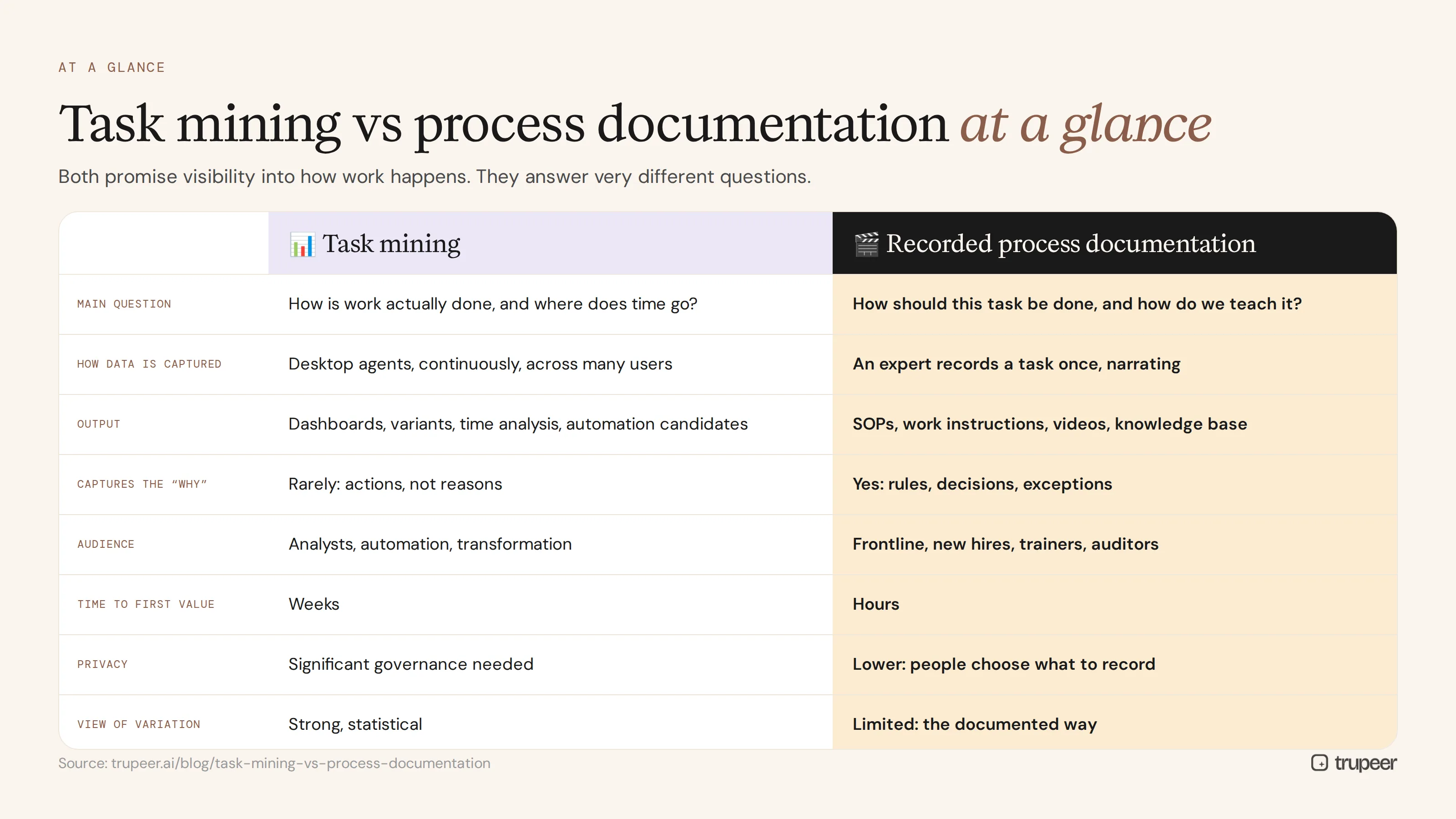
Task mining | Recorded process documentation | |
|---|---|---|
Main question answered | How is work actually done across many people, and where does time go? | How should this task be done, step by step, and how do we teach it? |
How data is captured | Desktop agents collect interaction data continuously, often across many users | An expert records a task once, narrating each step |
Output | Dashboards, task variants, time and frequency analysis, automation candidates | SOPs, work instructions, training videos and a searchable knowledge base |
Captures the "why" | Rarely; it sees actions, not reasons | Yes; the narrator explains decisions, rules and exceptions |
Audience | Analysts, automation and transformation teams | Frontline teams, new hires, trainers, auditors and support |
Time to first value | Weeks, after deployment, data collection and analysis | Hours, from the first recording |
Privacy and consent | Significant: continuous monitoring needs careful governance and often works council or employee consultation | Lower: people choose what to record and review it before sharing |
Statistical view of variation | Strong | Limited; shows the documented way, not every variant |
Keeps people productive | Indirectly, through improvements | Directly, through guides people use every day |
How does task mining work?
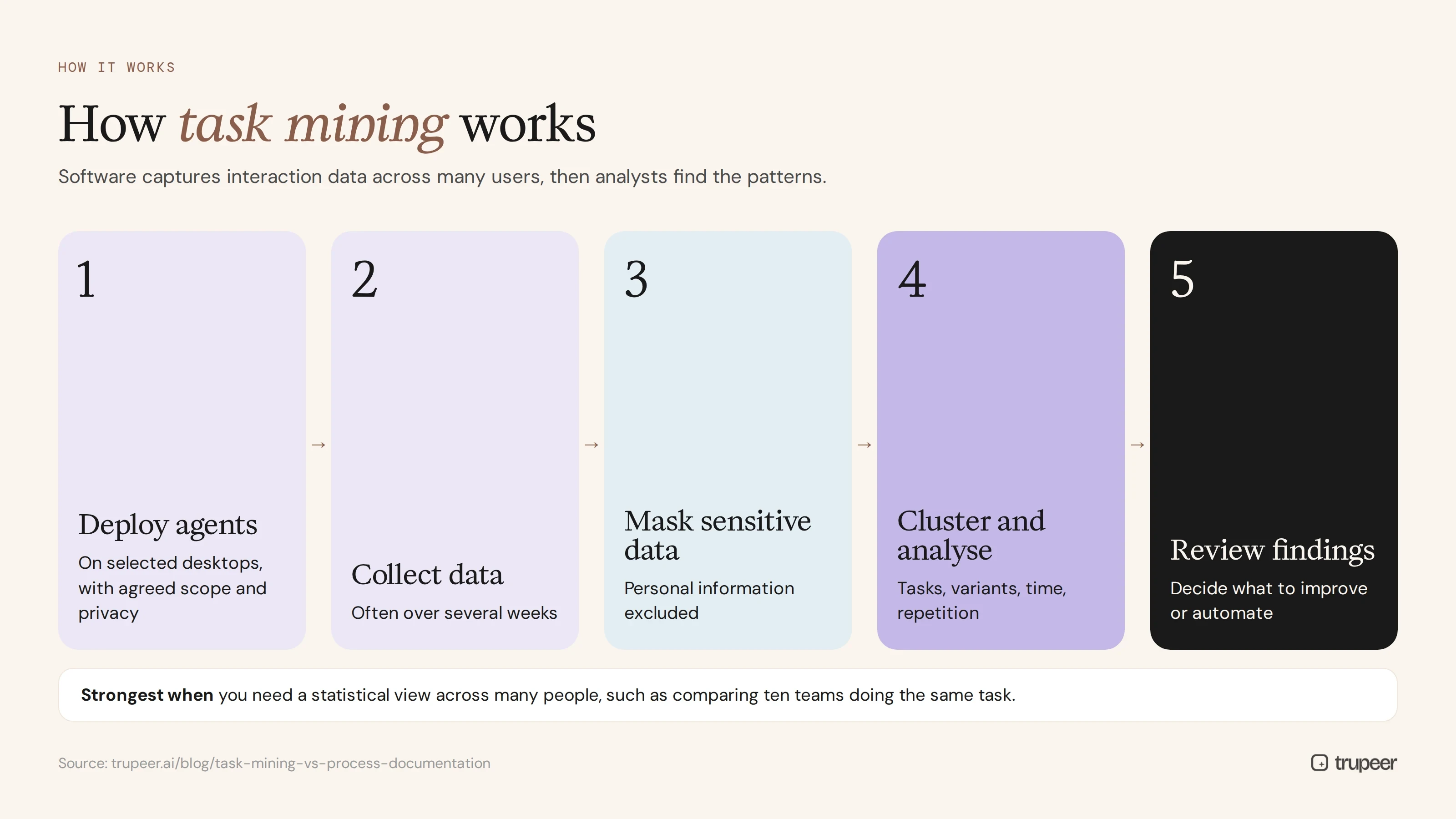
Deploy agents on a selected group of desktops, with agreed scope and privacy settings.
Collect interaction data over a period, often several weeks, so patterns can emerge.
Mask or exclude sensitive data, such as personal information on screen.
Cluster and analyse the data to identify tasks, variants, time spent and repetition.
Review findings with analysts and process owners to decide what to improve or automate.
Task mining is strongest when you need a statistical view across many people, such as comparing how ten teams perform the same task, or finding which repetitive tasks consume the most hours.
What are the limitations of task mining?
It shows what happened, not why. Interaction data can't explain the rule behind a decision or why someone took a workaround.
Privacy and trust concerns. Continuous desktop monitoring needs careful governance, employee communication and, in many regions, consultation with works councils or legal teams.
Deployment effort. Agents, security reviews, data masking and analysis take time before you see results.
Outputs aren't usable guides. Dashboards and variant maps don't teach a new hire how to do the job.
It needs volume. Rare tasks, period-end activities and exceptions may not show up clearly.
How does recorded process documentation work?
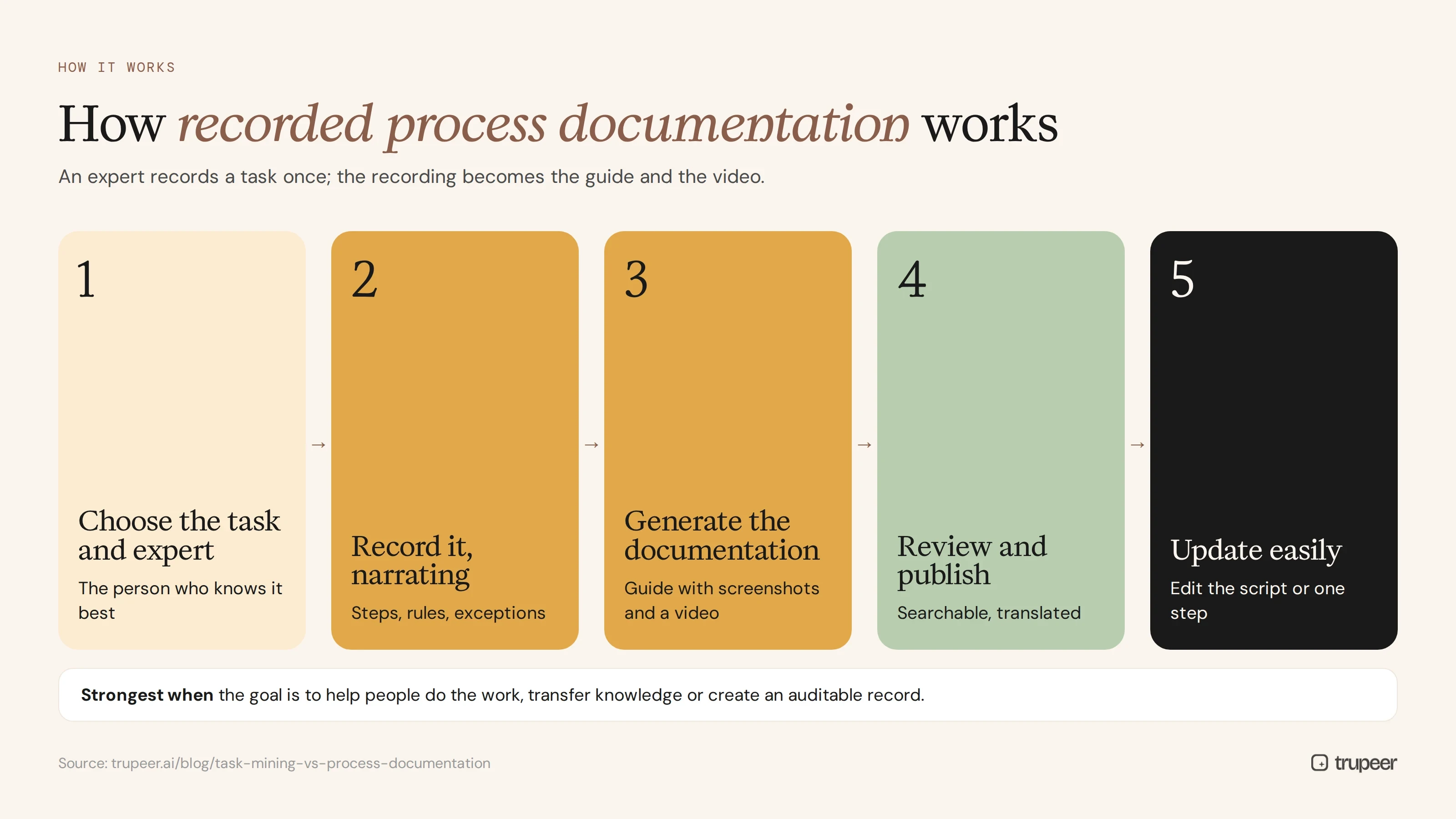
Choose the task and the person who knows it best.
Record the task with Trupeer's AI screen recorder, narrating each step, the rules behind it and how exceptions are handled.
Generate the documentation: Trupeer turns the recording into a step-by-step guide with screenshots and a narrated video.
Review and publish in a searchable knowledge base, translated for every team that needs it.
Update it by editing the script or re-recording a single step when the process changes.


Recorded documentation is strongest when the goal is to help people do the work, transfer knowledge or create an auditable record of how a process should run.
What are the limitations of recorded process documentation?
It shows one way of doing the task, usually the expert's, not every variation across the team.
It's not a statistical analysis of time or frequency across many users.
It needs someone to record, so coverage depends on planning which processes to capture.
It must be kept current, like any documentation, as systems and policies change.
When should you use task mining?
You need to compare how many people or teams perform the same work.
You want quantitative data on time spent and frequency to build an automation business case.
You have high-volume, repetitive desktop work across large teams.
You have the governance, privacy approvals and analytics capacity to run it well.
When should you use process documentation?
People need to learn or follow a process correctly, especially new hires.
You're transferring work between teams, sites or providers.
You're preparing for an ERP migration and need the as-is captured; see SAP S/4HANA transformation: document as-is processes first.
You need SOPs and audit evidence for compliance.
Knowledge sits with a few experts and must be captured before they leave; a tribal knowledge audit shows where.
You need results in days, not after a monitoring period.
Task mining vs process documentation by use case
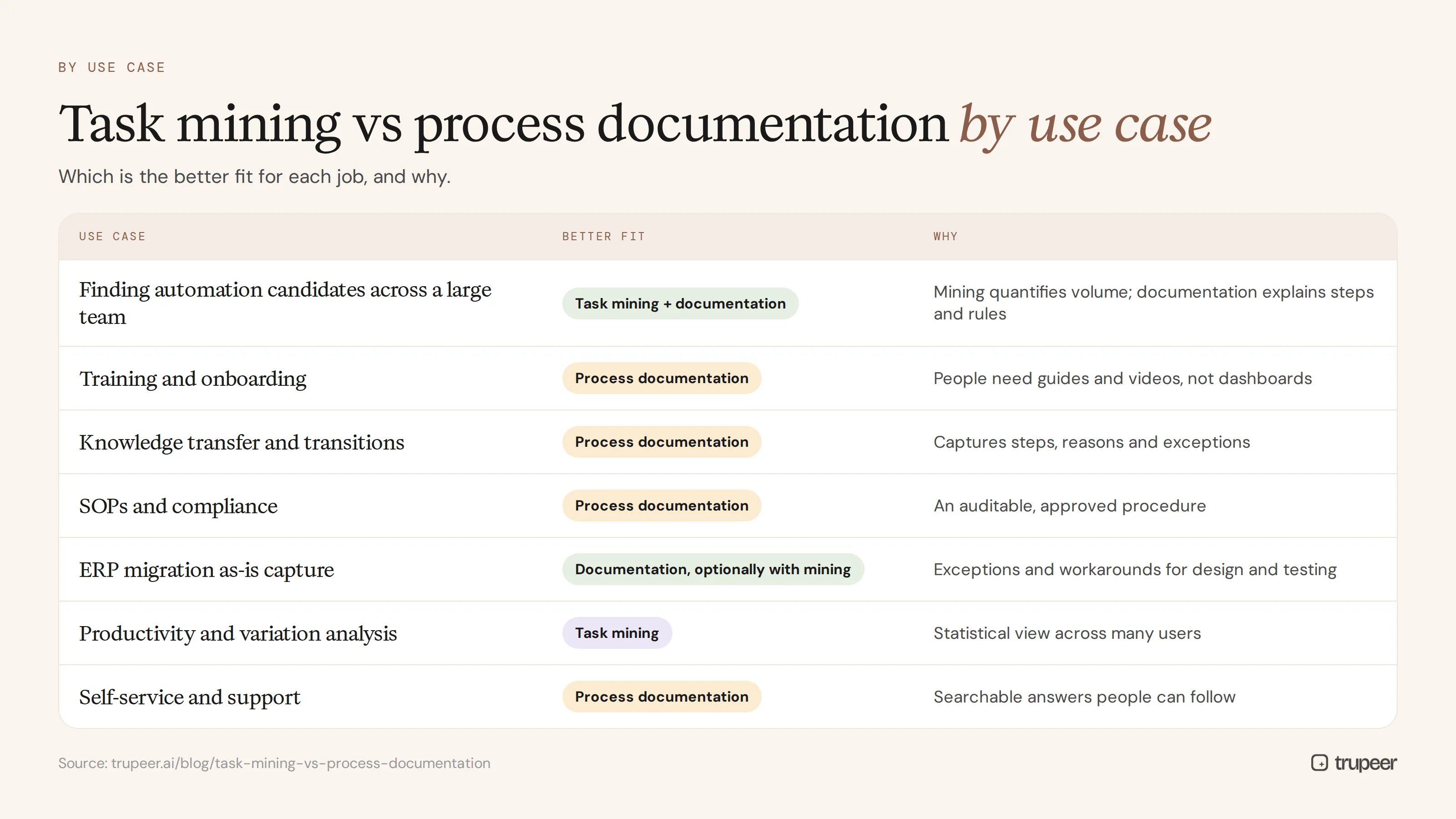
Use case | Better fit | Why |
|---|---|---|
Finding automation candidates across a large team | Task mining, with documentation to specify them | Task mining quantifies volume; documentation explains the steps and rules |
Training and onboarding | Process documentation | People need guides and videos, not dashboards |
Knowledge transfer and transitions | Process documentation | Captures the expert's steps, reasons and exceptions |
SOPs and compliance | Process documentation | Produces an auditable, approved procedure |
ERP migration as-is capture | Process documentation, optionally with mining | Recordings capture exceptions and workarounds for design and testing |
Productivity and variation analysis | Task mining | Statistical view across many users |
Self-service and support | Process documentation | Searchable answers people can follow |
Can you use task mining and process documentation together?
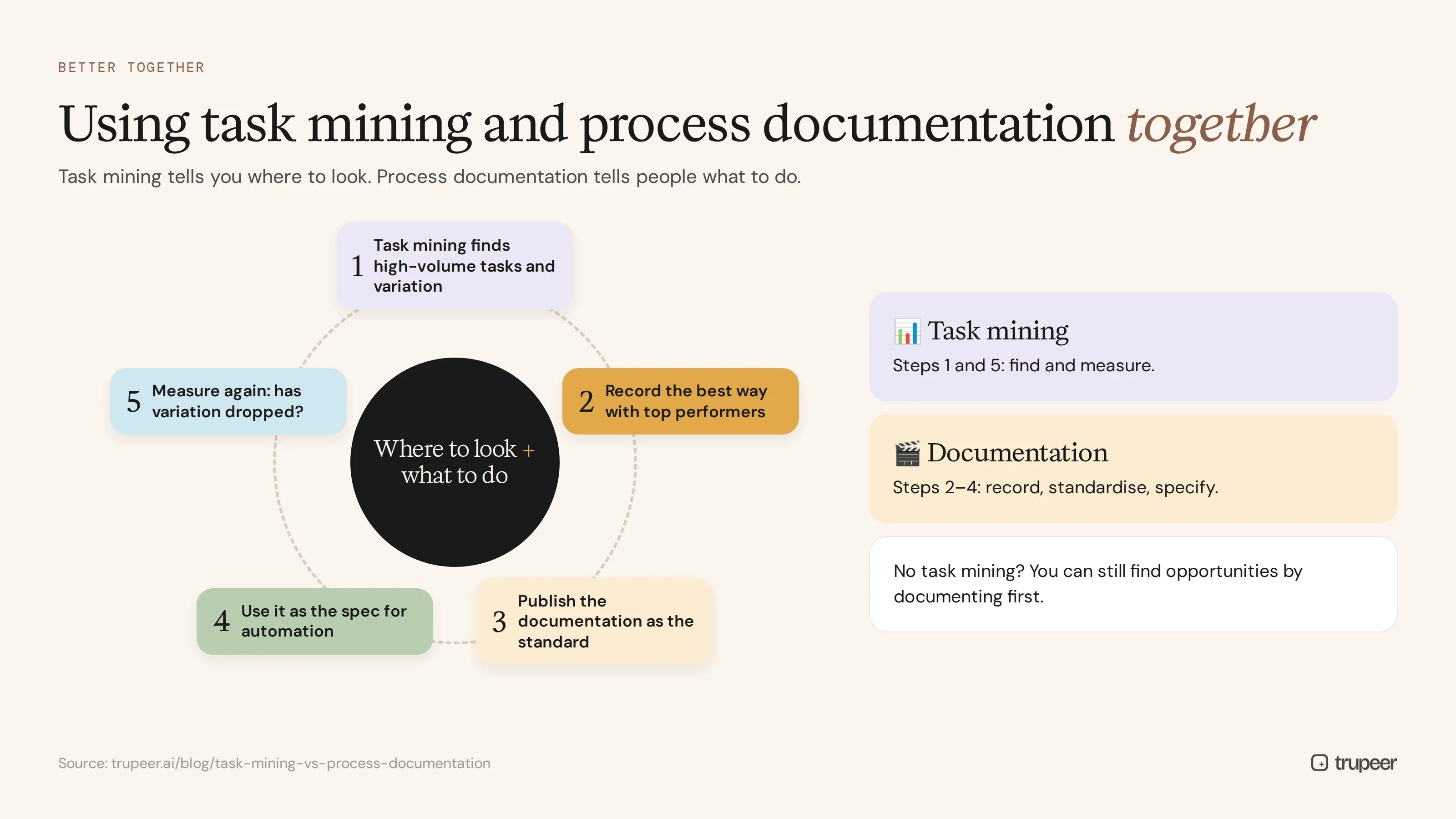
Yes, and many mature teams do. Task mining tells you where to look; process documentation tells people what to do. A practical combination:
Use task mining to find the high-volume tasks and the biggest variations.
Record the best way of doing those tasks with the people who do them best.
Publish the documentation as the standard, and train teams on it.
Use the documentation as the specification for any automation; see how to identify automation opportunities in documented processes.
Measure again to see whether variation and time have dropped.
If you don't have task mining, you can still find many opportunities by documenting processes first and analysing the steps.
What about privacy, consent and governance?
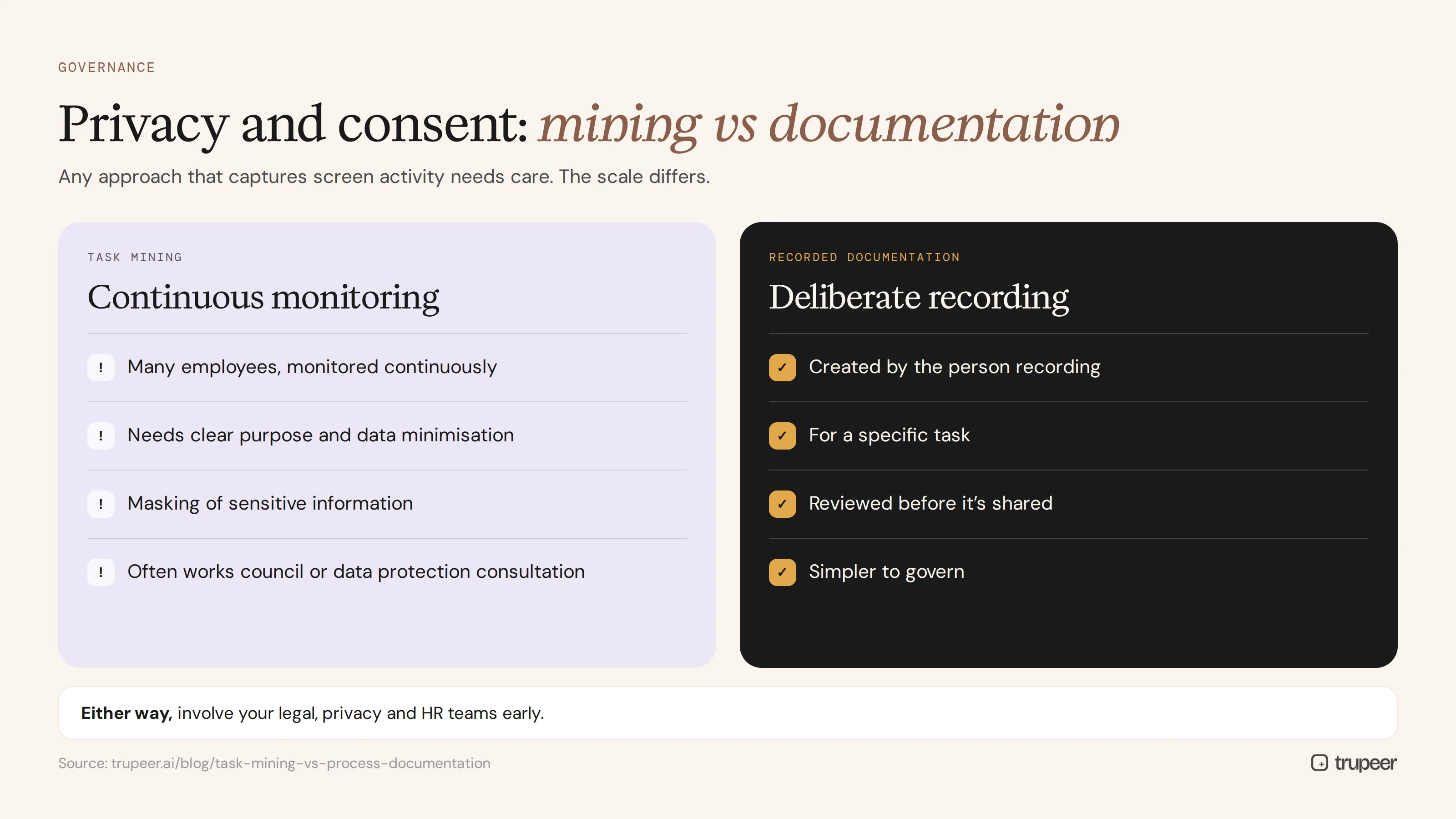
Any approach that captures screen activity needs care, but the scale differs. Task mining typically monitors many employees continuously, so organisations need clear purpose, data minimisation, masking of sensitive information, employee communication and, in many countries, consultation with works councils or data protection teams before deployment. Recorded documentation is created deliberately by the person recording, for a specific task, and is reviewed before it's shared, which makes it simpler to govern. Whichever you choose, involve your legal, privacy and HR teams early.
Task mining vs process documentation: how do you choose?
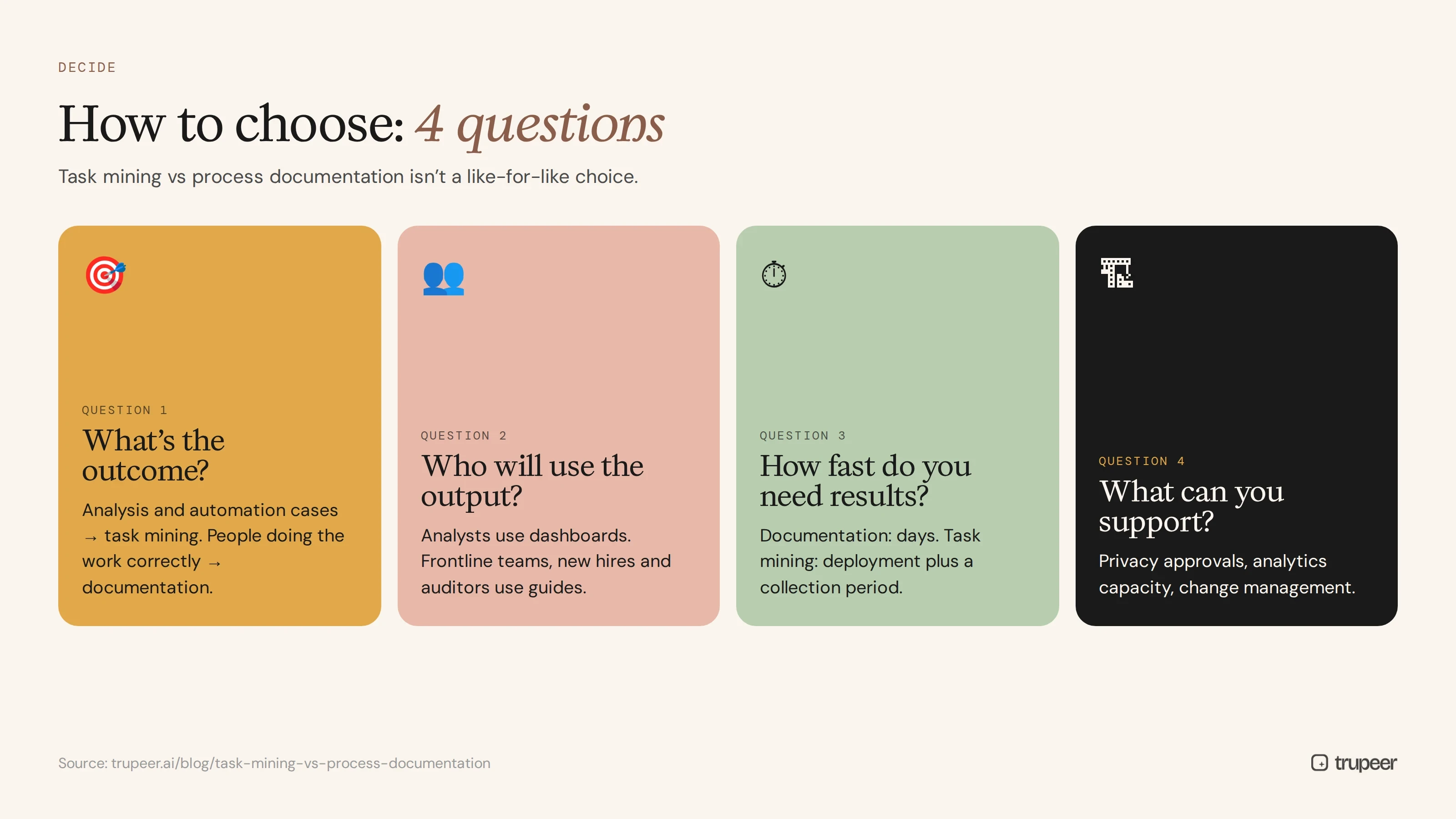
To decide on task mining vs process documentation, ask four questions:
What's the outcome? If it's analysis and automation business cases across many people, consider task mining. If it's people doing the work correctly, start with documentation.
Who will use the output? Analysts use dashboards; frontline teams, new hires and auditors use guides.
How fast do you need results? Documentation delivers in days; task mining needs deployment and a collection period.
What can your organisation support? Consider privacy approvals, analytics capacity and change management.
For a broader look at mapping options, see our guide to process mapping tools.
Common mistakes when comparing task mining and process documentation
Treating them as substitutes. They answer different questions, so one rarely replaces the other.
Buying task mining to fix training. Dashboards don't teach anyone how to do the job.
Skipping privacy planning, then stalling the rollout when concerns surface.
Documenting only the happy path, so recorded SOPs miss the exceptions people actually face.
Automating straight from mining data without documenting the rules and exceptions first.
Letting documentation go stale after the first round, so trust in it fades.
How Trupeer approaches process documentation

In the task mining vs process documentation comparison, Trupeer is built for the documentation side:
Record once, get a guide and a video: each recording becomes a step-by-step SOP with screenshots and a narrated video.
Capture the reasons, not just the clicks: experts explain rules, decisions and exceptions as they record.
Publish to a searchable knowledge base, so people find answers when they need them.
Translate into 65+ languages from one source.
Update without re-recording everything: edit the script or replace a single step.
No continuous monitoring: people choose what to record and review it before it's shared.
Genpact used this recording-first approach to build more than 500 training collaterals in five languages in 3 months instead of 12. Read the Genpact customer story.
Frequently asked questions
Task mining vs process documentation: what's the difference?
Task mining collects interaction data from many users' desktops to analyse how work is done and where time goes. Process documentation records how a task should be done, step by step, so people can follow and learn it.
Is task mining the same as process mining?
No. Process mining analyses event logs from systems such as ERP and CRM. Task mining analyses user interactions on the desktop, including work outside those systems.
Can task mining replace SOPs?
Not on its own. Task mining produces analysis, such as variants and time spent, rather than step-by-step guides people can follow, so SOPs and training are still needed.
Which is better for finding automation opportunities?
Task mining quantifies volume across many users, while documented processes show the exact steps and rules an automation must follow. Many teams use task mining to find candidates and documentation to specify them.
Does task mining raise privacy concerns?
It can, because it monitors employee activity, often continuously. Organisations typically need clear purpose, data masking, employee communication and approval from legal, privacy or works council bodies.
How long does each approach take?
Recorded documentation can produce usable guides within hours of the first recording. Task mining usually needs deployment, a data collection period and analysis before results appear.
Do I need both task mining and process documentation?
Not always. Large automation programmes often benefit from both, but if your goal is training, knowledge transfer or SOPs, process documentation is the place to start.
Where does Trupeer fit?
Trupeer creates process documentation from screen recordings: SOPs, training videos and a searchable knowledge base. It isn't a task mining tool and doesn't monitor employees continuously.
Start with documentation people can use
In task mining vs process documentation, the answer isn't either-or. Task mining shows where time goes. Process documentation shows people how to do the work, and gives every later step, from training to automation, a reliable foundation. Explore Trupeer's process mapping software or book a demo to see recorded documentation in action.
Articles de blog associés



