4,8/5
Konvertieren Sie Ihre Stimme in KI-Video in Minuten mit einem kostenlosen KI-Tool
Verwandeln Sie Ihre Sprachaufnahme in ein ausgefeiltes KI-generiertes Video mit Avataren, visuellen Elementen und synchronisiertem Sprechertext.
Jetzt starten

Trupeer's Convert Voice to AI Video in Minutes verwandelt jede Audioaufnahme in eine professionelle Voice-to-Video-KI-Präsentation mit Avataren, Untertiteln und Visuals – automatisch. Dieser Audio-zu-Video-Konverter-KI fügt Voice-over-KI-Narration zu ansprechenden Videoinhalten hinzu, ohne manuelles Bearbeiten. Kombinieren Sie es mit unserem Demo-Video-Creator, um mit ai allein aus Voice Notes ein Demo-Video zu erstellen.
Warum ist Convert Voice to AI Video in Minutes erforderlich?
Audioaufnahmen haben keine Visuals, wodurch Podcasts und Voice Notes für Training oder Marketing ohne teure Videoproduktion unzureichend sind und sich nicht nutzen lassen, wenn Teams schnell ein Demo-Video mit ai erstellen müssen. Die manuelle Umwandlung von Voice zu Video erfordert das Synchronisieren von Filmmaterial, Captions und Effekten über Bearbeitungssoftware hinweg. Eine inkonsistente Audio-zu-Video-KI-Qualität schadet der professionellen Glaubwürdigkeit.
Teams verschwenden Stunden damit, Stock Footage zu suchen oder B-Roll zu filmen, um die Narration des Voice Makers abzugleichen. Voice-Changer-Tools erstellen keine vollständigen Videos, sodass Ersteller mit fragmentierten Workflows zurückbleiben. Das Skalieren von Voice-over-KI-Inhalten über Sprachen hinweg wird ohne dedizierte Editor:innen unmöglich. Das Skalieren von Voice-over-KI-Inhalten über Sprachen hinweg wird ohne dedizierte Editor:innen unmöglich, es sei denn, Sie verwenden AI Dubbing, um jede Sprache automatisch zu generieren.
Was dieses Convert Voice to AI Video in Minutes macht
Trupeer's Tool analysiert Ihr Audio und generiert automatisch synchronisierte Visuals, KI-Avatare, Captions, Übergänge und Animationen für eine vollständige Voice-to-Video-Ausgabe. Der Audio-zu-Video-Konverter-KI passt die Szenen-Timing an Sprachmuster an und erstellt in Minuten aus Roh-Voice-Aufnahmen polierte Präsentationen – perfekt, wenn Sie ein Demo-Video mit ai erstellen müssen, ohne irgendetwas neu aufnehmen zu müssen.
Kernfunktionen
Sync Voice zu Video-KI mit automatischer visueller Generierung
Talking Avatare hinzufügen – mit Voice-over-KI-Lip-Sync
Untertitel und Animationen generieren für Audio-zu-Video-KI
Voice-Maker-Aufnahmen automatisch bereinigen und verbessern – integriert in den Demo-Video-Creator-Workflow
Einen Podcast oder eine Voice-Aufnahme in ein Video verwandeln
Audio allein ist schwer zu veröffentlichen. Podcasts, Voice Notes und aufgezeichnete Narrationen funktionieren auf YouTube, in Social Feeds oder in Trainingsportalen nicht ohne etwas zum Anschauen. Trupeer schließt diese Lücke. Starten Sie mit Ihrer Voice-Aufnahme, wählen Sie einen KI-Avatar und einen visuellen Stil, und das Tool erstellt ein narratiertes Video darum herum – komplett mit Untertiteln und Ihrem Branding –, sodass aus einer schlichten Audiodatei in Minuten ein teilbares Video wird. Es ist eine praktische Möglichkeit, einen Podcast in ein Video zu verwandeln, eine Voice Note in einen Trainings-Clip umzuwandeln oder einer aufgezeichneten Erklärung ein Gesicht und Captions zu geben. Wenn Sie denselben Content für andere Märkte benötigen, übersetzen Sie ihn in 65+ Sprachen aus derselben Quelle.
Voice-to-Video vs. Umwandlung von einfachem Audio
Es lohnt sich, eine häufige Verwechslung zu klären. Einige Tools verpacken einfach eine Audiodatei in ein Standbild, um ein mp3 als mp4 zu exportieren. Das ist Dateikonvertierung – keine Videoproduktion. Trupeer macht das zweite: Es erstellt ein echtes KI-Video mit Avatar, synchronisierter Narration, Untertiteln und Visuals – nicht nur einen statischen Frame über dem Sound. Wenn Ihr Ziel ein Video ist, das Menschen ansehen und mit dem sie interagieren, statt eine konvertierte Datei, ist das das richtige Tool.
So funktioniert Trupeer’s Convert Voice to AI Video in Minutes
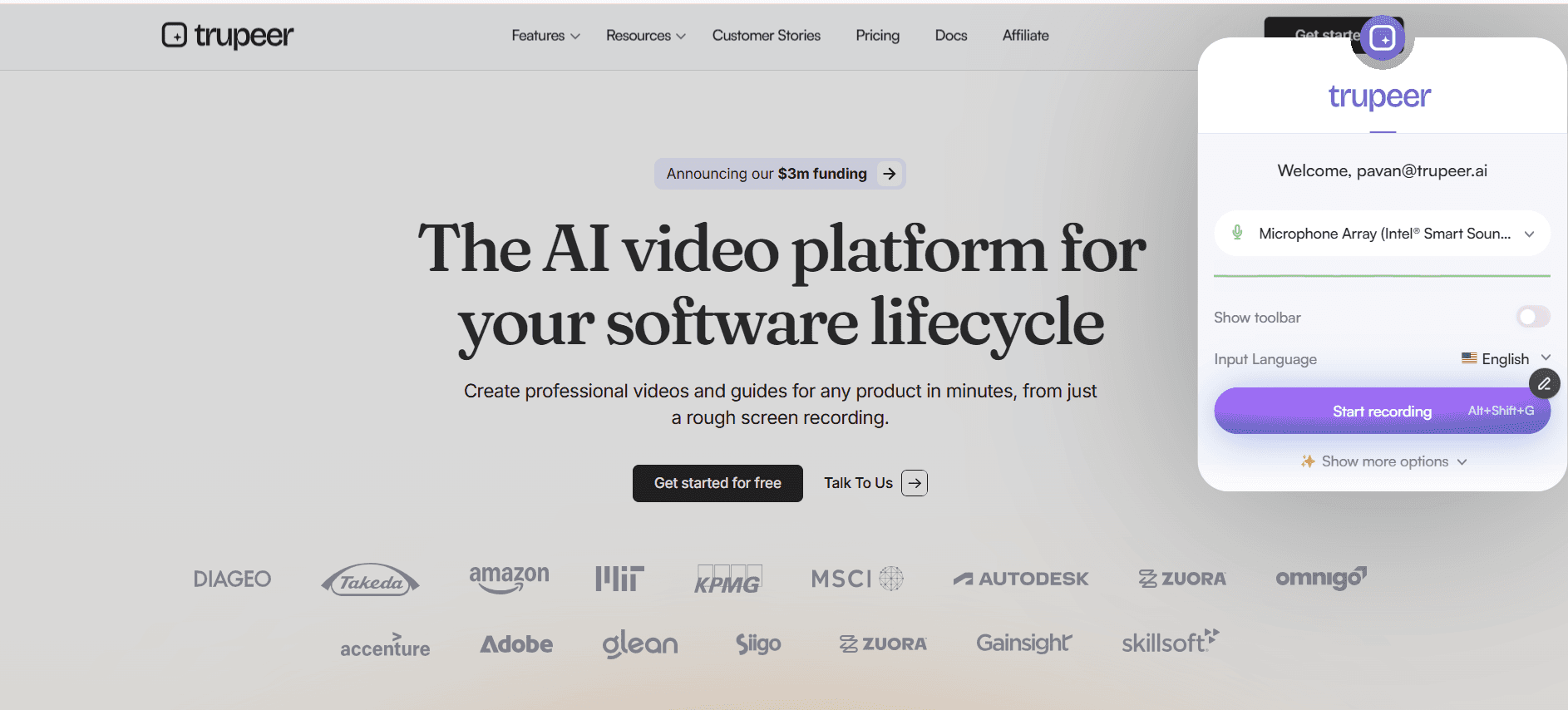
Schritt 1: Videoaufnahme hochladen
Videodatei teilen oder direkt aufnehmen – für die Voice-to-Video-Verarbeitung
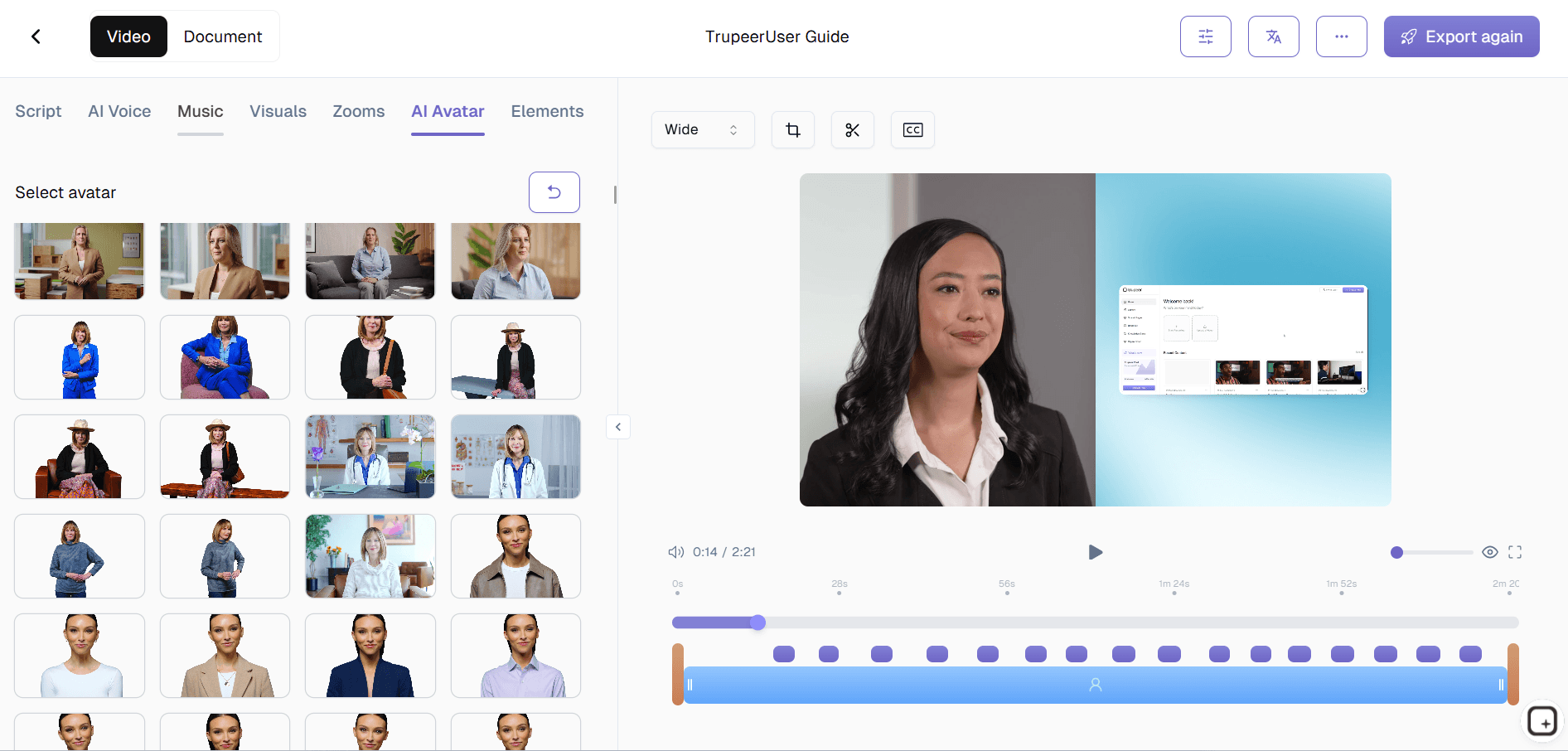
Schritt 2: Avatar & Stil auswählen
Wählen Sie automatisch Voice-over-KI-Avatar, Hintergrund und visuelles Theme.
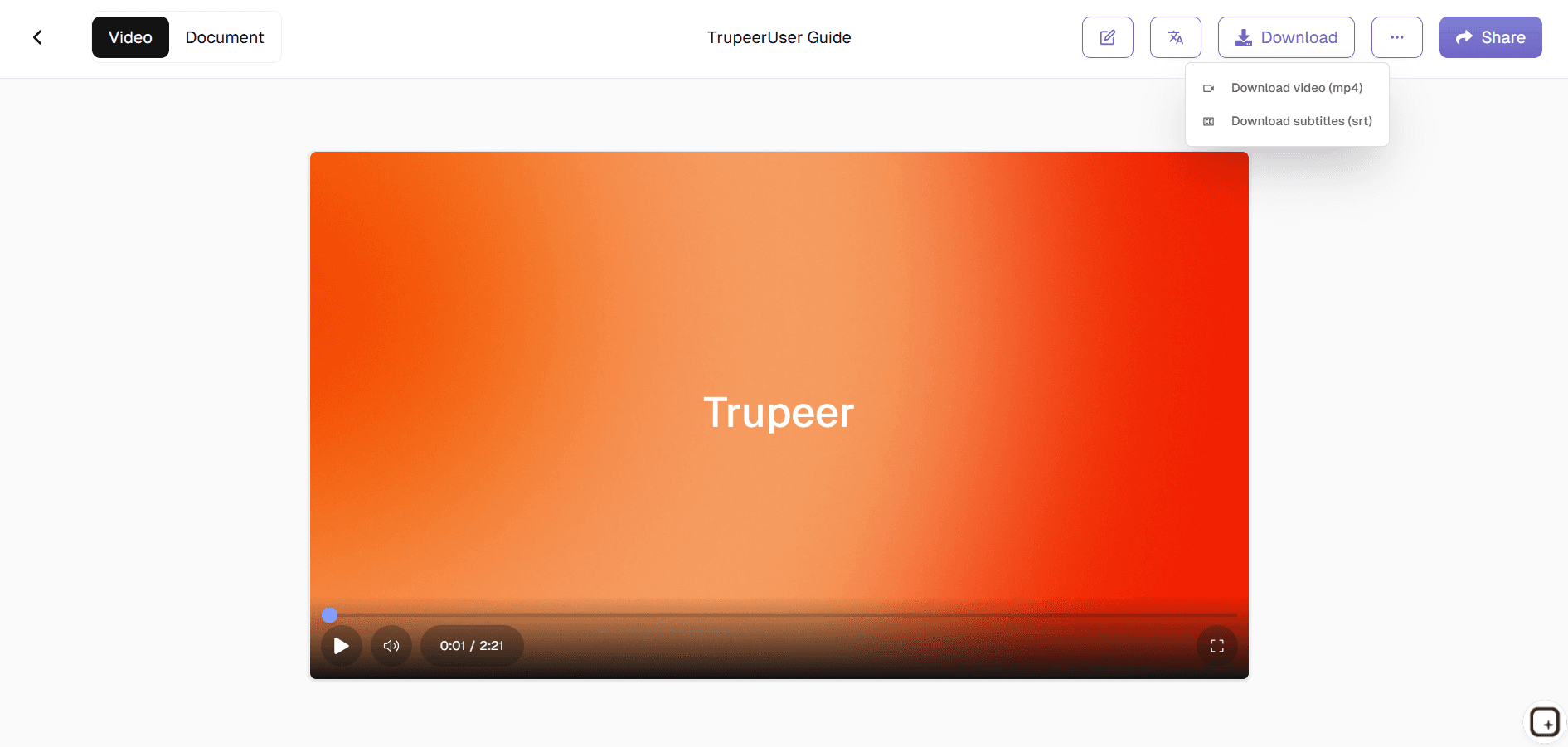
Schritt 3: Generieren & exportieren
KI erstellt sofort ein vollständiges Audio-zu-Video-Konverter-KI-Video.
Für wen ist Trupeer’s Convert Voice to AI Video in Minutes gedacht
Perfekt für Creator, die Audio in professionellen Videocontent verwandeln.
Podcaster:
Episoden in Voice-to-Video-KI mit Visuals umwandelnTrainer:
Ein Demo-Video mit ai erstellen – inklusive Lessons aus Voice-Maker-NarrationenMarketingteams:
Ads erstellen mit Voice-over-KI-AufnahmenSupport Teams:
Erklärvideos und Demo-Video-Creator-Ausgaben generieren – mit Audio-zu-Video-KIContent Creators:
Voice Notes in Voice-Changer-Videos umwandeln
Wichtige Features von Trupeer’s Convert Voice to AI Video in Minutes
Professionelle Videos aus Rohaudio – ohne Bearbeitungskenntnisse.
Perfektes Lip-Sync:
KI-Avatare passen die Voice-to-Video-Timing exakt anAuto-Visuals:
Generiert relevante Aufnahmen für den Audio-zu-Video-Konverter-KISmart Captions:
Zeitlich abgestimmte Untertitel – synchron zur Voice-over-KIAudio-Enhancement:
Bereinigt Voice-Maker-Aufnahmen automatischMehrsprachig:
Übersetzt Voice-Changer-Content global
Ähnliche Tools entdecken
Vorteile der Verwendung des Voice-to-AI-Videogenerators von Trupeer
Schnelle Konvertierung
Verwandeln Sie jede Sprachnotiz oder Audiodatei innerhalb weniger Minuten in ein professionelles, KI-generiertes Video.
Perfekte Lippensynchronisation & Visuals
KI synchronisiert automatisch Ihr Audio mit Avataren, Untertiteln und visuellen Elementen für ein professionelles Erscheinungsbild.
Flexible Anpassung
Ändern Sie Avatare, Szenen, Designs und das Tempo, damit sie zu Ihrer Botschaft oder Ihrem Markenauftritt passen.
So wandeln Sie Sprache mit Trupeer in ein KI-Video um
Schritt 1
Laden Sie Ihr Video mit Sprachaufzeichnung hoch
Schritt 2
Wählen Sie Ihren KI-Avatar, visuellen Stil & Hintergrund
Schritt 3
Erstellen, Vorschau anzeigen und Ihr KI-Video sofort exportieren
Häufig gestellte Fragen
Ist Convert Voice to AI Video in Minutes kostenlos?
Ja, die wichtigsten Voice-to-Video-KI-Funktionen sind in der kostenlosen Stufe verfügbar.
Welche Eingaben unterstützt Convert Voice to AI Video in Minutes?
Audiodateien, Sprachaufnahmen für die KI-Konvertierung von Audio zu Video.
Welche Formate kann ich aus Convert Voice to AI Video in Minutes exportieren?
MP4-Videos mit KI-Sprachausgabe, optimiert für alle Plattformen.
Kann ich einen Podcast in ein Video umwandeln?
Ja. Laden Sie Ihren Podcast oder Ihre Sprachaufnahme hoch, wählen Sie ein KI-Avatar und einen visuellen Stil, und Trupeer erstellt daraus ein erzähltes Video mit Untertiteln und Ihrer Markenidentität – bereit für YouTube, Social Media oder Schulungen.
Kann ich ein KI-Avatar zu meiner Sprachaufnahme hinzufügen?
Ja. Sie können Ihre Moderation mit einer KI-Avatar-Präsentation kombinieren, damit im Video ein Gesicht zu sehen ist – inklusive Untertiteln – statt nur Audio über ein statisches Bild.
Weitere Tools


