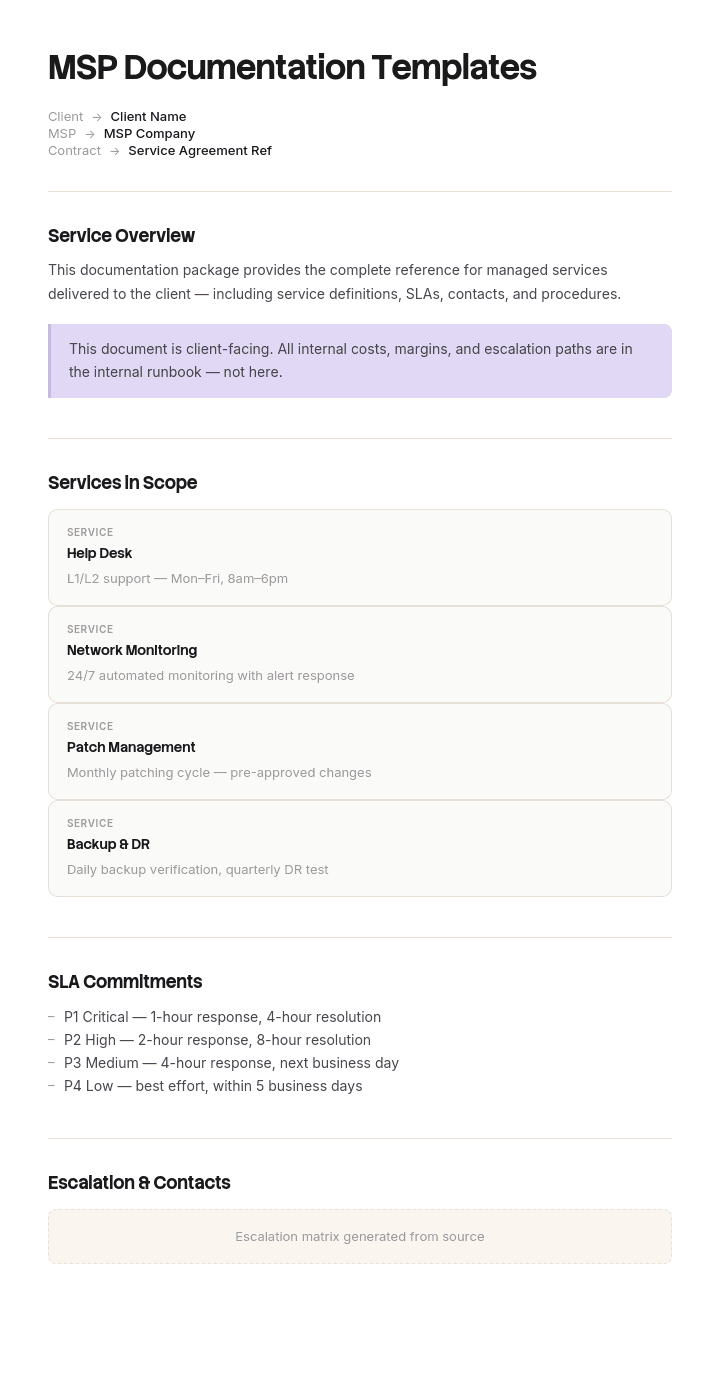
使用此模板
对于托管服务提供商而言,文档并不只是“锦上添花”——它就是产品。使用 Trupeer,您可以从免费 MSP 文档模板开始,借助 品牌规范 进行定制,并将客户文档转换为 视频演练,让任何技术人员都能使用,从而节省数小时编写 MSP 文档的时间。
什么是 MSP 文档?它与其他文档有何不同?
MSP 文档是托管服务提供商为运行其他组织的技术而记录下来的所有内容:资产清单、网络拓扑图、凭据、运行手册(runbooks)、升级路径、客户特有的细节,以及客户所看到的报告与复盘。
有两点使其在结构上与内部 IT 文档截然不同,而几乎所有模板都忽略了这两点。
您记录的是您并不拥有的资产。客户对您所写内容中的部分拥有权利,对其余部分则不拥有,而这条界线在商业上、合同上以及关系结束的那一天都至关重要。
同时,您还要在同一时间为许多不同资产环境记录同一套流程。内部团队只需编写一份备份还原运行手册。MSP 则要编写一份,并且必须在三十或四十个彼此存在差异、而无人能完全记得差异细节的环境中保持其准确性。
第二个问题会悄悄吞噬 MSP 的利润率,因此本页从这里开始。对于单一资产环境的版本,我们的 IT 文档模板 覆盖了通用情况。
为什么“同一份运行手册复制四十份”才是真正的问题
几乎每家 MSP 都从同样的方式开始。先建立一套高质量的运行手册。为客户完成入驻。将运行手册复制到该客户的文件夹或空间中,让处理工单的工程师能在一个地方找到所有内容。然后重复。
这是一种合理的直觉,但会带来缓慢而灾难性的后果。经过四年、服务三十多位客户后,您会拥有一千多份文档,其中大多数彼此几乎是“近似副本”,而且无法判断哪一份是最新的。
失败并不在于文档本身不好。每一份副本在创建时都是正确的。真正的问题是:方法上的改进现在必须应用三十次,而在有人被紧急事项“拉走”之前,往往只会应用五到十次。
工程师接下来要做的事情才是昂贵的部分。一旦技术人员两次因为运行手册与实际环境不匹配而“踩坑”,他们就会停止阅读运行手册。他们会改用第一性原理来处理,这更慢、更不一致,而且在您的报表中完全看不见——因为工单仍然会被关闭。
因此,MSP 文档结构必须能够在一个地方完成标准更新。以下内容都由此推导。
如何在 Trupeer 中自定义此模板
步骤 1:打开模板(Templates)
从主导航进入“Templates(模板)”部分。

步骤 2:选择并打开模板
点击任意您想要使用的模板以将其打开。

步骤 3:展开模板视图
如有需要,展开模板视图以清晰查看完整布局与细节。

步骤 4:编辑模板
点击“Edit(编辑)”开始修改所选模板。

在编辑器中,您可以:
添加新的章节
定义或更新格式规则
添加徽标,并调整其位置及相关设置
步骤 5:保存您的自定义模板
完成所有必要更改后,点击“Save(保存)”,将更新后的模板存为您自己的版本。

步骤 6:预览并微调模板
当您想查看自定义模板的效果时,打开“Preview(预览)”。

在预览界面中,如有需要,您仍可直接继续进行调整,确保模板呈现得与您期望完全一致。
使用 MSP 文档模板,您可以:
节省编写时间:跳过空白页面,直接使用为 MSP 运作构建的结构。
缩短 MTTR:清晰的文档帮助任何技术支持人员更快地服务每一位客户。
保持品牌一致:使用 Trupeer 的品牌套件应用您的徽标、字体与颜色。
更快完成技术人员入驻:新技术人员可借助清晰、基于视频的文档迅速上手。
随时可应对审计:内置章节支持 SOC 2、ISO 27001 以及客户审计。
覆盖全球团队:一键将 MSP 文档翻译为 65+ 种语言。
优秀的 MSP 文档正是让托管服务业务具备可扩展性的关键。使用这些模板,能够清晰且一致地记录每位客户、每套系统、每一项流程。
只记录一次标准,偏差只记录下来
一套标准库。每份文档只有一份副本。版本可追溯、归属明确,也是方法存在的唯一位置。
然后针对每位客户,提供一份简短文档,用于记录该客户与标准的不同之处——除此之外不再包含其他内容。不是对运行手册的复制并进行编辑,而是一份例外清单。
客户偏差登记表(deviation register)才是关键所在。如果客户使用的是不同的备份产品,那就是一行。如果他们的防火墙来自不同厂商,那也是一行。如果他们的财务总监必须批准任何非工作时间的操作,那仍然是一行。登记表之外的内容按定义都是标准,这意味着工程师读取两份文档,而不是在一个文件夹里翻找并希望其中的副本是最新的。
登记表会保持很小。在实际中,一个成熟客户通常介于八到二十行之间,而编写“一份偏差登记表”的过程往往会发现三到四项此前从未在任何地方记录过的偏差。
还有一个稍后才会显现的好处。客户所有非标准项的简短清单,是一份非常出色的销售与利润率文档。偏差就是您投入时间的地方。
客户偏差登记表:包含什么
每个偏差一行,共五个字段。
哪些不同。 相对于标准来表述,例如“备份是 Datto,而不是我们标准的 Veeam”,而不是“使用 Datto”。
它影响哪份标准文档。 给出参考项,这样工程师在阅读运行手册时可以直接定位到这里。
原因。 客户偏好(来自先前服务商的继承)、合规要求、技术约束。该字段决定这项偏差是否值得被移除。
自何时起,以及何时复核。 填写日期。入驻时继承的偏差往往会持续多年,因为没人会再去重新审视。
工作量或风险。 简短说明这会给您带来什么成本。这样登记表不仅是技术文档,也会成为一份商业文档。
在顶部添加抬头,注明客户名称、该登记表所依据的标准库版本,以及账户负责人。每季度复核登记表。没有原因且没有成本的偏差通常是候选项,适合纳入标准化;而这往往也是 MSP 能做的回报最高的文档工作。
按类别划分:MSP 实际需要哪些文档
类别 | 文档 | 标准或按客户 | 谁会看到 |
|---|---|---|---|
客户资产环境 | 资产清单、网络拓扑图、许可证库存、凭据 | 按客户,并且是客户的数据 | 内部使用,可按需共享 |
流程 | 运行手册、还原流程、入驻与离场步骤 | 标准,并标注偏差 | 仅内部 |
客户特定信息 | 偏差登记表、联系人、升级、审批规则、非工作时间条款 | 按客户 | 内部使用,部分共享 |
变更与事件 | 流程方法(每次变更/事件一份)、变更/事件记录、事件复盘 | 按事件 | 内部使用,有选择地共享 |
面向客户 | 月度报告、季度业务复盘、现场审计、入驻清单 | 标准格式,包含客户数据 | 客户 |
商业类 | 服务说明、SLA、定价模型、合同附表 | 标准 | 客户 |
内部业务 | 员工手册、安全策略、工具标准 | 标准 | 内部 |
大多数 MSP 在第一行和第五行做得很好,而第三行做得很差——这恰好是反过来的,因为第三行正是让第二行变得可用的原因。
其中两项各自都有值得直接使用的模板。凭据与许可证库存有一个天然的归属位置:我们的 应用与凭据登记表;而运行手册本身则遵循我们的 IT SOP 模板 结构。
免费 MSP 文档模板:构建标准库
从这里复制。这里是最小的标准库,而且比大多数 MSP 的预期要更小。
入驻包(Onboarding pack)。 发现清单、现场审计、资产采集、凭据采集、偏差登记表初始填写、首月复盘。一个文档:每位客户运行一次。
运行手册(Runbooks),每个重复任务一份。 备份还原、创建与禁用用户、邮箱还原、终端重建、密码重置、VPN 访问、打印机部署、证书续期、补丁例外。先从最容易产生工单的十项任务开始,而不是试图覆盖所有内容。
升级与值班(Escalation and on-call)。 工单如何升级、每个层级会联系谁、什么构成紧急情况,以及非工作时间的授权规则。
事件与变更。 事件复盘格式,以及针对客户基础设施计划变更的流程方法格式。
面向客户的报告。 月度报告、季度业务复盘,以及现场审计输出。固定格式,填入客户数据。
离场包(Offboarding pack)。 客户会收到什么、您保留什么、以何种格式、在何时之前交付。提前编写,不等到需要时才写。
偏差登记表模板。 上述五个字段。
复制到这里。十到十五份运行手册,再加六份常备文档,就是一套可运行的库。先写四十份运行手册的冲动,正是大多数 MSP 文档项目在第二个月停滞不前的原因。
内部与外部的 MSP 文档,以及归属关系
大多数指南所做的区分是内部与面向客户,这对决定语气很有帮助。但更关键的区别是“归属”,而它在离场时才会真正变得现实。
总体而言(具体会因合同与司法辖区而不同),客户的数据属于客户:描述其设备的资产清单、其网络拓扑、其凭据、其许可证权益、其配置。您以服务提供商的身份持有它,而不是拥有它。
您的方法属于您:标准运行手册、报告格式、您的构建标准、您的定价模型、您的内部流程。客户离开并不享有您的运行手册库。
偏差登记表则处在尴尬的中间地带,因此值得在合同中明确命名。它描述的是客户的环境,因此支持“归客户”;但它是基于您的标准编写的,因此又支持“需要做删减版本”。
请在服务协议中以书面形式解决,而不是在离场时争论。本页不构成法律意见,且具体立场会因合同与司法辖区而不同,因此请让您的律师审阅文档归属与返还条款。只做一次会花一小时;在离场期间处理则会贵得多,如下所示。
拥有 1,360 份文档与九份过期运行手册的 MSP
Thornbury IT 为三十四位客户提供托管服务,团队共有二十二名员工,其中九名是工程师。在每次入驻时,他们都会将运行手册集合复制到新客户的空间中;到第四年时,这意味着每位客户大约四十份文档,总计约一千三百六十份。
问题在一次事件中暴露出来。某位工程师为一位客户处理了一次失败的备份,还原时遵循了该客户的还原运行手册,而该手册引用了 Veeam 的作业命名规范。客户在十四个月前已经迁移到另一款备份产品。标准运行手册已更新,但该客户文件夹中的副本没有更新。
随后他们抽样检查了十二位客户的还原运行手册。九份与当前标准不同,其中九份差异里的五份只是过期,而不是刻意的变更。
可量化的成本体现在处理时间上。全公司平均二线处理时间为四十七分钟。对于那些运行手册过期的客户,则为七十一分钟,因为这些账户上的工程师已经不再信任文档,只能每次重新推导。
此外,第三年时有一位客户离开并索要他们的文档。Thornbury 发送了该客户的文件夹,其中包含客户自己的标准运行手册,与客户的资产清单和凭据混在一起。没人曾划清界线。关于客户究竟有权获得哪些内容的争议持续了六周,并牵涉到双方公司的律师。
重建花费了一位员工一个月的时间:一套标准库、单份副本、版本可追溯。按客户仅提供一份偏差登记表。登记表的中位数长度为十一行。
一千三百六十份文档变成了四十份标准文档和三十四份登记表,总计七十四份。所有账户的二线处理时间也收敛到四十四分钟左右。自那时起,离场包也在合同中被明确规定:客户收到资产清单、凭据、图表以及他们的偏差登记表;Thornbury 保留标准库。
GitHub 上有免费的 MSP 文档模板吗?
有,而且值得在合理预期下查看。
您会发现的是:运行手册集合的社区仓库、内嵌文档的 PowerShell 脚本库、基于 markdown 的文档框架,以及偶尔会有 MSP 以招聘或营销为目的发布的完整文档结构。搜索 MSP 运行手册或 IT 文档时,若同时包含 markdown 或 docs-as-code,通常能找到大部分内容。
这些仓库中真正有用的通常是结构与覆盖范围:一份由一家具备能力的 MSP 维护的运行手册清单,能作为您自己的检查清单。很少有用的是具体内容,因为运行手册通常针对特定工具栈;而“他人备份产品与 RMM 的还原流程”更像是一个可操作的示例,而不是模板。
需要注意两点。将任何内容纳入商业文档库之前,请先检查许可协议:宽松许可很常见,但并非普遍适用。并且永远不要改编包含真实客户标识、网络细节或任何类似凭据的信息——这类内容在公开仓库中确实会出现,但出现得比应该的更多。
docs-as-code 这种方式本身(即在版本控制中使用 markdown)也是 MSP 的一种合法选择,它能优雅地解决“单份副本”问题。其弱点在于:在时间压力下,工程师往往不会提交到仓库,因此采用与否通常取决于这一限制,而不是工具本身。
MSP 文档软件与“供应商锁定”问题
面向 MSP 的文档平台擅长做一些难以自行构建的事情:结构化的资产关系、与您的 RMM 和 PSA 集成、带审计追踪的凭据处理,以及带权限的按客户分离。
代价是:您的文档会被他们的数据模型所塑造,而将其导出为可用形式往往比销售流程所暗示的更糟。导出通常意味着一组记录,而不是工程师实际使用的、可读的文档。
在决定投入之前,值得先问两个问题。您能否导出所有内容(包括关系与附件),并以一种即使您从未再购买其他产品也仍可用的格式保存?另外,您能否维护一份适用于所有客户的单一标准文档,还是该模型会强制每位客户一份副本,从而重新引入本页所讨论的同样问题。
第二个问题会排除掉比您预期更多的产品。如果某个平台强制按客户复制,请将标准库放在平台之外(用更朴素的方式),并使用该平台仅处理客户资产环境数据——这才是它真正擅长的部分。我们的 知识库模板 覆盖了无论标准库最终放在哪里,都能对其进行结构化。
当客户离开时,文档会怎样?
离场(Offboarding)是文档质量变得可见的地方,通常是对那些本来就已经不太满意的人。
在合同中定义交付包。一个合理的立场是:客户收到他们的资产清单、网络拓扑图、许可证库存、以安全方式转移的凭据、他们的偏差登记表,以及他们为之付费并作为交付物获得的任何文档。您保留您的标准运行手册、报告格式与内部流程。
在同一条款中设定时间范围与交付格式,因为“将提供文档”正是争议开始的地方。三十天并指定格式是常见做法。
通过规范流程完成凭据交接,而不是用电子表格。并记录转移了什么以及何时转移,因为这份记录能在之后发生访问时保护双方。
如果离开是转交给另一家服务商而非内部接管,那么结构化交接通常比“文档打包倾倒”要便宜得多;我们的 知识交接 SOP 也涵盖了如何执行。
我能把 MSP 文档模板导出为 PDF 吗?
PDF 对其中两类内容是合适的,对其余内容则不合适。
适合用于面向客户的文档:月度报告、季度复盘、现场审计输出。这些内容是某一时刻的快照,冻结它们是正确的做法,并且应当带上您的品牌标识。
不适合用于运行手册、偏差登记表与资产清单——因为它们都会变化,而且都需要可被检索。将运行手册做成 PDF 的“库”会让问题变成更慢的版本:因为 PDF 无法告诉读者它已经过期。
对于标准库,请使用工程师在压力下真正会去搜索的任何方式,并只保留一份副本。对于客户交付物,请从该来源生成 PDF,而不是再维护一份独立的副本。
如何让标准库在所有客户之间保持最新
整个结构都依赖于标准库被真正维护;而之所以通常做不到,是因为更新一份运行手册意味着有人要对工具步骤进行截图、裁剪并重写——而这些工具步骤他们本来就已经知道如何使用。
Trupeer AI 能消除其中的大部分工作。工程师只需在镜头前完成一次任务,输出就会生成一份已排版的运行手册,步骤与屏幕截图都已就位,随时可供复核,而不是从头编写。十份运行手册的刷新可以从一个季度变成一天。
记录它。打造品牌。翻译它。用 Trupeer 来完成。
对于面向客户的材料,品牌在商业上很重要,而 品牌套件 意味着客户收到的报告与指南看起来像是来自您,而不是来自模板。文档 与 技术文档 会将标准库与客户资产环境记录放在一起;SOP 创建器 则涵盖运行手册本身。设置说明在 文档模板设置指南 中。
常见问题
PDF 格式里有免费的 MSP 文档模板吗?
本页的结构可免费复制,合理的拆分方式是:让运行手册与登记表保持在可检索的载体中,同时将面向客户的报告导出为 PDF。不会有门槛下载,也没有表单。如果您想要标准库的 PDF 以供参考,请从您的在线副本生成,而不是单独维护一份。
最好的免费 MSP 文档模板有哪些?
最好的那套通常是您会持续保持最新的最小集合:十到十五份运行手册,覆盖您工单量最高的任务;一个入驻包;一份升级文档;一个偏差登记表格式;以及三种面向客户的报告格式。判断任何模板库是否值得采用,关键看它是否将标准与按客户的例外分开,因为这部分决定它能否在三十位客户中长期存活。
MSP 应该把文档放在哪里?
客户资产环境数据应放在一个能与您的 RMM 和 PSA 集成、并能正确处理凭据的平台中。标准库则应放在工程师最快能搜索到的地方,这可能是同一个平台,也可能是更朴素的载体。决定性问题是:该平台是否允许您维护一份适用于所有客户的单一文档。
新客户入驻时应该获得多少文档?
不提供您的任何标准库内容,只提供他们自己的资产环境数据。实践中,客户在入驻交付物中最看重的是资产清单、网络拓扑图,以及对您发现了什么、以及您建议什么的简明总结。入驻时就发送运行手册是一种常见直觉,但这会在没有商业回报的情况下泄露您的方法。
客户是否拥有我们为其系统编写的文档?
通常是:他们的数据属于他们;而通常不是:您的方法不属于他们。界线应写入服务协议,而不是在离场时争论。资产清单、图表、凭据与配置描述的是他们的财产。您的标准运行手册与报告格式属于您的知识产权。请让您自己的律师审阅相关条款,因为具体立场会因合同与司法辖区而不同。
我们如何阻止工程师跳过文档?
先让标准库变得可信。工程师跳过文档是因为它之前曾经出错,而不是因为他们不喜欢阅读。解决“单份副本”问题,让处理时间收敛,行为会随之改变。只在工单关闭时要求更新文档,只有在文档库值得更新之后才会奏效。


