Trupeer Blog
Summarise

Discover the top tools and features for effective client training.
3000 min read. March 30, 2026.
Buyer's Overview
Businesses that train external clients, such as agencies, SaaS vendors, and consultancies, face unique challenges. Traditional screen recording tools often fall short because they lack the necessary features for client-facing video training. Without dedicated client portals, access controls, and engagement analytics, it becomes difficult to ensure that training is both effective and secure. A staggering 73% of companies report that they struggle to measure training effectiveness due to inadequate analytics.
73% of companies struggle to measure training effectiveness due to inadequate analytics.
Source: Training Industry Trend Report by Training Magazine, 2025
This guide is designed to help you navigate the landscape of client training video platforms. We'll cover a range of tools, highlighting their strengths and limitations. Whether you're a small agency or a large enterprise, this guide will assist you in finding a platform that fits your specific needs.
Best Client Training Video Platforms: Head-to-Head Comparison
Feature | Trupeer | Panopto | Loom | Kaltura | Vidyard | Wistia | Camtasia |
|---|---|---|---|---|---|---|---|
Core Features | |||||||
Client Portal | Yes | Yes | No | Yes | Limited | No | No |
Access Controls | Yes | Yes | No | Limited | Yes | Limited | No |
AI Capabilities | |||||||
AI Voiceover | Yes | Limited | No | Yes | No | No | No |
Multi-language | Yes | Yes | No | Yes | Limited | No | No |
Professional Features | |||||||
Interactive Video | Yes | Yes | No | Yes | Yes | Limited | No |
Engagement Analytics | Yes | Yes | Limited | Yes | Yes | Limited | No |
Integrations | |||||||
LMS Integration | Yes | Yes | No | Yes | Limited | Limited | No |
Custom Branding | Yes | Yes | No | Yes | Yes | Yes | Yes |
Free Tier | Limited | No | Yes | No | Yes | Yes | No |
Trupeer

Trupeer is designed specifically for businesses that need to train external clients. It offers a comprehensive suite of tools that make it easy to manage and deliver video content securely. The platform is particularly well-suited for agencies and SaaS companies due to its robust client portals and customizable branding options. Trupeer stands out for its AI-driven voiceover capabilities and detailed engagement analytics, which provide real-time insights into client activity.
However, it may not be the best choice for those looking for an extensive free tier, as its offerings in this area are limited. But if you're looking for a platform that excels in client engagement and professional features, Trupeer is a strong contender.
Key Features
Dedicated client portals
Granular access controls
AI voiceover and translation
Interactive video elements
Comprehensive engagement analytics
Custom branding options
LMS integration
Content update management
"Trupeer has transformed how we train our clients, making the process both efficient and engaging."
Pros
Cons
Excellent client engagement features.
Limited free tier options.
Strong AI capabilities for voiceovers.
Initial setup can be complex.
Detailed analytics for training effectiveness.
Higher cost for smaller businesses.
Pricing
Trupeer offers a limited free tier and paid plans starting at $49 per user/month.
Panopto
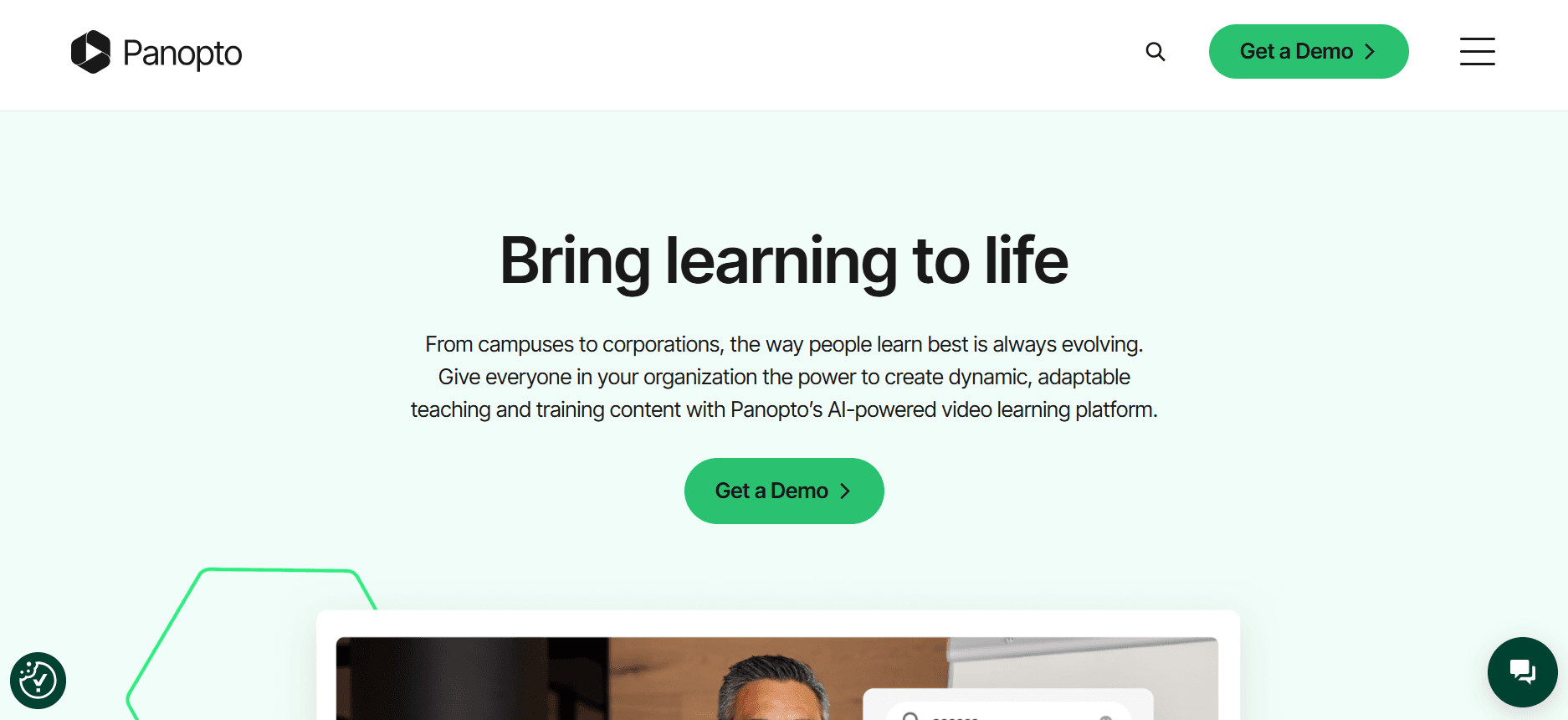
Panopto is a versatile video platform that's ideal for universities and large enterprises. It excels in lecture capture and video content management, making it a popular choice in educational settings. With its robust analytics and integration capabilities, Panopto is well-suited for organizations that need to deliver large volumes of video content efficiently. One of its standout features is its advanced search functionality, which allows users to find content quickly.
However, Panopto's interface can be daunting for new users, and it lacks a free tier option, which might be a barrier for smaller organizations or those just starting with video training.
Key Features
Lecture capture and video management
Advanced search functionality
Comprehensive analytics
Integration with LMS and CMS
Secure access controls
Automatic transcription services
Custom branding capabilities
Live streaming options
Pros
Cons
Excellent for educational institutions.
No free tier available.
Robust integration options.
Complex interface for beginners.
Advanced search and analytics.
Higher cost for small teams.
Pricing
Panopto does not offer a free tier, with paid plans starting at $14.99 per user/month.
Loom

Loom is a user-friendly tool that excels in simplicity and speed, making it perfect for quick screen recordings and sharing. It's particularly popular among teams that need to provide fast feedback or explanations without extensive editing. Loom's interface is intuitive, and it integrates well with various collaboration tools, making it a favorite for small teams and startups.
However, Loom lacks advanced features such as client portals and detailed analytics, which can limit its use for more structured client training programs. It's best suited for teams looking for a quick and easy way to share simple video content.
Key Features
Simple screen recording
Quick sharing options
Basic video editing
Integration with collaboration tools
Viewer insights
Custom video thumbnails
High-definition video recording
Cloud storage for videos
Pros
Cons
Very easy to use and quick to deploy.
Lacks advanced client training features.
Integrates well with collaboration tools.
Limited analytics and reporting.
Cost-effective for small teams.
No client portal or access controls.
Pricing
Loom offers a free tier with paid plans starting at $8 per user/month.
Kaltura

Kaltura is renowned for its flexibility and customization options, making it a top choice for enterprises with complex video needs. It offers a wide range of features including live streaming, video-on-demand, and strong analytics. Kaltura's open-source nature allows for extensive customization, which can be a significant advantage for tech-savvy organizations that want to tailor the platform to their specific requirements.
However, this same flexibility can make Kaltura overwhelming for smaller teams or those without dedicated IT resources. The platform doesn't offer a free tier, which can be a drawback for those looking for cost-effective solutions.
Key Features
Live streaming capabilities
Video-on-demand services
Customizable platform
Strong analytics and reporting
Integration with multiple platforms
Interactive video options
Secure access and permissions
Multi-language support
Pros
Cons
Highly customizable and flexible.
Overwhelming for small teams.
Excellent for large enterprises.
No free tier available.
Strong analytics capabilities.
Can be costly to implement.
Pricing
Kaltura does not offer a free tier, with enterprise pricing available upon request.
Vidyard

Vidyard is a versatile video platform that focuses on sales and marketing. It's known for its excellent video analytics and integration with CRM tools like Salesforce. Vidyard is ideal for businesses looking to engage their clients and prospects through personalized video content. Its interactive video features and strong integration capabilities make it particularly attractive for sales teams that need to track engagement and optimize outreach strategies.
However, Vidyard's focus on sales and marketing means it may lack some features needed for structured client training, such as robust client portal options. It's best for organizations that prioritize video marketing and sales enablement.
Key Features
Advanced video analytics
Integration with CRM tools
Personalized video capabilities
Interactive video features
Video hosting and sharing
Custom branding
Lead generation tools
High-definition video quality
Pros
Cons
Great for sales and marketing teams.
May lack robust training features.
Strong CRM integration capabilities.
Limited client portal options.
Excellent analytic tools.
Higher pricing tiers can be costly.
Pricing
Vidyard offers a free tier with paid plans starting at $15 per user/month.
Wistia

Wistia is a video hosting platform that emphasizes video marketing and brand building. It's particularly strong in providing tools for creating branded video experiences, making it a favorite among marketers. Wistia offers features like customizable video players and in-depth viewer analytics, which are essential for optimizing marketing campaigns. The platform is designed to help businesses create a professional and engaging video presence.
However, Wistia's focus on marketing means it might not be the best fit for structured client training, as it lacks dedicated client portal features. It's best for companies that prioritize marketing and brand engagement over training functionalities.
Key Features
Customizable video players
In-depth viewer analytics
Branding and customization options
Integration with marketing tools
Lead generation features
Video SEO capabilities
High-quality video hosting
Content management system
Pros
Cons
Excellent for marketing and brand building.
Lacks dedicated client training features.
Strong customization capabilities.
No client portal available.
Great analytics for marketing optimization.
Higher cost for advanced features.
Pricing
Wistia offers a free tier with paid plans starting at $99 per month.
Camtasia

Camtasia is a powerful screen recording and video editing tool that's ideal for educators and trainers who need to create detailed instructional videos. It offers a range of editing features that allow for professional-grade video production, making it a popular choice for creating tutorials and educational content. Camtasia is particularly well-suited for users who want to have full control over the editing process.
However, Camtasia lacks advanced features like client portals and interactive elements, which can limit its utility for client training programs. It's best for educators and trainers focused on creating polished video content.
Key Features
Comprehensive video editing tools
Screen recording capabilities
Audio enhancement features
Customizable video templates
Transitions and animations
Green screen effects
Voice narration options
Video quizzes and surveys
Pros
Cons
Excellent video editing capabilities.
No client portal features.
Ideal for educational content.
Lacks advanced analytics.
Wide range of editing tools.
No interactive video elements.
Pricing
Camtasia does not offer a free tier, with a one-time purchase price starting at $299.99.
Client Training Video Platforms Challenges: What Teams Struggle With
No Dedicated Client Access Controls
Sharing links instead of using secure gateways often leads to unauthorized access.
Clients may inadvertently share links, risking exposure of sensitive content.
Lack of control over who views the content reduces effective engagement.
Custom access settings are essential but often difficult to manage with generic tools.
No Visibility Into Whether Clients Actually Watched the Videos
Traditional platforms lack detailed analytics, making it hard to gauge video completion rates.
Without insights, trainers can't improve content to better meet client needs.
Guesswork replaces data-driven decisions, leading to inefficient training processes.
Feedback loops are limited, reducing the ability to refine training content.
Lack of Professional Branding for Client-Facing Content
Unbranded videos may appear less professional, affecting client perception.
Inconsistent branding can diminish the impact of training materials.
Generic video players remove opportunities for brand reinforcement.
Brand identity gets diluted when videos do not align with company aesthetics.
No Interactive Elements for Self-Paced Client Training
Static videos fail to engage learners who prefer interactive content.
Without quizzes or chapters, maintaining client interest becomes challenging.
Learners miss feedback opportunities that drive improvement.
Interactive elements are vital for adapting content to various learning styles.
Re-recording Required for Every Product Update
Updating videos frequently is time-intensive and resource-draining.
Inability to edit sections leads to complete re-recording of content.
Teams struggle with maintaining up-to-date training materials.
Delays in updates can lead to clients using outdated information.
Challenge
Traditional Process
Business Impact
Time Cost
No Dedicated Client Access Controls
Shared generic links
Risk of unauthorized access
High
No Visibility Into Whether Clients Watched Videos
Manual feedback collection
Limited engagement insights
Medium
Lack of Professional Branding
Generic video platforms
Low brand perception
Medium
No Interactive Elements
Static video content
Reduced learner engagement
Medium
Re-recording for Product Updates
Full video re-recording
Outdated training content
High
Must-Have Features in Client Training Video Platforms
Client Portal with Granular Access Controls
For businesses that train external clients, having a dedicated client portal is crucial. It allows trainers to manage who can view and interact with their content. Granular access controls ensure that only authorized users can access specific training materials. This feature enhances security and gives trainers the ability to tailor content access according to client needs.
Tools like Trupeer excel in this area, providing a seamless way to set up secure, client-specific access portals. This encourages clients to engage with the content in a controlled environment, reducing the risk of unauthorized access.
Video Analytics Showing Per-Viewer Engagement
Understanding how clients interact with training videos is essential for improving content effectiveness. Video analytics that offer per-viewer insights help trainers identify which parts of the video are most engaging and which sections may need improvement. This data-driven approach allows for continuous enhancement of training programs.
Platforms like Vidyard and Kaltura offer robust analytics features that provide detailed reports on viewer behavior, helping trainers make informed decisions to optimize their content.
Interactive Elements Like Quizzes, Chapters, and Branching
Interactive elements transform passive video watching into active learning experiences. By incorporating quizzes, chapters, and branching scenarios, trainers can keep clients engaged and provide a more personalized learning journey. These features cater to different learning styles and make content more memorable.
Kaltura and Trupeer offer strong interactive capabilities, allowing trainers to integrate various interactive elements seamlessly into their videos. This not only boosts engagement but also helps clients retain information better.
AI Voiceover and Auto-Translation
As businesses increasingly operate on a global scale, the ability to provide training content in multiple languages becomes crucial. AI voiceover tools and auto-translation features enable trainers to deliver content that speaks directly to their audience, regardless of language barriers.
Trupeer and Panopto are leaders in this space, offering AI-driven solutions that make it easy to translate and localize training materials without losing quality or context.
Custom Branding with Logo and Colors
Maintaining brand consistency across all client interactions is vital for reinforcing brand identity. Custom branding features allow businesses to incorporate their logos and color schemes into training videos, creating a cohesive and professional image.
Wistia and Vidyard excel in providing customization options that allow businesses to align their training materials with their brand aesthetics, enhancing the professional feel of their content.
Easy Content Updates Without Re-recording
Frequent updates to training content are often necessary to keep up with product changes or new industry regulations. The ability to update content without having to re-record entire videos saves time and resources. It also ensures that clients always have access to the most current information.
Platforms like Camtasia provide editing tools that make it easy to update specific sections of a video, reducing the need for complete re-recordings and making it easier to keep training content fresh and relevant.
How to Choose Client Training Video Platforms Based on Your Use Case
Software Onboarding Videos for Clients
When introducing new software to clients, effective onboarding videos can make all the difference. These videos should be engaging, informative, and easy to follow, ensuring clients understand how to use the product efficiently. The goal is to reduce the learning curve and help clients become proficient quickly.
Ensuring content is clear and concise.
Providing step-by-step guidance.
Allowing clients to revisit sections as needed.
Interactive walkthroughs and chapters.
Customizable branding for consistency.
Analytics to track client engagement.
Platform
Interactive Walkthroughs
Custom Branding
Analytics
Trupeer
Yes
Yes
Yes
Kaltura
Yes
Yes
Yes
Loom
No
No
Limited
Ongoing Product Training Libraries
For companies offering complex products, maintaining a library of training videos is essential. These libraries provide clients with self-service access to comprehensive training resources, reducing the need for repeated live training sessions and allowing clients to learn at their own pace.
Keeping content up-to-date with product changes.
Ensuring easy navigation and searchability.
Providing a wide range of topics and details.
Robust content management systems.
Searchable libraries with tagging.
Regular updates and notifications.
Platform
Content Management
Searchable Library
Regular Updates
Panopto
Yes
Yes
Yes
Vidyard
Limited
Yes
Limited
Camtasia
Yes
No
No
Compliance and Certification Training for Clients
Compliance and certification trainings are crucial for industries where regulations change frequently. Video platforms must help ensure that clients stay compliant with the latest standards by providing structured, tracked learning experiences.
Adapting content to changing regulations.
Tracking client progress and completion.
Providing certifications on completion.
Automatic updates and alerts for new content.
Certification and reporting capabilities.
Interactive assessments for retention.
Platform
Content Updates
Certification
Tracking
Trupeer
Yes
Yes
Yes
Kaltura
Yes
Limited
Yes
Wistia
No
No
Limited
Partner Enablement Video Programs
Empowering partners with the right training materials is essential for driving mutual success. Video platforms should provide partners with the resources they need to promote and sell your products effectively.
Ensuring partners have access to the latest product information.
Providing resources that align with strategic goals.
Tracking partner engagement and understanding.
Access controls for partner-specific content.
Customizable training paths tailored to partner needs.
Engagement analytics to measure partner effectiveness.
Platform
Partner Access
Custom Paths
Engagement Analytics
Vidyard
Yes
Yes
Yes
Trupeer
Yes
Limited
Yes
Panopto
Limited
Yes
Yes
Best Practices for Client Training Video Platforms
Before
Define clear learning outcomes and objectives for each video series.
Plan the video series based on topics, ensuring a logical flow.
Identify the target audience and tailor content to their needs.
Gather resources, including visuals and data, to support content.
Establish a schedule for regular content updates and reviews.
During
Keep each video under 5 minutes to maintain engagement.
Use chapters to break down content into manageable sections.
Incorporate quizzes and interactive elements to enhance learning.
Maintain a consistent visual style and tone in all videos.
Ensure high-quality audio and video production for professional results.
After
Track completion rates and gather feedback from clients.
Analyze engagement analytics to identify areas for improvement.
Refresh content quarterly to keep it relevant and up-to-date.
Follow up with clients to address any questions or challenges.
Continuously refine training materials based on feedback and analytics.
Frequently Asked Questions
What is a client training video platform?
A client training video platform is a tool designed to deliver educational video content to external clients. These platforms provide features like secure access, analytics, and customization, making it easier to manage and track client learning experiences.
Who benefits from using client training video platforms?
Businesses that need to educate their clients, such as SaaS companies, agencies, and consultancies, benefit the most. These platforms help streamline training processes, improve client engagement, and maintain consistency across training materials.
Can I integrate client training video platforms with my existing LMS?
Yes, many client training video platforms offer LMS integration, allowing you to seamlessly deliver video content within your existing learning management system. This integration helps maintain consistency and track client progress effectively.
How do I ensure my videos are secure?
Most platforms offer security features like access controls and secure portals to ensure only authorized users can view your content. It's important to choose a platform that aligns with your security requirements.
Are there free client training video platforms available?
Some platforms offer limited free tiers, allowing you to test basic features before committing to a paid plan. However, free tiers may lack advanced features like analytics and customization, which are crucial for effective client training.
What factors influence the cost of a client training video platform?
Costs vary based on features, number of users, and level of customization required. Advanced features like interactive elements, analytics, and integrations can increase the price. It's important to assess your needs and budget accordingly.
How long does it take to implement a client training video platform?
Implementation time depends on the complexity of your needs and the platform chosen. Some platforms offer quick setup processes, while others may require more time for customization and integration with existing systems. It's advisable to plan for a phased rollout.
What support is available during the implementation process?
Many platforms provide onboarding support, including tutorials, documentation, and customer service assistance. Choosing a platform with robust support can help streamline the implementation process and address any challenges that arise.
Closing
Choosing the right client training video platform is crucial for ensuring effective and consistent training experiences. By considering your specific use cases, challenges, and must-have features, you can select a platform that aligns with your business goals and client needs. Whether you need robust analytics, customizable branding, or interactive elements, there's a platform out there tailored to your requirements.
If you're looking to elevate your client training programs, Trupeer offers comprehensive solutions designed to enhance engagement and streamline training processes. Explore how Trupeer can transform your client training by visiting trupeer.ai.
Related Blogs



