Trupeer Blog
Обобщение

A service desk knowledge base only helps if people can find the right article in seconds, whether they are an employee trying to fix a problem themselves or an agent working a live ticket. Most help desk knowledge bases fail on structure, not content: articles are filed by team, titled in IT jargon, written in different formats, and never reviewed. This guide shows how to structure an IT knowledge base, which categories and article types to use, a ready-to-use article template, and how to keep it current.
What Is an IT Knowledge Base?
An IT knowledge base, also called a help desk or service desk knowledge base, is a searchable library of articles that help employees and service desk agents solve technology problems and complete requests, such as resetting a password, connecting to the VPN or requesting software. It usually sits in two places: a self-service portal for employees and an internal section for agents. If you are building one from scratch, our guide to internal knowledge bases covers the basics.
How to Structure an IT Knowledge Base
1. Separate audiences first
Split content into end-user articles, which employees can follow themselves, and internal agent articles, which contain diagnostic steps, admin tools and escalation details. Mixing them confuses employees and exposes information they should not see.
2. Choose five to eight top-level categories
Name categories after what people need help with, ideally matching your service catalog. Too many top-level categories make browsing harder; if one grows too large, add subcategories.
Example category | Typical articles |
|---|---|
Accounts and access | Password resets, MFA, access requests |
Email and calendar | Outlook setup, shared mailboxes, calendar sync |
Network and VPN | VPN connection, Wi-Fi, remote access |
Devices and hardware | Laptops, printers, peripherals, mobile devices |
Software and applications | Installing and using approved business apps |
Security | Phishing reporting, device encryption, data handling |
New starters and leavers | Onboarding setup, offboarding steps |
Requests and policies | How to request equipment, IT policies |
3. Standardize article types
How-to: step-by-step instructions for a task
Troubleshooting: symptoms, causes and fixes for a common problem
Known error: a documented issue with a workaround while a permanent fix is in progress
FAQ: short answers to common questions
Policy or reference: rules, standards and contact details
Escalation guide (internal): what to check and what to include before escalating
4. Use tags for systems and devices
Categories answer “what kind of problem is this?” Tags answer “which system, device or location?”, for example Windows, macOS, Salesforce or London office. Tags let one article appear in several filtered views without duplicating it.
5. Write titles the way people search
Use the words employees type into the search box, such as “Can’t connect to VPN” or “How to reset your password”, rather than internal system names or ticket codes. Start how-to titles with “How to” and troubleshooting titles with the symptom.
IT Knowledge Base Article Template
Every article should follow the same structure so people know where to look:
Section | What to include |
|---|---|
Title | The task or symptom in the user’s words |
Metadata | Category, tags, affected system, audience, owner, status and review date |
Summary | One or two sentences on what the article solves |
Symptoms or when to use | How the user knows this is the right article |
Steps | Numbered steps with a screenshot for each |
Verification | How to confirm it worked |
If it did not work | What to try next, or how to raise a ticket |
Related articles | Links to the next likely question |
For ready-made formats, use the knowledge base article templates or the knowledge base template for planning the whole structure.
Example: A Well-Structured Troubleshooting Article
Title: Can’t connect to the VPN on Windows
Metadata: Category: Network and VPN · Tags: Windows, VPN client · Audience: All employees · Owner: Network team · Review: every 6 months
Summary: Fixes the most common reasons the VPN client fails to connect on company laptops.
Symptoms: The VPN client shows “Connection failed” or keeps trying to connect.
Check you are connected to the internet by opening any website.
Restart the VPN client from the system tray.
Sign out of the VPN client and sign in again with your company account.
If you changed your password recently, restart your laptop so the new password syncs.
Connect again and check that internal sites open.
If it did not work: Raise a ticket under Network and VPN and include a screenshot of the error message.
Related: How to set up MFA · How to connect to office Wi-Fi
Keep the Knowledge Base Current With Knowledge-Centered Service
Knowledge-centered service (KCS) is a widely used method where agents create or update articles as part of resolving tickets, instead of writing documentation as a separate project. In practice:
Search the knowledge base at the start of every ticket
If an article exists, use it and improve it if anything is wrong
If not, capture the fix as a new draft article while it is fresh
Review drafts and publish the ones that solve recurring issues
Pair this with a monthly review of failed searches, which show missing articles, and stale articles, which show content that needs checking.
Make Your Knowledge Base Easy for AI Assistants to Use
More service desks now put an AI assistant in front of the knowledge base, in the portal, Slack or Microsoft Teams. The same structure that helps people helps AI find the right answer:
One problem per article, with a clear title and summary
Numbered steps in text, not only in screenshots or video
Consistent metadata, so the assistant can filter by system, audience and status
Clear permissions, so internal articles are not used to answer employees
Removal of outdated articles, so the assistant does not repeat old fixes
Trupeer knowledge bases can also be connected to AI assistants such as Claude and ChatGPT through Trupeer’s MCP server, so they can search your articles and videos when answering.
How to Create IT Knowledge Base Articles Faster With Trupeer
Writing step-by-step articles with screenshots is the slowest part of building a service desk knowledge base. Trupeer turns a recording of the fix into the article. See the IT documentation generator.
1. Record the fix
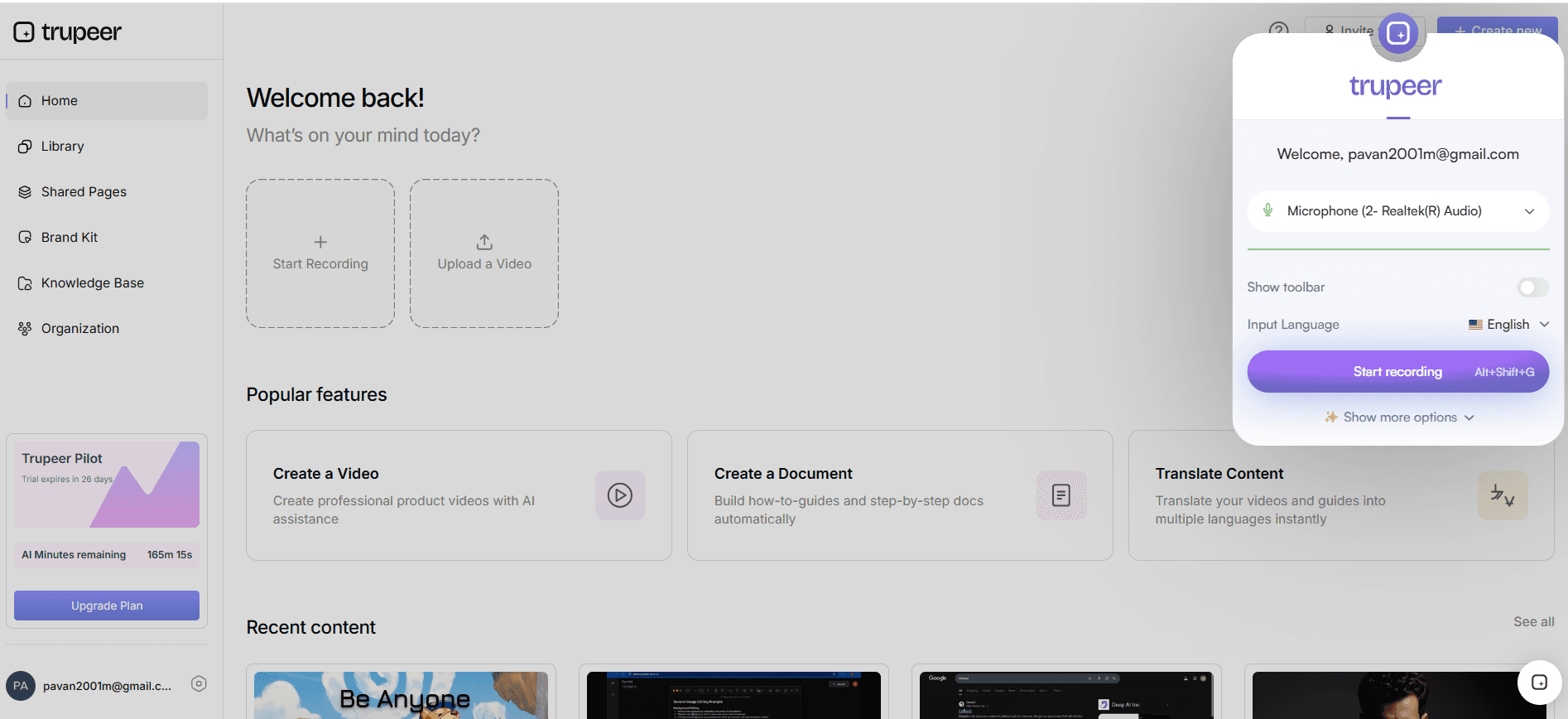
Record a browser tab, window or your entire screen with the Trupeer Chrome extension while you perform the fix.
2. Generate the article and video
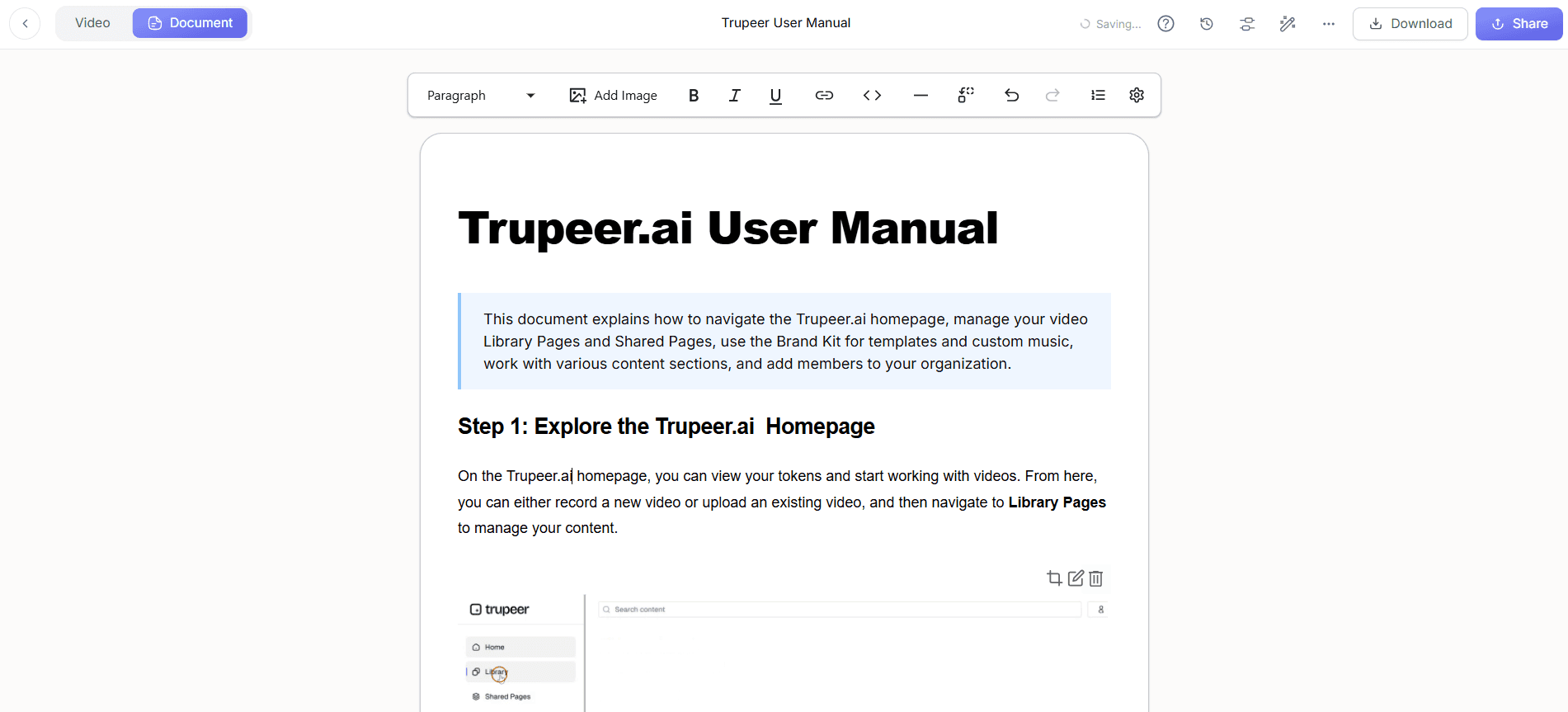
Click Generate AI Content to get a step-by-step article with a screenshot for each step and a short video. Use Doc Skills to apply your article template every time, and blur passwords or personal data.
3. Translate for global teams
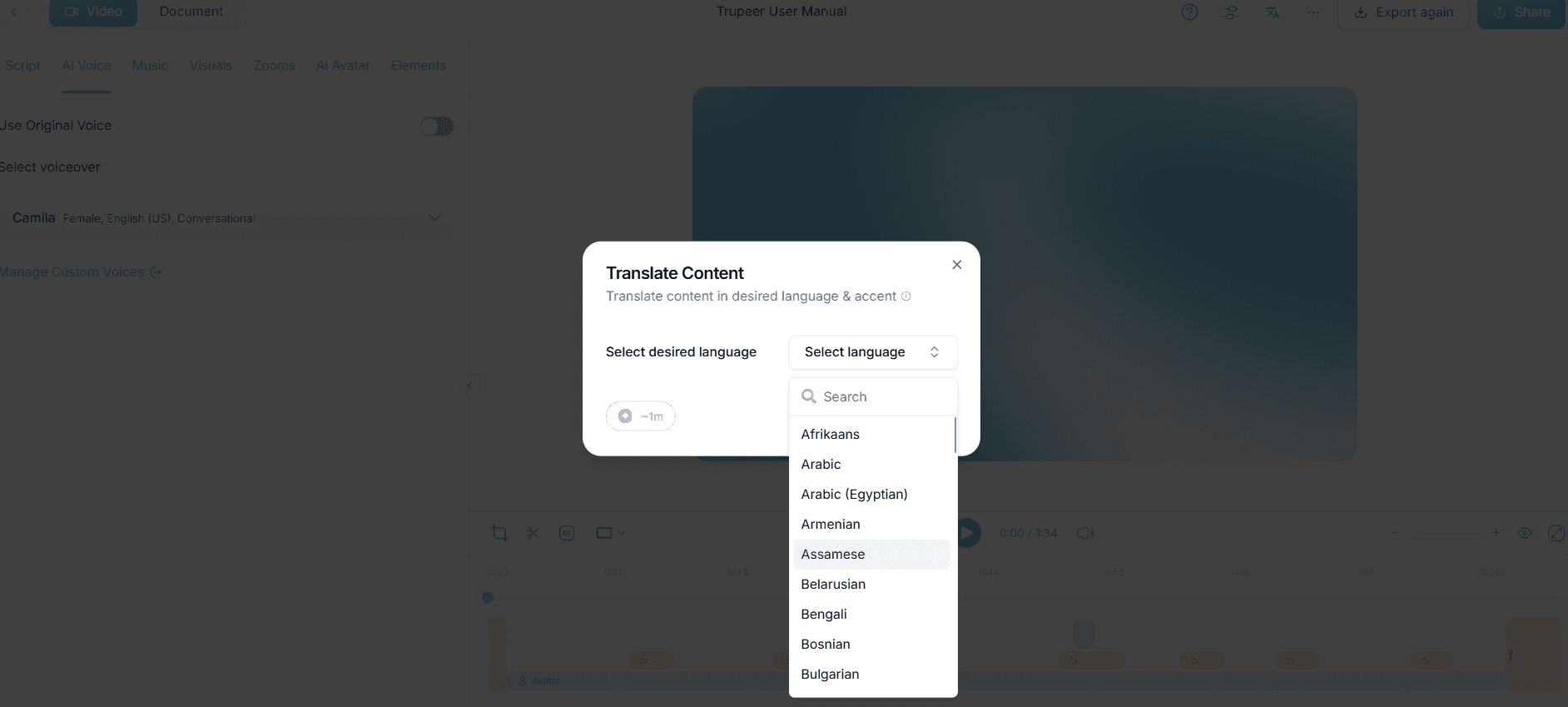
Translate articles and videos for employees in other regions.
4. Publish with the right access
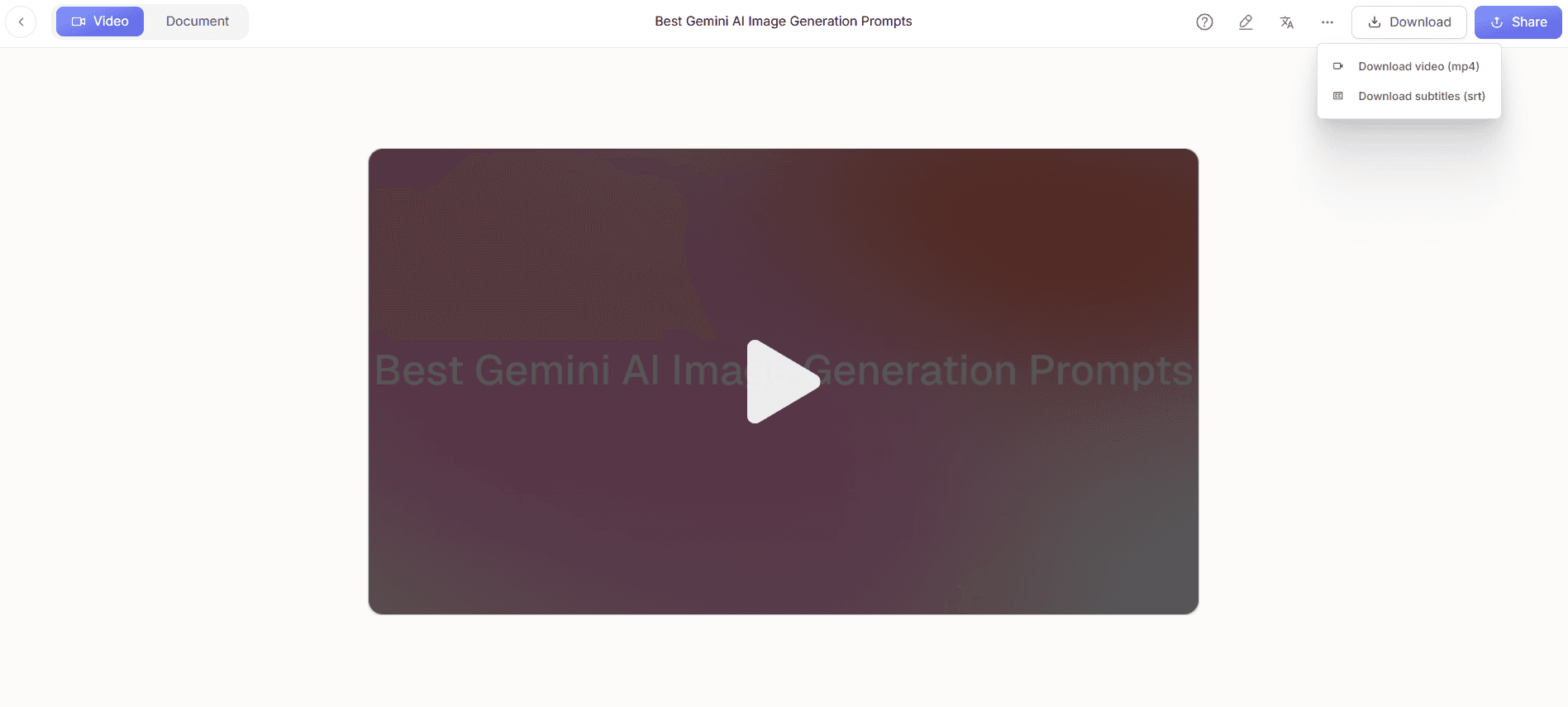
Publish in a Trupeer knowledge base with sections for each category and access set to Organization, Selected Domain or Invited Only, so agent-only articles stay internal. Employees can search with Ask AI, and analytics show views, unresolved searches and stale content. You can also export articles to DOC, PDF or Markdown for your ITSM tool.
Common IT Knowledge Base Mistakes
Organizing by IT team instead of by user need
Mixing employee and agent content
Every author using a different format
Titles full of jargon or ticket references
No owner or review date, so articles silently go out of date
Duplicate articles for the same problem
Choosing a platform? Compare how ServiceNow, Freshservice and Atomicwork handle knowledge in our ITSM documentation comparison, and check coverage with the ITIL documentation gap analysis.
How Hedrick Gardner trained 200+ employees in 5 locations using AI videos
Hedrick Gardner, a US law firm, was moving its employees from a legacy Citrix-based system to a modern cloud application. Employees resisted the change, training resources were scattered, and trainers were reluctant to record videos in their own voices.
IT Director Jeremy DeHart’s team used Trupeer AI to create consistent training videos with AI voiceover, so trainers never had to record themselves. They built bite-sized modules of three to five minutes for specific tasks, hosted in a central SharePoint training hub, with engagement tracking to measure progress.
More than 200 lawyers and staff across five locations moved to the new system with minimal disruption. The team created 100+ videos and saved 500+ hours in content creation, all without external help.
“We had the smoothest IT migration ever in our company, thanks to Trupeer. The videos were consistent and engaging. The best part - we pulled the content off in weeks, without external help.”
— Jeremy DeHart, IT Director, Hedrick Gardner
Read the full Hedrick Gardner story →
Final Thoughts
A good IT knowledge base structure is simple: separate audiences, a handful of user-focused categories, consistent article types and one template, with tags for systems and a clear owner for every article. Keep it current by updating articles as tickets are resolved, and use search data to fill the gaps.
Frequently Asked Questions
How do you organize a knowledge base?
Separate audiences, create five to eight top-level categories based on user needs, standardize article types, use tags for systems and devices, and give every article the same template with an owner and review date.
How do you structure an internal knowledge base for a team?
Group content by the tasks your team performs, keep a consistent article template, assign owners, and link related articles so people can move from one answer to the next.
How do you create an IT knowledge base?
Start with your most common tickets, choose categories and article types, write articles from a shared template with screenshots, publish them in a searchable portal, and update them as tickets are resolved.
How do you document IT knowledge base articles?
Use a consistent template: a title in the user’s words, metadata, a summary, symptoms, numbered steps with screenshots, verification, next steps and related articles.
What categories should an IT knowledge base have?
Common categories are accounts and access, email and calendar, network and VPN, devices, software, security, new starters and leavers, and requests and policies.
What is knowledge-centered service (KCS)?
KCS is a method where service desk agents create and improve knowledge articles as part of resolving tickets, so the knowledge base grows from real issues.
Is it “knowledgebase” or “knowledge base”?
Both are used, but “knowledge base” as two words is the more common spelling in documentation and product names.
How does Trupeer help build an IT knowledge base?
Trupeer turns a recording of a fix into a step-by-step article with screenshots and a short video, and publishes it in a searchable knowledge base with access controls and analytics.
Свързани блогове



