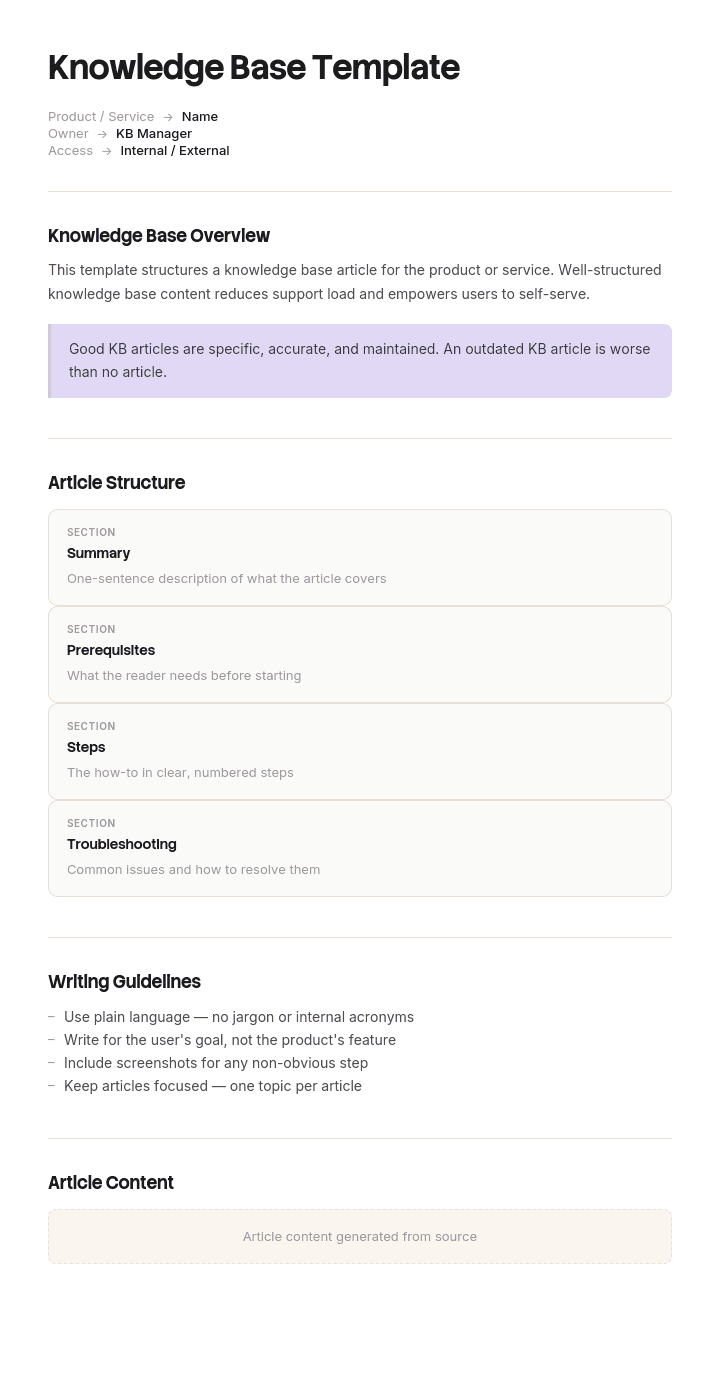
استخدم هذا القالب
قاعدة معرفة رائعة توفر ساعات من وقت الدعم وتسرّع من كيفية وصول المستخدمين إلى الإجابات. باستخدام Trupeer، يمكنك توفير ساعات في تصميم قاعدة المعرفة عبر البدء بقالب مجاني لقاعدة المعرفة، وتخصيصه باستخدام إرشادات العلامة التجارية الخاصة بك، والاستفادة من أدوات قاعدة المعرفة لدينا لإطلاق مركز قابل للبحث بالكامل.
ما هو قالب قاعدة المعرفة، وماذا يحتوي فعليًا؟
قالب قاعدة المعرفة هو بنية الحاوية: الأقسام، والقواعد المتعلقة بما يمكن إضافته، ومن يملك كل جزء، وكيف يتم إزالة أي شيء. وهو ليس بنية الصفحات الموجودة داخلها.
تُعد هذه التفرقة مهمة لأنهما غالبًا ما يتم بيعهما معًا، ولكل منهما حل لمشكلة مختلفة. بنية الصفحة تجعل الإجابة الفردية واضحة. بنية الحاوية تجعل أي إجابة قابلة للعثور عليها ضمن آلاف الإجابات الأخرى. يمكنك أن تمتلك مقالات ممتازة داخل قاعدة معرفة غير قابلة للاستخدام، وهذه هي الإخفاق الأكثر شيوعًا من بين الاثنين.
إذا كان ما تحتاجه هو بنية الصفحات نفسها، أي العناوين والنطاق والخطوات والحقول التي تتطلبها كل نوع، فهذا مغطى في قوالب مقالات قاعدة المعرفة لدينا. تغطي هذه الصفحة كل ما يتعلق بها.
لماذا تفشل قواعد المعرفة بسبب التراكم لا بسبب الإهمال
القصة التي يتوقعها معظم الفرق هي أن قاعدة المعرفة تصبح قديمة لأن أحدًا لا يقوم بتحديثها. يحدث ذلك، لكنه ليس ما يقتلها عادةً.
ما يحدث غالبًا هو أنها تعمل بشكل جيد لمدة تقارب ثمانية عشر شهرًا، ثم تتوقف بهدوء. لم يتم حذف أي شيء، ولم ينكسر شيء، ولم يتخذ أحد قرارًا. ببساطة كبرت المكتبة، وفي يوم من الأيام عند البحث عن سياسة ما تظهر ثلاثون نتيجة، معظمها ملاحظات اجتماعات تذكرها بالصدفة. يحاول الناس مرتين، فلا يجدون شيئًا مفيدًا، ثم يعودون إلى طلب المساعدة من زميل. بعد ذلك تصبح قاعدة المعرفة مكتملة تقنيًا لكنها ميتة وظيفيًا.
الآلية هي تخفيف نتائج البحث. قاعدة المعرفة لا تكون جيدة إلا بقدر أسوأ نتيجة بحث فيها، لأن القارئ الذي لا يستطيع تحديد أي من تسع نتائج هو المرجع الفعلي يكون كأنه لم يجد شيئًا. إضافة محتوى جيد لا تحل المشكلة. رفض المحتوى السيئ هو ما يحلها.
كيفية تخصيص هذا القالب في Trupeer
الخطوة 1: افتح قسم القوالب
اذهب إلى قسم القوالب من التنقل الرئيسي.

الخطوة 2: اختر قالبًا وافتحه
انقر على أي قالب تريد العمل عليه لفتحه.

الخطوة 3: وسّع عرض القالب
إذا لزم الأمر، وسّع عرض القالب لرؤية التخطيط الكامل والتفاصيل بوضوح.

الخطوة 4: عدّل القالب
انقر على تحرير لبدء تعديل القالب المحدد.

داخل المحرر، يمكنك:
إضافة أقسام جديدة
تحديد أو تحديث قواعد التنسيق
إضافة شعار وضبط موضعه والإعدادات ذات الصلة
الخطوة 5: احفظ قالبك المخصص
بعد إجراء جميع التغييرات اللازمة، انقر على حفظ لتخزين القالب المحدّث كنسختك الخاصة.

الخطوة 6: المعاينة والضبط الدقيق للقالب
عندما تريد معرفة كيف يبدو قالبك المخصص، افتح المعاينة.

من شاشة المعاينة، يمكنك الاستمرار في إجراء التعديلات مباشرة عند الحاجة، لضمان ظهور القالب تمامًا كما تريده.
باستخدام قالب قاعدة معرفة يمكنك:
توفير ساعات في الإعداد: تخطَّ الصفحة الفارغة ببنية مصممة خصيصًا لقواعد المعرفة.
تقليل تذاكر الدعم: يساعد المحتوى الواضح والقابل للبحث المستخدمين على حل مشكلاتهم ذاتيًا.
الالتزام بالهوية: طبّق شعارك وخطوطك وألوانك باستخدام حزمة العلامة التجارية في Trupeer.
إضافة شروحات بالفيديو: قرن المقالات بدروس فيديو مدمجة.
توحيد المحتوى: استخدم قوالب المقالات نفسها لضمان جودة متسقة.
الوصول إلى مستخدمين عالميين: ترجمة محتوى قاعدة المعرفة إلى 65+ لغة بنقرة واحدة.
قاعدة القبول التي تأتي قبل أي بنية للأقسام
يصمم معظم الفرق شجرة الأقسام أولًا. هذا ترتيب خاطئ، لأن الشجرة تأتي بعد ما تقبله، وأي شجرة مصممة لمواد مرجعية ستمتلئ بقايا المشاريع بمجرد أن لا يعود أحد يراقب.
اكتب قاعدة القبول أولًا، انشرها، وضعها في القالب الذي يظهر عندما ينشئ شخص ما صفحة. ثلاثة أسئلة، يجب أن تكون الإجابة بنعم على جميعها.
هل سيحتاجها شخص لم يكن حاضرًا؟ إذا كان الجمهور هم الأشخاص الأربعة الموجودون بالفعل في المحادثة، فهذا رسالة وليس مقالًا.
هل ستظل صحيحة بعد ستة أشهر؟ أي شيء مرتبط بتاريخ، أو رقم سباق (Sprint)، أو حدث محدد ينتمي إلى الأداة التي تملك ذلك الشيء، وليس هنا.
هل هذا المكان الوحيد الذي تعيش فيه؟ إذا كانت النسخة المرجعية عقدًا أو تذكرة أو مستودعًا أو جدول بيانات، فارتبط بها. تصبح نسخة في قاعدة المعرفة غير صحيحة بمجرد أن تتغير النسخة الأصلية، والنسخة غير الصحيحة أسوأ من عدم وجودها لأنها تبدو وكأنها مُصانة.
أي شيء يفشل في واحد من الأسئلة الثلاثة يذهب إلى مكان آخر. ليس محذوفًا، ولا يتم الجدال حوله: بل يُنقل إلى مساحة مستبعدة من بحث قاعدة المعرفة.
ما الذي ينتمي إلى قاعدة المعرفة وما الذي لا ينتمي
ينتمي | يذهب إلى مكان آخر | إلى أين يذهب |
|---|---|---|
إجابات الأسئلة المتكررة | ملاحظات الاجتماعات | مساحة اجتماعات، مستبعدة من البحث |
الإجراءات وSOPs | مستندات العمل الخاصة بالمشاريع | أداة المشروع، مؤرشفة عند الإغلاق |
السياسات الحالية | السياسات التي تم استبدالها | مساحة أرشيف مع لافتة ظاهرة |
قيم مرجعية وأكواد وحدود | أي شيء مرتبط بتاريخ أو رقم سباق | الأداة التي تملك الجدول |
مسارات الإعداد حسب الدور | ملاحظات شخصية ومسودات | مساحة شخصية |
المشكلات المعروفة والحلول البديلة | العقود والفواتير والتذاكر | أنظمة السجل الخاصة بها، مرتبطة وليست منسوخة |
قرارات السجل ولماذا | شرائح العروض | حيثما توجد الشرائح، مع كتابة القرار هنا |
الصف الذي يتجادل الناس حوله هو ملاحظات الاجتماعات. يشعرون أنها معرفة، وهي أكبر مصدر لتخفيف نتائج البحث في كل قاعدة معرفة داخلية رأيتها موصوفة. احتفظ بها، واحتفظ بإمكانية العثور عليها من قبل الفريق الذي كتبها، واحتفظ بها خارج فهرس قاعدة المعرفة.
قالب مجاني لقاعدة المعرفة: بنية الأقسام للنسخ
سبعة أقسام رئيسية في المستوى الأعلى، بدون أقسام فرعية فرعية، مسماة وفق ما يفعله القارئ بدلًا من أي فريق يملك المحتوى.
البدء. مسارات مرتبة حسب الدور، ولكل منها حالة نهائية. انضمام جديد، مسؤول جديد، عميل جديد.
كيف تفعل ذلك. تعليمات المهام للأشخاص الذين يعرفون بالفعل ما يريدون فعله.
حل المشكلات. يتم إدخاله بناءً على العرض (الأعراض) وليس بناءً على النظام.
السياسات والقواعد. ما هو مطلوب وما هو غير مسموح به، مع وجود مالك وتاريخ سريان فعّال لكل منها.
المرجع. القيم والأكواد والحدود والعتبات وجهات الاتصال. غالبًا ما تكون على شكل جداول.
الأنظمة والوصول. ما الذي يفعله كل أداة، ومن يمكنه الحصول عليه، وكيف يطلب.
المشكلات المعروفة. المشكلات الحالية والحلول البديلة، ووقت آخر تحديث.
عدّل الأسماء، واحتفظ بعدد الأقسام. هناك قاعدتان تجعل هذا ثابتًا. لا يتم تسمية أي قسم باسم فريق، لأن القراء لا يعرفون مخطط مؤسستك وإعادة التنظيم التي تترك أقسامًا كاملة يتيمة. ولا يوجد شيء في المستوى الأعلى خارج هذه السبعة، لأن الاستثناء الأول يتبعه دائمًا تسعة استثناءات أخرى.
هل يجب أن نشغّل قاعدة معرفة واحدة أم اثنتين؟
اثنتين، في معظم الحالات تقريبًا، ويكون التقسيم حسب الجمهور وليس حسب الموضوع. يحصل العملاء على واحدة. ويحصل الموظفون على أخرى. يمكن أن يظهر نفس الموضوع في كليهما، لكن بصياغة مختلفة.
محاولة تقديم الاثنين من قاعدة واحدة تنتج أسوأ ما في كل منهما. إما أن تتسرب التفاصيل الداخلية إلى محتوى موجه للعملاء، أو يتم تجريد النسخة الداخلية من التحفظات ومسارات التصعيد والقيود المعروفة التي تجعلها مفيدة لوكيل. تنتهي فرق الدعم إلى الاحتفاظ بمستند خاص بما تتركه المقالات العامة، وهذا أوضح دليل على أن التقسيم كان ضروريًا ولم يتم تنفيذه.
مكان التقاء القاعدتين يكون عند التسليم. يجب أن ترتبط المقالة الداخلية حول مشكلة متكررة بالمقالة الموجهة للعملاء التي سيشير إليها الوكيل، كما يجب أن تشير قوالب ردود مكتب المساعدة الخاصة بك إلى المقالة العامة بدلًا من إعادة صياغتها.
مثال على قاعدة معرفة: 6,400 صفحة ولا أحد يستطيع البحث
Havenlark، شركة برمجيات تضم حوالي أربعمائة شخص، كانت تدير قاعدة المعرفة الداخلية لديها عبر ويكي. في عام 2022 كانت تحتوي تقريبًا على تسعمائة صفحة، وأظهر استطلاع داخلي أن الرضا عن البحث بلغ واحدًا وسبعين بالمئة.
بعد ثلاث سنوات أصبحت تحتوي على حوالي ستة آلاف وأربعمائة صفحة، وانخفض رضا البحث إلى أربعة وعشرين بالمئة. كانت فرق تقنية المعلومات والموظفين تتلقى نفس الأسئلة التي وثقتها قبل سنوات.
رتّب تدقيق الصفحات. حوالي ألف ومائة كانت ملاحظات اجتماعات. ألف وأربعمائة كانت صفحات مشاريع لمشاريع انتهت. تسعمائة كانت مسودات مكررة أو مهجورة. ستمائة كانت مساحات شخصية للتخربش. وهذا ترك حوالي ألف وأربعمائة صفحة يمكن اعتبارها مواد مرجعية، منها حوالي تسعمائة كانت حالية.
لم ينقص المحتوى المرجعي. كان حجمه تقريبًا مطابقًا لحجمه في 2022. لكنه أصبح غير مرئي. عند البحث عن سياسة المصروفات ظهرت أربع وثلاثون نتيجة، منها ثلاث وثلاثون كانت ملاحظات اجتماعات تذكر المصروفات بشكل عابر.
لم يكتب الإصلاح أي محتوى جديد على الإطلاق. قضى شخصان أسبوعًا في نقل ملاحظات الاجتماعات وصفحات المشاريع الشخصية إلى مناطق منفصلة مستبعدة من فهرس بحث قاعدة المعرفة، ووضعوا لافتة على السياسات التي تم استبدالها. لم يتم حذف أي شيء، وهذا ما جعل التنفيذ سريعًا وبدون جدال.
أظهر الاستطلاع التالي أن رضا البحث أصبح ثلاثة وستين بالمئة.
هناك نقطتان تستحقان الأخذ بهما من ذلك. كانت المشكلة ليست في التأليف، لذلك لم يكن أي قدر من الكتابة سيصلحها. كما أن التعافي استغرق أسبوعًا فقط لأن المحتوى كان موجودًا بالكامل، وهذا هو الدليل على أن النقل أفضل من الحذف عندما ترث قاعدة معرفة في هذه الحالة.
من يملك قاعدة معرفة، وكيف يتم تعيين الملكية
يحصل كل قسم على مالك واحد مُسمّى. ليس فريقًا، لأن مالك الفريق يعني أن أحدًا لن يتحقق، وليس وظيفة توثيق، لأنهم لا يستطيعون الحكم ما إذا كان المحتوى ما يزال صحيحًا.
وظيفة المالك صغيرة ومحددة: التأكد مرتين في السنة أن القسم ما يزال مطابقًا للواقع، والموافقة أو الرفض على صفحات المستوى الأعلى الجديدة في نطاقه، وأرشفة ما تم استبداله. نصف يوم مرتين في السنة، ويجب أن يكون الشخص الذي يقوم بذلك هو من يجيب على الأسئلة حول هذا الموضوع على أي حال.
فوق أصحاب الأقسام السبعة يوجد شخص واحد مسؤول عن الحاوية نفسها، أي قاعدة القبول وإعدادات البحث والأرشيف. غالبًا ما توجد فجوة في هذا الدور داخل قواعد المعرفة، لأنه يبدو وكأنها ليست وظيفة أحد حتى يتوقف البحث عن العمل. وعندما تكون المساحة كبيرة بما يكفي لتحتاج إلى إدارة أكثر رسمية، فإن قالب إدارة المعرفة لدينا يغطي دورة الحياة والالتقاط عبر أنظمة متعددة.
كيفية إعداد قالب قاعدة معرفة خلال أسبوعين
الأسبوع الأول هو الإزالة. إذا كنت ترث قاعدة موجودة، نفّذ التدقيق أعلاه: رتّب كل شيء ضمن ينتمي ويذهب إلى مكان آخر، ثم انقل بدلًا من الحذف. إذا كنت تبدأ من الصفر، اكتب قاعدة القبول واحصل على موافقتها، لأن الاتفاق عليها بعد وجود المحتوى يصبح أصعب بكثير.
الأسبوع الثاني هو البنية. أنشئ الأقسام السبعة، سمِّ أصحاب الأقسام السبعة، وابدأ كل قسم بثلاثة أسئلة يسألها فريقك غالبًا، مستمدة من قائمة التذاكر أو قناة الدعم لديك بدلًا من جلسة عصف ذهني.
ثم توقف. قاعدة معرفة تنطلق بـ 21 صفحة مفيدة حقًا وقاعدة تحدد ما يأتي بعدها ستتغلب على قاعدة تنطلق بـ 200 صفحة مستوردة، في كل مرة، وستظل قابلة للاستخدام بعد ثلاث سنوات.
قوالب مواقع قاعدة المعرفة وسمات HTML واختيار المنصة
بعض الأشخاص الذين يبحثون عن قالب مجاني لقاعدة المعرفة يريدون موقعًا: سمة HTML أو مركز مساعدة مستضاف بدلًا من بنية المحتوى. هذه حاجة حقيقية ومختلفة، وتظهر في نتائج البحث هذه مباشرة، مع تجميع سمات للمطورين يحتل الترتيب في نفس الاستعلام.
القراران مستقلان، ولا يؤثر إلا أحدهما على ما إذا كان الناس يجدون الإجابات. مركز مساعدة ذو طابع بدون قاعدة قبول يمتلئ بنفس الحطام مثل الويكي. ما يهم فعليًا في المنصة هو جودة البحث، وما إذا كان يمكنك استبعاد المساحات من الفهرس، ودقة الأذونات، وكيف يتم عرضه على الهاتف. المظهر هو الأقل أهمية من بين الأربعة وأسهل تغييرًا لاحقًا.
إذا كنت تختار مكان استضافة قاعدة المعرفة، اختبر البحث على حجم واقعي من المحتوى قبل أي شيء آخر. تستخدم معظم العروض التوضيحية للمنصة 50 صفحة مثالية، وهذا لا يخبرك شيئًا عن كيفية تصرف البحث عند 4000.
هل يمكنني الحصول على قالب مجاني لقاعدة المعرفة في Word أو PDF؟
تم كتابة بنية الأقسام وقاعدة القبول وجدول ينتمي أعلاه لتتم لصقها في Word أو Google Docs واستخدامها كمستند إعداد. يستحق هذا المستند الاحتفاظ به، لأنه هو الشيء الذي تشير إليه عندما يسأل شخص ما لماذا تم نقل ملاحظات اجتماعاته.
يُعد PDF مناسبًا للإصدار الذي تقوم بتعميمه مرة واحدة بعد الاتفاق على البنية. أما ما لا يعمل في أي من الصيغتين فهو قاعدة المعرفة نفسها. يتم تعريف قاعدة المعرفة بأنها قابلة للبحث، وملفات Word ليست قابلة للبحث بأي معنى مفيد.
ما الذي يجعل أفضل قالب مجاني لقاعدة المعرفة لفريقك
ليس عدد الأقسام ولا مدى أناقة التخطيط. قيّم قالب قاعدة المعرفة على ثلاثة أشياء: هل يخبرك بما يجب استبعاده؟ وهل لكل منطقة مالك بشري مُسمّى؟ وهل يستمر حتى بعد مغادرة شخص ما؟
تقدم معظم مجموعات قوالب قاعدة المعرفة المجانية شجرة أقسام ولا شيء غير ذلك، وهي أسهل جزء في التصميم وأقل جزء تنبؤًا بما إذا كان الشيء سيعمل في السنة الثالثة. إذا لم يذكر القالب الأرشفة، فهذا يعني أنه لم يفكر في المشكلة التي تقتل قواعد المعرفة فعليًا.
كيفية ملء قاعدة معرفة جديدة دون مشروع محتوى
الفجوة بين الاتفاق على البنية ووجود أي شيء بداخلها هي المكان الذي تتعثر فيه معظم قواعد المعرفة. سبعة أقسام فارغة هي التزام لا يملك أحد الوقت للوفاء به، ومشروع المحتوى لملئها يتم جدولته مرتين وإلغاؤه مرتين.
يقوم Trupeer AI بإغلاق هذه الفجوة عبر تحويل تسجيل شاشة إلى مقال مكتمل، بحيث يقوم الشخص الذي يعرف الإجابة بتسجيل نفسه وهو يقوم بالخطوة مرة واحدة ثم يقوم بالتعديل بدلًا من الكتابة. تصبح 21 صفحة جاهزة خلال فترة بعد الظهر بدلًا من ربعها.
سجّل ذلك. اجعله بعلامتك. ترجم ذلك. اجعله Trupeer.
يمنحك نفس التسجيل دليلًا مكتوبًا وفيديو ومستندًا لـ قاعدة المعرفة الخاصة بك بعلامة تجارية متسقة، وتضمن الترجمة أن تخدم بنية واحدة كل منطقة بدلًا من أن تبدأ كل منطقة بهدوء بنية خاصة بها. بالنسبة لـ التوثيق التقني ينطبق الأمر نفسه، وتعليمات الإعداد موجودة في دليل إعداد قالب المستند.
الأسئلة الشائعة
هل يوجد قالب مجاني لقاعدة المعرفة في Word؟
يتم لصق بنية الأقسام أعلاه مباشرة في Word أو Google Docs كمستند إعداد وحوكمة، مع تغطية الأقسام والأصحاب وقاعدة القبول. لا يوجد تنزيل مقفل ولا نموذج. لا ينبغي أن تعيش المقالات نفسها داخل Word، لأن قاعدة المعرفة تُعرّف بأنها قابلة للبحث، وملفات Word ليست قابلة للبحث بأي معنى مفيد.
هل يوجد قالب مجاني لقاعدة المعرفة في PDF؟
صدّر نسختك أنت بمجرد الاتفاق على الأقسام السبعة وأسماء المالك، ثم وزّعها كنسخة مرجعية. احتفظ بنسخة العمل قابلة للتعديل، لأن قاعدة القبول عادةً تحتاج إلى تعديل واحد بعد الشهر الأول من النقاشات الفعلية حول ما الذي ينتمي.
هل يمكنني تنزيل قالب مجاني لقاعدة المعرفة؟
بنية الأقسام وقاعدة القبول وجدول ينتمي ونموذج الملكية كلها مجانية وغير مقيدة. استخدمها، وأعد تسمية الأقسام بما يناسب منظمتك، وضعها في مستندات الحوكمة الخاصة بك دون الحاجة إلى إسناد.
ما الفرق بين قاعدة المعرفة والويكي؟
الويكي هو تقنية يمكن لأي شخص من خلالها إنشاء الصفحات وتعديلها. قاعدة المعرفة هي غرض، أي مجموعة من الإجابات المُنسّقة مع أصحاب وقاعدة قبول. معظم قواعد المعرفة الفاشلة كانت ويكي لم يتم إعطاؤه النصف الثاني، وهذا بالضبط نمط Havenlark أعلاه.
كم عدد المقالات التي يجب أن تبدأ بها قاعدة المعرفة؟
حوالي عشرين، يتم اختيارها من الأسئلة التي طرحها فريقك أو عملاؤك بالفعل في الشهر الماضي بشكل أكبر. البدء بعدد أكبر هو الخطأ الأكثر شيوعًا، لأن المحتوى المستورد يصل دون أصحاب ويضع سابقة مفادها أنه يمكن إضافة أي شيء، وهي السابقة التي تحاول ألا تضعها.
هل يجب أن تكون قاعدة المعرفة لدينا عامة أم خلف تسجيل دخول؟
اجعلها عامة لأي شيء قد يبحث عنه عميل محتمل، لأن تلك المقالات تؤدي وظيفتين: تساعد في جذب العملاء. اجعلها خلف تسجيل دخول لأي شيء يذكر الأنظمة الداخلية ومسارات التصعيد والعتبات أو الموظفين المُسمّين. إذا كانت المقالة تحتاج إلى كلا المعالجتين، فهذا أوضح مؤشر أنك تحتاج إلى قاعدتي معرفة بدلًا من قاعدة واحدة بأذونات معقدة.
كم مرة يجب مراجعة قاعدة المعرفة؟
يؤكد أصحاب الأقسام صحة نطاقهم مرتين في السنة، وهذا كافٍ للبنية. يجب إعادة التحقق من المقالات الفردية بناءً على محفزات وليس وفق جدول، أي عندما يتم رفع تذكرة رغم وجود المقالة أو عندما يتغير الشيء الذي تصفه. مراجعة الحاوية ومراجعة المحتويات هما وظيفتان منفصلتان على جداول زمنية مختلفة.

Understand how work happens.
Carry it into your next transition.
Start Free Trial
Book a Demo
حالات الاستخدام
المنافسون

