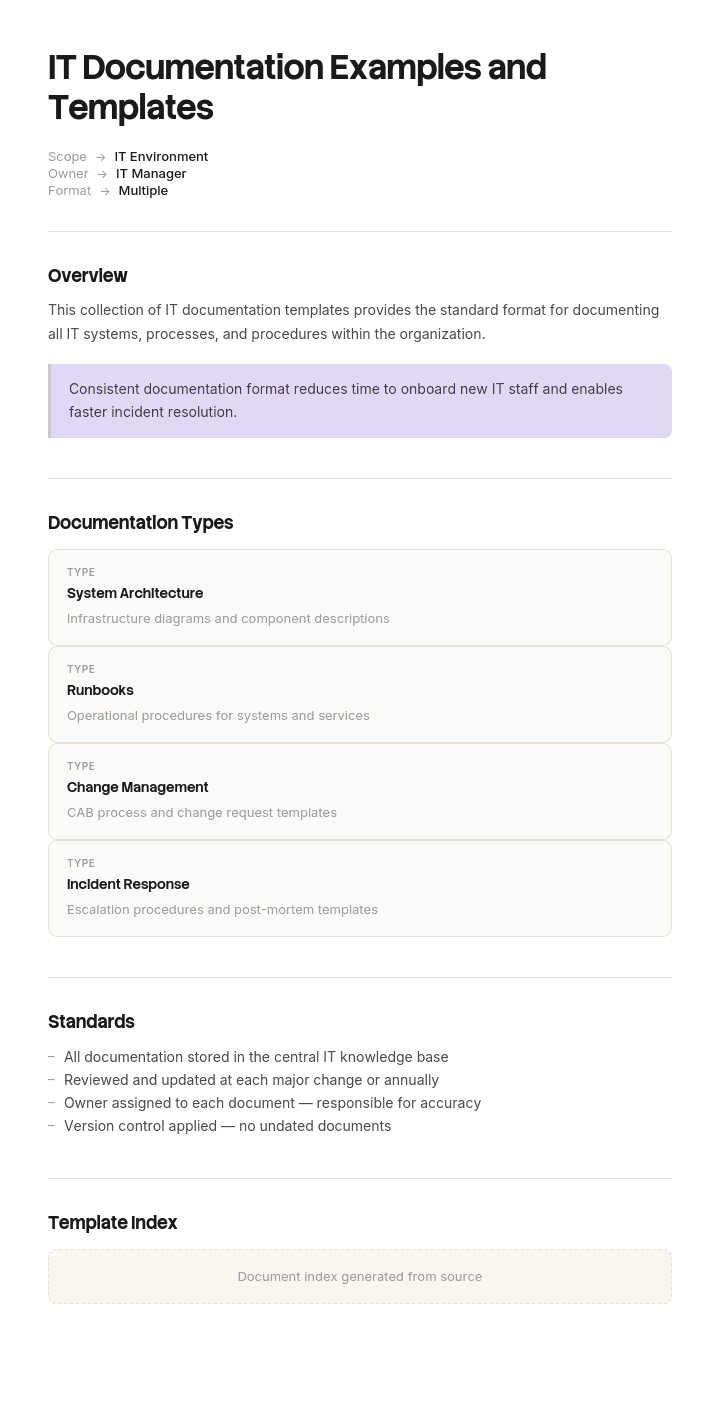
استخدم هذا القالب
أسرع طريق إلى توثيق تقنية معلومات رائع هو البدء من أمثلة مجرّبة. باستخدام Trupeer، يمكنك توفير ساعات في كتابة توثيق تقنية المعلومات عبر البدء بأمثلة وقوالب مجانية لتوثيق تقنية المعلومات، وتخصيصها باستخدام إرشادات العلامة التجارية الخاصة بك، وتحويل وثائق تقنية المعلومات الطويلة إلى جولات فيديو إرشادية يستخدمها مهندسو فرق الدعم فعليًا.
لدى كل فريق تقنية معلومات توثيق، لكن لا يكاد أحد يثق به. تحتوي الويكي على أربعمائة صفحة، ثلاثة منها فقط حديثة، ولا يستطيع أحد معرفة أي الثلاثة هي.
هذه ليست مشكلة انضباط. إنها مشكلة تصميم: يصف توثيق تقنية المعلومات أنظمة تتغير باستمرار، ومعظمها مكتوب وكأنه يصف شيئًا ثابتًا.
حمّل قوالب توثيق تقنية المعلومات
التنسيق | الأفضل لـ |
|---|---|
Word (.docx) | Runbooks، السياسات، نظرة عامة على البنية، الإجراءات |
Excel (.xlsx) | الجرد، مصفوفات التبعية، السجلات، متتبعات المراجعة |
الإصدارات المعتمدة وأي شيء يطلبه المدققون | |
Google Docs وSheets | التوثيق الذي يحرره الفريق بشكل تعاوني |
مجاني وقابل للتعديل وبدون علامة مائية.
كيفية تخصيص هذا القالب في Trupeer
الخطوة 1: افتح قسم القوالب
انتقل إلى قسم القوالب من التنقل الرئيسي.

الخطوة 2: اختر قالبًا وافتحه
انقر على أي قالب تريد العمل عليه لفتحه.

الخطوة 3: وسّع عرض القالب
إذا لزم الأمر، وسّع عرض القالب لعرض التخطيط الكامل والتفاصيل بوضوح.

الخطوة 4: عدّل القالب
انقر على Edit لبدء تعديل القالب المحدد.

داخل المحرر، يمكنك:
إضافة أقسام جديدة
تحديد أو تحديث قواعد التنسيق
إضافة شعار وضبط موضعه والإعدادات ذات الصلة
الخطوة 5: احفظ قالبك المخصص
بعد إجراء جميع التغييرات اللازمة، انقر Save لتخزين القالب المحدث كنسختك الخاصة.

الخطوة 6: المعاينة والضبط الدقيق للقالب
عندما تريد معرفة كيف يبدو قالبك المخصص، افتح Preview.

من شاشة المعاينة، يمكنك الاستمرار في إجراء التعديلات مباشرة عند الحاجة، لضمان ظهور القالب تمامًا كما تريد.
مع أمثلة وقوالب توثيق تقنية المعلومات يمكنك:
توفير ساعات في الكتابة: ابدأ من هياكل مجرّبة بدل صفحة فارغة.
تغطية كل أصل من أصول تقنية المعلومات: قوالب للبنية، وRunbooks، والتغيير، والأمن، وDR وSOPs.
الالتزام بالهوية البصرية: طبّق شعارك وخطوطك وألوانك باستخدام Trupeer's brand kit.
تأهيل المهندسين بسرعة أكبر: قرن الوثائق بجولات فيديو إرشادية لتهيئة التقنيين الجدد.
الاستعداد للتدقيق دائمًا: أقسام مدمجة تدعم SOC 2 وISO 27001 وتدقيقات مماثلة.
الوصول إلى فرق عالمية: ترجمة وثائق تقنية المعلومات إلى 65+ لغة بنقرة واحدة.
الفئات السبع لتوثيق تقنية المعلومات
الفئة | الإجابات | أمثلة وثائق |
|---|---|---|
البنية التحتية | ما الموجود وكيف يتصل | الجرد، مخططات الشبكة، خرائط التبعية |
تشغيلي | كيفية تشغيله وإصلاحه | Runbooks، الإجراءات، مسارات التصعيد |
العملية | كيف يتم إنجاز عمل تقنية المعلومات | SOPs، إدارة التغيير، عملية الحوادث |
الهندسة المعمارية | كيف تُصمَّم الأشياء ولماذا | المخططات، سجلات القرارات، المعايير |
التطبيق | كيف يعمل البرنامج وكيف يُستخدم | الوثائق التقنية، مراجع API، أدلة المستخدم |
الحوكمة | القواعد | السياسات، أدلة الامتثال، التحكم في الوصول |
المعرفة | كيفية حل المشكلات المتكررة | مقالات قاعدة المعرفة، أدلة “كيف”، الأسئلة الشائعة |
تمتلك معظم الفرق شيئًا من كل الفئات السبع، لكن تغطية كاملة لأي منها غير موجودة. هذا جيد. المهم أن الأجزاء الحرجة في كل فئة تكون حديثة، وليس أن تكون كل فئة ممتلئة بالكامل.
معدل التدهور
الخاصية التي يجب أن تقود كل قرار بشأن توثيق تقنية المعلومات، والتي لا يخطط أحد حولها.
سرعة التدهور | الأنواع | النتيجة |
|---|---|---|
مستمرة | الجرد، الإعدادات، عناوين IP، انتهاء صلاحية الشهادات | أتمتة أو قبول أنها ستكون خاطئة |
لكل إصدار | مراجع API، وثائق التطبيقات، لقطات الشاشة، تعليمات الواجهة | ربط التحديثات بعملية الإصدار |
لكل تغيير | Runbooks، التبعيات، طوبولوجيا الشبكة | ربط التحديثات بإدارة التغيير |
بطيئة | قرارات الهندسة المعمارية، المعايير، السياسات، تعريفات العمليات | المراجعة السنوية تكفي |
الخطأ هو التعامل مع الفئات الأربع بالطريقة نفسها، وغالبًا مع مراجعة ربع سنوية لكل شيء. هذا بطيء جدًا بالنسبة للصف الأول وغير ضروري كعبء إضافي للصف الأخير.
النتيجة العملية: لأي شيء في الصف الأول، لا تحافظ عليه يدويًا. إما أن تولده أو ألا يكون موجودًا، لأن الجرد المكتوب يدويًا يكون خاطئًا خلال أسابيع، والخطأ أسوأ من عدم وجوده.
توثيق سريع التدهور
الجرد، الإعدادات، العناوين، الإصدارات، السعة، الشهادات.
أتمتة ذلك. يمكن لجرد مزود الخدمة السحابية، وقواعد بيانات إدارة الإعدادات، ومستودعات البنية ككود، وأنظمة اكتشاف الشبكة والمراقبة أن تولد ذلك باستمرار وبشكل دقيق.
عندما لا يمكنك الأتمتة، اختصره إلى الحد الأدنى الذي يجب أن يكون صحيحًا وحدّثه مع تاريخ واضح. قائمة قصيرة بتاريخ “آخر تحقق” ظاهرة تكون أكثر فائدة من قائمة شاملة بدون تاريخ، لأن القراء يمكنهم معايرة ثقتهم.
لا تكرر نظام مصدر الحقيقة. إذا كانت لوحة تحكم السحابة تعرف أي مثيلات موجودة، فلا تحافظ على قائمة موازية. وجود مصدرين يعني أن أحدهما خاطئ ولا أحد يعرف أيهما.
توثيق بطيء التدهور
قرارات الهندسة المعمارية، المعايير، السياسات، تعريفات العمليات، ولماذا تكون الأشياء على ما هي عليه.
هذا هو التوثيق الذي يستحق الكتابة يدويًا أكثر من غيره ونادرًا ما يُكتب، لأنه الجزء الذي لا تستطيع الآلات إنتاجه. لا شيء يمكنه استنتاج لماذا اخترت قاعدة بيانات بدل أخرى، أو لماذا يجب ألا تتم إعادة تشغيل خدمة بين 2 صباحًا و4 صباحًا، أو أي قيد دفع إلى تصميم غير معتاد.
سجلات قرارات الهندسة المعمارية هي التنسيق الذي يستحق اعتماده: ما الذي تم قراره، ومتى، وما كانت البدائل، ولماذا. قصيرة ومؤرخة، ولا تُعدَّل بعد ذلك، وتُستبدل بدل أن تُحدَّث. تجيب عن السؤال الذي يستهلك معظم الوقت عندما ينضم شخص جديد، وهو: “لماذا هو هكذا”.
ماذا يجب أتمتته وماذا يجب كتابته
الآلات توثق | البشر يوثقون |
|---|---|
ما الموجود | ما الغرض منه |
الإعداد الحالي | لماذا تم ضبطه بهذه الطريقة |
الطوبولوجيا والاتصالات | ما التبعيات الصلبة وما التبعيات المرنة |
الإصدارات ومستويات التصحيح | ما الترقيات التي تحمل مخاطر ولماذا |
من لديه صلاحية الوصول | من يجب أن يكون لديه صلاحية الوصول، وكيف يطلبها |
سجل التنبيهات | ماذا تعني كل تنبيه فعليًا |
انتهاء صلاحية الشهادات | من يجددها وكيف |
الانقسام واضح ويستحق أن تجعله صريحًا في معيار التوثيق الخاص بك. الفرق التي تتجاهله تنتهي إلى الحفاظ يدويًا على النصف القابل للاكتشاف، ولا تكتب النصف الذي لا يعرفه إلا فريقك.
توثيق البنية التحتية
ما الموجود وأين وكيف يتصل. الجرد، تفاصيل الشبكة، التبعيات، السعة.
أعلى معدل تدهور لأي فئة، لذا أتمتة كل ما يمكن، وكتابة يدويًا فقط التبعيات والحرجية والغرض. تفاصيل كاملة في قالب توثيق البنية التحتية الداخلية.
توثيق تشغيلي
Runbooks، إجراءات إعادة التشغيل، مسارات التصعيد، الاستجابة للحوادث، التعافي من الكوارث.
التوثيق الذي يُستخدم تحت الضغط، لذا يجب كتابته لشخص كفؤ لكنه غير معتاد عليه، في الساعة الثالثة صباحًا. تضمين ما لا يجب فعله، والقسم الذي يمنع حادثًا قصيرًا من أن يصبح طويلًا، والحفاظ عليه متاحًا عندما تكون الأنظمة التي يصفها متوقفة.
توثيق العمليات
كيف يحدث عمل تقنية المعلومات: إدارة التغيير، إدارة الحوادث، تلبية الطلبات، توفير الوصول، المشتريات.
تدهور بطيء، لذا غالبًا تكفي المراجعة السنوية. القيمة هي الاتساق وليس الحداثة. استخدم قالب IT SOP للإجراءات وقالب عملية الأعمال للتدفقات الأوسع.
تستحق إدارة التغيير اهتمامًا خاصًا، لأنها أيضًا الآلية التي تحافظ على بقية توثيقك حديثًا.
توثيق الهندسة المعمارية
المخططات، المعايير، سجلات القرارات، اختيارات التقنية، الحالة المستهدفة.
أبطأ تدهور وأعلى قيمة على المدى الطويل. مخطط واحد جيد للحالة الحالية يساوي أكثر من خمسين صفحة وصف، وسجل قرار يشرح اختيارًا غير معتاد يوفر جدالًا متكررًا.
اجعل المخططات بسيطة بما يكفي لقراءتها بسرعة، وأرّخها، وفضّل مخططات ككود حيث سيقوم الفريق بالحفاظ عليها، لأن مخططًا في نظام التحكم بالإصدارات يتم تحديثه مع التغيير بدلًا من أن يحدث ذلك بعد أشهر.
توثيق التطبيقات
الوثائق التقنية، مراجع API، أدلة التكامل، أدلة المستخدم.
تتدهور لكل إصدار، لذا اربط التحديثات بعملية الإصدار بدلًا من جدول مراجعات. مرجع API الذي يتأخر بإصدار واحد يسبب مشكلات حقيقية لأي شخص يتكامل معك.
قوالب: توثيق تقنية المعلومات، توثيق البرمجيات، دليل المستخدم.
توثيق الحوكمة
السياسات، المعايير، أدلة الامتثال، التحكم في الوصول، مسارات التدقيق.
تدهور بطيء لكن العواقب عالية عند الخطأ، وهي الفئة الأكثر احتمالًا أن يتم فحصها من شخص خارجي. وثّق كل الإصدارات، وسجّل الموافقات، واحتفظ بالإصدارات المستبدلة بدل حذفها، لأنك قد تحتاج إلى إظهار ما الذي تم تطبيقه في تاريخ محدد.
قوالب: سياسة مشتريات تقنية المعلومات، سياسة حماية البيانات، سياسة الشركة.
توثيق المعرفة
مقالات قاعدة المعرفة، أدلة “كيف”، أدلة استكشاف الأخطاء وإصلاحها، الأسئلة الشائعة.
هذه الفئة ذات أوضح عائد، لأن كل مقالة يمكنها تحويل التذاكر المتكررة بعيدًا. اجعل المقالات مصدرها بيانات التذاكر بدل التخمين، وقِس ما إذا كان حجم التذاكر في هذا الموضوع ينخفض.
قوالب: قاعدة المعرفة، مقالة “كيف”، صفحة الأسئلة الشائعة.
الحوكمة: من يملك ماذا
التوثيق بدون ملكية يتدهور بصمت، ومَن تم ترشيحه كمالك للتوثيق وهو يطارد الجميع الآخر يعمل لمدة تقارب شهرين فقط.
الفريق الذي يشغّل نظامًا يملك توثيقه. ليس فريق توثيق، وليس الشخص الذي كتبها أولًا بالصدفة.
شخص واحد يملك المعيار: القوالب، مكان وجود الأشياء، وتيرة المراجعة، واتفاقيات التسمية.
عملية التغيير تفرض التحديثات. لا يكتمل التغيير حتى يعكس التوثيق ذلك. هذه هي الآلية الوحيدة التي تعمل بشكل موثوق على نطاق واسع.
كل مستند يذكر مالكًا وتاريخ مراجعة، وكلاهما ظاهر للقراء.
المراجعات تُجدول حسب معدل التدهور، وليس بشكل موحّد.
أين تحتفظ به
أماكن أقل من معظم المؤسسات.
الفشل الشائع هو أن يكون التوثيق موزعًا عبر ويكي، وDrive مشترك، ونظام تذاكر، ومستودعات متعددة وملاحظات الأشخاص. لا أحد يعرف أين يبحث، لذلك يسألون شخصًا، وهذه هي النتيجة التي صُمم التوثيق لمنعها.
اختر موقعًا أساسيًا واحدًا وكن صارمًا. عندما يكون التوثيق موجودًا فعليًا في مكان آخر، مثل أدلة API داخل مستودع الكود، اربطه من الموقع الأساسي بدلًا من نسخه.
تأكد من أن التوثيق التشغيلي يمكن الوصول إليه عندما تكون الأنظمة متوقفة. Runbook مستضاف على البنية التحتية التي يغطيها مشكلة مألوفة ويمكن تجنبها.
ثقافة التوثيق
آليات بدل الوعظ.
اجعل التحديث أسرع من طلبه. إذا كان تعديل صفحة يتطلب أربع نقرات، وطلب زميل يستغرق رسالة واحدة، فسيطلب الناس.
دع أي شخص يصلح أي شيء. سير عمل الموافقات لتصحيح خطأ إملائي يضمن بقاء الأخطاء الإملائية.
صلّح ذلك أثناء الحادث. اللحظة التي يكتشف فيها شخص أن التوثيق غير صحيح هي اللحظة التي تكون لديه فيها المعرفة لتصحيحه. اجعل ذلك مهمة مدتها دقيقتان.
اعترف بذلك. عمل التوثيق غير مرئي في معظم محادثات الأداء، وهذا يخبر الناس بما يُقدَّر فعليًا.
لا تطلب توثيق كل شيء. فريق طُلب منه التوثيق بشكل شامل ينتج حجمًا، والحجم هو ما يجعل التوثيق غير جدير بالثقة.
السلوك الذي يجب تصميمه هو تصحيحات صغيرة ومتكررة من كثير من الأشخاص، وليس جهودًا كبيرة دورية من شخص واحد.
قياس ذلك
نسبة أنظمة المستوى 1 ذات Runbook حديث. بسيط وصادق.
توزيع الأعمار. كم جزء من الأصول لم يتم التحقق منه خلال سنة.
وقت الحوادث المرتبط بالتوثيق. كم مرة تم تمديد الحوادث بسبب توثيق مفقود أو غير صحيح، ويتم التقاط ذلك في مراجعات ما بعد الحادث.
التذاكر التي تم الرد عليها بمقالة موجودة مقابل تلك التي تم تصعيدها.
الوقت للوصول إلى الكفاءة للمنضمين الجدد، والذي يتأثر مباشرة بالتوثيق.
التعديلات شهريًا بعدد الأشخاص المختلفين، وهو ما يقيس ما إذا كان التوثيق عادة مشتركة أم وظيفة شخص واحد.
هذه الأخيرة هي أفضل مؤشر ثقافي متاح. التوثيق الذي يتم تعديله بواسطة ثلاثة أشخاص هو ممارسة فريق. التوثيق الذي يتم تعديله بواسطة شخص واحد هو تبعية.
مجموعة البداية
إذا لم يكن لديك شيء، فهذه هي الترتيب.
جرد النظام مع المالكين والحرجية. كل شيء آخر يشير إليه.
Runbooks لأنظمة المستوى 1. ما الذي يتعطل، وكيف تتم إعادة التشغيل، ومن يتم التصعيد إليه.
خريطة التبعية للأنظمة الحرجة، في الاتجاهين.
الوصول والتصعيد. من تتواصل معه، وكيف تحصل على وصول طارئ.
عملية التغيير. الآلية التي تحافظ على كل ما سبقها حديثًا.
مقالات قاعدة المعرفة لأهم عشرة مواضيع تذاكر لديك.
سجلات قرارات الهندسة المعمارية، ابدأ من الآن بدلًا من ملء ما سبق.
السياسات، كما تتطلب الامتثال.
ستة أسابيع من جهد مركز تنتج أول أربعة لمعظم البيئات المتوسطة، وهذه الأربعة تغطي غالبية ما يحتاجه أي شخص فعليًا أثناء الحادث.
أفضل الممارسات
رتّب التوثيق حسب معدل التدهور واعتبر كل معدل مختلفًا.
أتمتة أي شيء يمكن اكتشافه، واكتب يدويًا فقط ما لا تستطيع الآلات استنتاجه.
لا تكرر نظام مصدر الحقيقة.
المالك وتاريخ آخر تحقق ظاهر على كل شيء.
التحديثات تُفرض عبر عملية التغيير.
موقع أساسي واحد، مع روابط بدل النسخ.
التوثيق التشغيلي يمكن الوصول إليه عندما تكون الأنظمة متوقفة.
يمكن لأي شخص تعديل أي شيء فورًا.
وثّق أقل، واحرص أن يكون صحيحًا.
سجّل قرارات الهندسة المعمارية عند اتخاذها، وليس إعادة بنائها لاحقًا.
الأخطاء الشائعة
مراجعة كل شيء على نفس الوتيرة.
جرد مكتوب يدويًا يكون خاطئًا خلال أسابيع.
تكرار ما تعرفه لوحة تحكم السحابة بالفعل.
اعتبار التوثيق كمخرجات مشروع، دون تحديث بعد الإطلاق.
الخلط بين الحجم والتغطية.
لا توجد تواريخ، لذا لا يستطيع القراء الحكم على ما يجب الوثوق به.
سير عمل موافقات يجعل التصحيحات الصغيرة غير مجدية.
توزيع التوثيق عبر خمسة مواقع.
Runbooks محفوظة على الأنظمة التي تصفها.
شخص واحد مسؤول اسميًا عن كل التوثيق.
كتابة بيانات الاعتماد داخل التوثيق.
توثيق ما هو موجود فقط، دون “لماذا”.
النصف الذي لا تستطيع الآلات التقاطه
افتح القوالب في Trupeer AI، وطبّق brand kit الخاص بك ليكون التوثيق متسقًا، وعدّل أي قسم مباشرة. الإعداد موجود في دليل القالب.
الأتمتة تغطي النصف سريع التدهور بشكل جيد. ما لا تستطيع إنتاجه هو المعرفة التشغيلية: ترتيب عودة الخدمات، والفحص قبل عملية التحويل، والسبب الذي يجعل أحدًا لا ينشر على يوم الجمعة لهذا النظام تحديدًا.
هذه المعرفة لدى شخص أو شخصين، ولا تُكتب أبدًا لأنهما أكثر الأشخاص انشغالًا لديك، وتغادر عندما يغادران.
اطلب منهما شرح ذلك أثناء التسجيل، وسيقوم Trupeer AI بإنتاج Runbook مكتوب وجولة فيديو بصوت مسموع من نفس المرور، مع التقاطه بالترتيب الذي يعملان به فعليًا بدلًا من الترتيب الذي كانا سيتذكران كتابته. يستغرق وقتًا أقل منهما مما يستغرقه الكتابة، وهذه هي السبب الوحيد الذي يجعل ذلك يتم.
ترجمه إلى 65+ لغة للفرق الموزعة، واحتفظ بمجموعة المحتوى في قاعدة المعرفة لديك إلى جانب التوثيق المُولّد.
سجّله. اجعله بعلامتك التجارية. ترجمته. Trupeer it.
الأسئلة الشائعة
هل توجد قوالب مجانية لتوثيق تقنية المعلومات؟
نعم، على هذه الصفحة وبالإضافة إلى القوالب المرتبطة، وتشمل البنية التحتية وRunbooks والإجراءات والهندسة المعمارية وتوثيق التطبيقات والسياسات ومقالات قاعدة المعرفة. جميعها مجانية دون الحاجة إلى حساب وبدون علامة مائية.
هل يوجد قالب لتوثيق تقنية المعلومات في Word؟
نعم. يناسب Word المستندات السردية: runbooks وإجراءات ونظرة عامة على الهندسة المعمارية والسياسات. يناسب Excel الجرد والسجلات ومصفوفات التبعية، وهي معظم ما تبقى.
هل يمكنني تنزيل قوالب مجانية لتوثيق تقنية المعلومات؟
نعم، كل تنسيق متاح للتنزيل مجانًا دون تسجيل ودون الحاجة إلى إسناد.
هل توجد قوالب مجانية لتوثيق تقنية المعلومات بصيغة PDF؟
نعم، للإصدارات المعتمدة وأي شيء تحتاج إلى تقديمه إلى مدقق. احتفظ بنسخ العمل قابلة للتعديل، لأن التوثيق الذي يصعب تحديثه لا يتم تحديثه.
هل يوجد قالب مجاني لتوثيق تقنية المعلومات في Excel؟
نعم، وExcel يتحمل العبء الأكبر هنا: جرد الأنظمة مع الحرجية وتواريخ آخر تحقق، ومصفوفات التبعية، وتتبع انتهاء صلاحية الشهادات، وسجلات الوصول، وجدول المراجعة.
هل توجد أمثلة وقوالب لتوثيق تقنية المعلومات للطلاب؟
القوالب مجانية للاستخدام في الدورات والدراسة. ومن المفيد معرفة أن توثيق تقنية المعلومات الحقيقي يختلف عن معظم الأمثلة الأكاديمية: فهو أقصر، ومصمم بشكل جداول بشكل كبير، ويتم تقييمه بناءً على ما إذا كان يمكن لشخص غير معتاد استخدامه أثناء حادث بدلًا من اكتماله. إذا كنت توثق مشروعًا للتقييم، فإن قالب توثيق المشروع غالبًا يكون الأنسب.
ما أفضل قالب مجاني لتوثيق تقنية المعلومات؟
جرد النظام، لأن كل شيء آخر يشير إليه ومعظم الفرق لا تملك نسخة حديثة منه. بعد ذلك، Runbooks لأنظمتك الأكثر حرجية. هذان العنصران يغطيان غالبية ما يحتاجه أي شخص فعليًا أثناء الحادث.
ما هو توثيق تقنية المعلومات؟
هو سجل لتقنية مؤسسة ما: ما الموجود، وكيف يعمل، وكيف يتم تشغيله وإصلاحه، وكيف يتم إنجاز عمل تقنية المعلومات، والقواعد التي تحكمه. يمتد عبر سبع فئات من البنية التحتية حتى مقالات قاعدة المعرفة، ولكل فئة معدل تدهور مختلف.
ما أنواع توثيق تقنية المعلومات؟
سبع فئات: البنية التحتية التي تغطي ما الموجود، والتشغيلي الذي يغطي كيفية تشغيله، والعملية التي تغطي كيف يحدث عمل تقنية المعلومات، والهندسة المعمارية التي تغطي التصميم والقرارات، والتطبيق الذي يغطي البرمجيات وواجهات API، والحوكمة التي تغطي السياسات والامتثال، والمعرفة التي تغطي كيفية حل المشكلات المتكررة.
ما الذي يجب أن يتضمنه توثيق تقنية المعلومات؟
على الأقل: جرد نظام مع المالكين والحرجية، وRunbooks للأنظمة الحرجة، ورسم خرائط التبعية في الاتجاهين، ومعلومات الوصول والتصعيد، وعملية التغيير، ومقالات قاعدة المعرفة لأكثر تذاكرَك شيوعًا. أضف سجلات قرارات الهندسة المعمارية من الآن فصاعدًا بدل محاولة إعادة بناء قرارات سابقة.
كيف تحافظ على توثيق تقنية المعلومات محدثًا؟
رتّبه حسب سرعة تدهوره واعتبر كل نوع بشكل مختلف. أتمتة أي شيء يمكن اكتشافه، واكتب يدويًا فقط ما لا تستطيع الآلات استنتاجه، واربط التحديثات بعملية التغيير بحيث لا يكتمل التغيير حتى يعكس التوثيق ذلك، وضع تواريخ آخر تحقق ظاهرة على كل شيء، واترك أي شخص يصحح أي شيء فورًا.
لماذا يتقادم توثيق تقنية المعلومات دائمًا؟
لأن الأنظمة التي يصفها تتغير دون أن يلمس أحد المستند، ولأن معظم الفرق توثق بشكل شامل بدلًا من التوثيق الانتقائي. المقايضة بين الحجم والدقة مباشرة: خمس عشرة صفحة دقيقة تساوي أكثر من مئتي صفحة قديمة، وتستغرق المئتان وقتًا أطول للحفاظ عليها بشكل سيئ مقارنةً بالـخمس عشرة التي تُحافظ عليها بشكل جيد.
من يجب أن يملك توثيق تقنية المعلومات؟
الفريق الذي يشغّل كل نظام يملك توثيقه، مع شخص واحد يملك المعيار العام وتواتر المراجعة. مطاردة مالك توثيق واحد للجميع الآخر هي النمط الذي يفشل، عادةً خلال شهرين تقريبًا. عملية التغيير، وليس شخصًا، هي ما يفرض التحديثات على نطاق واسع.
أين يجب تخزين توثيق تقنية المعلومات؟
في موقع أساسي واحد، مع روابط بدل النسخ عندما يكون المحتوى موجودًا فعليًا في مكان آخر. الفشل الشائع هو أن يكون التوثيق موزعًا عبر ويكي، وDrive، والتذاكر، والمستودعات، لذلك لا يعرف أحد أين يبحث ويطلب من شخص بدلًا من ذلك. تأكد من أن التوثيق التشغيلي يمكن الوصول إليه عندما تكون الأنظمة التي يغطيها متوقفة.
كم مقدار توثيق تقنية المعلومات يكفي؟
يكفي أن يتمكن شخص كفؤ لكنه غير معتاد من التعامل مع حادث على نظام حرج دون الحاجة إلى الخبير. أنظمة المستوى 1 تحتاج إلى Runbooks كاملة وخريطة تبعيات. الأنظمة منخفضة الحرجية تحتاج إلى صف جرد واحد ومالك. توثيق كل شيء بنفس العمق هو السبب الأكثر شيوعًا الذي يجعل التوثيق ينتهي به الأمر إلى أن يصبح قديمًا.
هل يمكنني تخصيص قوالب توثيق تقنية المعلومات هذه؟
نعم، جميع الإصدارات قابلة للتعديل بالكامل. قم بتكييف الحقول مع بيئتك، واحتفظ بأمرين بغض النظر عن ذلك: تاريخ آخر تحقق على كل سجل، والانقسام بين ما تقوم بأتمتته وما تكتبه يدويًا.

