Enterprise Software Rollouts: SAP, Workday & Salesforce Go-Lives
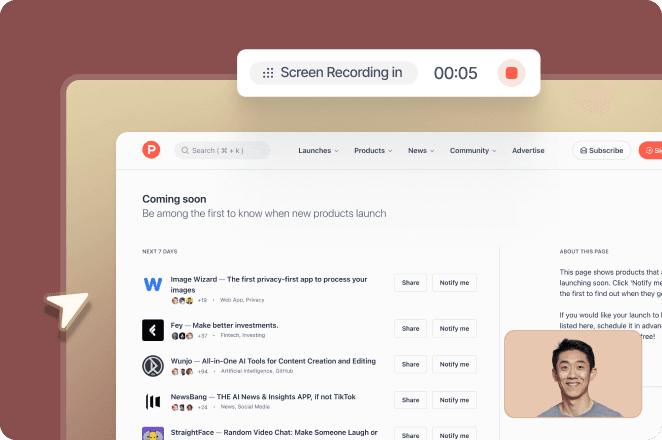
Go-live is the start, not the finish. Trupeer helps enterprise software implementation teams document to-be processes, train every role, and cut hypercare tickets across SAP, Workday and Salesforce rollouts.
Book a demo · Read the Genpact story
Genpact: 140,000 employees, 40 countries, a 12-month Workday training programme delivered in 3 months · SOC 2 Type II · ISO 27001
Why enterprise software go-lives stall
A software rollout is the process of moving an organisation onto a new system: preparing processes and data, training users, switching over at go-live and supporting people until the new way of working is stable. In an enterprise, that means thousands of users across roles, regions and languages, all changing how they work on the same day.
The system usually goes live on time. Adoption is what stalls. The same problems show up on almost every SAP, Workday and Salesforce rollout:
Nobody documented the to-be process. Design decisions live in workshop notes and configuration workbooks, so users learn the new process from colleagues, and each team learns it differently.
Testing misses how people really work. UAT scripts cover the happy path, and the workarounds people actually use surface after go-live.
Training arrives late and generic. Content is built from screens that change until the final build, so it's rushed, and one course is given to every role.
Hypercare drowns in "how do I" tickets. Most tickets are questions the training should have answered, and the project team spends hypercare answering them one at a time.
Documentation goes stale after go-live. The first release update changes fields and screens, and nobody updates the guides.
How Trupeer solves each problem
The problem | How Trupeer solves it |
|---|---|
To-be processes aren't documented | Process owners record walkthroughs of the configured system; Trupeer turns each into an SOP, a process map and a video |
Testing misses real work | Recorded walkthroughs give testers every step and screen to test against, and UAT runs can be recorded as evidence |
Training is late and generic | Role-based videos and guides are generated from recordings in days, then translated into 120+ languages |
Hypercare is flooded with questions | A searchable knowledge base with Ask AI answers "how do I" questions before they become tickets |
Documentation goes stale | Edit the script or re-record one step; the video and guide update together |
How Trupeer supports every phase of a software rollout
1. Capture as-is and to-be processes
Before design, record how people do the work today in the legacy system, including the workarounds no requirements document mentions. Those recordings become as-is SOPs and process maps that feed fit-gap and design workshops.
Once the new system is configured, process owners and consultants record the to-be process in a sandbox or test environment. Trupeer turns each walkthrough into:
a step-by-step SOP with screenshots of every step
a process map with decision points that owners can edit and standardise across regions
a training video with an AI voiceover
The design decisions stop living in workshop notes. Every team learns the same standard process, and the documentation exists before training starts.
See how this works for an SAP programme in capturing as-is processes for S/4HANA.
2. Build test cases from real process steps
UAT is only as good as its scripts. When test scripts are written from design documents, they test the happy path and miss the way people really work.
With Trupeer, the recorded to-be process already lists every step, field and screen in order. Test leads use those SOPs as the base for UAT scripts, adding the expected result for each step and the exceptions worth testing, such as a missing approval or an invoice outside tolerance.
During testing, testers record their UAT runs. Each recording becomes step-by-step evidence of what was tested and what happened, so defects come with the exact steps to reproduce them, and sign-off has an audit trail.
For a checklist of what to capture, see our UAT documentation guide.
3. Give every role the guidance it needs
An accounts payable clerk, a buyer and a finance controller use the same ERP in completely different ways. One generic course serves none of them well.
With Trupeer, training is built from the to-be recordings, so it can be produced once the build is stable instead of months before:
Role-based libraries: group videos and guides by role, so each person sees only the tasks they will do on day one.
Two formats from one recording: a short video for people who learn by watching and a step-by-step guide for people who need to follow along on screen.
Every language: translate videos and guides into 120+ languages with AI voiceover, so regional teams go live with the same content in the same week.
Delivered where people learn: embed content in Confluence and Notion, share it through public or restricted pages, export guides as PDF, Word or Markdown, or connect your LMS through Trupeer's integrations.
See platform-specific approaches for Workday rollout training and Salesforce rollout adoption.
4. Go-live support and hypercare
Hypercare is the period of extra support right after go-live, when the project team stays on to stabilise the new system. Its length depends less on the system than on how quickly users stop needing help.
Trupeer shortens it in three ways:
Answers before tickets: every SOP and video sits in a searchable knowledge base. Users ask a question in plain language with Ask AI and get the answer from your own content, instead of raising a "how do I" ticket.
Capture every fix once: when the support team solves a new issue, they record the fix and Trupeer turns it into an SOP and video. A question that repeats becomes a guide, not another ticket.
Exit on metrics, not dates: with repeat questions turned into documentation, ticket volumes fall and the team can meet its hypercare exit criteria sooner.
Read more on running go-live and hypercare support.
5. Keep documentation current after go-live
SAP, Workday and Salesforce ship updates on a regular schedule, and your own configuration keeps changing. Every Trupeer video has an editable script: when a field is renamed, edit the text and regenerate the voiceover, or re-record only the step that changed. The written guide comes from the same recording, so the video and guide stay in sync. See how to maintain training documentation after a software rollout.
Case study: Genpact's Workday rollout
"We needed to train 140,000 people across 40 countries on a completely new system. Trupeer gave us a way to actually get there." Davetta Harper, VP Organizational Change Leader, Genpact
The challenge: Genpact undertook a company-wide Workday rollout spanning HCM, finance and data. Its change team had to make sure 140,000 employees in 40 countries could learn and adopt the new system. Producing the training by hand on that timeline was not realistic.
What they did: the team recorded process sessions and subject-matter expert walkthroughs, and Trupeer turned them into SOPs and training videos, translated for regional teams.
The results:
Result | Detail |
|---|---|
3 months instead of 12 | A programme planned for 12 months was delivered about 75% faster |
500+ training collaterals | Across 20 workstreams |
5 languages | Same content for every region |
140,000 employees, 40 countries | Ready for the next waves of the rollout |
Make your next go-live the one people adopt
Document the to-be process, train every role and keep hypercare short. Book a demo to see Trupeer on one of your rollout processes.
Related reading
Frequently Asked Questions
What is a software rollout?
A software rollout is the process of moving an organisation onto a new system: preparing processes and data, training users, switching over at go-live and supporting people until the new way of working is stable.
Is a rollout the same as an implementation?
Not quite. Implementation usually means configuring and building the system. The rollout is getting it into people's hands: training, go-live and adoption. In large programmes, the rollout often happens in waves by region or business unit after the core implementation.
What are the different types of software rollouts?
The common approaches are big bang, where everyone switches on the same day; phased, by module or business unit; and wave-based or pilot-first, where one region or group goes live before the rest. Phased and wave-based rollouts reduce risk but run training and support for longer.
What should a software rollout plan include?
Scope and timeline, documented to-be processes, a testing plan, role-based training, communications, go-live and cutover steps, hypercare support with exit criteria, and a plan to keep documentation current after go-live.
Why do enterprise software rollouts fail?
Most fail on adoption, not technology. Undocumented processes, generic training that arrives late and hypercare flooded with "how do I" questions leave users unsure how to do their jobs in the new system.
Which systems does Trupeer support for rollouts?
Trupeer captures processes in any web application, including SAP S/4HANA, SAP SuccessFactors, Workday, Salesforce, ServiceNow and Oracle.
Is Trupeer transformation management software?
Trupeer covers the people and process side of a transformation: documenting processes, training users and supporting adoption. It works alongside your system integrator's project tools and the platform you are rolling out.
How quickly can we create rollout training with Trupeer?
Training is generated from recordings of the configured system, so teams can produce guides and videos in days rather than months. Genpact delivered a 12-month training programme in about 3 months.