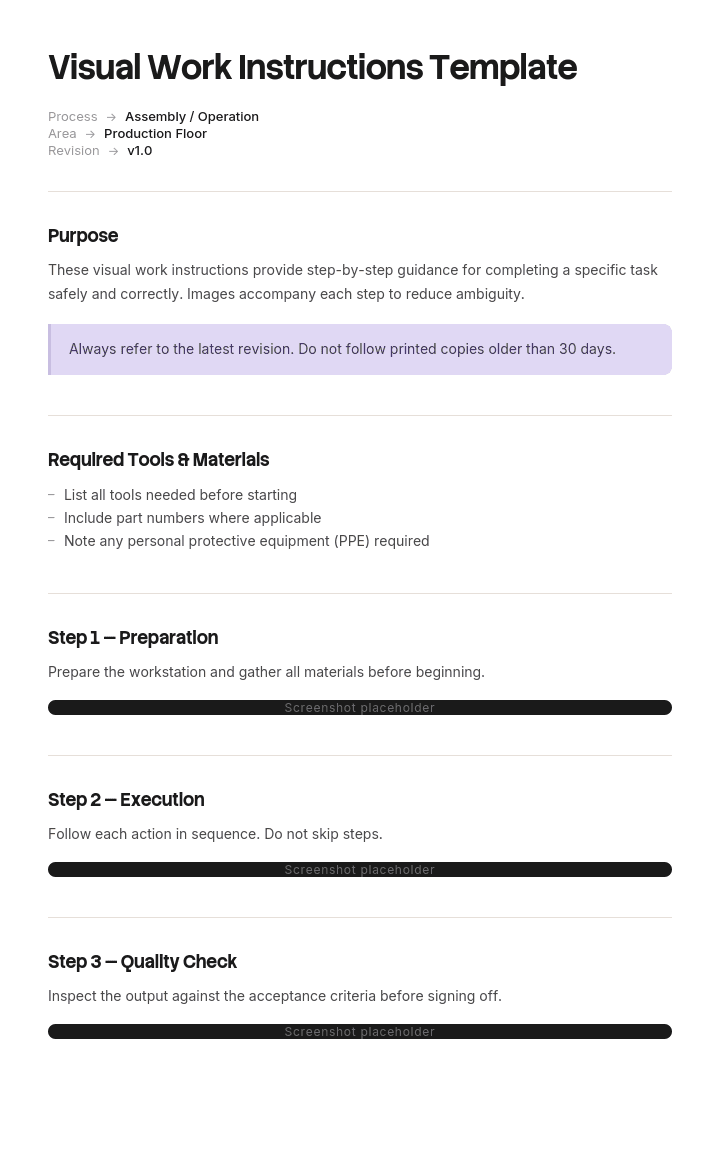
Use este modelo
As instruções de trabalho visuais tornam tarefas complexas mais fáceis de compreender, executar e padronizar — especialmente na indústria transformadora, onde a consistência e a segurança são críticas. Com a Trupeer, pode poupar horas na documentação ao começar com um modelo de instruções de trabalho visuais pronto a usar, personalizá-lo com as suas diretrizes de marca e transformá-lo em instruções em vídeo envolventes que combinam gravações do ecrã, avatares de IA, narrações e elementos visuais.
O que é um modelo gratuito de instruções de trabalho visuais?
Um modelo gratuito de instruções de trabalho visuais é uma estrutura reutilizável para instruções em que as imagens carregam a maior parte do significado: montagem, configuração, inspeção, tarefas de software, tudo o que uma pessoa faz reconhecendo algo em vez de ler sobre isso.
A forma geral é abordada noutro local. Uma instrução de trabalho é o documento ao nível da tarefa, as instruções de trabalho de segurança acrescentam os controlos e o conteúdo sobre perigos, e as instruções de trabalho do projeto cobrem o trabalho pontual realizado por alguém que não está familiarizado com ele.
Esta página é sobre as imagens especificamente e defende que a maioria das instruções de trabalho visuais contém as imagens erradas. Nem poucas, nem mal produzidas. O assunto errado.
O formato segue a utilização. Um ficheiro Word de um modelo gratuito de instruções de trabalho visuais serve o documento, porque lida bem com imagens ao lado do texto. Um layout PowerPoint de um modelo gratuito de instruções de trabalho visuais serve a versão apresentada num posto de trabalho, onde a colocação importa. Um modelo gratuito de instruções de trabalho visuais em PDF é a cópia controlada e uma versão Excel de um modelo gratuito de instruções de trabalho visuais serve o registo de quais instruções existem e quando as imagens foram verificadas pela última vez.
A maioria das instruções de trabalho visuais fotografa a coisa errada
Abra qualquer instrução de trabalho visual e veja o que as imagens mostram, na prática.
Na maioria dos casos, verá uma pessoa a executar o passo. Mãos a segurar uma ferramenta. Uma peça a ser levantada para a posição. Alguém a alcançar um painel de controlo. As fotografias são nítidas, bem iluminadas e colocadas corretamente ao lado do texto relevante.
Mas também transmitem quase nada.
Uma imagem de mãos a rodar um parafuso diz ao leitor que o parafuso está a ser rodado, algo que o texto já disse. Uma imagem de uma peça a ser apresentada para uma montagem normalmente oculta exatamente a característica que determina se está na orientação certa, porque há mãos à frente. Uma vista geral do posto de trabalho diz a quem trabalha lá todos os dias nada de nada.
O que um leitor precisa de uma imagem é aquilo que é difícil de colocar em palavras. Qual dos dois conectores semelhantes. Qual a orientação. Como é o aspeto correto de forma suficientemente próxima para poder compará-lo com o que tem à frente. Se a coisa ligeiramente estranha que está a ver é uma falha ou é normal.
Nada disso é uma atividade. É uma diferença.
Por isso, a pergunta útil ao produzir uma imagem não é o que acontece neste passo. É o que alguém poderia fazer mal aqui e como isso se veria.
Como personalizar este modelo na Trupeer
Passo 1: Abra a secção Templates
Vá à secção Templates no menu principal.

Passo 2: Selecione e abra um modelo
Clique em qualquer modelo com que queira trabalhar para o abrir.

Passo 3: Expanda a visualização do modelo
Se necessário, expanda a visualização do modelo para ver o layout completo e os detalhes com clareza.

Passo 4: Edite o modelo
Clique em Edit para começar a modificar o modelo selecionado.

No editor, pode:
Adicionar novas secções
Definir ou atualizar regras de formatação
Adicionar um logótipo e ajustar a respetiva posição e definições relacionadas
Passo 5: Guarde o seu modelo personalizado
Depois de fazer todas as alterações necessárias, clique em Save para guardar o modelo atualizado como seu.

Passo 6: Pré-visualize e ajuste o modelo
Quando quiser ver como fica o seu modelo personalizado, abra a Pré-visualização.

A partir do ecrã de pré-visualização, pode continuar a fazer ajustes diretamente, se necessário, garantindo que o modelo aparece exatamente como o pretende.
Com um modelo de instruções de trabalho visuais, pode:
Poupar horas na documentação: Ignore a página em branco com uma estrutura pré-construída que pode adaptar rapidamente.
Melhorar a exatidão: As instruções visuais reduzem erros ao ajudar os trabalhadores a verem exatamente o que devem fazer.
Manter a identidade da marca: Aplique o seu logótipo, cores e fontes usando o brand kit da Trupeer — para que cada instrução fique consistente com a sua identidade.
Formar mais rapidamente: Os trabalhadores aprendem mais depressa com instruções em vídeo do que com guias apenas em texto. Excelente para vídeos de formação para a linha da frente.
Atingir equipas globais: Traduza instruções de trabalho para 65+ idiomas com um único clique.
Manter-se atualizado: Edite as instruções uma vez e a Trupeer regenera o vídeo automaticamente.
Mostre a diferença, incluindo como é o aspeto do errado
Seguem-se duas regras e a segunda é a que quase toda a gente omite.
Fotografe o estado, não a ação. O resultado do passo, em vez da sua execução. Um conector corretamente assente, fotografado sem nada à frente, vale mais do que qualquer número de imagens de alguém a colocá-lo.
Quando algo pode ser feito de duas formas, mostre as duas. Imagens em pares, lado a lado, uma identificada como correta e outra como incorreta, com a característica diferenciadora assinalada em cada uma.
Essa segunda regra é a que muda os resultados e a razão prende-se com um aspeto de como funciona a verificação. Um leitor que recebe apenas uma imagem do estado correto tem de notar uma diferença entre essa imagem e o que está à sua frente, o que exige que já saiba quais são as características que importam. Um leitor que recebe as duas imagens tem a diferença indicada, o que é uma tarefa cognitiva muito mais fácil e que consegue executar de forma fiável mesmo cansado.
Mostrar o estado errado parece contraintuitivo e há um aviso legítimo. Num contexto de segurança, imagens de práticas inseguras podem ser memorizadas como instrução; por isso, a imagem incorreta deve mostrar um resultado errado em vez de uma pessoa a comportar-se de forma insegura e deve ser claramente assinalada. Um suporte invertido (parêntesis) está bem. Alguém a alcançar uma máquina não.
Além disso, a objeção é normalmente estética. As instruções que mostram modos de falha ficam menos polidas do que as instruções que mostram tudo a correr bem, e a versão polida é a que deixa os defeitos passar.
A divisão do trabalho entre texto e imagem
A segunda disciplina e isso torna os documentos mais curtos.
Texto e imagem devem transmitir informações diferentes. Quando transmitem a mesma informação, uma delas é redundante e o documento fica mais longo do que o necessário — o que importa porque a extensão reduz a probabilidade de algo ser lido.
A imagem transmite o que é difícil de descrever. Aspeto, posição, orientação, cor, qual de várias coisas semelhantes, como é o aspeto correto.
O texto transmite o que não pode ser mostrado. Sequência, valores, binários, durações, limites, avisos, o que fazer se falhar e tudo o que for condicional.
Há um teste em duas partes para qualquer passo e demora segundos.
Cubra o texto. Alguém consegue executar o passo apenas a partir da imagem? Depois cubra a imagem. Consegue executá-lo apenas a partir do texto?
Se a resposta for sim para as duas, uma delas é redundante e deve ser removida. Se a resposta for não para as duas, estão a duplicar as fraquezas uma da outra em vez de se complementarem e o passo precisa de ser reescrito. A resposta saudável é não para cada uma individualmente, mas sim para o par, o que significa que cada uma está a transmitir algo que a outra não consegue.
O que um modelo de instruções de trabalho visuais tem de conter
Nove componentes. A linha de imagens em pares é a adição.
Componente | O que faz |
|---|---|
Tarefa e revisão | O que isto cobre, a versão e a que revisão do produto ou do equipamento se aplica. |
Ferramentas, peças e consumíveis | Listados uma vez, com imagens quando as peças são visualmente semelhantes. |
Passos, uma ação por passo | Numerados, com a ação no texto. |
Imagem do estado por passo | O resultado do passo, sem obstruções, anotado. |
Imagens em pares quando são possíveis dois resultados | Correto e incorreto, assinalados, com a característica diferenciadora indicada. |
Valores e limites no texto | Binários, dimensões, tempos, tolerâncias. Nunca numa imagem, porque as imagens são refeitas e os valores se perdem. |
Avisos antes do passo | Imediatamente antes, não recolhidos no início. |
Data da imagem e revisão | Por imagem, para que uma fotografia de um equipamento substituído seja identificável. |
Responsável e verificado pela última vez | Quem é o responsável e quando alguém o verificou pela última vez em relação ao trabalho real. |
A linha de data da imagem parece exigente e evita uma falha específica. As instruções visuais são refeitas por partes, por isso um documento frequentemente contém imagens de três revisões diferentes do equipamento, sem forma de indicar quais são quais.
Modelo gratuito de instruções de trabalho visuais: a estrutura a copiar
Preenchido com um exemplo real em vez de placeholders. A tarefa é encaixar um suporte de montagem durante a montagem do quadro do assento.
Copie daqui.
Tarefa e revisão. Montar o suporte de fixação traseiro, tipo 4 do quadro do assento. Revisão da instrução 11. Aplica-se a quadros a partir da revisão C do produto. Os quadros anteriores usam um suporte diferente; ver a revisão 9 desta instrução.
Ferramentas, peças e consumíveis. Chave dinamométrica, tomada de 13 mm. Peça do suporte 4471-C, imagem apresentada; note o canto chanfrado. Dois parafusos M8, peça 2210. Não substitua a peça 4471-B, que é visualmente semelhante e não tem chanfrado.
Passo 4, como exemplo de trabalho do formato.
Ação, no texto. Encaixe o suporte no travessão traseiro com o canto chanfrado voltado para o tabuleiro do assento e fixe com dois parafusos M8 a 24 Nm.
Imagem do estado. O suporte na posição, sem obstruções, fotografado de cima com a seta do canto chanfrado e com a respetiva etiqueta. Sem mãos no enquadramento.
Imagens em pares. Duas fotografias lado a lado, o mesmo ângulo. A da esquerda identificada como correta, chanfrado voltado para o tabuleiro do assento, com seta. A da direita identificada como incorreta, chanfrado voltado para o chão, com seta. Ambos encaixam e ambos são aparafusados, razão pela qual este par existe.
Por que é importante, no texto. Se for montado ao contrário, o percurso da carga passa pela soldadura em vez de passar pela junta aparafusada. O quadro passará numa verificação visual e não passará num teste de carga.
Valores, apenas no texto. 24 Nm, ambos os parafusos, a chave dinamométrica confirma com um clique audível.
Verificação. O chanfrado é visível de cima quando está de pé na posição do operador. Se não conseguir ver o chanfrado, o suporte está invertido.
Aviso, antes do passo 4. Nenhum aplicável a este passo. Os avisos para a operação de prensa no passo 7 aparecem imediatamente antes do passo 7.
Datas das imagens. Todas as imagens desta instrução foram captadas a 14 de maio, para a revisão C do produto. As imagens do passo 7 foram captadas a 3 de junho, após a modificação do resguardo.
Responsável e verificado pela última vez. Da responsabilidade da engenharia de fabrico. Verificado em relação à linha a 20 de junho, caminhando o trabalho com um operador.
Copie para aqui.
Note que as imagens em pares existem para o passo 4 e não para a maioria dos outros passos. São caras e pertencem apenas onde dois resultados são genuinamente possíveis.
Exemplo de instruções de trabalho visuais: setenta e um por cento mostrava mãos
A Cranmere Seating fabrica assentos para autocarros e carrinhas e emprega cerca de trezentas e dez pessoas.
As suas instruções de montagem eram visuais e já o eram há anos. A instrução do quadro do assento tinha vinte e dois passos, cada um com uma fotografia. Foram bem produzidas, com iluminação consistente e colocadas corretamente ao lado do texto relevante.
Um suporte de fixação traseiro num tipo de quadro podia ser montado de duas formas. Ambas encaixavam. Ambos eram aparafusados. Uma delas fazia com que o percurso da carga passasse por uma soldadura em vez de passar pela junta aparafusada.
A fotografia desse passo mostrava um operador a apresentar o suporte ao travessão, com as mãos no enquadramento, ocultando o canto chanfrado que indica a orientação.
O suporte foi montado invertido em cerca de quatro por cento da produção ao longo de onze semanas. Aproximadamente setenta e seis quadros em mil e novecentos.
Foi detetado numa inspeção de entrada do cliente, e não na Cranmere. A recolha das unidades enviadas e a retrabalhação do stock ascenderam a cerca de trezentas e dez mil libras, seguidas por uma auditoria do cliente e nove semanas de inspeção de entrada reforçada, o que atrasou o pagamento de tudo o que foi enviado nesse período.
A auditoria posterior analisou trezentas e quarenta imagens em quarenta e seis instruções de trabalho visuais e classificou o que cada uma mostrava.
Setenta e um por cento mostrava uma ação a ser executada. Mãos, ferramentas em movimento, uma peça a ser deslocada.
Dezanove por cento mostrava um estado final correto.
Quatro por cento mostrava uma comparação entre um resultado correto e um incorreto.
Seis por cento eram vistas gerais de um posto de trabalho.
Assim, num conjunto de documentos que toda a gente descrevia como visual, apenas quatro por cento das imagens faziam aquilo que as imagens são, de forma única, boas em fazer.
A regra adotada posteriormente foi estreita. Qualquer passo em que uma peça ou configuração possa ser aplicada de duas formas recebe uma imagem em pares, correta e incorreta, com a característica diferenciadora assinalada em ambas. As fotografias de ação foram removidas, exceto quando a própria ação era a dificuldade — o que acontece ocasionalmente em qualquer tarefa que exija uma técnica específica.
Foram refeitas quarenta e seis instruções ao longo de cinco semanas.
Quatorze meses depois, não houve mais defeitos de orientação dessa classe.
O efeito secundário foi inesperado. O número médio de imagens por instrução caiu de sete vírgula quatro para cinco vírgula um, porque ao remover as fotografias de ação retirou-se mais do que as imagens em pares adicionadas. Os documentos ficaram mais curtos e mais úteis ao mesmo tempo, o que não é o trade-off habitual.
Como criar instruções de trabalho visuais em seis passos
Observe o trabalho e anote o que as pessoas fazem mal. Não os passos, mas os erros. Pergunte ao inspetor, ao líder da linha, analise os dados de defeitos. Essa lista determina onde são necessárias imagens.
Escreva o texto primeiro, uma ação por passo. Incluindo os valores, que nunca entram numa imagem.
Para cada passo, pergunte o que pode ser feito de duas formas. Esses passos recebem imagens em pares. A maioria dos passos não precisa de uma.
Fotografe estados, não ações. O resultado, sem obstruções, sem nada à frente da característica que importa.
Anote diretamente na imagem. Uma seta e duas palavras. Uma fotografia sem etiqueta de uma montagem movimentada é um puzzle, não uma instrução.
Aplique o teste de cobertura a cada passo. Cubra o texto e depois cubra a imagem. Se qualquer uma, por si só, for suficiente, remova a outra.
O primeiro passo é o que torna o resto eficiente. As imagens produzidas a partir de uma lista de defeitos vão para onde são necessárias. As imagens produzidas ao fotografar cada passo produzem um documento longo, com quatro por cento das suas imagens a merecerem o seu lugar.
Fotografias, desenhos ou capturas de ecrã?
Três tipos de imagem, cada um melhor em algo.
Fotografias mostram como a coisa realmente é, incluindo a confusão envolvente que o leitor também vai ver. São as melhores para tarefas de reconhecimento: qual a peça, como é o aspeto correto, esta falha é normal. A sua fraqueza é que mostram tudo, incluindo detalhes irrelevantes; por isso, o recorte apertado e a anotação importam mais do que a qualidade da imagem.
Desenhos de linha e vistas explodidas mostram o que uma fotografia não consegue: características ocultas, relações internas, a ordem pela qual as peças se empilham. Também são caras de produzir e de modificar, razão pela qual permanecem inalteradas durante anos após o produto ter evoluído. Vale a pena quando a geometria não pode, de facto, ser fotografada.
Capturas de ecrã são o equivalente para software e comportam-se de forma diferente das duas anteriores, porque aquilo que representam muda a cada poucas semanas em vez de a cada poucos anos. Essa diferença domina tudo o que é necessário para as manter e é o tema da secção final.
Uma regra prática para os três. Mostre a área mais pequena que contém a característica diferenciadora, mais contexto suficiente para a localizar. As imagens de quadro completo reduzidas para caber numa página são ilegíveis no tamanho em que serão realmente vistas.
Instruções de trabalho visuais, trabalho padrão ou um SOP?
Quatro documentos e as diferenças determinam o que pertence a cada um.
Instruções de trabalho visuais são ao nível da tarefa, orientadas por imagens, e existem para que alguém consiga executar uma tarefa corretamente reconhecendo as coisas.
Trabalho padrão cobre uma operação repetitiva com um tempo de ciclo e um ritmo necessário, e inclui takt time e trabalho padrão em processo ao lado da sequência. O modelo de trabalho padrão cobre isso e a diferença para uma instrução de trabalho é que o trabalho padrão existe para ser melhorado em vez de ser apenas seguido.
Um procedimento operacional padrão cobre um processo ao longo de funções, respondendo a quem faz o quê e em que ordem. O modelo de SOP cobre isso.
Instruções de trabalho de segurança incluem conteúdo sobre perigos e controlos, com as obrigações específicas que se seguem, abordadas na página instruções de trabalho de segurança. Qualquer coisa que envolva perigos regulamentados pertence lá e precisa de revisão por uma pessoa competente.
O erro prático é colocar valores e binários numa imagem. Refaça a imagem e o valor desaparece e os ficheiros de imagem são substituídos muito mais vezes do que o texto.
O que um modelo gratuito de instruções de trabalho visuais não consegue corrigir
Imagens para as quais ninguém orçamentou manutenção. Cada imagem é um compromisso de a voltar a gravar. A maioria dos conjuntos de instruções visuais degrada-se primeiro aqui e essa degradação é invisível até alguém trabalhar a partir de uma fotografia de um equipamento que foi modificado. Nem um modelo gratuito de instruções de trabalho visuais em Word para descarregar nem um modelo geral de instrução de trabalho em Word para descarregar alteram essa matemática.
Uma lista de defeitos que ninguém analisou. Nenhum modelo gratuito de instruções de trabalho visuais para descarregar diz onde ocorrem os seus erros e é essa lista que determina quais passos precisam de imagens em pares.
Valores escondidos nas imagens. Um valor de binário numa anotação será perdido na próxima regravação.
Um processo demasiado variável para fotografar. Quando cada trabalho é diferente, as imagens de um caso específico induzem em erro. Essas tarefas precisam de uma estrutura de decisão em vez de uma instrução visual.
Produzir e voltar a gravar as imagens
O argumento acima tem um custo óbvio. Imagens em pares, anotadas, por passo quando são possíveis dois resultados; volte a gravá-las sempre que o produto ou a interface mudarem.
Para montagem física, não há alternativa à fotografia. Alguém fica na linha com uma câmara, grava os estados, recorta e anota, e volta a fazê-lo após uma alteração de design. A regravação de cinco semanas da Cranmere em quarenta e seis instruções é aproximadamente o que isso custa e valeu a pena face às trezentas e dez mil libras. Sendo honesto: uma ferramenta de gravação não resolve o caso físico.
Quando a tarefa está num ecrã, a matemática é completamente diferente e as tarefas baseadas em ecrã são agora uma grande parte do que as instruções de trabalho visuais cobrem: entrada no sistema, registo de inspeção, validação de qualidade, digitalização no armazém, processamento de encomendas.
A Trupeer AI trata desse caso diretamente. Alguém executa a tarefa uma vez enquanto grava e o resultado é uma instrução escrita passo a passo com capturas de ecrã já capturadas, anotadas e colocadas, juntamente com um vídeo, na sua própria marca. Regravar após uma alteração de interface significa voltar a gravar em vez de recapturar trinta ecrãs individualmente, o que é o que determina se uma instrução visual baseada em ecrã é exata no segundo ano.
Registe. Dê marca. Traduza. Faça Trupeer.
Dois pontos adicionais. Gravar dois operadores a executar a mesma tarefa no ecrã mostra onde divergem e é nessa divergência que a imagem em pares é necessária. E quando a equipa inclui várias línguas maternas, a mesma gravação produz a mesma instrução em cada uma, o que importa mais para instruções visuais do que para texto, porque uma legenda traduzida num ecrã não traduzido não ajuda ninguém.
O material fica na sua base de conhecimento e serve também como formação para novos operadores. A consistência entre os seus documentos é uma questão de definir o brand kit uma vez e a configuração é abordada no guia de configuração do modelo de documento.
Perguntas Frequentes
Existe uma versão Word gratuita de um modelo de instruções de trabalho visuais?
O Word lida bem com imagens ao lado do texto e é onde a maior parte destas é produzida. Um ficheiro Word de um modelo gratuito de instruções de trabalho visuais é o formato de trabalho correto e um descarregamento de um modelo de instruções de trabalho em Word vai dar-lhe a estrutura geral para construir.
Há duas definições que importam. Insira imagens como inline em vez de flutuantes, para que fiquem com o respetivo passo quando o documento é editado, e desative a divisão de linhas nas tabelas para que um passo e a sua imagem nunca se separem entre páginas.
Existe um descarregamento gratuito de um modelo de instruções de trabalho visuais em Word?
Estão amplamente disponíveis e quase todos fornecem uma tabela de passos com uma coluna de imagem — a estrutura correta e a parte fácil.
O que nenhum fornece é uma segunda coluna de imagem para o estado incorreto. Adicioná-la demora um minuto e é a alteração que deteta a classe de defeito descrita nesta página. A maioria dos passos pode deixá-la em branco e isso está bem.
Existe um descarregamento gratuito de um modelo de instrução de trabalho em Word para uso geral?
Sim e a versão geral é um ponto de partida sensato também para uma instrução visual, uma vez que a estrutura é a mesma e as imagens são o que acrescenta. Um descarregamento gratuito de um modelo de instrução de trabalho em Word vai dar-lhe a tarefa, ferramentas, passos numerados e um bloco de versão.
As adições específicas para instruções visuais são uma data de imagem por imagem, uma coluna para imagens em pares e uma regra que mantém valores e binários no texto.
Existe uma versão PowerPoint gratuita de um modelo de instruções de trabalho visuais?
Os slides são adequados para a versão apresentada num posto de trabalho, porque controla a colocação com precisão e pode dimensionar as imagens para serem vistas a um metro de distância. Um layout PowerPoint de um modelo gratuito de instruções de trabalho visuais é, de facto, bom para isso.
O custo é a manutenção, uma vez que tudo é posicionado manualmente e adicionar um passo significa mover o que se segue. Produza a versão de apresentação a partir de um documento, em vez de manter os slides como o modelo principal.
Existe um modelo gratuito de instruções de trabalho visuais em PDF?
O PDF é a cópia controlada e emitida, o que importa aqui porque estes documentos frequentemente fazem parte de um sistema de qualidade e um auditor pode perguntar qual era a revisão em vigor.
Exporte um modelo gratuito de instruções de trabalho visuais em PDF em cada revisão, com a revisão da instrução e a revisão aplicável do produto em todas as páginas. Guarde as versões substituídas em vez de as substituir.
Existe uma versão Excel gratuita de um modelo de instruções de trabalho visuais?
O Excel é fraco para a instrução e útil para o registo por trás. Um ficheiro Excel de um modelo gratuito de instruções de trabalho visuais funciona bem como uma lista de cada instrução com o respetivo responsável, revisão, a revisão do produto a que se aplica e quando as imagens foram verificadas pela última vez.
Esse registo é o que evita o problema de degradação mais comum: um documento que contém imagens de três revisões diferentes do equipamento, sem nada indicar quais são quais.
Vale a pena usar um descarregamento gratuito de um modelo de instruções de trabalho visuais?
A tabela de passos e imagens demora vinte minutos a construir e cada versão publicada é, em grande medida, a mesma; por isso, um descarregamento gratuito de um modelo de instruções de trabalho visuais poupa pouco.
Avalie qualquer um deles com uma pergunta. Há espaço para uma imagem do estado incorreto? Nenhum tem isso e é essa imagem que permite a um operador verificar o próprio trabalho em vez de esperar que pareça correto.
Quantas imagens deve ter uma instrução de trabalho visual?
Menos do que a maioria tem. A média da Cranmere caiu de pouco mais de sete por instrução para pouco mais de cinco quando as fotografias de ação foram removidas e as instruções se tornaram mais úteis.
O número certo é uma imagem do estado por passo quando o aspeto importa, mais um conjunto em pares para cada passo em que são possíveis dois resultados. Os passos em que o texto é suficiente não precisam de imagem nenhuma e adicionar uma aí custa manutenção sem acrescentar clareza.

