Use este modelo
Um excelente guia de utilizador de software é mais curto, mais incisivo e mais orientado para tarefas do que um manual completo — e muitas vezes mais útil. Com o Trupeer, pode poupar horas na redação de guias de utilizador começando com um modelo gratuito de guia de utilizador de software, personalizando-o com as suas diretrizes da marca e usando o nosso criador de manuais com IA para transformar demonstrações do produto em guias em vídeo envolventes.
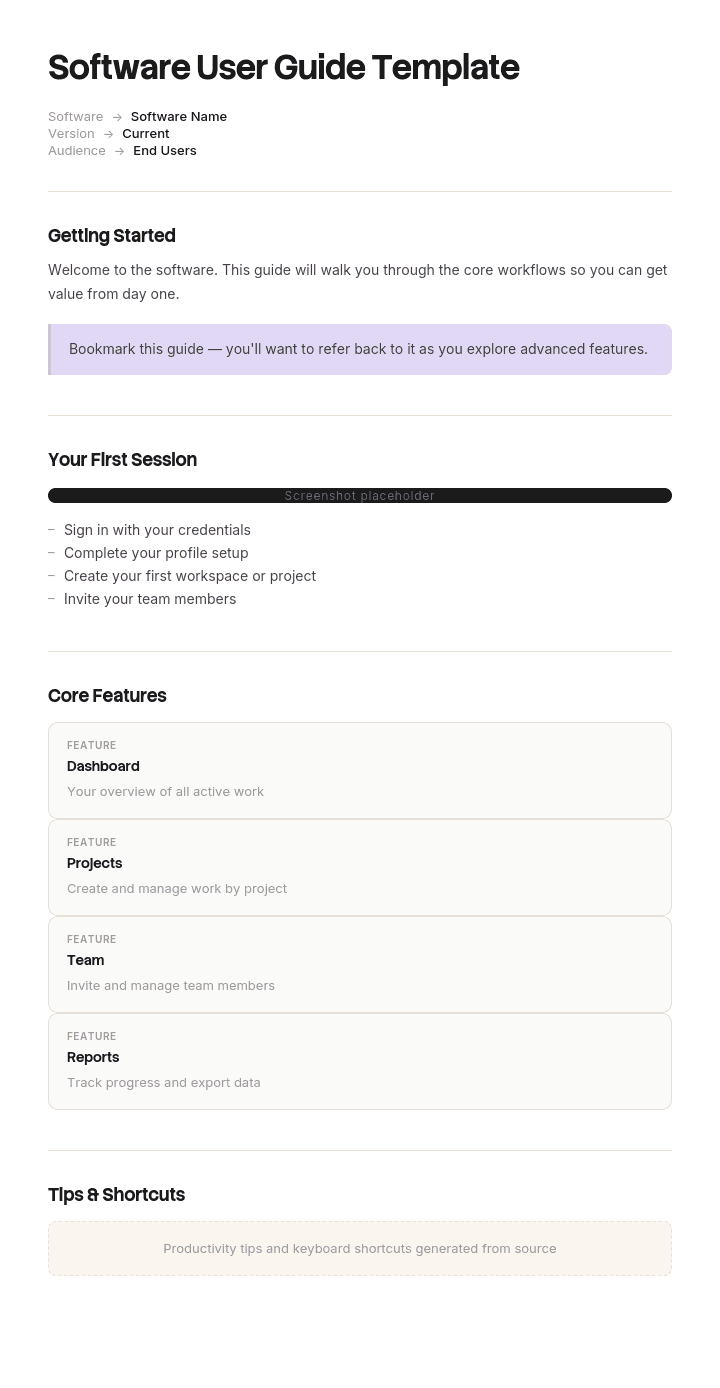
Este modelo de guia de utilizador de software fornece uma estrutura organizada para capturar introdução rápida, fluxos de trabalho principais, tarefas comuns, dicas e atalhos, resolução de problemas e FAQs — útil para produtos SaaS, aplicações móveis, ferramentas internas e software empresarial. Gere um guia de utilizador em vídeo com IA e traduza para mais de 65 idiomas para utilizadores globais.
Como personalizar este modelo no Trupeer
Passo 1: Abra a secção de Modelos
Vá à secção de Modelos a partir da navegação principal.

Passo 2: Selecione e abra um modelo
Clique em qualquer modelo com o qual queira trabalhar para o abrir.

Passo 3: Expanda a vista do modelo
Se necessário, expanda a vista do modelo para ver claramente a disposição completa e os detalhes.

Passo 4: Edite o modelo
Clique em Editar para começar a modificar o modelo selecionado.

No editor, pode:
Adicionar novas secções
Definir ou atualizar regras de formatação
Adicionar um logótipo e ajustar a sua posição e definições relacionadas
Passo 5: Guarde o seu modelo personalizado
Depois de fazer todas as alterações necessárias, clique em Guardar para armazenar o modelo atualizado como seu.

Passo 6: Pré-visualize e afine o modelo
Quando quiser ver como o seu modelo personalizado fica, abra a Pré-visualização.

A partir do ecrã de pré-visualização, pode continuar a fazer ajustes diretamente, se necessário, garantindo que o modelo aparece exatamente como pretende.
Com um modelo de guia de utilizador de software, pode:
Poupar horas na escrita: Evite a página em branco com uma estrutura criada para guias de utilizador.
Reduzir pedidos de suporte: Guias claros ajudam os utilizadores a resolverem por si mesmos.
Manter a identidade da marca: Aplique o seu logótipo, fontes e cores usando o kit de marca do Trupeer.
Melhorar a adoção: Guias orientados para tarefas ajudam os utilizadores a obter valor mais rapidamente.
Adicionar demonstrações em vídeo: Incorpore vídeo para etapas difíceis de explicar em texto.
Alcançar utilizadores globais: Traduza guias de utilizador para mais de 65 idiomas com um clique.
Um excelente guia de utilizador de software é a ponte entre o seu produto e um utilizador confiante. Use este modelo para tornar o seu claro, focado e fácil de seguir.
Perguntas frequentes
O que é um guia de utilizador de software?
Um guia de utilizador de software é um documento focado e orientado para tarefas que ajuda os utilizadores a tirar o máximo partido de um produto de software. Ao contrário de um manual abrangente, um guia de utilizador concentra-se nos fluxos de trabalho e funcionalidades mais importantes — dando aos utilizadores o que precisam para ter sucesso sem detalhes excessivos.
O que deve incluir um guia de utilizador de software?
Um guia de utilizador típico inclui uma secção de introdução rápida, fluxos de trabalho principais passo a passo, tarefas comuns, dicas e atalhos, resolução de problemas para as questões mais frequentes, FAQs e ligações para documentação mais aprofundada. Elementos visuais — capturas de ecrã e vídeo — melhoram drasticamente a compreensão.
Qual é a diferença entre um guia de utilizador e um manual de utilizador?
Um manual de utilizador é abrangente — documenta todas as funcionalidades, definições e capacidades. Um guia de utilizador é focado — abrange as tarefas mais importantes que os utilizadores realmente precisam de executar. Os manuais são material de referência; os guias são tutoriais. Muitos produtos têm ambos: um manual para completude e guias para utilização diária.
Como se escreve um guia de utilizador de software?
Comece com as tarefas mais comuns do utilizador. Escreva cada uma como uma demonstração clara e orientada para a ação. Use linguagem simples. Adicione capturas de ecrã ou vídeo para cada etapa importante. Teste o guia com utilizadores reais e refine-o com base nos pontos em que ficam bloqueados. Mantenha-o focado — elimine tudo o que não seja essencial.
Quanto tempo deve ter um guia de utilizador de software?
Mais curto é normalmente melhor. A maioria dos excelentes guias de utilizador tem 10 a 30 páginas, focadas nos fluxos de trabalho mais utilizados. Se precisar de cobrir tudo, crie um manual de utilizador separado. O guia de utilizador deve ajudar alguém a tornar-se competente rapidamente — não documentar todos os detalhes.

