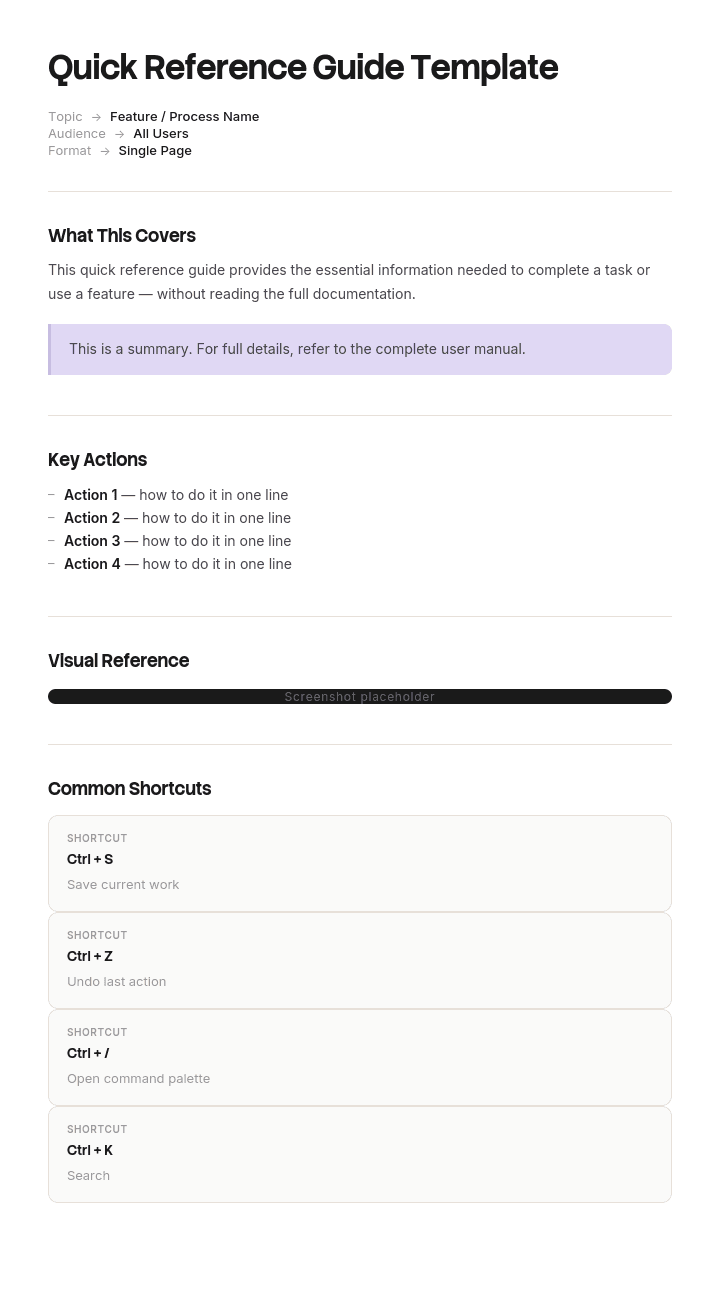
Use este modelo
Um guia de referência rápida é o formato ideal para a informação de que a sua equipa precisa no momento — atalhos, listas de verificação, passos de resolução de problemas, referências de comandos. Com a Trupeer, pode poupar horas na criação de guias de referência rápida começando com um modelo gratuito, personalizando-o com as suas diretrizes de marca e transformando cada guia num curto tutorial em vídeo.
O que é um modelo gratuito de guia de referência rápida?
Um modelo gratuito de guia de referência rápida é uma estrutura reutilizável para comprimir o que alguém precisa no momento em que precisa, para o máximo de pouco papel possível — normalmente uma página ou uma folha dupla.
A definição esconde a parte difícil. Um guia de referência rápida não é um documento curto. É um dispositivo de consulta, e é utilizado de uma forma que nenhum outro documento é: o leitor chega já a saber o que procura, passa alguns segundos a encontrá-lo e segue em frente. Nunca o lê. Procura-o.
Esse único facto comportamental deve orientar todas as decisões de design e, na maioria dos guias, não orienta nenhuma.
O modelo não é o guia. Fornece o layout, que é a parte com que menos precisa de ajuda. O que determina se o artigo final vai ser utilizado é a forma como as entradas estão ordenadas e com que palavras cada uma começa.
O formato segue a utilização. Um ficheiro Word de modelo gratuito de guia de referência rápida serve para rascunhar e atualizar. Um modelo gratuito de guia de referência rápida em PDF é a versão que é impressa e afixada. Um layout de modelo gratuito de guia de referência rápida em PPT serve para um cartão de uma página com design, em que a disposição visual importa, e um ficheiro PowerPoint de modelo gratuito de guia de referência rápida é a mesma coisa com o seu nome mais longo. Todos falham igualmente se as entradas estiverem na ordem errada.
Porque é que a maioria dos guias de referência rápida fica por usar
Abra qualquer guia de referência rápida de um software e veja os títulos das secções. Quase sempre correspondem à estrutura de menus do próprio software. Políticas. Reclamações. Pagamentos. Administração. Definições.
Essa ordenação é herdada sem que ninguém a decida, porque a pessoa que escreveu o guia aprendeu o sistema explorando os seus menus e a estrutura é agora como pensa sobre isso.
O leitor não pensa assim. Uma pessoa que procura um guia de referência rápida não está a pensar “preciso do módulo de Administração”. Está a pensar “o cliente mudou de casa” ou “o pagamento falhou” ou “este formulário não é submetido”. Está com um problema e procura o seu problema no seu documento.
Se os seus títulos são os substantivos do sistema e as perguntas são verbos e situações, não conseguem encontrar a linha. E só tentam duas vezes. Um guia que falha um leitor duas vezes é um guia que ele deixa de abrir, e o que o substitui é pedir a quem está ao lado, o que custa o tempo de duas pessoas em vez de uma.
A falha é invisível por dentro. O guia é preciso, completo, bem formatado e correto em todos os aspetos. Simplesmente não pode ser consultado por ninguém que não saiba já onde vive a resposta — exatamente o público para o qual foi escrito.
Como personalizar este modelo na Trupeer
Passo 1: Abrir a secção de Modelos
Vá à secção de Modelos no menu principal.

Passo 2: Selecionar e abrir um modelo
Clique em qualquer modelo com que queira trabalhar para o abrir.

Passo 3: Expandir a visualização do modelo
Se necessário, expanda a visualização do modelo para ver o layout completo e os detalhes com clareza.

Passo 4: Editar o modelo
Clique em Editar para começar a modificar o modelo selecionado.

No editor, pode:
Adicionar novas secções
Definir ou atualizar regras de formatação
Adicionar um logótipo e ajustar a sua posição e definições relacionadas
Passo 5: Guardar o seu modelo personalizado
Depois de fazer todas as alterações necessárias, clique em Guardar para guardar o modelo atualizado como seu.

Passo 6: Pré-visualizar e afinar o modelo
Quando quiser ver como fica o seu modelo personalizado, abra a Pré-visualização.

No ecrã de pré-visualização, pode continuar a fazer ajustes diretamente, se necessário, garantindo que o modelo aparece exatamente como o pretende.
Com um modelo de guia de referência rápida pode:
Poupar horas na criação: Ignore a página em branco com uma estrutura comprovada e fácil de consultar.
Melhorar o desempenho: Os guias de referência rápida reduzem os erros ao dar aos utilizadores a informação certa, no momento certo.
Manter-se fiel à marca: Aplique o seu logótipo, cores e fontes usando o kit de marca da Trupeer — perfeito para folhas de consulta imprimíveis.
Reduzir pedidos de suporte: As referências rápidas de autoatendimento desviam as perguntas mais comuns.
Formar mais rapidamente: Os novos colaboradores atingem a proficiência mais depressa quando a informação-chave está a uma página de distância.
Atingir utilizadores globais: Traduza guias de referência rápida para 65+ idiomas com um único clique.
A margem esquerda é a interface
Os leitores analisam as duas ou três primeiras palavras de cada linha e mais nada até que algo corresponda. O que quer que esteja nessa margem esquerda é a sua navegação, quer a tenha desenhado como navegação ou não.
Seguem-se quatro regras, e são a maior parte do que separa um guia usado de um guia arquivado.
Comece cada entrada pelo gatilho, não pela resposta. “O cliente mudou de casa” e depois a resposta. Não “Alterações de morada: navegue para Políticas e depois para Alterar”. As duas primeiras palavras são as únicas que são lidas ao passar.
Use as palavras do leitor, não as do sistema. Se os seus utilizadores dizem “pagamento falhou” e o software diz “falha na cobrança de débito direto”, a entrada começa por pagamento falhou. Pode colocar o termo oficial depois. Escrever primeiro o termo oficial otimiza para o vocabulário da pessoa que não precisa do guia.
Ordene por algo que o leitor consegue prever. Ordenar alfabeticamente por frase de gatilho é pouco glamoroso e funciona, porque não exige aprendizagem. A ordenação por frequência funciona se um pequeno conjunto de itens dominar. Agrupar por fase do fluxo de trabalho funciona quando o leitor sabe em que fase está. Agrupar por módulo do sistema quase nunca funciona.
Uma linha de resposta, ou um apontador. Se a resposta precisa de um parágrafo, a entrada aponta para outro lugar. Um guia de referência rápida que tenta conter procedimentos completos torna-se um manual com margens apertadas.
A consequência desconfortável é que um bom guia contém muitas vezes menos informação do que o mau guia que substitui e funciona melhor. Isso não é um paradoxo. O mau guia continha tudo e não podia ser consultado.
O que um modelo de guia de referência rápida tem de conter
Seis componentes. Dois deles costumam faltar e um costuma ser demasiado grande.
Componente | O que faz |
|---|---|
Título e público | O que isto cobre e para quem é, numa linha. Um guia para dois públicos não serve bem nenhum. |
Linhas de entrada | Frase de gatilho, depois resposta. O corpo do documento e, normalmente, noventa por cento da sua área. |
Ordenação declarada | Diga ao leitor como as entradas estão ordenadas. Uma linha no topo. Os leitores consultam mais depressa quando conhecem a regra. |
Caminho de escalonamento | O que fazer quando a resposta não está aqui. Quem contactar, qual o canal e quando. Frequentemente omitido, e é o que transforma um beco sem saída num passo seguinte. |
Versão e data | Pequeno, num canto. Os guias de referência rápida degradam-se mais depressa do que qualquer outro documento porque descrevem interfaces. |
Responsável | Um nome. Um guia que ninguém tem como responsável fica errado dentro de um ciclo de versões e ninguém dá por isso. |
O caminho de escalonamento importa mais do que o tamanho sugere. Todos os guias são incompletos por design, por isso o leitor vai cair fora do fim regularmente. Dizer-lhe para onde ir a seguir é a diferença entre um guia que trata de noventa por cento e um guia que trata de noventa por cento e entrega o resto de forma elegante.
Modelo gratuito de guia de referência rápida: a estrutura para copiar
Preenchido com um exemplo real em vez de placeholders. Este é um guia para um centro de contacto de um sistema de administração de políticas, numa folha dupla.
Copie daqui.
Cabeçalho. Uma linha de título e público, uma linha a indicar o tipo de ordenação e a versão num canto.
Referência rápida do sistema de políticas. Para agentes do centro de contacto que recebem chamadas. Ordenado de A a Z pelo que o cliente diz. v6, 14 de março. Responsável: N Farrow.
Linhas de entrada. Primeiro o gatilho, depois a resposta, mantidas a uma linha cada.
O que o cliente diz | O que fazes |
|---|---|
Cancelar a minha política | Políticas, Alterar, Cancelar. Código de motivo necessário. O reembolso é calculado automaticamente. |
Os dados do cartão foram alterados | Pagamentos, Gerir mandato. Produz efeito na próxima cobrança, não nesta. |
Não recebi os meus documentos | Documentos, Reenviar. Verifique primeiro o e-mail registado; é a causa mais comum. |
Mudei de casa | Políticas, Alterar, Morada. O prémio pode mudar; peça uma cotação antes de guardar. |
O pagamento falhou | Pagamentos, Histórico de cobranças. A repetição está disponível durante sete dias; depois disso é Mora. |
Outra pessoa precisa de falar por mim | Admin, Contactos autorizados. Precisa do titular da política na chamada para autorizar. |
Nome errado na política | Admin, Corrigir dados. Apenas correção ortográfica. Uma alteração real do nome precisa de comprovativo; ver escalonamento. |
Escalonamento. Quando não está aqui.
Qualquer coisa que envolva uma reclamação em curso vai para Reclamações na extensão 2140. Qualquer coisa que exija comprovativos vai para a fila do líder de equipa. Se o sistema não lhe permitir guardar, tire uma captura de ecrã e publique-a no canal de suporte com o número da política.
Rodapé. Versão, data, responsável e onde fica a versão atual.
v6, 14 de março. Responsável N Farrow. A versão atual está sempre no link da intranet no cartão da parede. Se a sua cópia impressa for mais antiga do que a que está online, use a online.
Copie daqui.
Sete linhas mostradas, trinta e oito na versão real, e cabe numa folha dupla porque cada resposta é uma única linha.
Exemplo de guia de referência rápida: catorze páginas substituídas por uma folha
Kelbrook Insurance, um corretor com um centro de contacto para sessenta lugares, mudou para um novo sistema de administração de políticas.
A equipa de formação produziu um guia de referência rápida de catorze páginas. Era completo e bem feito, com capturas de ecrã, uma página de conteúdos e secções para cada módulo do sistema: Políticas, Reclamações, Pagamentos, Documentos, Administração. Espelhava a estrutura de menus do software, o que parecia o princípio óbvio de organização e nunca foi questionado.
O tempo médio de atendimento antes do lançamento era de quatro minutos e dez. Na primeira semana após o início, passou para cinco minutos e cinquenta, o que toda a gente esperava. O que ninguém esperava era que ficasse assim durante onze semanas.
O guia deixou de ser aberto por volta da terceira semana. Os líderes de equipa notaram que os agentes passavam a consultar a pessoa ao lado, o que tirava duas pessoas das chamadas em vez de uma, e a fila de escalonamento estava a transportar perguntas que eram respondidas na página nove.
A razão era visível assim que alguém viu um agente a utilizá-lo. Um cliente diz que mudou de casa. O agente precisa de saber se a alteração de morada está em Políticas ou em Administração. O guia foi organizado de forma a que só conseguisse encontrar a resposta se já soubesse em que módulo ela estava, e saber em que módulo estava era a pergunta real.
A reescrita demorou dois dias. Uma folha dupla, trinta e oito linhas, cada uma começando pelas palavras que um cliente diz de facto, ordenadas alfabeticamente por essa frase. Sem capturas de ecrã. Sem página de conteúdos. Consideravelmente menos informação do que as catorze páginas continham.
O tempo de atendimento voltou a quatro minutos e quinze ao fim de três semanas, e a fila de escalonamento desceu em cerca de um terço.
A parte que vale a pena manter é a que é contraintuitiva. A versão que funcionou tinha menos do que a versão que não funcionou. As catorze páginas tinham todas as respostas e não podiam ser consultadas. A folha tinha menos respostas e podia ser consultada em quatro segundos, e um guia que responde a oitenta por cento das perguntas em quatro segundos supera um que responde a todas em noventa.
Como escrever um guia de referência rápida em seis passos
Recolha as perguntas reais. Da fila de suporte, do chat da equipa, ou de uma hora a ouvir. Não as escreva a partir do sistema. A formulação importa e não vai conseguir adivinhar.
Conte-as. Um ficheiro Excel de modelo gratuito de guia de referência rápida é a forma mais rápida de o fazer, porque a frequência decide o que merece uma linha. As trinta perguntas principais normalmente cobrem a maior parte do volume, e o resto pertence à documentação completa.
Escreva primeiro a frase de gatilho, nas palavras deles. Antes de escrever qualquer resposta. Isto força a decisão de ordenação enquanto ainda é barato.
Escreva cada resposta numa linha. Se não couber, ou a tarefa precisa de ser dividida em duas entradas, ou deve ficar no manual com um apontador aqui.
Escolha uma ordem de classificação e indique-a no topo. Por ordem alfabética pela frase de gatilho, a menos que tenha uma razão forte para o contrário.
Veja alguém a usá-lo. Dê-o a uma pessoa que não esteve envolvida, peça-lhe uma pergunta real e marque o tempo. Qualquer coisa que demore mais de dez segundos a encontrar está no lugar errado ou começa com as palavras erradas.
O passo um é o que se salta, e saltá-lo é o que produz guias organizados pela estrutura de menus, porque o sistema é a única fonte de títulos disponível para quem escreve a partir da memória.
Quanto tempo deve ter um guia de referência rápida?
Uma página, ou uma folha dupla. Isto não é uma preferência de estilo; é o que distingue o documento de um manual.
Trate o limite de páginas como uma especificação e não como uma restrição. Se o conteúdo não couber, a resposta quase nunca é uma fonte mais pequena. O problema é o âmbito, e a correção habitual é dividir por público em vez de reduzir por design. Dois guias de uma página cada, para duas funções, vão ser usados. Um guia de três páginas que abrange as duas funções não vai ser usado por nenhuma.
É também por isso que um modelo gratuito de guia de referência rápida para descarregar raramente sobrevive ao contacto com conteúdo real. O modelo assume que as suas entradas vão caber na grelha, e a grelha não é o que determina quantas entradas tem. A outra correção legítima é tirar profundidade. Um guia de referência rápida pode apontar para o manual, e apontar é barato. O que não pode fazer é conter o manual em tipo mais pequeno.
Se se vir a precisar de quatro páginas, verifique se está a escrever um guia ou um curso de formação condensado. São documentos diferentes com leitores diferentes, e o segundo é lido uma vez em vez de ser consultado repetidamente.
Guia de referência rápida, guia de apoio ou manual do utilizador?
Três documentos que se sobrepõem e que vale a pena separar, porque escolher mal produz o conteúdo certo num formato que ninguém usa.
Um manual do utilizador é abrangente e raramente é lido. Existe para que todas as respostas estejam em algum lugar, e o seu princípio de organização pode razoavelmente ser a estrutura do próprio sistema, porque o leitor chega com tempo e com uma página de conteúdos.
Um guia de apoio ajuda alguém a executar uma tarefa específica, normalmente enquanto a executa. É processual e sequencial, e orienta a ação passo a passo. Um cartão plastificado que mostra como iniciar uma máquina é um guia de apoio.
Um guia de referência rápida ajuda alguém que já sabe, de forma geral, o que está a fazer e precisa de recordar uma coisa específica. Não é sequencial e é consultado em qualquer ponto. Ninguém começa no topo.
A diferença prática entre o segundo e o terceiro é a direção do percurso. Um guia de apoio é seguido do início ao fim. Um guia de referência rápida é saltado a meio. É por isso que um guia de apoio pode ser organizado por sequência e um guia de referência rápida não pode.
Se os seus leitores precisarem de ambos, escreva ambos. Comprimir um procedimento numa tabela de consulta produz passos demasiado curtos para seguir, e expandir uma tabela de consulta num procedimento produz algo que ninguém consegue consultar.
Variantes do modelo de guia de referência rápida
A estrutura mantém-se e a coluna de gatilhos muda com o leitor.
Guia de referência rápida de software. Os gatilhos são objetivos do utilizador e mensagens de erro. Inclua o texto literal das mensagens de erro comuns como frases de gatilho, porque um utilizador que vê um erro vai procurar a formulação exata.
Guia de referência rápida de onboarding. Os gatilhos são as perguntas que os novos colaboradores fazem nas semanas dois a seis. Não na semana um, que é formação. Esta é a variante que mais frequentemente é escrita cedo demais e apresentada de forma demasiado abrangente.
Atalho de teclado ou folha de consulta. Os gatilhos são as ações. A única variante em que agrupar por função funciona mesmo, porque o leitor está a navegar para aprender em vez de procurar para resolver.
Guia de referência rápida de segurança ou emergência. Os gatilhos são situações. A ordenação deve ser por probabilidade ou gravidade em vez de alfabeticamente, porque o leitor está sob pressão. Qualquer coisa que cubra perigos regulamentados, primeiros socorros ou resposta a emergências deve ser revista por uma pessoa competente e não deve contradizer as suas obrigações legais nem os seus procedimentos formais.
Guia de referência rápida para retalho e linha da frente. Os gatilhos são o que o cliente diz, como no exemplo acima. A variante com maior retorno, porque o público que a utiliza é grande e cada segundo é multiplicado.
Guia de referência rápida de políticas. Os gatilhos são situações que um gestor vai enfrentar. Mantenha as respostas sobre o que fazer e quem envolver, e aponte para a política para tudo o que possa ser contestado, já que um resumo comprimido de uma política não é a política e nunca deve ser usado como tal.
Onde o guia vive e quando se degrada
Os guias de referência rápida degradam-se mais depressa do que qualquer outro documento, porque descrevem interfaces e as interfaces mudam sem aviso.
Três hábitos mantêm-nos vivos. Dê um responsável, no singular. Coloque a versão e a data no próprio artefacto, incluindo a cópia impressa, para que uma versão desatualizada seja identificável à primeira vista. E ligue uma revisão ao que está a ser descrito e não ao calendário, o que significa que o guia é verificado quando o sistema é lançado, e não de seis em seis meses.
As cópias impressas são a dificuldade. Um cartão de parede é o formato mais provável de ser usado e o mais provável de estar desatualizado, porque ninguém o reimprime. O compromisso que funciona é manter a versão atual num link estável e colocar esse link na cópia impressa, para que qualquer pessoa que duvide do que está a segurar tenha onde verificar.
Um guia que esteve errado uma vez perde grande parte da sua autoridade. Os leitores que encontram uma entrada desatualizada deixam de confiar no resto, e têm razão.
O que um modelo gratuito de guia de referência rápida não consegue corrigir
Conteúdo organizado para o autor. A falha central, e nenhum modelo a resolve, porque a ordenação é uma decisão e não um layout.
Demasiados públicos. Uma folha para agentes, supervisores e back office não será consultada por nenhum deles. Divida-a.
Um sistema que precisa de um guia tão mal. Se forem necessárias trinta entradas para a operação básica, parte disso é um problema de design que está a ser encoberto. Vale a pena assinalar isso a quem tem o sistema, mesmo que o guia ainda tenha de ser escrito.
Uma lista de perguntas em falta. Nenhum modelo gratuito de guia de referência rápida para descarregar contém as palavras dos seus leitores, e é essa a entrada de que todo o documento depende.
Respostas que nunca foram verificadas. Os guias são escritos rapidamente e a partir da memória. Faça com que alguém execute cada entrada uma vez antes de sair, porque uma linha errada num guia de referência rápida é pior do que uma em falta, já que é confiada e seguida imediatamente.
Mostre a tarefa em vez de a descrever
Um guia de referência rápida mantém deliberadamente uma linha por entrada, o que significa que pode apontar, mas não pode demonstrar. O apontar só funciona se houver algo que valha a pena apontar, e para a maioria das equipas não há, porque produzir um walkthrough com capturas de ecrã para cada uma das trinta tarefas são dias de trabalho que ninguém tem.
A Trupeer AI remove esse custo. Alguém executa a tarefa uma vez enquanto grava, e o resultado é um walkthrough escrito com capturas de ecrã já capturadas e colocadas, ao lado de um vídeo da mesma tarefa, na sua própria marca. Faça isso para as entradas que precisam de mais do que uma linha, e o seu guia de uma página ganha um conjunto de destinos que existem mesmo.
Grave. Dê marca. Traduza. Faça Trupeer.
Duas coisas seguem-se que importam aqui. Quando uma equipa da linha da frente trabalha em várias línguas, a mesma gravação produz o mesmo walkthrough em cada uma, pelo que um guia traduzido uma vez não se desvia do procedimento para o qual aponta. E quando a interface muda, voltar a gravar é mais rápido do que voltar a tirar capturas de ecrã, o que é o que determina se o material ligado está atualizado quando alguém segue o link.
Os walkthroughs ficam na sua base de conhecimento e também servem como material de formação para novos colaboradores, que é o público que precisa da profundidade. Os procedimentos ao nível da tarefa pertencem às instruções de trabalho por baixo. A consistência com os seus outros documentos é uma questão de configurar o kit de marca uma vez, e a configuração é abordada no guia de configuração do modelo de documento.
Perguntas Frequentes
Existe uma versão Word gratuita de um modelo de guia de referência rápida?
O Word serve para rascunhar e atualizar, que é a maior parte da vida de um guia. Crie o ficheiro Word do modelo de guia de referência rápida como uma tabela de duas colunas, com a frase de gatilho à esquerda e a resposta à direita, com a ordem de classificação indicada numa linha acima.
Duas definições importam mais do que parecem. Defina a tabela para repetir a linha do cabeçalho e desative a divisão de linhas entre páginas. Um ficheiro Word de modelo gratuito de guia de referência rápida que divide uma entrada numa dobra de página é um guia que será lido mal na dobra.
Existe uma versão PPT ou PowerPoint gratuita de um modelo de guia de referência rápida?
Os slides servem para um cartão de uma página com design, em que a disposição visual tem significado, como um layout que corresponde às posições físicas dos controlos ou uma grelha com cores. Um layout de modelo gratuito de guia de referência rápida em PPT dá-lhe um controlo preciso sobre a colocação que um documento não oferece.
O custo é a manutenção. Um ficheiro PowerPoint de modelo gratuito de guia de referência rápida tem todos os elementos posicionados à mão, pelo que adicionar uma linha significa mover tudo o que está abaixo. Use slides para um guia que é desenhado uma vez e impresso, e um documento para um que muda com cada versão.
Existe um modelo gratuito de guia de referência rápida em PDF?
O PDF é o formato de distribuição. Faça o rascunho num documento e, depois, exporte um modelo gratuito de guia de referência rápida em PDF para impressão e para a intranet, com a versão e a data visíveis na página em si, e não apenas no nome do ficheiro.
Coloque a ligação para a versão atual dentro do PDF. As cópias impressas sobrevivem à sua precisão, e um leitor que tem papel precisa de um lugar para verificar se o que está a segurar ainda é verdade.
Existe uma versão Excel gratuita de um modelo de guia de referência rápida?
O Excel é realmente bom para construir um e fraco para o disponibilizar. Um ficheiro Excel de modelo gratuito de guia de referência rápida permite-lhe ordenar trinta entradas por frase de gatilho com um único clique, filtrar por público enquanto decide o que incluir e contar quantas linhas tem de facto.
Faça o trabalho aí e, depois, exporte para um documento ou para um PDF para a versão que as pessoas usam. Uma folha de cálculo impressa como folha de referência quase sempre paginaria mal e perde a ordenação que a tornava funcional.
Vale a pena usar um modelo gratuito de guia de referência rápida para descarregar?
A maior parte do que um modelo gratuito de guia de referência rápida para descarregar lhe dá é uma tabela de duas colunas, que demora noventa segundos a construir. A parte que não consegue descarregar é a lista de frases de gatilho nas palavras dos seus leitores, e é essa a parte que decide se o guia é usado.
Se decidir adotar um, verifique um modelo gratuito de guia de referência rápida para descarregar para duas coisas antes de avançar. Se tem um espaço para um caminho de escalonamento e se tem uma versão e um responsável no artefacto. A maioria não tem, e ambos são rápidos de adicionar.
Como evito que um guia de referência rápida fique desatualizado?
Dê um responsável, coloque a versão e a data no artefacto incluindo as cópias impressas e ligue a revisão ao ciclo de lançamento do sistema em vez de a um lembrete de calendário.
O truque prático é o link estável. Mantenha a versão atual num endereço que nunca muda e imprima esse endereço em todas as cópias, para que qualquer pessoa que não tenha a certeza do que está a segurar tenha uma forma de verificar em cinco segundos. Os guias normalmente não falham porque ninguém os atualizou. Falham porque ninguém conseguiu perceber que a cópia na parede tinha três versões de atraso.
Qual é a diferença entre um guia de referência rápida e um guia de apoio?
A direção do percurso. Um guia de apoio é seguido de cima para baixo ao executar uma tarefa, por isso pode ser ordenado por sequência. Um guia de referência rápida é consultado a meio por alguém que procura uma coisa específica, por isso tem de ser ordenado por algo que a pessoa consegue prever.
O mesmo conteúdo no formato errado falha de uma forma específica. Um procedimento comprimido em linhas de consulta fica demasiado curto para seguir, e uma tabela de consulta expandida num procedimento torna-se impossível de consultar.

