Trupeer Blog
Resumir

Visão geral do comprador
As equipas de sucesso do cliente acabam frequentemente sobrecarregadas com tarefas repetitivas de onboarding. Estima-se que 40-60% do tempo seja consumido por processos manuais que poderiam ser automatizados. Esta ineficiência não só aumenta o tempo até ao valor como também contribui para a desistência precoce de clientes.
De acordo com um relatório, as empresas que automatizam o onboarding reduzem o tempo até ao valor em até 30%.
Fonte: Relatório de Automação de Onboarding da Tech Insights, 2026
Vai encontrar uma comparação detalhada do melhor software de onboarding de clientes para 2026. Foi criada para equipas que procuram simplificar os seus processos de onboarding, reduzir o esforço manual e melhorar a satisfação do cliente. Quer seja uma pequena startup ou uma grande empresa, compreender estas ferramentas ajudá-lo-á a tomar decisões informadas.
Melhor software de onboarding de clientes: comparação direta
Funcionalidade | Trupeer | Rocketlane | Dock | GuideCX | UserPilot | Pendo | ChurnZero | Gainsight |
|---|---|---|---|---|---|---|---|---|
Portal do cliente | Sim | Sim | Sim | Sim | Não | Não | Sim | Sim |
Automação de tarefas | Sim | Sim | Limitada | Sim | Sim | Limitada | Sim | Sim |
Guias em vídeo | Sim | Não | Não | Sim | Sim | Sim | Não | Limitado |
Acompanhamento de progresso | Sim | Sim | Sim | Sim | Limitado | Sim | Sim | Sim |
Orientação no produto | Sim | Limitada | Não | Sim | Sim | Sim | Não | Sim |
Sequências de e-mail | Sim | Sim | Não | Sim | Limitada | Não | Sim | Sim |
Automação do fluxo de trabalho do CSM | Sim | Sim | Limitada | Sim | Não | Não | Sim | Sim |
Integração com CRM | Sim | Sim | Sim | Sim | Limitada | Sim | Sim | Sim |
Analytics | Sim | Sim | Limitada | Sim | Sim | Sim | Sim | Sim |
Trupeer

O Trupeer foi concebido para melhorar o onboarding do cliente com funcionalidades avançadas de automação e personalização. É especialmente adequado para equipas que gerem processos de onboarding complexos que exigem acompanhamento e analytics detalhados. O Trupeer distingue-se pelo seu portal do cliente, que oferece transparência e envolvimento ao longo da jornada de onboarding. No entanto, pode não ser a primeira escolha para equipas mais pequenas com necessidades mais simples.
Principais funcionalidades
Portal do cliente abrangente
Gestão de tarefas automatizada
Analytics e relatórios em tempo real
Sequências de e-mail personalizáveis
Suporte para guias em vídeo
Ferramentas de orientação no produto
Integração de CRM sem falhas
Automação do fluxo de trabalho do CSM
"O Trupeer melhorou significativamente o nosso processo de onboarding, reduzindo o tempo até ao valor para metade."
Jane Doe, Diretora de Customer Success na TechCorp (Fonte: G2)
Prós
Contras
Suporta com facilidade processos de onboarding complexos.
Pode ter demasiadas funcionalidades para equipas mais pequenas.
Oferece um portal do cliente abrangente para garantir transparência.
Custo mais elevado do que soluções mais simples.
Capacidades de analytics e relatórios aprofundados.
A curva de aprendizagem pode ser acentuada para utilizadores novos.
Preços
O Trupeer oferece um teste gratuito, com planos pagos a partir de $49 por utilizador por mês.
Rocketlane

A Rocketlane especializa-se na gestão de projetos para onboarding de clientes, sendo uma excelente opção para equipas que gerem vários projetos em paralelo. O seu ponto forte está na automação de tarefas e na colaboração da equipa. A Rocketlane é fácil de usar com uma interface intuitiva, mas pode não ter algumas funcionalidades avançadas, como guias em vídeo e orientação no produto.
Principais funcionalidades
Automação de tarefas robusta
Ferramentas de gestão de projetos colaborativas
Fluxos de trabalho personalizáveis
Acompanhamento do progresso em tempo real
Painéis para o cliente
Integração sem falhas com aplicações de terceiros
Relatórios e analytics detalhados
Forte automação de sequências de e-mail
Prós
Contras
Excelente para gerir projetos complexos com muitas tarefas.
Falta de capacidades de guias em vídeo.
Facilita uma excelente colaboração entre equipas.
Funcionalidades de orientação no produto limitadas.
Fácil de usar com uma interface intuitiva.
Preço mais elevado do que alguns concorrentes.
Preços
A Rocketlane oferece um teste gratuito de 14 dias, com planos a partir de $19 por utilizador por mês.
Dock

O Dock é uma solução de onboarding leve que se destaca por disponibilizar portais para o cliente. É ideal para equipas que precisam de dar aos clientes uma visão clara do progresso do onboarding. Embora o Dock seja fácil de usar e acessível, falta-lhe algumas das funcionalidades de automação mais avançadas encontradas noutras ferramentas.
Principais funcionalidades
Portal para o cliente para garantir transparência
Gestão básica de tarefas
Acompanhamento simples do progresso
Modelos personalizáveis
Integração com ferramentas populares
Analytics básicos
Capacidades de partilha de documentos
Notificações por e-mail
Prós
Contras
Muito fácil de usar e simples de configurar.
Funcionalidades de automação de tarefas limitadas.
Opção acessível para equipas mais pequenas.
Falta de capacidades avançadas de analytics.
Excelente portal para o cliente.
Não suporta orientação no produto.
Preços
O Dock oferece uma versão gratuita com funcionalidades limitadas, com planos premium a partir de $9 por utilizador por mês.
GuideCX

O GuideCX foi concebido para equipas que precisam de proporcionar experiências de onboarding consistentes a vários clientes. Destaca-se na automação e no acompanhamento do progresso, sendo uma excelente opção para equipas maiores. No entanto, a falta de funcionalidades avançadas de vídeo e de orientação no produto pode ser uma desvantagem para alguns.
Principais funcionalidades
Automação abrangente de tarefas
Acompanhamento do progresso em tempo real
Modelos de onboarding consistentes
Ferramentas de colaboração com o cliente
Integração com sistemas de CRM
Notificações por e-mail personalizáveis
Analytics aprofundados
Lembretes automatizados
Prós
Contras
Excelente para experiências de onboarding consistentes.
Falta de suporte para guias em vídeo.
Capacidades de automação fortes.
Pode ser caro para equipas mais pequenas.
Visibilidade em tempo real do progresso do cliente.
Funcionalidades de orientação no produto limitadas.
Preços
O GuideCX oferece um teste gratuito de 30 dias, com planos pagos a partir de $300 por mês para até 10 utilizadores.
UserPilot

O UserPilot é perfeito para equipas que querem implementar orientação no produto e guias. É uma excelente opção para empresas SaaS que procuram melhorar o envolvimento dos utilizadores e a experiência de onboarding. Embora o UserPilot se destaque na orientação no produto, pode não ser a melhor opção para equipas que precisam de automação abrangente de tarefas.
Principais funcionalidades
Orientação no produto e guias
Acompanhamento do envolvimento do utilizador
Fluxos de utilizador personalizáveis
Segmentação avançada
Ferramentas de recolha de feedback
Integração com CRMs populares
Analytics de utilização em tempo real
Mensagens personalizadas
Prós
Contras
Excelente para orientação no produto e envolvimento do utilizador.
Capacidades de automação de tarefas limitadas.
Opções fortes de personalização de fluxos de utilizador.
Pode não se adequar a todos os processos de onboarding.
Integração de CRM sem falhas.
Custo mais elevado para funcionalidades premium.
Preços
O UserPilot oferece um teste gratuito, com planos pagos a partir de $249 por mês.
Pendo

O Pendo é adequado para equipas que querem focar-se em analytics de produto e orientação no produto. O seu ponto forte está em disponibilizar insights detalhados sobre o comportamento e o envolvimento dos utilizadores, sendo ideal para equipas de produto. No entanto, as capacidades de automação de tarefas do Pendo são limitadas, o que pode ser uma desvantagem para equipas que procuram uma ferramenta de onboarding abrangente.
Principais funcionalidades
Mensagens no produto e guias
Analytics de utilização do produto
Ferramentas de feedback do utilizador
Painéis personalizáveis
Acompanhamento do envolvimento
Integração com ferramentas de CRM e de suporte
Segmentação e segmentação por público
Suporte para aplicações móveis
Prós
Contras
Analytics de produto e insights sobre utilizadores fortes.
Funcionalidades de automação de tarefas limitadas.
Excelente em capacidades de orientação no produto.
Nível de preços mais elevado para funcionalidades avançadas.
Ferramentas abrangentes de feedback do utilizador.
Requer configuração e formação inicial.
Preços
O Pendo oferece um plano gratuito com funcionalidades básicas, com planos Pro a partir de $6,000 por ano.
ChurnZero

O ChurnZero é uma ferramenta poderosa para equipas de sucesso do cliente focadas em reduzir a desistência e aumentar a retenção. Vem repleto de funcionalidades de automação e analytics que fornecem insights profundos sobre a saúde e o envolvimento do cliente. No entanto, pode ser demasiado complexo para equipas que apenas precisam de funcionalidades básicas de onboarding.
Principais funcionalidades
Classificação da saúde do cliente
Analytics de previsão de churn
Mapeamento automatizado da jornada do cliente
Mensagens no produto e alertas
Integração com CRM
Automação de tarefas
Painéis personalizáveis
Acompanhamento do envolvimento
Prós
Contras
Excelente para reduzir churn e melhorar a retenção.
Configuração e configuração complexas.
Analytics aprofundados sobre a saúde do cliente.
Pode ser caro para equipas mais pequenas.
Capacidades abrangentes de automação de tarefas.
Curva de aprendizagem acentuada.
Preços
O ChurnZero oferece uma demonstração, com preços personalizados com base no tamanho da equipa e nas necessidades.
Gainsight
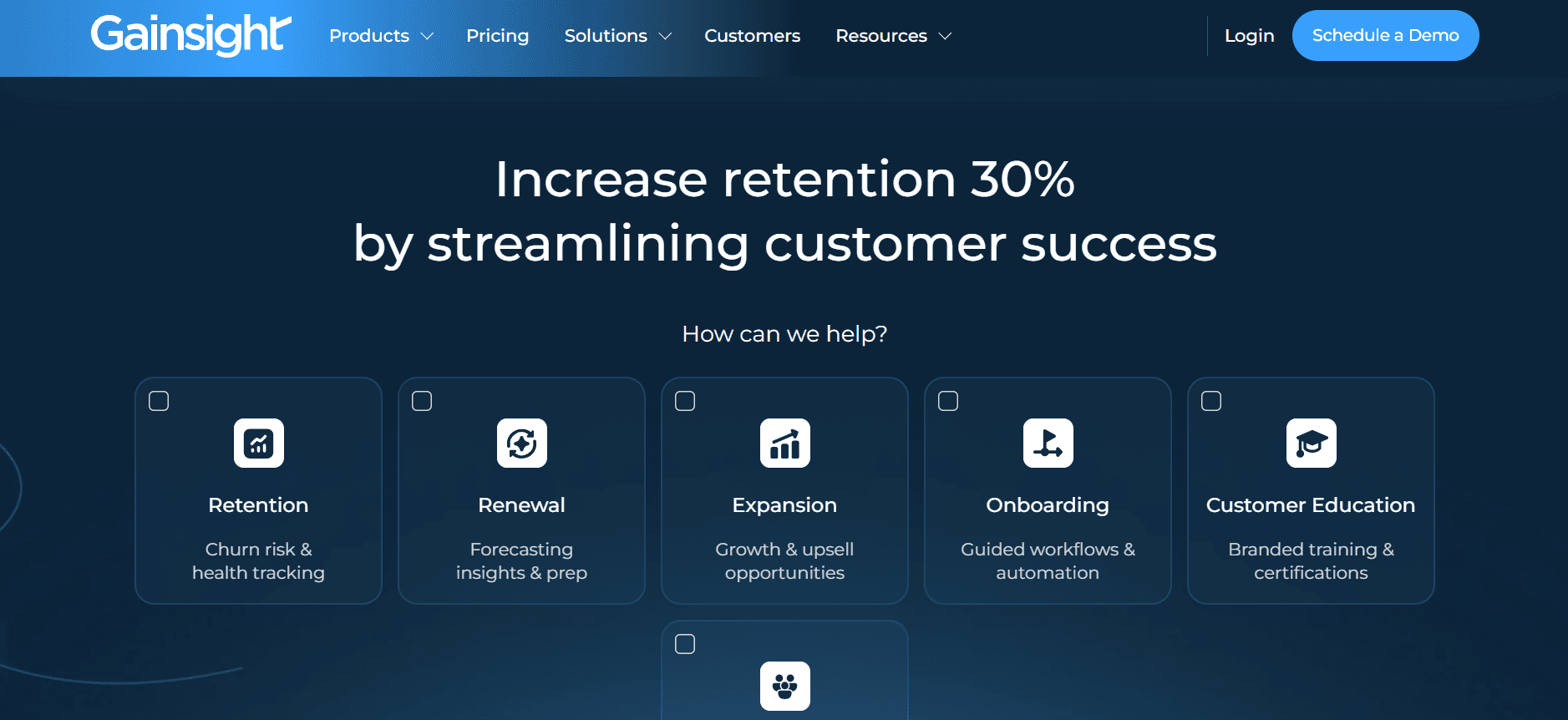
O Gainsight é uma ferramenta muito reconhecida para profissionais de customer success, disponibilizando analytics robustos e acompanhamento do envolvimento. É particularmente benéfico para equipas maiores que precisam de insights detalhados sobre o comportamento do cliente. Embora se destaque em analytics, a ferramenta pode ser excessiva para equipas mais pequenas ou para aquelas com requisitos limitados de onboarding.
Principais funcionalidades
Classificação abrangente da saúde
Analytics da jornada do cliente
Playbooks automatizados
Integração com CRM e sistemas de tickets
Acompanhamento do envolvimento
Relatórios personalizáveis
Mensagens no produto
Ferramentas de previsão de churn
Prós
Contras
Analytics robustos para equipas de customer success.
Custo elevado em comparação com outras ferramentas.
Capacidades de integração fortes.
Interface complexa que requer formação.
Excelentes funcionalidades de acompanhamento do envolvimento.
Pode não ser ideal para equipas mais pequenas.
Preços
O Gainsight disponibiliza preços personalizados com base no tamanho e nas necessidades da organização.
Desafios do onboarding de clientes: com o que as equipas têm mais dificuldade
Atribuição manual de tarefas e follow-up
As tarefas são frequentemente atribuídas por e-mail, o que gera confusão.
Falta de um sistema centralizado para acompanhar a conclusão das tarefas.
Dificuldade em priorizar tarefas com base na urgência ou na importância.
Follow-ups frequentes, aumentando a carga de trabalho dos CSMs.
Sem visibilidade em tempo real do progresso do cliente
Os CSMs não conseguem facilmente ver em que fase os clientes se encontram no processo de onboarding.
Identificação tardia de gargalos ou problemas que os clientes enfrentam.
Falta de transparência para os clientes relativamente ao seu próprio progresso.
Incapacidade de responder de forma proativa às necessidades ou preocupações do cliente.
Experiência de onboarding inconsistente
O onboarding varia significativamente consoante o CSM.
Os clientes recebem níveis diferentes de serviço e suporte.
As práticas padrão não são aplicadas de forma consistente entre equipas.
Aumenta o potencial de erros ou de passos em falta.
Tempo até ao valor demasiado longo
Os clientes demoram semanas em vez de dias a perceber o valor do produto.
Onboarding prolongado leva a uma diminuição da satisfação do cliente.
Reconhecimento de receita atrasado para o negócio.
Maior risco de churn do cliente durante a fase de onboarding.
Problemas de escalabilidade da equipa de CSM
O crescimento da equipa está diretamente ligado à contratação de mais CSMs.
Incapacidade de lidar com o aumento do volume de clientes de forma eficiente.
Processos manuais limitam o número de clientes que um CSM consegue apoiar.
Custos operacionais elevados devido a ineficiências.
Desafio
Processo tradicional
Impacto no negócio
Custo de tempo
Atribuição manual de tarefas
Alocação e acompanhamento de tarefas por e-mail
Aumento de erros e carga de follow-up
20-30% do tempo do CSM
Sem visibilidade em tempo real
Atualizações manuais periódicas por parte dos clientes
Resposta atrasada a problemas do cliente
15-25% do tempo do CSM
Experiência de onboarding inconsistente
Práticas variadas por CSM
Níveis diversos de satisfação do cliente
10-15% do tempo do CSM
Tempo até ao valor demasiado longo
Passos de onboarding extensos
Menor satisfação do cliente e aumento do churn
30-40% do tempo do cliente
Problemas de escalabilidade da equipa de CSM
Processos manuais sem automação
Custos operacionais elevados
Varia com o volume de clientes
Funcionalidades essenciais nas ferramentas de onboarding de clientes
Acompanhamento automatizado de marcos e tarefas
O acompanhamento automatizado de marcos garante que tanto as equipas como os clientes têm uma visão clara do progresso. Esta funcionalidade permite aos CSMs definir marcos predefinidos que disparam alertas quando são atingidos ou falhados, eliminando a necessidade de atualizações manuais. Ferramentas como o Trupeer destacam-se nesta área, disponibilizando marcos personalizáveis e acompanhamento detalhado de tarefas que aumentam a transparência e a responsabilização.
Esta automação não só reduz a carga de trabalho dos CSMs como também garante que os clientes são constantemente informados sobre o seu progresso. Ajuda a identificar gargalos numa fase inicial, permitindo que as equipas resolvam problemas antes de estes se agravarem, melhorando, no final, a experiência do cliente.
Portal para o cliente com visibilidade do progresso
Um portal para o cliente é crucial para oferecer transparência e envolvimento ao longo do processo de onboarding. Disponibiliza aos clientes acesso às suas tarefas de onboarding, marcos e a quaisquer recursos de que necessitem. A Rocketlane e o Dock oferecem portais excelentes que facilitam a colaboração com o cliente e a visibilidade.
Esta funcionalidade não só capacita os clientes ao dar-lhes controlo sobre o seu onboarding, como também reduz a necessidade de comunicação constante com os CSMs. Os clientes podem fazer self-service e encontrar respostas às suas dúvidas rapidamente, o que conduz a um processo de onboarding mais eficiente.
Orientação no produto e guias em vídeo
A orientação no produto e os guias em vídeo são essenciais para simplificar processos complexos e melhorar o envolvimento dos utilizadores. Estas funcionalidades permitem que os clientes aprendam e explorem o software ao seu próprio ritmo. O UserPilot destaca-se aqui, oferecendo ferramentas robustas para criar guias e walkthroughs interativos.
Ao integrar estes elementos no processo de onboarding, as equipas podem reduzir a curva de aprendizagem para novos clientes, garantindo que compreendem como usar o produto de forma eficaz. Esta funcionalidade é especialmente útil para produtos SaaS com funcionalidades ou interfaces intrincadas.
Integração com CRM e sistemas de tickets
A integração com sistemas de CRM e de tickets é vital para garantir um fluxo de informação sem falhas entre as equipas de vendas, suporte e customer success. Ferramentas como o Gainsight e o ChurnZero disponibilizam opções de integração robustas que ajudam a manter uma visão unificada da jornada do cliente.
Esta integração permite que as equipas acompanhem as interações com o cliente em diferentes plataformas, garantindo que nenhuma informação se perde e que a experiência do cliente é consistente e ligada. Também permite melhores relatórios e analytics, uma vez que todos os dados do cliente ficam centralizados.
Analytics de tempo até ao valor e classificações de saúde
Os analytics de tempo até ao valor e as classificações de saúde fornecem insights sobre a rapidez com que os clientes estão a perceber os benefícios de um produto. Estas métricas são essenciais para compreender a satisfação do cliente e prever churn. O Trupeer disponibiliza analytics abrangentes que ajudam as equipas a acompanhar estas métricas críticas de forma eficaz.
Ao monitorizar o tempo até ao valor e as classificações de saúde, as equipas podem abordar problemas do cliente de forma proativa, adaptar experiências de onboarding e garantir que os clientes recebem o valor que esperam. Esta funcionalidade é particularmente útil para identificar clientes em risco e implementar estratégias de retenção.
Estas funcionalidades essenciais são fundamentais para qualquer ferramenta de onboarding de clientes que pretenda aumentar a eficiência, melhorar a satisfação do cliente e reduzir churn. Ao escolher uma ferramenta que ofereça estas capacidades, as equipas podem simplificar os seus processos, disponibilizar experiências de onboarding consistentes e, no final, impulsionar o crescimento do negócio.
Como escolher ferramentas de onboarding de clientes com base no seu caso de uso
Automação do onboarding de produtos SaaS
Para empresas SaaS, o onboarding é crucial, pois impacta diretamente a adoção e a retenção dos utilizadores. O objetivo principal é simplificar o processo de onboarding para reduzir o tempo até ao valor. Este caso de uso exige ferramentas que disponibilizem uma orientação no produto excelente e gestão de tarefas automatizada.
Elevado volume de utilizadores com necessidades diversas.
Funcionalidades complexas do produto que exigem explicações detalhadas.
Necessidade de soluções escaláveis que cresçam com a base de utilizadores.
Orientação no produto e guias.
Acompanhamento automatizado de tarefas e marcos.
Analytics abrangentes do comportamento do utilizador.
Funcionalidade
UserPilot
Pendo
Orientação no produto
Sim
Sim
Automação de tarefas
Limitada
Limitada
Analytics
Sim
Sim
Entrega de serviços profissionais
As empresas de serviços profissionais precisam de garantir uma experiência de onboarding consistente e personalizada para criar confiança no cliente. O processo de onboarding deve ser fluido e proporcionar elevada visibilidade tanto para o prestador de serviços como para o cliente.
Requisitos de onboarding específicos do cliente.
Necessidade de comunicação e colaboração claras.
Personalização elevada das tarefas de onboarding.
Portal para o cliente com visibilidade do progresso.
Gestão de tarefas personalizável.
Ferramentas de comunicação integradas.
Funcionalidade
Rocketlane
Dock
Portal do cliente
Sim
Sim
Personalização
Sim
Limitada
Ferramentas de comunicação
Sim
Não
Projetos de implementação em contexto empresarial
As empresas lidam frequentemente com projetos de implementação complexos que exigem ferramentas robustas de gestão de projetos e colaboração. Estes projetos requerem acompanhamento e coordenação detalhados entre várias equipas.
Projetos de grande escala com múltiplas partes interessadas.
Necessidade de cronogramas e acompanhamento detalhados do projeto.
Colaboração entre departamentos.
Automação e acompanhamento robustos de tarefas.
Relatórios e analytics abrangentes.
Integração sem falhas com ferramentas empresariais.
Funcionalidade
Trupeer
Gainsight
Automação de tarefas
Sim
Sim
Relatórios
Sim
Sim
Integração
Sim
Sim
Programas de onboarding de parceiros
Para empresas que dependem de parceiros, programas de onboarding eficientes são essenciais para manter relações fortes. Estes programas precisam de ser consistentes e escaláveis para acomodar necessidades variadas dos parceiros.
Variedade de tipos de parceiros e necessidades.
Necessidade de processos de onboarding padronizados.
Importância de manter relações fortes com os parceiros.
Modelos e fluxos de trabalho padronizados.
Processos de onboarding escaláveis.
Comunicação e atualizações consistentes.
Funcionalidade
GuideCX
ChurnZero
Padronização
Sim
Limitada
Escalabilidade
Sim
Sim
Comunicação
Sim
Sim
Boas práticas para o onboarding de clientes
Antes do onboarding
Mapeie a sua jornada ideal de onboarding para identificar pontos de contacto-chave.
Defina critérios de marcos para estabelecer expectativas claras.
Escolha as ferramentas certas que se alinhem com os seus objetivos de onboarding.
Crie modelos e fluxos de trabalho padronizados para garantir consistência.
Durante o onboarding
Automatize lembretes para manter os clientes envolvidos e informados.
Use guias em vídeo para passos complexos para melhorar a compreensão.
Garanta uma comunicação consistente para criar confiança e transparência.
Monitorize o progresso continuamente para identificar e resolver problemas numa fase inicial.
Depois do onboarding
Revise as classificações de saúde para avaliar a satisfação e o envolvimento do cliente.
Faça retrospectivas sobre contas bloqueadas para compreender e resolver desafios.
Recolha feedback para refinar e melhorar os processos de onboarding.
Comemore os sucessos dos clientes para reforçar experiências positivas.
Perguntas frequentes
O que é software de onboarding de clientes?
O software de onboarding de clientes ajuda as empresas a automatizar e simplificar o processo de onboarding para novos clientes. Normalmente inclui funcionalidades como gestão de tarefas, acompanhamento do progresso, comunicação com o cliente e analytics para melhorar a experiência geral de onboarding.
Quem pode beneficiar de ferramentas de onboarding de clientes?
Estas ferramentas são benéficas para equipas de customer success, equipas de vendas e qualquer organização que traga regularmente novos clientes ou parceiros. São particularmente úteis em ambientes SaaS, de serviços profissionais e empresariais, onde um onboarding eficiente é crucial.
Como é que as ferramentas de onboarding se integram com sistemas de CRM?
As ferramentas de onboarding integram-se com sistemas de CRM através de APIs e plugins, permitindo uma troca de dados sem falhas. Esta integração garante que todas as interações com o cliente e os dados ficam acessíveis entre plataformas, proporcionando uma visão unificada da jornada do cliente.
Podem estas ferramentas lidar com vários projetos ao mesmo tempo?
Sim, a maioria das ferramentas de onboarding foi concebida para gerir vários projetos em simultâneo. Disponibilizam funcionalidades como fluxos de trabalho personalizáveis e automação de tarefas para ajudar as equipas a acompanhar e gerir de forma eficiente vários processos de onboarding em paralelo.
Existem versões gratuitas de software de onboarding de clientes?
Muitas ferramentas de onboarding de clientes oferecem testes gratuitos ou versões gratuitas com funcionalidades limitadas. Estas opções permitem às empresas testar as capacidades do software antes de se comprometerem com um plano pago. No entanto, funcionalidades avançadas normalmente exigem uma subscrição.
Que fatores influenciam o custo do software de onboarding?
O custo do software de onboarding pode variar consoante o número de utilizadores, o conjunto de funcionalidades, o nível de personalização e as capacidades de integração. Ferramentas de nível empresarial com analytics e automação robustos tendem a ter preços mais elevados do que soluções básicas.
Quanto tempo demora a implementar uma ferramenta de onboarding?
O tempo de implementação pode variar consoante a complexidade da ferramenta e os requisitos da organização. Configurações simples podem demorar alguns dias, enquanto integrações mais complexas com sistemas existentes podem levar várias semanas.
Estas ferramentas exigem formação para uma utilização eficaz?
Embora muitas ferramentas sejam concebidas para serem intuitivas, é frequentemente recomendada formação para tirar pleno partido de todas as funcionalidades e garantir um processo de onboarding sem falhas. Alguns fornecedores disponibilizam sessões de formação e recursos para ajudar as equipas a começar.
Para terminar
Escolher o software de onboarding de clientes certo pode transformar os seus processos de envolvimento com o cliente, conduzindo a um tempo até ao valor mais rápido e a uma melhoria da satisfação do cliente. Ao avaliar cuidadosamente as suas necessidades e desafios específicos, pode selecionar uma ferramenta que se alinhe com os objetivos da sua organização e otimize o seu fluxo de onboarding.
O Trupeer destaca-se como uma solução abrangente para equipas que procuram melhorar os seus processos de onboarding com funcionalidades robustas e um apoio ao cliente excecional. Para explorar como o Trupeer pode elevar a sua experiência de onboarding, visite o Trupeer hoje.
Artigos relacionados



