Trupeer Blog
Resumir

O seu recurso definitivo para agilizar o onboarding de clientes com plataformas de automação
45 min de leitura · 30 de março de 2026.
Visão geral do comprador
As equipas de customer success enfrentam frequentemente o desafio de gerir manualmente várias tarefas de onboarding. Isto não só aumenta o tempo até ao valor como também eleva o risco de churn precoce. De acordo com estudos recentes, estas equipas passam 40-60% do seu tempo em tarefas repetitivas que poderiam ser automatizadas.
Os processos de onboarding manual contribuem significativamente para o aumento da carga de trabalho e para a redução da eficiência, afetando diretamente as taxas de retenção de clientes.
Fonte: Customer Onboarding Efficiency Report by Onboarding Institute, 2025
Este guia foi concebido para gestores de customer success, equipas de implementação e líderes de negócio que pretendem melhorar os seus processos de onboarding. Inclui as melhores plataformas de automação de onboarding de clientes disponíveis em 2026, detalhando as suas funcionalidades, pontos fortes e limitações, para o ajudar a escolher a ferramenta certa para as suas necessidades.
Melhores ferramentas de automação de onboarding de clientes: comparação lado a lado
Funcionalidades | Trupeer | Rocketlane | Dock | GuideCX | UserPilot | Pendo | ChurnZero | Gainsight |
|---|---|---|---|---|---|---|---|---|
Funcionalidades principais | ||||||||
Portal do cliente | Sim | Sim | Sim | Sim | Não | Não | Limitado | Sim |
Automação de tarefas | Sim | Sim | Sim | Sim | Limitado | Sim | Sim | Sim |
Walkthroughs em vídeo | Sim | Não | Sim | Limitado | Sim | Sim | Não | Limitado |
Capacidades de IA | ||||||||
Acompanhamento de progresso | Sim | Sim | Limitado | Sim | Sim | Sim | Sim | Sim |
Orientação no produto | Sim | Sim | Não | Limitado | Sim | Sim | Sim | Não |
Funcionalidades profissionais | ||||||||
Sequências de e-mail | Sim | Sim | Sim | Sim | Não | Limitado | Sim | Sim |
Automação do fluxo de trabalho do CSM | Sim | Sim | Não | Sim | Limitado | Sim | Sim | Sim |
Integrações | ||||||||
Integração com CRM | Sim | Sim | Sim | Sim | Sim | Sim | Sim | Sim |
Análises | Sim | Sim | Limitado | Sim | Sim | Sim | Sim | Sim |
Trupeer

O Trupeer é uma plataforma de automação de onboarding de clientes concebida para empresas que pretendem reduzir o tempo até ao valor e melhorar as experiências dos clientes. Fornece um conjunto abrangente de ferramentas que inclui automação de tarefas, orientação no produto e integrações com CRM, sendo ideal para equipas de customer success que precisam de escalar de forma eficiente sem aumentar a equipa.
O Trupeer destaca-se pelas suas análises robustas, que oferecem informações sobre o progresso dos clientes e as pontuações de saúde. No entanto, alguns utilizadores referem que as funcionalidades de walkthrough em vídeo ainda estão em desenvolvimento.
Funcionalidades principais
Portal para clientes
Acompanhamento automatizado de tarefas
Orientação no produto
Integração com CRM
Automação de sequências de e-mail
Análises de acompanhamento do progresso
Painéis de pontuação de saúde
Walkthroughs em vídeo (beta)
"O Trupeer reduziu significativamente o nosso tempo de onboarding e melhorou as nossas pontuações de satisfação do cliente."
Prós
Contras
As análises abrangentes oferecem informações profundas.
A funcionalidade de walkthrough em vídeo ainda está em beta.
Fluxos de trabalho altamente personalizáveis.
Requer uma curva de aprendizagem para utilizadores novos.
Integra-se sem problemas com os principais CRMs.
Suporte limitado para idiomas atualmente disponível.
Excelente automação de sequências de e-mail.
Integrações limitadas de aplicações de terceiros.
Preços
O Trupeer oferece um plano gratuito com funcionalidades básicas e planos pagos a partir de $49 por utilizador por mês.
Rocketlane

O Rocketlane é adaptado para equipas que gerem processos de onboarding complexos. Os seus pontos fortes estão nas funcionalidades colaborativas e nas capacidades de gestão de projetos, tornando-o adequado para equipas que precisam de coordenar entre vários departamentos. O Rocketlane ajuda a alinhar equipas através de dashboards unificados e sistemas de gestão de tarefas.
Embora o Rocketlane se destaque na colaboração, alguns utilizadores referiram que as suas análises não são tão abrangentes como as de outras ferramentas.
Funcionalidades principais
Espaços de trabalho colaborativos
Dashboards unificados
Gestão de tarefas e de projetos
Notificações e lembretes por e-mail
Ferramentas de comunicação com o cliente
Modelos personalizáveis
Integrações de terceiros
Análises limitadas
Prós
Contras
Funcionalidades fortes de gestão de projetos.
As análises poderiam ser mais detalhadas.
Excelente para colaboração em equipa.
Curva de aprendizagem mais elevada para utilizadores novos.
Modelos de onboarding personalizáveis.
Opções de orientação no produto limitadas.
Integração sem falhas com aplicações populares.
Não há walkthroughs em vídeo disponíveis.
Preços
O Rocketlane tem um período experimental gratuito, com planos pagos a partir de $69 por utilizador por mês.
Dock

O Dock centra-se em proporcionar uma experiência centrada no cliente, com os seus portais intuitivos. É ideal para empresas que valorizam a transparência e o envolvimento do cliente durante o processo de onboarding. O Dock permite que os clientes acompanhem o seu progresso e vejam claramente os próximos passos.
Apesar do seu forte portal do cliente, as capacidades de automação de tarefas do Dock são um pouco limitadas, o que pode exigir uma intervenção manual adicional por parte das equipas.
Funcionalidades principais
Portais do cliente intuitivos
Acompanhamento do progresso
Gestão de tarefas
Comunicação com o cliente
Fluxos de trabalho personalizáveis
Notificações por e-mail
Integração com os principais sistemas de CRM
Relatórios detalhados
Prós
Contras
Design do portal amigável para o cliente.
A automação de tarefas é limitada.
Acompanhamento do progresso claro para os clientes.
Menos integrações incorporadas.
Fluxos de trabalho altamente personalizáveis.
Sem funcionalidades de orientação no produto.
Ferramentas fortes de comunicação com o cliente.
As análises precisam de melhorias.
Preços
O Dock oferece um plano gratuito com funcionalidades limitadas, com planos premium a partir de $39 por utilizador por mês.
GuideCX

O GuideCX especializa-se em proporcionar visibilidade e clarificar funções durante projetos de onboarding. É perfeito para equipas que precisam de gerir múltiplas partes interessadas e garantir que todos os intervenientes estão alinhados. O GuideCX oferece ferramentas fortes de acompanhamento e comunicação, mas fica aquém nas capacidades de orientação no produto.
Embora se destaque na gestão de partes interessadas, alguns utilizadores consideram a interface da plataforma menos intuitiva do que a dos concorrentes.
Funcionalidades principais
Gestão de partes interessadas
Ferramentas de clarificação de funções
Acompanhamento do progresso
Notificações por e-mail e SMS
Modelos de projetos personalizáveis
Portais do cliente
Integrações de API
Orientação no produto limitada
Prós
Contras
Excelente para gestão de partes interessadas.
A interface poderia ser mais intuitiva.
Ferramentas fortes de clarificação de funções.
Funcionalidades de orientação no produto limitadas.
Excelentes capacidades de acompanhamento do progresso.
Níveis de preços mais elevados.
Modelos de projetos personalizáveis.
Requer formação para um uso ideal.
Preços
O GuideCX oferece um período experimental gratuito, com preços a partir de $99 por utilizador por mês para funcionalidades completas.
UserPilot

O UserPilot é direcionado para empresas que procuram melhorar as experiências dos utilizadores no produto. É especialmente adequado para produtos SaaS que exigem orientação detalhada ao utilizador e adoção de funcionalidades. O UserPilot destaca-se na capacidade de criar mensagens e walkthroughs no produto personalizados.
Apesar dos seus pontos fortes no envolvimento do utilizador, as funcionalidades do UserPilot para automação de tarefas e integração com CRM são limitadas.
Funcionalidades principais
Mensagens personalizadas no produto
Acompanhamento da adoção de funcionalidades
Segmentação de utilizadores
Fluxos de onboarding personalizados
Ferramentas de recolha de feedback
Criação de walkthroughs
Automação de tarefas limitada
Integração com ferramentas de análises
Prós
Contras
Excelentes ferramentas de orientação no produto.
Funcionalidades de automação de tarefas limitadas.
Acompanhamento forte da adoção de funcionalidades.
Poucas opções de integração com CRM.
Fluxos de onboarding altamente personalizáveis.
Curva de aprendizagem acentuada para utilizadores novos.
Capacidades eficazes de segmentação de utilizadores.
Falta de ferramentas de relatórios abrangentes.
Preços
O UserPilot oferece um período experimental gratuito, com planos a partir de $49 por mês para equipas pequenas.
Pendo

O Pendo centra-se em análises de produto e feedback dos utilizadores, sendo ideal para empresas que pretendem melhorar as experiências do produto com base em insights dos utilizadores. É particularmente útil para gestores de produto e equipas de UX que precisam de insights orientados por dados para informar decisões de design.
Apesar das suas capacidades fortes de análises, o Pendo tem funcionalidades limitadas para automação de tarefas e comunicação com o cliente.
Funcionalidades principais
Análises de utilização do produto
Recolha de feedback dos utilizadores
Mensagens no produto
Relatórios de adoção de funcionalidades
Dashboards personalizáveis
Segmentação de utilizadores
Automação de tarefas limitada
Acesso à API para integrações
Prós
Contras
Capacidades fortes de análises do produto.
Opções limitadas de automação de tarefas.
Ferramentas eficazes de recolha de feedback dos utilizadores.
Sem funcionalidades de comunicação com o cliente.
Dashboards personalizáveis para insights.
Curva de aprendizagem acentuada para utilizadores novos.
Excelentes funcionalidades de segmentação de utilizadores.
Preços mais elevados para funcionalidades avançadas.
Preços
O Pendo disponibiliza um plano gratuito com funcionalidades limitadas, com planos pagos a partir de $59 por mês.
ChurnZero

O ChurnZero é adaptado para equipas de customer success que precisam de gerir churn e melhorar a retenção de clientes. Oferece análises robustas e pontuações de saúde que ajudam as equipas a abordar proativamente os riscos de churn. O ChurnZero é especialmente útil para empresas SaaS que dependem da renovação de subscrições.
Embora o ChurnZero se destaque nas análises, as suas funcionalidades de automação de tarefas não são tão fortes como as de alguns concorrentes.
Funcionalidades principais
Ferramentas de gestão de churn
Pontuações de saúde do cliente
Análises comportamentais
Mensagens no produto
Gestão de tarefas
Campanhas por e-mail
Integração com CRM limitada
API para integrações personalizadas
Prós
Contras
Capacidades robustas de gestão de churn.
Funcionalidades de automação de tarefas limitadas.
Análises abrangentes da saúde do cliente.
Curva de aprendizagem mais elevada para equipas novas.
Ferramentas eficazes de mensagens no produto.
Menos opções de integração com CRM.
Campanhas de e-mail personalizáveis.
Preços mais elevados para funcionalidades avançadas.
Preços
O ChurnZero oferece uma demonstração gratuita, com preços disponíveis mediante pedido para planos personalizados.
Gainsight
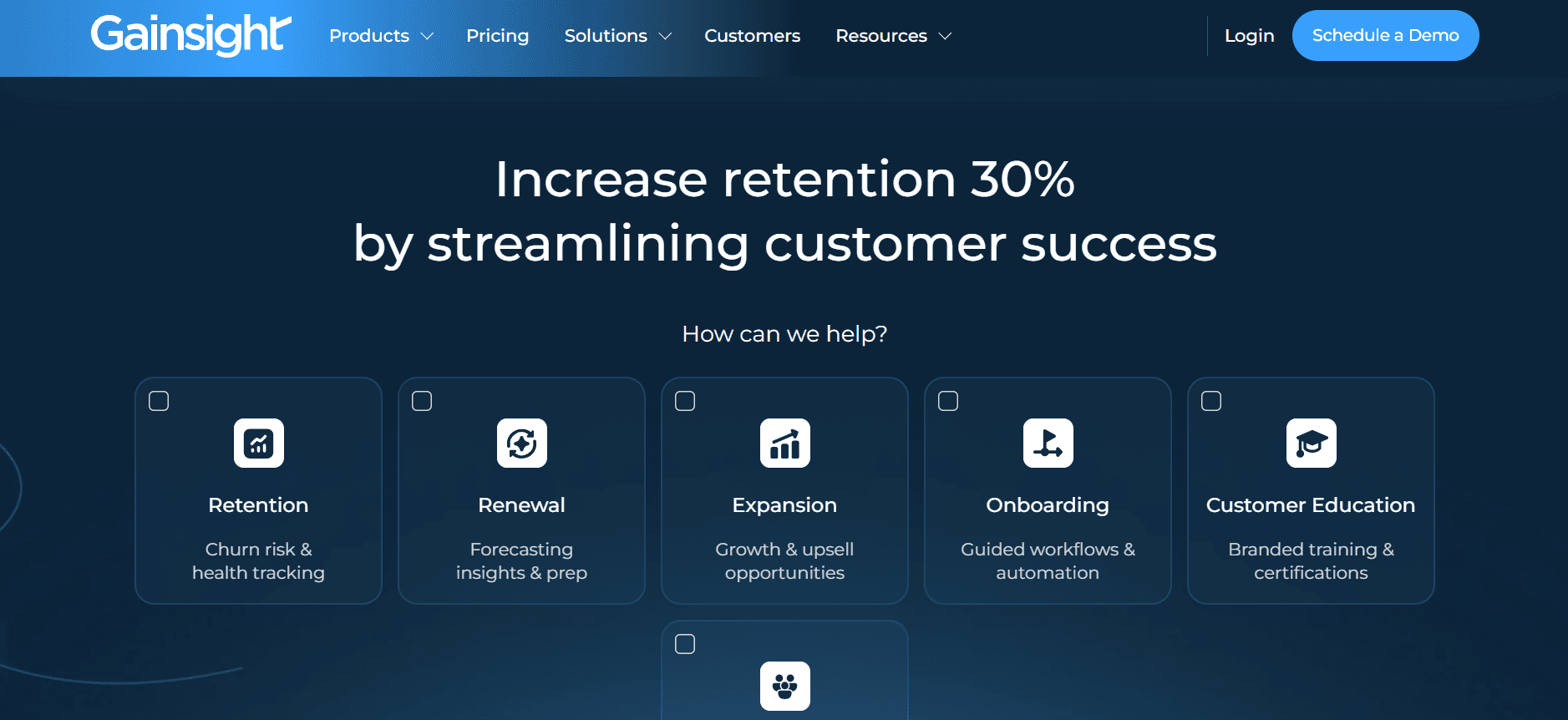
O Gainsight é uma plataforma abrangente concebida para grandes empresas que precisam de gerir customer success à escala. Oferece análises profundas e mapeamento da jornada do cliente, sendo ideal para empresas que necessitam de insights detalhados sobre as interações com os clientes.
Embora o Gainsight seja poderoso, a sua complexidade pode ser esmagadora para equipas mais pequenas ou para quem não tem recursos dedicados.
Funcionalidades principais
Mapeamento da jornada do cliente
Análises e relatórios avançados
Acompanhamento da pontuação de saúde
Automação do fluxo de trabalho
Inquéritos no produto
Integração com os principais sistemas de CRM
Automação de e-mail
API para soluções personalizadas
Prós
Contras
Excelente para customer success ao nível de empresa.
A complexidade pode ser esmagadora.
Mapeamento detalhado da jornada do cliente.
Custo mais elevado para funcionalidades completas.
Ferramentas robustas de análises e relatórios.
Requer recursos dedicados para gerir.
Capacidades fortes de acompanhamento da pontuação de saúde.
Suporte limitado para equipas mais pequenas.
Preços
O Gainsight oferece um modelo de preços personalizado, com planos detalhados disponíveis mediante pedido.
Desafios de automação do onboarding de clientes: com o que as equipas têm mais dificuldade
Atribuição manual de tarefas e acompanhamento
As equipas dependem frequentemente do e-mail para atribuir tarefas, o que leva a prazos falhados.
O acompanhamento da conclusão das tarefas torna-se complicado sem sistemas automatizados.
Os CSMs passam tempo excessivo em acompanhamentos administrativos.
A falta de um dashboard central de tarefas resulta em informação dispersa.
Sem visibilidade real-time do progresso do cliente
Sem dashboards em tempo real, as equipas não conseguem ver onde os clientes estão bloqueados.
O acompanhamento do progresso é frequentemente feito manualmente, o que leva a atrasos.
Os clientes não têm visibilidade do seu próprio estado de onboarding.
As equipas não conseguem abordar proativamente os problemas do cliente.
Experiência de onboarding inconsistente
A variabilidade na forma como os CSMs lidam com o processo leva a experiências diferentes para os clientes.
A falta de processos padronizados resulta em ineficiências.
As expectativas dos clientes não são geridas de forma consistente.
Os prazos de onboarding variam significativamente, afetando a satisfação.
Tempo até ao valor demasiado longo
Os processos manuais prolongam o tempo necessário para concretizar o valor do produto.
O onboarding atrasado afeta a satisfação e a retenção dos clientes.
Os prazos alargados resultam em taxas de churn mais elevadas.
Os CSMs não conseguem concentrar-se em relações estratégicas com os clientes.
Desafios de escala sem aumentar a equipa
As equipas têm dificuldade em lidar com o aumento do volume de clientes com os recursos existentes.
Os processos manuais impedem a escala sem contratar mais colaboradores.
A carga de trabalho acrescida leva ao burnout dos colaboradores.
A falta de ferramentas de automação limita as capacidades de escala.
Desafio
Processo tradicional
Impacto no negócio
Custo de tempo
Atribuição manual de tarefas
Atribuição de tarefas baseada em e-mail
Prazos falhados
20-30% de tempo extra
Sem visibilidade real-time
Acompanhamento manual do progresso
Resolução de problemas atrasada
15-25% de tempo extra
Experiência inconsistente
Gestão variável por CSM
Insatisfação do cliente
10-20% de tempo extra
Tempo até ao valor demasiado longo
Processos manuais de onboarding
Taxas de churn mais elevadas
30-50% de tempo extra
Desafios de escala
Falta de automação
Potencial de crescimento limitado
25-40% de tempo extra
Funcionalidades essenciais nas ferramentas de automação de onboarding de clientes
Acompanhamento automatizado de marcos e tarefas
O acompanhamento automatizado de marcos e tarefas é crucial para garantir que nenhuma parte do processo de onboarding seja ignorada. Ao configurar lembretes automáticos e verificações de progresso, as equipas podem assegurar que os clientes estão no caminho certo e que quaisquer atrasos são tratados prontamente. Esta funcionalidade reduz a carga sobre os CSMs e permite-lhes concentrar-se em tarefas mais estratégicas.
O Trupeer, por exemplo, destaca-se nesta área ao disponibilizar um sistema abrangente de acompanhamento de tarefas que se integra sem problemas com os fluxos de trabalho existentes, permitindo às equipas monitorizar o progresso em tempo real.
Portal para o cliente com visibilidade do progresso
Um portal para o cliente pode melhorar significativamente a experiência de onboarding ao fornecer transparência sobre o progresso. Esta funcionalidade permite que os clientes vejam quais tarefas estão concluídas e o que falta, reduzindo a necessidade de e-mails e chamadas de acompanhamento constantes.
O Dock é conhecido pelos seus portais intuitivos para o cliente, que facilitam o acompanhamento do progresso e a visualização do que vem a seguir, ajudando a construir confiança e satisfação.
Orientação no produto e walkthroughs em vídeo
A orientação no produto e os walkthroughs em vídeo ajudam os clientes a compreender processos complexos sem exigir intervenção direta de um CSM. Estas ferramentas fornecem assistência sob demanda e podem acelerar bastante o processo de onboarding ao reduzir o tempo necessário para demonstrações em direto.
O UserPilot disponibiliza ferramentas robustas de orientação no produto que são personalizáveis e podem ser adaptadas a diferentes segmentos de utilizadores, oferecendo uma experiência de aprendizagem personalizada.
Integração com CRM e sistemas de tickets
A integração com sistemas de CRM e de tickets é essencial para garantir que os dados do cliente estão atualizados e facilmente acessíveis. Esta funcionalidade permite uma comunicação sem falhas entre diferentes plataformas e assegura que todas as interações e problemas com o cliente são registados e tratados prontamente.
A integração sem falhas do Trupeer com os principais CRMs garante que os dados do cliente fluem de forma consistente entre sistemas, reduzindo o tempo gasto em introdução manual de dados e melhorando a comunicação com o cliente.
Análises do tempo até ao valor e pontuações de saúde
As análises do tempo até ao valor e as pontuações de saúde fornecem insights acionáveis sobre a rapidez com que os clientes estão a usufruir dos benefícios do seu produto. Estas métricas permitem às equipas identificar cedo os clientes em risco e tomar medidas corretivas para melhorar a experiência e a satisfação.
O ChurnZero destaca-se ao fornecer pontuações de saúde detalhadas e análises preditivas que ajudam as equipas a gerir proativamente as relações com os clientes e a reduzir o churn.
Automação de sequências de e-mail
A automação de sequências de e-mail é uma funcionalidade poderosa que permite às equipas automatizar a comunicação com os clientes, garantindo que recebem informações atempadas e relevantes ao longo do processo de onboarding. Isto reduz o trabalho manual envolvido no envio de acompanhamentos e assegura consistência na mensagem.
O Rocketlane oferece capacidades fortes de automação de e-mail que podem ser facilmente personalizadas para se adaptarem a diferentes cenários de onboarding, ajudando as equipas a manter uma comunicação eficaz sem aumentar a carga de trabalho.
Como escolher ferramentas de automação de onboarding de clientes com base no seu caso de uso
Automação de onboarding de produtos SaaS
Para empresas SaaS, automatizar o onboarding do produto é crucial para garantir que os novos utilizadores compreendem o produto rapidamente e começam a obter valor imediatamente. Isto ajuda a reduzir as taxas de churn e a aumentar a satisfação do cliente.
Elevado volume de utilizadores que precisa de onboarding rápido.
Funcionalidades de produto complexas que exigem orientação.
Necessidade de mensagens consistentes para todos os utilizadores.
Orientação no produto para facilitar a aprendizagem dos utilizadores.
Sequências de e-mail automatizadas para acompanhamentos.
Acompanhamento do progresso e análises eficazes.
Ferramenta
Orientação no produto
Automação de e-mail
Análises
UserPilot
Sim
Limitado
Sim
Pendo
Sim
Limitado
Sim
Trupeer
Sim
Sim
Sim
Entrega de serviços profissionais
As empresas de serviços profissionais lidam frequentemente com projetos complexos que exigem coordenação precisa e envolvimento do cliente. Automatizar o onboarding pode agilizar os processos, garantindo que os clientes são informados e alinhados desde o início.
Gestão de projetos complexa com múltiplas partes interessadas.
Necessidade de definições claras de funções e atribuição de tarefas.
Elevada procura por comunicação com o cliente e atualizações.
Portais para o cliente para transparência.
Automação de tarefas para agilizar fluxos de trabalho.
Acompanhamento do progresso e atualizações em tempo real.
Ferramenta
Portal do cliente
Automação de tarefas
Acompanhamento do progresso
Rocketlane
Sim
Sim
Sim
GuideCX
Sim
Sim
Sim
Dock
Sim
Limitado
Sim
Projetos de implementação em contexto empresarial
As empresas enfrentam desafios únicos na implementação de novos sistemas devido à sua escala e complexidade. Uma plataforma de onboarding eficaz pode ajudar a gerir estes projetos ao fornecer estrutura e clareza ao longo do processo.
Implementações à escala com vários departamentos.
Necessidade de acompanhamento e relatórios detalhados do projeto.
Integração com sistemas empresariais existentes.
Análises avançadas para insights do projeto.
Fluxos de trabalho e modelos personalizáveis.
Capacidades de integração abrangentes.
Ferramenta
Análises
Fluxos de trabalho personalizados
Integrações
Gainsight
Sim
Sim
Sim
Trupeer
Sim
Sim
Sim
ChurnZero
Sim
Sim
Limitado
Programas de onboarding de parceiros
As empresas que dependem de parceiros para distribuir ou melhorar os seus produtos precisam de processos de onboarding eficientes para garantir que os parceiros estão totalmente preparados para ter sucesso. A automação pode agilizar a transferência de conhecimento e melhorar o envolvimento dos parceiros.
Necessidade de formação e recursos consistentes.
Elevada procura por comunicação e atualizações.
Acompanhamento do progresso e do desempenho dos parceiros.
Base de conhecimento centralizada para recursos.
Sequências de e-mail para comunicação contínua.
Acompanhamento do progresso para monitorizar o envolvimento.
Ferramenta
Base de conhecimento
Sequências de e-mail
Acompanhamento do progresso
Pendo
Sim
Limitado
Sim
Rocketlane
Sim
Sim
Sim
Trupeer
Sim
Sim
Sim
Boas práticas para automação do onboarding de clientes
Antes do onboarding
Mapeie a sua jornada ideal de onboarding para identificar marcos-chave.
Defina critérios claros para cada marco para garantir consistência.
Defina objetivos mensuráveis para o sucesso do onboarding.
Selecione as ferramentas certas que se alinham com as necessidades do seu negócio.
Prepare recursos e materiais de formação com antecedência.
Durante o onboarding
Automatize lembretes para manter os clientes no caminho certo.
Use walkthroughs em vídeo para passos complexos para melhorar a compreensão.
Monitorize o progresso através de dashboards para identificar gargalos.
Envolva os clientes com atualizações regulares e comunicação.
Ajuste os fluxos de trabalho de forma dinâmica com base no feedback dos clientes.
Após o onboarding
Revise as pontuações de saúde para avaliar a satisfação do cliente.
Faça retrospectivas sobre contas que enfrentaram desafios.
Recolha feedback dos clientes para melhorar futuros processos de onboarding.
Analise métricas de tempo até ao valor para identificar áreas para acelerar.
Mantenha apoio e comunicação contínuos para promover relações duradouras.
Perguntas frequentes
O que é a automação do onboarding de clientes?
A automação do onboarding de clientes refere-se ao uso de ferramentas de software para agilizar o processo de integrar novos clientes. Envolve a automatização de tarefas repetitivas, o acompanhamento do progresso e o fornecimento aos clientes dos recursos de que precisam para começar a usar um produto ou serviço de forma eficaz.
Porque é que a automação do onboarding é importante?
A automação é importante porque reduz o tempo e os recursos necessários para integrar novos clientes, melhora a consistência e melhora a experiência do cliente. Ao automatizar tarefas repetitivas, as equipas podem concentrar-se em construir relações mais fortes com os clientes e aumentar a satisfação.
Como é que as plataformas de onboarding se integram com sistemas de CRM?
As plataformas de onboarding normalmente integram-se com sistemas de CRM através de APIs, permitindo uma troca de dados sem falhas. Isto garante que as informações do cliente estão atualizadas em ambas as plataformas, possibilitando uma comunicação melhor e experiências de onboarding mais personalizadas.
Estas ferramentas conseguem lidar com processos de onboarding complexos?
Sim, muitas plataformas de onboarding são concebidas para lidar com processos complexos, oferecendo fluxos de trabalho personalizáveis, automação de tarefas e análises abrangentes. Isto torna-as adequadas para várias indústrias e modelos de negócio.
Existem ferramentas de automação de onboarding gratuitas disponíveis?
Sim, algumas ferramentas de automação de onboarding oferecem planos gratuitos com funcionalidades limitadas. Estes podem ser adequados para pequenas empresas ou para quem está apenas a começar, mas a maioria das empresas beneficia de planos pagos que oferecem funcionalidades e suporte mais avançados.
Como é que normalmente é estruturada a definição de preços para estas plataformas?
Os preços das plataformas de onboarding dependem frequentemente do número de utilizadores, das funcionalidades necessárias e do nível de suporte. Muitas ferramentas oferecem planos de preços por escalões ou soluções personalizadas com base em necessidades específicas do negócio.
Quanto tempo demora a implementar uma ferramenta de automação de onboarding?
O tempo de implementação varia consoante a complexidade da ferramenta e as necessidades específicas do negócio. No entanto, a maioria das plataformas oferece processos de configuração simplificados e suporte para ajudar as empresas a começar rapidamente, muitas vezes no espaço de algumas semanas.
Que tipo de suporte está disponível durante a implementação?
A maioria das plataformas de automação do onboarding fornece suporte abrangente durante a implementação, incluindo materiais de formação, equipas de apoio ao cliente e gestores de conta dedicados para garantir uma transição sem problemas.
Como é que uma clínica se prepara para um novo EHR sem depender de conhecimento tribal?
Registe os fluxos de trabalho do EHR configurados antes do go-live para que os novos colaboradores aprendam com guias atuais, e não com conselhos de corredor. O software de onboarding da Trupeer combina walkthroughs gravados com vídeos de IA que os novos colaboradores podem consultar ao seu próprio ritmo.
Encerramento
Escolher a plataforma certa de automação do onboarding de clientes pode melhorar significativamente a eficiência da sua equipa e aumentar a satisfação do cliente. Com a ferramenta certa, pode reduzir os tempos de onboarding, proporcionar experiências consistentes e concentrar-se em construir relações duradouras com os seus clientes. Cada plataforma tem os seus pontos fortes, por isso avaliar as suas necessidades e desafios específicos é fundamental para fazer a escolha certa.
Se está pronto para agilizar o seu processo de onboarding e melhorar a satisfação do cliente, considere a Trupeer. As suas funcionalidades abrangentes e integrações sem falhas fazem dela uma forte candidata para empresas de todos os tamanhos. Saiba mais e comece a sua jornada com a Trupeer hoje, visitando Trupeer.
Artigos relacionados


