Trupeer Blog
Resumir

Explore as principais ferramentas para criar vídeos de onboarding de clientes com impacto em 2026.
Leitura estimada 34 min · 2026. 31 de março de 2026.
Visão geral do comprador
Em 2026, as empresas enfrentam um desafio difícil: manter os clientes empenhados desde o início. Embora 86% dos clientes digam que ficariam com uma empresa que investe em conteúdos de onboarding, muitas empresas ainda recorrem a métodos desatualizados. Estes incluem, frequentemente, gravações de ecrã sem narração, sem identidade visual ou sem análises.
86% dos clientes dizem que permaneceriam fiéis a uma empresa que investisse em conteúdos de onboarding.
Fonte: Wyzowl State of Video 2024
Este guia pretende esclarecer o panorama das soluções de vídeo para onboarding de clientes. Destina-se a equipas de marketing, gestores de sucesso do cliente e a qualquer pessoa interessada em elevar os seus processos de onboarding. Vamos explorar ferramentas populares para o ajudar a entregar conteúdos profissionais e envolventes que ressoem com o seu público.
Melhores ferramentas de vídeo para onboarding de clientes: comparação frente a frente
Funcionalidade | Trupeer | Loom | Synthesia | Vidyard | Wistia | Camtasia | Descript | Screencast-O-Matic |
|---|---|---|---|---|---|---|---|---|
Funcionalidades principais | ||||||||
Gravação de ecrã | Sim | Sim | Não | Sim | Sim | Sim | Sim | Sim |
Hospedagem de vídeo | Sim | Sim | Limitado | Sim | Sim | Não | Limitado | Não |
Capacidades de IA | ||||||||
Narração por IA | Sim | Não | Sim | Não | Não | Não | Sim | Não |
Avatar de IA | Sim | Não | Sim | Não | Não | Não | Não | Não |
Funcionalidades profissionais | ||||||||
Identidade visual personalizada | Sim | Limitado | Sim | Sim | Sim | Limitado | Limitado | Não |
Elementos interativos | Sim | Não | Limitado | Sim | Sim | Não | Não | Não |
Integrações | ||||||||
Análises | Sim | Limitado | Sim | Sim | Sim | Limitado | Sim | Limitado |
Legendas automáticas | Sim | Sim | Sim | Sim | Sim | Limitado | Sim | Limitado |
Multilingue | Sim | Não | Sim | Limitado | Limitado | Não | Não | Não |
Plano gratuito | Sim | Sim | Não | Sim | Não | Não | Sim | Sim |
Trupeer

O Trupeer foi concebido para empresas que procuram uma solução de onboarding completa, com foco na integração e nas análises. Oferece funcionalidades orientadas por IA que permitem experiências de cliente personalizadas. O que distingue o Trupeer é a capacidade de fornecer análises de envolvimento detalhadas, ajudando-o a compreender como os clientes interagem com o seu conteúdo.
É particularmente útil para equipas de sucesso do cliente que precisam de adaptar conteúdos a segmentos de clientes diversos. Embora a ferramenta se destaque nas análises e na personalização, pode não ser a melhor opção para quem procura uma solução gratuita.
Principais funcionalidades
Gravação de ecrã com IA
Opções de identidade visual personalizada
Análises de envolvimento
Elementos de vídeo interativos
Suporte multilingue
Legendas geradas automaticamente
Integração com sistemas CRM
Capacidades de narração por IA
"As análises do Trupeer deram-nos informações de que nem sabíamos que precisávamos."
Prós
Contras
Análises robustas para acompanhar o envolvimento.
Não existe plano gratuito disponível.
Suporta vários idiomas para alcançar públicos globais.
Requer tempo de configuração para personalização total.
Integração fácil com sistemas existentes.
Pode ser complexo para equipas mais pequenas.
Preços
O Trupeer tem um preço de entrada de 49 USD por mês, faturado anualmente. Não existe plano gratuito disponível, mas pode ser agendada uma demonstração.
Loom

O Loom é uma escolha popular para gravações rápidas de ecrã e mensagens em vídeo. É ideal para equipas que precisam de comunicação em vídeo rápida e simples, sem os extras das plataformas mais complexas. O Loom destaca-se pela facilidade de utilização e pelas capacidades de criação rápida de vídeo, tornando-se uma opção preferida para comunicações internas e atualizações rápidas.
No entanto, falta-lhe algumas das funcionalidades mais avançadas necessárias para vídeos de onboarding profissionais, como identidade visual personalizada e elementos interativos.
Principais funcionalidades
Gravação de ecrã instantânea
Partilha fácil através de links
Armazenamento em nuvem
Corte básico de vídeo
Notificações para visualizadores
Legendas geradas automaticamente
Comentários em vídeo
Pré-visualizações em GIF
Prós
Contras
Muito fácil de usar e configurar.
Funcionalidades profissionais limitadas.
Capacidades de partilha instantânea de vídeo.
Sem opções de identidade visual personalizada.
Plano gratuito disponível para utilização básica.
Falta de análises avançadas.
Preços
Plano gratuito disponível com funcionalidades básicas. Os planos pagos começam nos 8 USD por utilizador por mês.
Synthesia

A Synthesia é conhecida pelos seus avatares e capacidades de narração por IA, o que a torna uma opção única no panorama dos vídeos de onboarding. Se a sua equipa se concentra em produzir conteúdos altamente polidos e profissionais, a Synthesia pode ser a escolha certa. É excelente para criar vídeos com avatares e narrações gerados por IA, acrescentando um toque de sofisticação às suas apresentações.
É menos indicada para empresas que necessitam de funcionalidades tradicionais de gravação de ecrã e de hospedagem de vídeo.
Principais funcionalidades
Avatares gerados por IA
Tecnologia de narração por IA
Suporte multilingue
Integração de identidade visual personalizada
Modelos de vídeo profissionais
Editor de scripts
Ferramentas de colaboração
Pré-visualização e feedback do vídeo
Prós
Contras
Criação inovadora de avatares por IA.
Sem funcionalidades de gravação de ecrã.
Suporta muitas línguas para alcançar públicos globais.
Custo mais elevado do que ferramentas mais simples.
Saída de vídeo profissional e de alta qualidade.
Opções gratuitas limitadas disponíveis.
Preços
A Synthesia começa nos 30 USD por minuto de vídeo. Não existe plano gratuito disponível, mas pode experimentar uma demonstração.
Vidyard

O Vidyard é uma ferramenta versátil que serve tanto equipas de vendas como de marketing. Destaca-se especialmente na hospedagem de vídeo e nas análises, o que o torna uma excelente opção para empresas que precisam de acompanhar o desempenho dos vídeos em várias plataformas. O Vidyard suporta identidade visual personalizada e elementos interativos, melhorando a experiência do visualizador.
Embora seja ótimo para marketing, pode exigir uma curva de aprendizagem para quem é novo na criação de vídeo.
Principais funcionalidades
Hospedagem e gestão de vídeo
Player de vídeo personalizável
CTAs interativos
Análises avançadas
Personalização de vídeo
Capacidades de gravação de ecrã
Integrações com sistemas CRM
Partilha em redes sociais
Prós
Contras
Funcionalidades fortes de análises e relatórios.
Interface complexa para principiantes.
Excelentes capacidades de integração.
Funcionalidades gratuitas limitadas após o período experimental.
Suporta elementos de vídeo interativos.
Preço mais elevado para funcionalidades premium.
Preços
Plano gratuito disponível com funcionalidades básicas. Os planos pagos começam nos 15 USD por utilizador por mês.
Wistia

O Wistia foi concebido para profissionais de marketing que dão prioridade à identidade visual e ao envolvimento dos visualizadores. Oferece hospedagem de vídeo e análises robustas, tornando-se uma escolha popular para empresas que querem medir o desempenho dos vídeos. O destaque do Wistia é a capacidade de personalizar o player de vídeo para corresponder ao aspeto e à sensação da sua marca.
No entanto, o foco na identidade visual pode não agradar a quem procura uma ferramenta simples de gravação de ecrã.
Principais funcionalidades
Player de vídeo personalizado
Opções de identidade visual
Análises avançadas
Elementos interativos
Ferramentas de geração de leads
Funcionalidades de SEO para vídeo
Criação de canais e listas de reprodução
Integração com redes sociais
Prós
Contras
Funcionalidades de identidade visual altamente personalizáveis.
Capacidades de gravação de ecrã limitadas.
Conjunto de análises completo.
Não existe plano gratuito disponível.
Integra-se bem com plataformas de marketing.
Pode ser caro para equipas pequenas.
Preços
Sem plano gratuito. Os planos começam nos 99 USD por mês com funcionalidades avançadas.
Camtasia

O Camtasia é uma ferramenta tudo-em-um de gravação de ecrã e edição de vídeo. É perfeita para educadores e formadores que precisam de uma solução simples, mas poderosa, para criar vídeos instrucionais. O Camtasia oferece uma série de funcionalidades de edição que lhe permitem produzir conteúdos de nível profissional, embora possa parecer esmagador para utilizadores sem experiência em edição de vídeo.
A falta de análises avançadas e de funcionalidades de hospedagem pode ser uma desvantagem para algumas empresas.
Principais funcionalidades
Gravação de ecrã
Ferramentas de edição de vídeo
Efeitos de áudio incorporados
Modelos de vídeo pré-criados
Narração áudio
Efeitos de animação
Transições e efeitos
Capacidades de ecrã verde
Prós
Contras
Conjunto de edição de vídeo completo.
Sem funcionalidades de hospedagem de vídeo.
Excelente para vídeos instrucionais detalhados.
Curva de aprendizagem acentuada para principiantes.
Oferece opção de compra única.
Falta de análises integradas.
Preços
Compra única por 299 USD. Não é necessária subscrição, mas não existe plano gratuito.
Descript

O Descript é uma ferramenta versátil que combina transcrição, gravação de ecrã e edição de vídeo num só lugar. É excelente para equipas que precisam de produzir conteúdos rapidamente, mantendo a qualidade. O destaque do Descript é a edição de vídeo baseada em texto, permitindo aos utilizadores editar vídeo com a mesma facilidade que um documento.
Embora ofereça muitas funcionalidades, a falta de opções avançadas de hospedagem ou de elementos interativos pode limitar o seu interesse para alguns.
Principais funcionalidades
Gravação de ecrã
Transcrição com IA
Edição de vídeo baseada em texto
Ferramentas de edição de áudio
Síntese de voz Overdub
Edição multi-faixa
Modelos de vídeo
Ferramentas de colaboração
Prós
Contras
Edição de vídeo baseada em texto inovadora.
Capacidades de hospedagem limitadas.
Simplifica a edição de vídeo e áudio.
Não é ideal para análises avançadas.
Acessível para equipas pequenas.
Poucas funcionalidades interativas.
Preços
Plano gratuito disponível com limites. Os planos pagos começam nos 12 USD por mês.
Screencast-O-Matic

O Screencast-O-Matic é uma opção económica perfeita para educadores e pequenas empresas. Oferece gravação de ecrã e funcionalidades básicas de edição a um custo baixo, tornando-se acessível para quem precisa de soluções simples de vídeo. É ideal para utilizadores que precisam de criar vídeos diretos, sem uma curva de aprendizagem acentuada.
No entanto, a falta de funcionalidades avançadas, como análises ou identidade visual personalizada, pode não corresponder às necessidades de organizações maiores.
Principais funcionalidades
Gravação de ecrã
Ferramentas de edição de vídeo
Hospedagem em nuvem
Edição básica de áudio
Gravações com guião
Filtro de ecrã verde
Ferramentas de colaboração
Legendas fechadas
Prós
Contras
Planos de preços muito acessíveis.
Opções de personalização limitadas.
Simples e fácil de utilizar.
Sem capacidades de análises avançadas.
Bom para necessidades básicas de criação de vídeo.
Não é ideal para vídeos de nível profissional.
Preços
Plano gratuito disponível. Os planos pagos começam nos 1,65 USD por mês, faturados anualmente.
Riverside
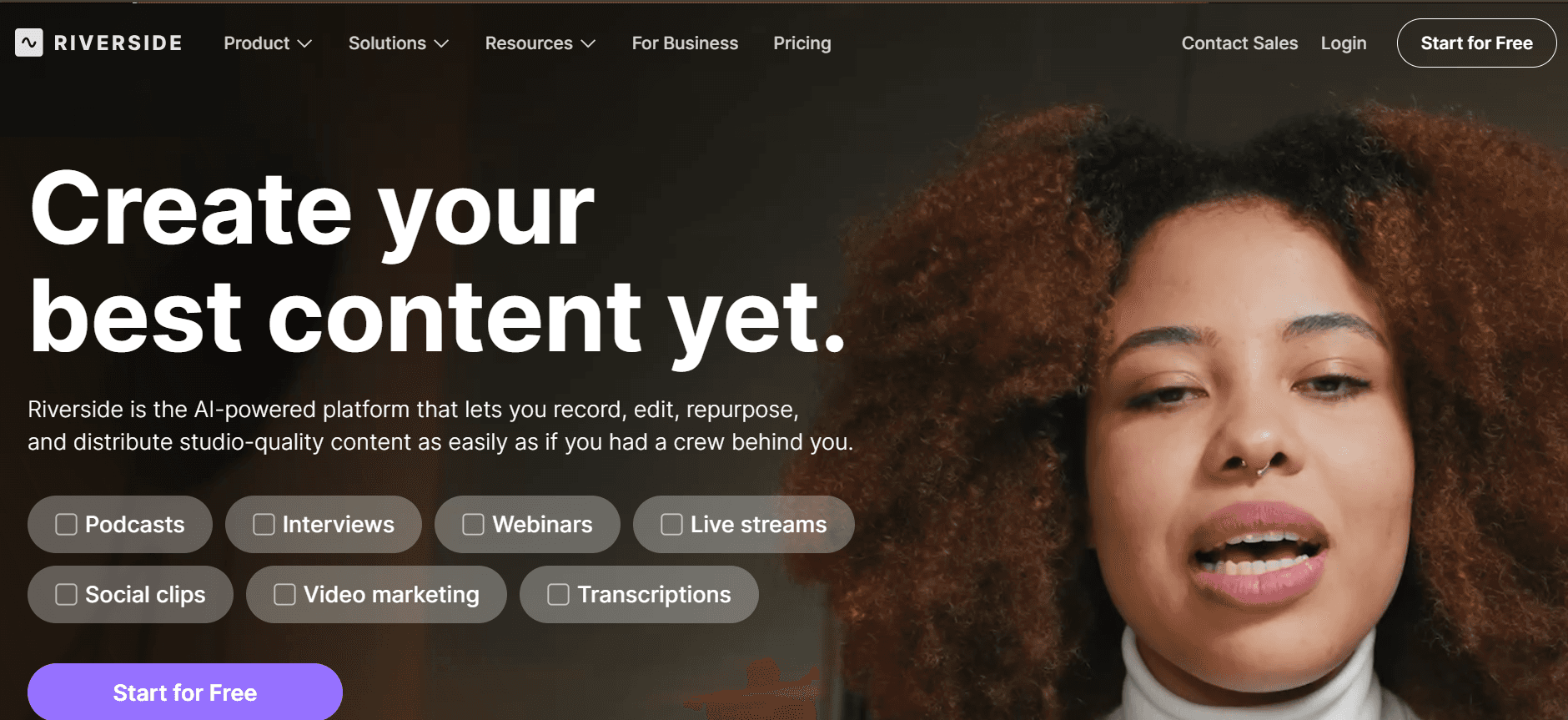
O Riverside é uma ferramenta poderosa, concebida para gravação de vídeo e áudio de alta qualidade, o que a torna ideal para empresas que exigem conteúdos de nível profissional. Destaca-se na gravação remota, oferecendo áudio de qualidade de estúdio e vídeo 4K, o que é perfeito para podcasts e webinars. O Riverside é particularmente benéfico para equipas que precisam de criar conteúdos polidos sem comprometer a qualidade, mesmo quando trabalham remotamente.
Embora ofereça excelentes capacidades de gravação, pode não ser a melhor opção para quem procura edição de vídeo avançada ou funcionalidades interativas.
Principais funcionalidades
Gravação de vídeo 4K
Pistas de áudio de alta qualidade
Capacidades de entrevista remota
Transferências de faixas separadas
Chamadas em direto para interação com o público
Gravação multi-faixa
Cópia de segurança automática
Partilha de ecrã durante as sessões
Prós
Contras
Gravações de vídeo e áudio com qualidade de estúdio.
Sem funcionalidades avançadas de edição de vídeo.
Excelente para configurações de gravação remota.
Custo mais elevado para funcionalidades premium.
Suporta interação ao vivo com o público.
Funcionalidades gratuitas limitadas disponíveis.
Preços
Plano gratuito disponível. Os planos pagos começam nos 15 USD por mês para funcionalidades adicionais.
Desafios dos vídeos de onboarding de clientes: com o que as equipas mais têm dificuldade
1. Os vídeos parecem pouco profissionais sem uma configuração de gravação adequada
A falta de equipamento de vídeo e áudio de alta qualidade pode fazer com que o conteúdo pareça amador.
A iluminação e o som inconsistentes podem prejudicar a mensagem.
Os visualizadores podem perder o interesse se a qualidade do vídeo não corresponder às suas expectativas.
As configurações profissionais muitas vezes exigem um investimento inicial significativo.
2. O pipeline de produção é lento
Criar vídeos polidos pode levar dias ou até semanas.
São necessárias várias rondas de edição para atingir padrões profissionais.
Os ciclos de feedback entre departamentos podem atrasar a entrega final.
Recursos humanos limitados podem criar um bloqueio no processo de produção.
3. O conteúdo fica desatualizado rapidamente após atualizações do produto
As atualizações frequentes do produto exigem revisões constantes dos vídeos.
Os vídeos desatualizados levam a desinformação e a confusão por parte dos visualizadores.
Atualizar vídeos pode ser demorado e exigir muitos recursos.
As equipas têm dificuldade em manter conteúdos atualizados em todas as plataformas.
4. Falta de personalização entre diferentes segmentos de clientes
Vídeos genéricos não conseguem abordar necessidades específicas dos clientes nem os seus pontos de dor.
A falta de conteúdos personalizados pode resultar em menor envolvimento e retenção.
Segmentos de clientes diferentes podem exigir mensagens e elementos visuais distintos.
A personalização exige recursos adicionais e planeamento estratégico.
5. Dados limitados sobre o envolvimento dos visualizadores e a desistência
As equipas não têm visibilidade sobre como os visualizadores interagem com o conteúdo.
Sem análises, é difícil otimizar os vídeos para melhorar o desempenho.
Os dados sobre os pontos em que os visualizadores desistem são essenciais para melhorar o conteúdo.
Análises limitadas podem levar a estratégias de vídeo ineficazes.
Desafio | Processo tradicional | Impacto no negócio | Custo de tempo |
|---|---|---|---|
Qualidade de vídeo pouco profissional | Equipamento básico e configurações inconsistentes | Perda de interesse dos visualizadores e problemas de perceção da marca | Tempo elevado de configuração com resultados inconsistentes |
Pipeline de produção lento | Edição manual e várias iterações | Entrega atrasada de conteúdo e oportunidades perdidas | De dias a semanas para um único vídeo |
Conteúdo desatualizado | Atualizações manuais e regravações | Desinformação e confusão por parte dos visualizadores | Investimento significativo de tempo para atualizações |
Sem personalização | Abordagem única para todos | Taxas baixas de envolvimento e retenção | Tempo gasto em estratégias ineficazes |
Dados limitados dos visualizadores | Métricas básicas e análise manual | Estratégias de conteúdo de vídeo abaixo do ideal | Esforços de recolha de dados demorados |
Funcionalidades essenciais nas ferramentas de vídeo para onboarding de clientes
Gravação de ecrã com IA e narração
A gravação de ecrã com IA melhora significativamente a produção de vídeo ao automatizar narrações e garantir um acabamento polido. Esta funcionalidade permite às equipas criar conteúdos rapidamente sem comprometer a qualidade. Por exemplo, o Trupeer oferece esta capacidade, permitindo criar de forma fluida vídeos de onboarding envolventes com narrações geradas por IA.
Ao integrar IA no processo de gravação, as empresas podem produzir conteúdos consistentes e profissionais, poupando tempo e reduzindo a necessidade de trabalho manual de narração.
Identidade visual personalizada (logótipo, cores, CTAs)
A identidade visual personalizada é essencial para manter uma imagem de marca coerente em todo o conteúdo de vídeo. Ferramentas como a Wistia destacam-se nesta área, permitindo-lhe personalizar o player de vídeo com o logótipo, as cores e os CTAs interativos da sua marca. Isto garante que cada peça de conteúdo está alinhada com a identidade da sua marca, reforçando o reconhecimento e a confiança dos visualizadores.
As opções de identidade visual personalizada permitem às empresas criar uma experiência fluida que ressoa com o seu público, promovendo a fidelização à marca e o envolvimento.
Legendas e traduções geradas automaticamente
As legendas e traduções geradas automaticamente tornam o conteúdo acessível a um público global. Esta funcionalidade é crucial para empresas que operam em ambientes multilingues. Ferramentas como a Synthesia oferecem um suporte robusto nesta área, disponibilizando traduções automáticas que facilitam a ligação com segmentos de clientes diversos.
As legendas e traduções não só melhoram a acessibilidade, como também respondem a diferentes preferências de aprendizagem, garantindo que a sua mensagem chega a um público mais vasto de forma eficaz.
Análises de envolvimento com acompanhamento da desistência
As análises de envolvimento são uma funcionalidade poderosa que fornece informações sobre como os visualizadores interagem com os seus vídeos. Plataformas como a Vidyard oferecem análises detalhadas que incluem pontos de desistência dos visualizadores, permitindo às equipas otimizar o conteúdo para maximizar o impacto. Compreender onde os visualizadores perdem o interesse ajuda a refinar os vídeos futuros e a melhorar o envolvimento geral.
O acesso a análises detalhadas permite tomar decisões orientadas por dados, garantindo que a sua estratégia de conteúdo está alinhada com as preferências dos visualizadores e com os objetivos do negócio.
Atualizações de conteúdo fáceis sem regravação
As atualizações frequentes do produto exigem estratégias de conteúdo flexíveis. As ferramentas que permitem atualizar conteúdos facilmente sem regravar são inestimáveis. Por exemplo, o Descript permite a edição de vídeo baseada em texto, permitindo às equipas fazer alterações rápidas em vídeos existentes sem começar do zero. Esta funcionalidade é particularmente útil para manter o conteúdo fresco e relevante.
Processos de atualização eficientes reduzem a pressão sobre os recursos e garantem que os seus vídeos permanecem atuais, fornecendo informações precisas e atempadas ao seu público.
Elementos interativos
Elementos interativos como links clicáveis, questionários e formulários podem transformar uma visualização passiva em envolvimento ativo. A Vidyard oferece suporte abrangente para estes elementos, permitindo-lhe incorporar funcionalidades interativas que melhoram a interação e a retenção dos visualizadores. Componentes interativos tornam os seus vídeos mais envolventes e informativos, impulsionando taxas de conversão mais elevadas.
Ao envolver os visualizadores de forma ativa, pode criar ligações mais profundas e incentivá-los a tomar as ações desejadas, como subscrever um serviço ou explorar conteúdos adicionais.
Como escolher soluções de vídeo para onboarding de clientes com base no seu caso de uso
Vídeos de boas-vindas ao produto e configuração da primeira sessão
Criar uma primeira impressão acolhedora é fundamental para utilizadores novos. Os vídeos de boas-vindas ao produto e de configuração da primeira sessão cumprem este objetivo ao orientar os utilizadores nos primeiros passos. O objetivo é fazer com que os utilizadores se sintam confortáveis e confiantes para navegar no produto por conta própria.
Principais desafios
Garantir clareza e simplicidade para não sobrecarregar utilizadores novos.
Fazer com que o conteúdo seja envolvente para manter o interesse do utilizador.
Fornecer valor rápido para incentivar a utilização contínua.
Soluções necessárias
Guiões de vídeo claros e concisos.
Visuais e animações envolventes.
Elementos interativos para feedback e perguntas dos utilizadores.
Ferramenta
Facilidade de utilização
Elementos interativos
Análises de envolvimento
Trupeer
Sim
Sim
Sim
Vidyard
Sim
Sim
Sim
Guias de funcionalidades para clientes self-serve
Para produtos com funcionalidades complexas, os clientes self-serve beneficiam de walkthroughs detalhados. Estes vídeos ajudam os utilizadores a compreender como tirar partido de funcionalidades específicas sem necessitar de apoio direto, melhorando a experiência geral.
Principais desafios
Explicar funcionalidades complexas de forma fácil de compreender.
Manter o envolvimento dos visualizadores ao longo de conteúdos detalhados.
Fornecer insights acionáveis imediatamente no vídeo.
Soluções necessárias
Guias passo a passo com visuais claros.
Elementos interativos para prática hands-on.
Análises de envolvimento para identificar pontos de confusão.
Ferramenta
Guias detalhados
Prática interativa
Análises
Wistia
Sim
Limitado
Sim
Descript
Sim
Não
Limitado
Série de vídeos de educação do cliente
As séries de vídeo destinadas a educar os clientes sobre a utilização do produto e os seus benefícios podem melhorar significativamente a satisfação do utilizador e a adoção do produto. Estas séries são concebidas para construir conhecimento ao longo do tempo, promovendo uma compreensão mais profunda do produto.
Principais desafios
Manter a consistência em vários vídeos.
Manter o conteúdo envolvente ao longo de uma série.
Garantir que o conteúdo continua relevante face às atualizações.
Soluções necessárias
Identidade visual consistente em todos os vídeos.
Técnicas de storytelling envolventes.
Ferramentas de edição flexíveis para atualizações rápidas.
Ferramenta
Identidade visual consistente
Elementos de storytelling
Flexibilidade de edição
Camtasia
Limitado
Sim
Sim
Synthesia
Sim
Sim
Não
Sequências de vídeo por e-mail para onboarding
A integração de vídeos em sequências de e-mail pode melhorar o onboarding ao fornecer orientação visual juntamente com conteúdo escrito. Esta abordagem apoia preferências de aprendizagem diversas e reforça mensagens-chave.
Principais desafios
Garantir que os vídeos são breves e com impacto.
Integrar de forma fluida nas plataformas de e-mail.
Acompanhar o envolvimento em ambos os formatos.
Soluções necessárias
Conteúdo de vídeo curto e focado.
Integração fácil com e-mail.
Acompanhamento e relatórios abrangentes.
Ferramenta
Integração com e-mail
Criação de vídeo curto
Acompanhamento do envolvimento
Loom
Sim
Sim
Não
Riverside
Não
Limitado
Sim
Melhores práticas para criar vídeos de onboarding de clientes
Antes do vídeo
Identifique o seu público-alvo e adapte o conteúdo em conformidade.
Defina um objetivo claro para cada vídeo, para manter o foco.
Planeie um guião conciso e envolvente.
Reúna os recursos e o equipamento necessários antes de iniciar a produção.
Decida o estilo do vídeo e a identidade visual para garantir consistência.
Durante o vídeo
Use linguagem clara e simples para comunicar de forma eficaz.
Incorpore visuais e animações para melhorar a compreensão.
Incentive a interação dos visualizadores através de questionários ou elementos clicáveis.
Mantenha um ritmo constante para manter os visualizadores empenhados.
Garanta padrões elevados de produção de áudio e vídeo.
Depois do vídeo
Analise métricas de envolvimento dos visualizadores para avaliar o desempenho do vídeo.
Recolha feedback dos visualizadores para identificar áreas de melhoria.
Atualize o conteúdo regularmente para o manter relevante face às mudanças do produto.
Reaproveite o conteúdo de vídeo para diferentes plataformas e formatos.
Utilize análises para refinar as futuras estratégias de vídeo.
Perguntas frequentes
Qual é o objetivo dos vídeos de onboarding de clientes?
Os vídeos de onboarding de clientes têm como objetivo orientar utilizadores novos na configuração inicial e na utilização de um produto, garantindo que compreendem as funcionalidades e os benefícios principais. Estes vídeos ajudam a melhorar o envolvimento dos utilizadores, a reduzir o churn e a aumentar a satisfação do cliente ao fornecer instruções claras e visuais.
Quem deve estar envolvido na criação de vídeos de onboarding?
A criação de vídeos de onboarding envolve, normalmente, a colaboração entre as equipas de produto, marketing e sucesso do cliente. A equipa de produto fornece conhecimentos técnicos, enquanto o marketing garante o alinhamento com a marca e a equipa de sucesso do cliente se concentra em entregar conteúdos que respondem às necessidades dos utilizadores.
Quanto tempo deve ter um vídeo de onboarding?
Os vídeos de onboarding devem ser concisos, idealmente entre 1 e 3 minutos, para garantir que os utilizadores se mantêm empenhados. A duração pode variar consoante a complexidade do tema, mas é essencial manter o conteúdo focado e evitar sobrecarregar os visualizadores com informação.
Que equipamento é necessário para uma produção de vídeo de alta qualidade?
Uma produção de vídeo de alta qualidade requer, normalmente, uma boa câmara, um microfone e uma configuração de iluminação. Para gravações de ecrã, é necessário software que ofereça resolução nítida e transições suaves. Investir em equipamento de qualidade pode aumentar significativamente a profissionalização dos seus vídeos.
Existem ferramentas gratuitas disponíveis para criar vídeos de onboarding?
Sim, várias ferramentas oferecem planos gratuitos, incluindo Loom e Screencast-O-Matic. Estas opções gratuitas têm frequentemente limitações, como marcas de água ou funcionalidades restritas. As empresas podem precisar de atualizar para planos pagos para obter capacidades mais avançadas, como identidade visual e análises.
Como funcionam, em geral, os planos de preços para ferramentas de vídeo?
Os planos de preços para ferramentas de vídeo variam normalmente entre planos gratuitos e premium, consoante as funcionalidades e os limites de utilização. Os planos básicos podem incluir ferramentas essenciais para criação de vídeo, enquanto os níveis superiores oferecem funcionalidades avançadas como identidade visual personalizada, análises e integrações. Os preços podem variar significativamente entre fornecedores.
Como é que os vídeos de onboarding podem ser integrados em plataformas existentes?
Os vídeos de onboarding podem ser integrados em plataformas existentes através de incorporação (embedding) ou ligação (linking). A maioria das ferramentas disponibiliza códigos de incorporação ou opções de integração direta com plataformas populares como sistemas CRM, websites e serviços de marketing por e-mail, garantindo acesso sem fricção para os utilizadores.
Com que frequência devem ser atualizados os vídeos de onboarding?
Os vídeos de onboarding devem ser atualizados sempre que ocorrerem mudanças significativas no produto, como novas funcionalidades ou atualizações da interface. Rever e atualizar o conteúdo regularmente garante que os vídeos permanecem precisos e relevantes, fornecendo aos utilizadores informação atualizada.
Considerações finais
Criar vídeos de onboarding de clientes eficazes é um investimento estratégico que pode melhorar significativamente a experiência do utilizador e a retenção. Ao tirar partido das ferramentas certas e ao incorporar as melhores práticas, as empresas podem entregar conteúdos convincentes que respondem às necessidades diversas do seu público.
Pronto para elevar a sua experiência de onboarding de clientes? Descubra como o Trupeer o pode ajudar a criar vídeos com impacto que envolvem e retêm utilizadores, visitando o Trupeer hoje.
Artigos relacionados



