Trupeer Blog
Synthétiser

Découvrez les meilleurs outils pour automatiser l’onboarding client et améliorer vos indicateurs de réussite client.
30 min de lecture · 31 mars 2026.
Aperçu de l’acheteur
Les équipes de réussite client se retrouvent souvent prises dans des tâches d’onboarding répétitives qui les empêchent de se concentrer sur des initiatives stratégiques. En réalité, il est courant que ces équipes consacrent 40 à 60 % de leur temps à des missions qui pourraient facilement être automatisées. Cette approche manuelle prolonge non seulement le time-to-value, mais augmente aussi la probabilité de churn précoce. Une étude a révélé que les entreprises disposant de processus d’onboarding automatisés observaient une baisse de 15 % du churn client par rapport à celles qui s’appuyaient uniquement sur des méthodes manuelles.
L’automatisation des processus d’onboarding peut réduire le churn client jusqu’à 15 %.
Source : Étude 2025 sur la réussite client par Onboard Insights
Ce guide vise à vous aider à naviguer parmi la multitude d’outils d’automatisation de l’onboarding client disponibles aujourd’hui. Il s’adresse aux responsables de la réussite client, aux spécialistes de l’onboarding et aux dirigeants d’entreprise qui souhaitent améliorer l’efficacité de leur équipe et l’expérience client. Vous y trouverez des comparatifs détaillés, des présentations des fonctionnalités et des évaluations honnêtes pour vous aider à choisir une solution adaptée à vos besoins spécifiques.
Meilleurs outils d’automatisation de l’onboarding client : comparaison directe
Fonctionnalité | Trupeer | Rocketlane | Dock | GuideCX | UserPilot | Pendo | ChurnZero | Totango |
|---|---|---|---|---|---|---|---|---|
Portail client | Oui | Oui | Oui | Oui | Non | Non | Limité | Oui |
Automatisation des tâches | Oui | Oui | Limité | Oui | Limité | Oui | Oui | Oui |
Visites guidées vidéo | Oui | Non | Limité | Oui | Oui | Oui | Non | Limité |
Suivi de la progression | Oui | Oui | Oui | Oui | Oui | Oui | Oui | Oui |
Guidage in-app | Oui | Non | Limité | Oui | Oui | Oui | Non | Oui |
Séquences d’e-mails | Oui | Oui | Non | Oui | Non | Oui | Oui | Limité |
Automatisation du workflow CSM | Oui | Oui | Limité | Oui | Non | Oui | Oui | Oui |
Intégration CRM | Oui | Oui | Oui | Oui | Limité | Oui | Oui | Oui |
Analytique | Oui | Oui | Oui | Oui | Limité | Oui | Oui | Oui |
Trupeer

Trupeer est conçu pour les entreprises qui souhaitent rationaliser leurs processus d’onboarding client tout en améliorant l’expérience client. Il s’adresse aux équipes qui ont besoin de fonctionnalités d’automatisation robustes, associées à des analyses intuitives. Trupeer se distingue par la fourniture de portails client complets et d’une automatisation avancée des tâches. Son différenciateur unique réside dans sa capacité à s’intégrer de manière transparente aux systèmes CRM existants, offrant une vue unifiée des données clients. Bien qu’il propose des fonctionnalités étendues, les petites équipes pourraient trouver la configuration initiale légèrement complexe.
Fonctionnalités clés
Portails client complets
Automatisation avancée des tâches
Intégration CRM transparente
Outils de guidage in-app
Analyses et reporting
Automatisation des séquences d’e-mails
Workflows personnalisables
Possibilités de visites guidées vidéo
« Trupeer a transformé notre processus d’onboarding, en réduisant considérablement notre time-to-value. »
John Smith, responsable réussite client chez TechCorp (Source : G2)
Avantages
Inconvénients
Propose une intégration CRM transparente.
La configuration initiale peut être complexe pour les petites équipes.
Fonctionnalités de portail client complètes.
Personnalisation limitée pour les entreprises plus petites.
Capacités d’analytique et de reporting solides.
Prix plus élevé que certains concurrents.
Tarifs
Démarre à 49 $/mois avec un essai gratuit disponible.
Rocketlane

Rocketlane est un outil puissant conçu pour les équipes qui ont besoin de fonctionnalités efficaces de collaboration et de gestion de projet pendant l’onboarding client. Il est particulièrement adapté aux entreprises orientées services qui nécessitent des calendriers de projet détaillés et une gestion des tâches. Rocketlane se distingue par son espace de travail collaboratif, qui permet à plusieurs équipes de travailler ensemble de manière fluide. En revanche, il peut manquer certaines fonctionnalités d’automatisation avancées présentes sur d’autres plateformes.
Fonctionnalités clés
Espace de projet collaboratif
Gestion et suivi des tâches
Outils de communication client
Modèles d’onboarding personnalisables
Mises à jour de progression en temps réel
Intégration avec des outils CRM populaires
Calendriers de projet détaillés
Partage et stockage de fichiers
Avantages
Inconvénients
Excellentes fonctionnalités de collaboration.
Manque certaines automatisations avancées.
Les mises à jour en temps réel améliorent la transparence.
Pas de visites guidées vidéo intégrées.
Options d’intégration CRM solides.
Peut être déroutant pour les nouveaux utilisateurs.
Tarifs
Offre un niveau gratuit, les formules payantes démarrent à 50 $/utilisateur/mois.
Dock

Dock propose une approche unique de l’onboarding client en se concentrant sur la création de portails client personnalisés. Il est idéal pour les entreprises qui souhaitent offrir une expérience d’onboarding sur mesure. La force de Dock réside dans sa capacité à adapter les portails aux besoins spécifiques des clients, ce qui en fait un excellent choix pour les agences et les cabinets de conseil. En revanche, il n’est peut-être pas aussi robuste en automatisation des tâches que d’autres outils.
Fonctionnalités clés
Création de portails client personnalisés
Expériences d’onboarding spécifiques aux clients
Suivi de la progression et mises à jour
Outils d’automatisation des tâches de base
Intégration avec des plateformes CRM courantes
Options de personnalisation de la marque
Fonctionnalités de communication client
Import et gestion de fichiers
Avantages
Inconvénients
Portails client hautement personnalisables.
Fonctionnalités d’automatisation des tâches limitées.
Idéal pour un onboarding personnalisé.
Courbe d’apprentissage plus élevée pour la configuration.
Intégration CRM transparente.
Peu d’options d’analytique avancée.
Tarifs
Les formules démarrent à 70 $/mois avec un essai gratuit disponible.
GuideCX

GuideCX est reconnu pour sa capacité à rationaliser les projets d’onboarding grâce à son interface conviviale. Il convient particulièrement aux équipes qui souhaitent offrir à leurs clients un parcours d’onboarding transparent. GuideCX se distingue par ses fonctionnalités de gestion des tâches et des projets, garantissant que chaque partie prenante est alignée. En revanche, il peut manquer certaines options de personnalisation pour les portails client.
Fonctionnalités clés
Interface conviviale
Gestion des tâches complète
Outils de communication client
Suivi de projet en temps réel
Intégration avec des systèmes CRM
Modèles de projet personnalisables
Notifications et rappels par e-mail
Rapports de progression et d’analytique
Avantages
Inconvénients
Excellentes fonctionnalités de gestion des tâches.
Personnalisation limitée du portail client.
Le suivi en temps réel améliore la transparence.
Pas de guidage vidéo intégré.
Intégration facile avec les systèmes existants.
Le prix peut être élevé pour les petites équipes.
Tarifs
Démarre à 100 $/mois avec une tarification échelonnée selon les fonctionnalités.
UserPilot

UserPilot se concentre sur la fourniture de guidage in-app et d’expériences d’onboarding utilisateur. Il est idéal pour les entreprises SaaS qui souhaitent améliorer l’engagement des utilisateurs et l’adoption du produit. UserPilot se distingue par sa capacité à créer des visites guidées interactives et des messages in-app pour guider les utilisateurs. En revanche, il peut ne pas proposer de fonctionnalités étendues de portail client.
Fonctionnalités clés
Création de guidage in-app
Visites guidées produit interactives
Analytique d’engagement des utilisateurs
Messages in-app personnalisables
Intégration avec des outils SaaS populaires
Options de segmentation et de ciblage
Mécanismes de collecte des retours
Capacités de tests A/B
Avantages
Inconvénients
Excellent pour améliorer l’engagement des utilisateurs.
Fonctionnalités du portail client limitées.
Les visites guidées interactives améliorent l’adoption.
Peut être complexe à configurer au départ.
Analytique solide sur le comportement des utilisateurs.
Prix plus élevé pour les petites équipes.
Tarifs
Offre un niveau gratuit, les formules payantes démarrent à 249 $/mois.
Pendo

Pendo est conçu pour améliorer l’onboarding utilisateur grâce à ses puissants outils d’analytique et de guidage in-app. Il convient parfaitement aux entreprises qui doivent comprendre en profondeur le comportement des utilisateurs et adapter en conséquence leurs processus d’onboarding. La force de Pendo réside dans son analytique robuste et sa capacité à créer des segments d’utilisateurs détaillés. En revanche, il peut être plus adapté aux grandes entreprises en raison de sa complexité et de sa tarification.
Fonctionnalités clés
Analytique utilisateur avancée
Outils de guidage in-app
Capacités de segmentation des utilisateurs
Outils de retours et d’enquêtes
Intégration avec les principales plateformes CRM
Messages in-app personnalisables
Suivi de l’utilisation du produit
Tableaux de bord d’insights comportementaux
Avantages
Inconvénients
Analytique et insights excellents.
Processus de configuration complexe.
Idéal pour comprendre le comportement des utilisateurs.
Coût plus élevé pour les petites entreprises.
Capacités d’intégration solides.
Mieux adapté aux grandes entreprises.
Tarifs
Contactez-nous pour les tarifs, généralement à partir de 2000 $/an.
7. ChurnZero

ChurnZero se spécialise dans la réduction du churn client en proposant des plateformes complètes de réussite client. Il est conçu pour les équipes de réussite client qui souhaitent gérer les relations avec les clients de manière proactive. Le point fort de ChurnZero est sa capacité à suivre les scores de santé des clients et à fournir des insights sur les risques de churn potentiels. En revanche, il peut offrir moins de personnalisation dans la conception du portail client.
Fonctionnalités clés
Scores de santé client
Analyse du risque de churn
Outils de communication client
Gestion des tâches et des projets
Intégration avec des plateformes CRM
Tableaux de bord personnalisables
Séquences d’automatisation des e-mails
Alerte et notifications en temps réel
Avantages | Inconvénients |
|---|---|
Excellent pour gérer les relations clients. | Options de conception du portail client limitées. |
Fonctionnalités d’analyse du churn solides. | Peut être coûteux pour les startups. |
Intégration solide avec les systèmes CRM. | Configuration initiale complexe. |
Tarifs
Contactez-nous pour les détails des tarifs, généralement à partir de 500 $/mois.
Totango
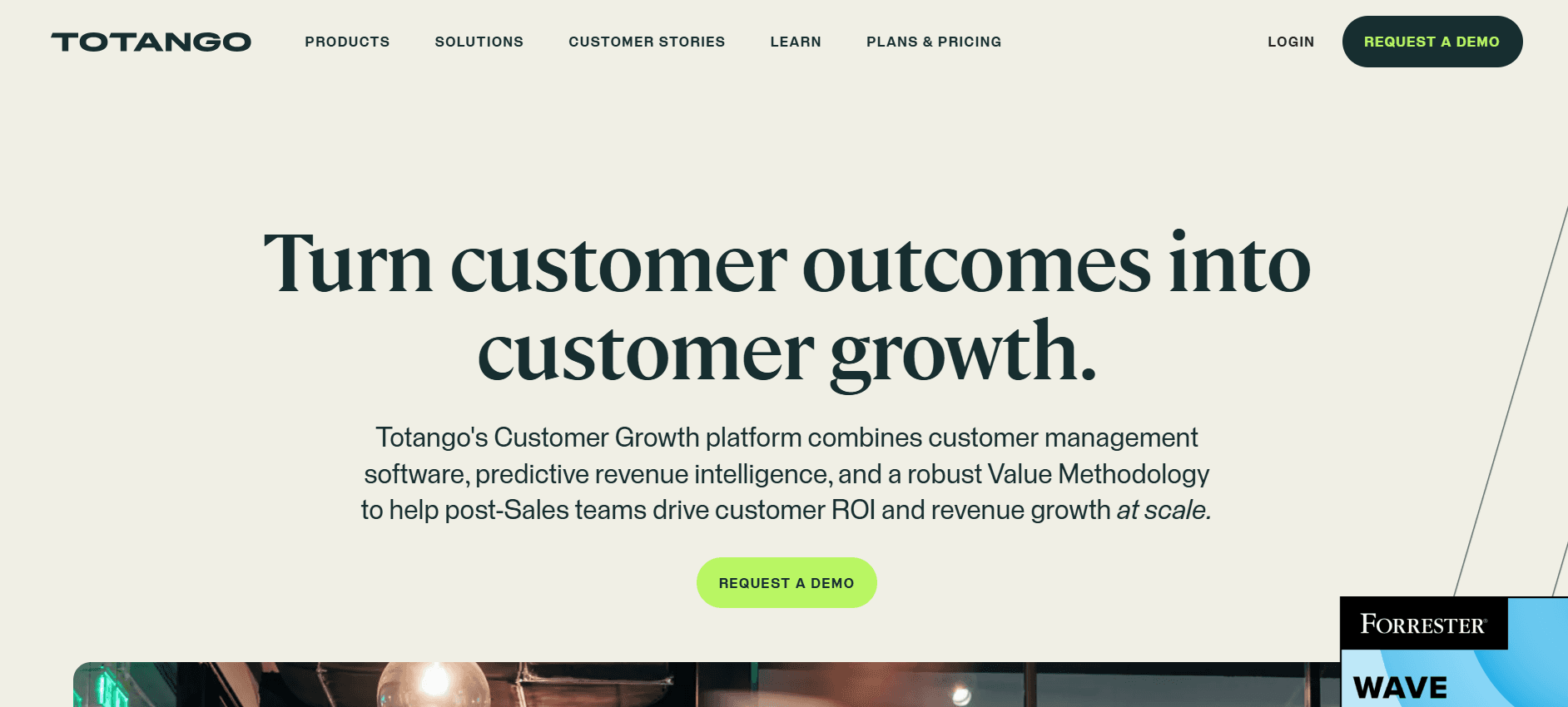
Totango propose une plateforme flexible de réussite client qui met l’accent sur des parcours clients personnalisés. Elle est idéale pour les entreprises qui souhaitent adapter l’expérience aux besoins de chaque client. Totango fournit une analytique robuste et des outils d’engagement client, permettant aux équipes de répondre de manière proactive aux préoccupations des clients. En revanche, son ensemble de fonctionnalités étendu peut être déroutant pour les nouveaux utilisateurs.
Fonctionnalités clés
Parcours clients personnalisés
Analytique complète
Outils d’engagement client
Intégration avec des systèmes CRM populaires
Suivi des scores de santé
Tableaux de bord personnalisables
Automatisation des e-mails et des notifications
Gestion et suivi des tâches
Avantages
Inconvénients
Excellent pour des expériences clients personnalisées.
Peut être déroutant pour les nouveaux utilisateurs.
Outils d’engagement et d’analytique solides.
Coût plus élevé pour les petites entreprises.
Excellentes options d’intégration CRM.
Complexité dans l’utilisation des fonctionnalités.
Tarifs
Contactez-nous pour une tarification sur mesure, avec un essai gratuit disponible.
Défis de l’automatisation de l’onboarding client : ce avec quoi les équipes ont du mal
Attribution manuelle des tâches et relances
Les tâches sont souvent attribuées et suivies via des e-mails, ce qui encombre les boîtes de réception et entraîne des délais manqués.
Les CSM passent une part importante de leur temps à mettre à jour manuellement les statuts des tâches.
Il y a un manque de responsabilisation, car les tâches ne sont pas suivies de manière systématique.
Des problèmes de communication entre équipes surviennent en raison de la dépendance aux e-mails pour les mises à jour.
Aucune visibilité en temps réel sur la progression client
Les équipes ont du mal à obtenir une vue d’ensemble de l’avancement des clients dans leur parcours d’onboarding.
Les mises à jour de progression sont souvent en retard, ce qui conduit à une résolution réactive des problèmes.
Impossibilité d’identifier en temps réel les goulots d’étranglement ou les clients bloqués.
Le manque de visibilité entraîne généralement une mauvaise expérience client et augmente le risque de churn.
Expérience d’onboarding incohérente
L’onboarding varie considérablement selon le CSM en charge du compte.
Les clients reçoivent des niveaux de service différents, ce qui impacte la satisfaction et la rétention.
Il n’existe pas de processus standardisé, ce qui entraîne des résultats variables.
Il est plus difficile de reproduire les succès, car les bonnes pratiques ne sont pas appliquées de manière uniforme.
Time-to-Value trop long
Les processus manuels prolongent le temps nécessaire pour que les clients voient la valeur du produit.
Les clients peuvent perdre de l’intérêt si l’onboarding dure trop longtemps.
Des périodes d’onboarding prolongées peuvent entraîner une baisse de l’engagement et un churn plus élevé.
Un time-to-value plus long impacte la satisfaction client globale et la rentabilité.
Les équipes CSM ne peuvent pas évoluer sans recruter
Les processus manuels nécessitent davantage de ressources humaines pour gérer l’augmentation des volumes clients.
Faire évoluer l’équipe devient coûteux sans automatisation.
L’équipe passe plus de temps sur des tâches de routine plutôt que sur des initiatives stratégiques.
Le burn-out et les taux de rotation peuvent augmenter en raison de charges de travail trop lourdes.
Défi
Processus traditionnel
Impact business
Coût en temps
Attribution manuelle des tâches
Attributions basées sur les e-mails
Délais manqués, problèmes de communication
20 % de la semaine de travail
Aucune visibilité en temps réel
Mises à jour manuelles périodiques
Résolution des problèmes en retard, risque de churn accru
15 % de la semaine de travail
Expérience incohérente
Approches CSM variables
Insatisfaction client, problèmes de rétention
10 % de la semaine de travail
Time-to-Value trop long
Processus manuels prolongés
Engagement plus faible, churn plus élevé
25 % de la semaine de travail
Problèmes de montée en charge
Augmentation de la charge de travail manuelle
Coûts plus élevés, burn-out potentiel
30 % de la semaine de travail
Fonctionnalités indispensables dans les outils d’automatisation de l’onboarding client
Suivi automatisé des jalons et des tâches
Automatiser le suivi des jalons et des tâches est essentiel pour s’assurer que votre équipe et vos clients restent alignés. Cette fonctionnalité permet d’attribuer automatiquement les tâches selon des critères prédéfinis, afin que rien ne passe entre les mailles du filet. Des outils comme Trupeer et Rocketlane excellent dans ce domaine en proposant des tableaux de bord intuitifs qui tiennent tout le monde informé des statuts actuels et des tâches à venir, réduisant ainsi le besoin de mises à jour manuelles.
En ajoutant des rappels et des alertes automatisés, vous pouvez réduire le temps consacré aux relances auprès des clients, libérant ainsi vos CSM pour se concentrer sur des activités plus stratégiques. Cette fonctionnalité change la donne pour améliorer la productivité et garantir un onboarding fluide.
Portail client avec visibilité sur la progression
Un portail client permet de centraliser l’accès à un espace où les clients peuvent consulter leur progression d’onboarding, accéder aux ressources et communiquer avec votre équipe. Dock et GuideCX sont connus pour leurs portails client conviviaux, qui donnent aux clients une visibilité sur leur parcours. Cette transparence renforce la confiance et l’engagement, car les clients apprécient d’être tenus informés.
Disposer d’un portail réduit également le nombre de demandes adressées à votre équipe au sujet des mises à jour de progression, ce qui permet de gagner du temps et d’améliorer la satisfaction client. C’est une fonctionnalité essentielle pour toute entreprise qui vise à offrir une expérience d’onboarding supérieure.
Guidage in-app et visites guidées vidéo
Le guidage in-app et les visites guidées vidéo sont indispensables pour aider les clients à comprendre rapidement votre produit ou service. UserPilot et Pendo proposent d’excellents outils pour créer des guides interactifs, étape par étape, qui simplifient les processus complexes. Les visites guidées vidéo sont particulièrement efficaces pour les apprenants visuels, car elles permettent de saisir les concepts plus efficacement que via le texte seul.
Ces fonctionnalités améliorent non seulement l’expérience utilisateur, mais réduisent aussi le time-to-value, puisque les clients peuvent commencer à tirer des bénéfices de votre produit plus tôt. Pour les entreprises qui souhaitent augmenter les taux d’adoption, le guidage in-app est une fonctionnalité incontournable.
Intégration CRM et gestion des tickets
Intégrer votre outil d’onboarding aux systèmes CRM et de gestion des tickets garantit une circulation fluide de l’information entre les plateformes. Trupeer et ChurnZero offrent des capacités d’intégration robustes qui permettent une synchronisation des données en temps réel. Cela signifie que vos équipes commerciales, support et réussite peuvent accéder aux mêmes informations clients à jour, pour des opérations plus coordonnées et plus efficaces.
De telles intégrations permettent d’éliminer les silos de données, de réduire les erreurs de saisie manuelle et de garantir que votre équipe dispose d’une vue à 360° de chaque client. C’est une fonctionnalité essentielle pour les entreprises qui souhaitent optimiser leurs processus de gestion client.
Analytique du time-to-value et scores de santé
L’analytique du time-to-value fournit des informations sur le temps nécessaire aux clients pour commencer à percevoir les bénéfices de votre produit. Des outils comme ChurnZero et Totango sont particulièrement performants dans ce domaine, en proposant des analyses détaillées qui aident à identifier les tendances et les axes d’amélioration. Les scores de santé vous donnent un aperçu de la satisfaction et de l’engagement des clients, permettant une gestion proactive des relations.
Ces analyses sont précieuses pour comprendre le comportement des clients et prendre des décisions fondées sur les données. En surveillant les scores de santé, votre équipe peut traiter les problèmes potentiels avant qu’ils ne s’aggravent, réduisant ainsi le churn et favorisant des relations clients durables.
Workflows personnalisables
Les workflows personnalisables vous permettent d’adapter le processus d’onboarding aux besoins de différents clients et modèles économiques. Rocketlane et GuideCX excellent en proposant des options de workflow flexibles, adaptables à divers secteurs et types de clients. Cette fonctionnalité garantit que votre onboarding n’est pas une solution unique, mais une expérience sur mesure qui répond à des exigences spécifiques.
La possibilité de personnaliser les workflows vous permet de mettre en œuvre les meilleures pratiques de manière cohérente auprès de tous vos clients, tout en tenant compte des situations particulières. C’est une fonctionnalité essentielle pour les entreprises qui gèrent des bases clients variées et des exigences d’onboarding complexes.
Comment choisir des outils d’automatisation de l’onboarding client selon votre cas d’usage
Automatisation de l’onboarding produit SaaS
Pour les entreprises SaaS, l’onboarding est crucial pour l’adoption du produit et la rétention à long terme. Le processus consiste à éduquer les utilisateurs sur les fonctionnalités et à s’assurer qu’ils atteignent rapidement les jalons clés. Les entreprises rencontrent souvent des difficultés liées à l’engagement des utilisateurs et à la rétention pendant cette phase.
Taux de churn élevés dus à de mauvaises expériences d’onboarding.
Difficulté à communiquer des fonctionnalités complexes.
Besoins de parcours d’onboarding personnalisés.
Guidage in-app et visites guidées automatisés.
Séquences d’onboarding personnalisables.
Analytique pour suivre l’engagement des utilisateurs.
Outil
Guidage in-app
Personnalisation
Analytique
Trupeer
Oui
Oui
Oui
UserPilot
Oui
Oui
Limité
Pendo
Oui
Oui
Oui
Déploiement de services professionnels
Pour les services professionnels, l’onboarding consiste à définir des attentes et des délais clairs. L’objectif est d’aligner rapidement la prestation de service sur les besoins du client, afin d’assurer une transition fluide entre la vente et l’exécution.
Absence de délais et de livrables clairement définis.
Communication client incohérente.
Difficulté à gérer plusieurs projets.
Outils de suivi et de gestion de projet.
Portails de communication client.
Modèles personnalisables pour la prestation de service.
Outil
Gestion de projet
Portails client
Modèles
Rocketlane
Oui
Oui
Oui
Dock
Limité
Oui
Non
GuideCX
Oui
Oui
Limité
Projets de déploiement en entreprise
Les projets en entreprise impliquent souvent des exigences complexes et de multiples parties prenantes. L’onboarding doit être efficace pour éviter les retards et s’assurer que toutes les parties sont alignées sur les objectifs du projet.
Gestion complexe des parties prenantes.
Risque élevé de mauvaise communication.
Besoins de reporting et d’analytique détaillés.
Outils de communication avec les parties prenantes.
Analytique et reporting avancés.
Workflows personnalisés pour les projets complexes.
Outil
Gestion des parties prenantes
Analytique
Workflows personnalisés
Trupeer
Oui
Oui
Oui
ChurnZero
Oui
Oui
Limité
Totango
Oui
Oui
Oui
Programmes d’onboarding des partenaires
Pour les programmes partenaires, l’objectif est d’établir une base solide pour la collaboration. L’onboarding consiste à former les partenaires sur les produits et les processus afin d’assurer la réussite mutuelle.
Difficulté à former des groupes de partenaires divers.
Incohérences dans la diffusion des informations.
Manque d’engagement de la part des partenaires.
Modules de formation personnalisables.
Suivi de l’engagement et reporting.
Référentiels d’informations centralisés.
Outil
Modules de formation
Suivi de l’engagement
Référentiels d’informations
Dock
Limité
Non
Oui
Pendo
Oui
Oui
Oui
Totango
Oui
Oui
Limité
Parcours d’onboarding client en libre-service
L’onboarding en libre-service est idéal pour les produits faciles à utiliser et qui ne nécessitent pas un accompagnement intensif. L’objectif est de permettre aux utilisateurs de s’onboarder eux-mêmes avec un minimum d’intervention.
Ressources d’assistance limitées.
Besoins de guidage utilisateur intuitif.
Difficultés à suivre la progression en libre-service.
Visites produit interactives.
Centres d’aide en libre-service.
Analytique de suivi de la progression.
Outil
Visites interactives
Centres d’aide
Suivi de la progression
UserPilot
Oui
Limité
Oui
Trupeer
Oui
Oui
Oui
Pendo
Oui
Oui
Oui
Bonnes pratiques pour l’automatisation de l’onboarding client
Avant l’onboarding
Cartographiez le parcours client idéal pour garantir clarté et cohérence.
Définissez des critères de jalons clairs pour suivre la progression efficacement.
Préparez à l’avance toutes les ressources et la documentation nécessaires.
Configurez des workflows d’automatisation pour attribuer les tâches automatiquement.
Pendant l’onboarding
Automatisez les rappels pour les équipes internes et les clients afin de garantir le respect des délais.
Utilisez des visites guidées vidéo pour les étapes complexes afin d’améliorer la compréhension.
Vérifiez régulièrement la progression et ajustez les workflows si nécessaire.
Engagez-vous auprès des clients de manière proactive via des points de suivi planifiés.
Après l’onboarding
Analysez les scores de santé et l’analytique pour identifier les axes d’amélioration.
Réalisez des rétrospectives sur les comptes qui ont rencontré des difficultés afin d’apprendre et d’adapter.
Collectez les retours clients pour affiner le processus d’onboarding.
Documentez les enseignements tirés et mettez à jour les supports d’onboarding en conséquence.
Questions fréquentes
Qu’est-ce que l’automatisation de l’onboarding client ?
L’automatisation de l’onboarding client consiste à utiliser des outils logiciels pour rationaliser et améliorer le processus d’onboarding. Elle réduit l’effort manuel en automatisant les tâches, en suivant la progression et en offrant aux clients une expérience d’onboarding fluide.
Pourquoi l’onboarding est-il important ?
Un onboarding efficace est essentiel pour la satisfaction et la rétention client. Il donne le ton de la relation client, aide les clients à comprendre la valeur de votre produit et réduit le time-to-value.
Les outils d’onboarding peuvent-ils s’intégrer aux systèmes existants ?
Oui, la plupart des outils d’onboarding proposent des intégrations avec le CRM, la gestion des tickets et d’autres systèmes d’entreprise afin d’assurer une circulation fluide des données et d’améliorer l’efficacité opérationnelle.
Comment fonctionnent les guides in-app ?
Les guides in-app fournissent des instructions étape par étape directement dans l’application. Ils sont interactifs, aident les utilisateurs à naviguer dans les fonctionnalités et à accomplir les tâches de manière autonome, tout en renforçant l’engagement et la satisfaction.
Quels sont les coûts typiques des outils d’onboarding ?
Les coûts varient selon les fonctionnalités et l’échelle. Les formules de base peuvent démarrer autour de 50 $/mois, tandis que les solutions entreprise peuvent dépasser 2000 $/an. La plupart des fournisseurs proposent une tarification échelonnée pour répondre aux différents besoins des entreprises.
Des essais gratuits sont-ils disponibles ?
De nombreux fournisseurs de logiciels d’onboarding proposent des essais gratuits ou des formules gratuites limitées afin que vous puissiez tester les fonctionnalités avant de vous engager. C’est un excellent moyen de vérifier si un outil répond à vos besoins.
Combien de temps faut-il pour déployer un outil d’onboarding ?
Le temps de déploiement peut varier de quelques jours à plusieurs semaines, selon la complexité de vos exigences et les fonctionnalités de l’outil. Les fournisseurs proposent généralement un accompagnement d’onboarding pour faciliter la transition.
Quel type d’assistance est disponible pendant la configuration ?
La plupart des éditeurs proposent différentes options d’assistance, notamment des ressources en ligne, des tutoriels et des équipes de service client. Certains fournissent aussi des spécialistes d’onboarding dédiés pour garantir un déploiement fluide.
Conclusion
Choisir le bon logiciel d’automatisation de l’onboarding client peut transformer vos efforts de réussite client, en rendant vos processus plus efficaces et vos clients plus satisfaits. En tenant compte de vos cas d’usage spécifiques et des fonctionnalités qui soutiendront le mieux votre équipe, vous pouvez sélectionner un outil parfaitement adapté à vos besoins.
Trupeer propose une solution complète qui s’intègre de manière transparente à vos systèmes existants tout en offrant des fonctionnalités avancées pour améliorer vos processus d’onboarding. Découvrez comment Trupeer peut répondre à vos besoins en visitant Trupeer.ai et lancez votre essai gratuit dès aujourd’hui.
Articles de blog associés


