Trupeer Blog
Shrnout

Six months into an ERP build, the finance team discovers that the new system can't handle a two-step approval for intercompany invoices. It was never in the requirements. When the project team checks, the requirement was mentioned in a workshop, but nobody wrote it down, and the person who said it has since left. The build has to be reworked, the go-live date slips and nobody can prove where the gap came from.
Most ERP failures start the same way: in requirements gathering. Workshops miss detail, notes are incomplete and requirements lose their link to the process they came from. This guide explains a better approach to ERP requirements gathering: capture requirements from recordings of real processes and SME sessions, so every requirement is traceable to its source, easy to validate and hard to lose.
What is ERP requirements gathering?
ERP requirements gathering is the process of identifying, documenting and agreeing what a new ERP system must do to support the business. It covers how processes work today, what needs to change, what data and reports are needed, which controls must be built in and how the ERP must integrate with other systems. The output is usually a requirements catalogue or business requirements document that drives design, fit-gap analysis, build and testing.
Good ERP requirements gathering starts from how work is actually done, not how people remember it in a meeting. That's why it begins with the as-is process; see as-is vs to-be process.
Why do traditional ERP requirements gathering workshops miss requirements?
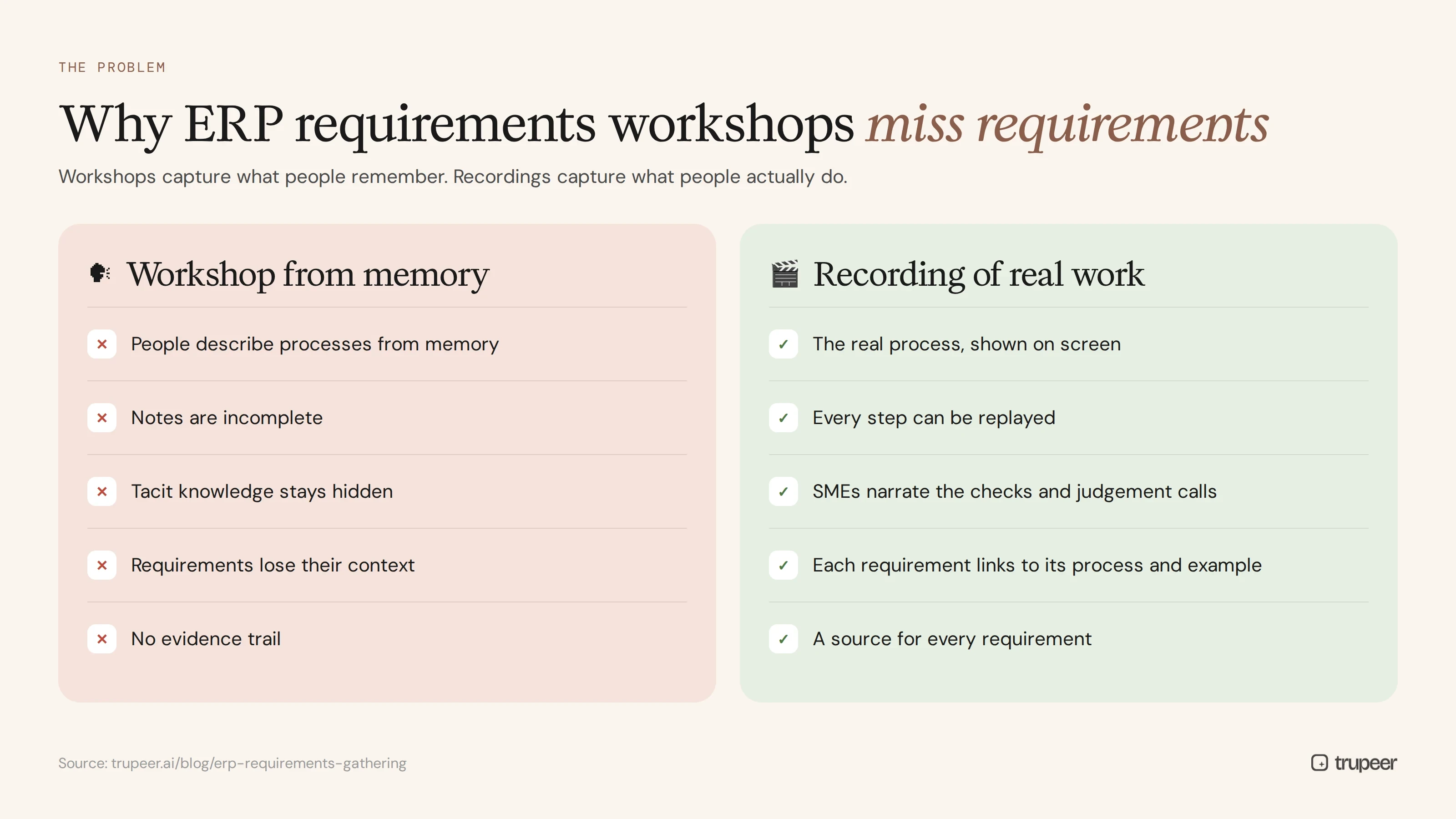
People describe processes from memory. They forget exceptions, workarounds and month-end tasks they only do occasionally.
Notes are incomplete. A business analyst can't capture every detail while facilitating a workshop.
Tacit knowledge stays hidden. The checks and judgement calls experienced users make never get mentioned.
Requirements lose their context. A one-line requirement in a spreadsheet doesn't show the process, screen or example behind it.
There's no evidence trail. When a requirement is disputed later, nobody can show where it came from.
What types of ERP requirements should you capture?
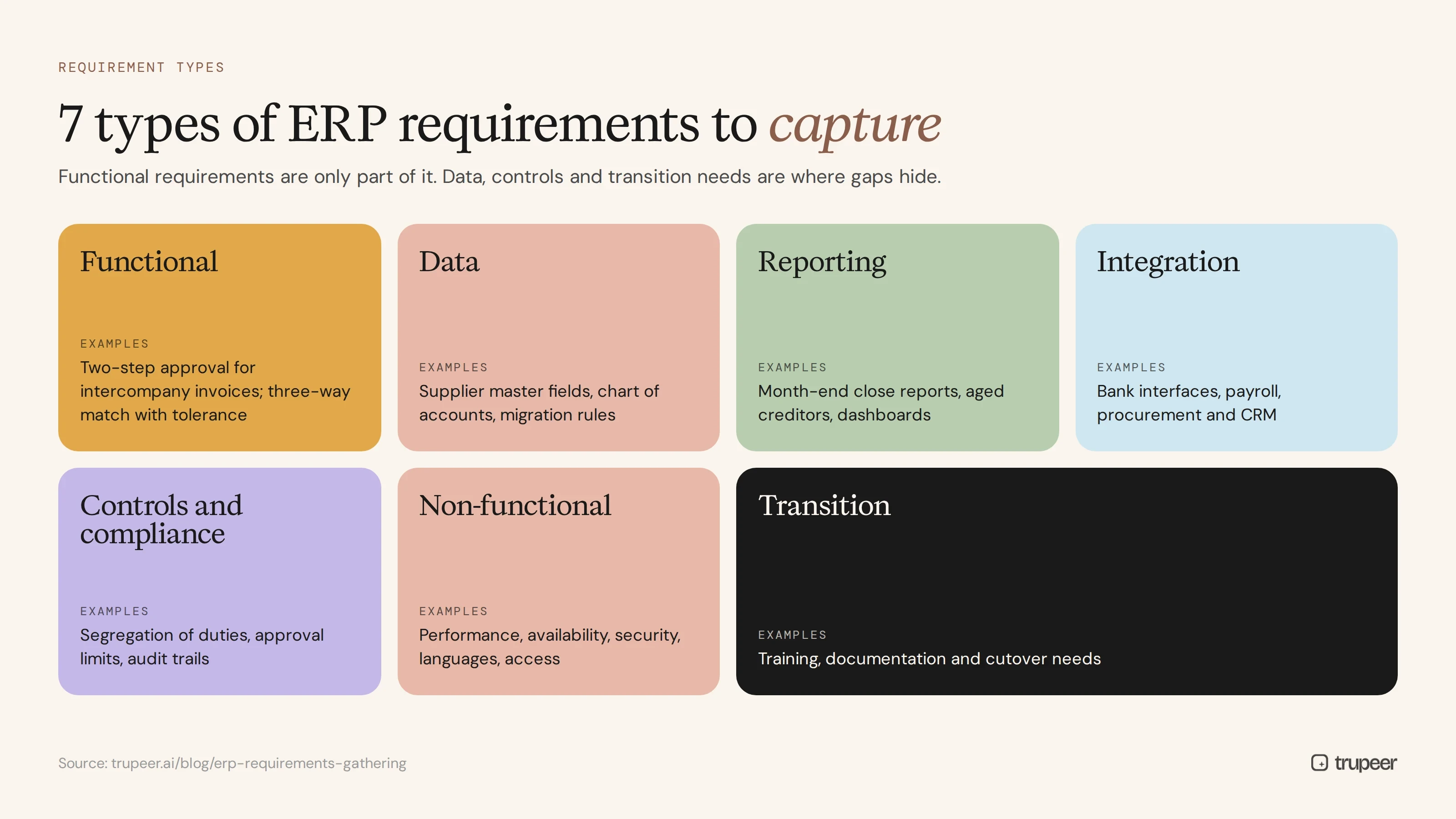
Requirement type | Examples |
|---|---|
Functional | Approve intercompany invoices in two steps; three-way match with tolerance |
Data | Supplier master fields, chart of accounts structure, data migration rules |
Reporting | Month-end close reports, aged creditors, management dashboards |
Integration | Bank interfaces, payroll, procurement and CRM connections |
Controls and compliance | Segregation of duties, approval limits, audit trails |
Non-functional | Performance, availability, security, languages and access |
Transition | Training, documentation and cutover needs |
When does ERP requirements gathering happen?
Requirements gathering usually runs during the discovery and design phases, after the business case is approved and before configuration starts. In practice it continues in smaller cycles: design workshops refine requirements, fit-gap analysis adds decisions and testing confirms them. Recording processes early, before design workshops begin, gives every later phase a reliable starting point. For where this fits in the wider project, see the steps for software implementation.
Who should be involved in ERP requirements gathering?
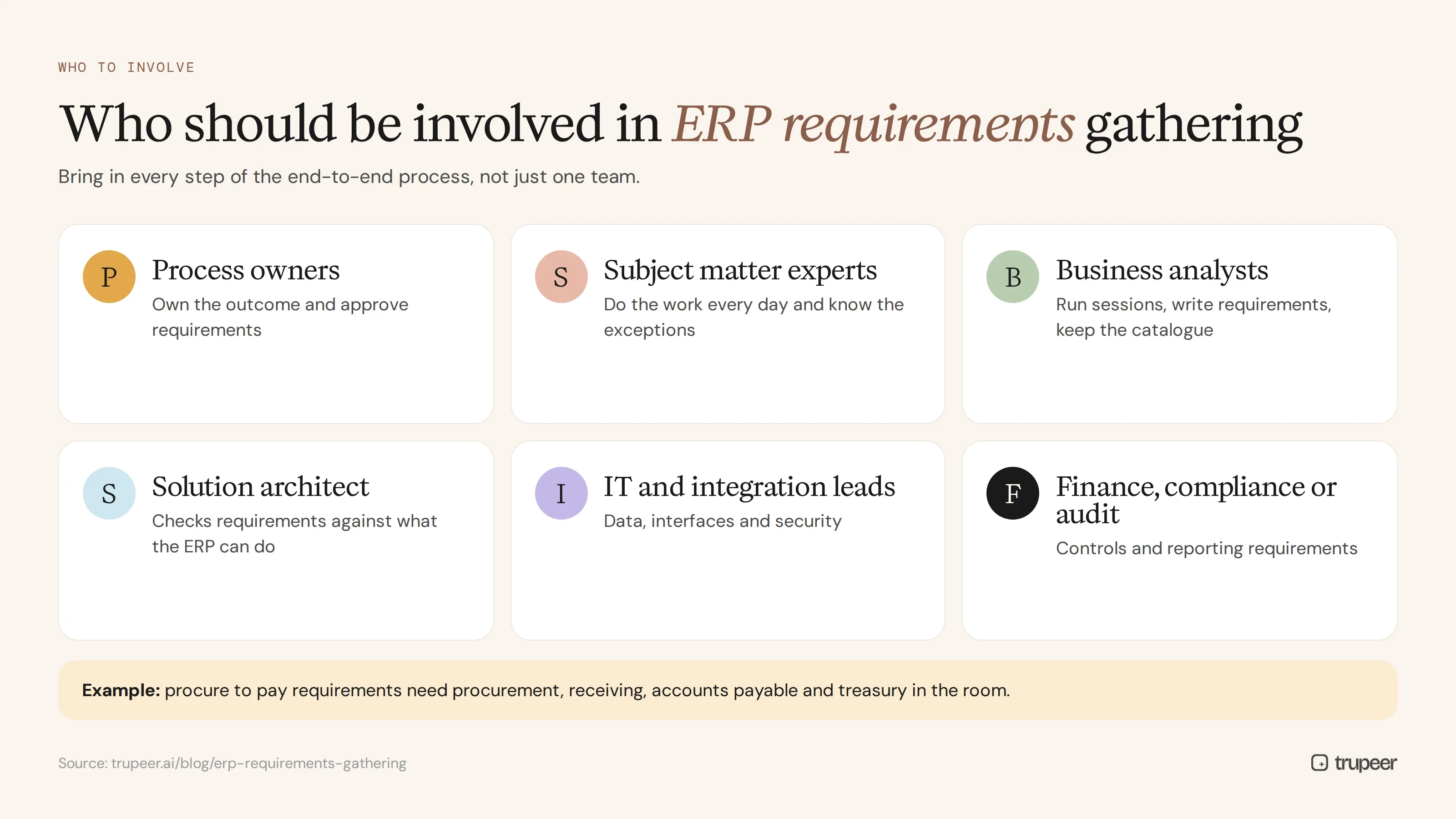
Process owners, who own the outcome and approve requirements.
Subject matter experts, who do the work every day and know the exceptions.
Business analysts, who run sessions, write requirements and keep the catalogue.
The solution architect, who checks requirements against what the ERP can do.
IT and integration leads, for data, interfaces and security.
Finance, compliance or audit, for controls and reporting requirements.
Involve people from every step of an end-to-end process, not just one team. For example, procure to pay requirements need procurement, receiving, accounts payable and treasury in the room; see the procure to pay process flow.
How do you capture ERP requirements from process recordings?
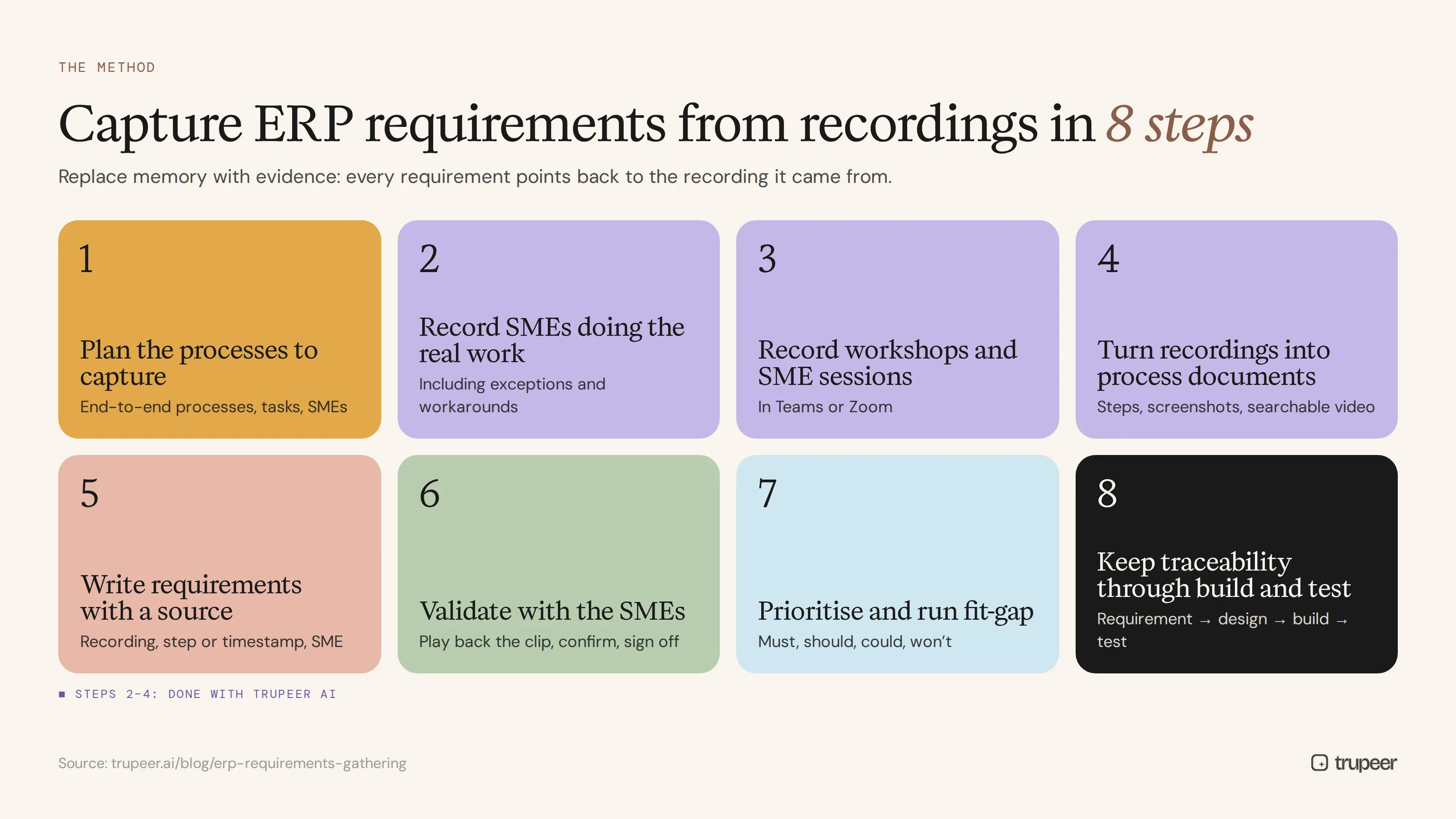
The recording-based method replaces memory with evidence. Instead of relying only on workshop notes, you record real processes and SME sessions, and every requirement points back to the recording it came from.
Step 1: Plan the processes to capture
List the end-to-end processes in scope, such as procure to pay, order to cash, record to report and hire to retire, and the key tasks within each. Identify the SMEs for each process. The process discovery checklist helps structure the interviews.
Step 2: Record SMEs doing the real work
Ask SMEs to perform each task in the current system while recording their screen with Trupeer's AI screen recorder, narrating what they do and why. Ask them to show exceptions, workarounds and the spreadsheets they use outside the system.

Step 3: Record requirements workshops and SME sessions
Record design workshops and SME interviews too, in MS Teams or Zoom. Existing recordings can be turned into documentation with Teams recording to SOP.
Step 4: Turn recordings into process documents
Trupeer turns each recording into a step-by-step process document with screenshots and a searchable video. Business analysts work from these documents instead of incomplete notes, and every step can be revisited.

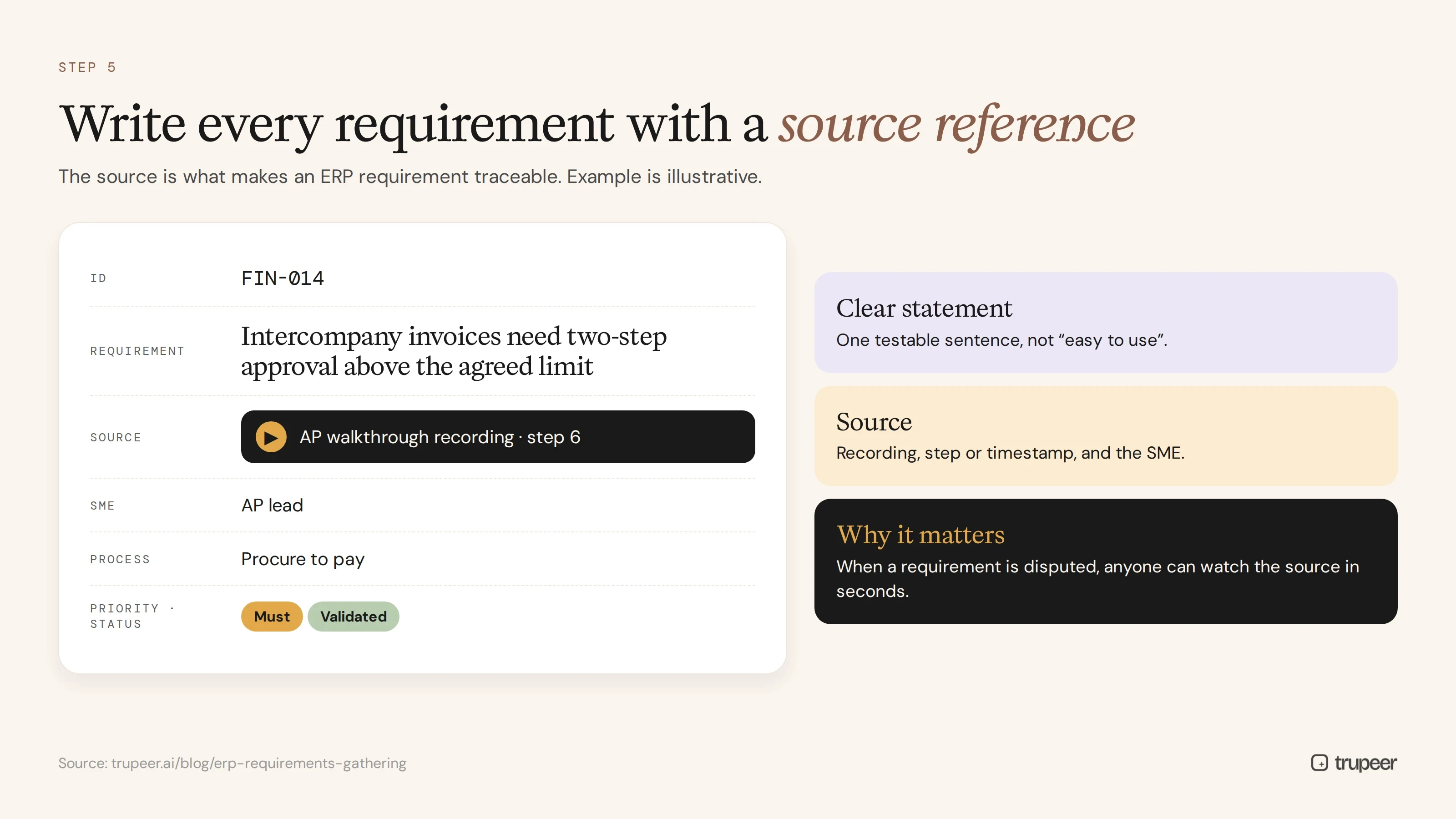
Step 5: Write requirements with a source reference
Write each requirement as a clear statement, and record the source: the recording, the step or timestamp and the SME. This is what makes every ERP requirement traceable.
Step 6: Validate with the SMEs
Play back the relevant clip and the drafted requirement to the SME and process owner, confirm or correct it, and record the sign-off.
Step 7: Prioritise and run the fit-gap analysis
Prioritise requirements, for example with must-have, should-have, could-have and won't-have, and compare them with the ERP's standard functionality to find gaps that need configuration, extension or a process change.
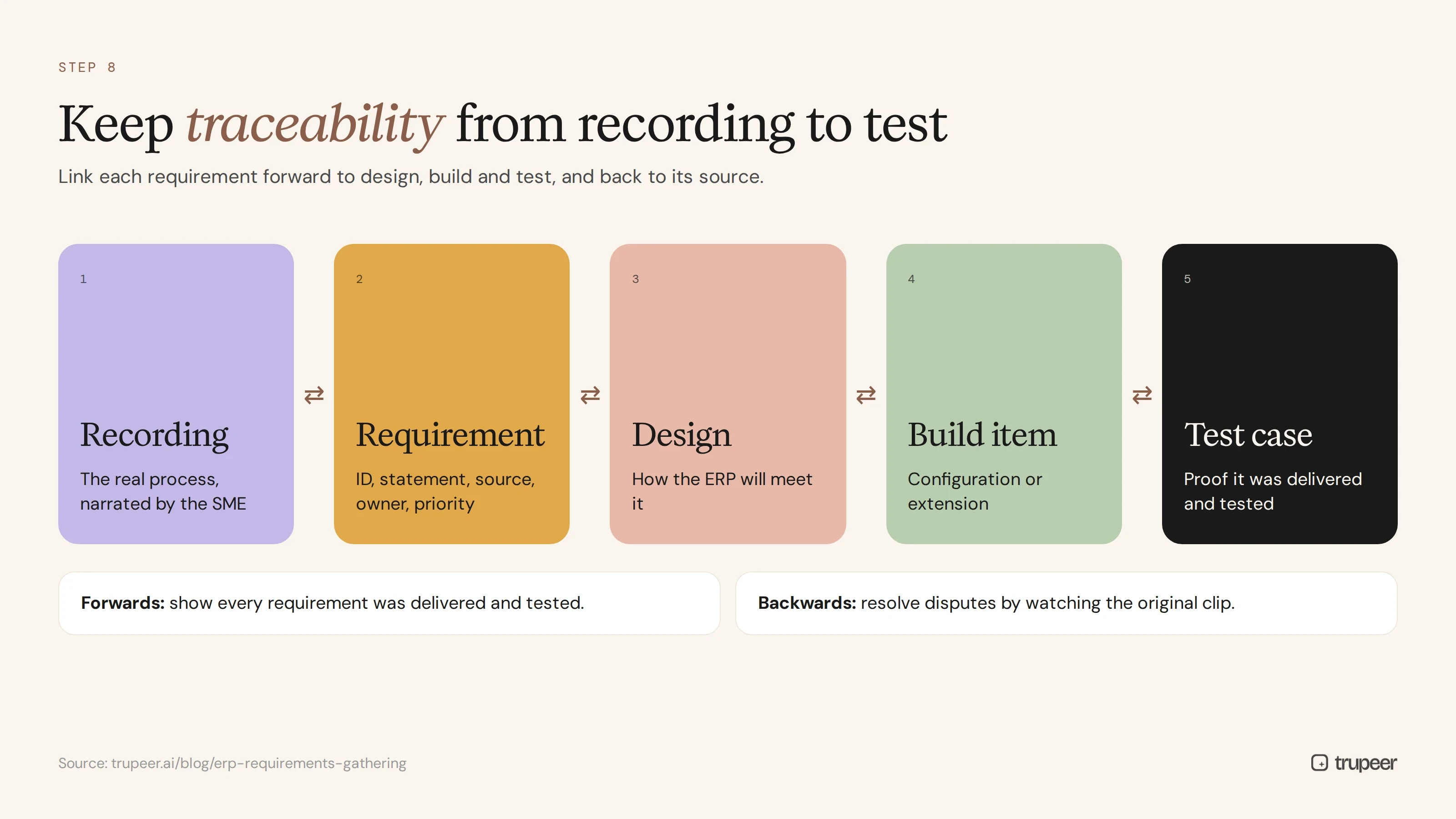
Step 8: Keep the traceability through build and test
Link each requirement to its design, build item and test case, so you can show that every requirement was delivered and tested. The UAT documentation checklist covers the testing stage.
Example: an ERP requirements traceability matrix
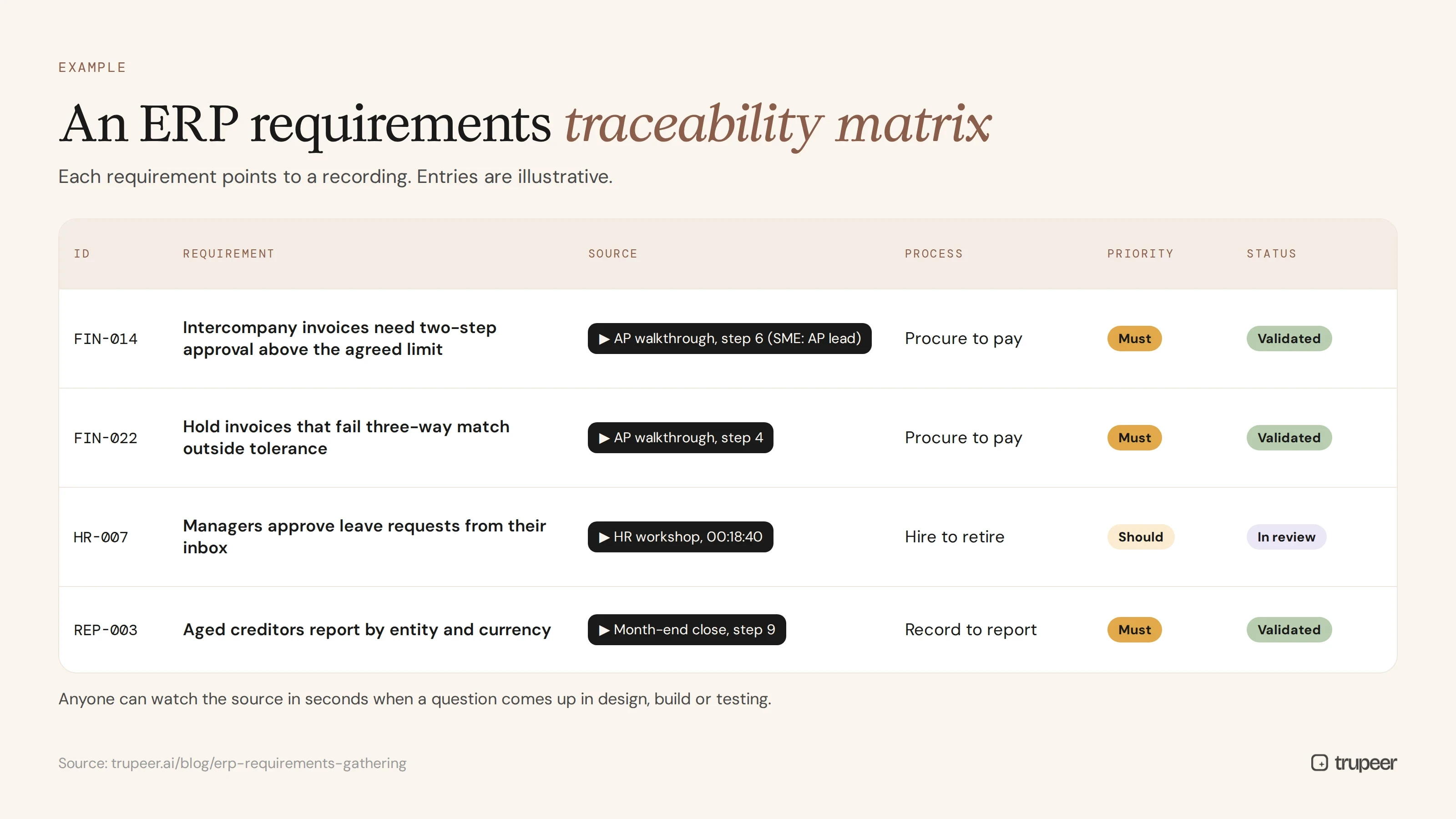
Here's what a traceable requirements catalogue might look like. The entries are illustrative.
ID | Requirement | Source | Process | Priority | Status |
|---|---|---|---|---|---|
FIN-014 | Intercompany invoices need two-step approval above the agreed limit | AP walkthrough recording, step 6 (SME: AP lead) | Procure to pay | Must | Validated |
FIN-022 | Hold invoices that fail three-way match outside tolerance | AP walkthrough recording, step 4 | Procure to pay | Must | Validated |
HR-007 | Managers approve leave requests from their inbox | HR workshop recording, 00:18:40 | Hire to retire | Should | In review |
REP-003 | Aged creditors report by entity and currency | Month-end close recording, step 9 | Record to report | Must | Validated |
Because each requirement points to a recording, anyone can watch the source in seconds when a question comes up in design, build or testing.
What are the benefits of recording-based ERP requirements gathering?
Fewer missed requirements: exceptions and workarounds are visible on screen, not just remembered.
Traceability to source: every requirement links back to the process and the person it came from.
Faster validation: SMEs confirm requirements by watching their own process, not reading long documents.
Less dependence on individuals: knowledge is captured even if SMEs leave during the project.
Reuse: the same recordings become as-is documentation, training input and evidence for testing.
ERP requirements gathering checklist
Processes and SMEs in scope are listed and agreed.
Every in-scope task has been recorded, including exceptions and workarounds.
Workshops and SME interviews are recorded.
Recordings are turned into process documents in one searchable place.
Every requirement has an ID, a clear statement, a source reference, an owner and a priority.
Requirements are validated and signed off by SMEs and process owners.
Fit-gap analysis is complete, with decisions recorded.
Requirements are linked to design, build items and test cases.
Common ERP requirements gathering mistakes
Skipping the as-is process and designing only the future state.
Relying on workshop notes alone, without evidence of how work is really done.
Writing vague requirements, such as "the system should be easy to use".
Losing the source, so disputed requirements can't be resolved.
Ignoring exceptions and period-end tasks, where many gaps are found.
Treating requirements as finished once the document is signed, instead of tracing them through to testing.
For the bigger picture of documenting enterprise systems, see how to document complex enterprise software processes.
Capture ERP requirements with Trupeer
Trupeer turns recordings of SMEs and workshops into step-by-step process documents and searchable videos, giving your ERP requirements gathering a source for every requirement. Use the free business requirements document template to structure your catalogue, or start free with Trupeer.
Frequently asked questions
What is ERP requirements gathering?
It's the process of identifying, documenting and agreeing what a new ERP system must do, covering processes, data, reporting, integrations, controls and non-functional needs.
How do you gather requirements for an ERP implementation?
Map the processes in scope, record SMEs doing the real work and the requirements workshops, turn recordings into process documents, write requirements with a source reference, validate them with SMEs, prioritise and run a fit-gap analysis.
What is requirements traceability in ERP projects?
It's the link between each requirement and its source, design, build item and test case, so you can show where every requirement came from and that it was delivered and tested.
Why record ERP requirements sessions?
Recordings capture exceptions, workarounds and context that notes miss, give every requirement a source, make validation faster and protect knowledge if SMEs leave.
What should an ERP requirements document include?
Requirement IDs, clear requirement statements, source references, process area, owner, priority, validation status and links to design and test cases.
What types of ERP requirements are there?
Functional, data, reporting, integration, controls and compliance, non-functional and transition requirements.
Who should be involved in ERP requirements gathering?
Process owners, subject matter experts, business analysts, the ERP solution architect, IT and, for controls, finance or compliance.
How long does ERP requirements gathering take?
It depends on scope, but recording processes and SME sessions shortens the cycle by reducing follow-up meetings and making validation faster.
Související blogy



