Demo Maker

Demo Maker

Demo Maker

Turn screen recordings into polished demo videos with AI-powered editing, voiceovers, and visuals.

Turn screen recordings into polished demo videos with AI-powered editing, voiceovers, and visuals.

Turn screen recordings into polished demo videos with AI-powered editing, voiceovers, and visuals.

Free Demo Maker TL;DR

Free Demo Maker TL;DR

Trupeer’s AI-powered Demo Maker helps you create stunning, interactive product demos in minutes without any complex editing or design tools. Whether you’re launching a new SaaS platform, showcasing a web app, or explaining a digital product, Trupeer turns your recordings or scripts into polished, ready-to-share product demo videos that captivate your audience.

With Trupeer’s intelligent demo maker, you can automatically generate dynamic, step-by-step walkthroughs and feature explanations powered by AI.

  • Record or upload your screen to create guided demos.

  • Convert text or scripts into narrated product walkthroughs.

  • Add annotations, transitions, and branding effortlessly.

  • Use built-in templates for SaaS, product launches, and onboarding.

  • Export or share demos anywhere instantly.

Online Demo Maker for Businesses and Product Teams

Trupeer’s demo maker is designed to simplify how businesses communicate product value. From interactive SaaS demos to customer onboarding videos, it helps you present features in a clean, professional, and easy-to-understand way.

In just a few minutes, you can produce a complete product demo video with narration, highlights, and branding no video editing skills required.

Create Any Product Demo with Trupeer

Stand out from the competition with high-quality demo videos that tell your product’s story clearly and effectively. Trupeer helps SaaS companies, marketers, and educators generate demos that convert viewers into users.

A 5-step interactive demo can be created in under a minute using Trupeer’s AI-driven demo maker.

Use Trupeer’s Demo Maker to:

  • Create SaaS product demos that explain features step by step.

  • Turn written scripts into narrated video walkthroughs.

  • Automatically annotate important interactions and UI elements.

  • Access pre-built templates for marketing, onboarding, and tutorials.

  • Blur sensitive data and highlight important actions.

  • Collaborate with team members to refine and publish demos faster.

Trupeer’s Demo Maker is the smarter, faster way to create impactful visual product experiences.

Why Use Trupeer as Your Demo Maker?

Whether you’re launching a new product or simplifying onboarding, Trupeer’s AI demo maker gives you the power to create beautiful, interactive demos that deliver clarity and engagement all within minutes.
Here’s why Trupeer stands out:

1. Generate Product Demos Instantly

Trupeer’s AI-powered demo maker takes your script, video, or workflow and transforms it into a dynamic, step-by-step demo. It automatically applies clean transitions, captions, and scene structures for a professional finish.

2. Smart Editing and Customization

Edit demos effortlessly with Trupeer’s built-in tools. Add AI voiceovers, reorder clips, insert text highlights, or merge multiple recordings into one cohesive story. Customize your colors, fonts, and layouts to maintain brand consistency.

3. Built for SaaS and Product Teams

Trupeer is tailored for digital product companies. Create SaaS demo videos that guide prospects through your platform’s best features, helping them understand value instantly and boosting conversion rates.

4. Multi-Platform Sharing and Collaboration

Once created, you can share your product demo videos across websites, sales decks, knowledge bases, and social media. Trupeer also allows teams to collaborate in real time for consistent brand storytelling.

People also ask for

Free Screenshot Generator
Free SOP Generator
AI-Generated Documents
AI Video Translator
Free Online Course Creator

Benefits of Using Trupeer’s Demo Maker

Benefits of Using Trupeer’s Demo Maker

AI-Powered Editing & Annotations

Trupeer automatically detects key actions in your video and adds annotations, step highlights, and voiceovers for clear and concise explanations.

Realistic Voiceovers & Avatars

Enhance your demo with human-like voiceovers and avatars that bring explanations to life without sounding robotic.

Easy Customization & Branding

Edit scripts, visuals, and effects to match your brand’s tone and style, ensuring your demos are professional and aligned with your message.

How to Create Demo Videos with Trupeer

How to Create Demo Videos with Trupeer

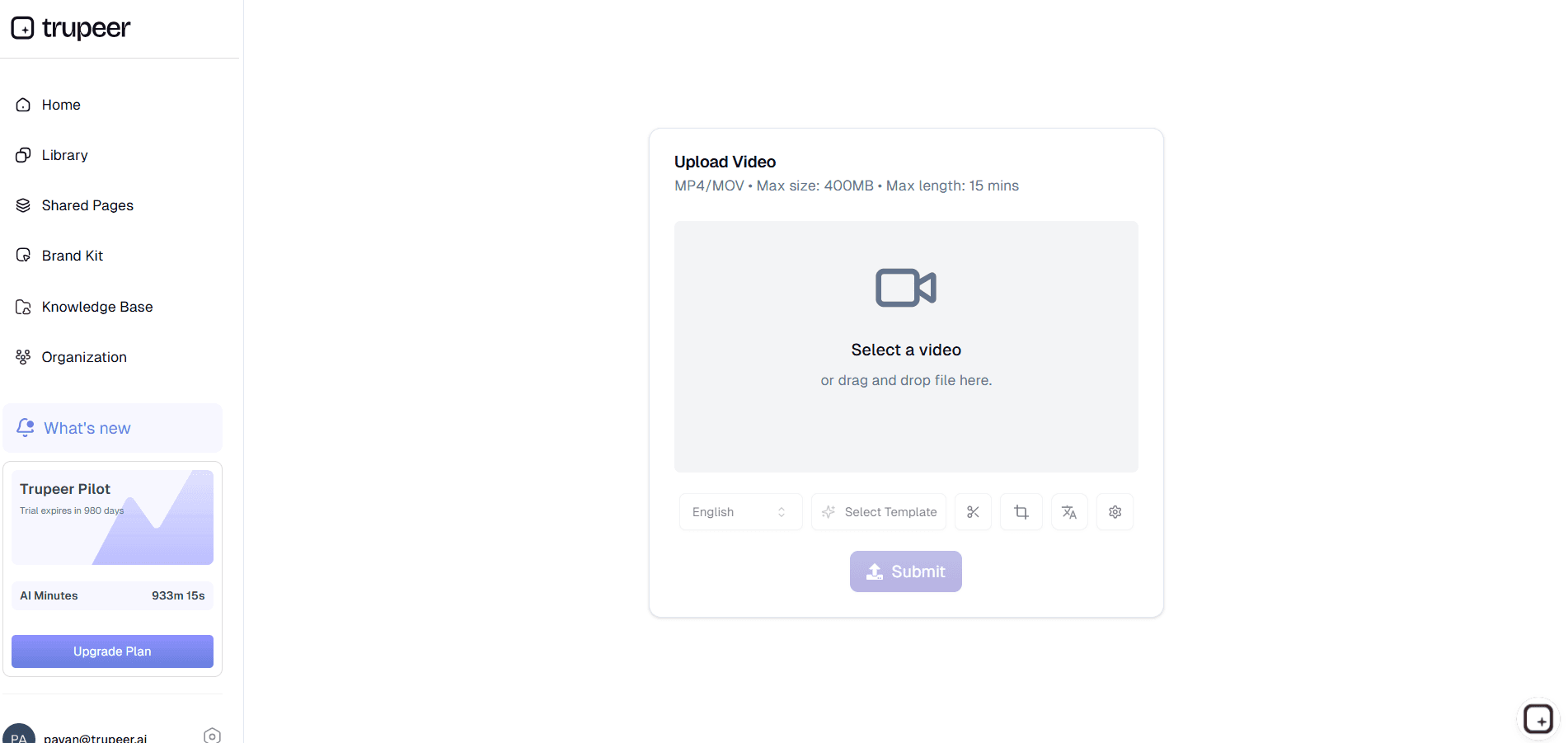
步骤 1

Upload Your Recording

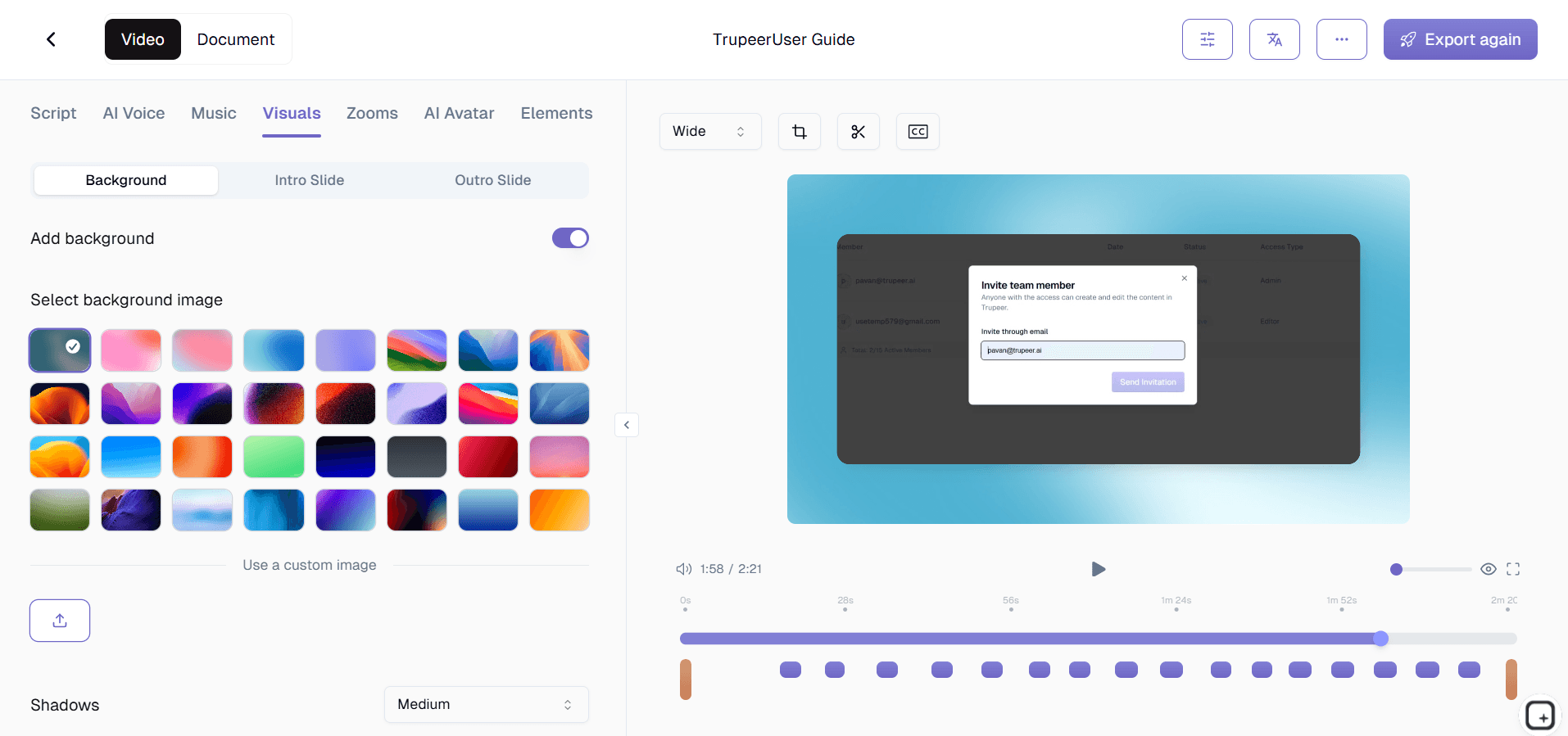
第二步

Enhance & Customize

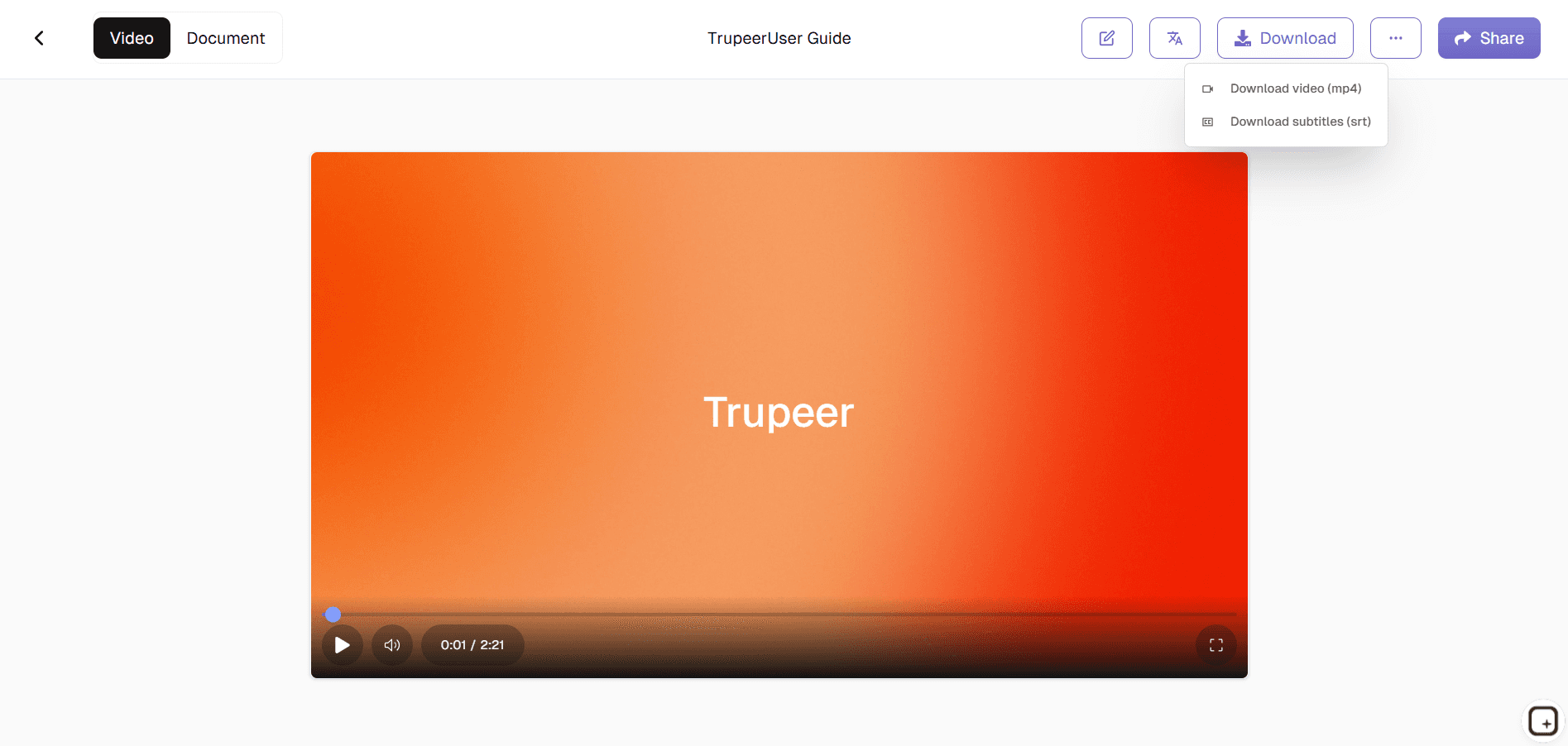
步骤 3

Download & Share

常见问题

1. What is Trupeer’s Demo Maker?

1. What is Trupeer’s Demo Maker?

Trupeer’s Demo Maker is an AI-driven tool that helps you create professional product demo videos and walkthroughs in minutes. It’s ideal for SaaS companies, marketers, and teams looking to demonstrate product value visually.

Trupeer’s Demo Maker is an AI-driven tool that helps you create professional product demo videos and walkthroughs in minutes. It’s ideal for SaaS companies, marketers, and teams looking to demonstrate product value visually.

2. Can I create demo videos for free?

2. Can I create demo videos for free?

Yes! Trupeer offers a free demo maker version that lets you create short demo videos, add captions, and export them easily. For advanced features like AI narration, branding, and collaboration, you can upgrade to Trupeer Pro.

Yes! Trupeer offers a free demo maker version that lets you create short demo videos, add captions, and export them easily. For advanced features like AI narration, branding, and collaboration, you can upgrade to Trupeer Pro.

3. How does Trupeer’s AI demo maker work?

3. How does Trupeer’s AI demo maker work?

Trupeer’s AI demo maker automatically analyzes your screen recordings or scripts, identifies key interactions, and adds professional edits, voiceovers, and annotations resulting in a ready-to-publish SaaS demo video.

Trupeer’s AI demo maker automatically analyzes your screen recordings or scripts, identifies key interactions, and adds professional edits, voiceovers, and annotations resulting in a ready-to-publish SaaS demo video.

4. Is Trupeer’s Demo Maker suitable for SaaS companies?

4. Is Trupeer’s Demo Maker suitable for SaaS companies?

Absolutely. Trupeer is widely used by SaaS startups and software teams to create SaaS product demo videos that explain workflows, features, and benefits with clarity. It’s a great way to engage users and support onboarding.

Absolutely. Trupeer is widely used by SaaS startups and software teams to create SaaS product demo videos that explain workflows, features, and benefits with clarity. It’s a great way to engage users and support onboarding.

5. How can I share my demo videos?

5. How can I share my demo videos?

You can download, embed, or share your product demo videos directly from Trupeer. The platform supports export formats for websites, CRM systems, and social media, making distribution effortless.

Experience the new & faster way of creating product videos.

Instant AI Product Videos and Docs from Rough Screen Recordings.

Experience the new & faster way of creating product videos.

Instant AI Product Videos and Docs from Rough Screen Recordings.

Experience the new & faster way of creating product videos.

Instant AI Product Videos and Docs from Rough Screen Recordings.