Trupeer Blog
Обобщение

Signing a RISE with SAP contract can feel like the hard part is done. The commercial model is agreed, the move to S/4HANA in the cloud is planned and SAP takes on much of the infrastructure and technical operations. But the people side is only just beginning. Finance teams will work in new Fiori apps, IT teams will hand over work they've done for years, processes will move closer to SAP standard, and updates will keep arriving long after go-live.
That's why RISE with SAP change management deserves its own plan, budget and owner. This guide explains what changes for people in a RISE with SAP move, how to build a RISE with SAP change management plan, how to prepare each stakeholder group, and how to keep training and documentation current when change becomes continuous.
What is RISE with SAP?
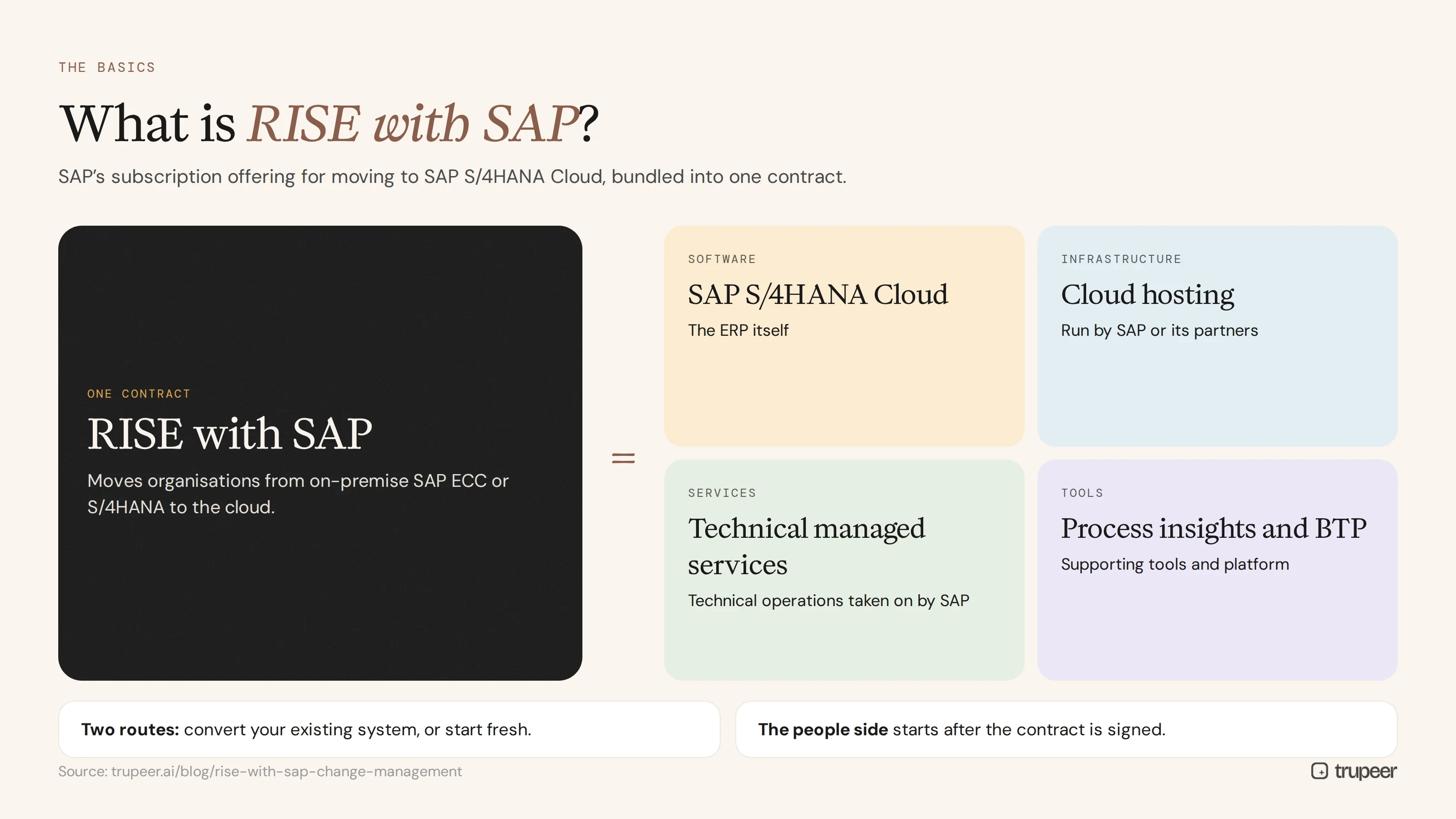
RISE with SAP is SAP's subscription offering for moving to SAP S/4HANA Cloud. It bundles the ERP software with infrastructure, technical managed services and supporting tools, such as process insights and SAP Business Technology Platform, into one contract. Organisations use it to move from on-premise SAP ECC or S/4HANA to the cloud, either by converting their existing system or by starting fresh.
For the difference between those two routes, and what each means for training, see S/4HANA greenfield vs brownfield.
Why does RISE with SAP need its own change management?
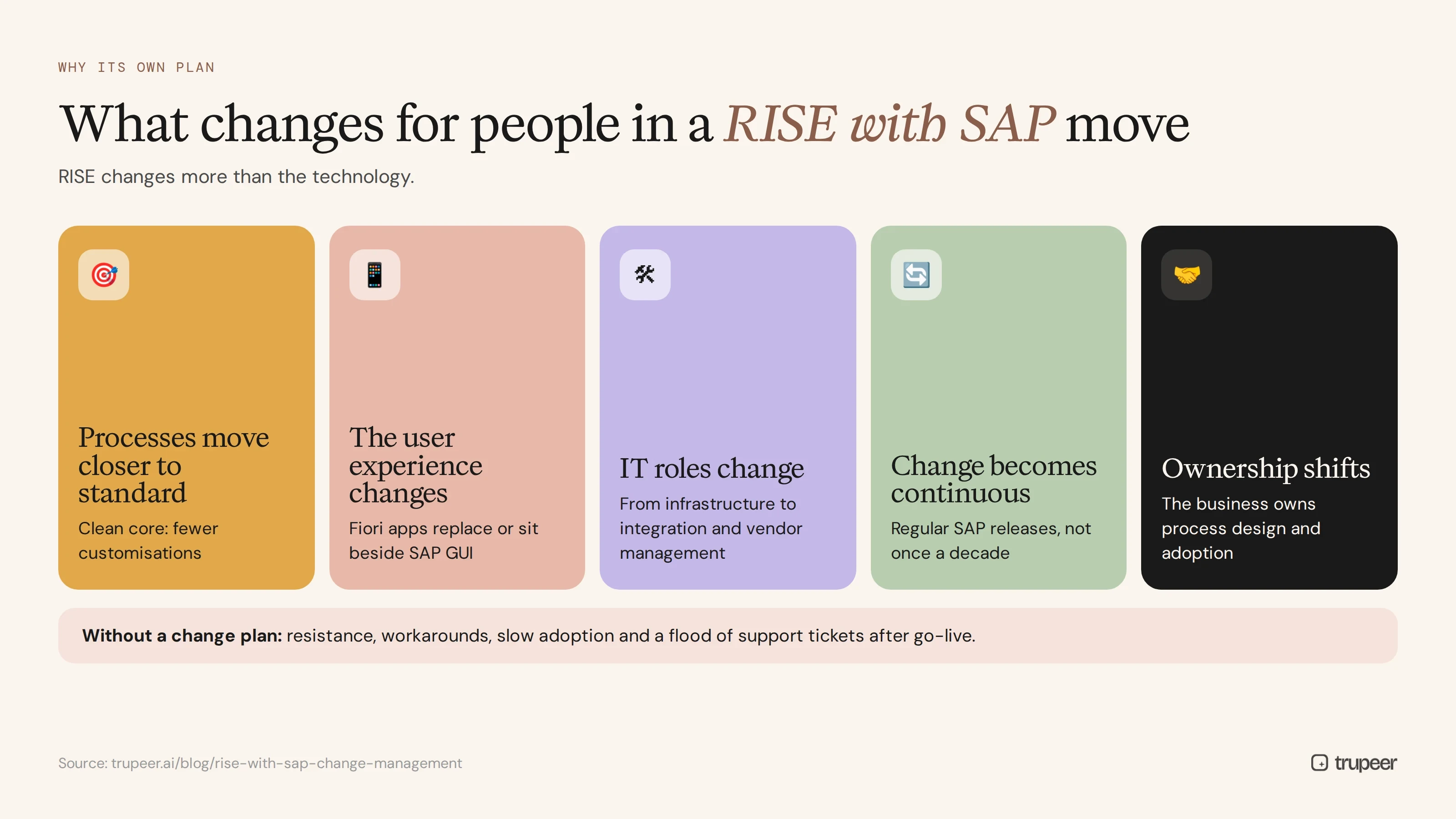
RISE with SAP changes more than the technology:
Processes move closer to standard. The clean core approach SAP promotes means fewer customisations and more standard processes, so many users change how they work.
The user experience changes. Fiori apps replace or sit alongside familiar SAP GUI screens.
IT roles change. SAP or its partners take on infrastructure and technical operations, so internal teams shift towards business process, integration and vendor management.
Change becomes continuous. Cloud ERP is updated on SAP's release schedule, so users meet new features and changed screens regularly, not once a decade.
Ownership shifts. The business takes more ownership of process design, adoption and continuous improvement.
Without RISE with SAP change management, these shifts show up as resistance, workarounds, slow adoption and a flood of support tickets after go-live.
Who is affected by a RISE with SAP move?
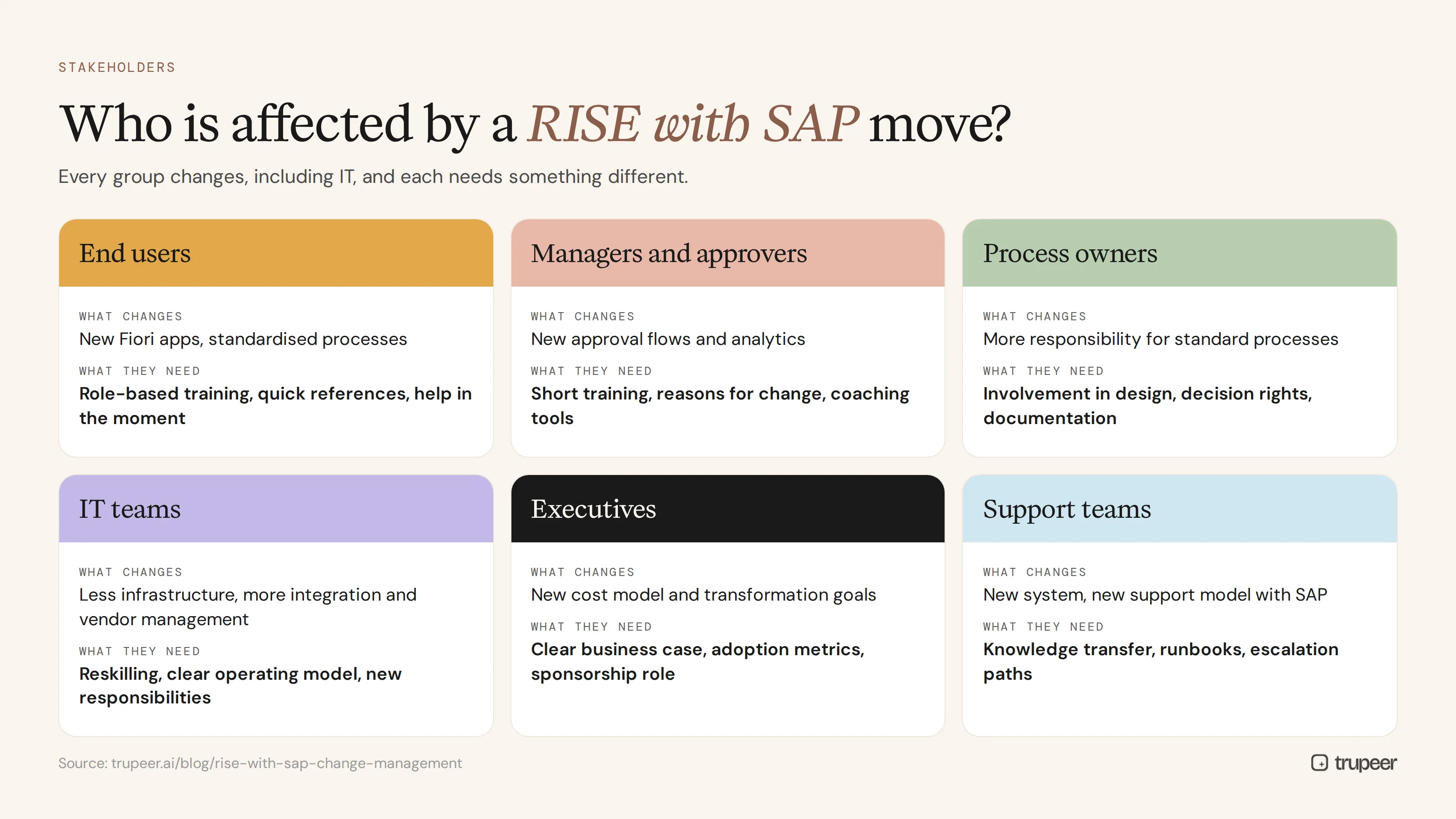
Stakeholder group | What changes for them | What they need |
|---|---|---|
End users | New Fiori apps, standardised processes | Role-based training, quick references, help in the moment |
Managers and approvers | New approval flows and analytics | Short training, reasons for change, coaching tools |
Process owners | More responsibility for standard processes | Involvement in design, decision rights, process documentation |
IT teams | Less infrastructure work, more integration and vendor management | Reskilling, clear operating model, new responsibilities |
Executives | New cost model and transformation goals | Clear business case, adoption metrics, sponsorship role |
Support teams | New system and new support model with SAP | Knowledge transfer, runbooks, escalation paths |
How do you build a RISE with SAP change management plan?
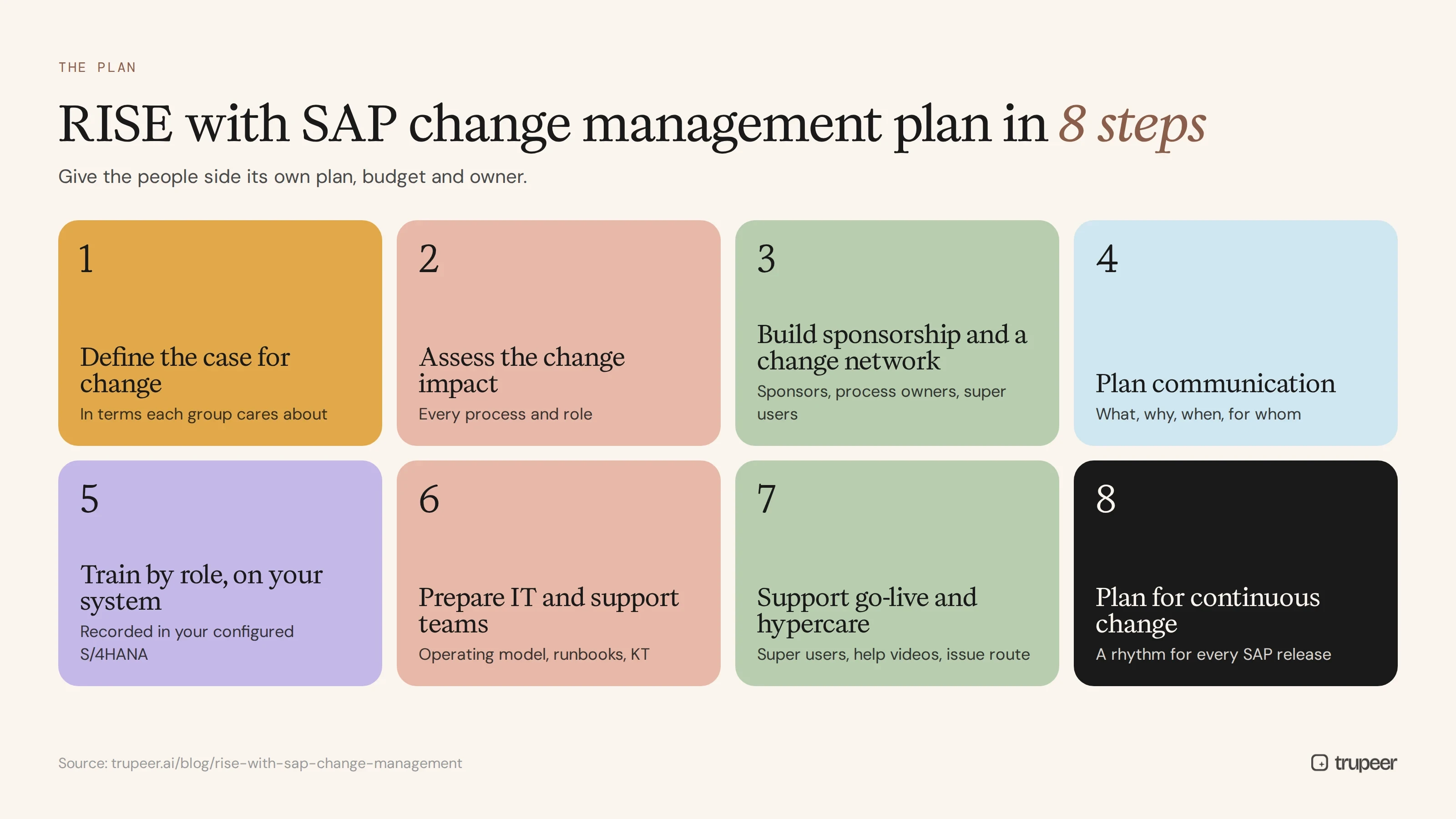
Step 1: Define the case for change
Explain why the organisation is moving to RISE with SAP in terms each group cares about: faster close for finance, less maintenance for IT, better insight for leaders. A clear story reduces resistance.
Step 2: Assess the change impact
For every process and role, assess what changes: new process, changed process, new screens only or no change. This impact assessment drives communication, training and support plans.
Step 3: Build sponsorship and a change network
Secure visible executive sponsors, involve process owners in design decisions and appoint super users in every team. See how to run a super user training program.
Step 4: Plan communication
Tell each group what's changing, why, when and what it means for them, through the channels they actually use. A communication plan for change management helps sequence the messages.
Step 5: Train by role, built on your own system
Train users on the tasks they'll actually do, in your configured S/4HANA system, close to go-live. Record key users performing each task, turn the recordings into guides and short videos, and package them by role. See what to create in SAP Fiori end user training materials.

Step 6: Prepare IT and support teams
Document the new operating model, responsibilities between your team, SAP and partners, and the runbooks your support team needs. Transfer knowledge from implementation partners before they leave.
Step 7: Support go-live and hypercare
Provide floor support through super users, short help videos for common questions and a clear route for raising issues. Track questions to find gaps in training.
Step 8: Plan for continuous change
Set up a rhythm for every SAP update: review what's changing, decide what affects users, update training and documentation, and communicate before the change lands.

Using a change model for RISE with SAP
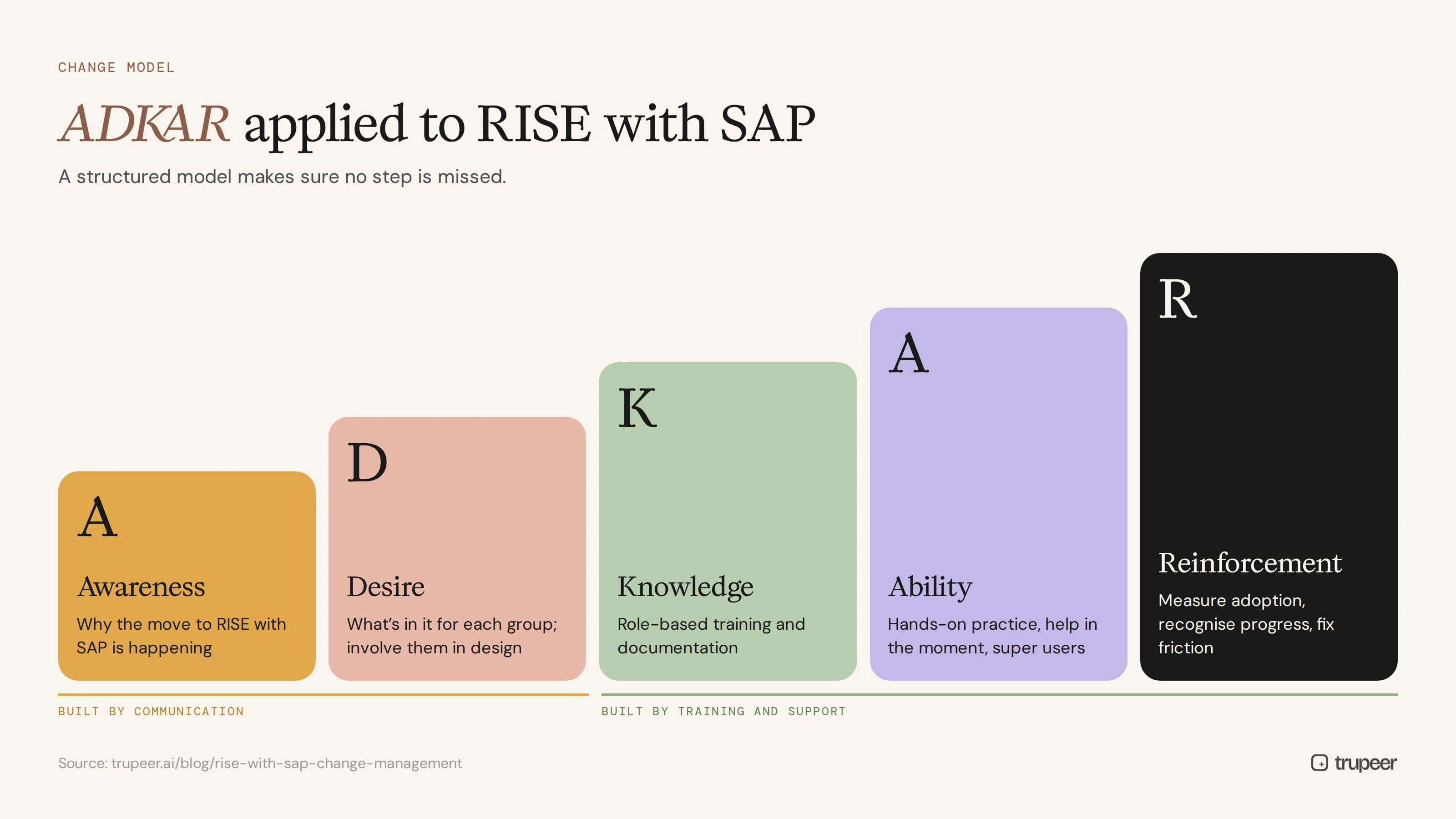
Structured models help make sure no step is missed. ADKAR, for example, works through awareness, desire, knowledge, ability and reinforcement:
Awareness: communicate why the move to RISE with SAP is happening.
Desire: show each group what's in it for them and involve them in design.
Knowledge: provide role-based training and documentation.
Ability: give hands-on practice, help in the moment and super user support.
Reinforcement: measure adoption, recognise progress and fix friction points.
For a deeper look, see the ADKAR change management model.
How do you manage continuous change after go-live?
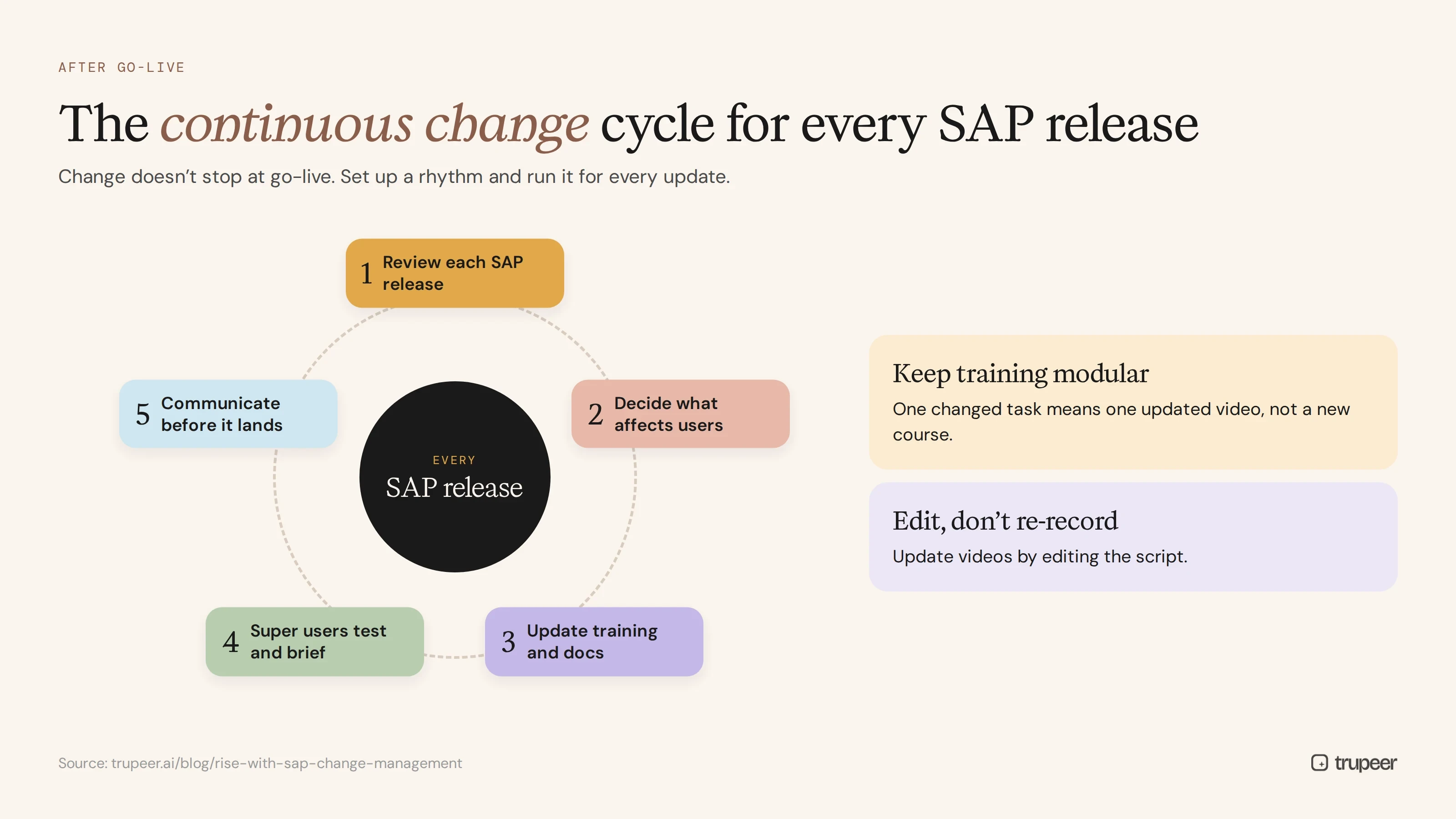
The biggest shift in RISE with SAP change management is that change doesn't stop at go-live. Cloud ERP receives regular updates, and SAP's clean core approach encourages you to adopt standard improvements rather than customise around them. To keep up:
Review each SAP release for changes that affect your users.
Keep training modular, so one changed task means one updated video, not a new course.
Update training and documentation quickly, by editing scripts rather than re-recording; see how to update a training video without re-recording.
Use super users to test changes and brief their teams.
Communicate before each release, with short "what's changing" updates.
How do you measure RISE with SAP change management?
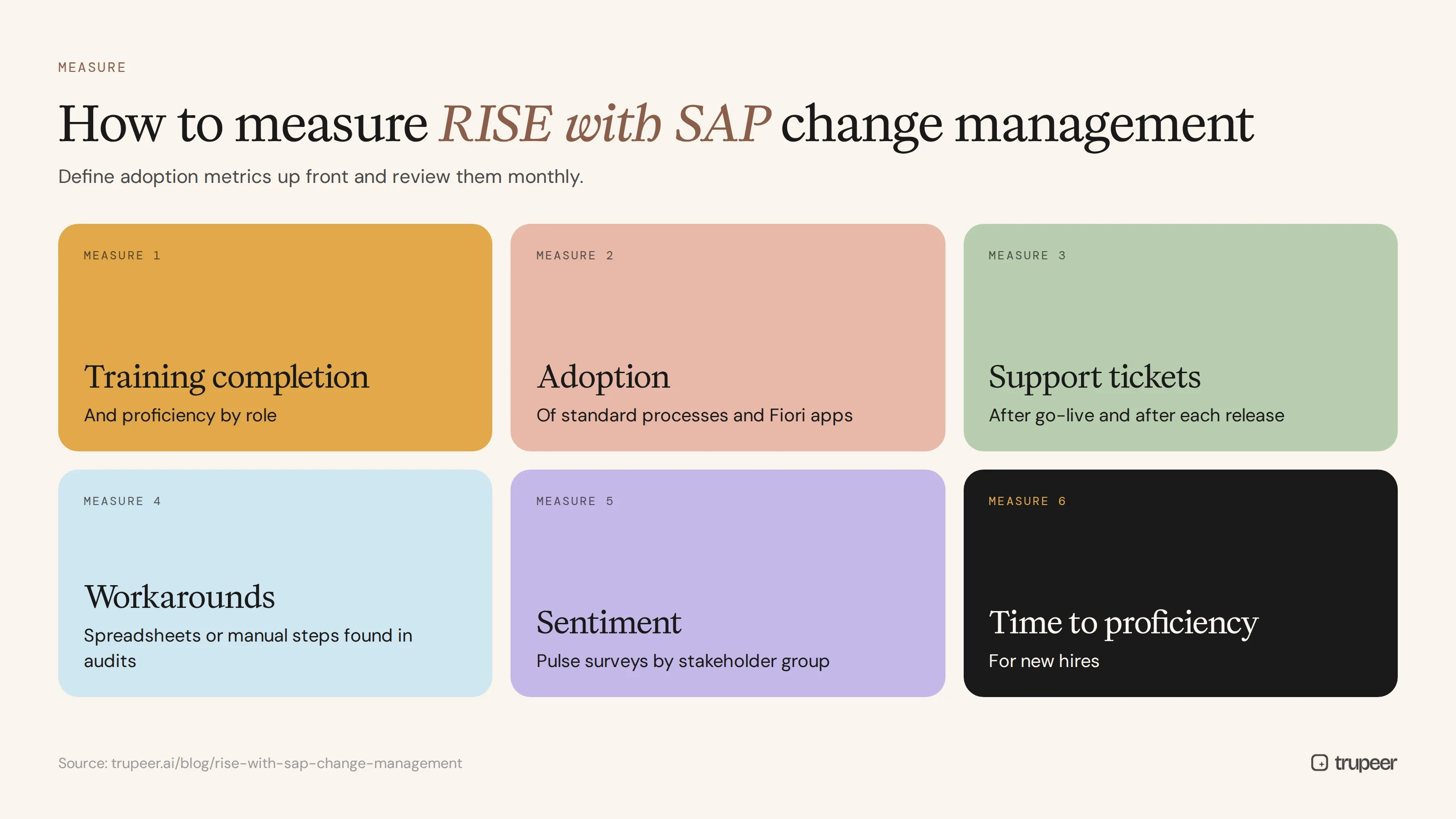
Training completion and proficiency by role.
Adoption of standard processes and Fiori apps.
Support tickets and repeat questions after go-live and after each release.
Workarounds found in audits, such as spreadsheets or manual steps outside the system.
Stakeholder sentiment from pulse surveys.
Time to proficiency for new hires.
RISE with SAP change management checklist
A named change lead and executive sponsors are in place.
The case for change is written for each stakeholder group.
A change impact assessment covers every process and role.
Super users are named for every team, site and process.
A communication plan covers the run-up, go-live and every release.
Role-based training is built on your own configured system.
IT and support teams have a documented operating model and runbooks.
Go-live and hypercare support is staffed, with a way to log issues.
A release rhythm is agreed for reviewing updates and refreshing training.
Adoption metrics are defined and reviewed monthly.
Capture all of this in one plan that the programme reviews regularly; a change management plan template gives you the structure for your RISE with SAP change management plan.
Common RISE with SAP change management mistakes
Treating RISE as a technical migration with a small training workstream bolted on.
Ignoring IT's own change, as roles shift from running infrastructure to managing services.
Training on generic SAP content instead of your configured system.
Starting change management too late, after design decisions are made.
Stopping at go-live, when continuous updates are just beginning.
Underestimating the impact of clean core on how people work.
For broader lessons from technology rollouts, see change management for technology implementation.
Support RISE with SAP change management with Trupeer

Trupeer turns recordings of your SAP processes into role-based guides and short training videos, so training is ready for go-live and easy to update with every release. See how Trupeer supports change management, or start free with Trupeer.
Frequently asked questions
What is RISE with SAP change management?
It's the planned approach to helping people adopt the new processes, tools and ways of working that come with moving to SAP S/4HANA Cloud through RISE with SAP, including communication, training, support and continuous updates.
Why is change management important for RISE with SAP?
Because RISE changes processes, the user experience, IT roles and the pace of change. Without change management, organisations see resistance, workarounds and slow adoption.
Who should own change management on a RISE with SAP project?
A dedicated change lead, supported by executive sponsors, process owners and a network of super users, working alongside the technical programme.
How does clean core affect change management?
Clean core means fewer customisations and more standard SAP processes, so more users change how they work. Change management needs to explain why and help people adopt the standard process.
How do you train users for RISE with SAP?
Train by role on your own configured system, using short task videos and step-by-step guides recorded by key users, close to go-live, and keep them current with each release.
What changes for IT teams with RISE with SAP?
Infrastructure and technical operations move to SAP or partners, so IT teams focus more on business processes, integration, security and vendor management, which needs reskilling and a clear operating model.
How do you handle continuous updates after going live on RISE with SAP?
Review each release for user impact, keep training modular, update affected guides quickly, brief super users and communicate changes before they land.
What's the difference between RISE with SAP and a traditional SAP project for change management?
A traditional project has one big change at go-live. RISE with SAP adds ongoing change through regular cloud updates, so change management becomes a continuous capability.
Свързани блогове



