Trupeer Blog
Обобщение
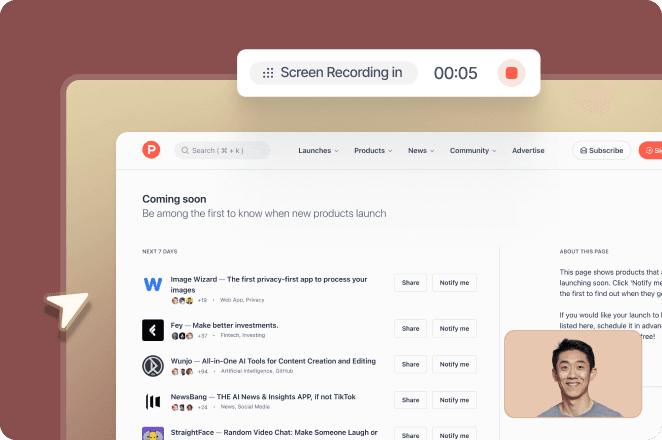
Sales and presales teams need different versions of the same demo: a short one for executives, a detailed one for admins, one per industry, and one in each language they sell in. Re-recording each version wastes hours and quickly gets out of date. This guide explains how to turn one recording into multiple custom demo versions, which parts can change without re-recording, and when you need a personalized video tool instead.
Two Ways to Personalize Demo Videos
Approach | What changes | Best for | Example tools |
|---|---|---|---|
Segment-level versions | Script, voiceover, language, branding and which sections appear | Different roles, industries, regions and stages of the deal | Trupeer |
Variable-based personalization | Recipient-level details such as name, company or logo inserted automatically | High-volume outbound to individual prospects | HeyGen, Sendspark, Loom Variables |
Most teams need segment-level versions first. A demo tailored to a finance team in German does more than one that only says the prospect’s name. Variable-based tools, often called personalized video software or video personalization software, add the personal touch on top when you need personalized video at scale for outbound.
What You Can Change Without Re-Recording
Script and voiceover:
Rewrite the narration for each audience and regenerate the AI voiceover, so the same footage tells a different story to an executive and to an admin.Voice:
Choose a different AI voice or a custom AI voice for each region or brand.Language:
Translate the video for buyers in other regions.Length and focus:
Trim, split or skip sections to make a short overview or a detailed walkthrough from the same recording.Branding:
Apply a brand kit with logo, colors and music for partners or white-labeled demos.Supporting guide:
Each version comes with a step-by-step guide prospects can follow after the call.
What usually does need a new recording: a different product flow, new screens after a release, or data on screen that must change for a specific customer.
How to Create Custom Demo Versions From One Recording
Step 1: Record one clean master demo

Record the full workflow once with the Trupeer Chrome extension, using neutral demo data and covering every feature any audience might need. A clean, complete master makes every version easier.
Step 2: Generate the base video and guide

Click Generate AI Content to get a polished product demo video with AI voiceover and a step-by-step guide.
Step 3: Adapt the script for each audience

Edit the script or use Rewrite with AI to change emphasis for each role or industry, then refresh the voiceover. Trim or skip sections to make shorter versions.
Step 4: Translate for each region

Use translation to create versions for buyers in other languages, available from the Scale plan.
Step 5: Apply branding

Use a brand kit with your logo, colors and music, or partner branding for co-selling.
Step 6: Share each version

Share each version on a branded share page, embed it, or export it as MP4 for your email or sales engagement tool. See Trupeer for pre-sales teams, and how Ema.co builds personalized demos for its customers with Trupeer.
Ideas for Custom Demo Versions
Version | How it differs |
|---|---|
Executive overview | Two to three minutes, focused on outcomes and ROI |
Technical deep dive | Full workflow with setup, integrations and admin settings |
Industry versions | Same footage, narration using each industry’s terms and use cases |
Language versions | Translated narration and guide for each region |
Partner versions | Partner branding for resellers and co-selling |
Post-call recap | Only the sections discussed on the call |
Tips for Reusable Demo Recordings
Use realistic but neutral demo data that suits every audience
Record each feature as a clear, separate section so it is easy to trim
Keep the cursor steady and avoid unnecessary clicks
Re-record only the sections that change after a release
Keep a list of versions and owners so content stays current
Track which versions prospects watch; see our guide to demo video analytics platforms
Final Thoughts
One well-made recording can serve executives, admins, industries and regions if you change the narration, language, length and branding instead of the footage. Add a variable-based personalized video tool when you need name-level personalization at volume. For more ideas, see how to repurpose demo videos.
Frequently Asked Questions
Can you create multiple demo versions from one recording?
Answer 1
What can you change in a demo video without re-recording?
Answer 2
What is the difference between segment-level and variable-based personalization?
Answer 3
Which tools personalize videos with a prospect’s name?
Answer 4
How do I keep demo versions up to date?
Answer 5
Can Trupeer translate demo videos?
Answer 6
How many demo versions should a sales team have?
Answer 7
How do I share custom demo versions?
Answer 8
Свързани блогове