Como Fazer um Vídeo de Formação em 2 Passos Simples

Se alguma vez teve dificuldade em manter a sua equipa envolvida ou desejou que a integração fosse um pouco menos caótica, não está sozinho! Os vídeos de formação são a arma secreta que as equipas modernas usam para aumentar a produtividade, esmagar os objetivos de aprendizagem e fazer com que temas aborrecidos fiquem mesmo na memória. Criar conteúdo de formação eficaz não é nenhum bicho de sete cabeças, apenas requer a abordagem certa e uma pitada de criatividade. Este guia vai explicar como pode criar os melhores vídeos de formação, passo a passo, sem complicações. Vamos lá e ver como é fácil elevar a aprendizagem da sua equipa!
O que é um Vídeo de Formação?
Um vídeo de formação é uma ferramenta de aprendizagem visual que ensina novas competências, explica processos complexos ou fornece instruções sobre como concluir uma tarefa. Estes vídeos são usados em vários contextos para educar colaboradores sobre políticas da empresa e funções profissionais ou para orientar clientes sobre como utilizar um produto ou serviço. Servem como guias acessíveis e repetíveis que podem ser usados para integração, desenvolvimento de competências e reforço de informação.
Os vídeos de formação podem assumir várias formas:
Vídeos com apresentador, com alguém a falar diretamente para os espectadores ou a demonstrar um produto.
Gravações de ecrã, que mostram demonstrações de software ou aplicações com explicações em voz-off.
Vídeos explicativos animados, usando gráficos para simplificar ideias ou processos complexos.
Vídeos baseados em cenários ou roleplay, modelando interações do mundo real para formação de competências comportamentais.
Como Criar Vídeos de Formação com a Trupeer em 2 Passos
1. Grave o Ecrã do Seu Produto
Escolha o Formato de Vídeo Adequado
Gravação de ecrã: Ideal para interfaces SaaS, painéis de controlo ou fluxos de trabalho passo a passo.
Vídeos com apresentador: Apresente-se, dê contexto ou explique conceitos complexos.
Híbrido/Imagem em Imagem: Combina webcam e captura de ecrã para orientação personalizada.
Percursos animados: Visualize fluxos complexos, integrações ou processos abstratos.
Grave Facilmente com Trupper
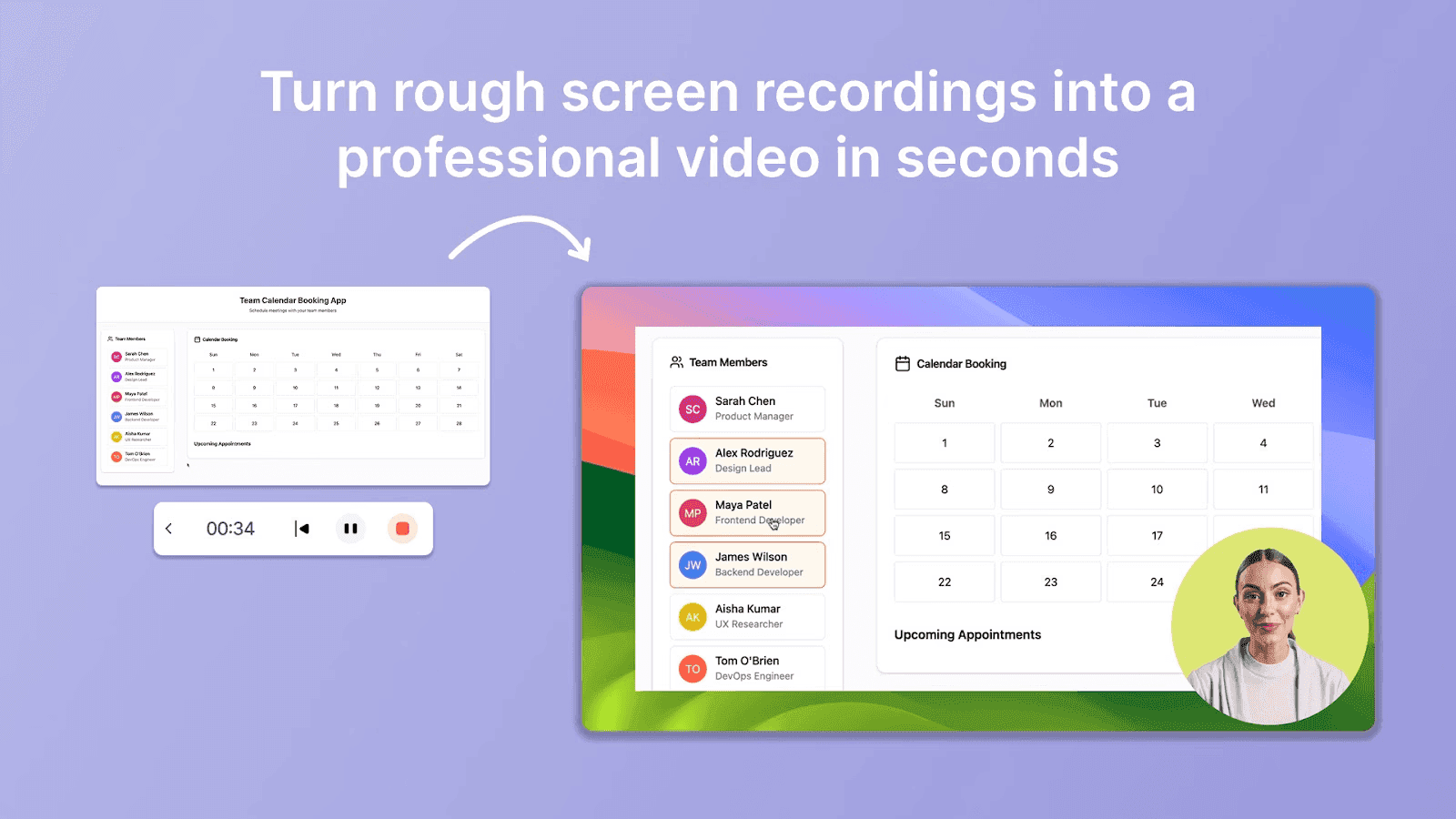
Comece a gravar com Trupeer.ai e navegue pelo seu produto naturalmente.
A IA acompanha automaticamente os cliques, os movimentos do cursor e destaca as ações críticas.
O ruído de fundo, as pausas ou os erros são corrigidos automaticamente, poupando tempo e esforço.
Aumente o Envolvimento com Storytelling
Incorpore cenários reais de clientes, testemunhos ou narrativas de casos de utilização para tornar a sua demonstração mais próxima e relevante. Ao contextualizar funcionalidades em aplicações do mundo real, os potenciais clientes conseguem visualizar melhor como o seu produto resolve os seus problemas.
🚀Dica Pro: Faça uma única passagem de prática para garantir o fluxo, mas mantenha-o natural; o excesso de ensaio pode parecer guionado e menos envolvente.
2. Transforme Gravações de Ecrã em Bruto em Demonstrações de Produto
Edite com IA e poupe horas de trabalho manual
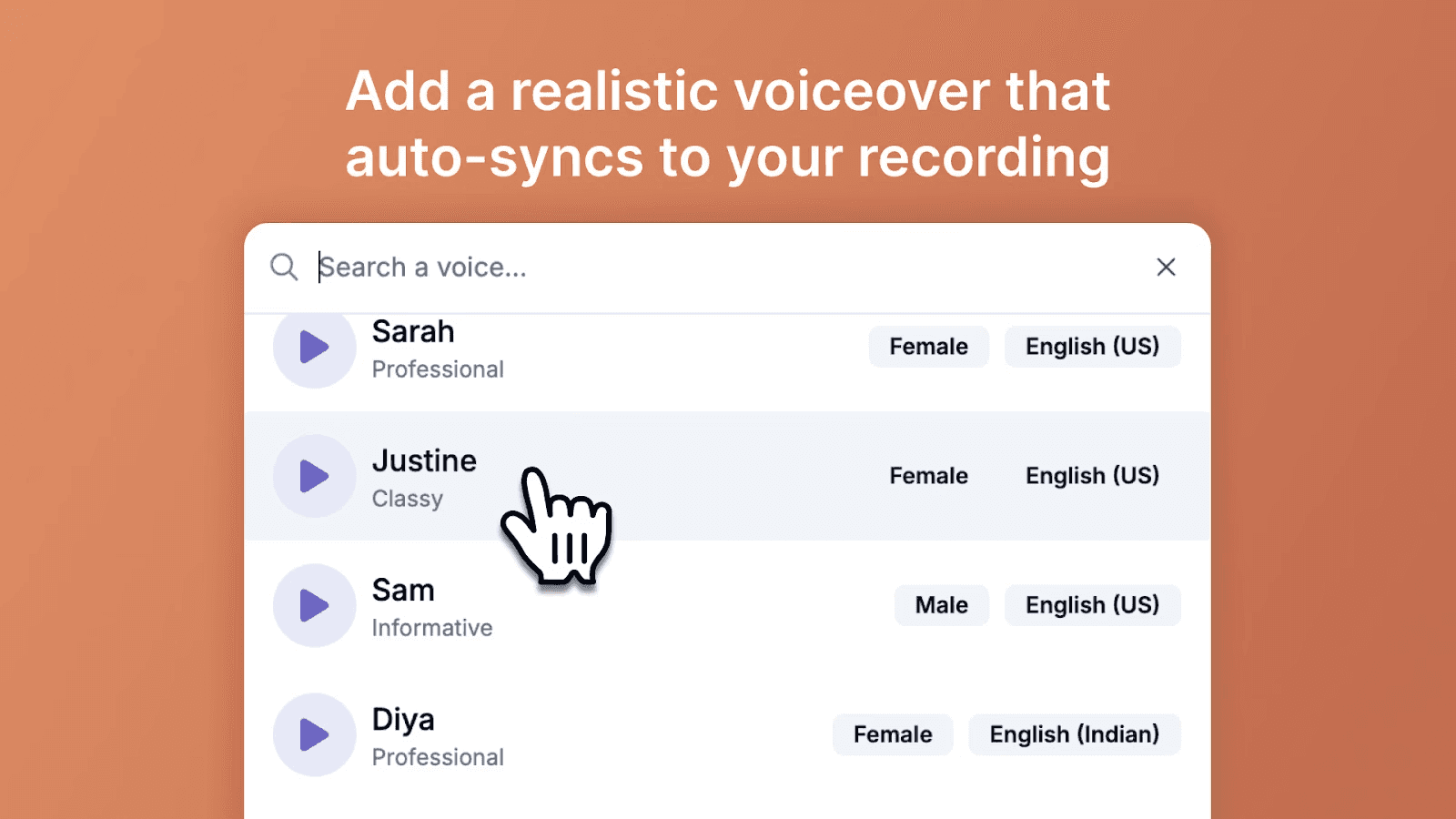
Trupeer.ai automaticamente:
Remove palavras de preenchimento, pausas e hesitações
Adiciona legendas e subtítulos com a marca para acessibilidade
Gera vozes-off naturais de IA que correspondem ao seu tom e ritmo
Amplia elementos-chave da interface e ações importantes
Traduz vídeos para vários idiomas para públicos globais
Adicione Contexto e Chamadas para Ação
Destaque métricas importantes, elementos da interface ou próximos passos. Trupeer.ai sobrepõe setas, texto e destaques automaticamente, garantindo que os potenciais clientes se mantêm focados nas ações críticas.
🚀Dica Pro: Mesmo processos complexos, como integrações em vários passos, podem ser simplificados em vídeos suaves e fáceis de absorver, melhorando a compreensão e a retenção.
Melhores Práticas para Criar Vídeos de Formação
Os vídeos de formação funcionam melhor quando são curtos, focados e fáceis de ver para o espectador. Eis como garantir que o seu vídeo de formação se destaca e gera resultados:
Comece com objetivos claros: Antes de carregar em “gravar”, eu sugeria ser muito específico sobre o que quer que os espectadores aprendam. Saber o objetivo ajuda-o a planear cada guião e elemento visual.
Organize o conteúdo de forma lógica: Deve definitivamente dividir a informação em capítulos ou cenas curtas e fáceis de gerir para melhorar a retenção. Segmentos curtos são muito mais fáceis de digerir e têm maior probabilidade de manter os espectadores a ver até ao fim.
Use linguagem conversacional e simples: Em vez de jargão rígido, fale como se estivesse a explicar o tema a um amigo. Isto torna a aprendizagem mais amigável e acolhedora, e considero que as pessoas respondem muito melhor a uma linguagem casual.
Dê instruções passo a passo: Recomendo sempre mostrar passos claros e acionáveis para cada processo. Combine a narração com pistas visuais, destaques ou sobreposições para que qualquer pessoa possa acompanhar sem confusão.
Adicione elementos interativos: Se puder, incorpore questionários, pontos clicáveis ou pausas baseadas em cenários no seu vídeo. Estas funcionalidades interativas ajudam bastante a manter o seu público ativo e envolvido, e não apenas a ver passivamente. Até mesmo pequenos convites à reflexão (“Tente você mesmo!”) tornam a aprendizagem mais memorável.
Conte histórias ou use cenários da vida real: Eu sugeriria incluir uma história de sucesso, um estudo de caso ou até um role-play de situações relacionadas para consolidar ideias e ajudar os formandos a visualizar o propósito por trás de cada conceito.
Mantenha o vídeo curto e focado: A maioria dos espectadores desliga-se após 6 minutos, por isso mantenha cada vídeo de formação breve, focado e cheio de informação prática. Se o material for extenso, divida-o numa série.
Trabalhe com especialistas na matéria: Tente colaborar com um especialista ou com alguém que tenha vivido o desafio que está a abordar. Vai obter novas perspetivas, conhecimentos especializados e credibilidade acrescida.
Inclua um resumo e uma chamada para ação: Termine com um breve resumo dos pontos-chave. Gosto de incentivar os formandos a aplicar imediatamente o que acabaram de aprender ou a explorar mais recursos para aprofundar conhecimentos.
Otimize para todos os dispositivos: Na minha experiência, vídeos de formação recebem ainda mais visualizações quando são fáceis de ver em telemóveis, tablets e computadores. Certifique-se de que o seu texto é legível e os gráficos são nítidos em todo o lado.
Características e Utilizações Principais
Instrucionais: O objetivo principal é educar e informar, dividindo informações complexas em ações claras, passo a passo.
Aplicações diversas: Os vídeos de formação são usados para uma vasta gama de finalidades, incluindo:
Integração de novos colaboradores: Apresentar a cultura, os valores e os procedimentos da empresa.
Desenvolvimento de competências: Ensinar os colaboradores a desempenhar tarefas relacionadas com o trabalho ou a utilizar novo software.
Educação do cliente: Mostrar aos clientes como utilizar eficazmente um produto ou serviço.
Conformidade: Explicar as políticas da empresa ou os regulamentos de segurança.
Envolventes e acessíveis: O vídeo é frequentemente mais envolvente do que materiais baseados em texto, e o conteúdo pode ser revisto em qualquer altura, o que pode aumentar a retenção da informação.
Personalizáveis: Podem ser adaptados a um público específico, garantindo que o conteúdo é relevante e eficiente para o espetador.
Frequently Asked Questions
O que é um vídeo de formação?
Um vídeo de formação é um recurso de aprendizagem visual concebido para ensinar aos espectadores novas competências, conceitos ou processos de uma forma envolvente e fácil de acompanhar. Quer esteja a utilizar plataformas como o Trupeer ou qualquer outra ferramenta, estes vídeos são perfeitos para a integração de colaboradores, para apresentar tutoriais e para tornar a aprendizagem “passo a passo” divertida para todos.
Quais são os 7 tipos de treino?
Os sete principais tipos de vídeos de formação são: Vídeos de microaprendizagem Vídeos de screencast/tutoriais Vídeos explicativos animados Vídeos de dramatização ou baseados em cenários Vídeos de instruções ou passo a passo Vídeos em estilo de aula Vídeos de integração Deve, sem dúvida, experimentar combinar formatos com a Trupeer ou plataformas semelhantes para obter os melhores resultados para os seus formandos.u000b
Como iniciar um vídeo de formação?
Comece o seu vídeo de formação com uma breve introdução sobre o que vai abordar e porque isso é importante — especialmente se o estiver a criar no Trupeer, que torna muito fácil adicionar introduções com a sua marca. Eu sugeriria captar logo a atenção partilhando um facto interessante ou uma história e, depois, apresentar claramente os objetivos de aprendizagem.
Como criar vídeos de formação gratuitamente?
Pode usar planos gratuitos ou testes gratuitos em plataformas como a Trupeer, além de gravadores de ecrã de código aberto, para criar vídeos excelentes sem gastar um cêntimo. Basta escrever o seu conteúdo, carregar em gravar e usar ferramentas de edição gratuitas para aperfeiçoar tudo antes de partilhar. O importante é ser engenhoso e criativo — muitos criadores de topo começaram assim.
Quais são os 5 passos do treino?
Aqui estão os 5 passos essenciais: Defina objetivos de aprendizagem claros Conheça o seu público Planeie e escreva o guião do seu vídeo (os modelos da Trupeer podem ajudar aqui!) Grave e edite o vídeo de formação Partilhe, acompanhe o envolvimento e recolha feedback para futuras melhorias Recomendaria dedicar mais tempo à fase de guião e edição. As ferramentas de fluxo de trabalho da Trupeer tornam tudo isto bastante simples.
O que deve incluir um vídeo de formação?
Todo vídeo de formação eficaz deve incluir: uma introdução curta e amigável, orientação passo a passo, imagens apelativas, um resumo final e um apelo à ação. Deve mesmo adicionar sugestões ou perguntas rápidas para manter os espectadores envolvidos. O fluxo de edição da Trupeer permite até inseri-las ao longo do vídeo.
Que software é o melhor para criar vídeos de formação?
O Trupeer é uma excelente opção para criar vídeos de formação, oferecendo edição intuitiva, quizzes interativos e ferramentas de marca logo de origem. Para animação e avatares, também pode experimentar o Synthesia e o Vyond, mas, para a maioria das pessoas, o Trupeer simplifica o processo do início ao fim.
Quanto tempo deve durar um vídeo de formação?
O curto e direto costuma resultar melhor: procure ter 3–8 minutos, se possível. Se o seu tema precisar de mais profundidade, pode usar o Trupeer para dividir o seu conteúdo em módulos pequenos e fáceis de digerir, o que mantém tudo organizado e aumenta as taxas de conclusão.
Como manter os vídeos de formação envolventes?
Mantenha o seu tom natural, conte histórias, varie os seus elementos visuais e use elementos interativos como sondagens ou questionários a meio do vídeo. Eu incentivá-lo-ia a experimentar as funcionalidades de envolvimento do Trupeer: faça uma pergunta rápida aos espectadores ou sugira um momento de prática, logo no vídeo.


