Trupeer Blog
Resumir

Every SOP library has the same hidden problem. The procedures were accurate when they were written, but the applications they describe keep changing. A button moves, a field is renamed, an approval step is added in the latest release, and the SOP still shows last year's screens. Nobody notices until a new hire follows the steps, gets stuck and raises a ticket, or an auditor asks why the documented process doesn't match the system. Stale SOP detection is how you find those procedures before your people do.
This guide explains what stale SOP detection is, why SOPs drift out of date, the signals that show an SOP no longer matches the app, four ways to detect stale SOPs, a step-by-step process and freshness score you can adopt, and how to keep SOPs current once you've found them.
What is stale SOP detection?
Stale SOP detection is the practice of systematically finding standard operating procedures that no longer match how work is actually done, most often because the application they describe has changed. A stale SOP might show old screens, name fields or buttons that no longer exist, miss a new step or approval, or describe a process that has since been redesigned.
Good stale SOP detection doesn't wait for a scheduled annual review. It links each SOP to the applications and screens it covers, watches for changes and signals that suggest drift, and flags the SOPs most likely to be wrong so owners can check and update them first.
Why do SOPs go stale?
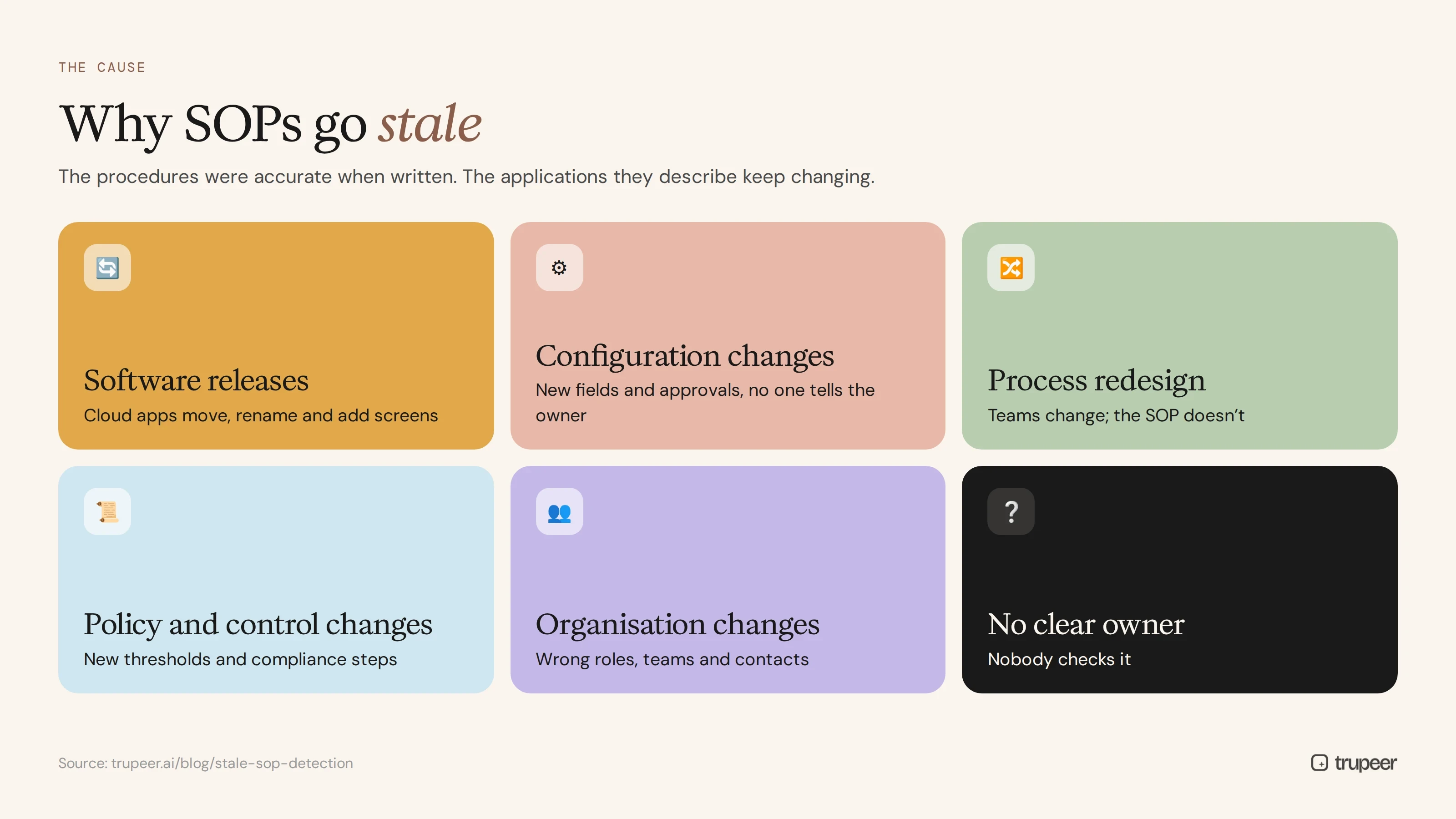
Software releases. Cloud applications change constantly. Each release can move, rename or add screens and fields.
Configuration changes. Admins add fields, approvals or validations without telling the documentation owner.
Process redesign. Teams change how they work, but the SOP stays on the old version.
Policy and control changes. New thresholds, approvals or compliance steps aren't reflected in the procedure.
Organisation changes. Roles, teams and contacts change, so the SOP points to the wrong people.
No clear owner. When nobody is accountable for an SOP, nobody checks it.
What does a stale SOP cost?
Errors and rework, when people follow steps that no longer work.
More support tickets, as users ask how to do things the SOP should explain.
Slower onboarding, because new hires can't trust the documentation.
Audit findings, when documented procedures don't match practice.
Lost trust, so people stop using SOPs altogether and go back to asking colleagues.
Wrong answers from AI assistants and agents that rely on outdated procedures.
What are the signs an SOP no longer matches the app?
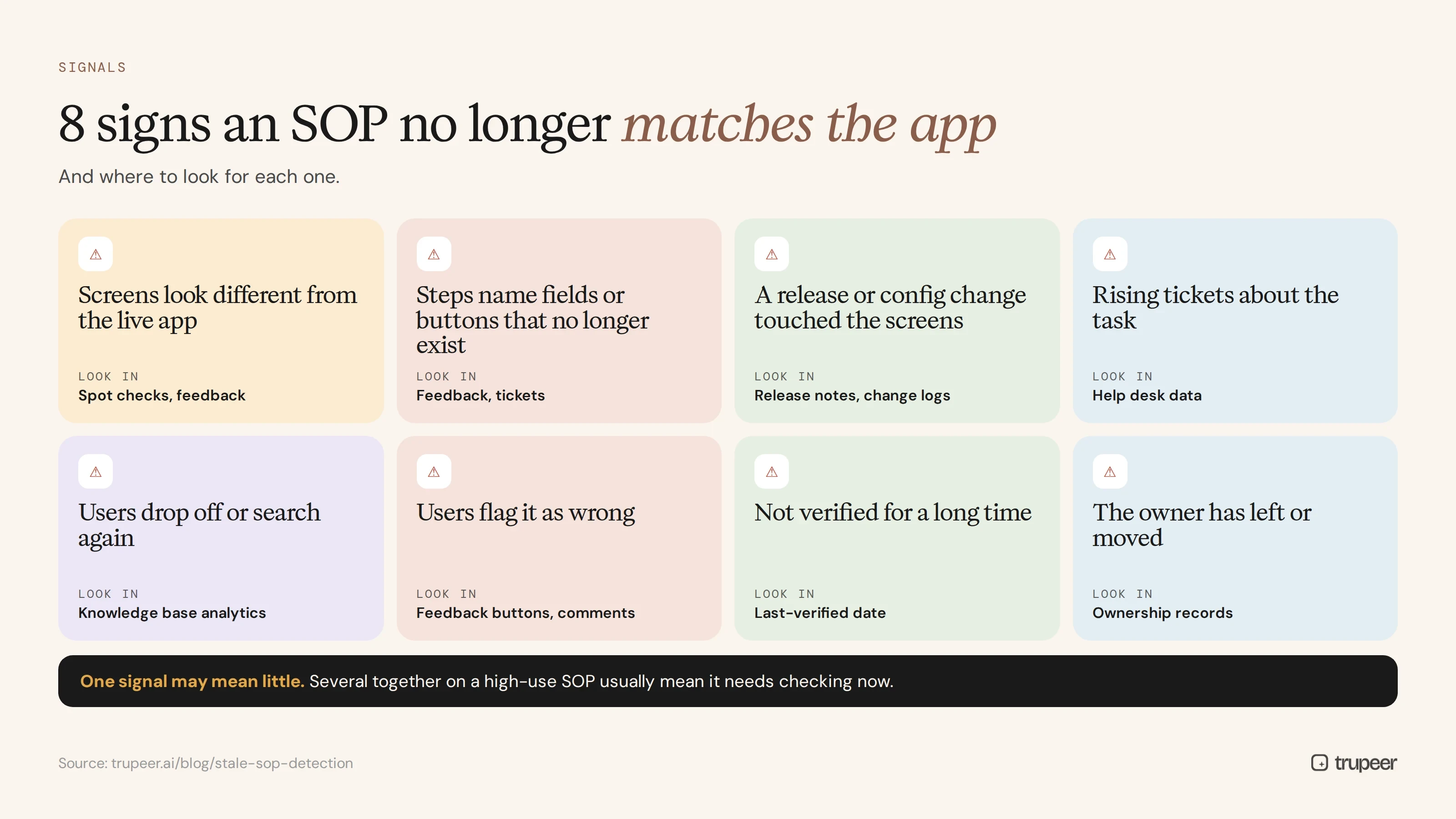
Signal | Where to look |
|---|---|
Screens in the SOP look different from the live app | Spot checks, user feedback |
Steps refer to fields, buttons or menus that no longer exist | User feedback, support tickets |
A recent release or configuration change touched the screens covered | Release notes, change logs |
Rising tickets or questions about a task the SOP covers | Help desk data |
Users drop off or search again after opening the SOP | Knowledge base analytics |
Users flag the SOP as wrong or unhelpful | Feedback buttons, comments |
The SOP hasn't been verified for a long time | Review dates, last-verified field |
The SOP owner has left or changed role | Ownership records |
One signal on its own may mean little. Several together on a high-use SOP usually mean it needs checking now.
Four ways to detect stale SOPs
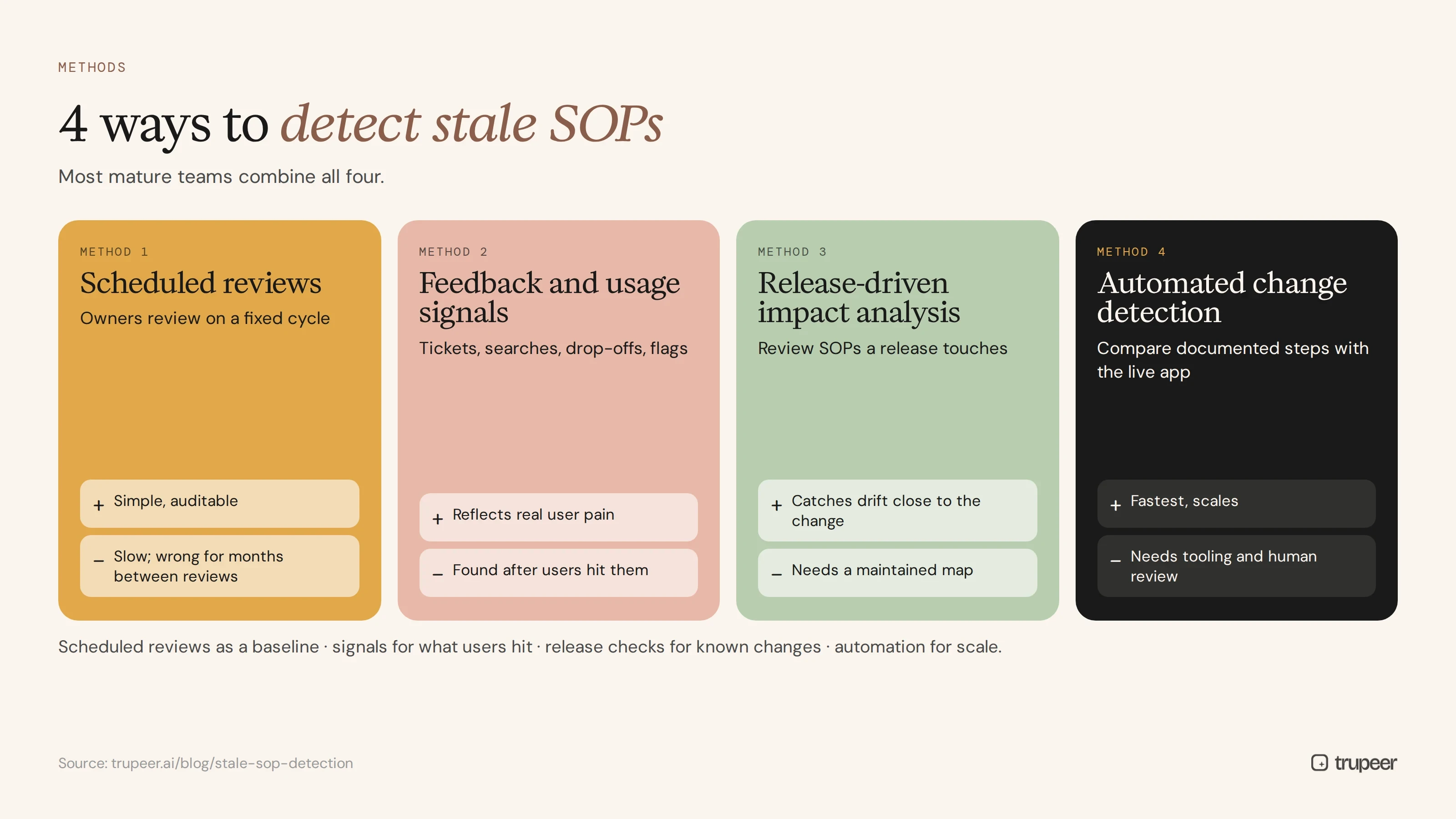
Method | How it works | Strengths | Limits |
|---|---|---|---|
Scheduled reviews | Owners review every SOP on a fixed cycle | Simple, auditable | Slow; SOPs can be wrong for months between reviews |
Feedback and usage signals | Track tickets, searches, drop-offs and user flags | Reflects real user pain | Problems are found after users hit them |
Release-driven impact analysis | Map SOPs to apps and screens, and review the ones a release touches | Catches drift close to the change | Needs a maintained map and release notes |
Automated change detection | Compare documented steps and screens with the live app and flag differences | Fastest, scales across large libraries | Needs tooling and human review of flagged changes |
Most mature teams combine all four: scheduled reviews as a baseline, signals to catch what users hit, release-driven checks for known changes, and automated detection for scale.
How to set up stale SOP detection step by step
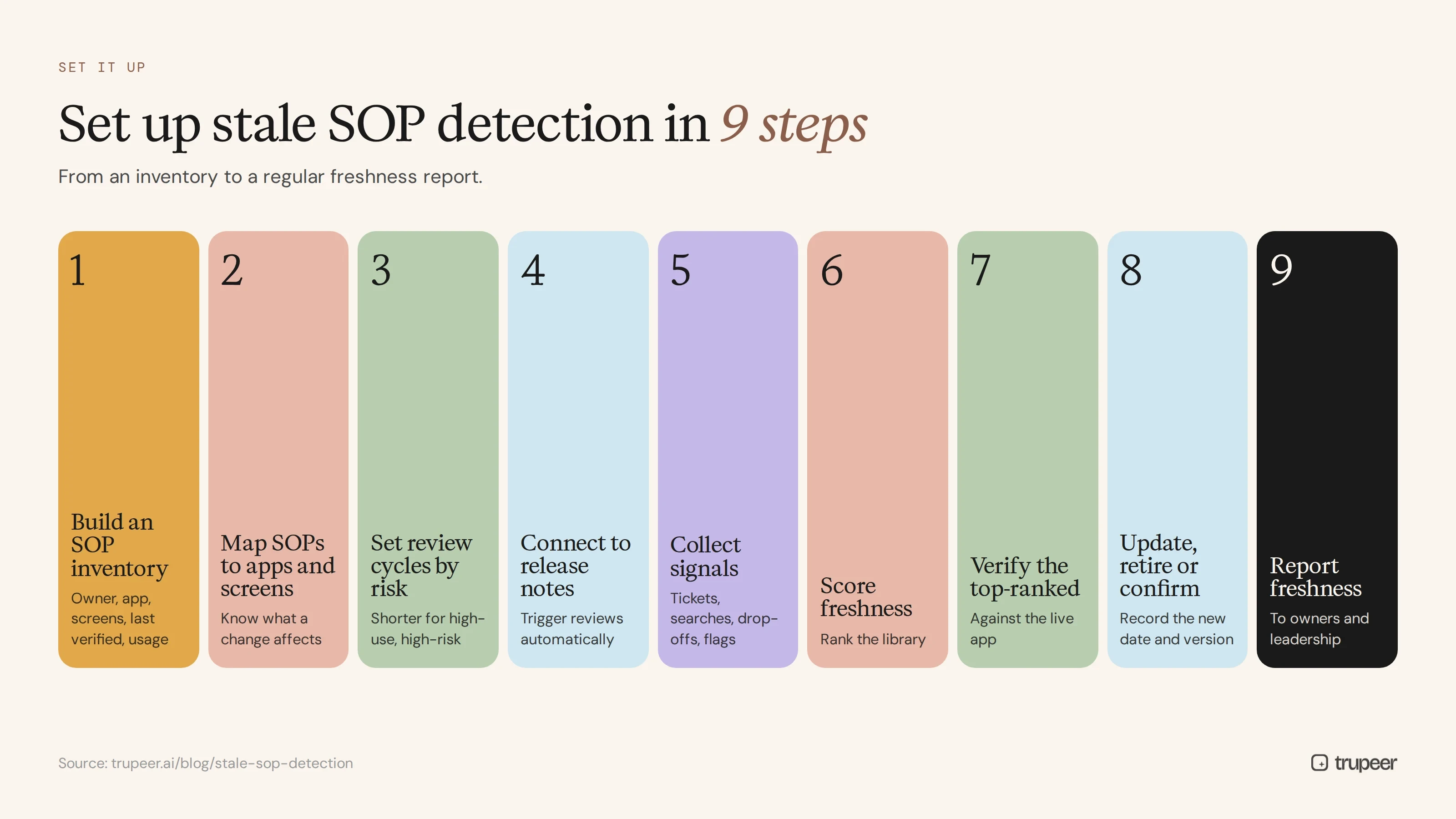
Build an SOP inventory with owner, process, application, key screens, last-verified date and usage for each SOP.
Map every SOP to the apps and screens it covers, so you know which procedures a change can affect.
Set a review cycle by risk, shorter for high-use, high-risk or frequently changing processes.
Connect to release notes and change logs, and trigger a review of every SOP mapped to a changed area.
Collect signals: tickets, searches, drop-offs and user flags for each SOP.
Score freshness for every SOP using the signals, and rank the library.
Verify the top-ranked SOPs against the live app, starting with high-use, high-risk procedures.
Update, retire or confirm each SOP, and record the new last-verified date and version.
Report freshness to process owners and leadership regularly.
If you're starting from a large legacy library, decide which SOPs matter most first; see how to audit and prioritise which legacy SOPs to digitize first.
A simple SOP freshness score
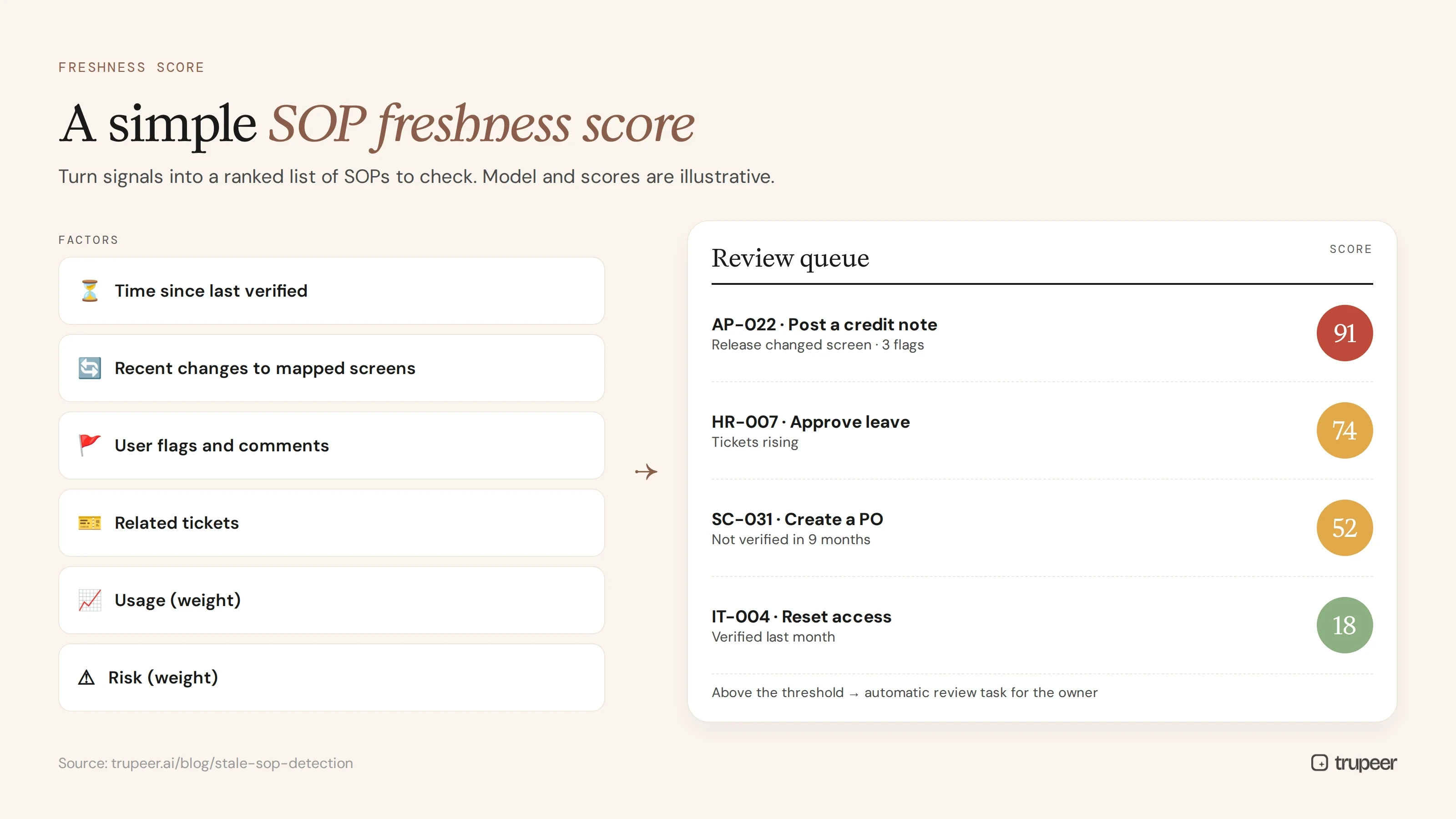
A freshness score turns signals into a ranked list of SOPs to check. Here's an illustrative model you can adapt.
Factor | How to score it |
|---|---|
Time since last verified | Higher the longer it's been since someone checked it against the app |
Recent changes to mapped screens | High if a release or configuration change touched them since last verified |
User flags and comments | Higher with each unresolved report that the SOP is wrong |
Related tickets | Higher if tickets about the task are rising |
Usage | Weight by how often the SOP is used, so high-traffic SOPs rise to the top |
Risk | Weight up SOPs covering financial, compliance or safety-critical tasks |
Review the highest-scoring SOPs first, and set a threshold that triggers an automatic review task for the owner.
Who owns stale SOP detection?
Role | Responsibility |
|---|---|
SOP owner | Verifies and updates their SOPs when flagged, and confirms them at each review |
Documentation or knowledge manager | Runs the inventory, freshness scoring and reporting |
Application owners and admins | Share release notes and configuration changes, and map them to screens |
Process owners | Approve changes to procedures and retire obsolete ones |
Support team | Feeds ticket themes and user reports into the signals |
Make freshness part of SOP governance, alongside approval and versioning; see SOP version control best practices.
How do you fix a stale SOP quickly?
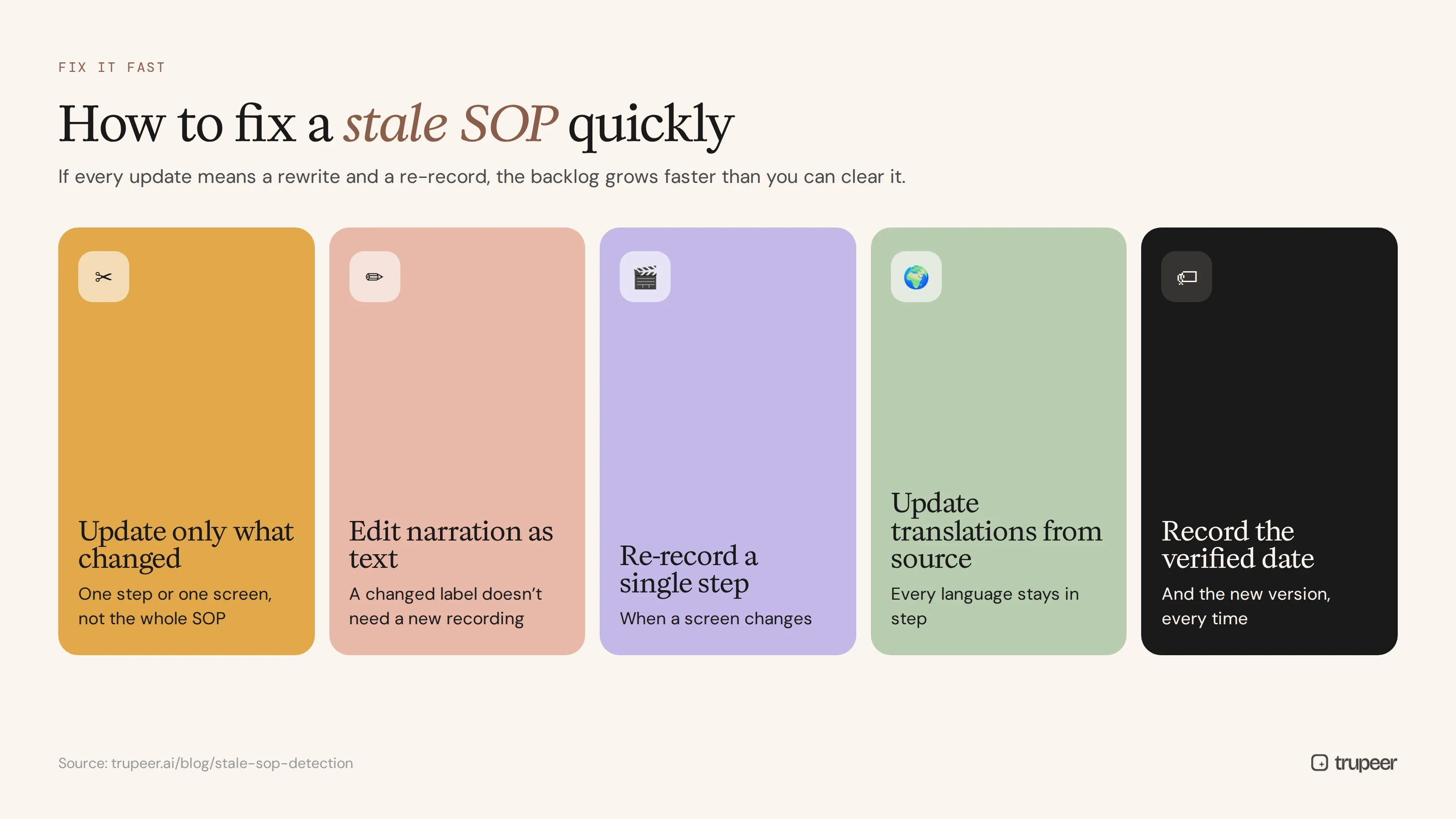
Finding stale SOPs is only half the job. If every update means rewriting a document and re-recording a video, the backlog grows faster than the team can clear it. Faster updates come from:
Updating only what changed, such as one step or one screen, instead of rewriting the whole SOP.
Editing video narration as text, so a changed label doesn't need a new recording.
Re-recording a single step when a screen changes, rather than the whole process.
Updating translations from the source, so every language stays in step.
Recording the new last-verified date and version every time.

For keeping training content current after a system goes live, see how to keep training documentation current after go-live.
Stale SOP detection for ERP and SaaS release cycles
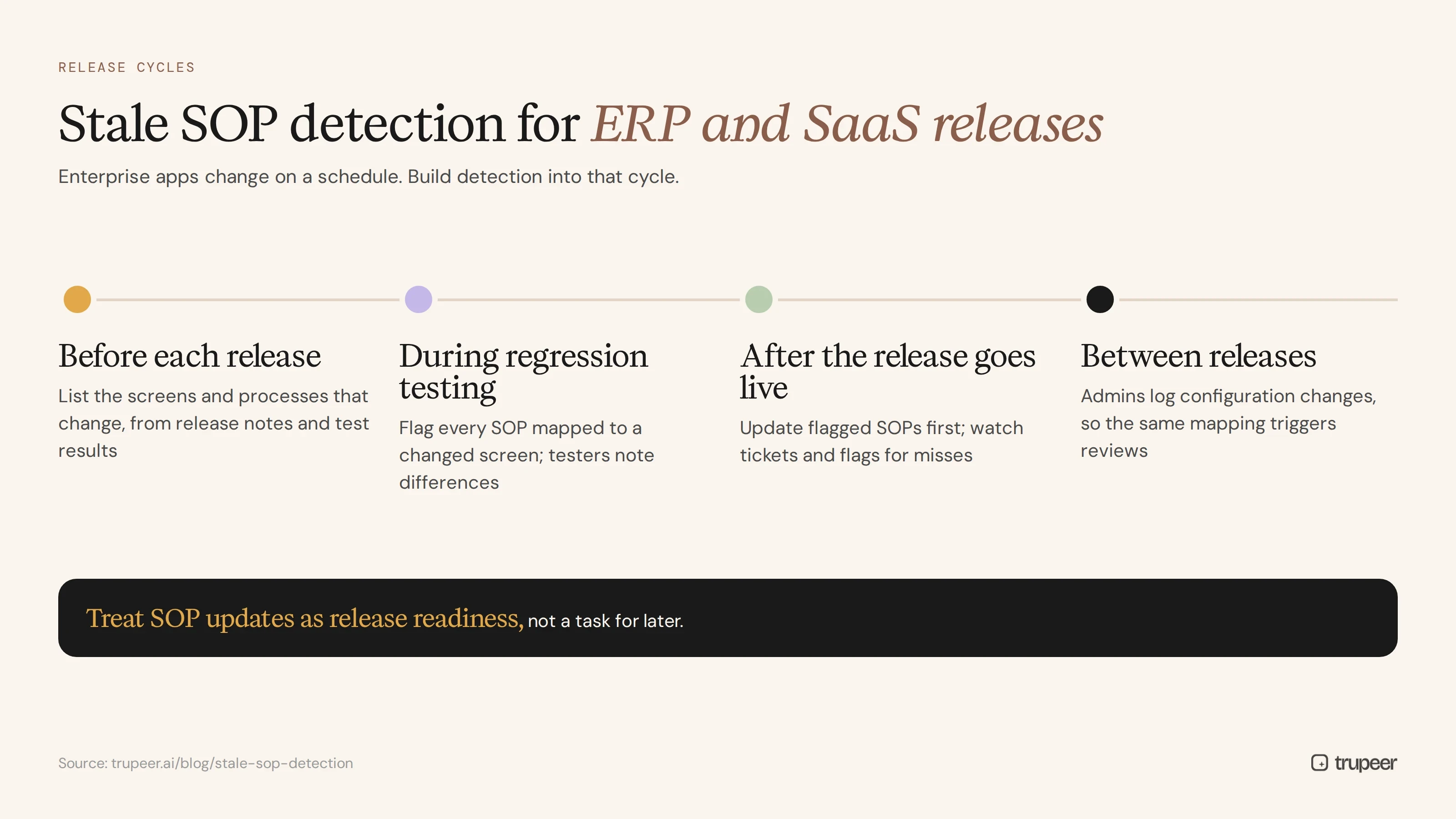
Enterprise applications change on a schedule. Cloud ERPs, HCM and CRM platforms ship regular updates, and each one can change screens, field labels, approval steps or navigation. Build stale SOP detection into that cycle:
Before each release, use the vendor's release notes and your test results to list the screens and processes that change.
During regression testing, flag every SOP mapped to a changed screen, and ask testers to note differences they see.
After go-live of the release, update the flagged SOPs first, then watch tickets and user flags for anything missed.
For configuration changes between releases, ask admins to log which screens changed, so the same mapping can trigger reviews.
Treat SOP updates as part of release readiness, not a task for later. Training content needs the same treatment; the ERP end user training plan template includes post-go-live updates after each release.
Why stale SOPs matter more with AI agents
More teams are turning SOPs into knowledge for AI assistants and agents. A person who hits a stale step usually notices and asks for help. An agent may follow outdated instructions confidently, or give users wrong answers at scale. Before you connect SOPs to AI, check their freshness, and keep detection running afterwards; see how to turn SOPs into AI agent skills.
How Trupeer helps you detect and fix stale SOPs

Stale SOP challenge | How Trupeer helps |
|---|---|
Nobody knows which SOPs no longer match the app | Trupeer's auto-updating documentation tool is designed to flag documentation affected by UI and workflow changes and highlight at-risk content |
Updates take too long | Edit the video script instead of re-recording, and replace a single step when one screen changes |
Translations fall out of step | Update translated SOPs and videos from the source |
SOPs are scattered across tools | Keep every SOP in one searchable library with owners and versions; see Trupeer's SOP management software |
New SOPs are slow to create | Record the task once, and Trupeer turns it into a step-by-step SOP and video |
Genpact used Trupeer for a company-wide Workday rollout, turning recorded process sessions into more than 500 training collaterals across 20 workstreams in five languages, for 140,000 employees in 40 countries, in 3 months instead of 12. Read the Genpact customer story.
Common stale SOP detection mistakes
Relying only on annual reviews, so SOPs stay wrong for months.
No map between SOPs and applications, so nobody knows what a release affects.
Ignoring user feedback and tickets, the clearest early warning.
Treating every SOP the same, instead of prioritising by use and risk.
Finding stale SOPs but making updates too slow to keep up.
No owner, so flagged SOPs sit in a queue.
Stale SOP detection checklist
Every SOP has an owner, application, key screens and last-verified date.
SOPs are mapped to the apps and screens they cover.
Review cycles are set by risk and use.
Releases and configuration changes trigger reviews of affected SOPs.
Tickets, searches, drop-offs and user flags are collected per SOP.
A freshness score ranks SOPs for review.
Updates change only what's changed, including translations.
Freshness is reported to process owners regularly.
Frequently asked questions
What is stale SOP detection?
It's the practice of systematically finding SOPs that no longer match how work is done, usually because the application they describe has changed, so owners can verify and update them before users are affected.
How do SOPs become outdated?
Through software releases, configuration changes, process redesigns, policy changes and organisation changes, especially when nobody owns the SOP or checks it after changes.
How can you tell if an SOP no longer matches the app?
Look for screens or field names that differ from the live app, recent releases affecting the screens it covers, rising tickets, user flags, search drop-offs and a long time since it was last verified.
How often should SOPs be reviewed?
Set the cycle by risk and use: high-use, high-risk or frequently changing SOPs need short cycles and release-triggered reviews, while stable, low-risk SOPs can be reviewed less often.
What is an SOP freshness score?
A score that combines signals such as time since last verified, recent changes to mapped screens, user flags, related tickets, usage and risk, so you can rank which SOPs to check first.
Can stale SOP detection be automated?
Partly. Tools can compare documented steps and screens with the live application and flag differences, but a person should review flagged changes before updates are published.
Who should own stale SOP detection?
A documentation or knowledge manager usually runs it, with SOP owners verifying and updating their procedures, application owners sharing changes, and process owners approving updates.
Why do stale SOPs matter for AI agents?
AI assistants and agents that use SOPs as knowledge may follow or repeat outdated steps confidently and at scale, so SOP freshness needs checking before and after connecting them to AI.
Find stale SOPs before your users do
Stale SOPs are inevitable when applications keep changing, but they don't have to reach your users. Map SOPs to the apps they cover, watch for changes and signals, score freshness and update only what's changed. See how Trupeer flags and fixes outdated SOPs across your library. Book a demo.
Artigos relacionados
Sem itens


