Gebruik deze sjabloon
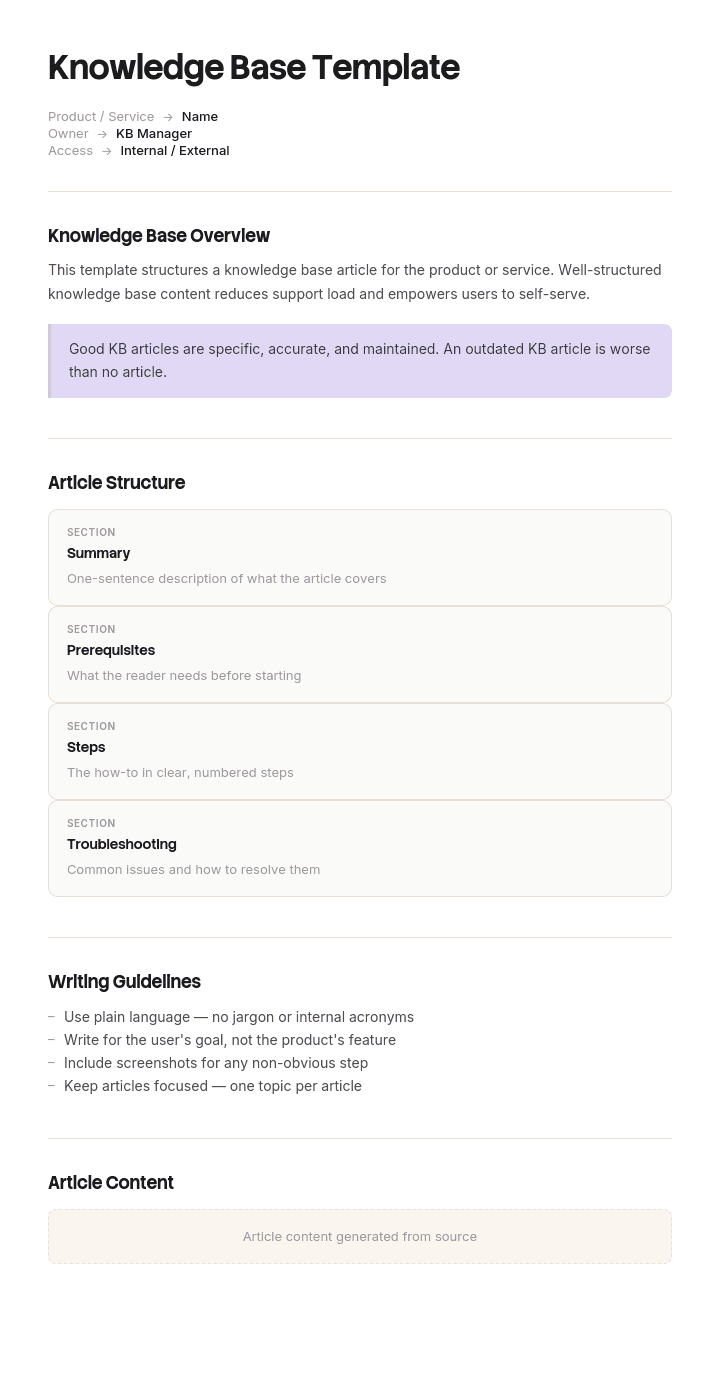
Een goede kennisbank bespaart uren aan supporttijd en versnelt hoe snel gebruikers antwoorden vinden. Met Trupeer kun je uren besparen op het ontwerp van je kennisbank door te starten met een gratis kennisbanktemplate, deze aan te passen met je brand guidelines en onze kennisbanktools te gebruiken om een volledig doorzoekbare hub live te zetten.
Wat is een kennisbanktemplate en wat bevat het eigenlijk?
Een kennisbanktemplate is de structuur van de container: de categorieën, de regels over wat er wel en niet kan worden toegevoegd, wie elk onderdeel beheert en hoe alles wordt verwijderd. Het is niet de structuur van de pagina’s die erin staan.
Dat onderscheid is belangrijk, omdat de twee meestal samen worden verkocht en verschillende problemen oplossen. Een paginstructuur maakt een individueel antwoord duidelijk. Een containerstructuur maakt elk antwoord vindbaar tussen vierduizend andere. Je kunt uitstekende artikelen hebben in een onbruikbare kennisbank, en dat is de meest voorkomende van de twee fouten.
Als wat je nodig hebt de structuur van de pagina’s zelf is—dus titels, scope, stappen en de velden die elk type vereist—dan wordt dat gedekt in onze kennisbankartikeltemplates. Deze pagina behandelt alles eromheen.
Waarom kennisbanken falen door ophoping, niet door nalatigheid
Het verhaal dat de meeste teams verwachten, is dat de kennisbank veroudert omdat niemand hem bijwerkt. Dat gebeurt inderdaad, maar het is meestal niet wat een kennisbank echt om zeep helpt.
Wat meestal gebeurt, is dat hij ongeveer achttien maanden goed werkt en daarna stilletjes stopt. Er is niets verwijderd, er is niets kapotgegaan en niemand heeft een beslissing genomen. De bibliotheek groeit gewoon door, en op een dag levert zoeken naar een beleid dertig resultaten op, waarvan de meeste vergadernotities zijn die er toevallig iets over noemen. Mensen proberen het twee keer, vinden niets bruikbaars en stappen weer over op het vragen aan een collega. Daarna is de kennisbank technisch compleet en functioneel dood.
Het mechanisme is zoekverdunning. Een kennisbank is alleen zo goed als het slechtste zoekresultaat, omdat een lezer die niet kan bepalen welke van negen resultaten gezaghebbend is, in feite niets heeft gevonden. Goed content toevoegen lost dit niet op. Slechte content weigeren wel.
Zo pas je deze template aan in Trupeer
Stap 1: Open het gedeelte Templates
Ga in het hoofdmenu naar het gedeelte Templates.

Stap 2: Selecteer en open een template
Klik op een template waarmee je wilt werken om deze te openen.

Stap 3: Breid de templateweergave uit
Als dat nodig is, breid je de templateweergave uit om de volledige indeling en details duidelijk te zien.

Stap 4: Bewerk de template
Klik op Bewerken om te beginnen met het aanpassen van de geselecteerde template.

In de editor kun je:
Nieuwe secties toevoegen
Opmaakregels definiëren of bijwerken
Een logo toevoegen en de positie en gerelateerde instellingen aanpassen
Stap 5: Sla je aangepaste template op
Nadat je alle noodzakelijke wijzigingen hebt doorgevoerd, klik je op Opslaan om de bijgewerkte template als je eigen template op te slaan.

Stap 6: Bekijk en verfijn de template
Als je wilt zien hoe je aangepaste template eruitziet, open je de Voorvertoning.

Vanaf het scherm met de voorvertoning kun je indien nodig direct doorgaan met het maken van aanpassingen, zodat de template precies verschijnt zoals je wilt.
Met een kennisbanktemplate kun je:
Uren besparen op de setup: Sla de lege pagina over met een structuur die is gebouwd voor kennisbanken.
Supporttickets verminderen: Duidelijke, doorzoekbare content helpt gebruikers zichzelf te bedienen.
In lijn blijven met je merk: Gebruik je logo, lettertypen en kleuren met Trupeer’s brand kit.
Videowalkthroughs toevoegen: Koppel artikelen aan ingesloten videohandleidingen.
Content standaardiseren: Gebruik dezelfde artikeltemplates voor consistente kwaliteit.
Wereldwijde gebruikers bereiken: Vertaal kennisbankcontent naar 65+ talen met één klik.
De toelatingsregel die vóór elke categorie-structuur komt
De meeste teams ontwerpen eerst de categoriebomen. Dat is de verkeerde volgorde, omdat de boom stroomafwaarts is van wat je toelaat, en een boom die is ontworpen voor referentiemateriaal vult met projectrommel zodra niemand meer oplet.
Schrijf eerst de toelatingsregel, publiceer deze en zet hem in de template die verschijnt wanneer iemand een pagina aanmaakt. Drie vragen, en allemaal moeten ze met ja worden beantwoord.
Heeft iemand dit nodig die niet bij het gesprek aanwezig was? Als het publiek de vier mensen zijn die al in de thread zitten, is het een bericht en geen artikel.
Is het over zes maanden nog steeds waar? Alles met een datum eraan, een sprintnummer of een specifiek evenement hoort in de tool die dat onderdeel beheert, niet hier.
Is dit de enige plek waar het leeft? Als de gezaghebbende versie een contract, ticket, repository of spreadsheet is, link ernaar. Een kopie in de kennisbank wordt meteen onjuist zodra het origineel verandert, en een onjuiste kopie is erger dan geen kopie, omdat het lijkt alsof het wordt bijgehouden.
Alles wat faalt op één van de drie gaat ergens anders naartoe. Niet verwijderd en niet betwist: verplaatst naar een ruimte die is uitgesloten van kennisbankzoekopdrachten.
Wat hoort in een kennisbank en wat niet
Behoort | Gaat elders naartoe | Waar het naartoe gaat |
|---|---|---|
Antwoorden op terugkerende vragen | Vergadernotities | Een vergaderruimte, uitgesloten van zoeken |
Procedures en SOP’s | Projectwerkdocumenten | De projecttool, gearchiveerd bij afsluiting |
Huidige beleidsregels | Vervallen beleidsregels | Een archiefruimte met een zichtbaar banner |
Referentiewaarden, codes, limieten | Alles met een datum of een sprintnummer | De tool die de planning beheert |
Onboardingpaden per rol | Persoonlijke notities en concepten | Een persoonlijke ruimte |
Bekende problemen en workarounds | Contracten, facturen, tickets | Hun systemen van registratie, gelinkt en niet gekopieerd |
Besluiten met reden en waarom | Slide decks | Waar de decks ook leven, met het besluit hier uitgeschreven |
De rij waar mensen over discussiëren zijn vergadernotities. Ze voelen als kennis en zijn de grootste bron van zoekverdunning in elke interne kennisbank die ik heb gezien. Bewaar ze, houd ze vindbaar voor het team dat ze heeft geschreven en houd ze buiten de index van de kennisbank.
Gratis kennisbanktemplate: de categorie-structuur om te kopiëren
Zeven hoofdcategorieën, geen sub-subcategorieën, genoemd naar wat de lezer doet in plaats van welk team de content beheert.
Starten. Geordende paden per rol, elk met een eindstatus. Nieuwe medewerker, nieuwe admin, nieuwe klant.
How-to. Taakinstructies voor mensen die al weten wat ze willen doen.
Probleemoplossing. Ingevoerd op symptoom, niet op systeem.
Beleidsregels en regels. Wat vereist is en wat niet is toegestaan, met een eigenaar en een ingangsdatum op elk onderdeel.
Referentie. Waarden, codes, limieten, drempels en contactpersonen. Vooral tabellen.
Systemen en toegang. Waar elk hulpmiddel voor is, wie het kan krijgen en hoe je het aanvraagt.
Bekende problemen. Huidige problemen, workarounds en het tijdstip van de laatste update.
Pas de namen aan, houd het aantal aan. Twee regels zorgen dat dit werkt. Geen enkele categorie is genoemd naar een team, omdat lezers je organisatieschema en reorganisaties niet kennen en dan hele secties wees maken. En niets staat op het hoogste niveau buiten deze zeven, omdat de eerste uitzondering altijd wordt gevolgd door nog negen.
Moet je één kennisbank of twee draaien?
Twee, in bijna elk geval, en de splitsing is op basis van doelgroep, niet op onderwerp. Klanten krijgen één. Medewerkers krijgen een andere. Onder hetzelfde onderwerp kan in beide voorkomen, maar dan anders geschreven.
Proberen om beide doelgroepen vanuit één basis te bedienen levert het slechtste van allebei op. Ofwel lekt interne detailinformatie door naar klantgerichte content, ofwel wordt de interne versie ontdaan van de kanttekeningen, escalatieroutes en bekende beperkingen die het bruikbaar maken voor een agent. Supportteams eindigen met het bijhouden van een privédocument met wat de publieke artikelen weglaten—wat het duidelijkste teken is dat de splitsing nodig was en nooit is gemaakt.
Waar de twee samenkomen is bij de overdracht. Een intern artikel over een terugkerend probleem moet linken naar het klantgerichte artikel waar een agent naar zal verwijzen, en je help desk response templates moeten naar het publieke artikel verwijzen in plaats van het opnieuw te formuleren.
Een voorbeeld van een kennisbank: 6.400 pagina’s en niemand kon zoeken
Havenlark, een softwarebedrijf van ongeveer vierhonderd mensen, beheerde zijn interne kennisbank in een wiki. In 2022 bevatte die ongeveer negenhonderd pagina’s en een interne enquête gaf aan dat tevredenheid over zoeken op zevenenzeventig procent lag.
Drie jaar later bevatte die ongeveer zeshonderdvierduizend pagina’s en was de tevredenheid over zoeken gedaald tot vierentwintig procent. De IT- en people-teams stelden dezelfde vragen als jaren eerder waren gedocumenteerd.
Een audit sorteerde de pagina’s. Ongeveer tweeduizend honderd waren vergadernotities. Veertienhonderd waren projectpagina’s voor projecten die waren afgerond. Negenhonderd waren dubbele of verlaten concepten. Zeshonderd waren persoonlijke rommelruimtes. Dat liet ongeveer veertienhonderd pagina’s over die je als referentiemateriaal zou kunnen beschouwen, waarvan ongeveer negenhonderd actueel waren.
De referentiecontent was niet kleiner geworden. Het was bijna exact dezelfde omvang als in 2022. Het was onzichtbaar geworden. Zo leverde zoeken naar het kostenbeleid vierendertig resultaten op, waarvan eenendertig vergadernotities waren die er zijdelings iets over vermeldden.
De oplossing schreef geen nieuwe content. Twee mensen besteedden een week aan het verplaatsen van vergadernotities, het afronden van projectpagina’s en persoonlijke ruimtes naar aparte gebieden die zijn uitgesloten van de index van kennisbankzoekopdrachten, en plaatsten een banner op vervallen beleidsregels. Er is niets verwijderd, wat het mogelijk maakte om dit snel en zonder discussie te doen.
De volgende enquête zette de tevredenheid over zoeken op drieënzestig procent.
Er zijn twee dingen die je daaruit kunt halen. Het probleem was nooit auteurschap, dus geen enkele hoeveelheid schrijven zou het hebben opgelost. En het herstel duurde een week, omdat de content allemaal nog steeds aanwezig was—wat het argument is om te verplaatsen in plaats van te verwijderen wanneer je een kennisbank in deze staat overneemt.
Wie beheert een kennisbank en hoe wordt eigenaarschap toegewezen
Elke categorie krijgt één benoemde eigenaar. Niet een team, want een team-eigenaar betekent dat niemand controleert, en niet een documentatiefunctie, omdat die niet kan beoordelen of de content nog steeds klopt.
Het werk van de eigenaar is klein en specifiek: bevestig twee keer per jaar dat de categorie nog steeds overeenkomt met de werkelijkheid, keur nieuwe pagina’s op het hoogste niveau in hun onderdeel goed of weiger ze, en archiveer wat is vervangen. Een halve dag, twee keer per jaar, en de persoon die dit doet moet degene zijn die sowieso vragen over dat onderwerp beantwoordt.
Boven de zeven eigenaren staat één persoon die verantwoordelijk is voor de container zelf: dus de toelatingsregel, de zoekconfiguratie en het archief. Die rol is waar kennisbanken meestal een gat hebben, omdat het lijkt alsof het iemands taak niet is totdat zoeken stopt met werken. Als het beheer van het geheel groot genoeg is om meer formele afhandeling nodig te hebben, behandelt onze kennismanagementtemplate lifecycle en vastlegging over meerdere systemen.
Zo zet je in twee weken een kennisbanktemplate op
Week één is schrappen. Als je een bestaande basis overneemt, voer je de audit hierboven uit: sorteer alles in ‘behoort’ en ‘gaat elders naartoe’, en verplaats in plaats van te verwijderen. Als je opnieuw begint, schrijf je de toelatingsregel en laat je die goedkeuren, omdat het afspreken ervan nadat er al content bestaat veel moeilijker is.
Week twee is structuur. Maak de zeven categorieën, benoem de zeven eigenaren en vul elke categorie met de drie vragen die je team het vaakst stelt, afkomstig uit je ticketqueue of je supportkanaal—niet uit een brainstorm.
Stop daarna. Een kennisbank die live gaat met eenentwintig echt nuttige pagina’s en een regel over wat erna komt, wint van een kennisbank die live gaat met tweehonderd geïmporteerde pagina’s—elke keer—en hij blijft nog steeds bruikbaar over drie jaar.
Kennisbankwebsite-templates, HTML-thema’s en keuze van platform
Sommige mensen die zoeken naar een gratis kennisbanktemplate willen een website: een HTML-thema of een gehost helpcenter in plaats van een contentstructuur. Dat is een echte en aparte behoefte, en die komt direct terug in deze resultaten, met een developer theme roundup die op dezelfde zoekopdracht rangschikt.
De twee beslissingen staan los van elkaar en alleen één ervan beïnvloedt of mensen antwoorden vinden. Een thematisch helpcenter zonder toelatingsregel vult zich met dezelfde rommel als een wiki. Wat er echt toe doet in een platform is zoekkwaliteit: of je ruimtes kunt uitsluiten van de index, de mate van permissies, en hoe het wordt weergegeven op een telefoon. Uiterlijk is het minst bepalend van de vier en het makkelijkst later aan te passen.
Als je kiest waar de kennisbank wordt gehost, test dan het zoeken op een realistisch volume aan content voordat je iets anders doet. De meeste platformdemo’s gebruiken vijftig perfecte pagina’s, wat je niets vertelt over hoe het zoeken zich gedraagt bij vierduizend.
Kan ik een gratis kennisbanktemplate in Word of PDF krijgen?
De categorie-structuur, de toelatingsregel en de belongs-tabel hierboven zijn geschreven om te plakken in Word of Google Docs en te gebruiken als je setupdocument. Dat document is het bewaren waard, omdat je het kunt aanwijzen wanneer iemand vraagt waarom hun vergadernotities zijn verplaatst.
PDF is geschikt voor de versie die je één keer verspreidt nadat de structuur is goedgekeurd. Wat in geen van beide formaten werkt, is de kennisbank zelf. Een kennisbank wordt gedefinieerd door doorzoekbaarheid, en een map met Word-bestanden is een shared drive met extra stappen.
Wat maakt de beste gratis kennisbanktemplate voor je team
Niet het aantal categorieën of de mate van verfijning van de indeling. Beoordeel een kennisbanktemplate op drie dingen: of hij je vertelt wat je buiten moet houden, of elk onderdeel een benoemde menselijke eigenaar heeft, en of hij blijft werken wanneer iemand vertrekt.
De meeste galerijen met gratis kennisbanktemplates bieden een categoriebomen en niets anders. Dat is het makkelijkste deel om te ontwerpen en het minst voorspellend of het werkt in jaar drie. Als een template geen archivering noemt, heeft hij niet nagedacht over het probleem dat kennisbanken echt om zeep helpt.
Zo vul je een nieuwe kennisbank zonder contentproject
De kloof tussen het afspreken van de structuur en het hebben van content erin is waar de meeste kennisbanken vastlopen. Zeven lege categorieën zijn een toezegging die niemand tijd heeft om na te komen, en het contentproject om ze te vullen wordt twee keer ingepland en twee keer geannuleerd.
Trupeer AI sluit die kloof door een schermopname om te zetten in een afgewerkt artikel. Zo hoeft de persoon die het antwoord weet maar één keer zichzelf op te nemen terwijl hij/zij de handeling uitvoert, en vervolgens te bewerken in plaats van alles opnieuw te schrijven. Eenentwintig startpagina’s worden een middag in plaats van een kwartaal.
Leg het vast. Maak het branded. Vertaal het. Trupeer it.
Dezelfde opname levert je een geschreven handleiding, een video en een document voor je kennisbank met consistente branding. En vertaling betekent dat één structuur voor elke regio werkt, in plaats van dat elke regio stilletjes zijn eigen start maakt. Voor technische documentatie geldt hetzelfde, en setup-instructies staan in de document template setup guide.
Veelgestelde vragen
Is er een gratis kennisbanktemplate in Word?
De structuur hierboven wordt direct geplakt in Word of Google Docs als je setup- en governance-document, met categorieën, eigenaren en de toelatingsregel. Er is geen afgeschermde download en geen formulier. De artikelen zelf moeten niet in Word staan, omdat een kennisbank wordt gedefinieerd door zoeken en Word-bestanden in geen enkel nuttig opzicht doorzoekbaar zijn.
Is er een gratis kennisbanktemplate in PDF?
Exporteer je eigen versie zodra de zeven categorieën en de namen van de eigenaren zijn goedgekeurd en verspreid die als referentieversie. Houd de werkversie bewerkbaar, omdat de toelatingsregel meestal één aanpassing nodig heeft na de eerste maand met echte discussies over wat wel en niet hoort.
Kan ik een gratis kennisbanktemplate downloaden?
De categorie-structuur, de toelatingsregel, de belongs-tabel en het eigenaarschapsmodel zijn gratis en onbeperkt te gebruiken. Gebruik ze, hernoem de categorieën zodat ze passen bij je organisatie en zet ze in je eigen governance-documenten zonder dat er toeschrijving nodig is.
Wat is het verschil tussen een kennisbank en een wiki?
Een wiki is een technologie waarmee iedereen pagina’s kan maken en bewerken. Een kennisbank is een doel: een samengestelde set antwoorden met eigenaren en een toelatingsregel. De meeste mislukte kennisbanken zijn wiki’s die nooit het tweede deel kregen, precies zoals het Havenlark-patroon hierboven.
Met hoeveel artikelen moet een kennisbank starten?
Ongeveer twintig, gekozen uit de vragen die je team of je klanten vorige maand daadwerkelijk het vaakst stelden. Groter starten is de meest voorkomende fout, omdat geïmporteerde content binnenkomt zonder eigenaren en het precedent zet dat alles kan worden toegevoegd—het precedent dat je juist probeert niet te zetten.
Moet onze kennisbank openbaar zijn of achter een inlog?
Openbaar voor alles wat een potentiële klant zou kunnen zoeken, omdat die artikelen dubbel werk doen als acquisitie. Achter een inlog voor alles wat interne systemen, escalatieroutes, drempels of benoemd personeel benoemt. Als een artikel beide behandelingen nodig heeft, is dat het duidelijkste signaal dat je twee kennisbanken nodig hebt in plaats van één met ingewikkelde permissies.
Hoe vaak moet een kennisbank worden beoordeeld?
Categorie-eigenaren bevestigen hun onderdeel twee keer per jaar, wat genoeg is voor de structuur. Individuele artikelen moeten opnieuw worden geverifieerd op basis van triggers in plaats van op een planning: dus wanneer er een ticket wordt aangemaakt ondanks dat het artikel al bestaat, of wanneer het beschreven onderwerp verandert. Het beoordelen van de container en het beoordelen van de inhoud zijn aparte taken op aparte klokken.


