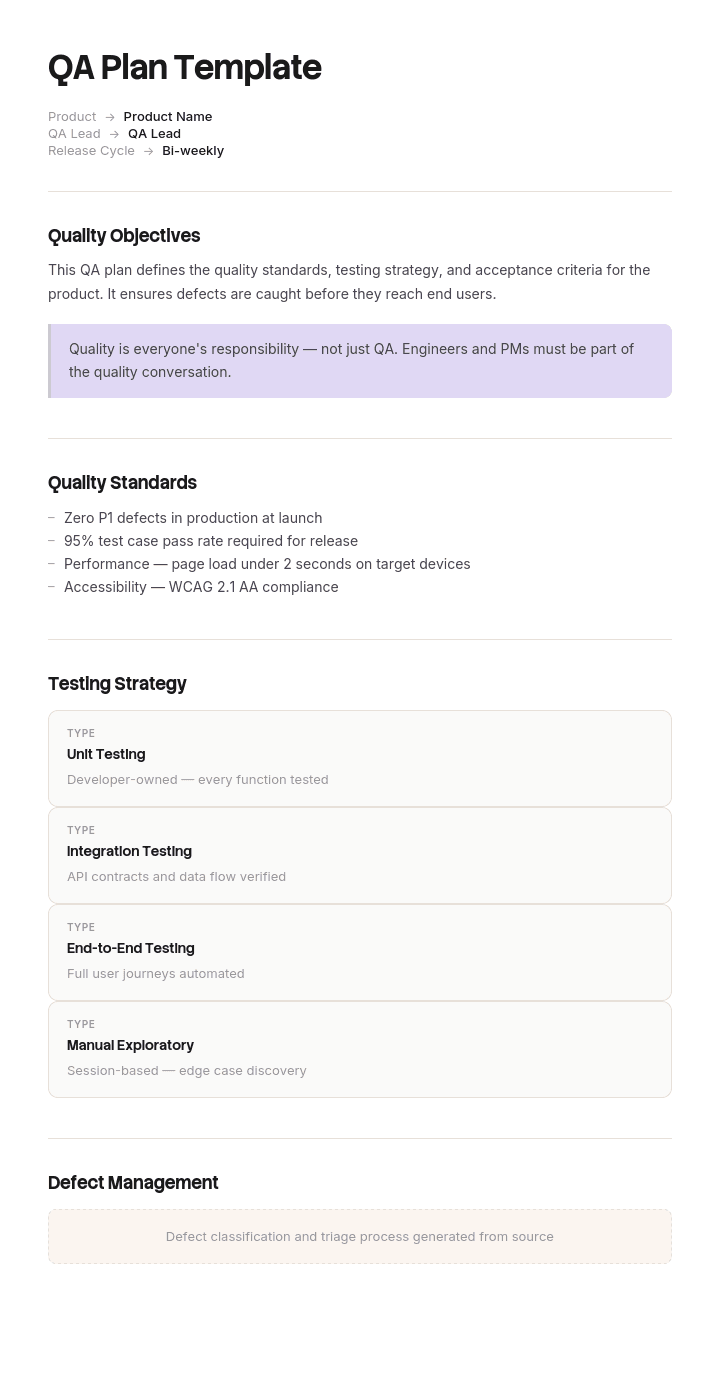
Usa questo modello
La qualità non è un ripensamento, è una disciplina. Con Trupeer, puoi risparmiare ore sulla pianificazione del QA partendo con un modello di piano di QA gratuito, personalizzandolo con le tue linee guida del brand e trasformando i piani di qualità in video walkthrough che allineano i team tra ingegneria, prodotto e operazioni.
Cos'è un modello di piano di QA gratuito?
Un modello di piano di QA gratuito è una struttura riutilizzabile per stabilire come verrà raggiunta la qualità su un pezzo di lavoro, chi è responsabile di ogni sua parte e quali prove esisteranno che sia avvenuta.
La definizione contiene una distinzione che la maggior parte dei modelli perde. Raggiunta, non verificata. Un piano che descrive come verificherai il lavoro finito è un documento diverso e molto più debole di uno che descrive come renderai il lavoro corretto fin dall'inizio, e la maggior parte dei documenti intitolati piano di QA sono il primo che indossa il nome del secondo.
Il modello non è il piano. È una struttura vuota, e ciò che determina se il documento finito serve a qualcosa non è la sua formattazione, ma l'equilibrio tra le attività che avvengono prima del lavoro e quelle che avvengono dopo di esso.
Il formato segue l'uso. Un file Word modello di piano di QA gratuito si adatta alle sezioni narrative, che è dove risiede la maggior parte del pensiero. Una versione Excel modello di piano di QA gratuito si adatta alla tabella delle attività e al registro delle prove. Un PDF modello di piano di QA gratuito è la copia rilasciata e approvata, che qui conta più che nella maggior parte dei documenti, perché un piano di QA è spesso un record verificabile.
Piano di QA o piano di QC? Ordina le tue attività in base a quando avvengono
Prendi la tua bozza di piano e inserisci ogni attività in essa contenuta in una delle tre colonne. Prima del lavoro. Durante il lavoro. Dopo il lavoro.
La maggior parte dei piani, ordinati in questo modo, si trova quasi interamente nella terza colonna. Ispezione finale, test a campione, audit, revisione, approvazione, registro dei difetti. Ognuna è un'attività reale e ognuna è controllo qualità, il che significa trovare difetti che già esistono.
L'assicurazione qualità è la prima colonna. È tutto ciò che rende meno probabile la creazione del difetto: come i documenti di riferimento raggiungono le persone che svolgono il lavoro, se le persone sono qualificate per farlo, se gli strumenti sono calibrati, se i requisiti erano chiari, se il lavoro può essere svolto alla velocità richiesta.
Entrambi sono necessari. Un piano senza controllo non ha feedback, e un piano senza assicurazione è una promessa di trovare problemi piuttosto che di evitarli.
Il test è semplice e scomodo. Conta le attività in ogni colonna. Se la terza colonna ha quattro volte le voci della prima, il tuo piano non può prevenire nulla. Può solo dirti, alla fine, quante volte ti sei sbagliato.
La seconda colonna conta più di quanto le venga attribuito, perché i controlli durante il processo sono il posto più economico per rilevare qualcosa. Un difetto riscontrato durante il lavoro costa il lavoro svolto dall'ultimo controllo. Un difetto riscontrato dopo il lavoro costa tutto il lavoro. Un difetto riscontrato dal cliente costa tutto questo più la relazione.
Come personalizzare questo modello in Trupeer
Passo 1: Apri la Sezione Modelli
Vai alla sezione Modelli dalla navigazione principale.

Passo 2: Seleziona e Apri un Modello
Clicca su qualsiasi modello con cui desideri lavorare per aprirlo.

Passo 3: Espandi la Vista del Modello
Se necessario, espandi la vista del modello per vedere chiaramente il layout completo e i dettagli.

Passo 4: Modifica il Modello
Clicca su Modifica per iniziare a modificare il modello selezionato.

All'interno dell'editor puoi:
Aggiungere nuove sezioni
Definire o aggiornare le regole di formattazione
Aggiungere un logo e regolarne la posizione e le relative impostazioni
Passo 5: Salva il Tuo Modello Personalizzato
Dopo aver apportato tutte le modifiche necessarie, clicca su Salva per memorizzare il modello aggiornato come tuo.

Passo 6: Visualizza in Anteprima e Perfeziona il Modello
Quando vuoi vedere come appare il tuo modello personalizzato, apri l'Anteprima.

Dalla schermata di anteprima, puoi continuare a apportare modifiche direttamente, se necessario, assicurandoti che il modello appaia esattamente come desideri.
Con un modello di piano di QA puoi:
Risparmiare ore sulla pianificazione: Evita la pagina vuota con una struttura costruita per la qualità.
Integrare la qualità: Le sezioni integrate assicurano che la qualità sia pianificata, non aggiunta in un secondo momento.
Rimanere in linea con il brand: Applica il tuo logo, font e colori utilizzando il brand kit di Trupeer.
Standardizzare i progetti: Utilizza lo stesso modello di piano di QA per ogni iniziativa.
Rimanere pronti per gli audit: Le sezioni integrate supportano la norma ISO 9001 e standard simili.
Raggiungere team globali: Traduci i piani di QA in oltre 65 lingue con un solo clic.
Di quale piano di QA hai bisogno?
QA significa due cose molto diverse e i risultati di ricerca per questo termine le mescolano liberamente, quindi vale la pena decidere quale documento stai effettivamente scrivendo prima di adottare un modello.
Assicurazione qualità in senso generale. Come un progetto, un prodotto o un servizio soddisferà i suoi requisiti. Copre processi, standard, ruoli, record e audit. Questo è ciò che l'industria manifatturiera, delle costruzioni, della consulenza e la maggior parte dei settori regolamentati intendono per piano di QA, ed è di questo che si occupa principalmente questa pagina.
QA del software. Come verrà testato il software. Ambito del test, ambienti, tipi di test, criteri di ingresso e uscita, gestione dei difetti. Spesso chiamato piano di QA e più simile a un piano di test. Trattato nella sua sezione dedicata più in basso, poiché i due vengono comunemente confusi tra loro e con questo documento.
Piano di Progetto di Assicurazione Qualità. Le ricerche per un Modello di Piano di Assicurazione Qualità da scaricare gratuitamente spesso atterrano qui senza volerlo. Si tratta di un documento formalmente specificato nella ricerca scientifica e ambientale, in particolare secondo i requisiti dell'Environmental Protection Agency degli Stati Uniti, con contenuti e struttura obbligatori. Se questo è ciò di cui hai bisogno, la specifica prevale e nessun modello generale su qualsiasi sito web potrà soddisfarla. Lavora partendo dalle linee guida dell'ente emittente.
Scegliere quello sbagliato produce un documento che si legge bene ma non soddisfa nessuno, il che è uno spreco comune ed evitabile di una settimana di lavoro.
Cosa deve contenere un modello di piano di QA
Nove componenti. La tabella delle attività sostiene la maggior parte del peso.
Componente | Cosa fa |
|---|---|
Ambito | Quale lavoro copre questo piano e, esplicitamente, cosa non copre. |
Standard e riferimenti | Quali specifiche, disegni, regolamenti o criteri di accettazione misurano il lavoro, per versione. |
Controllo dei riferimenti | Come tali riferimenti raggiungono le persone che svolgono il lavoro e come vengono rimosse le versioni superate. Quasi sempre mancante, e trattato di seguito. |
Ruoli | Chi è responsabile della qualità, chi esegue i controlli e chi può accettare o rifiutare. Nominativo. |
Tabella delle attività | Ogni attività di qualità, quando avviene rispetto al lavoro, chi la fa e quali prove produce. |
Criteri di accettazione | Cosa conta come conforme, in termini misurabili, concordati prima dell'inizio del lavoro. |
Gestione delle non conformità | Cosa succede quando qualcosa fallisce. Chi viene informato, cosa si ferma e come viene decisa la disposizione. |
Record | Cosa viene conservato, dove, per quanto tempo e chi può esibirlo su richiesta. |
Revisione | Quando questo piano viene riesaminato e cosa ne attiverebbe una revisione anticipata. |
Il controllo dei riferimenti è la riga che la maggior parte dei piani omette e quella che ha causato il fallimento descritto di seguito. Ogni ispezione confronta qualcosa rispetto a un riferimento. Se il riferimento stesso non è controllato, l'ispezione conferma la conformità alla cosa sbagliata, in modo approfondito e con tanto di documentazione.
Modello di piano di QA gratuito: la struttura da copiare
Compilato con un esempio reale piuttosto che con segnaposto. Il lavoro è la produzione di componenti lavorati rispetto a un disegno del cliente.
Copia da qui.
Intestazione. Nome del piano, versione, data, autore, approvatore e il contratto o progetto che copre.
Piano di qualità, alloggiamenti lavorati, contratto 4471. Versione 3. 8 maggio. Autore: T Abiodun, Responsabile Qualità. Approvato: J Sercombe, Direttore Operations.
Ambito. Copre la lavorazione, l'ispezione e la spedizione degli alloggiamenti ai sensi del contratto 4471. Non copre la fornitura di materie prime, che è regolata dall'accordo con il fornitore, o l'assemblaggio lato cliente.
Standard e riferimenti. Disegno del cliente 4471-02, revisione F. Specifica del materiale EN 10025-2. Requisiti di qualità del contratto clausola 7. Procedura interna QP-12.
Controllo dei riferimenti. I disegni vengono rilasciati in officina solo dall'ufficio qualità. La lettera di revisione è stampata sulla scheda di lavoro e verificata rispetto al registro dei rilasci al momento del setup da una seconda persona. I disegni superati vengono distrutti anziché archiviati. Il registro d'officina viene riconciliato settimanalmente con il portale del cliente.
Ruoli. Responsabile Qualità responsabile di questo piano. Il programmatore esegue la verifica del setup. L'ispettore esegue il primo articolo e il controllo finale. Solo il Responsabile Qualità può accettare una disposizione non conforme.
Tabella delle attività.
Quando | Attività | Proprietario | Prove |
|---|---|---|---|
Prima | Revisione del disegno verificata sul portale del cliente al rilascio del lavoro | Ufficio qualità | Record di rilascio firmato con lettera di revisione |
Prima | Qualifica del programmatore aggiornata per questa macchina e materiale | Supervisore di produzione | Registro di formazione |
Prima | Calibri entro la data di calibrazione | Ispettore | Registro di calibrazione |
Durante | Verifica del setup, prime tre parti rispetto al disegno | Programmatore e ispettore | Rapporto del primo articolo |
Durante | Controllo in corso d'opera ogni cinquanta parti, quattro dimensioni | Operatore | Foglio di controllo |
Dopo | Ispezione finale, campione come da clausola contrattuale 7 | Ispettore | Rapporto di ispezione |
Dopo | Certificato di conformità rilasciato | Ufficio qualità | Certificato firmato |
Tre prima, due durante, due dopo. Questo equilibrio è lo scopo della tabella, ed è deliberatamente l'inverso di ciò che contiene la maggior parte dei piani.
Criteri di accettazione. Tutte le dimensioni entro la tolleranza del disegno. Finitura superficiale come da nota a disegno 4. Qualsiasi parte fuori tolleranza rifiuta il campione e avvia l'ispezione completa del lotto.
Gestione delle non conformità. L'operatore ferma e contrassegna la parte. L'ispettore compila un verbale di non conformità entro un'ora. La produzione su quel lavoro si interrompe fino alla disposizione. Solo il Responsabile Qualità decide l'uso così com'è, la rilavorazione o lo scarto, e l'uso così com'è richiede l'accordo scritto del cliente.
Record. Rapporti del primo articolo, fogli di controllo, rapporti di ispezione e certificati conservati per sette anni come da clausola contrattuale 9, custoditi nel sistema qualità, recuperabili entro un giorno lavorativo.
Revisione. Revisionato alle scadenze contrattuali e immediatamente in caso di reclamo del cliente, di qualsiasi revisione del disegno o di qualsiasi modifica di macchina o materiale.
Copia fino a qui.
Esempio di piano di QA: quattromila parti e ogni ispezione superata
Nethergate Precision, un'azienda di lavorazioni meccaniche conto terzi di circa centottanta persone, ha vinto un contratto automobilistico e ha redatto un piano di qualità dedicato.
Il piano era lungo ventidue pagine. Specificava l'ispezione del primo articolo, controlli in corso d'opera in tre fasi, l'ispezione finale secondo uno standard di campionamento concordato, la calibrazione dei calibri, la qualifica dell'operatore e record completi. Ha superato l'audit del fornitore da parte del cliente senza un singolo rilievo.
Otto mesi dopo hanno spedito quattromila alloggiamenti lavorati secondo la revisione del disegno E. Il cliente aveva rilasciato la revisione F undici settimane prima.
Ogni singola ispezione era stata superata. Primo articolo, in corso d'opera, finale, tutti, perché ognuno confrontava le parti con il disegno nella cartella dell'ispettore, e la cartella conteneva la revisione E. Le parti erano state realizzate correttamente. Erano conformi precisamente a un documento che era stato superato.
Il costo è stato di centoquarantacinquemila sterline tra ritiro, rilavorazione, trasporto accelerato e il blocco della linea del cliente stesso, e l'account è passato a un monitoraggio rafforzato del fornitore per un anno.
La revisione ha rilevato l'aspetto che rende questo esempio degno di essere letto. Di ventitré attività di qualità nel piano, diciannove avvenivano dopo che una parte era stata tagliata. Quattro avvenivano durante. Nemmeno una avveniva prima, e in nessuna parte delle ventidue pagine veniva descritto come una revisione del disegno viaggiasse dal cliente alla persona che configurava la macchina.
Il piano era meticoloso sulla verifica della conformità e silenzioso sull'assicurazione del riferimento. Così una modifica nel riferimento è passata attraverso ogni controllo senza essere rilevata, perché nessuno dei controlli era orientato ad essa.
Ciò che hanno cambiato non è stato aumentare le ispezioni. Hanno aggiunto quattro attività all'inizio del piano. Rilascio del disegno solo attraverso un'unica via. Lettera di revisione stampata sulla scheda di lavoro e verificata al momento del setup da una seconda persona. Disegni superati distrutti anziché archiviati, poiché un disegno obsoleto archiviato è un disegno obsoleto in attesa di essere preso in mano. E una riconciliazione settimanale tra il portale del cliente e il registro d'officina.
Ne sono conseguite due conseguenze, e la seconda li ha sorpresi.
Non ci sono state ulteriori fughe di riferimenti nei diciotto mesi successivi. E il tempo totale di ispezione è diminuito, perché uno dei controlli in corso d'opera esisteva unicamente per intercettare tardi questa classe di problemi ed è stato rimosso in quanto ridondante una volta che veniva rilevato in anticipo.
L'assicurazione è solitamente più economica del controllo che sostituisce. Questo è l'argomento da presentare a chiunque pensi che la qualità sia solo un costo.
Come scrivere un piano di QA in sei passaggi
Definisci rispetto a cosa viene misurato il lavoro. Specifiche, disegni, regolamenti, criteri di accettazione, per versione. Se questo non può essere dichiarato con precisione, nulla a valle sarà preciso.
Scrivi il controllo dei riferimenti prima di ogni altra cosa. Come quei documenti raggiungono le persone che svolgono il lavoro e come vengono rimosse le vecchie versioni. Questo è il passaggio che quasi tutti saltano.
Elenca ogni attività di qualità che intendi svolgere. Non organizzarle ancora. Limitati a elencarle.
Ordinale in prima, durante e dopo. Osserva la struttura. Se la terza colonna domina, torna al punto tre e chiediti cosa renderebbe ogni difetto meno probabile piuttosto che più facile da trovare.
Associa una prova a ogni attività. Un'attività che non produce alcun record non può dimostrare di essere avvenuta, il che in un ambiente sottoposto ad audit significa che non è avvenuta.
Indica chi ha l'autorità di rifiutare. Un piano in cui nessuno ha l'autorità di fermare il lavoro è una descrizione piuttosto che un controllo.
Il punto quattro è l'essenza dell'intero esercizio. Tutto il resto è gestione burocratica di contorno.
Dove vengono rilevati i difetti e quanto costa ciascuna fase
L'argomento a favore dell'assicurazione rispetto all'ispezione è economico piuttosto che morale, ed è bene presentare i numeri a chi approva il budget.
Un difetto prevenuto costa il prezzo del controllo che lo ha prevenuto.
Un difetto rilevato durante il lavoro costa il lavoro svolto dall'ultimo controllo. In un processo a lotti con un controllo ogni cinquanta parti, sono cinquanta parti.
Un difetto rilevato all'ispezione finale costa l'intero lotto, oltre al ritardo sulla tabella di marcia.
Un difetto rilevato dal cliente costa il lotto, il trasporto in entrambe le direzioni, la sostituzione, qualsiasi costo causato dalla loro interruzione e un cambiamento nel modo in cui pensano a te. Questa è l'unica fase in cui il costo non è limitato da nulla che tu possa controllare.
Nessuna presentazione PowerPoint di un modello di piano di QA gratuito mostrata a un cliente cambierà questi rapporti, anche se presentarli è spesso il modo in cui il budget viene approvato. I rapporti variano a seconda del settore e l'ordine non cambia mai. Ogni fase successiva è più costosa di ogni fase precedente, il che significa che la riga con il rendimento più alto in qualsiasi piano di QA è quella che sposta un controllo in avanti rispetto a quella che aggiunge un controllo in un secondo momento.
Varianti del modello di piano di QA: software, edilizia, produzione e settori regolamentati
La struttura tiene e l'enfasi si sposta in modo sostanziale.
Piano di qualità per la produzione. Controllo dei riferimenti, calibrazione dei calibri, qualifica degli operatori e campionamento. L'esempio sopra appartiene a questa variante.
Piano di qualità per l'edilizia. Piani di ispezione e test, punti di arresto, punti di presenza e ispezioni di terze parti. Spesso richiesto contrattualmente in un formato specifico, e il formato prevale su qualsiasi cosa in questa pagina. Questo settore pubblica più documenti reali di qualsiasi altro, quindi un PDF di esempio di piano di assicurazione qualità scaricabile gratuitamente da un contratto pubblico è facile da trovare e vale più di un modello vuoto.
Piano di QA del software. Ambito del test, ambienti, criteri di ingresso e uscita, gravità dei difetti e triage. Assicurazione qui significa revisione del codice, analisi statica, definizione di

Understand how work happens.
Carry it into your next transition.
Start Free Trial
Book a Demo
concorrenti

