4.8/5
AI Operations Manual Generator from Process Recordings
Build an operations manual from recordings of how your processes really run. The AI operations manual generator turns each recording into a step-by-step procedure, so process owners get a complete, current manual.
Book a Demo

Trupeer's AI operations manual generator builds an operations manual from recordings of how your processes actually run, so process owners get a complete, current manual without weeks of writing.
Most operations manuals are written once, for an audit or a handover, and then left alone. Within a year the screens have changed, the approvals have moved and the exceptions people handle every day were never written down. Process owners know the manual is wrong, but rewriting hundreds of pages by hand is never the priority. An AI operations manual generator changes the starting point: instead of writing from memory, you record the work as it happens, and the manual is built from the recordings.
What is an AI operations manual generator?
An AI operations manual generator is a tool that creates an operations manual from recordings of real work. Process owners and experts record themselves performing each process, narrating what they do and why. The AI turns each recording into a step-by-step procedure with screenshots and a short video, and those procedures are organised into one manual with the context around them: scope, roles, systems, controls, exceptions and contacts.
The result is an operating manual built from evidence, not memory, and one that can be updated a procedure at a time when the process changes.
Operations manual vs SOP vs desk manual
Document | What it covers | Who it's for |
|---|---|---|
Operations manual | How a whole function or service runs: scope, roles, processes, systems, controls, KPIs and escalation, with SOPs for each process | Process owners, managers, auditors and new team members |
SOP | One procedure, step by step, with exceptions and controls | Anyone performing that procedure |
Desk manual | Everything one role does, daily to monthly | The person in that role and their cover |
An operations manual contains or links to the SOPs for its processes. For a role-level view, see the desk manual template.
What goes into an operations manual
Section | What it covers |
|---|---|
Purpose and scope | The function, service or site the manual covers |
Organisation and roles | Teams, responsibilities, approvals and segregation of duties |
Process map | The end-to-end processes and how they connect |
Procedures | A step-by-step SOP and video for each process |
Systems and access | The applications used and who has access |
Controls | Checks, approvals and reconciliations |
Exceptions and escalation | What to do when the standard path doesn't apply, and who decides |
KPIs and reporting | How performance is measured and reported |
Calendar | Daily, weekly, monthly and year-end activities |
Contacts | Internal teams, suppliers and support |
Change log | What changed, when and who approved it |
How to build an operations manual from recordings
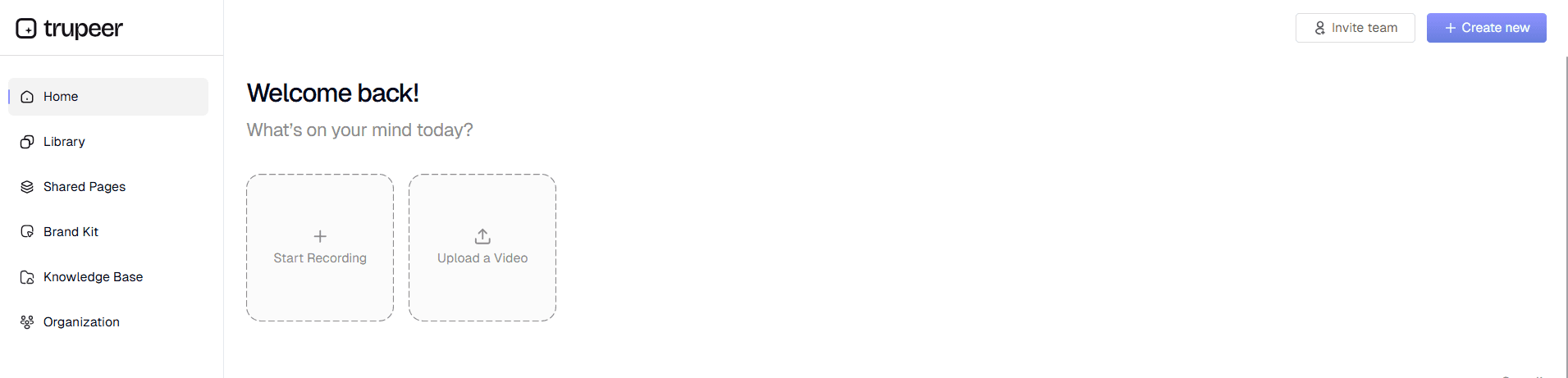
Step 1: Record each process
Ask the people who run each process to record themselves doing the real work, in the real systems, narrating each step and decision, including the exceptions they handle. You can also upload recordings you already have, such as training sessions or handover calls.
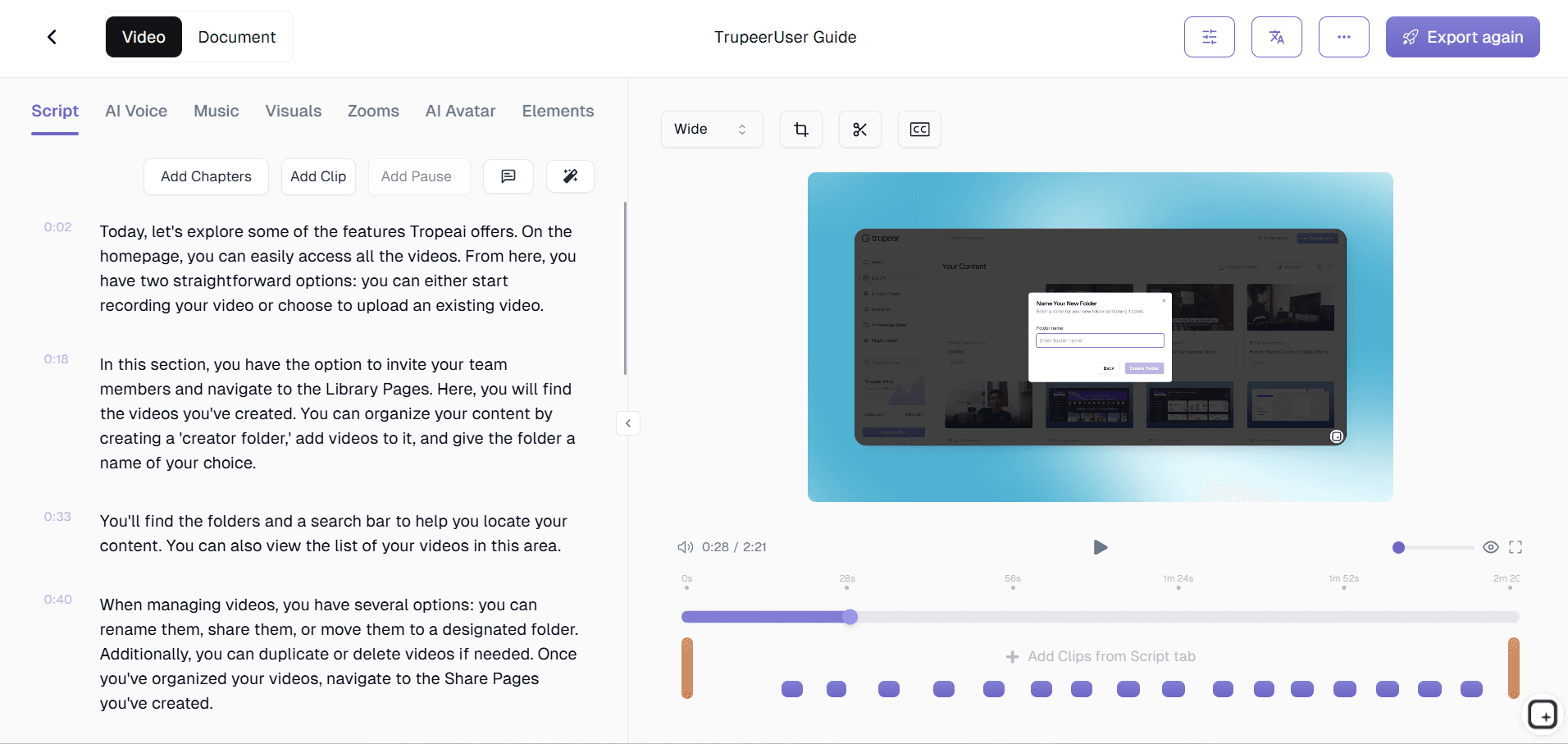
Step 2: AI turns each recording into a procedure
Trupeer processes each recording, removes filler, identifies the steps, captures screenshots and writes clear instructions, producing a step-by-step procedure and a short narrated video for each process.
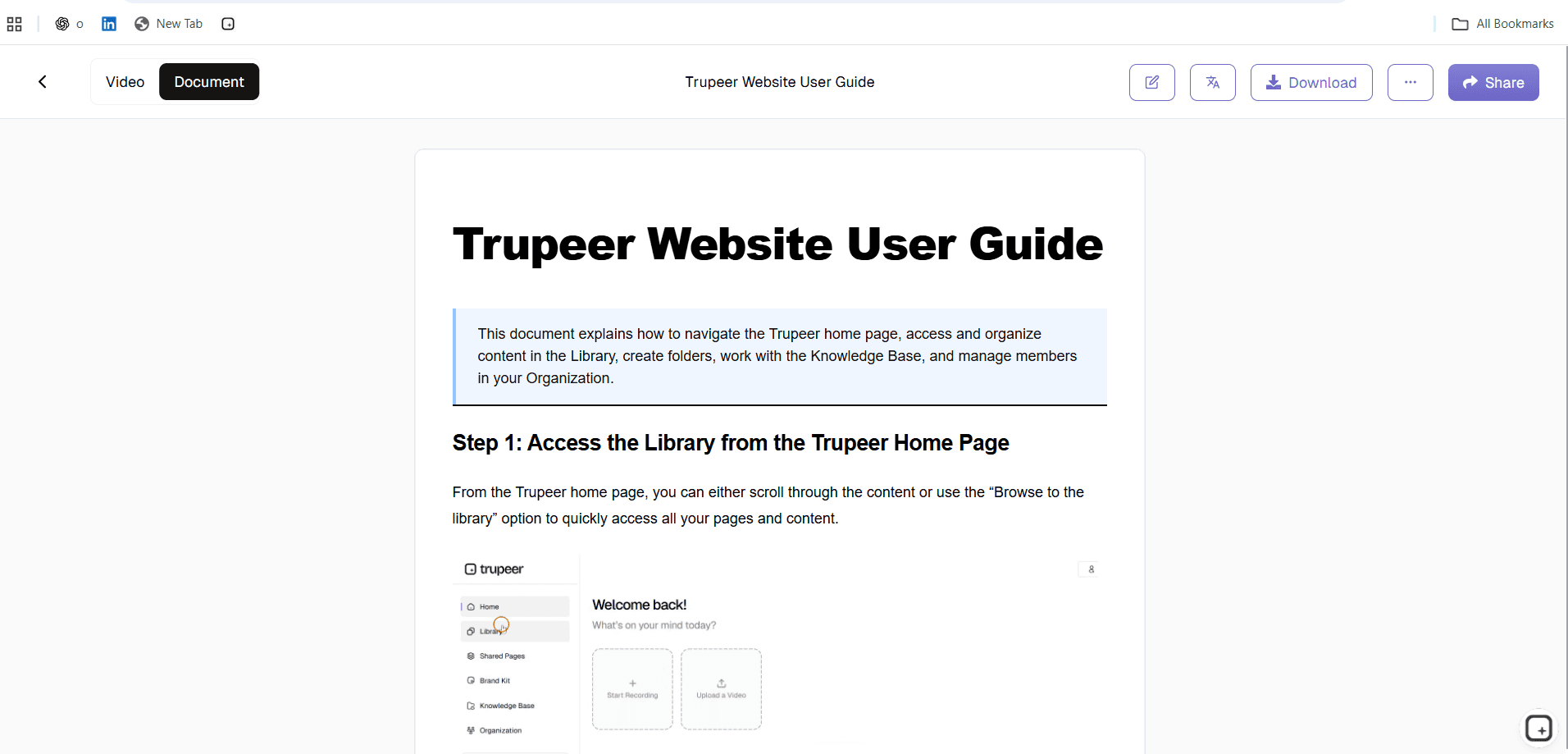
Step 3: Assemble and review the manual
Organise the procedures into your operations manual structure, add the context sections, apply your brand kit and send each procedure to its owner for review. Owners add the business rules, thresholds and exceptions that weren't visible on screen.
Step 4: Publish and keep it current
Publish the manual in one searchable place, with an owner and review date for every procedure. When a process changes, update that procedure by editing the script or replacing a single step, instead of rewriting the manual.
Building the operating manual during a transformation
Operations manuals matter most when a function is changing: a new ERP, a shared services move, an outsourcing transition or a redesign. The manual becomes part of the build, not an afterthought:
Capture the as-is by recording how each process runs today; use the as-is process documentation template.
Design the to-be processes, controls and roles.
Build the operating manual by recording the new processes in the configured systems as they're finalised.
Train the team using the same procedures and videos.
Run and improve, updating the manual as the new operating model settles.
Building the manual from recordings during the build phase means it's ready on day one, and it reflects how the new processes actually work rather than how they were designed on paper.
Keeping an operations manual current
Give every procedure an owner and a review date.
Update the procedure, not the manual, when a single process changes.
Watch for changes in the systems the manual covers, and review affected procedures after each release; see stale SOP detection.
Record a change log for audit and handover.
Who uses an AI operations manual generator?
Process owners who need one current manual for the processes they're accountable for.
Operations managers running teams across shifts, sites or regions.
Shared services and GBS leaders standardising how work is done across locations.
Transformation and transition teams building the operating manual for a new model, including BPO transitions.
Franchise and multi-site operators replacing PDF manuals with guides people actually use; see how to replace franchise operations manual PDFs with video guides.
Quality, risk and audit teams who need documented, current procedures.
AI operations manual generator vs writing the manual by hand
Writing by hand | Generating from recordings | |
|---|---|---|
Source | Memory, interviews and old documents | Recordings of the real work |
Exceptions | Often missing | Visible in the recording, added at review |
Screenshots and video | Captured separately, if at all | Generated from the recording |
Time to first draft | Weeks per function | Hours to days, depending on the number of processes |
Updates | Rewrite sections by hand | Update one procedure at a time |
Review | Required | Required, focused on rules and exceptions |
Proof: documentation built from recordings at scale
Genpact used Trupeer for a company-wide Workday rollout, turning recorded process sessions and SME walkthroughs into more than 500 training collaterals across 20 workstreams in five languages, for 140,000 employees in 40 countries, in 3 months instead of 12. Read the Genpact customer story.
See an operations manual built from your recordings
Want to see how your team's processes would become an operations manual? Book a demo and bring a recording of one process your team runs today.
Explore related tools
Why Process Owners Choose Trupeer's AI Operations Manual Generator
Built From Real Work
Every procedure comes from a recording of how the process actually runs, so the manual reflects practice, not memory
One Manual, Many Procedures
Organise SOPs, videos, controls, exceptions and contacts into one searchable operations manual for each function
Easy to Keep Current
Update a single procedure by editing the script or replacing one step, instead of rewriting the manual
How to Build an Operations Manual from Recordings
Step 1
Record each process, or upload existing recordings
Step 2
AI turns each recording into a step-by-step procedure and video
Step 3
Assemble, review and publish your operations manual
Frequently Asked Questions
What is an AI operations manual generator?
It's a tool that builds an operations manual from recordings of real work. Each recording becomes a step-by-step procedure with screenshots and video, and the procedures are organised into a manual with roles, systems, controls, exceptions and contacts.
How do I create an operations manual from recordings?
Record the people who run each process doing the real work, let Trupeer turn each recording into a procedure, organise the procedures into your manual structure, have each owner review and add business rules, then publish it in one searchable place.
What's the difference between an operations manual and an SOP?
An SOP covers one procedure. An operations manual covers how a whole function or service runs, including roles, processes, systems, controls, KPIs and escalation, and it contains or links to the SOPs for each process.
Can I use existing recordings?
Yes. Upload training sessions, handover calls or walkthroughs you already have, and Trupeer turns them into procedures you can add to the manual.
How do I keep the operations manual up to date?
Give every procedure an owner and review date, update individual procedures when processes change by editing the script or replacing a step, and review affected procedures after each system release.
More Tools



