Trupeer Blog
Synthétiser

Découvrez les meilleurs outils pour un onboarding client fluide en 2026.
[15] min de lecture. 26 mars 2026.
Vue d’ensemble de l’acheteur
Choisir la bonne plateforme d’onboarding client n’a jamais été aussi crucial. Alors que 60 % des entreprises investissent dans des fonctions d’onboarding dédiées, la pression monte pour offrir des expériences cohérentes et engageantes. Cet investissement met en évidence une tendance croissante vers des processus d’onboarding structurés afin de réduire le churn précoce et d’alléger la charge des équipes Customer Success.
60 % des entreprises investissent désormais dans des fonctions dédiées d’onboarding client.
Rocketlane State of Customer Onboarding, 2024
Vous trouverez une comparaison détaillée des plateformes d’onboarding client les mieux notées disponibles en 2026. Elle est conçue pour les dirigeants d’entreprise, les responsables Customer Success et les équipes qui souhaitent améliorer leurs processus d’onboarding. Que vous cherchiez à fluidifier les interactions avec vos clients ou à améliorer vos taux de rétention, ce guide vous apporte les informations nécessaires pour faire un choix éclairé.
Meilleures plateformes d’onboarding client & prospects : comparaison directe
Fonctionnalité | Trupeer | Pendo | UserPilot | Appcues | Rocketlane | Dock | GuideCX | Intercom |
|---|---|---|---|---|---|---|---|---|
Fonctionnalités principales | ||||||||
Guidage in-app | Oui | Oui | Oui | Oui | Non | Limité | Oui | Oui |
Portail client | Oui | Limité | Non | Limité | Oui | Oui | Oui | Non |
Contenu vidéo | Oui | Limité | Oui | Oui | Non | Non | Limité | Oui |
Capacités d’IA | ||||||||
Automatisation des tâches | Oui | Oui | Non | Limité | Oui | Non | Oui | Limité |
Analytique de progression | Oui | Oui | Oui | Oui | Oui | Limité | Oui | Oui |
Fonctionnalités professionnelles | ||||||||
Séquences d’e-mails | Oui | Limité | Oui | Non | Oui | Non | Limité | Oui |
Intégration CRM | Oui | Oui | Oui | Limité | Oui | Oui | Oui | Oui |
Intégrations | ||||||||
White-label | Oui | Non | Oui | Limité | Limité | Oui | Non | Non |
Onboarding en libre-service | Oui | Oui | Oui | Oui | Non | Limité | Oui | Oui |
Trupeer

Trupeer est conçu pour les entreprises qui recherchent une solution d’onboarding complète, intégrée en profondeur aux systèmes CRM existants. Il est idéal pour les entreprises qui souhaitent rationaliser leurs processus d’onboarding grâce à un haut niveau d’automatisation et d’analytique. Trupeer se distingue par ses portails clients personnalisables et ses capacités solides en matière de contenu vidéo, ce qui en fait un favori des entreprises de taille moyenne à grande.
Fonctionnalités clés
Guidage in-app personnalisable
Portail client avancé
Visites vidéo intégrées
Gestion automatisée des tâches
Analytique de progression complète
Automatisation des séquences d’e-mails
Intégration CRM et white-label
Onboarding en libre-service
« Les capacités d’intégration de Trupeer ont considérablement amélioré notre efficacité d’onboarding et la satisfaction de nos clients. »
Points forts
Limites
Portails hautement personnalisables qui améliorent l’expérience client.
La configuration initiale peut être complexe pour les petites équipes.
Analytique solide pour suivre la progression de l’onboarding.
Une formation est nécessaire pour maximiser les fonctionnalités.
Forte intégration CRM et e-mail.
Le coût peut être prohibitif pour les startups.
Prend en charge les modèles d’onboarding en libre-service et guidé.
Tarifs
Trupeer propose une offre gratuite avec des fonctionnalités limitées, et des formules payantes à partir de 49 $/mois.
Pendo

Pendo propose une expérience d’onboarding centrée sur l’utilisateur, principalement pour les entreprises SaaS. Sa force réside dans la fourniture d’un guidage in-app et d’insights adaptés au comportement des utilisateurs. Pendo est particulièrement utile pour les équipes produit qui souhaitent affiner les expériences utilisateur et favoriser l’adoption du produit grâce à des décisions fondées sur les données.
Fonctionnalités clés
Guidage in-app dynamique
Analytique comportementale
Collecte des retours utilisateurs
Tableaux de bord personnalisables
Intégration avec des CRM populaires
Fonctionnalités de segmentation
Analyse de l’utilisation du produit
Suivi d’événements personnalisés
Points forts
Limites
Fournit d’excellents insights sur le comportement des utilisateurs.
Capacités de portail client limitées.
Permet une segmentation détaillée des utilisateurs.
Les fonctionnalités avancées peuvent être coûteuses.
Outils de guidage in-app solides.
Courbe d’apprentissage élevée pour les nouveaux utilisateurs.
Tarifs
Pendo commence avec une offre gratuite pour l’analytique de base, avec des formules professionnelles à partir de 199 $/mois.
UserPilot

UserPilot est conçu pour les équipes qui accordent de l’importance à la personnalisation de l’onboarding utilisateur. Il excelle dans la création de parcours utilisateur et d’expériences produit personnalisés, sans nécessiter de compétences en développement. Cela en fait un choix idéal pour les chefs de produit et les designers UX qui souhaitent améliorer l’engagement des utilisateurs grâce à des expériences sur mesure.
Fonctionnalités clés
Parcours d’onboarding utilisateur sans code
Suivi de l’adoption des fonctionnalités
Outils de segmentation des utilisateurs
Messages in-app personnalisés
Checklists d’onboarding personnalisées
Boucles de feedback en temps réel
Définition dynamique des objectifs
Intégration avec des outils d’analytique
Points forts
Limites
Hautement personnalisable sans code.
Support de contenu vidéo limité.
Excellent pour des parcours utilisateur personnalisés.
Pas de portail client intégré.
Suivi solide de l’adoption des fonctionnalités.
L’offre de base ne propose pas d’analytique avancée.
Tarifs
UserPilot propose un essai gratuit, avec des formules professionnelles à partir de 249 $/mois.
Appcues
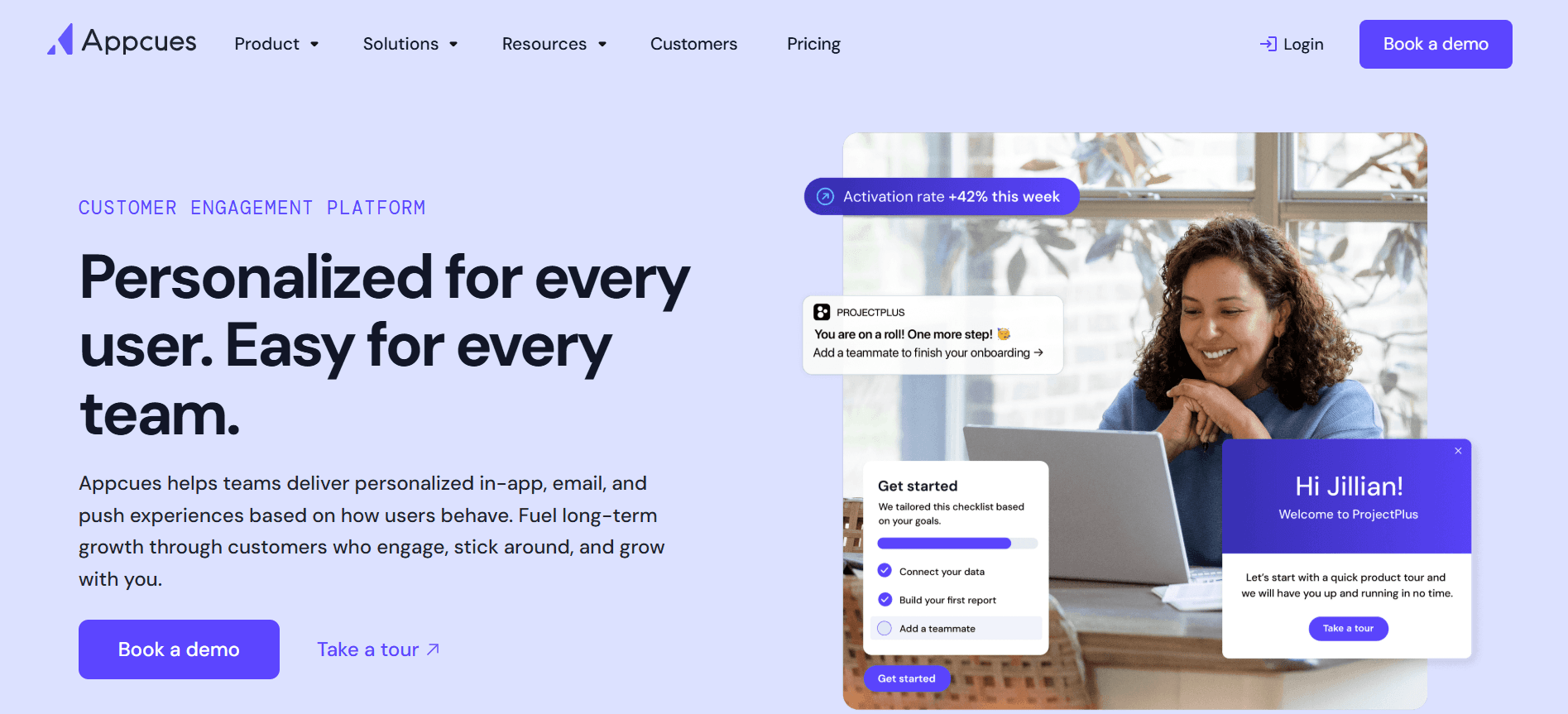
Appcues se concentre sur l’amélioration de l’onboarding utilisateur en créant des expériences produit intuitives. Il est particulièrement efficace pour les petites et moyennes entreprises qui souhaitent mettre en place des product tours et des messages in-app sans ressources techniques approfondies. Appcues se distingue par sa capacité à créer des expériences d’onboarding engageantes sans code.
Fonctionnalités clés
Créateur par glisser-déposer
Messages in-app
Analytique d’utilisation
Collecte des retours utilisateurs
Support multilingue
Parcours utilisateurs ciblés
Thèmes personnalisables
Intégration avec des outils tiers
Points forts
Limites
Facile à utiliser, sans code requis.
Intégration CRM limitée.
Outils de messages in-app puissants.
Le support vidéo est limité.
Idéal pour créer des product tours.
Peut être coûteux pour les petites entreprises.
Tarifs
Appcues propose une offre gratuite avec l’essentiel, avec des fonctionnalités premium à partir de 249 $/mois.
Rocketlane

Rocketlane est conçu pour les équipes qui ont besoin d’une plateforme collaborative pour un onboarding de type projet. Il convient particulièrement aux agences et aux cabinets de services professionnels qui exigent une gestion détaillée des workflows avec leurs clients. La force de Rocketlane réside dans sa capacité à faciliter la collaboration entre les équipes et les clients, afin de garantir que les projets restent dans les temps.
Fonctionnalités clés
Espaces de travail clients collaboratifs
Outils de gestion de projet
Suivi de l’allocation des ressources
Partage de documents
Chat en temps réel
Suivi des jalons
Analytique de performance des équipes
Intégration avec des systèmes de gestion des tâches
Points forts
Limites
Facilite la collaboration entre équipes et clients.
Pas idéal pour les petites entreprises.
Inclut des fonctionnalités détaillées de gestion de projet.
Manque d’outils de guidage in-app.
Excellent pour le suivi de l’allocation des ressources.
Le support de contenu vidéo est absent.
Tarifs
Rocketlane propose une période d’essai, avec des formules payantes à partir de 299 $/mois.
Dock

Dock propose une approche unique de l’onboarding en se concentrant sur l’engagement client via des portails personnalisables. Il est idéal pour les entreprises qui privilégient l’interaction directe avec leurs clients, en proposant des outils pour partager des documents, suivre les tâches et gérer les délais d’onboarding. Bien que Dock excelle dans la communication client, il peut ne pas convenir à ceux qui recherchent une automatisation approfondie.
Fonctionnalités clés
Portails clients personnalisables
Gestion des tâches
Partage de documents
Suivi des délais
Notifications par e-mail
Collecte des retours clients
Intégration avec des outils CRM
Options white-label
Points forts
Limites
Excellent pour la communication client.
Capacités d’automatisation des tâches limitées.
Les portails personnalisables améliorent l’interaction client.
Peu adapté aux entreprises ayant besoin d’analytique approfondie.
Propose des solutions white-label.
Le support de contenu vidéo fait défaut.
Tarifs
Dock propose une offre de base gratuite, avec des options avancées à partir de 149 $/mois.
GuideCX

GuideCX se spécialise dans un onboarding transparent et collaboratif, ce qui en fait un choix idéal pour les équipes qui doivent gérer plusieurs projets clients en parallèle. Il est particulièrement utile pour les organisations qui ont besoin d’une communication client claire et d’une visibilité sur les tâches. La force de GuideCX réside dans sa capacité à offrir aux clients une vue claire des délais de projet et des responsabilités.
Fonctionnalités clés
Tableaux de bord des projets clients
Suivi des jalons
Visibilité des tâches pour les clients
Mises à jour de progression automatisées
Outils de collaboration en temps réel
Intégration avec des logiciels de gestion de projet
Collecte des retours clients
Fonctionnalités white-label
Points forts
Limites
Excellent pour gérer plusieurs projets.
Peut être trop complexe pour les petites équipes.
Offre une visibilité client claire.
Ne propose pas de fonctionnalités d’analytique avancée.
Collaboration en temps réel solide.
Support de contenu vidéo limité.
Tarifs
GuideCX propose une offre gratuite avec des fonctionnalités limitées, avec des formules premium à partir de 249 $/mois.
Intercom
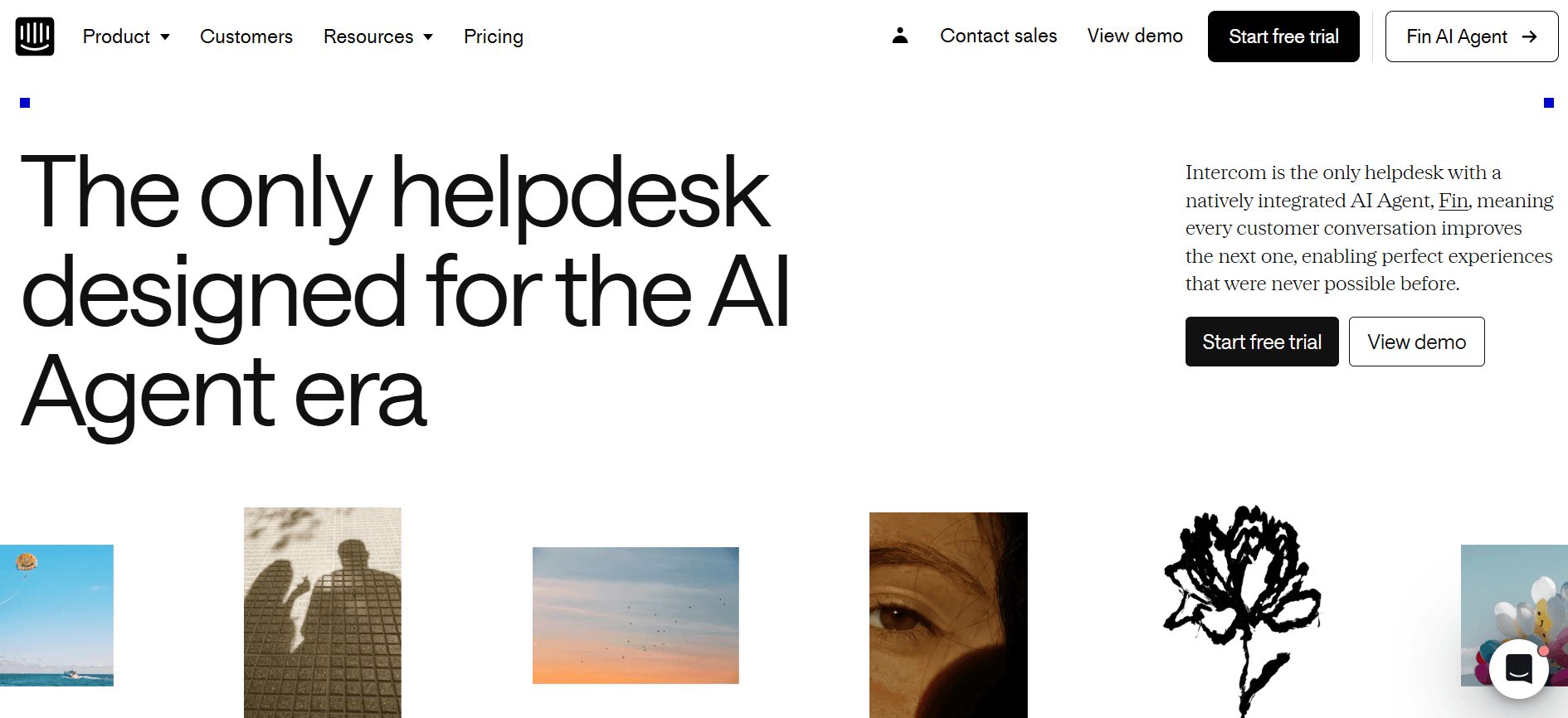
Intercom est une plateforme polyvalente qui combine l’engagement client et des fonctionnalités d’onboarding. Elle convient bien aux entreprises qui souhaitent intégrer le support, la vente et l’onboarding sur une seule plateforme. La fonctionnalité phare d’Intercom est sa capacité à offrir des expériences client personnalisées grâce à des messages ciblés et à l’automatisation.
Fonctionnalités clés
Support par chat en direct
Messages automatisés
Suivi de l’engagement utilisateur
Parcours d’onboarding personnalisables
Intégration avec des outils CRM et de support
Insights pilotés par la donnée
Communication multicanale
Collecte des retours clients
Points forts
Limites
Combine support et onboarding de manière fluide.
Peut être coûteux pour les petites entreprises.
Très efficace pour les messages automatisés.
La configuration peut être complexe pour les nouveaux utilisateurs.
Propose une communication multicanale.
Limitée à des parcours d’onboarding de base.
Tarifs
Intercom commence avec une offre de base à 89 $/mois, avec des fonctionnalités avancées disponibles sur des offres supérieures.
Défis de l’onboarding client : ce avec quoi les équipes ont du mal
Des expériences d’onboarding incohérentes entre différents représentants CS
Les approches variées selon les membres de l’équipe peuvent dérouter les clients.
Des messages incohérents entraînent un manque de confiance et de clarté.
Les clients peuvent recevoir des signaux contradictoires concernant les processus et les attentes.
La standardisation est essentielle, mais difficile à mettre en œuvre sans les bons outils.
Les clients ne complètent pas les étapes d’onboarding sans relances proactives
Les clients perdent souvent le fil ou relèguent les tâches d’onboarding au second plan.
L’absence de rappels opportuns peut entraîner des étapes manquées.
La communication proactive est essentielle pour maintenir l’engagement des clients.
Des outils d’automatisation sont nécessaires pour envoyer des rappels et des mises à jour en temps voulu.
L’équipe CS n’a aucune visibilité sur l’endroit exact où certains clients sont bloqués
Sans visibilité claire, il est difficile d’apporter une assistance ciblée.
Les problèmes peuvent passer inaperçus, entraînant la frustration des clients.
Le suivi de la progression client nécessite une analytique en temps réel.
Les équipes ont besoin de tableaux de bord pour identifier et traiter rapidement les goulots d’étranglement.
L’équipe CS ne peut pas augmenter sa capacité sans recruter
Une charge de travail élevée entraîne l’épuisement et une baisse de la productivité.
Les processus manuels limitent le nombre de clients qu’une équipe peut gérer.
L’automatisation peut aider à faire évoluer les tâches sans augmenter la taille de l’équipe.
Des outils d’efficacité sont nécessaires pour rationaliser les tâches répétitives.
Une intégration médiocre avec le CRM existant et la gestion des tickets de support
Des systèmes déconnectés créent des silos de données et des inefficacités.
Le transfert manuel des données peut provoquer des erreurs et des retards.
Les plateformes intégrées garantissent un flux de données fluide entre les équipes.
L’intégration du CRM et de la gestion des tickets de support est essentielle pour une vue unifiée.
Défi
Processus traditionnel
Impact business
Coût en temps
Expériences d’onboarding incohérentes
Manuel, approches variées selon les membres de l’équipe
Clients déconcertés, baisse de la confiance
Élevé
Clients qui ne complètent pas l’onboarding
Absence de rappels automatisés
Étapes manquées, engagement retardé
Moyen
Visibilité limitée sur la progression client
Pas d’analytique en temps réel
Problèmes non détectés, frustration client
Élevé
Augmenter la capacité sans recruter
Répartition manuelle de la charge de travail
Épuisement, prise en charge client limitée
Très élevé
Intégration CRM médiocre
Systèmes déconnectés
Silos de données, inefficacités
Élevé
Fonctionnalités indispensables dans les outils d’onboarding client
Guidage in-app et product tours
Le guidage in-app est essentiel pour aider les utilisateurs à naviguer efficacement dans votre produit. Ces fonctionnalités permettent aux entreprises de proposer des guides interactifs directement dans leur logiciel, réduisant ainsi le besoin de manuels volumineux ou de sessions de formation. Des outils comme Pendo et Appcues excellent dans la fourniture de tours in-app dynamiques et personnalisables qui aident les utilisateurs à comprendre rapidement et efficacement les fonctionnalités du produit.
Les product tours proposent des instructions étape par étape, particulièrement bénéfiques pour les nouveaux utilisateurs. Ils garantissent que les clients connaissent toutes les fonctionnalités disponibles, renforçant ainsi l’engagement et la satisfaction. En intégrant ces tours, les entreprises peuvent assurer une expérience cohérente lors de toutes les interactions avec les utilisateurs.
Portail d’onboarding orienté client
Les portails orientés client offrent une plateforme centralisée où les clients peuvent accéder à l’ensemble des supports d’onboarding, suivre leur progression et communiquer avec les équipes de support. Cette fonctionnalité est essentielle pour maintenir la transparence et la responsabilisation. Rocketlane et Dock se distinguent particulièrement par la qualité des portails qui facilitent la collaboration et le partage de documents entre les équipes et les clients.
Ces portails contribuent à rationaliser le processus d’onboarding en donnant aux clients une vue claire des étapes à compléter. Ils permettent également d’intégrer d’autres outils et ressources, ce qui facilite l’accès à l’information nécessaire sans quitter le portail.
Visites vidéo intégrées dans la plateforme
Les visites vidéo servent de guides visuels qui peuvent simplifier des processus complexes. Elles sont particulièrement utiles pour démontrer des fonctionnalités qui seraient difficiles à expliquer uniquement avec du texte. Trupeer et UserPilot proposent des capacités solides en matière de contenu vidéo, permettant aux entreprises d’intégrer des tutoriels vidéo directement dans leurs plateformes, afin d’améliorer la compréhension et la rétention des utilisateurs.
En proposant des visites vidéo, les entreprises peuvent s’adapter à différents styles d’apprentissage et offrir une manière plus engageante de découvrir les fonctionnalités du produit. Cela peut augmenter les taux d’adoption et rendre l’expérience d’onboarding plus satisfaisante.
Suivi automatisé des tâches et des jalons
Automatiser le suivi des tâches et des jalons garantit que l’équipe d’onboarding et le client savent ce qui a été accompli et ce qui reste à faire. Des outils comme GuideCX et Intercom proposent des fonctionnalités d’automatisation qui aident à maintenir les projets sur les rails, sans intervention manuelle.
Cette automatisation réduit le risque d’erreurs humaines et garantit que rien n’est laissé de côté. En tenant tout le monde informé, elle permet de maintenir l’élan et de s’assurer que les processus d’onboarding sont terminés à temps.
Analytique d’engagement et de score de santé
L’analytique d’engagement et de score de santé fournit des informations sur la manière dont les clients interagissent avec votre produit. Ces indicateurs permettent d’identifier les zones où les clients pourraient rencontrer des difficultés, afin que les équipes puissent intervenir de manière proactive. Trupeer et Pendo sont des leaders dans la mise à disposition de tableaux de bord analytiques complets offrant des insights actionnables.
Ces analyses peuvent éclairer les futures stratégies d’onboarding et mettre en avant les pratiques qui fonctionnent. En comprenant le comportement des clients, les entreprises peuvent adapter leur approche à des besoins spécifiques, améliorant ainsi la satisfaction globale et la rétention.
Comment choisir des plateformes d’onboarding client selon votre cas d’usage
Onboarding produit SaaS en libre-service
L’onboarding en libre-service est idéal pour les entreprises SaaS dont les produits peuvent être explorés facilement par les utilisateurs sans assistance directe. Ce modèle prend en charge une large base d’utilisateurs avec une intervention humaine minimale. Il est crucial pour les entreprises qui souhaitent se développer rapidement sans augmenter proportionnellement leurs équipes support.
Veiller à ce que les utilisateurs trouvent rapidement des ressources d’aide.
Suivre l’engagement et la progression des utilisateurs de manière autonome.
Gérer efficacement un volume élevé d’utilisateurs.
Guidage in-app et tutoriels.
Analytique complète pour surveiller l’engagement des utilisateurs.
Systèmes de support automatisés pour traiter les FAQ.
Outil
Guidage in-app
Analytique
Automatisation
Pendo
Oui
Oui
Limité
UserPilot
Oui
Oui
Non
Onboarding en entreprise piloté par le CSM
Pour les entreprises, un onboarding piloté par un Customer Success Manager (CSM) garantit une attention personnalisée et des solutions adaptées à chaque client. Cette approche est essentielle pour les produits ou services complexes pour lesquels les clients ont besoin de davantage d’accompagnement afin de comprendre pleinement les propositions de valeur.
Gérer plusieurs projets d’onboarding simultanément.
Proposer un service personnalisé aux clients à forte valeur.
Coordonner entre les différentes parties prenantes et équipes.
Capacités solides en gestion de projet.
Intégration CRM complète pour le suivi des clients.
Outils pour la collaboration et la communication en temps réel.
Outil
Gestion de projet
Intégration CRM
Collaboration
Rocketlane
Oui
Oui
Oui
GuideCX
Oui
Oui
Oui
Onboarding client pour les agences
Les agences gèrent souvent des clients très variés, nécessitant des expériences d’onboarding personnalisées. Le processus d’onboarding doit rester flexible, afin de permettre des workflows uniques et des personnalisations spécifiques à chaque client.
Gérer des besoins clients divers.
Personnaliser les expériences d’onboarding selon les secteurs.
Assurer une communication fluide entre l’agence et le client.
Portails clients hautement personnalisables.
Outils pour une communication efficace et le partage de documents.
Solutions white-label pour une cohérence de marque.
Outil
Personnalisation
Communication
White-label
Dock
Oui
Oui
Oui
Trupeer
Oui
Oui
Oui
Activation des partenaires et revendeurs
Les partenaires et revendeurs ont besoin d’un onboarding clair et structuré pour représenter efficacement votre marque. Ce cas d’usage nécessite des outils offrant une formation complète et des ressources afin de s’assurer que les partenaires sont bien équipés pour vendre et prendre en charge vos produits.
Fournir des supports de formation cohérents.
Veiller à ce que les partenaires comprennent en profondeur les détails du produit.
Suivre la progression et l’engagement des partenaires.
Visites vidéo intégrées pour la formation.
Accès à une documentation produit complète.
Analytique de progression pour surveiller l’engagement des partenaires.
Outil
Supports de formation
Documentation
Analytique
Appcues
Limité
Oui
Limité
Intercom
Oui
Oui
Oui
Bonnes pratiques pour l’onboarding client
Avant l’onboarding
Définir des objectifs et des résultats clairs pour le processus d’onboarding.
Choisir la bonne plateforme d’onboarding en fonction des besoins de votre entreprise.
Préparer à l’avance toutes les ressources et tous les supports nécessaires.
Personnaliser les modèles d’onboarding pour qu’ils correspondent à votre marque et aux exigences de vos clients.
Pendant l’onboarding
Maintenir une communication constante pour s’assurer que les clients se sentent accompagnés.
Utiliser le guidage in-app et les tutoriels pour faciliter l’apprentissage.
Surveiller régulièrement la progression des clients afin de traiter rapidement tout problème.
Encourager les retours et effectuer des ajustements pour améliorer l’expérience.
Après l’onboarding
Organiser une session de feedback pour recueillir des informations sur l’expérience d’onboarding.
Analyser les indicateurs d’engagement et de complétion afin d’identifier les axes d’amélioration.
Proposer des ressources et un support supplémentaires pour renforcer l’apprentissage des clients.
Mettre à jour régulièrement les supports d’onboarding pour refléter les changements produit et les retours clients.
Questions fréquentes
Qu’est-ce que l’onboarding client ?
L’onboarding client est le processus qui consiste à présenter votre produit ou service à de nouveaux clients, afin de s’assurer qu’ils comprennent sa valeur et comment l’utiliser efficacement. Il implique généralement des visites guidées, des tutoriels et des ressources pour aider les clients à démarrer.
Pourquoi l’onboarding client est-il important ?
Un onboarding efficace réduit le churn et augmente l’adoption du produit en permettant aux clients de réaliser rapidement la valeur de votre offre. Il pose les bases d’une relation durable en construisant la confiance et la satisfaction dès le départ.
Les outils d’onboarding peuvent-ils s’intégrer à mon CRM ?
Oui, la plupart des outils d’onboarding modernes proposent une intégration CRM. Cela permet un transfert de données fluide et garantit que votre équipe Customer Success dispose d’une vue unifiée des interactions clients et de leur progression.
Comment fonctionnent les outils de guidage in-app ?
Les outils de guidage in-app fournissent des éléments interactifs au sein de votre logiciel, tels que des infobulles et des parcours guidés, pour aider les utilisateurs à découvrir les fonctionnalités et les processus. Ils permettent d’apprendre en faisant, rendant l’onboarding plus engageant et plus efficace.
Existe-t-il des outils d’onboarding gratuits ?
Oui, plusieurs outils d’onboarding proposent des offres gratuites avec des fonctionnalités de base. Elles peuvent constituer un excellent point de départ pour les petites entreprises, mais les entreprises en croissance peuvent tirer profit de formules payantes offrant des capacités avancées et de la personnalisation.
Quel est le coût typique d’un outil d’onboarding professionnel ?
Le coût varie largement, mais les outils d’onboarding professionnels se situent généralement entre 99 $ et 299 $ par mois, selon les fonctionnalités et les limites d’utilisateurs. Il est essentiel d’évaluer soigneusement vos besoins et votre budget.
Combien de temps faut-il pour déployer un outil d’onboarding ?
Le temps de déploiement varie selon la complexité de l’outil et votre infrastructure existante. Les configurations simples peuvent être finalisées en quelques jours, tandis que les systèmes plus complexes peuvent nécessiter plusieurs semaines pour s’intégrer pleinement aux processus existants.
Les outils d’onboarding nécessitent-ils une expertise technique pour être configurés ?
De nombreux outils sont conçus pour être faciles à utiliser, avec des options sans code ou low-code qui ne nécessitent pas une expertise technique approfondie. Toutefois, l’intégration à d’autres systèmes peut nécessiter une certaine connaissance technique.
Conclusion
Choisir la bonne plateforme d’onboarding client est essentiel pour améliorer la satisfaction client et réduire le churn. En comprenant votre cas d’usage spécifique et les outils disponibles, vous pouvez sélectionner une solution qui correspond le mieux aux besoins de votre entreprise et garantit une expérience d’onboarding fluide.
Trupeer propose un ensemble complet de fonctionnalités adaptées à différents scénarios d’onboarding, ce qui en fait un choix polyvalent pour les entreprises de toutes tailles. Pour en savoir plus sur la façon dont Trupeer peut transformer votre processus d’onboarding, visitez le site web de Trupeer.
Articles de blog associés


