Trupeer Blog

Resumen del comprador
Para las empresas que ofrecen formación a clientes, la necesidad de plataformas de vídeo especializadas es fundamental. Las herramientas de vídeo tradicionales carecen de las funcionalidades matizadas necesarias para captar eficazmente a los clientes y garantizar el cumplimiento. Según un estudio reciente, el 72% de las empresas informó de que una mala formación de clientes afectó negativamente a sus tasas de conversión de ventas. Esta guía está pensada para agencias, proveedores de SaaS y consultoras que necesitan plataformas que ofrezcan más que grabación de pantalla. Cubre las funciones esenciales de las modernas plataformas de vídeo para educación de clientes, ayudándote a elegir la mejor herramienta para satisfacer las necesidades únicas de tu organización y las expectativas de tus clientes.
El 72% de las empresas informó de que una mala formación de clientes afectó negativamente a sus tasas de conversión de ventas.
Fuente: Informe sobre la eficacia de la formación de clientes de Training Industry, 2025
Mejores plataformas de vídeo para formación de clientes: comparación directa
Función | Trupeer | Panopto | Loom | Kaltura | Vidyard | Wistia | Camtasia |
|---|---|---|---|---|---|---|---|
Portal de clientes | Sí | Limitado | No | Sí | Limitado | No | No |
Controles de acceso | Sí | Sí | Limitado | Sí | Sí | Limitado | No |
Vídeo interactivo | Sí | Sí | No | Sí | Limitado | No | Limitado |
Analíticas de interacción | Sí | Sí | Limitado | Sí | Sí | Sí | No |
Locución con IA | Sí | No | No | Limitado | Sí | No | No |
Marca personalizada | Sí | Sí | Sí | Sí | Sí | Sí | Sí |
Soporte multilingüe | Sí | Sí | Limitado | Sí | Sí | Limitado | No |
Integración con LMS | Sí | Sí | No | Sí | Sí | Limitado | Limitado |
Nivel gratuito | Sí | Limitado | Sí | No | Limitado | Sí | No |
Trupeer

Trupeer destaca como una plataforma de vídeo de educación para clientes de primer nivel, diseñada específicamente para empresas que buscan ofrecer una formación integral a sus clientes. Es especialmente útil para compañías que necesitan ofrecer experiencias de aprendizaje detalladas e interactivas. La fortaleza única de Trupeer reside en su función de portal de clientes, que permite a las empresas crear espacios seguros y personalizados con su marca para sus clientes. Además, Trupeer ofrece una variedad de herramientas avanzadas de analíticas para seguir eficazmente la interacción de los clientes. Sin embargo, algunos usuarios han señalado que su curva de aprendizaje puede ser pronunciada si eres nuevo en este tipo de plataformas.
Características clave
Portal de clientes
Analíticas avanzadas de interacción
Opciones de vídeo interactivo
Marca personalizada
Locución con IA y traducción automática
Soporte multilingüe
Integración fluida con LMS
Nivel gratuito disponible
"La función de portal de clientes de Trupeer ha revolucionado la forma en que impartimos la formación, ofreciéndonos información detallada sobre la interacción de los clientes."
Pros | Contras |
|---|---|
Sólido portal de clientes para un acceso seguro. | Curva de aprendizaje pronunciada para usuarios nuevos. |
Analíticas de interacción completas. | Requiere tiempo de configuración de la integración. |
Las funciones de vídeo interactivo mejoran la formación. | Mayor coste por las funciones premium. |
Precios
Nivel gratuito disponible con funciones limitadas. Los planes de pago empiezan en 49 $ por usuario al mes.
Panopto
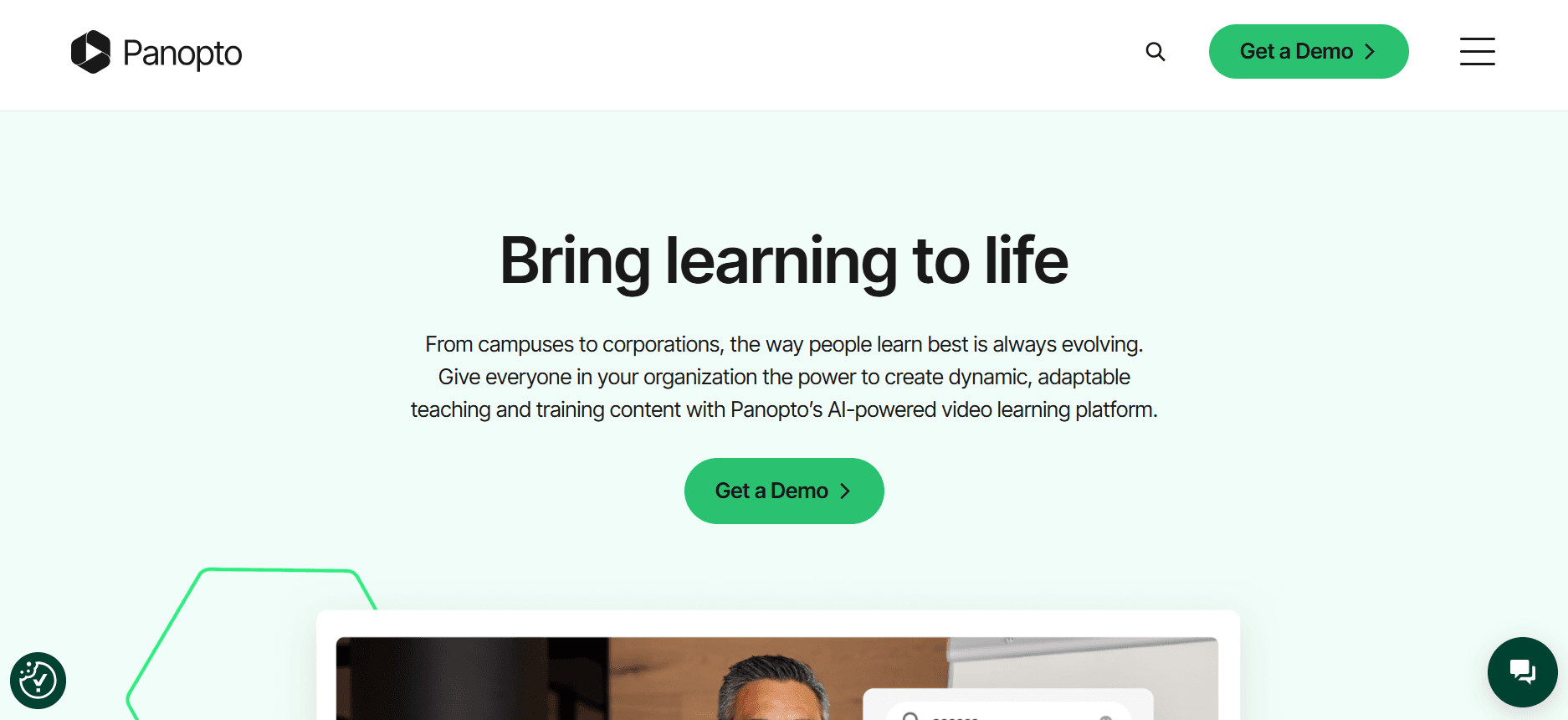
Panopto es una plataforma de vídeo versátil que atiende tanto al sector educativo como al empresarial. Es especialmente valorada por organizaciones que aprecian las analíticas detalladas y unas sólidas capacidades de integración. Lo que distingue a Panopto es su función de búsqueda, que permite a los usuarios encontrar rápidamente contenido específico dentro de los vídeos. Sin embargo, algunos usuarios consideran que su interfaz de usuario está algo anticuada, lo que puede ser un obstáculo para quienes priorizan la experiencia de usuario.
Características clave
Función de búsqueda avanzada
Analíticas detalladas
Transmisión en directo
Integración con LMS
Reproductores de vídeo personalizables
Subtitulado automático
Portales de vídeo seguros
Nivel gratuito limitado
Pros | Contras |
|---|---|
Gran capacidad de búsqueda dentro de los vídeos. | La interfaz de usuario parece anticuada para algunos. |
Excelentes opciones de integración con LMS. | Funciones limitadas en el nivel gratuito. |
Analíticas e informes completos. | Puede resultar complejo para equipos pequeños. |
Precios
Hay disponible un nivel gratuito limitado. Los planes de pago empiezan en 14,99 $ por usuario al mes.
Loom

Loom es una herramienta de comunicación por vídeo fácil de usar que destaca por su simplicidad y facilidad de uso. Es perfecta para equipos que necesitan grabar y compartir rápidamente capturas de pantalla. La fortaleza de Loom reside en su interfaz intuitiva y sus rápidas capacidades de compartir, lo que la hace ideal para entornos de ritmo acelerado. Sin embargo, carece de funciones avanzadas como analíticas en profundidad y controles de acceso, lo que puede ser un inconveniente para quienes necesitan soluciones más sólidas.
Características clave
Compartición instantánea de vídeo
Interfaz fácil de usar
Grabación de pantalla y webcam
Información básica sobre el espectador
Herramientas de edición sencillas
Enlaces de vídeo personalizables
Controles de acceso limitados
Nivel gratuito disponible
Pros | Contras |
|---|---|
Extremadamente fácil de usar para grabaciones rápidas. | Carece de capacidades avanzadas de analíticas. |
El nivel gratuito es generoso. | Funciones limitadas de control de acceso. |
Opciones de compartición rápidas. | No es adecuado para formación compleja de clientes. |
Precios
Nivel gratuito disponible con funciones generosas. Los planes de pago empiezan en 8 $ por usuario al mes.
Kaltura
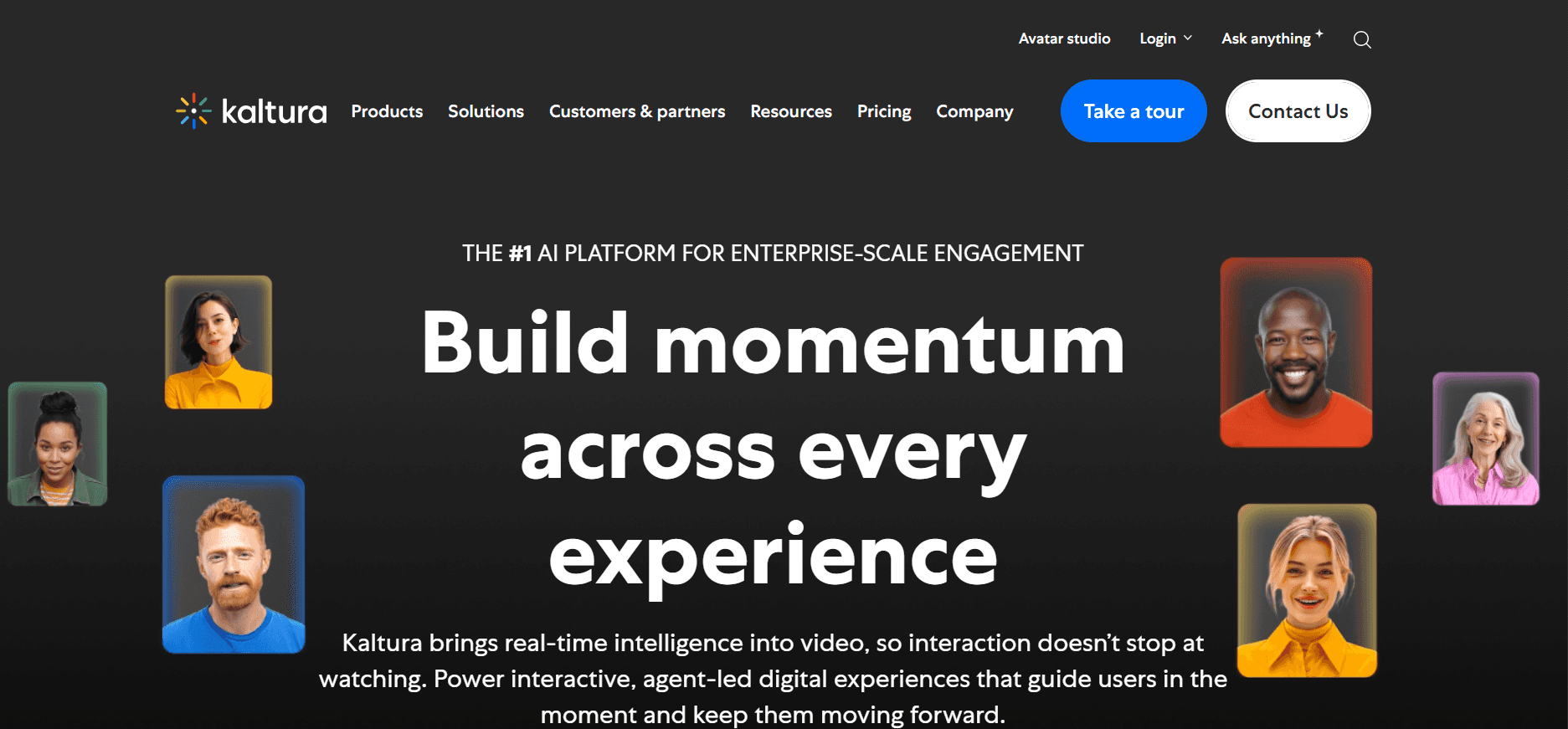
Kaltura ofrece una plataforma de vídeo completa centrada en la escalabilidad y la personalización, ideal para grandes empresas que requieren amplias capacidades de gestión de vídeo. Su naturaleza de código abierto permite una personalización significativa, aunque esto puede resultar complejo para equipos sin conocimientos técnicos. Kaltura es muy apreciada por sus sólidas funciones de retransmisión en directo y de vídeo interactivo.
Características clave
Personalización de código abierto
Retransmisión en directo robusta
Gestión avanzada de vídeo
Entrega multiplataforma
Analíticas detalladas
API completa
Sin nivel gratuito
Pros | Contras |
|---|---|
Muy personalizable y escalable. | Configuración compleja para usuarios no técnicos. |
Excelentes capacidades de retransmisión en directo. | No hay nivel gratuito disponible. |
Fuertes funciones de vídeo interactivo. | Alto coste para funciones avanzadas. |
Precios
No hay nivel gratuito. La tarificación se personaliza según las necesidades específicas y empieza en 100 $ al mes para las funciones básicas.
Vidyard

Vidyard está pensado para empresas que necesitan potentes herramientas de marketing y ventas en vídeo. Se utiliza ampliamente para crear contenido de vídeo personalizado que puede influir directamente en los procesos de venta. La fortaleza de Vidyard es su integración con sistemas CRM y su capacidad para proporcionar información detallada . Sin embargo, quizá no sea la mejor opción para quienes buscan una plataforma fácil de usar sin una curva de aprendizaje pronunciada.
Características clave
Integración con CRM
Campañas de vídeo personalizadas
Información detallada sobre la interacción
Herramientas de SEO para vídeo
Marca personalizada
Elementos interactivos
Información sobre vídeo impulsada por IA
Nivel gratuito limitado
Pros | Contras |
|---|---|
Gran integración con sistemas CRM. | La curva de aprendizaje puede ser pronunciada para usuarios nuevos. |
Excelente para marketing de vídeo personalizado. | Funciones limitadas en el nivel gratuito. |
Analíticas e información sólidas. | Mayor coste para capacidades avanzadas. |
Precios
Hay disponible un nivel gratuito limitado. Los planes de pago empiezan en 15 $ por usuario al mes.
Wistia

Wistia es una plataforma de alojamiento de vídeo que pone el acento en la creación de marca y ofrece herramientas para crear contenido de aspecto profesional. Es perfecta para pequeñas y medianas empresas que necesitan un equilibrio entre facilidad de uso y funciones profesionales. La función destacada de Wistia son sus capacidades de branding, aunque sus analíticas no son tan detalladas como las de otras opciones del mercado.
Características clave
Herramientas de branding
Reproductor de vídeo personalizable
Analíticas básicas
Herramientas de generación de leads
Edición de vídeo sencilla
Funciones favorables al SEO
Integración limitada con LMS
Nivel gratuito disponible
Pros | Contras |
|---|---|
Excelentes capacidades de branding. | Las analíticas no son tan completas. |
Interfaz fácil de usar. | Opciones limitadas de integración con LMS. |
El nivel gratuito es un gran punto de partida. | No es ideal para analíticas de formación en profundidad. |
Precios
Hay disponible un nivel gratuito con funciones limitadas. Los planes de pago empiezan en 19 $ por usuario al mes.
Camtasia

Camtasia es una herramienta de edición de vídeo valorada por su simplicidad y potencia. Es ideal para educadores y formadores que necesitan crear lecciones de vídeo pulidas sin adentrarse en un software de edición complejo. La gran fortaleza de Camtasia es su facilidad de uso, pero le faltan algunas funciones avanzadas como la retransmisión en directo y las integraciones extensas, lo que la hace menos adecuada para programas integrales de formación corporativa.
Características clave
Editor de vídeo integrado
Plantillas prediseñadas
Interfaz sencilla de arrastrar y soltar
Cuestionarios interactivos básicos
Anotaciones y llamadas de atención
Funciones limitadas de edición de audio
Sin nivel gratuito
Pros | Contras |
|---|---|
Muy fácil de usar para la edición de vídeo. | Carece de funciones avanzadas de retransmisión en directo. |
Incluye plantillas integradas. | No hay nivel gratuito. |
Ideal para crear contenido educativo. | Capacidades de integración limitadas. |
Precios
No hay nivel gratuito. Tarifa de compra única de 299 $ por licencia.
Retos de las plataformas de vídeo para formación de clientes: con qué luchan los equipos
1. Sin controles de acceso dedicados para clientes
A menudo, los equipos tienen dificultades para gestionar el acceso sin portales dedicados, lo que provoca problemas de privacidad.
Los enlaces genéricos pueden compartirse fácilmente, con el riesgo de acceso no autorizado.
Sin controles adecuados, hacer seguimiento del progreso individual de cada cliente se vuelve difícil.
La falta de acceso seguro puede disuadir a los clientes de interactuar con el material de formación.
2. Falta de visibilidad sobre la interacción de los clientes
Los equipos no pueden determinar si los clientes han visto los vídeos de formación necesarios.
Sin analíticas detalladas, no hay información sobre qué partes de los vídeos resultan más atractivas.
La incapacidad de hacer seguimiento de la interacción limita la posibilidad de mejorar el contenido.
Los clientes pueden perderse actualizaciones críticas, lo que afecta al uso del producto y a su satisfacción.
3. Branding profesional inadecuado
Las opciones de branding limitadas pueden hacer que los materiales de formación parezcan genéricos y menos profesionales.
La marca personalizada ayuda a generar confianza y refuerza la identidad de marca.
Sin branding, el contenido puede no alinearse con la imagen de la empresa.
Los clientes pueden percibir la formación como menos creíble o autorizada.
4. Sin elementos interactivos para la formación a tu propio ritmo
A los equipos les cuesta captar la atención de los clientes sin funciones de vídeo interactivo como los cuestionarios.
Los elementos interactivos pueden mejorar significativamente la retención del aprendizaje.
La falta de interacción puede llevar a un consumo pasivo y a una menor retención de la información.
Los clientes pueden encontrar los vídeos monótonos y desconectarse antes de tiempo.
5. Necesidad de volver a grabar en cada actualización del producto
Los equipos dedican demasiado tiempo a volver a grabar vídeos completos para pequeñas actualizaciones.
Este proceso puede provocar retrasos en la entrega de contenido actualizado a los clientes.
La regrabación frecuente puede tensionar los recursos y aumentar los costes.
Los clientes pueden recibir información desactualizada, lo que afecta a su comprensión y uso de los productos.
Reto | Proceso tradicional | Impacto en el negocio | Coste de tiempo |
|---|---|---|---|
Sin controles de acceso para clientes | Compartir enlaces genéricos | Riesgos de seguridad | Alto |
Falta de visibilidad de la interacción | Sin analíticas | Dificultades para mejorar el contenido | Moderado |
Branding inadecuado | Formatos de vídeo genéricos | Menor confianza del cliente | Bajo |
Sin elementos interactivos | Contenido de vídeo estático | Baja interacción | Moderado |
Regrabación para actualizaciones | Regrabación manual | Entrega tardía del contenido | Alto |
Funciones imprescindibles en las plataformas de vídeo para formación de clientes
Portal de clientes con controles de acceso granulares
Un portal de clientes dedicado que incluya controles de acceso granulares es esencial para garantizar que el contenido de formación se entregue de forma segura y eficiente. Estos portales permiten a las empresas asignar permisos específicos a distintos segmentos de clientes, asegurando que solo los usuarios autorizados puedan ver contenido sensible. Esta función no solo mejora la seguridad de los materiales de formación, sino que también ofrece una experiencia más personalizada para los clientes, haciéndoles sentir valorados y priorizados.
Plataformas como Trupeer destacan en esta área al ofrecer sólidas capacidades de portal de clientes, que son cruciales para mantener la confidencialidad y mejorar la experiencia del usuario.
Analíticas de vídeo que muestran la interacción por espectador
Las analíticas de vídeo detalladas son vitales para entender cómo interactúan los clientes con el contenido de formación. Al hacer seguimiento de métricas como el tiempo de visualización, las tasas de abandono y los puntos de interacción, las empresas pueden obtener información sobre qué partes de sus vídeos son más eficaces y cuáles necesitan mejoras. Este enfoque basado en datos permite a los equipos perfeccionar su estrategia de contenido, garantizando que los materiales de formación sean informativos y atractivos.
Vidyard y Panopto ofrecen herramientas de analíticas completas, lo que permite a los equipos tomar decisiones informadas basadas en datos en tiempo real.
Elementos interactivos (cuestionarios, capítulos, ramificaciones)
Los elementos interactivos de vídeo son esenciales para transformar la visualización pasiva en aprendizaje activo. Funciones como cuestionarios, capítulos y escenarios ramificados implican a los clientes al exigirles participar activamente en el proceso de formación. Estos elementos ayudan a reforzar el aprendizaje, aumentar la retención y proporcionar retroalimentación instantánea a los usuarios, haciendo que la experiencia educativa sea más eficaz.
Herramientas como Kaltura y Trupeer incluyen funciones interactivas que pueden personalizarse para adaptarse a objetivos de formación específicos, mejorando la eficacia general de los vídeos.
Locución con IA y traducción automática
En un entorno empresarial global, disponer de capacidades de locución y traducción impulsadas por IA puede ampliar significativamente el alcance de los materiales de formación. Estas funciones garantizan que el contenido sea accesible para clientes que hablan distintos idiomas o que prefieren contenido de audio frente a texto. Las locuciones con IA proporcionan una narración consistente y profesional, mientras que la traducción automática ayuda a derribar barreras lingüísticas, garantizando la inclusión.
Trupeer y Vidyard han aprovechado la tecnología de IA para ofrecer estas capacidades, convirtiéndose en opciones destacadas para empresas con bases de clientes diversas.
Marca personalizada con logotipo y colores
La marca personalizada es una función imprescindible para cualquier plataforma de vídeo de formación de clientes. Permite a las empresas incorporar sus logotipos, colores y tipografías en los vídeos de formación, creando una experiencia de marca cohesionada. Esta coherencia no solo refuerza la identidad de marca, sino que también genera confianza y credibilidad entre los clientes. Un vídeo de formación bien personalizado con la marca puede dejar una impresión duradera, haciendo que los clientes tengan más probabilidades de interactuar con el contenido.
Wistia y Vidyard ofrecen amplias opciones de branding, permitiendo a las empresas mantener la integridad de su marca en todos los materiales de formación.
Actualizaciones sencillas de contenido sin volver a grabar
Uno de los principales retos en la formación de clientes es mantener el contenido actualizado sin necesidad de volver a grabar constantemente. Las plataformas que ofrecen actualizaciones sencillas de contenido permiten a los equipos hacer cambios en secciones específicas de un vídeo sin tener que rehacer toda la grabación. Esta función ahorra tiempo y recursos, permitiendo a las empresas entregar actualizaciones oportunas a sus clientes sin retrasos.
Camtasia ofrece herramientas de edición fáciles de usar que simplifican el proceso de actualización del contenido de vídeo, garantizando que los materiales de formación sigan siendo relevantes y precisos.
Cómo elegir plataformas de vídeo para formación de clientes según tu caso de uso
Vídeos de incorporación de software para clientes
Las empresas de software suelen necesitar incorporar a sus clientes con rapidez y eficacia. Este caso de uso implica crear vídeos atractivos que simplifiquen las funciones complejas del software, asegurando que los clientes puedan empezar a usar el producto sin confusiones. La clave es ofrecer instrucciones claras, paso a paso, y mostrar aplicaciones reales del software.
La complejidad de las funciones del software puede abrumar a los usuarios nuevos.
Asegurarse de que los clientes comprendan por completo los materiales de incorporación.
Proporcionar asistencia en tiempo real durante la incorporación.
Paseos guiados interactivos y tutoriales.
Analíticas detalladas de interacción para identificar lagunas de conocimiento.
Actualizaciones sencillas para funciones de software en evolución.
Herramienta | Funciones interactivas | Analíticas | Facilidad de actualización |
|---|---|---|---|
Trupeer | Sí | Sí | Sí |
Kaltura | Sí | Sí | Limitado |
Loom | No | Limitado | Sí |
Bibliotecas de formación continua sobre productos
Para las empresas que ofrecen productos con actualizaciones periódicas, disponer de una biblioteca dinámica de formación sobre productos es crucial. Estas bibliotecas deben ser de fácil acceso y actualizarse con frecuencia para reflejar las últimas funciones y funcionalidades, ayudando a los clientes a mantenerse informados y competentes.
Las actualizaciones frecuentes de producto requieren refrescar el contenido constantemente.
Los clientes necesitan acceso fluido a los materiales de formación actualizados.
Mantener la coherencia en todo el contenido de formación.
Actualizaciones automáticas de contenido sin volver a grabar por completo.
Marca personalizada para mantener una imagen profesional.
Soporte multilingüe para clientes globales.
Herramienta | Actualizaciones de contenido | Marca | Multilingüe |
|---|---|---|---|
Wistia | Limitado | Sí | Limitado |
Vidyard | Sí | Sí | Sí |
Camtasia | Sí | Limitado | No |
Formación de cumplimiento y certificación para clientes
Los sectores con estrictos requisitos de cumplimiento necesitan soluciones de formación eficaces que garanticen que los clientes estén debidamente informados y certificados. Esto implica crear contenido detallado y legalmente conforme al que los clientes puedan acceder en cualquier momento para revisarlo y confirmarlo.
Asegurarse de que el contenido de formación cumpla con los estándares legales e industriales.
Hacer seguimiento de la finalización y certificación de los clientes.
Entregar rápidamente las actualizaciones de los requisitos de cumplimiento.
Cuestionarios interactivos para verificar la comprensión.
Certificados de finalización y seguimiento.
Portales de clientes seguros para información sensible.
Herramienta | Herramientas de cumplimiento | Seguimiento de certificación | Acceso seguro |
|---|---|---|---|
Panopto | Sí | Limitado | Sí |
Trupeer | Sí | Sí | Sí |
Kaltura | Limitado | Limitado | Sí |
Programas de vídeo para la habilitación de partners
Las empresas suelen depender de partners para ventas y soporte, lo que exige programas de formación exhaustivos para garantizar que los partners estén bien informados y alineados con los objetivos de la empresa. Estos programas deben incluir funciones avanzadas para hacer seguimiento del progreso y fomentar la interacción.
Mantener a los partners actualizados con la información más reciente sobre el producto.
Garantizar una formación coherente en distintas regiones y equipos.
Motivar a los partners a interactuar activamente con los materiales de formación.
Analíticas avanzadas para supervisar la interacción de los partners.
Locuciones con IA para mayor coherencia y claridad.
Elementos interactivos para aumentar la interacción.
Herramienta | Analíticas | Locución con IA | Funciones interactivas |
|---|---|---|---|
Vidyard | Sí | Sí | Limitado |
Trupeer | Sí | Sí | Sí |
Wistia | Limitado | No | No |
Buenas prácticas para crear vídeos de formación para clientes
Antes de crear vídeos
Define resultados de aprendizaje claros para cada serie de vídeos.
Planifica y estructura el contenido del vídeo por temas concretos.
Identifica al público objetivo y adapta el contenido en consecuencia.
Establece objetivos medibles para seguir el éxito de la formación.
Elige la plataforma adecuada según tus necesidades y funciones específicas.
Durante la producción de vídeo
Mantén cada vídeo breve, idealmente por debajo de 5 minutos.
Utiliza capítulos y marcas de tiempo para facilitar la navegación.
Incorpora elementos interactivos para mantener el interés de los espectadores.
Asegúrate de que el contenido sea visualmente atractivo y esté profesionalmente adaptado a la marca.
Prueba el vídeo en distintos dispositivos para garantizar la accesibilidad.
Después de publicar los vídeos
Haz seguimiento de las tasas de finalización y de las métricas de interacción.
Recoge comentarios de los clientes para mejorar el contenido futuro.
Actualiza el contenido cada trimestre para mantenerlo relevante y al día.
Supervisa el impacto de la formación en el rendimiento y la satisfacción del cliente.
Ajusta las estrategias en función de los datos y de los comentarios de los clientes.
Preguntas frecuentes
¿Qué es una plataforma de vídeo para formación de clientes?
Una plataforma de vídeo para formación de clientes es una solución de software diseñada para ayudar a las empresas a crear, gestionar y distribuir vídeos de formación a los clientes. Estas plataformas suelen incluir funciones como elementos interactivos, analíticas y controles de acceso seguros.¿Por qué debería usar una plataforma especializada en lugar de software de vídeo general?
Las plataformas especializadas ofrecen funciones adaptadas a la educación de clientes, como analíticas detalladas de interacción, cuestionarios interactivos y acceso seguro para clientes, que a menudo no están disponibles en el software de vídeo general.|¿Puedo integrar estas plataformas con nuestro LMS actual?
Sí, muchas plataformas de vídeo para formación de clientes, como Trupeer y Panopto, ofrecen una integración fluida con los sistemas de gestión del aprendizaje (LMS) para agilizar tus procesos de formación.¿Estas plataformas son compatibles con dispositivos móviles?
La mayoría de las plataformas modernas están diseñadas para ser adaptables y accesibles en distintos dispositivos, garantizando que los clientes puedan acceder a los materiales de formación desde cualquier lugar.¿Estas plataformas ofrecen pruebas gratuitas?
Sí, varias plataformas, como Loom y Wistia, ofrecen niveles gratuitos o pruebas que te permiten probar sus funciones antes de comprometerte con un plan de pago.¿Cuánto debería esperar gastar en una plataforma de formación en vídeo?
Los precios varían mucho según las funciones y el número de usuarios, con planes que van desde 8 $ para paquetes básicos hasta más de 100 $ para soluciones empresariales avanzadas.¿Cuánto tiempo se tarda en implementar una plataforma de vídeo de formación?
El tiempo de implementación puede variar, pero por lo general oscila entre unos pocos días y unas pocas semanas, en función de la complejidad de tus necesidades y de la plataforma elegida.¿Qué tipo de asistencia está disponible durante la implementación?
La mayoría de las plataformas ofrecen un soporte sólido, que incluye guías de incorporación, asistencia técnica y atención al cliente para garantizar un proceso de implementación fluido.
Reflexiones finales
Elegir la plataforma de vídeo adecuada para la formación de clientes puede influir significativamente en la eficacia con la que interactúas con tus clientes y les educas. Al comprender tus casos de uso y retos específicos, puedes seleccionar una herramienta que no solo satisfaga tus necesidades actuales, sino que también escale junto con tu negocio a medida que crece. Desde controles de acceso seguros hasta funciones interactivas, la plataforma adecuada capacitará a tu equipo para ofrecer contenido de formación convincente y eficaz.
Explora las soluciones integrales de Trupeer para la formación de clientes en Trupeer y descubre cómo puede mejorar tus programas de formación con sus funciones innovadoras y su diseño fácil de usar. Abraza el futuro de la educación de clientes con una plataforma diseñada para satisfacer las demandas únicas de tu negocio.


