Trupeer Blog
Zusammenfassen

Überblick für Käufer
Unternehmen stehen vor erheblichen Herausforderungen, wenn es darum geht, neue Mitarbeitende effizient einzuarbeiten. Da herkömmliche Methoden oft nicht ausreichen, bietet ein video-basiertes Onboarding eine vielversprechende Alternative. Laut der Brandon Hall Group verbessern Unternehmen mit starken Onboarding-Prozessen die Bindung neuer Mitarbeitender um 82%. Video-basiertes Onboarding kann die Einarbeitungszeit im Vergleich zu dokumentenlastigen Programmen um bis zu 50% verkürzen. Dennoch setzen viele Unternehmen weiterhin auf veraltete Vorgehensweisen und geben neuen Mitarbeitenden ein PDF und hoffen auf das Beste.
Dieser Ratgeber stellt führende Plattformen für Video-Onboarding vor und hilft HR-Teams, Trainern und Entscheidungsträgern, das beste Tool für ihre Anforderungen auszuwählen. Wir beleuchten die Stärken und Schwächen jeder Plattform und vergleichen Funktionen wie KI-Fähigkeiten, Integrationsmöglichkeiten und Nutzererlebnis. Egal, ob Sie ein kleines Unternehmen oder ein großes Enterprise-Unternehmen sind: Dieser Ratgeber unterstützt Sie dabei, eine fundierte Entscheidung zu treffen.
„Unternehmen mit starken Onboarding-Prozessen verbessern die Bindung neuer Mitarbeitender um 82%.“
Brandon Hall Group, 2026
Beste Tools für video-basiertes Employee Onboarding: Direkter Vergleich
Funktion | Trupeer | Synthesia | Loom | Camtasia | iSpring Suite | Whatfix | Tango | Articulate 360 |
|---|---|---|---|---|---|---|---|---|
Kernfunktionen | ||||||||
Screen Recording | Ja | Nein | Ja | Ja | Ja | Nein | Eingeschränkt | Ja |
KI-Fähigkeiten | ||||||||
KI-Avatar/Voiceover | Ja | Ja | Nein | Nein | Eingeschränkt | Ja | Nein | Eingeschränkt |
Professionelle Funktionen | ||||||||
SCORM-Export | Ja | Nein | Nein | Ja | Ja | Ja | Nein | Ja |
Integrationen | ||||||||
LMS-Integration | Ja | Eingeschränkt | Nein | Ja | Ja | Ja | Eingeschränkt | Ja |
Trupeer

Trupeer sticht als umfassende Plattform für Video-Onboarding hervor, die Unternehmen jeder Größe anspricht. Sie ist darauf ausgelegt, den Onboarding-Prozess zu optimieren – mit interaktiven Videoinhalten, die neue Mitarbeitende effektiv einbinden. Die Plattform eignet sich besonders für Organisationen, die ihr Onboarding-Erlebnis mit KI-gestützten Funktionen und detaillierten Analysen personalisieren möchten.
Trupeer überzeugt durch eine benutzerfreundliche Oberfläche und starke Integrationsmöglichkeiten. Sie unterstützt eine Vielzahl von LMS-Plattformen und ist damit eine flexible Wahl für Unternehmen mit bestehenden Systemen. Bekannt ist die Plattform außerdem für ihre Fähigkeit, dynamische Trainingsmodule zu erstellen, die sich bei Änderungen von Unternehmensrichtlinien oder -verfahren problemlos aktualisieren lassen.
Wichtige Funktionen
KI-gestützte Videoproduktion
Interaktive Trainingsmodule
Echtzeit-Analytics und Reporting
Nahtlose LMS-Integration
Mehrsprachige Unterstützung
Optionen für individuelles Branding
Mobilfreundliche Oberfläche
Fortschrittsverfolgung und Abschlussberichte
„Trupeer hat unseren Onboarding-Prozess verändert – indem es ihn deutlich ansprechender und effizienter gemacht hat.“
John Doe, HR Manager bei TechCorp (Quelle: G2)
Vorteile | Nachteile |
|---|---|
Sehr anpassbar mit KI-Funktionen | Kosten können für kleine Startups zu hoch sein |
Exzellente LMS-Kompatibilität | Ersteinrichtung kann komplex sein |
Unterstützt über 40 Sprachen | Keine kostenlose Version verfügbar |
Preisgestaltung
Trupeer bietet eine kostenlose Testversion mit kostenpflichtigen Plänen ab 49 $ pro Monat und Nutzer.
Synthesia
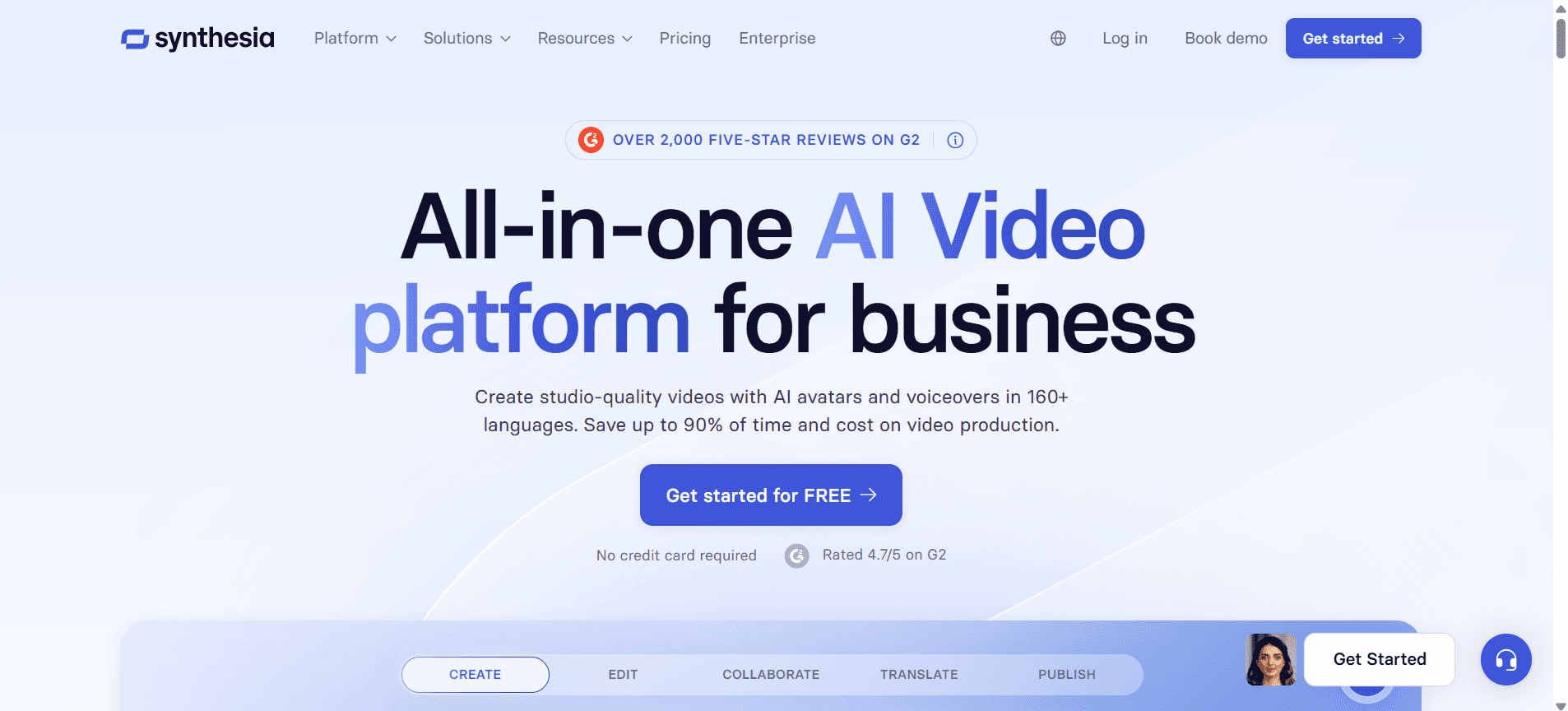
Synthesia ist eine beliebte Wahl für Unternehmen, die KI-generierte Videoinhalte erstellen möchten, ohne professionelle Filmausrüstung zu benötigen. Es ermöglicht die Erstellung von Videos mit realistischen KI-Avataren – ideal für globale Teams, die Inhalte in mehreren Sprachen benötigen. Synthesia ist perfekt für Marketing-Teams und HR-Abteilungen, die ihren Kommunikationsstil modernisieren möchten.
Die Plattform punktet vor allem mit der Fähigkeit, Inhalte schnell zu generieren, die professionell aussehen. Allerdings fehlen ihr einige interaktive Funktionen, die andere Plattformen bieten, was die Nutzung für umfassende Trainingsprogramme einschränken kann.
Wichtige Funktionen
KI-generierte Video-Avatare
Mehrsprachige Videoproduktion
Videoproduktion auf Basis von Vorlagen
Einfache UI mit Drag-and-drop-Funktionalität
Cloud-basierte Plattform
Schnelle Erstellung von Inhalten
Unterstützt 120+ Sprachen
Anpassbare Videovorlagen
Vorteile | Nachteile |
|---|---|
Schnelle und einfache Videoproduktion | Fehlende interaktive Trainingsfunktionen |
Unterstützt eine Vielzahl an Sprachen | Keine Screen-Recording-Funktionen |
Realistische KI-Avatare | Eingeschränkte Optionen für LMS-Integration |
Preisgestaltung
Synthesia startet bei 30 $ pro Video; für Unternehmen gibt es individuelle Preise.
Loom
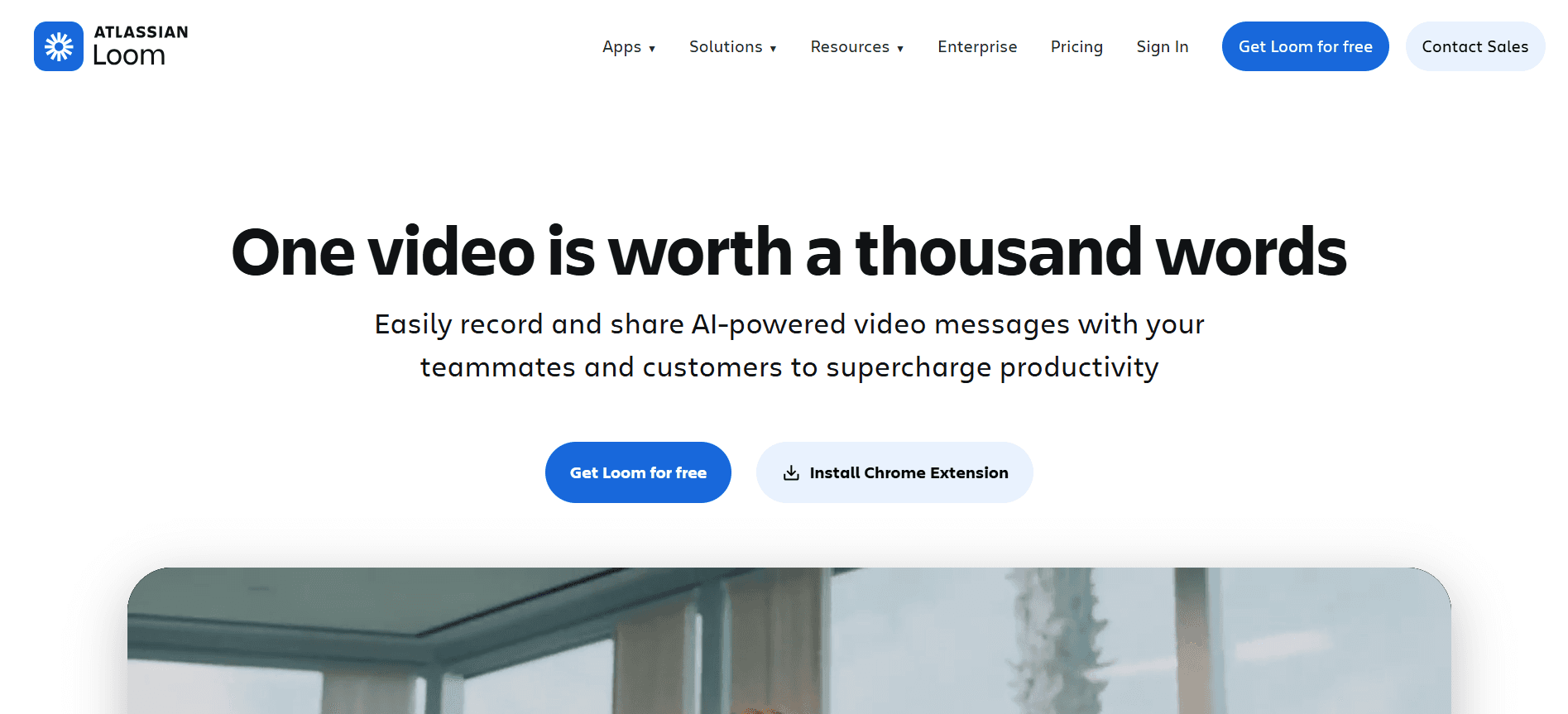
Loom wird aufgrund seiner Einfachheit bei der Erstellung schneller Videobotschaften und Screen Recordings häufig genutzt. Es ist ideal für Teams, die Updates oder Tutorials sofort teilen müssen. Die Stärke von Loom liegt in der Fähigkeit, schnelle Kommunikation zu ermöglichen – daher ist es besonders bei kleinen bis mittelgroßen Unternehmen und Remote-Teams beliebt.
Auch wenn Loom in puncto Geschwindigkeit und Benutzerfreundlichkeit überzeugt, ist es möglicherweise nicht geeignet für alle, die tiefgehende Trainingsfunktionen oder KI-Erweiterungen suchen. Der Fokus liegt weiterhin auf unkomplizierter Video-Kommunikation statt auf umfassenden Trainingsmodulen.
Wichtige Funktionen
Sofortiges Video-Recording und Teilen
Screen- und Webcam-Recording
Einfache Bearbeitungswerkzeuge
Einblicke für Zuschauer und Engagement-Analytics
Browser-Erweiterung für schnellen Zugriff
Integrationen mit Slack, Gmail und weiteren Tools
Unbegrenzter Videospeicher mit kostenpflichtigen Plänen
Anpassbare Videominiaturen
Vorteile | Nachteile |
|---|---|
Schnell und einfach zu bedienen | Auf grundlegende Bearbeitungsfunktionen beschränkt |
Ideal für sofortige Kommunikation | Keine KI- oder erweiterten Trainingsmodule |
Kostenloser Tarif verfügbar | Keine SCORM-Exportfunktion |
Preisgestaltung
Loom bietet einen kostenlosen Plan mit eingeschränkten Funktionen; kostenpflichtige Pläne starten bei 8 $ pro Monat und Nutzer.
Camtasia
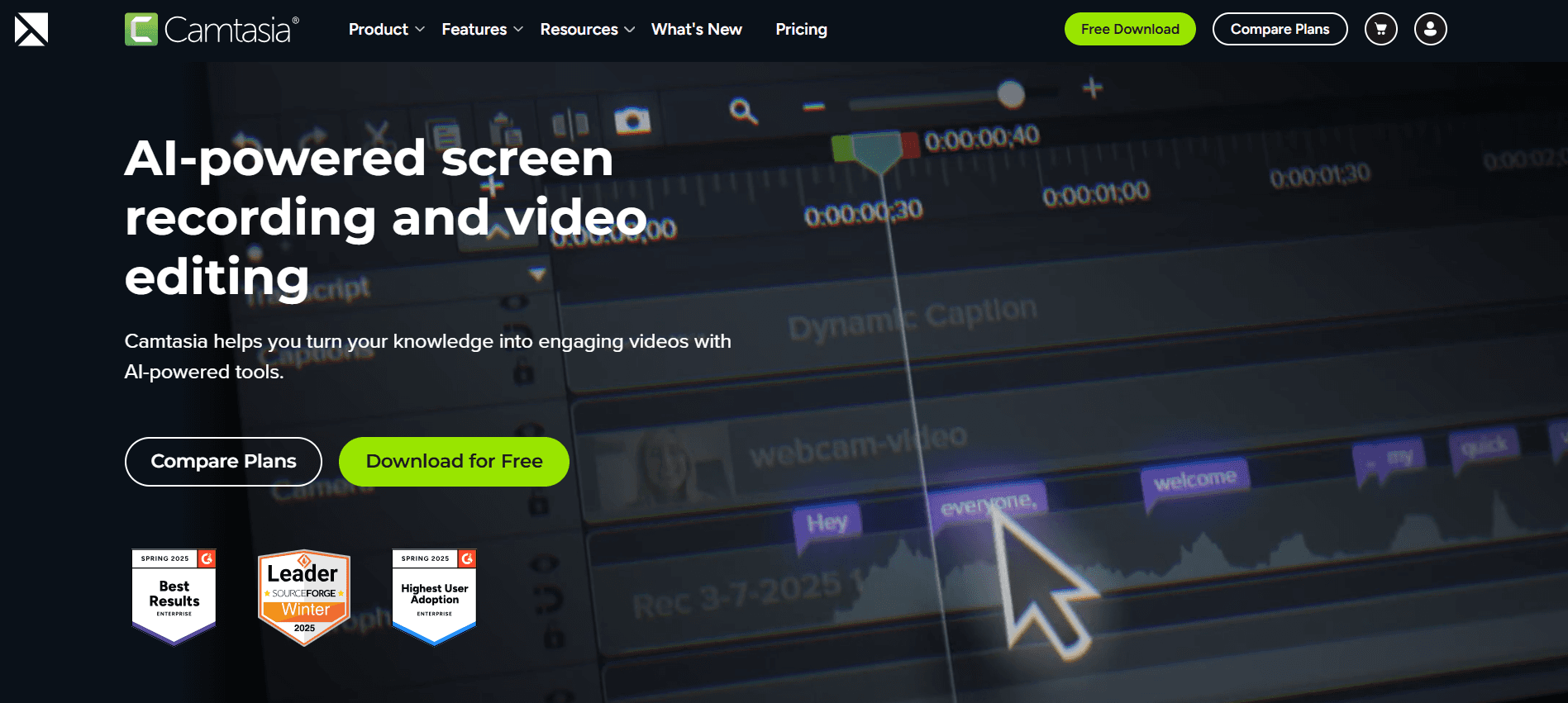
Camtasia ist ein echtes Kraftpaket für die Erstellung detaillierter Video-Tutorials in professioneller Qualität. Es eignet sich besonders für Bildungseinrichtungen und Unternehmen, die hochwertige Trainingsmaterialien produzieren möchten. Camtasia ist bekannt für seine leistungsstarken Bearbeitungsfunktionen und ermöglicht es Nutzern, Inhalte zu erstellen, die in ihrer Qualität mit der Arbeit professioneller Studios mithalten.
Trotz seines umfangreichen Funktionsumfangs kann Camtasia für Einsteiger eine steile Lernkurve darstellen. Es ist ein Tool für alle, die umfassende Bearbeitungsoptionen benötigen und bereit sind, Zeit in das Erlernen dieser Funktionen zu investieren.
Wichtige Funktionen
Erweiterte Tools zur Videobearbeitung
Funktionen für Screen Recording
Leistungsstarkes Timeline-Editing
Integrierte Themes und Vorlagen
Interaktive Quizze und Untertitel
Voice-Narration und Musikspuren
Videoausgabe in hoher Auflösung
Umfangreiche Bibliothek mit Assets
Vorteile | Nachteile |
|---|---|
Umfassende Funktionen zur Videobearbeitung | Steile Lernkurve für neue Nutzer |
Großartig für Inhalte in professioneller Qualität | Höherer Preis als bei einigen Wettbewerbern |
Unterstützt interaktive Elemente | Nicht ideal für schnelle Änderungen |
Preisgestaltung
Camtasia bietet eine einmalige Kaufgebühr von 299,99 $, mit Rabatten für Bildungseinrichtungen.
iSpring Suite
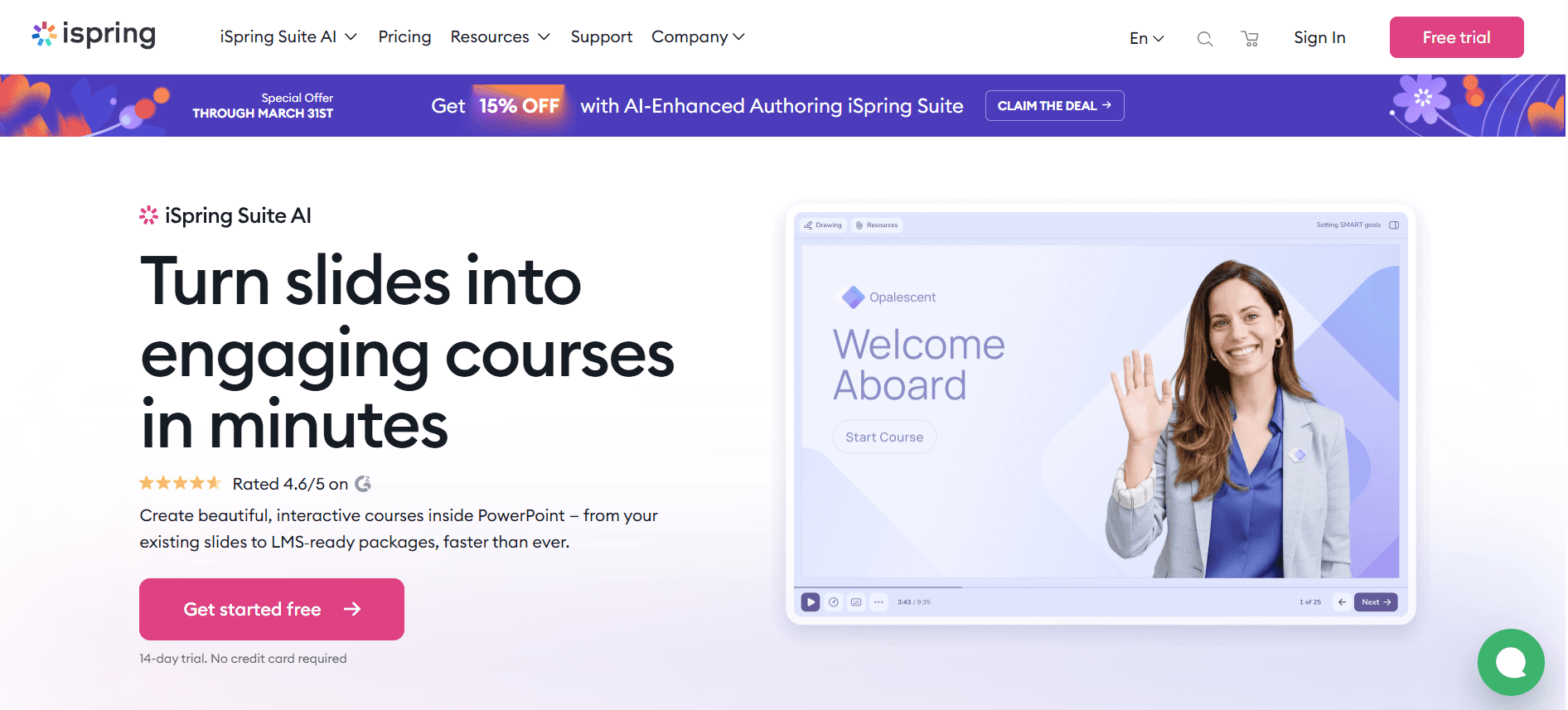
iSpring Suite ist ein All-in-one-Toolkit für die Erstellung von E-Learning. Es passt gut zu Organisationen, die umfassende Trainingsprogramme erstellen, die eine SCORM-Konformität erfordern. iSpring Suite lässt sich nahtlos in PowerPoint integrieren und ist damit für Nutzer zugänglich, die mit Microsoft Office vertraut sind.
Die Plattform sticht durch ihren umfangreichen Funktionsumfang und ihre einfache Bedienung hervor – auch wenn die Abhängigkeit von PowerPoint möglicherweise nicht für alle attraktiv ist, die eine eigenständige Lösung suchen. Sie ist ideal für Lehrkräfte und Corporate Trainer, die ansprechende Inhalte entwickeln möchten, ohne eine steile Lernkurve in Kauf nehmen zu müssen.
Wichtige Funktionen
PowerPoint-Integration
Unterstützung für SCORM und xAPI
Interaktive Quizze und Tests
Video- und Screen-Recording
Erstellung von E-Learning-Kursen
Funktionen für mobiles Lernen
Zugriff auf Content-Bibliothek
Schnelle Veröffentlichungsoptionen
Vorteile | Nachteile |
|---|---|
Nahtlose PowerPoint-Integration | Stark abhängig von Microsoft Office |
Unterstützung für SCORM/xAPI | Eingeschränkte eigenständige Funktionalität |
Umfassende Tools zur Erstellung von Inhalten | Keine kostenlose Version verfügbar |
Preisgestaltung
Die iSpring-Suite-Preise starten bei 770 $ pro Nutzer und Jahr.
Whatfix
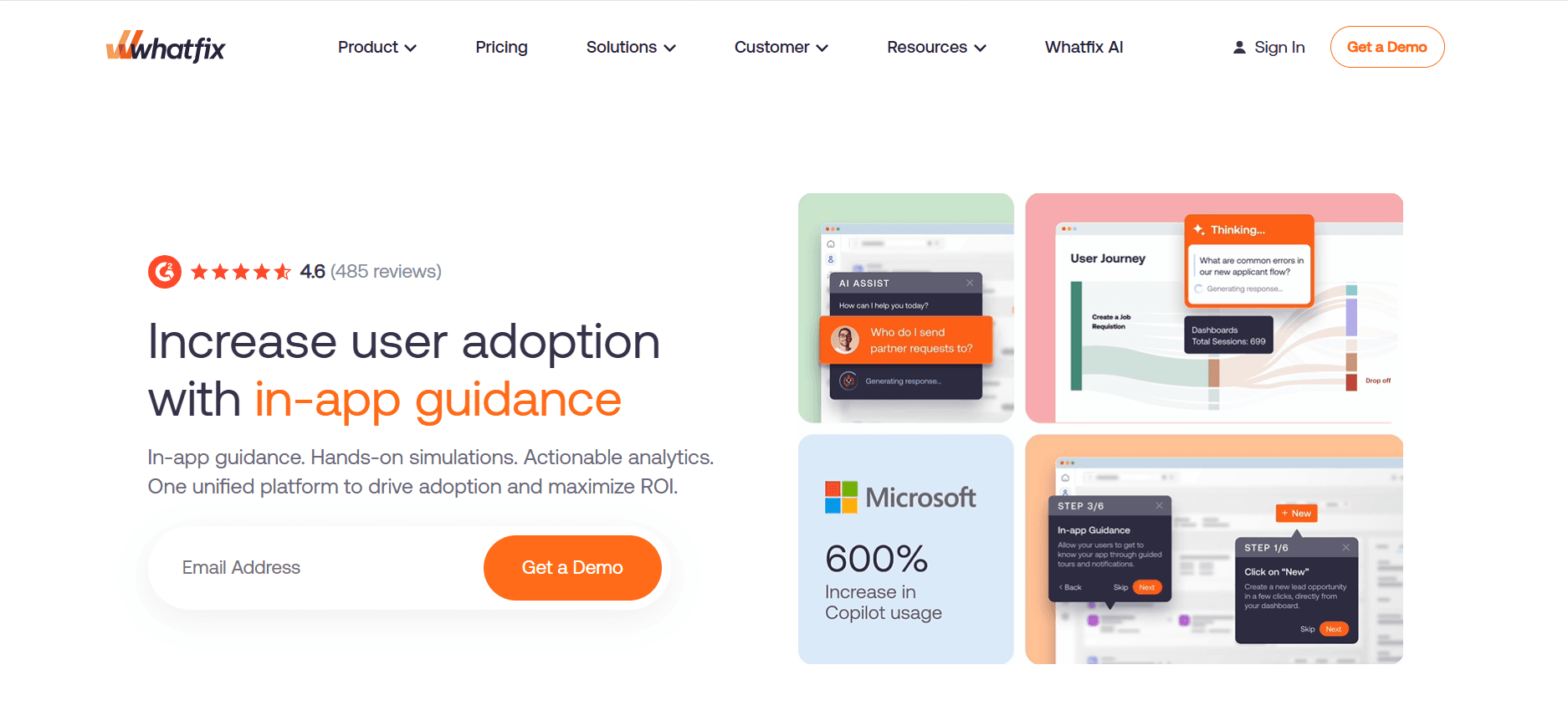
Whatfix ist eine digitale Adoption-Plattform, die das Onboarding durch interaktive Guides und In-App-Trainings vereinfacht. Sie ist ideal für Softwareunternehmen und Organisationen mit komplexen digitalen Tools. Whatfix ist besonders stark darin, kontextbezogene Unterstützung bereitzustellen und Nutzern zu helfen, neue Software mühelos zu bedienen.
Auch wenn Whatfix hervorragende In-App-Trainingsfunktionen bietet, ist es möglicherweise nicht die beste Wahl für alle, die eigenständige Videoinhalte benötigen. Das Tool eignet sich am besten, um die Einführung digitaler Plattformen innerhalb einer Organisation zu verbessern.
Wichtige Funktionen
In-App-Guidance und Schritt-für-Schritt-Anleitungen
Echtzeit-User-Analytics
Kontextbezogene Hilfe und Support
Anpassbare Nutzer-Flows
Mehrsprachige Unterstützung
Integrationen mit gängiger Software
Content-Segmentierung und Targeting
Automatisierte Trainingsmodule
Vorteile | Nachteile |
|---|---|
Sehr gut für In-App-Onboarding | Eingeschränkte Möglichkeiten zur Videoproduktion |
Echtzeit-Analytics | Komplexe Einrichtung für kleinere Unternehmen |
Anpassbare Guidance-Flows | Keine kostenlose Version verfügbar |
Preisgestaltung
Whatfix bietet eine individuelle Preisgestaltung – basierend auf Nutzerbedarf und Unternehmensgröße.
Tango
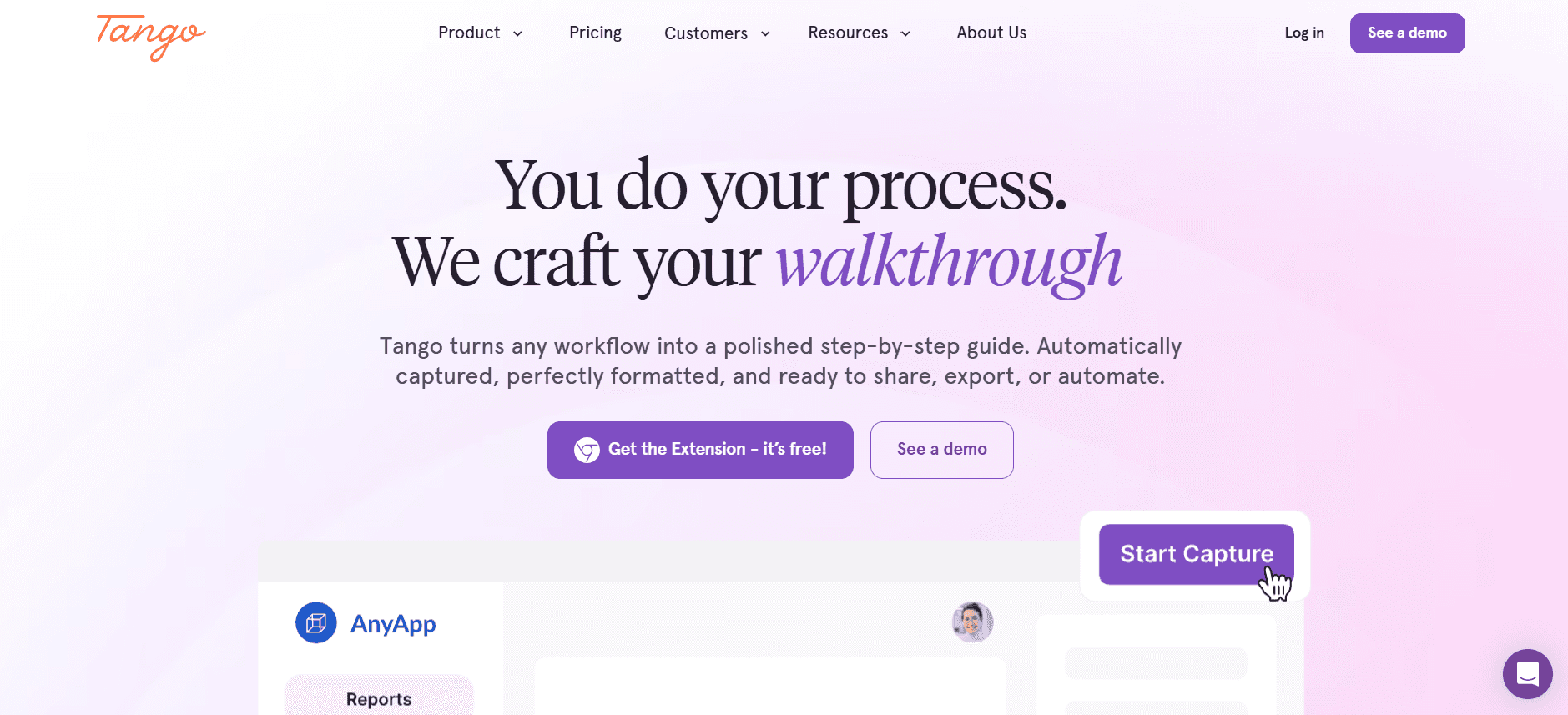
Tango ist ein relativ neuer Anbieter, der darauf fokussiert ist, Trainingsdokumentation in ansprechende visuelle Guides zu verwandeln. Es ist ideal für Teams, die Prozessdokumentation schnell und effektiv teilen müssen. Die Stärke von Tango liegt darin, textlastige Inhalte in dynamische, leicht verständliche Guides umzuwandeln.
Auch wenn Tango großartig für Dokumentation ist, fehlen fortschrittliche Funktionen für Videobearbeitung und KI. Es eignet sich am besten für Teams, deren Hauptbedarf darin besteht, geschriebene Inhalte mit visuellen Hilfsmitteln zu ergänzen.
Wichtige Funktionen
Visuelle Prozessdokumentation
Automatische Screen-Captures
Erstellung von Schritt-für-Schritt-Guides
Funktionen für kollaborative Workflows
Optionen für individuelles Branding
Browser-Erweiterung für einfache Nutzung
Optionen für PDF- und HTML-Export
Integration mit gängigen Projektmanagement-Tools
Vorteile | Nachteile |
|---|---|
Einfache Prozessdokumentation | Eingeschränkte Videofunktionen |
Gut zur Ergänzung geschriebener Inhalte | Keine KI-Funktionen verfügbar |
Kollaborative Funktionen | Nicht ideal für umfassendes Training |
Preisgestaltung
Tango bietet einen kostenlosen Plan mit eingeschränkten Funktionen; Premium-Pläne starten bei 12 $ pro Monat und Nutzer.
Articulate 360
Articulate 360 bietet eine Suite von Tools, die für E-Learning-Profis zugeschnitten sind. Es eignet sich für Organisationen, die ein breites Spektrum an Möglichkeiten zur Erstellung von Inhalten benötigen – von Videos bis hin zu interaktiven Kursen. Articulate 360 ist für seine leistungsstarken Authoring-Tools bekannt und bei Instructional Designers besonders beliebt.
Auch wenn Articulate 360 umfassende Funktionen bereitstellt, kann es für Personen, die mit der Entwicklung von E-Learning nicht vertraut sind, überwältigend sein. Am besten geeignet ist es für Profis, die fortschrittliche Tools zur Kursentwicklung benötigen und bereit sind, mit der komplexen Oberfläche umzugehen.
Wichtige Funktionen
Umfassende Tools für das Authoring von E-Learning
Interaktive Kurs-Erstellung
Screen Recording und Bearbeitung
Responsives Design für mobiles Lernen
Content-Bibliothek mit Vorlagen und Assets
Kooperationstools für Teamprojekte
Unterstützt SCORM, xAPI und AICC
Regelmäßige Updates und neue Funktionen
Vorteile | Nachteile |
|---|---|
Umfangreiche Authoring-Fähigkeiten | Komplexe Oberfläche für Einsteiger |
Unterstützt mehrere E-Learning-Standards | Höhere Kosten für den Zugriff auf die komplette Suite |
Regelmäßig aktualisiert mit neuen Funktionen | Erfordert ein solides Verständnis der E-Learning-Prinzipien |
Preisgestaltung
Das Articulate-360-Abo startet bei 999 $ pro Nutzer und Jahr.
Herausforderungen beim video-basierten Employee Onboarding: Womit Teams zu kämpfen haben
1. Neue Mitarbeitende sind von Informationen überfordert
Neue Mitarbeitende erhalten in ihrer ersten Woche oft eine große Menge an Informationen, was überfordernd sein kann und zu einer geringeren Bindung führt.
Herkömmliche Methoden wie PDFs und Handbücher sind nicht interaktiv und führen so zu mangelndem Engagement.
Fehlende strukturierte Lernpfade erschweren es neuen Mitarbeitenden, Informationen effektiv zu priorisieren.
Das Fehlen visueller Inhalte kann das Verständnis beeinträchtigen – insbesondere bei komplexen Prozessen.
2. Uneinheitliche Onboarding-Erfahrungen zwischen Standorten
Unterschiedliche Standorte können über verschiedene Ressourcen verfügen, was zu einer uneinheitlichen Trainingsqualität führt.
Lokale Trainer könnten Unternehmensrichtlinien unterschiedlich interpretieren, wodurch Abweichungen entstehen.
Zeitzonenunterschiede können Trainingspläne verzögern und damit die Onboarding-Zeitleisten beeinflussen.
Eingeschränkter Zugriff auf standardisierte Inhalte kann zu unterschiedlichen Mitarbeitererfahrungen führen.
3. Hohe Produktionskosten für Trainingsvideos
Videos in professioneller Qualität erfordern eine erhebliche finanzielle Investition in Ausrüstung und Fachwissen.
Die Auslagerung der Videoproduktion kann teuer und zeitaufwendig sein.
Die Erstellung von Videos im Unternehmen erfordert qualifiziertes Personal und erhöht die Betriebskosten.
Häufige Updates der Trainingsinhalte machen zusätzliche Produktionen erforderlich und erhöhen die Kosten.
4. Veraltete Inhalte nach Prozessänderungen
Schnelle Änderungen in den Geschäftsprozessen erfordern regelmäßige Aktualisierungen der Trainingsmaterialien.
Manuelle Updates von Dokumentationen sind zeitaufwendig und fehleranfällig.
Mitarbeitende werden möglicherweise mit veralteten Verfahren geschult, was die Effizienz senkt.
Uneinheitliche Updates können zu Verwirrung und fehlender Abstimmung innerhalb von Teams führen.
5. Fehlende Verifizierung und Tests zum Verständnis
Herkömmliche Methoden bieten keine Mechanismen, um zu prüfen, ob Mitarbeitende das Training abgeschlossen haben.
Ohne Tests ist es schwierig, das Verständnis und die Informationsbindung einzuschätzen.
Wenn sich der Fortschritt nicht verfolgen lässt, entstehen Wissenslücken und eine geringere Leistung.
Das Fehlen von Feedback-Schleifen kann die Verbesserung von Trainingsprogrammen verlangsamen.
Herausforderung | Herkömmlicher Prozess | Auswirkung auf das Unternehmen | Zeitaufwand |
|---|---|---|---|
Informationsüberflutung | Handbücher und PDFs | Geringes Engagement, hohe Fluktuation | 2–3 Stunden pro Mitarbeitenden |
Uneinheitliche Erfahrungen | Unterschiedliches lokales Training | Geringere Konsistenz der Leistung | 1–2 Wochen pro Standort |
Hohe Videoproduktionskosten | Ausgelagerte Produktion | Höhere Betriebsausgaben | 1–2 Monate pro Video |
Veraltete Inhalte | Manuelle Updates | Reduzierte Effizienz der Prozesse | 1 Woche pro Update |
Fehlende Verifizierung | Keine Tests | Wissenslücken, geringerer ROI | N/A |
Must-have-Funktionen in Tools für video-basiertes Employee Onboarding
Screen Recording mit KI-Voiceover
Screen Recording ist entscheidend, um Software und Prozesse zu demonstrieren. Es ermöglicht Trainern, ansprechende Tutorials zu erstellen, indem sie reale Interaktionen in Echtzeit aufzeichnen. KI-Voiceover verbessert diese Aufnahmen, indem es professionelles Voice-Narration bereitstellt – ohne dass Voice-Actor benötigt werden. Das spart sowohl Zeit als auch Geld.
Tools wie Trupeer und Loom sind in diesem Bereich besonders stark und bieten intuitive Funktionen für Screen Recording. Diese Funktionen sind entscheidend für Organisationen, die dynamische, leicht verständliche Trainingsinhalte erstellen möchten, die schnell und effizient produziert werden können.
SCORM/xAPI-Export für LMS-Kompatibilität
SCORM (Sharable Content Object Reference Model) und xAPI (Experience API) sind Standards, die sicherstellen, dass Inhalte mit Learning Management Systems (LMS) kompatibel sind. Diese Funktion ist für Organisationen besonders wichtig, die ihre Trainingsmaterialien nahtlos in bestehende LMS-Plattformen integrieren möchten – damit eine konsistente Bereitstellung und Nachverfolgung gewährleistet ist.
iSpring Suite und Articulate 360 gehören zu den führenden Anbietern, wenn es um robuste Unterstützung für SCORM und xAPI geht. Das macht sie ideal für Unternehmen, die in ihren Trainingsprogrammen auf umfassendes Reporting und Analytics setzen.
Interaktive Elemente: Quizze und Wissenschecks
Interaktive Elemente wie Quizze und Wissenschecks halten Lernende bei der Stange und ermöglichen Trainern, das Verständnis in Echtzeit zu bewerten. Diese Funktionen verwandeln passives Lernen in aktive Teilnahme – was die Bindung und das Verständnis deutlich verbessern kann.
Camtasia und Articulate 360 bieten umfangreiche interaktive Möglichkeiten und ermöglichen es Trainern, Quizze direkt in Videoinhalte einzubetten. Diese Integration ist entscheidend, um Wissen zu verifizieren und Trainingsstrategien anhand der Leistung der Lernenden anzupassen.
Fortschrittsverfolgung und Abschlussberichte
Die Verfolgung des Fortschritts und das Reporting von Abschlüssen sind entscheidend, um die Wirksamkeit von Trainingsprogrammen zu bewerten. Diese Funktionen ermöglichen es Organisationen, die Leistung einzelner Mitarbeitender und ganzer Teams zu überwachen, Bereiche für Verbesserungen zu identifizieren und die Einhaltung der Trainingsanforderungen sicherzustellen.
Trupeer und Whatfix bieten umfassende Analyse- und Reporting-Tools, mit denen sich detaillierte Einblicke in den Fortschritt und das Engagement von Mitarbeitenden gewinnen lassen. Dieser datenbasierte Ansatz hilft Organisationen dabei, ihre Onboarding-Prozesse für bessere Ergebnisse zu optimieren.
Einfache Workflows für Updates von Inhalten
In einer sich schnell verändernden Geschäftswelt ist es entscheidend, Trainingsinhalte schnell und effizient aktualisieren zu können. Tools, die schlanke Workflows für Content-Updates bieten, sparen Zeit und reduzieren das Risiko, dass veraltete Informationen an neue Mitarbeitende weitergegeben werden.
Synthesia und Tango unterstützen einfache Bearbeitungs- und Aktualisierungsprozesse, sodass Trainer Anpassungen vornehmen können, ohne komplette Module neu erstellen zu müssen. Diese Flexibilität ist entscheidend, um die Relevanz und Genauigkeit der Trainingsmaterialien zu erhalten.
Mehrsprachige Unterstützung
Globale Unternehmen benötigen Onboarding-Tools, die mehrere Sprachen unterstützen, damit alle Mitarbeitenden – unabhängig von ihrem Standort – ein konsistentes Training erhalten. Mehrsprachige Unterstützung erweitert die Reichweite von Trainingsprogrammen und verbessert die Zugänglichkeit für vielfältige Teams.
Synthesia ist in diesem Bereich besonders stark und bietet Unterstützung für über 120 Sprachen. Diese Fähigkeit ist entscheidend für Organisationen mit internationalen Teams oder für Unternehmen, die ihre Aktivitäten weltweit ausbauen möchten.
So wählen Sie Tools für video-basiertes Employee Onboarding passend zu Ihrem Use Case aus
Orientation- und Kulturvideos für Tag 1
Einen starken ersten Eindruck zu schaffen, ist entscheidend, um neue Mitarbeitende zu begeistern. Orientation-Videos für Tag 1 führen in Unternehmenskultur, Werte und Erwartungen ein. Sie setzen den Ton für ein positives Onboarding-Erlebnis und helfen neuen Mitarbeitenden, sich von Anfang an verbunden zu fühlen.
Wichtige Herausforderungen:
Unternehmenskultur effektiv vermitteln
Konsistenz über verschiedene Standorte hinweg sicherstellen
Neue Mitarbeitende remote einbinden
Benötigte Lösungen:
Produktion von Videos in hoher Qualität
Konsistente Botschaften in allen Inhalten
Packende Storytelling-Techniken
Tool | Am besten für |
|---|---|
Synthesia | KI-gestützte Kulturvideos |
Camtasia | Produktion in professioneller Qualität |
Training für Systeme- und Software-Tools
Beim Onboarding müssen neue Mitarbeitende sich oft mit verschiedenen Software-Tools vertraut machen. Umfassende Trainingsvideos können diesen Prozess erleichtern und die Zeit bis zur Produktivität verkürzen. Dieser Use Case ist entscheidend für Tech-Unternehmen und jede Organisation mit komplexen Softwareumgebungen.
Wichtige Herausforderungen:
Vielzahl an Tools und Systemen
Komplexität der Software-Schnittstellen
Bedarf an praktischer Übung
Benötigte Lösungen:
Detaillierte Screen Recordings
Interaktive Schritt-für-Schritt-Anleitungen
Schritt-für-Schritt-Tutorials
Tool | Am besten für |
|---|---|
Loom | Einfache Screen Recordings |
Whatfix | Interaktive Guides in der App |
Compliance- und Policy-Training
Compliance-Training stellt sicher, dass Mitarbeitende über rechtliche Vorgaben und unternehmensspezifische Regelungen informiert sind. Videos eignen sich hervorragend, um standardisierte Compliance-Module bereitzustellen, die stets aktuell und für alle Mitarbeitenden zugänglich sein müssen.
Wichtige Herausforderungen:
Regelmäßige Updates aufgrund von Richtlinienänderungen
Verifizierung des Verständnisses
Zugänglichkeit für alle Mitarbeitenden
Benötigte Lösungen:
Einfache Content-Updates
Quizze für Tests zum Verständnis
Mehrsprachige Unterstützung
Tool | Am besten für |
|---|---|
Trupeer | Umfassende Compliance-Module |
iSpring Suite | SCORM-konformes Training |
Training für rollenbezogene Skills
Unterschiedliche Rollen innerhalb einer Organisation erfordern maßgeschneidertes Training, um spezifische Fähigkeiten aufzubauen. Video-basiertes Training ermöglicht rollenbezogene Inhalte, die sich bei Bedarf einfach anpassen und aktualisieren lassen.
Wichtige Herausforderungen:
Vielzahl an Trainingsbedarfen je nach Rolle
Zeitnahe Updates für die Entwicklung von Skills
Fortschrittsverfolgung und Bewertung der Wirksamkeit
Benötigte Lösungen:
Anpassbare Lernpfade
Fortschrittsverfolgung und Reporting
Interaktive Inhalte für das Üben von Skills
Tool | Am besten für |
|---|---|
Articulate 360 | Individuelles rollenbasiertes Training |
Trupeer | Maßgeschneiderte Skill-Entwicklung |
Best Practices für video-basiertes Employee Onboarding
Bevor Sie Inhalte erstellen
Definieren Sie klare Ziele für jedes Trainingsmodul.
Identifizieren Sie die Zielgruppe und passen Sie die Inhalte an ihre Bedürfnisse an.
Planen Sie ein detailliertes Skript, um Konsistenz und Klarheit sicherzustellen.
Wählen Sie die richtigen Tools, die zu Ihren Trainingszielen passen.
Testen Sie Ausrüstung und Software, um technische Probleme während der Produktion zu vermeiden.
Während der Erstellung von Inhalten
Halten Sie Videos kurz und fokussiert, um das Engagement aufrechtzuerhalten.
Nutzen Sie Visuals und Animationen, um komplexe Konzepte zu veranschaulichen.
Binden Sie interaktive Elemente ein, um die Zuschauer aktiv einzubeziehen.
Stellen Sie sicher, dass die Audioqualität klar und professionell ist.
Fügen Sie Untertitel hinzu – für Barrierefreiheit und Sprachunterstützung.
Nach der Veröffentlichung von Inhalten
Sammeln Sie Feedback von Nutzern, um Inhalte zu verfeinern und zu verbessern.
Aktualisieren Sie Videos regelmäßig, um Änderungen in Prozessen oder Richtlinien abzubilden.
Verfolgen Sie das Engagement der Zuschauer und die Abschlussraten, um Erkenntnisse zu gewinnen.
Bieten Sie zusätzliche Ressourcen und Support für Lernende, die zusätzliche Hilfe benötigen.
Stellen Sie sicher, dass alle Inhalte auf Geräten und an Standorten zugänglich sind.
Häufig gestellte Fragen
Was ist video-basiertes Onboarding?
Video-basiertes Onboarding nutzt Videoinhalte, um neue Mitarbeitende mit der Kultur, den Richtlinien und den Verfahren eines Unternehmens vertraut zu machen. Diese Methode verbessert das Engagement und die Bindung, indem sie visuell reichhaltige und interaktive Lernerlebnisse bietet.
Warum sollten Unternehmen für das Onboarding auf Video setzen?
Video-Onboarding erhöht die Bindungsraten, reduziert die Einarbeitungszeit und bietet ein konsistentes Training über Standorte hinweg. Es bindet Mitarbeitende effektiver ein als herkömmliche textbasierte Methoden und lässt sich leicht aktualisieren, um Änderungen abzubilden.
Können diese Plattformen mit unserem bestehenden LMS integriert werden?
Die meisten Plattformen für Video-Onboarding, wie Trupeer und iSpring Suite, bieten SCORM- und xAPI-Kompatibilität und ermöglichen so eine nahtlose Integration mit gängigen LMS-Systemen. Es ist wichtig, die spezifische Kompatibilität mit Ihrem LMS-Anbieter zu bestätigen.
Welche Formate werden für den Video-Export unterstützt?
Plattformen unterstützen typischerweise eine Vielzahl von Videoformaten, darunter MP4 und MOV, um die Kompatibilität mit unterschiedlichen Geräten und Systemen sicherzustellen. Einige Tools wie Camtasia bieten außerdem direkte Upload-Optionen für Plattformen wie YouTube und Vimeo.
Gibt es kostenlose Versionen?
Einige Plattformen wie Loom und Tango bieten kostenlose Tarife mit eingeschränkten Funktionen. Diese eignen sich für kleine Teams oder Einzelpersonen, verfügen jedoch möglicherweise nicht über die erweiterten Funktionen, die für umfassende Onboarding-Programme erforderlich sind.
Wie funktionieren Abo-Modelle?
Die meisten Plattformen bieten monatliche oder jährliche Abo-Modelle. Die Preisgestaltung hängt in der Regel von der Anzahl der Nutzer und dem erforderlichen Funktionsumfang ab. Es empfiehlt sich, bei der Auswahl eines Abo-Plans die langfristigen Anforderungen zu berücksichtigen.
Wie lange dauert es, ein Tool für Video-Onboarding zu implementieren?
Die Implementierungszeit variiert je nach Plattform und den Anforderungen der Organisation. Einfache Tools wie Loom lassen sich in Minuten einrichten, während umfassende Lösungen wie Articulate 360 möglicherweise mehrere Wochen für die vollständige Integration und Anpassung benötigen.
Welche Unterstützung ist während der Einrichtung verfügbar?
Viele Plattformen bieten Kundensupport sowie Ressourcen wie Tutorials und Webinare, um während der Einrichtung zu helfen. Es ist sinnvoll, diese Ressourcen zu nutzen, um einen reibungslosen Implementierungsprozess sicherzustellen.
Abschluss
Plattformen für video-basiertes Onboarding bieten einen wegweisenden Ansatz, um neue Mitarbeitende zu begeistern und zu trainieren. Durch die Auswahl der richtigen Tools können Organisationen ein konsistentes, ansprechendes und effizientes Onboarding-Erlebnis schaffen, das zu ihren individuellen Anforderungen passt. Mit Funktionen wie interaktiven Inhalten, mehrsprachiger Unterstützung und nahtloser LMS-Integration sind diese Plattformen bestens gerüstet, um den Anforderungen einer modernen Belegschaft gerecht zu werden.
Erfahren Sie, wie Trupeer Ihren Onboarding-Prozess mit KI-gestützten Funktionen und umfassenden Analysen revolutionieren kann, indem Sie die Website von Trupeer besuchen. Starten Sie noch heute damit, Ihr Onboarding-Erlebnis zu verbessern, und geben Sie Ihren neuen Mitarbeitenden ab Tag 1 mehr Sicherheit.
Verwandte Blogbeiträge


