Get started for free
免费开始
Training video editing software gives you purpose-built tools to transform raw screen recordings and camera footage into polished, effective training content. Cut the fluff, add structure, and produce videos that actually teach.
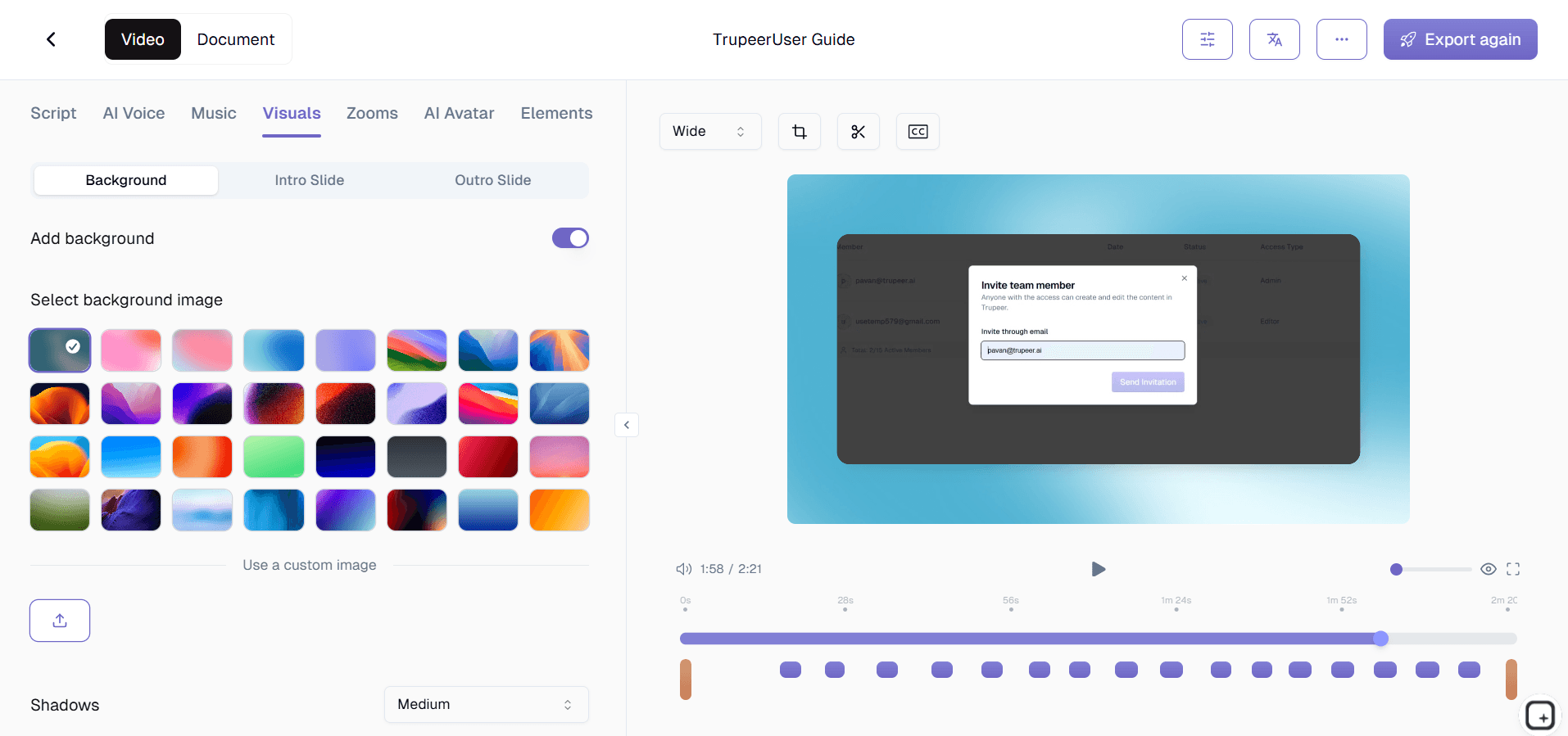
Trim dead air, remove mistakes, and tighten pacing with a timeline editor built for training content
Add zoom effects, callout annotations, and text overlays to highlight key learning moments
Insert chapter markers, quizzes, and interactive elements to boost learner engagement
Auto-generate captions and transcripts for accessibility and multi-language support
Export in LMS-compatible formats or share via link for instant distribution to learners
What Is Training Video Editing Software?
Training video editing software is a specialized video editor designed for people who create instructional and educational content. Unlike general-purpose video editors that prioritize cinematic effects, color grading, and motion graphics, training video editing software focuses on the features that matter for learning - zoom-and-pan effects that draw attention to specific interface elements, annotation tools that overlay numbered steps and callout boxes, chapter markers that create navigable table-of-contents structures, and quiz insertion points that verify learner comprehension.
How Does Training Video Editing Software Work?
Getting started with Training Video Editing Software takes just a few minutes.
Step 1: Record or Upload
Start a screen recording directly in your browser, or upload an existing video file you want to transform.

Step 2: AI Processing
The AI analyzes your recording, removes filler words, adds zoom effects, and generates video automatically.

Step 3: Customize and Share
Edit the output, apply your brand kit, and share via link or embed on your website. Updates are just as easy.

Key Features of Training Video Editing Software
Multi-Track Timeline with Clip Splitting: Work with multiple video, audio, and annotation tracks simultaneously. Split clips at any point, rearrange segments, and layer webcam footage over screen recordings. The timeline provides frame-accurate control while remaining intuitive enough for non-editors to use productively within minutes of opening the software.
Zoom, Pan, and Spotlight Effects: Add post-production zoom effects to magnify any area of your screen recording - a small checkbox, a dropdown menu, a terminal command.
Chapter Markers and Segment Navigation: Define chapters at logical transition points in your training video. The exported video includes a clickable table of contents that appears in the player, letting learners jump to any section instantly. This is critical for long training modules where employees return to reference specific procedures.
Template Library for Consistent Branding: Start each training video with branded intro templates, apply consistent lower-third name titles for presenters, and end with standardized outro screens that link to next steps. Templates ensure every training video in your library shares a cohesive visual identity without requiring design skills from the editor.
Why Choose Training Video Editing Software?
Built for Instructors, Not Filmmakers: Every feature is designed to solve training-specific problems - magnifying small UI elements, adding step indicators, creating navigable chapters - rather than cinematic problems you will never encounter in an L&D context.
Faster Than General-Purpose Editors: Skip the learning curve of Premiere Pro or DaVinci Resolve. Training video editing software gives you only the tools you need, arranged in the workflow you use, so you finish editing in minutes instead of hours.
Consistent Quality at Scale: Templates, batch processing, and standardized export presets ensure every training video in your library meets the same quality bar, regardless of which team member edited it.
Direct Integration with Training Workflows: Export in SCORM and xAPI formats, embed quizzes that report to your LMS, and generate completion-tracking metadata - capabilities that general video editors simply do not offer.
Training Video Editing Software for Internal Teams
1. Internal teams use training video editing software to transform rambling screen recordings into concise, structured training modules that employees can complete during focused 10-minute sessions.
2. Department coordinators who are not professional editors can produce polished training content using templates and automated features, democratizing content creation across the organization.
3. Training committees use the batch export feature to refresh entire training libraries when annual process updates roll out, keeping every video current without heroic individual effort.
4. Internal communications teams edit all-hands recordings into digestible training highlights, adding chapter markers so employees can jump to the announcements relevant to their team. Combine video with step-by-step written guides from Trupeer's process guide tool.
Training Video Editing Software for SaaS Teams
1. SaaS customer education teams edit raw demo recordings into structured feature tutorials with zoom effects, annotations, and chapter navigation that drive product adoption.
2. Product marketing teams edit webinar recordings into focused training clips, stripping Q&A sections and adding branded intros to create evergreen educational content.
3. Sales enablement teams edit competitive battlecard walkthroughs into training videos with callout annotations highlighting key differentiators and objection-handling talking points.
4. Support teams edit recorded troubleshooting sessions into clean how-to videos, removing dead time and adding step indicators that make resolution steps crystal clear. Record raw footage with Trupeer's screen recorder.
Training Video Editing Software for Startups
1. Startups with no dedicated video team use training video editing software to produce professional-looking training content that punches above their weight class.
2. Non-technical founders edit their own product walkthrough recordings into customer training videos, using zoom effects and annotations to compensate for imperfect recording technique.
3. Startup people-ops teams edit interview recordings, culture presentations, and process walkthroughs into a structured onboarding video curriculum that scales with every new hire cohort.
4. Cash-conscious startups appreciate that purpose-built training editors cost a fraction of enterprise video production suites while delivering the specific features they actually need.
Training Video Editing Software for Enterprises
1. Enterprise L&D teams standardize training video production across global offices using shared templates, brand guidelines, and export presets that ensure visual and structural consistency.
2. Compliance teams edit training content to include mandatory legal disclaimers, regulatory acknowledgment checkpoints, and audit-ready metadata that satisfies internal and external review requirements.
3. Enterprise video production teams use batch processing to apply organization-wide branding updates to hundreds of training videos simultaneously during annual brand refreshes.
4. Global enterprises edit training videos with multi-language caption tracks, enabling a single source video to serve employees in every region without re-recording narration.
Training Video Editing Software for Remote Teams
1. Remote team members record training content in their home offices and submit raw footage to a centralized editor who polishes everything using templates and standardized workflows.
2. Async editing workflows let remote contributors and editors collaborate across time zones - one records, another edits, a third reviews - without needing simultaneous availability.
3. Remote L&D managers edit training recordings to include chapter markers and searchable transcripts, making self-serve learning efficient for distributed employees who cannot ask a neighbor for help.
4. Remote teams benefit from the noise-removal features that clean up narration recorded in imperfect home environments, ensuring professional audio quality regardless of the contributor's setup.
Training Video Editing Software for Developers
1. Developer educators edit coding tutorial recordings to add zoom effects on terminal output, IDE panels, and browser dev tools, making technical content readable even on small screens.
2. Platform teams edit internal tool documentation videos with annotation overlays that highlight CLI flags, configuration parameters, and API response fields that viewers need to replicate.
3. DevRel teams edit conference talk recordings into focused training modules, trimming audience interaction, adding chapter markers, and inserting links to code repositories and documentation.
4. Engineering managers edit architecture decision recordings with callout annotations that label system components, data flows, and integration points - creating visual documentation that outlasts any whiteboard session.
Training Video Editing Software for Onboarding and Support Teams
1. Onboarding teams edit raw screen recordings into structured new-hire training modules with consistent intros, learning objectives, chapter navigation, and embedded comprehension checks.
2. Support teams edit resolution walkthrough recordings into customer-facing help videos, removing internal commentary and adding branded overlays that maintain professional standards.
3. Training designers use the quiz insertion feature to place knowledge checks at critical points in onboarding videos, ensuring new hires actively engage with the content rather than passively watching.
4. Onboarding managers use batch export to distribute updated training videos to all new-hire cohorts simultaneously, ensuring everyone starts with the most current content. Record your source material with Trupeer's screen recorder.
Get started for free
免费开始
Zoom Effects
Magnify any area of your screen recording to highlight small UI elements and key details.
Annotation Tools
Overlay arrows, step numbers, callouts, and highlighted boxes to guide learners visually.
Quiz Insertion
Embed knowledge checks directly into your video timeline to verify comprehension.
Get started for free
免费开始
步骤 1
Import your raw screen recordings
第二步
AI generates video
步骤 3
Export and Share
常见问题
Yes. The template library includes customizable intro and outro slides, lower-third titles, color schemes, and font presets. Apply them to individual videos or use batch processing to brand your entire training library at once.
相关工具
Get started for free
免费开始