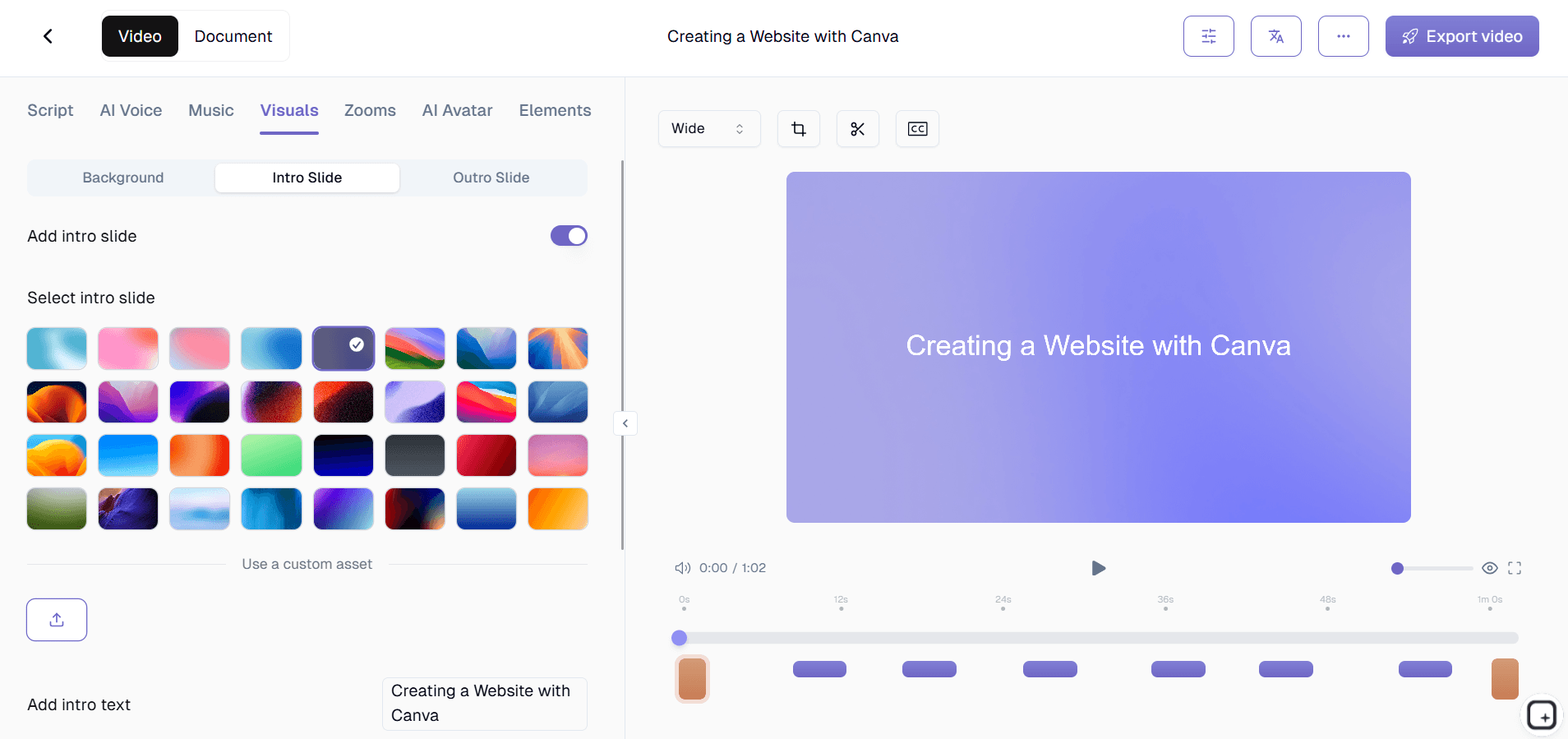
Collaborative Video Editing Software for Teams

Collaborative Video Editing Software for Teams

Collaborative Video Editing Software for Teams

Edit training videos together as a team. Multiple contributors create and review content in one shared workspace.

Edit training videos together as a team. Multiple contributors create and review content in one shared workspace.

Edit training videos together as a team. Multiple contributors create and review content in one shared workspace.

Edit Videos as a Team

免费开始

无需信用卡

无需信用卡

Collaborative Video Editing Software for Teams TL;DR

Collaborative Video Editing Software for Teams TL;DR

Trupeer's collaborative video editing software lets teams create, edit, and review training videos together in a shared workspace. Using AI-powered screen recording and editing, multiple team members contribute to training content without version conflicts or editing bottlenecks.

  • Multiple team members create and edit training videos in one shared workspace.

  • AI handles technical editing so teams focus on content quality and accuracy.

  • Review and approve training videos with built-in feedback workflows.

  • Generate step-by-step guides alongside collaborative video projects.

  • Maintain brand consistency with shared brand kits across all team video projects.

What Is Trupeer's Collaborative Video Editing Software for Teams?

Trupeer's collaborative video editing software is a shared workspace where teams create training videos together. Multiple contributors record their screens, AI edits the raw footage, and the team reviews and refines content collectively. No more emailing video files back and forth, no version confusion, and no single-person bottlenecks in your training video production pipeline.

How Does Collaborative Video Editing Software for Teams Work?

Getting started with Collaborative Video Editing Software for Teams takes just a few minutes.


Step 1: Record or Upload

Start a screen recording directly in your browser, or upload an existing video.


Step 2: AI Processing

The AI analyzes your recording, removes filler words, adds zoom effects, and generate video automatically.


Step 3: Customize and Share

Edit the output, apply your brand kit, and share via link or embed on your website. Updates are just as easy.


Key Features of Trupeer's Collaborative Video Editing Software for Teams

  • Shared Team Workspace: Every team member accesses the same project library where training videos are organized, in-progress, or published. No more hunting through shared drives or Slack threads for the latest version of a training video.

  • Multi-Contributor Recording: Different team members record different sections of a training workflow, and Trupeer combines them into a cohesive video. A product manager records the overview, an engineer records the technical setup, and a support lead records the troubleshooting section, all contributing to one unified training video from their own expertise.

  • Version History and Rollback: Every edit, every review comment, and every version of a training video is preserved. Teams can compare versions side by side, roll back to a previous edit, or restore content that was accidentally changed. Version history ensures collaborative editing never results in lost work or irreversible mistakes.

  • Centralized Content Library: All published training videos live in a searchable, organized library that the whole team accesses. Tag videos by topic, department, or audience. New team members find relevant training content instantly instead of asking colleagues where to look. The library becomes your organization's single source of truth for training video content.

Why Choose Trupeer's Collaborative Video Editing Software for Teams?

  • Eliminate Single-Person Bottlenecks: When only one person can create training videos, everything depends on their availability. Collaborative editing distributes the work and keeps content flowing.

  • Better Content Through Team Input: Training videos reviewed by multiple team members are more accurate, more complete, and more effective than content created in isolation.

  • Faster Publication Cycles: Parallel workflows mean recording, editing, and reviewing happen simultaneously instead of sequentially. Training videos reach learners faster.

  • Organized and Searchable: A centralized library with tagging and search replaces scattered files across drives, emails, and chat tools. Teams find what they need instantly.

Collaborative Video Editing Software for Internal Teams

1. Enable cross-departmental training video creation. Subject matter experts from different departments contribute their sections, and the team assembles a comprehensive training video collaboratively.

2. Implement review workflows that ensure training accuracy. Managers and senior staff review training videos before publication, catching errors and improving content quality through structured feedback.

3. Build a centralized training video library that the whole organization uses. When all teams contribute to one shared library, knowledge silos dissolve and every department benefits from each other's expertise.

4. Track training content creation progress across teams. The shared workspace shows what training videos are planned, in progress, in review, and published, giving leadership visibility into the content pipeline.

Collaborative Video Editing Software for SaaS Teams

1. Coordinate training video creation across product, support, and success teams. Each team contributes their expertise to customer-facing training content in a shared workspace.

2. Keep training videos accurate with multi-team review processes. When product teams review support-created training videos, content stays technically accurate and up to date with the latest features.

3. Scale customer training content production without hiring dedicated video staff. Multiple team members contribute training videos, and collaborative review ensures quality without a centralized production team.

4. Maintain a unified video help center that multiple teams update. Product changes, support insights, and customer feedback all inform training videos managed collaboratively in one workspace.

Collaborative Video Editing Software for Startups

1. Leverage the entire founding team's knowledge for training content. When every team member can contribute recordings and reviews, startups build comprehensive training libraries with limited resources.

2. Create customer training videos without a dedicated content team. Collaborative editing lets multiple people share the workload of training content creation across their existing roles.

3. Build review processes early before content quality becomes hard to manage. Start with collaborative workflows now, and your training content quality scales with your team.

4. Move faster by working on training videos in parallel. One person records while another reviews a previous video, compressing the timeline for training content production.

Collaborative Video Editing Software for Enterprises

1. Coordinate training video production across departments, regions, and business units. A shared workspace keeps global teams aligned on content creation priorities and standards.

2. Implement governance and approval workflows for training content. Role-based permissions and review processes ensure training videos meet organizational standards before publication.

3. Reduce redundant training content creation across the organization. When teams see what already exists in the shared library, they build on existing content instead of recreating it.

4. Maintain audit trails for training content changes and approvals. Version history and review logs document who created, reviewed, and approved every training video for compliance purposes.

Collaborative Video Editing Software for Remote Teams

1. Enable async collaboration on training videos across time zones. Remote team members contribute recordings, reviews, and edits on their own schedules without blocking each other.

2. Build team cohesion through collaborative content creation. Working together on training videos gives remote team members shared projects that strengthen working relationships across distances.

3. Ensure consistent training quality across distributed teams. Shared brand kits and review workflows produce uniform output regardless of where team members are located.

4. Replace synchronous training development meetings with async workflows. Instead of scheduling calls to plan training content, teams collaborate in the shared workspace at their convenience.

Collaborative Video Editing Software for Developers

1. Create technical training videos with input from multiple engineering team members. Different developers record different aspects of a technical workflow, and the team assembles a comprehensive tutorial.

2. Implement peer review for technical training content. Engineers review each other's training videos for accuracy, catching errors that would confuse learners before content is published.

3. Build a shared engineering knowledge base with video contributions from the whole team. When every developer can contribute, the team captures more institutional knowledge faster.

4. Coordinate documentation efforts across engineering and developer relations teams. Technical writers and DevRel review developer-created training videos to ensure clarity for the intended audience.

Collaborative Video Editing Software for Onboarding & Support Teams

1. Create onboarding video programs with input from HR, managers, and senior employees. Collaborative editing brings multiple perspectives into onboarding content for a comprehensive new hire experience.

2. Build customer support training videos with feedback from frontline agents. Support teams know which questions customers ask most and can shape training content based on real support interactions.

3. Keep onboarding content accurate with manager review workflows. Department heads review onboarding videos before new hires see them, ensuring procedures are current and correctly documented.

4. Scale support training by enabling the whole team to contribute video content. When any support agent can create and submit training videos for review, the knowledge base grows faster.

Why Teams Choose Trupeer for Collaborative Video Editing

Why Teams Choose Trupeer for Collaborative Video Editing

Edit Videos as a Team

免费开始

Shared Workspace

One place for your team to create and manage training videos

Review Workflows

Structured feedback and approval before training videos go live

Brand Consistency

Shared brand kits keep every team member's videos on brand

How Teams Create Training Videos Together

How Teams Create Training Videos Together

Edit Videos as a Team

免费开始

步骤 1

Team members record their screens in the shared workspace

第二步

AI edits recordings while the team reviews and provides feedback

步骤 3

Approve and publish polished training videos as a team

常见问题

Can multiple people edit the same training video?

Can multiple people edit the same training video?

Yes. Trupeer's collaborative workspace lets multiple team members contribute recordings, provide feedback, and review edits on the same training video project without version conflicts.

Yes. Trupeer's collaborative workspace lets multiple team members contribute recordings, provide feedback, and review edits on the same training video project without version conflicts.

How does the review process work?

How does the review process work?

Reviewers leave timestamped comments directly on the training video. They can approve sections, request changes, or flag issues. The structured workflow ensures content is accurate and complete before publication.

Reviewers leave timestamped comments directly on the training video. They can approve sections, request changes, or flag issues. The structured workflow ensures content is accurate and complete before publication.

Can I control who can edit versus who can only review?

Can I control who can edit versus who can only review?

Yes. Role-based permissions let you assign team members as creators, reviewers, or administrators. Each role has appropriate access levels to keep the workflow organized and secure.

Yes. Role-based permissions let you assign team members as creators, reviewers, or administrators. Each role has appropriate access levels to keep the workflow organized and secure.

Does collaborative editing work across time zones?

Does collaborative editing work across time zones?

Absolutely. Trupeer's async workflow lets team members contribute on their own schedules. Record in one time zone, review in another, and approve in a third without anyone waiting for others to be online.

Absolutely. Trupeer's async workflow lets team members contribute on their own schedules. Record in one time zone, review in another, and approve in a third without anyone waiting for others to be online.

Is there a limit to how many team members can collaborate?

Is there a limit to how many team members can collaborate?

Trupeer's team workspace scales with your organization. Whether you have 5 contributors or 500, the collaborative workflow handles team video creation at any size.

Experience the new & faster way of creating product videos.

Instant AI Product Videos and Docs from Rough Screen Recordings.

Get started for free

免费开始

Experience the new & faster way of creating product videos.

Instant AI Product Videos and Docs from Rough Screen Recordings.

Get started for free

免费开始

Experience the new & faster way of creating product videos.

Instant AI Product Videos and Docs from Rough Screen Recordings.

Get started for free

免费开始