使用此模板
A great user manual turns a confused customer into a confident one - and dramatically reduces support load. With Trupeer, you can save hours on writing user manuals by starting with a free user manual template, customizing it with your brand guidelines, and using our AI manual creator to turn product walkthroughs into polished video manuals.
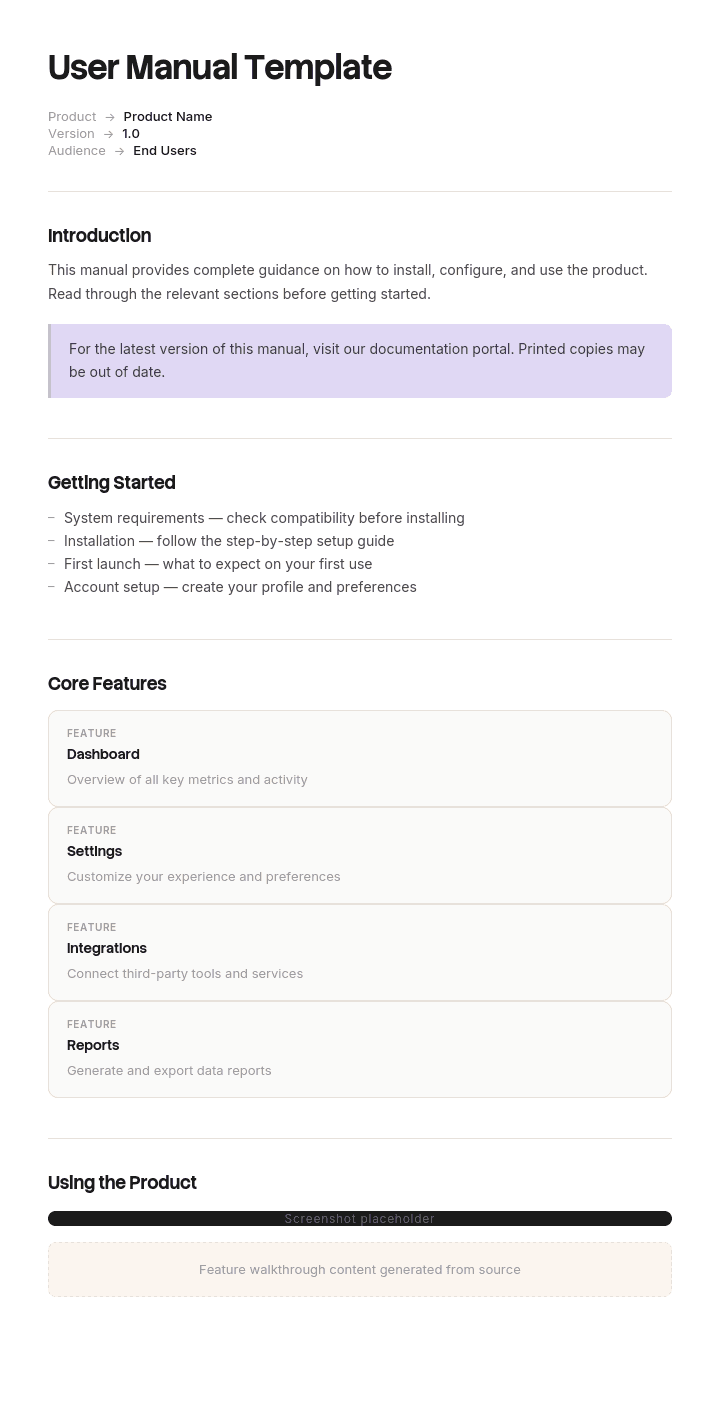
This user manual template provides a structured framework to capture product overview, setup instructions, feature walkthroughs, settings, troubleshooting and FAQs - useful for software products, hardware devices and service offerings. Once filled in, Trupeer generates an AI video manual and lets you translate it into 65+ languages for global customers.
How to customize this template in Trupeer
Step 1: Open the Templates Section
Go to the Templates section from the main navigation.

Step 2: Select and Open a Template
Click on any template you want to work with to open it.

Step 3: Expand the Template View
If needed, expand the template view to see the full layout and details clearly.

Step 4: Edit the Template
Click on Edit to start modifying the selected template.

Within the editor, you can:
Add new sections
Define or update formatting rules
Add a logo and adjust its position and related settings
Step 5: Save Your Customized Template
After making all necessary changes, click Save to store the updated template as your own.

Step 6: Preview and Fine-Tune the Template
When you want to see how your customized template looks, open the Preview.

From the preview screen, you can continue to make adjustments directly if needed, ensuring the template appears exactly as you want.
With a user manual template you can:
Save hours on writing: Skip the blank page with a structure built for user-facing documentation.
Reduce support tickets: Clear manuals help customers self-serve - cutting tickets and freeing support teams.
Stay on-brand: Apply your logo, fonts and colors using Trupeer's brand kit - so manuals match your product identity.
Improve adoption: Customers who understand your product use it more - and stick around longer.
Add video walkthroughs: Embed video tutorials for steps that are hard to explain in text alone.
Reach global customers: Translate user manuals into 65+ languages with one click.
A great user manual is the difference between adoption and abandonment. Use this template to make yours clear, complete and easy for any customer to follow.
Frequently Asked Questions
What is a user manual?
A user manual is a document that helps customers use a product effectively - covering setup, features, settings, troubleshooting and best practices. User manuals can be written, visual, video-based or interactive, and are typically organized for both first-time setup and ongoing reference.
What should a user manual include?
A complete user manual includes a product overview, what's in the box (for hardware), setup or installation instructions, core feature walkthroughs, configuration and settings, common workflows, troubleshooting tips, FAQs and contact information for support.
How do you write a user manual?
Start with the user's perspective - what do they need to do, in what order? Use plain language. Break complex tasks into numbered steps. Add visuals - screenshots, diagrams or video - for every important action. Test the manual with real users to confirm it answers their questions.
What is the difference between a user manual and a user guide?
The terms are often used interchangeably. Technically, a user manual is more comprehensive (covering everything about the product) while a user guide is often shorter and task-focused (e.g., a getting-started guide). In practice, both deliver clear instructions for using a product.
How long should a user manual be?
It depends on the product. A simple software feature might need a 2-page guide; an enterprise application might need a 100-page manual organized into sections. Focus on what users actually need - cut anything that doesn't help them succeed with the product.






