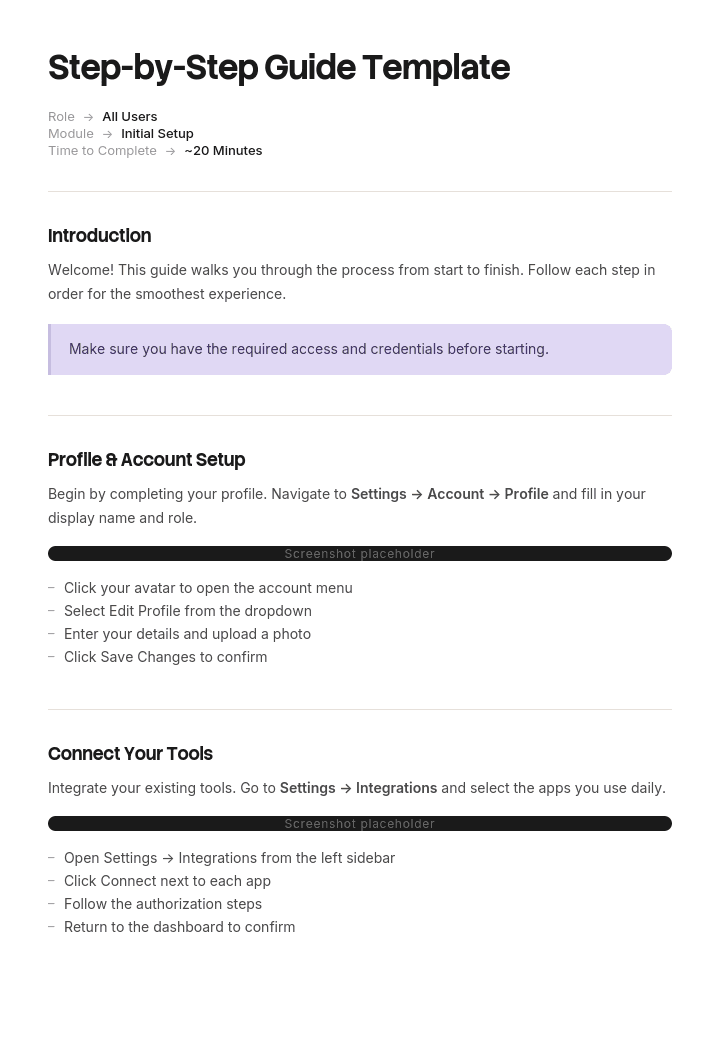
استخدم هذا القالب
تُعدّ الأدلة الإرشادية خطوة بخطوة أكثر الطرق موثوقية لتعليم شخص ما كيفية القيام بشيء ما - سواء كان ذلك لتأهيل موظف جديد، أو تدريب عميل، أو تطبيق عملية جديدة. باستخدام Trupeer، يمكنك توفير ساعات في إعداد التوثيق عبر البدء بقالب جاهز للاستخدام خطوة بخطوة، وتخصيصه باستخدام إرشادات العلامة التجارية الخاصة بك، ثم تحويل تعليماتك خطوة بخطوة إلى برنامج تعليمي فيديو جذاب خلال دقائق.
ما هو قالب دليل إرشادي خطوة بخطوة مجاني؟
قالب دليل إرشادي خطوة بخطوة مجاني هو بنية قابلة لإعادة الاستخدام لتمرير شخص ما عبر مهمة بالترتيب، من حيث هو الآن إلى نتيجة نهائية مكتملة.
إنه الشكل الأكثر شيوعًا في جميع أنواع التوثيق والأكثر كتابةً بشكل عفوي. تبدو البنية واضحة، لذلك يكتب الناس خطوات مرقمة ويعتبرون المهمة قد أُنجزت، وتعمل معظم الأدلة الناتجة بشكل مناسب مع قارئ يجلس ولديه نصف ساعة واضحة ويكمل كل شيء.
لكن قلة قليلة من القرّاء يفعلون ذلك.
القالب ليس هو الدليل. القوائم المرقمة ليست صعبة. ما يميّز دليلاً يتم إكماله عن دليل يُترك هو قرار تصميمي بشأن كيفية التعامل مع الانقطاع، ولا يقوم به تقريبًا أي شخص بشكل متعمد.
يتبع التنسيق طريقة الاستخدام. يناسب ملف Word الخاص بقالب دليل إرشادي خطوة بخطوة الأدلة التي تتم مراجعتها وإصدارها. وتناسب نسخة قالب دليل إرشادي خطوة بخطوة على Google Docs الأدلة التي يحررها عدة أشخاص ويتم ربطها بها بدلًا من إرسالها. أما ملف PDF الخاص بدليل إرشادي خطوة بخطوة فهو ما تقوم بتعميمه عندما تكون تفاصيل التخطيط مهمة والمحتوى قد استقر.
يتوقف القرّاء في منتصف الطريق
شاهد أي شخص يتبع دليلاً يتجاوز حوالي ست خطوات، وستجد النمط ثابتًا.
يبدأون. وفي مكان ما في منتصف الطريق يحدث شيء يقطعهم: مكالمة هاتفية، أو زميل، أو نظام يستغرق أربع دقائق للرد، أو خطوة تتطلب شيئًا لا يملكونه في متناول اليد، أو ببساطة نهاية الوقت الذي كانوا قد خصصوه.
يعودون لاحقًا، أحيانًا بعد وقت طويل جدًا، ولا تكون أول سؤال هو ماذا أفعل بعد ذلك. بل أين كنت.
إذا لم يستطع الدليل الإجابة عن هذا السؤال، تحدث ثلاثة أشياء، بترتيب تصاعدي من حيث التكلفة. يتخيلون ويكملون، وغالبًا ينجح ذلك. يعيدون البدء من البداية، ما يضيّع الوقت وأحيانًا يلغي العمل الذي تم إنجازه. أو يتركونه في حالة غير مكتملة، وهي أسوأ نتيجة، لأن نظامًا تم ضبطه جزئيًا، أو نموذجًا تم تعبئته جزئيًا، أو حسابًا تم ترحيله جزئيًا غالبًا ما يكون أسوأ من حساب لم يُمسّ إطلاقًا.
تتجاهل تقريبًا كل القوالب الإرشادية خطوة بخطوة المنشورة هذا الأمر تمامًا. تصف الخطوات إجراءات ولا تصف الحالات، لذلك لا توجد طريقة للنظر إلى الشاشة أمامك ومعرفة أي خطوة مرقمة قد أنهيتها.
كيفية تخصيص هذا القالب في Trupeer
الخطوة 1: افتح قسم القوالب
انتقل إلى قسم القوالب من القائمة الرئيسية للتنقل.

الخطوة 2: اختر قالبًا وافتحه
انقر على أي قالب تريد العمل عليه لفتحه.

الخطوة 3: وسّع عرض القالب
إذا لزم الأمر، وسّع عرض القالب لرؤية التخطيط الكامل والتفاصيل بوضوح.

الخطوة 4: عدّل القالب
انقر على تحرير لبدء تعديل القالب المحدد.

داخل المحرر، يمكنك:
إضافة أقسام جديدة
تحديد أو تحديث قواعد التنسيق
إضافة شعار وضبط موضعه والإعدادات ذات الصلة
الخطوة 5: احفظ قالبك المخصص
بعد إجراء جميع التغييرات اللازمة، انقر على حفظ لتخزين القالب المحدّث كنسختك الخاصة.

الخطوة 6: المعاينة وضبط القالب بدقة
عندما تريد معرفة كيف يبدو قالبك المخصص، افتح المعاينة.

من شاشة المعاينة، يمكنك الاستمرار في إجراء تعديلات مباشرة إذا لزم الأمر، لضمان ظهور القالب تمامًا كما تريده.
باستخدام قالب دليل إرشادي خطوة بخطوة يمكنك:
توفير ساعات في التوثيق: التقط تعليمات خطوة بخطوة بتنسيق نظيف ومنظم يسهل تعبئته ومشاركته.
تحسين الاحتفاظ بالمعلومة: تعمل التعليمات المعتمدة على الفيديو على تحسين الاسترجاع والدقة مقارنةً بالنص وحده.
توسيع نطاق التدريب: الوصول إلى مئات المتعلمين عبر فيديو واحد بدلًا من تكرار نفسك - مثالي لـ فيديوهات التدريب ودعم نجاح العملاء.
الالتزام بالهوية البصرية: طبّق شعارك وخطوطك وألوانك ونبرة صوتك باستخدام حزمة العلامة التجارية في Trupeer.
الترجمة عالميًا: ترجمة الأدلة إلى أكثر من 65 لغة بنقرة واحدة.
ابقَ على اطلاع دائم: عدّل الدليل و يقوم Trupeer بإعادة توليد الفيديو تلقائيًا عند تغيّر العمليات.
التصميم لاستئناف التنفيذ
أربع تغييرات، لا يكلف أي منها أكثر من سطر لكل خطوة.
صف الحالة بعد كل خطوة، وليس مجرد الإجراء. "انقر على حفظ" لا يخبر القارئ العائد شيئًا. "انقر على حفظ. الآن يظهر شارة محفوظ باللون الأخضر ورقم مرجعي" يتيح له النظر إلى شاشته ومعرفة بالضبط أين توقف. هذا هو التغيير الأكثر قيمة، وهو ما تم تخصيص عمود الحالة في القالب أدناه من أجله.
حدّد أين يكون من الآمن التوقف. معظم الخطوات آمنة. بعضها ليس كذلك فعليًا، وهي التي تسبب الضرر. إذا كان يجب إكمال الخطوات من 11 إلى 14 معًا لأن الخطوة 11 تُعطّل شيئًا تستبدله الخطوة 14، فقل ذلك قبل الخطوة 11، مع ذكر الوقت الذي سيستغرقه. سيظل القارئ ينتظر حتى تتوفر لديه أربع دقائق عندما يعرف أن هناك مدة تشغيل مدتها أربع دقائق قادمة.
رقّم الخطوات، ولا تستخدم القوائم النقطية أبدًا. القوائم النقطية لا تحمل موقعًا. لا يمكن للقارئ أن يقول بثقة إنه وصل إلى القائمة النقطية الرابعة، ولا يمكنه وصف مكانه لزميل أو لفريق الدعم.
ضع ملخص حالة قصيرًا في الأعلى. ثلاث أو أربع سطور تصف شكل الوضع في المراحل الرئيسية، حتى يتمكن شخص يعود من تحديد نفسه دون قراءة الدليل بالكامل. هذا يكلف فقرة واحدة ويمنع معظم عمليات إعادة البدء.
الاختبار سريع. افتح دليلك، اختر خطوة في المنتصف، واسأل إن كان بإمكان قارئ توقف عندها أمس أن يعرف أين كان اعتمادًا على ما أمامه اليوم. في معظم الأدلة تكون الإجابة لا.
كم يجب أن تكون حجم الخطوة؟
حجم الخطوة هو القرار الآخر الذي يتخذه الناس بالصدفة، ويمنح الاستئناف قاعدة لذلك.
يجب أن تكون الخطوة إجراءً واحدًا ينتج عنه نتيجة واحدة يمكن ملاحظتها، وفي نقطة يمكن للقارئ التوقف عندها.
ثلاث اختبارات عملية. إذا كانت الخطوة تحتوي كلمة "و" لربط إجراءين، فهي خطوتان. إذا لم تستطع وصف ما سيشاهده القارئ بعد ذلك، فلا توجد نتيجة يمكن ملاحظتها لهذه الخطوة وتحتاج إلى تقسيم أو إعادة صياغة. وإذا كان التوقف في منتصف الخطوة سيترك الأمور في حالة لا يصفها الدليل، فهذا يعني أن الخطوة تقوم بأكثر من اللازم.
الخطأ العكسي حقيقي لكنه أقل شيوعًا. خطوات مُجزأة بدقة لدرجة أن القارئ يفقد الخيط، وغالبًا تفاعل واجهة واحد لكل خطوة عبر أربعين خطوة، تنتج دليلًا مرهقًا للمتابعة وتخفي شكل المهمة. اجمع هذه تحت عنوان لكل مرحلة بدلًا من دمج الخطوات.
بالنسبة لمعظم المهام، يكون العدد الصحيح بين ست إلى عشرين خطوة. إذا تجاوزت الثلاثين، تحقق مما إذا كان الدليل يغطي مهمتين يجب أن تكونا منفصلتين، أو ما إذا كان ما تنتجه حقًا كتاب دليل إرشادي خطوة بخطوة، وهو مستند مختلف بقواعد مختلفة.
ما الذي يجب أن يحتويه قالب دليل إرشادي خطوة بخطوة؟
ثمانية مكونات. الثالث والرابع هما ما تتركه معظم القوالب.
المكوّن | ما الذي يفعله |
|---|---|
العنوان كالمهمة | ما يحاول القارئ فعله، بكلماته. |
ما تحتاجه أولًا | الوصول، المعلومات، المعدات، الوقت المطلوب. أي شيء قد يوقفهم في منتصف المهمة. |
خطوات مرقمة مع حالات | الإجراء، ثم ما يجب أن يراه بعد ذلك. |
مؤشرات التوقف | أين يكون من الآمن التوقف، وأين لا يكون كذلك بشكل صريح. |
أين كنت | ملخص قصير لما تبدو عليه كل مرحلة رئيسية، للقرّاء العائدين. |
صور حيث تتفوق القدرة على التعرف على الوصف | ليس واحدة لكل خطوة. مغطاة أدناه. |
إذا حدث خطأ | أكثر حالتين أو ثلاث حالات فشل شيوعًا مع حلولها. |
الإصدار وآخر تحقق | متى اتبع شخص ما هذا الدليل آخر مرة ونجح. |
تقدير الوقت في الصف الثاني أهم مما يبدو. قارئ يعرف أن المهمة تستغرق عشرين دقيقة سيبدأها عندما تتوفر لديه عشرون دقيقة. قارئ لا يعرف سيبدأها بخمس دقائق، ثم يصبح الشخص الذي يتوقف عند الخطوة الثامنة.
قالب دليل إرشادي خطوة بخطوة مجاني: البنية التي تنسخها
مملوء بمثال حقيقي بدلًا من العناصر البديلة. المهمة هي إعداد التحقق متعدد العوامل على حساب العمل.
انسخ من هنا.
العنوان. قم بإعداد التحقق متعدد العوامل على حساب العمل الخاص بك.
ما تحتاجه أولًا. جهاز كمبيوتر العمل المحمول، هاتفك المحمول، حوالي عشر دقائق. يجب إكمال الخطوات من 11 إلى 14 معًا وتستغرق حوالي أربع دقائق، لذا لا تبدأ إلا إذا كنت قادرًا على إنهائها.
أين كنت. إذا كنت تعود إلى هذا الدليل، فستجد نفسك هنا. إذا لم يكن هاتفك يحتوي على تطبيق المصادقة مثبتًا، فأنت قبل الخطوة الرابعة. إذا كان التطبيق مثبتًا لكنه لا يعرض أي حساب، فأنت بين الخطوتين الرابعة والسابعة. إذا كان التطبيق يعرض حسابك ويولّد رمزًا من ستة أرقام، فأنت بعد الخطوة التاسعة. إذا لم تعد قادرًا على استقبال رموز الرسائل النصية، فأنت بعد الخطوة الحادية عشرة ويجب إكمال الدليل اليوم.
الخطوات.
# | افعل هذا | يجب أن ترى الآن | هل يمكنك التوقف هنا؟ |
|---|---|---|---|
1 | افتح بوابة الحساب على جهاز الكمبيوتر المحمول وسجّل الدخول | اسمك في أعلى اليمين وبلاطة Security | نعم |
2 | اختر Security ثم Multi factor authentication | صفحة بعنوان Multi factor authentication مع Not enabled باللون الرمادي | نعم |
3 | اختر Begin setup | رمز QR على الشاشة مع مؤقت عدّ تنازلي | نعم، لكن الرمز ينتهي خلال عشر دقائق وستحتاج إلى إعادة البدء من الخطوة 3 |
4 | على هاتفك، ثبّت تطبيق المصادقة من متجر التطبيقات | أيقونة التطبيق على الشاشة الرئيسية | نعم |
5 | افتح التطبيق واختر Add account | عرض كاميرا يطلب منك مسح رمز | نعم |
6 | امسح رمز QR على شاشة جهاز الكمبيوتر المحمول | عنوان بريدك الإلكتروني للعمل في التطبيق مع رمز من ستة أرقام يعدّ تنازليًا | نعم |
7 | اكتب الرمز الحالي المكوّن من ستة أرقام في جهاز الكمبيوتر المحمول | علامة خضراء وكلمة Verified | نعم |
8 | اختر Continue | صفحة بعنوان Recovery codes تعرض عشرة رموز | نعم |
9 | احفظ رموز الاسترداد في مكان يمكنك الوصول إليه دون هاتفك | سجلك الخاص للرموز العشرة | نعم. لا تتخط هذه الخطوة، فهي ما يعيدك إلى الدخول إذا فقدت هاتفك |
10 | اختر I have saved my codes | صفحة بعنوان Remove old sign in methods | نعم، وهذه هي آخر نقطة توقف آمنة |
11 | من هنا إلى الخطوة 14 دون توقف، حوالي أربع دقائق. اختر Remove text message sign in | مربع تأكيد يحذّر من أن رموز الرسائل النصية ستتوقف عن العمل | لا |
12 | أكد | تم إدراج تسجيل الدخول عبر الرسائل النصية على أنه Removed | لا |
13 | سجّل الخروج ثم سجّل الدخول مرة أخرى للاختبار | طلب لإدخال رمز المصادقة | لا |
14 | أدخل الرمز من تطبيقك | تم تسجيل الدخول، وبلاطة Security تعرض Multi factor authentication enabled | اكتمل |
إذا حدث خطأ. انتهت صلاحية رمز QR، لذا ارجع إلى الخطوة الثالثة وأنشئ رمزًا جديدًا. تم رفض الرمز لأنه غير صحيح، وغالبًا يكون ذلك بسبب عدم تطابق ساعة الهاتف، ويتم إصلاحه عبر تفعيل الوقت التلقائي في إعدادات الهاتف. لقد فقدت الوصول بين الخطوتين الحادية عشرة والرابعة عشرة، وهذا يتطلب فريق خدمة الدعم والتحقق من الهوية شخصيًا.
الإصدار وآخر تحقق. الإصدار 3، وتم اتباعه من البداية إلى النهاية في 12 يونيو بواسطة شخص لم يقم بذلك من قبل.
انسخ إلى هنا.
مثال على دليل إرشادي خطوة بخطوة: ثلاثة وستون شخصًا تم حظرهم
قامت Nantwich Building Society، وبحوالى تسعمائة موظف، بتطبيق التحقق متعدد العوامل باستخدام دليل خدمة ذاتية تم إرساله بالبريد الإلكتروني إلى الجميع.
كان للدليل أربع عشرة خطوة. كان دقيقًا، ومكتوبًا بشكل جيد، وكانت كل التعليمات فيه صحيحة.
كان يصف إجراءات ولا يصف حالات، ولم يذكر شيئًا عن مكان إمكانية التوقف.
أزالت الخطوة الحادية عشرة تسجيل الدخول عبر الرسائل النصية. أكملت الخطوة الرابعة عشرة الطريقة الجديدة وتأكدت أنها تعمل. بين هاتين الخطوتين، لم يكن لدى الحساب عامل ثانٍ يعمل، ولم يقدم الدليل أي إشارة إلى أن هذا الأمر مهم.
بدأ الموظفون الدليل من مكاتبهم، ما يعني أنهم قابلون للانقطاع. توقف عدد كبير في مكان ما بين الخطوتين السابعة والحادية عشرة، وكان ذلك غير مؤذٍ، ثم عادوا لاحقًا غير قادرين على تحديد أين كانوا. أعاد كثيرون البدء من الخطوة الأولى، ما أبطل عملية التسجيل التي كانوا قد أكملوها بالفعل وأدى إلى ظهور خطأ مربك.
توقف ثلاثة وستون شخصًا بين الخطوة الحادية عشرة والخطوة الرابعة عشرة.
لم يعد هؤلاء الثلاثة والستون قادرين على تسجيل الدخول على الإطلاق. استعادة كل واحد منهم تطلب التحقق من الهوية شخصيًا، لأن الفكرة الكاملة وراء إعداد التحكم هي أنه لا يمكن إعادة ضبطه عبر الهاتف. كان متوسط مدة الحل حوالي أربعين دقيقة، أي ما يعادل تقريبًا اثنتين وأربعين ساعة عمل لفريق تقنية المعلومات، وكان كل واحد من هؤلاء غير قادر على العمل خلال تلك الفترة.
تلقت خدمة الدعم مئتين وسبعة عشر اتصالًا في الأسبوع الأول. استغرق تطبيق الإطلاق، المخطط له لمدة أسبوعين، ستة أسابيع.
لم يغيّر إعادة الكتابة شيئًا مما يفعله القارئ. أضاف وصفًا للحالة إلى كل خطوة، وكتلة "أين كنت" في الأعلى، ومؤشرًا قبل الخطوة الحادية عشرة يوضح أن الخطوات من 11 إلى 14 يجب إكمالها معًا وأنها تستغرق حوالي أربع دقائق.
غطت الموجة الثانية أربعة مئة موظف. ثلاث وثلاثون مكالمة لخدمة الدعم، وأربع حالات حظر.
لم تصبح المهمة أسهل بأي شكل. توقف الدليل فقط عن افتراض أن الجميع سيقرؤونه في جلسة واحدة.
كيفية إنشاء دليل إرشادي خطوة بخطوة بالصور
الصور هي الفرق بين دليل يتبعه الناس ودليل يتخلون عنه، والأساليب الشائعة كلها خاطئة.
صورة واحدة لكل خطوة تنتج مستندًا لا أحد يمر عليه بالتمرير، وتخلق عبئًا صيانياً يضمن أن الصور ستصبح قديمة. عدم استخدام أي صور يجبر القارئ على تحويل كلماتك إلى ما يراه على شاشته، وهنا تحدث معظم سوء الفهم.
استخدم الصور حيث تتفوق القدرة على التعرف على الوصف. أربع حالات تغطي معظم ذلك. عندما يحتاج القارئ إلى العثور على عنصر تحكم واحد بين عناصر مشابهة كثيرة. عندما تكون الشاشة غير مألوفة ويحتاج إلى التأكد أنه في المكان الصحيح. عندما يكون من الصعب وصف الحالة النهائية الصحيحة لكن من السهل رؤيتها. وعندما يبدو شيء ما غير صحيح لكنه ليس كذلك، مثل رسالة تحذير متوقعة.
تجعل أربع قواعد هذه الصور تعمل. ضع تعليقات مباشرة على الصورة، لأن لقطة شاشة غير موسومة لشاشة مزدحمة تكون لغزًا أكثر من كونها تعليمات. قصّ بشكل دقيق على المنطقة ذات الصلة، لأن لقطة شاشة كاملة يتم تقليصها لتناسب صفحة تصبح غير قابلة للقراءة. اعرض الحالة بعد تنفيذ الإجراء بدلًا من الحديث عن يد على وشك القيام به. وضمّن التاريخ، لأن صورة لواجهة لم تعد موجودة تقوض المستند بالكامل.
العائق العملي ليس التقاط المجموعة الأولى. بل هو إعادة الالتقاط بعد كل تغيير، وهذا مغطى أكثر في الأسفل.
أمثلة على أدلة إرشادية خطوة بخطوة تستحق الدراسة
ثلاثة مصادر أكثر فائدة من القوالب المنشورة، لأنها كُتبت لقرّاء حقيقيين يمكنهم الاعتراض.
أدلة إعداد الشركة المصنعة للأجهزة الاستهلاكية، والتي تكون صارمة بشأن حجم الخطوة ووصف الحالة لأن تكاليف الدعم تعتمد على ذلك.
إرشادات خدمات القطاع العام، خصوصًا خدمات الحكومة الرقمية، والتي تُكتب لجمهور عالمي فعليًا وتميل لأن تكون أوضح كتابة تعليمية متاحة.
صفحة المساعدة الخاصة بك الأكثر نجاحًا، كما تقاس بحجم الزيارات دون تذكرة دعم مرافقة. مهما كانت تلك الصفحة تفعله، قم بعمل المزيد منها.
عند النظر إلى أي مثال على دليل إرشادي خطوة بخطوة، تحقق من نقطتين. هل يمكنك معرفة أين كنت إذا توقفت في منتصف الطريق؟ وهل حجم الخطوة متسق؟ إن عدم الاتساق في مستوى التفصيل، حيث تكون الخطوة الثالثة نقرة واحدة والخطوة الرابعة عملية فرعية تستغرق خمس عشرة دقيقة، هو أكثر خطأ شائع في أدلة جيدة بخلاف ذلك.
هل تعمل مولدات أدلة إرشادية خطوة بخطوة؟
تحسنت الفئة بسرعة، ومن المفيد فهم ما تفعله وما لا تفعله.
يسجل مولد دليل إرشادي خطوة بخطوة ما تفعله على الشاشة وينتج مستندًا مرقمًا مع لقطات شاشة. أما ما يزيله فهو الجزء الممل نصفًا: التقاط الصور، والقص، ووضع التعليقات، وترتيب الصور، وكتابة تسلسل النقرات الذي كنت ستقوم به بخلاف ذلك من الذاكرة. وهذا يمثل حقًا معظم وقت الإنتاج، كما أنه يلتقط الخطوات التي تقوم بها تلقائيًا والتي كان سيتم حذفها.
ما لا توفره التوليد هو الحكم. فهو لا يعرف أي الخطوات غير آمنة للتوقف بينها، وما الذي يحتاجه القارئ قبل البدء، وما الذي يحدث خطأ بشكل شائع، أو أي من الشاشات الأربعين الملتقطة كان يحتاج فعلًا إلى صورة. هذه هي الأجزاء التي تجعل الدليل جيدًا، وتستغرق من الشخص حوالي خمس عشرة دقيقة إضافية.
الاستخدام المنطقي هو توليد الطبقة الميكانيكية ثم إضافة الأشياء الأربعة المذكورة أعلاه. إن نشر دليل مُولّد دون تعديل يكون مجرد سجل نقرات، وهو أفضل من لا شيء وأسوأ بكثير من دليل.
دليل إرشادي خطوة بخطوة أم دليل إرشادي "كيف" أم تعليمات عمل؟
ثلاثة مستندات متقاربة جدًا، وتميّزها بشكل رئيسي القارئ والبيئة.
يُعدّ دليل إرشادي خطوة بخطوة هو الشكل العام: تعليمات مرتبة لإكمال مهمة، لقارئ قد لا يكون على دراية بها.
يُعدّ دليل "كيف" في الأساس نفس المستند ضمن مجموعة التوثيق، وغالبًا يكون واحدًا من عدة أدلة، ويتم تنظيمه حول ما يحاول القارئ تحقيقه.
أما تعليمات العمل فهي صيغة مكان العمل، وتحمل التزامات إضافية: من المخوّل بتنفيذها، ومحتوى السلامة، وإدارة الإصدارات والموافقة. يغطي قالب تعليمات العمل ذلك، وأي شيء يتضمن معدات أو مخاطر ينتمي إلى هناك وليس هنا.
تأتي إجراءات التشغيل القياسية فوق هذه الثلاثة جميعًا، وتصف عملية كاملة عبر الأدوار بدلًا من مهمة واحدة. يغطي قالب SOP ذلك.
تقل أهمية الاختيار عن ما يعتقده معظم الناس. المهم أن يكون المستند مكتوبًا لشخص سيتم مقاطعته.
ما الذي لا يمكن لقالب دليل إرشادي خطوة بخطوة مجاني إصلاحه
مهمة صعبة جدًا بالفعل. إذا احتاج الدليل إلى أربعين خطوة وستة تحذيرات، فهذا يعني أن العملية أو الواجهة الأساسية هي التي تسبب الضرر. اكتب الدليل، وأبلغ الملاحظة إلى الشخص الذي يمكنه تغيير الشيء.
متطلبات ناقصة. لن يخبرك أي قالب دليل إرشادي خطوة بخطوة مجاني، ولا أي قالب دليل مستخدم خطوة بخطوة، حتى لو كان هناك تنزيل مجاني لملف Word، بما يحتاجه القارئ قبل البدء، وهذه هي أكثر الأسباب شيوعًا التي تجعل الناس يتوقفون.
صور لا تتطابق بعد الآن. كل لقطة شاشة هي التزام بإعادة التقاطها. تتقادم معظم الأدلة هنا أولًا.
عدم اختبارها أبدًا. كل سؤال يطرحه قارئ لأول مرة هو عيب. أجب عنه داخل المستند بدلًا من الإجابة شخصيًا، وإلا ستجيب عنه مرة أخرى الأسبوع القادم.
اعرض الخطوات بدلًا من وصفها
تستند الحجة كاملة في هذه الصفحة إلى مستند يحتوي على وصف للحالة وصورة عند النقاط التي تهم. هذا عمل أكثر من قائمة مرقمة، والعمل الإضافي هو بالضبط ما يتم تقليصه عندما يكتب شخص دليلًا في نهاية أسبوع مزدحم.
يقوم Trupeer AI بإزالة معظم ذلك. يقوم شخص بتنفيذ المهمة مرة واحدة أثناء التسجيل، ويكون الناتج دليلًا مكتوبًا خطوة بخطوة مع لقطات شاشة تم التقاطها مسبقًا وتوثيقها ووضعها، إلى جانب فيديو، ضمن علامتك التجارية. وبما أنه يسجل أداءً فعليًا، فإنه يلتقط النقرات التي ينسى الناس ذكرها، والشاشات التي يفترضون أن الجميع يتعرف عليها.
سجّلها. اجعلها بعلامتك التجارية. ترجمها. اجعلها Trupeer.
ثلاثة أشياء تلي ذلك وهي مهمة هنا. يخدم الدليل المكتوب والفيديو قرّاء مختلفين فعليًا، وغالبًا يفضّل القارئ الذي توقف في منتصف الطريق النسخة المكتوبة لأنه يمكنه التصفح للوصول إلى مكانه بدلًا من التمرير عبر الفيديو. كما أن إعادة التسجيل بعد تغيير واجهة أسرع من إعادة التقاط مجموعة لقطات شاشة، وهذا ما يحدد ما إذا كانت الصور ستظل دقيقة. وعندما يمتد القرّاء عبر عدة لغات، ينتج نفس التسجيل نفس الدليل في كل لغة، لذلك لا يتبع أحد نسخة أقدم من الحقيقة.
ما تضيفه أنت بنفسك بعد ذلك هو طبقة الحكم: ما يحتاجه القارئ قبل البدء، وأين يكون من غير الآمن التوقف، وما الذي يحدث خطأ بشكل شائع. خلال خمس عشرة دقيقة، يصبح الفرق بين سجل نقرات ودليل.
توجد المواد في قاعدة المعرفة لديك وتعمل أيضًا كـ تدريب. إن الاتساق عبر مستنداتك مسألة ضبط حزمة العلامة التجارية مرة واحدة، ويتم تغطية الإعداد في دليل إعداد قالب المستند.
الأسئلة الشائعة
هل يوجد إصدار Word لقالب دليل إرشادي خطوة بخطوة؟
يتناسب Word مع الأدلة التي تتم مراجعتها وإصدارها، وينتقل جدول الخطوات أعلاه مباشرة. أنشئ ملف Word الخاص بقالب دليل إرشادي خطوة بخطوة كجدول من أربع أعمدة: رقم، إجراء، ما يجب أن تراه، وما إذا كان من الآمن التوقف.
تمنع إعدادتان للجدول مشكلة محددة. كرر صف العنوان في كل صفحة، وأوقف تقسيم الصفوف عبر الصفحات، لأن الخطوة التي تنكسر عبر طية الصفحة هي الخطوة التي يقرأها الناس بشكل خاطئ.
هل يوجد إصدار مجاني من قالب دليل مستخدم خطوة بخطوة Word؟
نعم، ومعظم النسخ المنشورة تكون قائمة مرقمة مع عنوان. يمنحك تنزيل مجاني لملف Word الخاص بقالب دليل مستخدم خطوة بخطوة الشكل، وهو ما لم يكن الجزء الصعب أبدًا.
العمودان اللذان يستحقان الإضافة هما وصف الحالة ومؤشر التوقف. لا يظهر أي منهما في أي قالب عام رأيته، وهما معًا ما يجعل الدليل يصمد عند وضعه ثم العودة إليه مرة أخرى.
هل يوجد إصدار Google Docs لقالب دليل إرشادي خطوة بخطوة؟
تتناسب Google Docs مع الأدلة التي يقوم عدة أشخاص بإدارتها ويتم مشاركتها عبر رابط بدلًا من إرفاقها، وهذا يصف معظم الأدلة الداخلية. يعمل ملف قالب دليل إرشادي خطوة بخطوة على Google Docs بشكل جيد لذلك.
هناك ميزتان تستحقان الاستخدام بشكل متعمد. تتيح التعليقات للشخص الذي ينفذ المهمة تصحيح الشخص الذي كتبها، وهذه هي أفضل آلية جودة متاحة. كما أن سجل الإصدارات يعني أنه يمكنك معرفة متى تم تغيير خطوة آخر مرة، وهو أمر مفيد عندما يبلغ شخص ما أن الدليل لم يعد مطابقًا للواقع.
هل يوجد تنسيق PDF لقالب دليل إرشادي خطوة بخطوة يستحق الاستخدام؟
يتناسب PDF مع دليل مكتمل ومُعمّم على نطاق واسع أو مطبوع. قم بتصدير PDF الخاص بدليل إرشادي خطوة بخطوة عندما يستقر المحتوى ويكون التخطيط مهمًا، مع ظهور الإصدار والتاريخ على الصفحة.
لا تستخدمه كنسخة العمل. غالبًا ما تتغير الأدلة التي تصف البرامج، ويؤدي تنسيق يثبط التعديل إلى مستند يتوقف بهدوء عن كونه صحيحًا بدلًا من أن يظل ثابتًا.
ما هو مولد دليل إرشادي خطوة بخطوة جيد؟
تتحرك الفئة بسرعة، لذا الشيء المفيد هو ما الذي يجب تقييمه بدلًا من تحديد أي واحد تختاره.
اسأل إن كان يلتقط الصور ويضع عليها تعليقات تلقائيًا، وما إذا كان ينتج مستندًا قابلًا للتعديل بدلًا من مستند مقفل، ومدى سرعة قدرتك على إعادة توليده بعد تغيير واجهة. السؤال الأخير هو الأهم مع مرور الوقت. ما لا توفره أي مولدات دليل إرشادي خطوة بخطوة هو طبقة الحكم: المتطلبات الأساسية ونقاط التوقف غير الآمنة والأخطاء الشائعة، والتي تضيفها خلال حوالي خمس عشرة دقيقة.
أين يمكنني العثور على أمثلة لأدلة إرشادية خطوة بخطوة؟
تُعد أدلة إعداد الشركة المصنعة وإرشادات خدمات الحكومة الرقمية مصدرين عامين ممتازين، لأن كليهما مكتوب لقرّاء لا يمكن تدريبهم أولًا، وكلاهما يحمل تكلفة دعم مباشرة عند الفشل.
ادرس أمثلة أدلة إرشادية خطوة بخطوة من أجل مستوى التفصيل وليس من أجل التصميم. إن حجم الخطوة المتسق، وإجراء واحد لكل خطوة، مع نتيجة موصوفة، هو ما يميز الدليل الذي يتم إكماله. التصميم هو الجزء الذي ينتقل بأقل قدر.
كيف أنشئ دليل إرشادي خطوة بخطوة بالصور دون أن يستغرق أيامًا؟
سجّل المهمة مرة واحدة بدلًا من التقاط لقطات شاشة بشكل فردي. إن التقاط الصور والقص ووضع التعليقات وترتيبها واحدة تلو الأخرى هو ما يجعل الأيام تمر، وهو أيضًا ما يؤدي إلى ترك الأدلة في منتصف مرحلة الإنتاج.
ثم كن انتقائيًا. تعلم كيفية إنشاء دليل إرشادي خطوة بخطوة بالصور بشكل صحيح هو في الغالب تعلم استخدام عدد أقل منها: عند النقاط التي يجب على القارئ التعرف على شيء ما بدلًا من كل خطوة.
هل كتاب دليل إرشادي خطوة بخطوة مختلف عن دليل؟
كتاب دليل إرشادي خطوة بخطوة هو صيغة أطول يغطي العديد من المهام ذات الصلة بالتسلسل، وهو أقرب إلى دليل إرشادي منه إلى دليل واحد، وغالبًا ما يُقصد به أن يُقرأ ويُنفذ تدريجيًا بدلًا من الاكتفاء بالاطلاع عليه.
قواعد التصميم تنعكس. يفترض الكتاب أن القارئ يتقدم عبره، لذلك تكون الإحالات المتبادلة بين الفصول منطقية. يفترض الدليل الواحد أن شخصًا يصل إلى مهمة واحدة، لذلك يجب أن يكون قائمًا بذاته. إن خلط هذين الافتراضين هو ما ينتج أدلة لا يكون لها معنى إلا إذا كنت قد قرأت القسم السابق.

