Trupeer Blog

نظرة سريعة على Loom للاستخدام في الإعداد
الأفضل لـ | السعر الابتدائي | الخطة المجانية | الميزة البارزة | القيود الرئيسية |
|---|---|---|---|---|
تحديثات فيديو داخلية سريعة وغير متزامنة | 12.50 دولار/شهر | نعم | تسجيل الشاشة وكاميرا الويب | حد تسجيل 5 دقائق في الخطة المجانية |
ما هو Loom للاستخدام في الإعداد؟
Loom هي أداة مراسلة فيديو غير متزامنة تبسّط التواصل من خلال محتوى فيديو سهل الإنشاء. ورغم أنها اكتسبت في البداية شعبية بسبب تحديثات فرق العمل والرسائل المرئية السريعة، فقد وجدت أيضًا مكانها في عمليات الإعداد. تستخدم الشركات Loom لتقديم محتوى معلوماتي للموظفين أو العملاء الجدد يمكنهم مشاهدته بالوتيرة التي تناسبهم. تتيح هذه الأداة للمستخدمين تسجيل شاشاتهم إلى جانب لقطة كاميرا الويب، ما يجعلها مثالية لعرض البرامج أو مشاركة العروض التقديمية. ومع ذلك، فهي ليست مصممة كمنصة إعداد شاملة، لأنها تفتقر إلى العناصر التفاعلية ووحدات التدريب المنظمة.
تفصيل ميزات Loom
تسجيل الشاشة وكاميرا الويب
الميزة الأساسية في Loom هي قدرتها على تسجيل الشاشة وكاميرا الويب في الوقت نفسه. وهذا يجعلها مثالية لإنشاء دروس فيديو أو شروحات عملية يستفيد فيها المشاهدون من رؤية مقدم العرض والمحتوى الذي تتم مناقشته. وتضمن الواجهة البديهية لهذه الأداة أن تكون العملية سلسة وسريعة، ما يسمح بالمشاركة الفورية بمجرد اكتمال التسجيل.
مشاركة الفيديو الفورية
إحدى أبرز ميزات Loom هي القدرة على مشاركة الفيديوهات فورًا عبر رابط. وهذا يلغي العملية المرهقة المتمثلة في تنزيل ملفات الفيديو الكبيرة ثم رفعها. بدلًا من ذلك، يمكن للمستخدمين إنشاء رابط ومشاركته عبر منصات مثل البريد الإلكتروني أو Slack أو أدوات إدارة المشاريع، مما يعزز التعاون وسرعة التواصل.
النسخ المدعوم بالذكاء الاصطناعي
تقدم Loom خدمات نسخ مدعومة بالذكاء الاصطناعي، حيث تحول المحتوى المنطوق إلى نص. وتعد هذه الميزة مفيدة بشكل خاص للمشاهدين الذين يفضلون القراءة أو يحتاجون إلى البحث بسرعة عن معلومات محددة. ومع ذلك، قد تختلف دقة النسخ حسب جودة الصوت ووضوح المتحدث، مما قد يتطلب تعديلات يدوية.
تعليقات الفيديو
التفاعل عنصر أساسي في أي عملية إعداد، وتسهّل Loom ذلك من خلال تعليقات الفيديو. يمكن للمشاهدين ترك ملاحظات أو طرح أسئلة مباشرة على أجزاء محددة من الفيديو، مما يجعل التجربة أكثر تفاعلية وجاذبية. تساعد هذه الميزة في توضيح النقاط وتشجع الحوار بين منشئ المحتوى والمشاهدين.
الملخصات التلقائية
يمكن لذكاء Loom الاصطناعي إنشاء ملخصات قصيرة لمحتوى الفيديو، وهي أداة مفيدة للمشاهدين الذين يحتاجون إلى نظرة عامة سريعة قبل التعمق في الفيديو الكامل. ورغم أن هذه الميزة مريحة، إلا أنها قد لا تلتقط دائمًا الفروق الدقيقة في الفيديوهات الأطول، مما يتطلب من المشاهدين مشاهدة المحتوى كاملًا للحصول على فهم شامل.
الفروق بين الخطة المجانية والمدفوعة
تتيح النسخة المجانية من Loom للمستخدمين تسجيل فيديوهات تصل مدتها إلى خمس دقائق، مع حد أقصى يبلغ 25 فيديو. وهذا مناسب لمن يحتاجون إلى إنشاء رسائل قصيرة ومختصرة. أما الخطط المدفوعة فتوفر أوقات تسجيل أطول ومساحة تخزين أكبر، لتلبية احتياجات إنتاج الفيديو الأكثر اتساعًا.
قدرات التكامل
تتكامل Loom مع عدة أدوات للإنتاجية والتواصل، مما يسهل دمجها في سير العمل الحالي. ومع ذلك، فإن افتقارها إلى خيارات تكامل متقدمة مع منصات CRM أو LMS يحد من فائدتها لبرامج الإعداد أو التدريب المنظمة التي تتطلب تتبعًا وإدارة تفصيلية.
أسعار Loom
الخطة | السعر الشهري | أهم المزايا | الأفضل لـ |
|---|---|---|---|
مجانية | 0 دولار | حد فيديو 5 دقائق، وحد 25 فيديو | المستخدمون الأساسيون |
Starter | 12.50 دولار | وقت تسجيل ممتد، ومساحة تخزين أكبر | الأفراد والفرق الصغيرة |
Business | 14.99 دولار | ميزات متقدمة، وتعاون جماعي | الشركات النامية |
Enterprise | مخصص | تكاملات مخصصة، ودعم مخصص | المؤسسات الكبيرة |
مزايا Loom وعيوبه
المزايا | العيوب |
|---|---|
واجهة سهلة الاستخدام | الخطة المجانية محدودة |
مشاركة فيديو فورية | لا توجد عناصر فيديو تفاعلية |
نسخ مدعوم بالذكاء الاصطناعي | غير مصمم للتدريب المنظم |
تعليقات الفيديو تزيد التفاعل | تخصيص العلامة التجارية محدود |
"تجعل Loom من السهل مشاركة التحديثات السريعة مع فريقي، لكنها تفتقر إلى العمق اللازم للتدريب الأكثر شمولًا."
مراجع موثّق في G2، مدير نجاح العملاء في شركة SaaS متوسطة الحجم (المصدر: G2، 2024)
لمن تُعد Loom الأفضل
الفرق الداخلية التي تحتاج إلى مشاركة تحديثات سريعة دون جدولة اجتماعات.
الشركات الصغيرة التي تبحث عن طريقة منخفضة التكلفة لمشاركة دروس فيديو أو عروض تقديمية بسيطة.
المستقلون والعاملون عن بُعد الذين يحتاجون إلى تقديم تعليمات أو ملاحظات بشكل غير متزامن.
المنظمات التي تتطلب أدوات تواصل فيديو سريعة وخفيفة.
قيود Loom والشكاوى الشائعة
تتضح قيود Loom أكثر عندما يحاول المستخدمون استخدامها لبرامج إعداد أو تدريب شاملة. يشكل حد التسجيل البالغ خمس دقائق في الخطة المجانية عائقًا كبيرًا للمستخدمين الذين يحتاجون إلى إنشاء محتوى متعمق. بالإضافة إلى ذلك، فإن غياب العناصر التفاعلية يعني أن الفيديوهات قد تبدو ثابتة، دون أي وسيلة للمشاهدين للتفاعل سوى التعليقات. كما أن تخصيص العلامة التجارية محدود للغاية، وهو ما قد لا يناسب الشركات التي تسعى إلى الحفاظ على حضور قوي لعلامتها. علاوة على ذلك، لا تدعم Loom التدريب المنظم الذي يتضمن مسارات متفرعة أو تتبعًا تفصيليًا، مما يجعلها أقل ملاءمة لبرامج الامتثال أو الإعداد المتقدم. قد تدفع هذه العوامل الشركات التي تبحث عن حل أكثر قوة للإعداد إلى البحث عن بديل آخر.
أفضل البدائل لـ Loom في الإعداد
على الرغم من أن Loom تقدم نهجًا بسيطًا لمراسلة الفيديو، إلا أنها قد لا تلبي جميع احتياجات الإعداد، خاصة للأدوار التي تتعامل مباشرة مع العملاء. فيما يلي بعض البدائل التي قد توفر حلولًا أكثر شمولًا:
Trupeer

تبرز Trupeer كبديل قوي، إذ تقدم ميزات مصممة خصيصًا لبرامج الإعداد المنظمة. وعلى عكس Loom، توفر Trupeer خيارات احترافية للعلامة التجارية، مما يسمح للشركات بالحفاظ على صورة متسقة لعلامتها عبر مواد التدريب. كما تتضمن إمكانات التعليق الصوتي بالذكاء الاصطناعي، والتي يمكن أن تعزز محتوى الفيديو بإضافة سرد احترافي. وتتميز Trupeer أيضًا بقدرتها على إنشاء توثيق تلقائي من محتوى الفيديو، ما يحول دروس الفيديو إلى أدلة مكتوبة شاملة، مما يساعد في كل من الإعداد والتدريب المستمر. بالإضافة إلى ذلك، تدعم Trupeer إنشاء محتوى تدريبي منظم مع عناصر تفاعلية ومسارات متفرعة، مما يجعلها مثالية لبرامج الإعداد المعقدة التي تتطلب التتبع ومقاييس التفاعل.
Vidyard

تعد Vidyard منافسًا قويًا آخر، خاصة للشركات التي تركز على التسويق عبر الفيديو والرسائل المرئية المخصصة. فهي توفر تحليلات متقدمة وتكاملات مع أدوات CRM، وهي مفيدة لتتبع تفاعل المشاهدين وتحسين محتوى الفيديو. ومع ذلك، فإن تركيز Vidyard على التسويق قد لا يتوافق مع جميع احتياجات الإعداد، خاصة إذا كان التدريب التفاعلي أولوية.
Sendspark
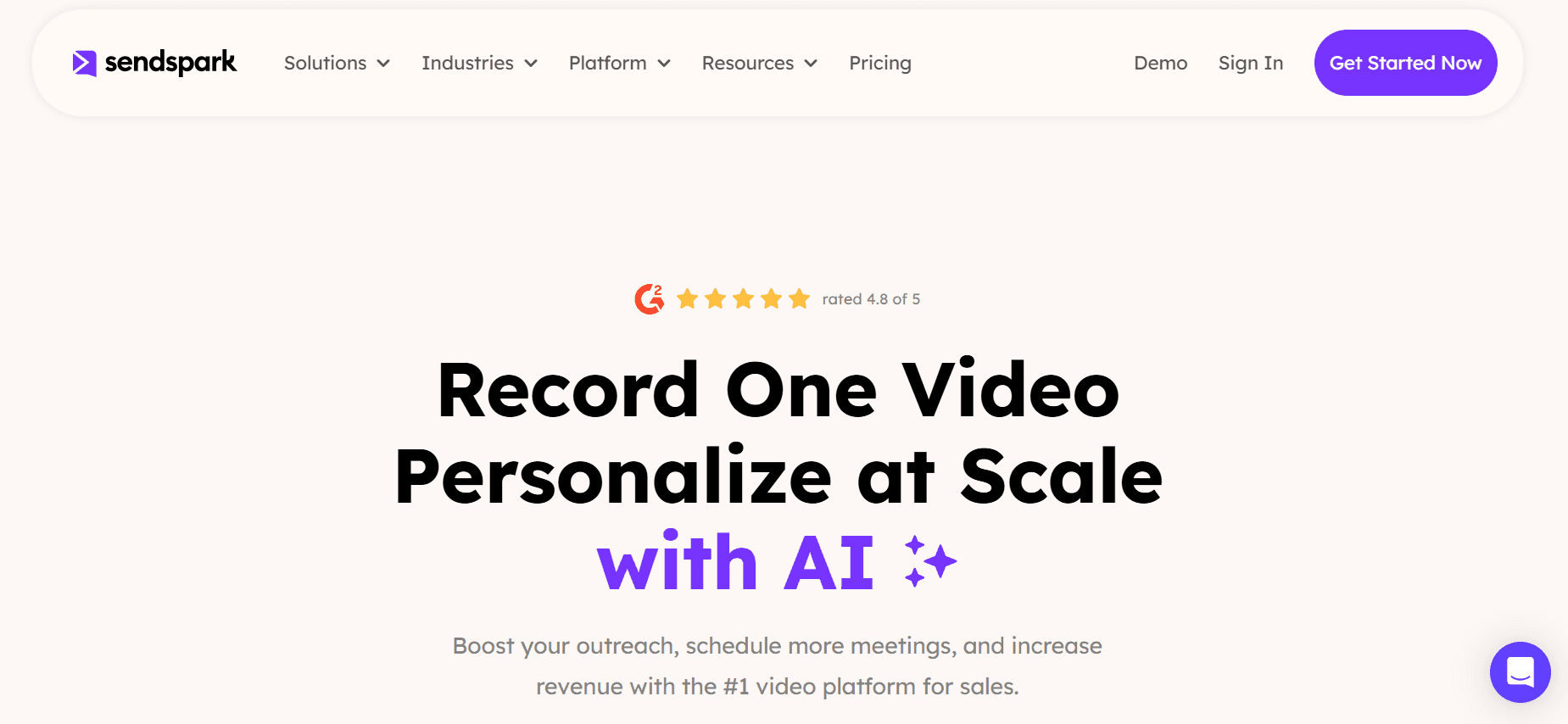
تتفوق Sendspark في التواصل المرئي المخصص، مما يجعلها خيارًا جيدًا للفرق التي تتعامل مباشرة مع العملاء. فهي توفر خيارات سهلة للتخصيص وإضفاء الطابع الشخصي، مما يسمح للشركات بتكييف الرسائل مع جماهير محددة. ورغم أن Sendspark تقدم منصة سهلة الاستخدام لإنشاء الفيديو، إلا أنها تفتقر إلى ميزات التدريب المتعمق والتحليلات، وهو ما قد يمثل عيبًا في الإعداد المنظم.
Drift Video
تتكامل Drift Video بسلاسة مع منصة التسويق الحواري من Drift، مما يجعلها مثالية للشركات التي تستخدم أدوات Drift بالفعل. فهي تتيح إنشاء الفيديو ومشاركته بسرعة، مع التركيز على جذب المشاهدين من خلال ميزات الدردشة. ومع ذلك، وعلى غرار Loom، تميل Drift Video أكثر إلى التواصل منها إلى التدريب الشامل.
الأداة | الأفضل لـ | السعر الابتدائي | الميزة الأساسية مقارنةً بـ Loom |
|---|---|---|---|
Trupeer | إعداد منظم وعلامة تجارية احترافية | تسعير مخصص | تعليق صوتي بالذكاء الاصطناعي وتوثيق تلقائي |
Vidyard | تسويق الفيديو والتحليلات | 15 دولار/شهر | تحليلات متقدمة وتكامل مع CRM |
Sendspark | فيديوهات مخصصة للعملاء | 12 دولار/شهر | تخصيص وتخصيص شخصي سهل |
Drift Video | تسويق فيديو حواري | 20 دولار/شهر | تكامل سلس مع Drift |
Loom مقابل Trupeer: أيهما تختار؟
يعتمد الاختيار بين Loom وTrupeer على احتياجات الإعداد الخاصة بك. إليك مقارنة مباشرة للمساعدة في اتخاذ قرارك:
الميزة | Loom | Trupeer |
|---|---|---|
تسجيل الشاشة وكاميرا الويب | نعم | نعم |
النسخ بالذكاء الاصطناعي | نعم | نعم |
العلامة التجارية الاحترافية | لا | نعم |
عناصر تدريب تفاعلية | لا | نعم |
توثيق مُنشأ تلقائيًا | لا | نعم |
إذا كان هدفك إنشاء برنامج إعداد منظم مع علامة تجارية احترافية وعناصر تفاعلية، فإن Trupeer هي الخيار الأفضل. أما للتحديثات الداخلية السريعة والرسائل المرئية البسيطة، فتبقى Loom خيارًا مناسبًا. ضع في اعتبارك متطلباتك المحددة وميزانيتك لتحديد الأنسب.
ما المنصات التي تتكامل معها Trupeer؟
تتكامل Trupeer مع مجموعة من المنصات لتبسيط عمليات الإعداد. وهي تعمل بشكل جيد مع أنظمة إدارة التعلم (LMS) الشائعة ومنصات إدارة علاقات العملاء (CRM)، مما يعزز تجربة المستخدم من خلال توفير تدفق سلس للبيانات. سواء كنت تستخدم Salesforce لإدارة علاقات العملاء أو Moodle لإدارة التعلم، فإن تكاملات Trupeer تضمن أن يكون محتوى الإعداد متاحًا وقابلًا للتتبع، مما يحسن كفاءة التدريب ومستوى التفاعل.
كم مرة يجب تحديث محتوى الإعداد؟
يجب مراجعة محتوى الإعداد وتحديثه مرة واحدة على الأقل سنويًا أو كلما طرأت تغييرات كبيرة على عمليات شركتك أو تقنياتها. تضمن التحديثات المنتظمة حصول الموظفين الجدد على أحدث المعلومات، مما يساعدهم على الاندماج بسلاسة في أدوارهم. بالإضافة إلى ذلك، فإن طلب ملاحظات الموظفين الجدد يمكن أن يبرز مجالات التحسين ويضمن بقاء الإعداد ذا صلة وفعّالًا.
هل يمكن تضمين فيديوهات Loom في منصات خارجية؟
نعم، يمكن تضمين فيديوهات Loom في العديد من المنصات الخارجية مثل المواقع الإلكترونية والمدونات وأنظمة إدارة التعلم. تتيح هذه الميزة للمنظمات دمج محتوى الفيديو في الموارد الحالية، مما يوفر تجربة تعلم متماسكة. كل ما عليك هو نسخ كود التضمين من Loom ولصقه في محرر HTML الخاص بمنصتك. وتعد هذه الإمكانية مفيدة بشكل خاص لإنشاء مراكز تدريب موحدة أو لتعزيز المحتوى المكتوب بعناصر بصرية جذابة.
أفضل الممارسات لإعداد الفيديو
يتطلب إنشاء برنامج إعداد فيديو ناجح تخطيطًا وتنفيذًا دقيقين. فيما يلي بعض أفضل الممارسات التي ينبغي مراعاتها:
حدد أهدافًا واضحة: ابدأ بتحديد ما تريد تحقيقه من خلال فيديوهات الإعداد. سواء كان الهدف تقليل وقت التدريب أو تحسين تفاعل الموظفين، فإن وجود أهداف واضحة سيوجه عملية إنشاء المحتوى.
اجعل الفيديوهات موجزة ومركزة: احرص على الاختصار للحفاظ على انتباه المشاهد. ركز على موضوع واحد في كل فيديو واستخدم العناصر البصرية لتأكيد النقاط الرئيسية. يساعد هذا النهج في منع الإغراق بالمعلومات ويضمن استيعابًا أفضل.
استخدم علامة تجارية احترافية: أدرج عناصر العلامة التجارية لشركتك في الفيديوهات لإنشاء مظهر متسق واحترافي. يعزز ذلك هوية علامتك التجارية ويجعل الفيديوهات تبدو كجزء متكامل من ثقافة مؤسستك.
أضف عناصر تفاعلية: شجع المشاهدين عبر الاختبارات أو الاستطلاعات أو السيناريوهات التفاعلية لجعل التعلم أكثر جاذبية. يمكن للمحتوى التفاعلي أن يزيد الاحتفاظ بالمعلومات ويوفر ملاحظات فورية لكل من المتعلمين والمدربين.
اطلب الملاحظات: بعد أن يكمل الموظفون عملية الإعداد، اطلب ملاحظاتهم حول الفيديوهات. استخدم رؤاهم لتحسين المحتوى ومعالجة أي ثغرات، مما يضمن التحسين المستمر.
الأخطاء الشائعة التي يجب تجنبها في إعداد الفيديو
حتى مع أفضل النوايا، يمكن أن تقوض الأخطاء الشائعة فعالية برامج إعداد الفيديو. فيما يلي بعض المزالق التي يجب الانتباه لها:
الإفراط في تحميل المحتوى: حشو الكثير من المعلومات في فيديو واحد قد يرهق المشاهدين. قسّم المحتوى إلى أجزاء قابلة للإدارة لتعزيز الفهم والاحتفاظ بالمعلومات.
تجاهل تجربة المستخدم: قد تؤدي جودة الفيديو الرديئة أو الواجهات المربكة أو غياب خيارات الوصول إلى إحباط المستخدمين. تأكد من أن جميع المحتويات عالية الجودة وسهلة الوصول عبر الأجهزة المختلفة.
إهمال المتابعة: عدم توفير فرص لطرح الأسئلة أو المناقشة بعد ذلك قد يترك الموظفين الجدد يشعرون بعدم الدعم. أدرج موارد أو منتديات يمكنهم من خلالها طلب التوضيح.
تخطي التحديثات: قد يؤدي استخدام محتوى قديم إلى معلومات مضللة وارتباك. راجع فيديوهاتك وحدّثها بانتظام لتعكس أحدث سياسات الشركة وتقنياتها.
غياب التخصيص: قد لا يلبي المحتوى العام الموحد احتياجات فرق أو أدوار محددة. خصص الفيديوهات لأقسام أو أدوار مختلفة لجعل الإعداد أكثر صلة وفعالية.
الأسئلة الشائعة
هل يمكن استخدام Loom لإعداد العملاء؟
يمكن استخدام Loom للإعداد الأساسي للعملاء، لكنها ليست مصممة للبرامج الشاملة. إن افتقارها إلى الميزات التفاعلية وقدرات التتبع المحدودة يجعلها أقل ملاءمة لعمليات الإعداد التفصيلية. وللبرامج الأكثر تنظيمًا، فكر في بدائل مثل Trupeer.
ما قيود الخطة المجانية في Loom؟
تحدد الخطة المجانية في Loom المستخدمين بتسجيلات مدتها خمس دقائق وبحد أقصى 25 فيديو. وقد يكون هذا مقيدًا لمن يحتاجون إلى إنشاء محتوى أطول أو أكثر تكرارًا. وللحصول على قدرات موسعة، ينبغي للمستخدمين النظر في الخطط المدفوعة.
هل تدعم Trupeer تحليلات الفيديو؟
نعم، تقدم Trupeer تحليلات فيديو واسعة تتيح للشركات تتبع تفاعل المشاهدين ومعدلات الإكمال والمزيد. هذه الرؤى ضرورية لتحسين محتوى التدريب وضمان إعداد فعّال.
هل يمكن دمج Vidyard مع أدوات CRM؟
توفر Vidyard تكاملًا سلسًا مع مختلف أدوات CRM، مما يمكّن المستخدمين من تتبع تفاعل الفيديو داخل أنظمة إدارة العملاء الحالية لديهم. وتعد هذه الميزة مفيدة لمواءمة محتوى الفيديو مع جهود المبيعات والتسويق.
هل توجد عناصر تفاعلية في فيديوهات Sendspark؟
تركز Sendspark على التخصيص لكنها لا تقدم عناصر تدريب تفاعلية مثل الاختبارات أو السيناريوهات المتفرعة. وللحصول على هذه الميزات، قد ترغب في استكشاف Trupeer أو أدوات أخرى مصممة خصيصًا للتدريب.
كيف تختلف Drift Video عن Loom؟
تتكامل Drift Video بشكل وثيق مع أدوات الدردشة والتسويق الخاصة بـ Drift، مما يجعلها مثالية للتفاعل مع العملاء في الوقت الفعلي. وبينما تركز Loom أكثر على مشاركة الفيديو غير المتزامنة، تقدم Drift Video ميزات دردشة تعزز تفاعل المشاهدين.
ما تكلفة البداية لـ Trupeer؟
تقدم Trupeer تسعيرًا مخصصًا بناءً على الاحتياجات المحددة لعملك. تتيح هذه المرونة للشركات اختيار الميزات التي تتوافق مع متطلبات الإعداد وقيود الميزانية لديها.
هل توجد نسخة تجريبية مجانية متاحة لـ Trupeer؟
غالبًا ما توفر Trupeer نسخة تجريبية مجانية أو عرضًا توضيحيًا للعملاء المحتملين. وهذه طريقة رائعة لاستكشاف قدرات المنصة وتحديد ما إذا كانت مناسبة لاحتياجات الإعداد في مؤسستك. تفضل بزيارة موقع Trupeer لمزيد من المعلومات.
الخلاصة
عند اختيار أداة مراسلة فيديو للإعداد، ضع في اعتبارك الاحتياجات المحددة لفريقك وتعقيد برنامج الإعداد لديك. بينما تقدم Loom حلًا مباشرًا للتحديثات السريعة، توفر Trupeer منصة أكثر شمولًا للتدريب المنظم مع علامة تجارية احترافية وميزات تفاعلية.
استكشف كيف يمكن لـ Trupeer أن تحول عملية الإعداد لديك من خلال توفير محتوى تدريبي جذاب ومُعَلَّم وفعّال. تفضل بزيارة Trupeer لمعرفة المزيد حول كيفية تلبية احتياجات الإعداد لديك بفعالية.


