Trupeer Blog
Resumir

In the fast-paced world of SaaS product development, keeping demo templates current with evolving features can be a real challenge. Imagine investing countless hours crafting a demo template that highlights your product's unique capabilities, only to find that a new update has rendered it outdated. This isn't just a hypothetical situation, it's a common reality for sales and enablement teams. Outdated demo templates can lead to misalignment between sales pitches and product capabilities, resulting in lost opportunities. According to a recent study,
companies lose an average of 20% of potential deals due to outdated or irrelevant demo content.
Ensuring that your demo templates are consistently updated is crucial for maintaining competitive advantage and ensuring sales teams have the most accurate resources at their disposal. This article is for sales enablement professionals, product marketers, and pre-sales teams who are responsible for creating, maintaining, and updating demo content. These teams must work collaboratively to ensure that demo materials not only reflect the current product capabilities but also align with the strategic goals of the organization. If you're struggling with this process, you're not alone, and there are effective strategies and tools to help manage demo template governance efficiently. Teams weighing tools often start with a Loom alternatives comparison before standardizing on a workflow.
Why does demo template governance matter?
Demo template governance matters because it directly impacts the effectiveness and credibility of your sales pitches. When demo templates are outdated, they can lead to confusion and miscommunication between the sales team and potential clients. This misalignment affects the buyer's journey negatively, as prospects may question the reliability of your product's capabilities. For sales and marketing teams, maintaining template accuracy is essential to building trust and demonstrating value to potential clients. If a demo template showcases features that have been deprecated or significantly changed, it can lead to lost deals and wasted resources. In a competitive landscape, ensuring that your demo templates are up-to-date isn't just a best practice, it's a necessity.
Another critical reason for maintaining current demo templates is the internal alignment it builds. Product teams, sales teams, and marketing departments need to work in harmony to present a unified message to potential customers. By keeping demo templates current, you facilitate a smoother pre-sales workflow, ensuring that everyone involved is on the same page regarding product capabilities and messaging. This collaboration is vital for driving successful sales outcomes and creating a simplified pre sales use case. By addressing and prioritizing demo template governance, businesses not only improve their sales processes but also enhance their reputation and customer satisfaction, ultimately leading to increased revenue and growth.
What are the benefits of effective demo template governance?
Effective demo template governance offers several advantages that can significantly enhance your sales and marketing efforts. Here are some key benefits:
Consistency across sales teams. By maintaining up-to-date templates, you ensure that all sales representatives deliver a consistent message, reducing the risk of miscommunication and enhancing the overall customer experience.
Improved accuracy in demos. Accurate templates mean that demos reflect the current state of the product, reducing the chance of promising features that no longer exist or have changed significantly.
Enhanced sales training. With consistent and accurate templates, new sales team members can be onboarded more efficiently, understanding the product's features and benefits faster and more thoroughly.
Increased deal closure rates. When demo templates are aligned with the latest product updates, sales teams can engage prospects more effectively, leading to higher conversion rates. An 16 best product demo examples showcase this potential.
simplified content updates. A centralized approach to demo templates allows for easier updates and maintenance, saving time and resources for sales and marketing teams.
Access to advanced tools. using an AI video platform can automate template updates, ensuring that your demos are always current without manually revisiting each one.
Which Trupeer features help you maintain demo template governance?
Trupeer offers a suite of features designed to simplify the process of keeping demo templates current. These features are specifically tailored to address the challenges faced in demo template governance.
AI screen recording with auto-zoom and click detection
Trupeer's AI screen recording capability simplifies the process of capturing detailed and visually engaging demos. The auto-zoom and click detection ensure that key elements and interactions are highlighted automatically, providing viewers with a clear understanding of the product's functionality. This feature is particularly beneficial for maintaining demo templates because it reduces the need for manual editing and ensures that every demo is engaging and informative. By capturing the nuances of your product's interface, you provide prospects with a realistic experience of your software's capabilities.
AI voiceover in 65+ natural voices, adjustable pace and tone
With Trupeer's AI voiceover feature, you can easily update the audio narration of your demos to match the latest product changes. This feature supports over 65+ natural voices and allows you to adjust the pace and tone, ensuring that the audio aligns perfectly with the visual content. This capability is crucial for demo template governance, as it allows for quick updates to the narration without needing to re-record with human voice talent. It also enables you to maintain a professional and consistent auditory experience across all demo materials.
Automatic SOP generation from any recording
Trupeer's automatic SOP generation is a big shift for teams looking to document and update their demo processes efficiently. Once a demo is recorded, Trupeer can automatically generate a detailed SOP that outlines the steps and features demonstrated. This documentation is edit-ready and exportable, making it easy to keep your demo templates and associated training materials aligned with the latest product updates. This feature not only saves time but also ensures that every demo template is supported by comprehensive documentation, facilitating better training and consistency in sales presentations.
AI-searchable knowledge base with timestamp deep-links
Having an AI-searchable knowledge base means that every demo recording is indexed with timestamp-level deep links. This feature allows sales and support teams to quickly locate specific parts of a demo, making it easier to update templates and ensure accuracy. The ability to deep-link to precise moments in a demo is invaluable for pinpointing areas that need revision when product updates occur. This feature enhances your team's ability to maintain accurate and current demo content without extensive manual searching.
AI translation into 40+ languages with lip-sync
Trupeer's translation capabilities are essential for teams operating in multiple regions or serving a diverse audience. The ability to translate demos into over 40 languages, complete with lip-sync, ensures that your demo templates are accessible and relevant to a global audience. This feature supports the governance of demo templates by allowing quick and accurate localization, making it easier to keep all language versions of your demos updated. Ensuring that your demos accurately reflect the latest product features in multiple languages helps maintain credibility and engagement with international clients.
How do you maintain demo template governance step by step with Trupeer?
Step 1: Capture the Screen
Begin by using Trupeer's AI screen recording feature to capture your product demo. With the browser-based recorder, you don't need to install any additional software, making it a smooth experience. Click the "Record" button to start capturing, while Trupeer automatically detects clicks and zooms into key interactions. This simplifies the process and ensures that your demo highlights the essential features without manual adjustments. The recording is saved directly to your Trupeer library, ready for further enhancements. Recording typically takes as long as your demo's duration, plus a few extra minutes for processing. For a deeper look, our guide on make product demo video covers the adjacent playbook.

Step 2: Enhance with AI Voiceover
Once your screen recording is complete, add an AI voiceover to enhance the demo. Select from over 65+ natural voices and adjust the pace and tone to match your presentation style. This feature allows you to easily update the audio narration without the need for professional voice talent, saving both time and costs. The AI voiceover can be generated and synced with your demo video in just a few minutes, ensuring that your audio is as engaging and informative as the visuals.

Step 3: Generate and Edit SOP
After recording your demo, use Trupeer's automatic SOP generation to create a step-by-step guide. This feature extracts key actions and dialogue from your recording to produce an edit-ready SOP. You can export this as a PDF or HTML file, providing a comprehensive reference for your team. The SOP generation takes only a few minutes, and you can make manual adjustments if needed to ensure accuracy. This step is crucial for creating a consistent template that aligns with your latest product updates.

Step 4: Translate for Global Reach
If your audience spans multiple regions, use Trupeer's AI translation feature. It supports over 40 languages with lip-sync, ensuring that your demo is accessible worldwide. Simply select the desired languages and let Trupeer handle the rest. The translation process is quick, usually completed in under an hour, depending on the length of the demo. This step is essential for maintaining a consistent message across different markets, enhancing your global sales efforts.

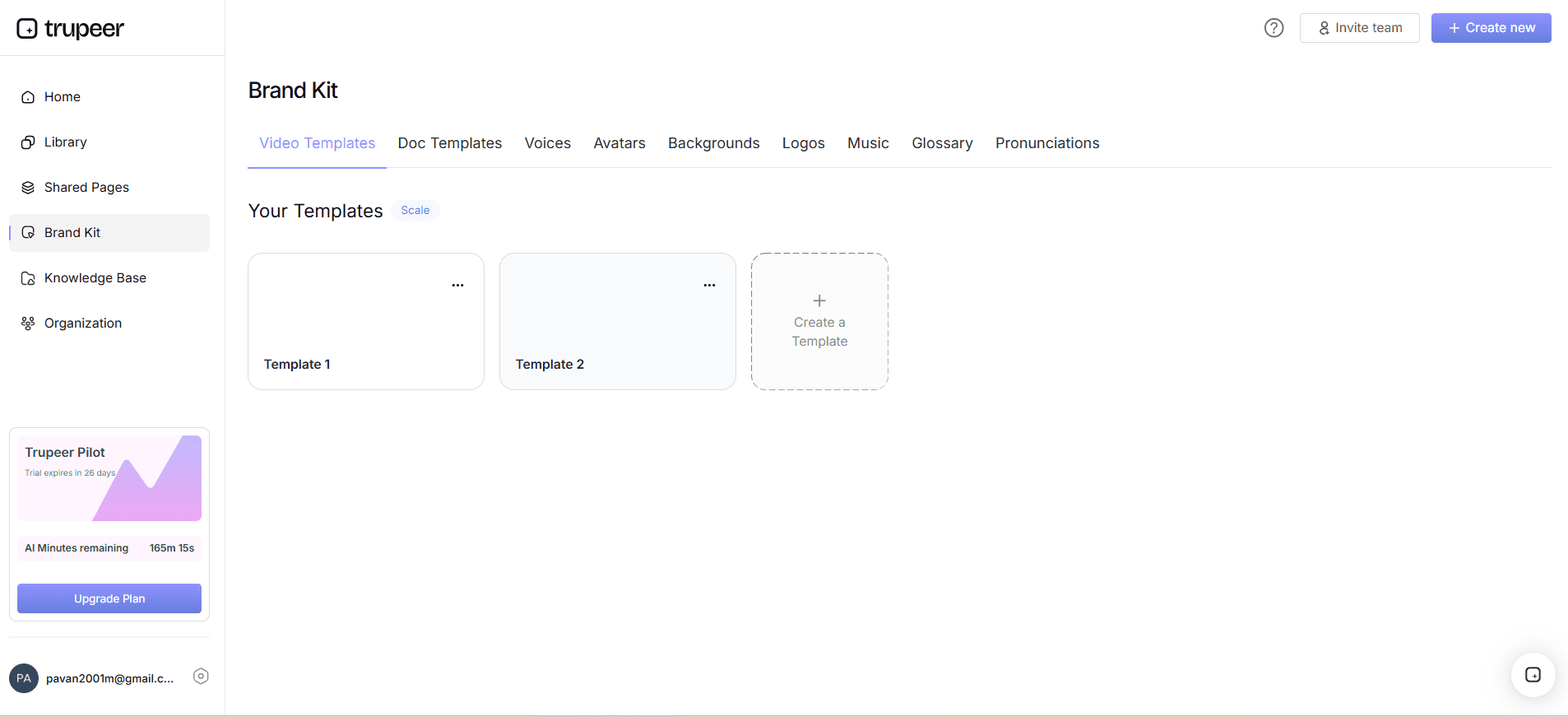
Step 5: Host on Custom Domain
With your demo ready, host it on a custom domain using Trupeer's distribution features. This allows you to provide a smooth, branded experience for your viewers. Enable SSO for secure access and share your demo through client-facing portals. This feature supports embedding the demo in your product or website, making it easily accessible to prospects. Hosting on a custom domain ensures that your demo aligns with your brand's visual identity and offers a professional presentation to potential clients.
Step 6: Analyze Viewer Engagement
After publishing your demo, monitor its performance using Trupeer's viewer engagement analytics. This tool provides insights into viewer behavior, including drop-off rates and heatmaps, helping you understand which parts of the demo resonate most with your audience. Use this data to refine your demo templates further, ensuring they are as effective as possible in engaging potential clients. Regularly reviewing these analytics helps maintain the relevance and impact of your demo content over time.

What tips help you maintain demo template governance?
Effective demo template governance requires strategic planning and execution. Here are some practical tips to help you ensure your templates remain current and effective:
Regularly review templates. Schedule periodic reviews of your demo templates to ensure they reflect the latest product features and messaging.
use a demo maker tool. A demo maker tool simplifies the process of creating and updating demo templates, making it easier to keep them current.
Encourage collaboration. build collaboration between sales, marketing, and product teams to ensure demo templates align with product updates and strategic goals.
use analytics. Use viewer engagement analytics to identify areas for improvement in your demo templates and refine them accordingly.
Embrace automation. Implement automation tools like Trupeer’s AI capabilities to simplify the update process, saving time and resources.
Standardize template formats. Consistent formats make updates more straightforward and ensure a uniform experience across all demos.
Stay informed. Keep up with the latest industry trends and competitor offerings to ensure your demo templates remain competitive and relevant.
When SOPs come into the same conversation, a Scribe alternatives comparison helps clarify the scope.
Frequently asked questions
How often should demo templates be updated?
Demo templates should be updated whenever there are significant product updates or changes in messaging. Ideally, review them quarterly to ensure accuracy and relevance. Regular updates help maintain alignment with the current product capabilities and market positioning. Staying proactive in updating templates prevents the risk of using outdated materials that could mislead prospects and harm credibility.
What tools can help automate demo template updates?
Tools like Trupeer offer automation features that simplify demo template updates. Trupeer provides AI screen recording, voiceover, SOP generation, and translation capabilities that reduce the manual effort required to keep templates current. By using such tools, teams can focus on strategic tasks instead of repetitive updates. Automating these processes ensures consistency and accuracy across all demo materials.
Why is AI translation important for demo templates?
AI translation is crucial for demo templates because it enables companies to reach a global audience effectively. By translating demos into multiple languages, you ensure that your messaging is accessible and relevant to diverse markets. Trupeer's AI video translation feature offers quick and accurate translations with lip-sync, maintaining the quality and impact of your demos across different languages. This approach enhances global engagement and supports international sales efforts.
Can viewer engagement analytics improve demo templates?
Yes, viewer engagement analytics provide valuable insights into how your demo templates perform. By analyzing metrics like drop-off rates and heatmaps, you can identify which parts of your demos engage viewers and which may need refinement. This data-driven approach allows you to make informed decisions about updates and enhancements, ensuring your templates are as effective as possible in capturing and retaining audience attention.
Is it necessary to customize demo templates for different audiences?
Customizing demo templates for different audiences can significantly enhance their effectiveness. Tailoring demos to specific industries, roles, or pain points makes them more relevant and engaging. Trupeer's capabilities allow for easy customization, offering features like AI voiceover and translation to adapt content for various segments. This personalization helps address the unique needs and expectations of each audience, increasing the likelihood of successful engagement.
Artigos relacionados


