Trupeer Blog
Podsumuj
Go-live isn't the end of a transition. For the first weeks after a new team takes over a process, error rates rise, backlogs build and questions flow back to the people who used to do the work. That stretch is the hypercare period, and how you run it decides whether the transition settles quickly or drags on for months.
The most common question about hypercare is how long it should last. The better question is how you'll know it's over. Teams that exit hypercare on a date often exit too early, or stay in it far longer than they need to. Teams that exit on metrics know exactly when the new operation is ready to stand on its own.
This guide explains what hypercare means, what a transition hypercare period is, what drives its length, the exit criteria to use instead of a calendar date, and how good documentation shortens it.
What Does Hypercare Mean?
Hypercare is a period of intensive, above-normal support. In IT and ERP projects, it is the first weeks after a go-live, when the project team stays on to fix issues and help users until the new system is stable. In customer service, hypercare means giving new or at-risk customers extra attention to keep them successful.
In both senses, support is faster, more senior and more closely monitored than it will be once things settle down. This guide focuses on hypercare after system go-lives and transitions.
The term comes from IT and ERP implementations, but it applies to any change where risk peaks in the first days and weeks after cutover:
ERP and system go-lives: the project team and vendor stay on hand to fix defects, data issues and user questions before support moves to the standard service desk.
Outsourcing and vendor transitions: the incumbent team or SMEs stay available while the new provider takes over the work.
GBS and GCC setups: the sending location supports the new center while it builds volume and quality.
New processes and software rollouts: process owners and trainers watch adoption closely and fix problems as users hit them.
Customer service and success: new or at-risk customers get a dedicated contact, faster responses and proactive check-ins for a set period.
Whatever the context, hypercare is the bridge between go-live and steady state. It ends when agreed exit criteria are met and support is handed over to business-as-usual (BAU) teams. The rest of this guide focuses on hypercare in a transition, where a new team takes over a process from the people who used to run it.
What Is a Transition Hypercare Period?

The transition hypercare period is a phase of extra support that starts at go-live, when a new team, location or system takes ownership of a process. It sits between cutover and steady state in most transition methodologies, whether you're moving work to a GBS center, setting up a GCC, changing outsourcing providers or rolling out a new ERP or HR system.
During hypercare, the transition is still being watched closely:
The original team stays available to answer questions, handle complex cases and step in if something goes wrong.
Issues are triaged daily, often in a standing call or war room, with a shared issue log and clear owners.
Service levels are tracked more often, daily or weekly instead of monthly.
Documentation and training are corrected as gaps show up in live work.
Decisions are made fast, with a defined escalation path to transition leadership.
The aim is simple: protect service levels while the new team builds confidence, and fix problems before they become permanent.
How Genpact transformed training for 140,000 employees across 40 countries
When Genpact rolled out Workday across HCM, finance and data, Davetta Harper, VP Organizational Change Leader, had to make sure 140,000 employees across 40 countries could learn and adopt the new system. That meant 500+ training collaterals across 20 workstreams, in five languages. Done manually, with 20-page SOPs built screenshot by screenshot and human translation, the project would have taken at least 12 months.
Her team recorded existing process design sessions and SME walkthroughs, uploaded them to Trupeer AI, and got back polished SOPs and demo videos automatically translated into all five languages. Templates kept formatting consistent, and AI avatars held up in every language with minimal edits.
Genpact delivered 500+ training collaterals in three months instead of twelve, 75% faster than the standard timeline, and end users consumed the content without realizing it was AI-generated.
“We needed to train 140,000 people across 40 countries on a completely new system. Trupeer gave us a way to actually get there.”
— Davetta Harper, VP Organizational Change Leader, Genpact
Hypercare in Software Implementation and ERP Go-Lives
In a software implementation, hypercare starts at cutover, when users begin working in the new system for real, and ends when support moves to the business-as-usual service desk. It is part of every major SAP, Workday, Oracle and Salesforce rollout, because that is when the gap between how the system was designed and how people actually use it shows up.
Most hypercare tickets after an ERP go-live fall into five groups:
Ticket type | Examples | Usual fix |
|---|---|---|
"How do I" questions | Where to find a report, how to post a credit note | Training and job aids; often the largest group |
Access and security | Missing roles, approval workflows routed wrongly | Role and authorisation changes |
Data issues | Migrated balances wrong, duplicate vendors | Data correction and reconciliation |
Defects | A configuration or integration not working as designed | Fix, test and transport to production |
Process gaps | A real-world exception the design did not cover | Workaround now, design change later |
The first group is the one teams can do most about before go-live. When every role has clear, current guidance for the new process on day one, fewer questions become tickets. For platform-specific approaches, see SAP S/4HANA transformation, SAP Fiori training materials and the Workday training guide, or how Trupeer supports enterprise software rollouts.
How Long Is a Typical Hypercare Period?

There's no standard length. Many transition plans set aside somewhere between a few weeks and a few months, and complex, high-volume or regulated processes usually need longer than simple ones. The right length depends on factors such as:
Process complexity: processes with many exceptions, judgement calls or systems take longer to stabilize.
Volume and seasonality: a process that runs a monthly or quarterly close may need to go through at least one full cycle before you can judge it.
Quality of knowledge transfer: gaps in KT and documentation show up as questions and errors during hypercare. That’s why SME knowledge retention matters well before go-live.
Experience of the receiving team: a team new to the process, the client or the systems needs more support.
Number of locations and languages: multi-site transitions often stabilize at different speeds in each location.
Wave size: moving many processes at once means more issues competing for the same support capacity.
Plan a duration so you can budget for it, but treat that number as an estimate, not an exit date.
Why Exiting Hypercare on a Date Fails

A fixed exit date is easy to plan around, which is why so many transitions use one. But dates don't measure readiness. Exiting on a date causes two kinds of problems:
Exiting too early. The original team steps away while error rates are still high or a month-end cycle hasn't run yet. Service levels dip, escalations rise, and the business loses confidence in the new operation. Sometimes the old team has to be brought back.
Staying in too long. Hypercare continues because nobody has defined what "done" looks like. The organization keeps paying for double support, the new team stays dependent on the old one, and steady-state governance never quite starts.
Both problems have the same cause: no agreed, measurable definition of when the new team can run the process on its own.
Exit on Metrics, Not Dates: Hypercare Exit Criteria

Define hypercare exit criteria before go-live, agree them with the business and the receiving team, and review them in every hypercare governance meeting. Good exit criteria are measurable, sustained over time, and set per process or wave. Common ones include:
SLA and KPI attainment: the process meets its agreed service levels for a sustained run, such as several consecutive weeks or one full business cycle.
Quality and accuracy: error and rework rates are at or below the agreed target or the pre-transition baseline.
Backlog: work in progress is within normal levels, with no aged items building up.
Open issues: no open critical or high-severity issues, and a plan with owners for anything lower.
Dependency on the original team: questions and escalations to the old team have fallen to an agreed level, or stopped.
Documentation complete and current: every SOP and job aid reflects how the process actually runs, including fixes made during hypercare.
Team stability: the receiving team is fully staffed, trained, and able to cover absences without outside help.
Business sign-off: the process owner and key stakeholders agree the process is stable.
When the criteria are met, the process exits hypercare. When they're not, the gap shows exactly what needs fixing, which makes extending hypercare a targeted decision rather than an open-ended one.
How to Run a Hypercare Exit Review

Use a short, repeatable review for each process or wave:
Set the criteria and thresholds before go-live. Agree each metric, its target and how long it must be sustained.
Track them from day one. Report the same metrics daily or weekly so trends are clear.
Hold a formal exit review. Bring the transition lead, receiving lead, process owner and, where relevant, the outgoing team.
Decide per process. Exit the processes that meet the criteria, and extend hypercare only for the ones that don't, with a dated action plan.
Hand over to steady-state governance. Move the process into regular service reviews, with the knowledge base and documentation owners named.
Exiting process by process, rather than wave by wave, lets stable processes move on while support stays focused where it's still needed.
The Hypercare Team and Ticket Model
Hypercare works when everyone knows who answers what, and how fast. A typical team for an enterprise go-live:
Role | Responsibility |
|---|---|
Hypercare lead | Runs the daily stand-up, owns the issue log and reports to sponsors |
Functional and technical experts | Resolve defects, configuration and integration issues |
Data team | Fixes migration and master data issues |
Super-users or champions | Answer first-line questions in their own teams |
Service desk | Logs, triages and routes tickets |
Training and documentation owner | Turns repeat questions into guides and updates SOPs |
Business process owners | Decide on workarounds and sign off exit |
Agree severities and response times before go-live. Example targets:
Severity | Meaning | Example response | Example resolution |
|---|---|---|---|
P1 Critical | Business stopped, no workaround | 15 minutes | 4 hours |
P2 High | Major impact, workaround available | 1 hour | 1 business day |
P3 Medium | Limited impact | 4 hours | 3 business days |
P4 Low | Question or minor issue | 1 business day | 5 business days |
Route "how do I" questions to super-users and the knowledge base first, so experts can focus on defects and data. Every question answered more than once should become a guide.
A 30-Day Hypercare Plan
Thirty days is a common starting point for an ERP or major system go-live. Extend it for complex, high-volume or seasonal processes, and always exit on metrics rather than the calendar.
Period | Focus | Key activities |
|---|---|---|
Before go-live | Prepare | Agree the support model, exit criteria and ticket categories; give every role its SOPs and training; name super-users |
Days 1 to 7 | Stabilise | Floor-walking and drop-in support; daily stand-ups; fix P1 and P2 issues fast; answer each new question once and document it |
Days 8 to 21 | Reduce dependency | Push users to the knowledge base; super-users take first-line questions; update SOPs and training with every fix |
Days 22 to 30 | Prepare to exit | Check exit criteria; hand over open items; finalise documentation owners; run the exit review |
After exit | Business as usual | Service desk takes over; review documentation on a schedule; capture lessons for the next wave |
Download the hypercare checklist (PDF): a two-page checklist covering preparation, each phase of the 30-day plan and an exit criteria table you can fill in.
What Shortens Hypercare: The Role of Documentation
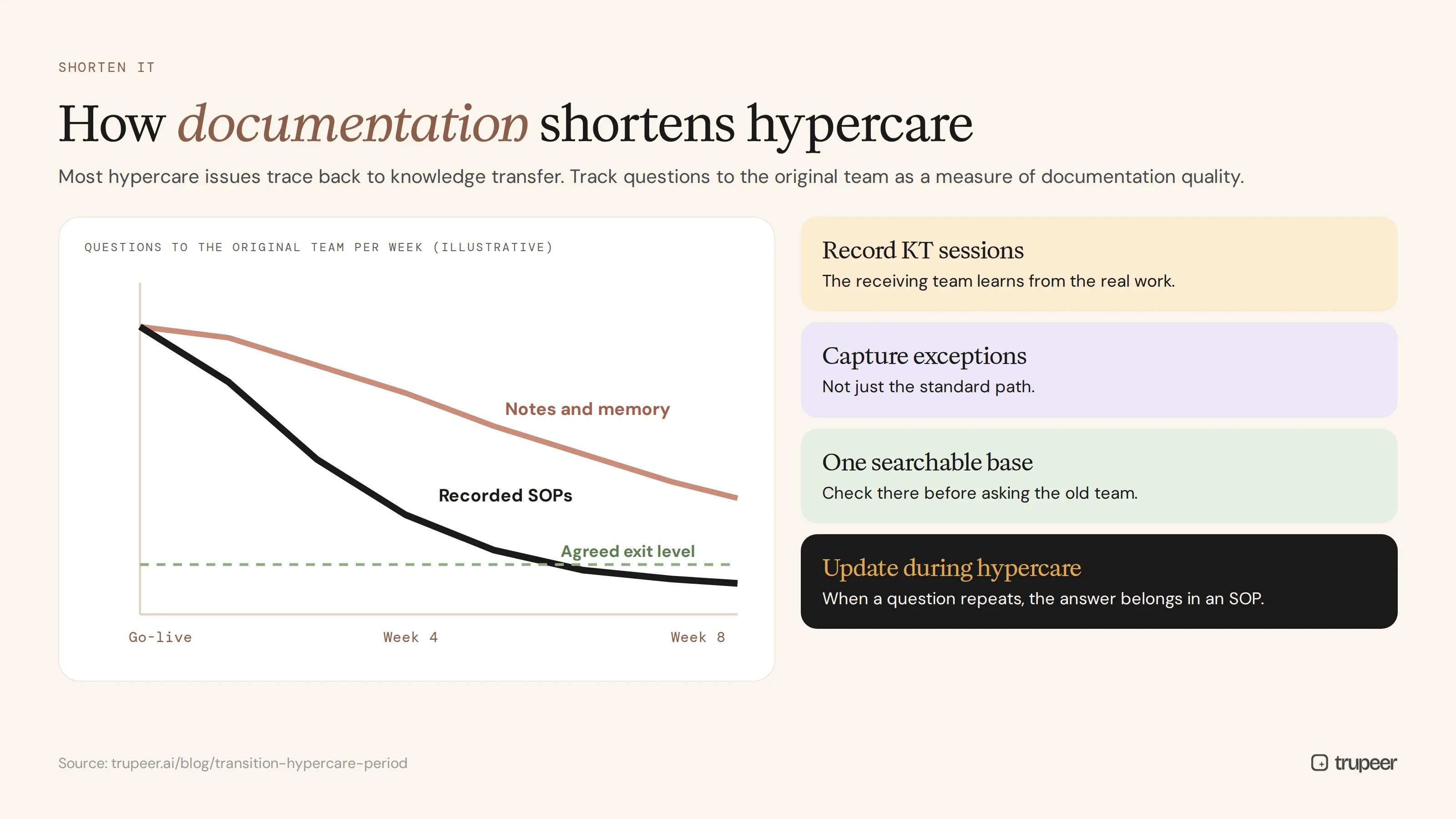
Most hypercare issues trace back to knowledge transfer. The new team hits an exception nobody documented, a step that works differently in the new system, or a rule that only one person at the old team knew. Each one becomes a question to the original team, an error, or both. Planning knowledge transfer upfront closes most of these gaps, and a KT plan generator helps you map what needs to be captured.
That's why the fastest way to shorten hypercare starts before go-live:
Record KT sessions and turn them into SOPs and videos, so the receiving team learns from the real work, not notes.
Capture exceptions explicitly, not just the standard path.
Publish everything in one searchable knowledge base, so the new team checks there before asking the old team.
Update documentation during hypercare, so every fix becomes part of the process for the next person.
Teams that track "questions to the original team" during hypercare can use the trend as a direct measure of documentation quality. When a question repeats, the answer belongs in an SOP.
How Trupeer Helps During the Hypercare Period
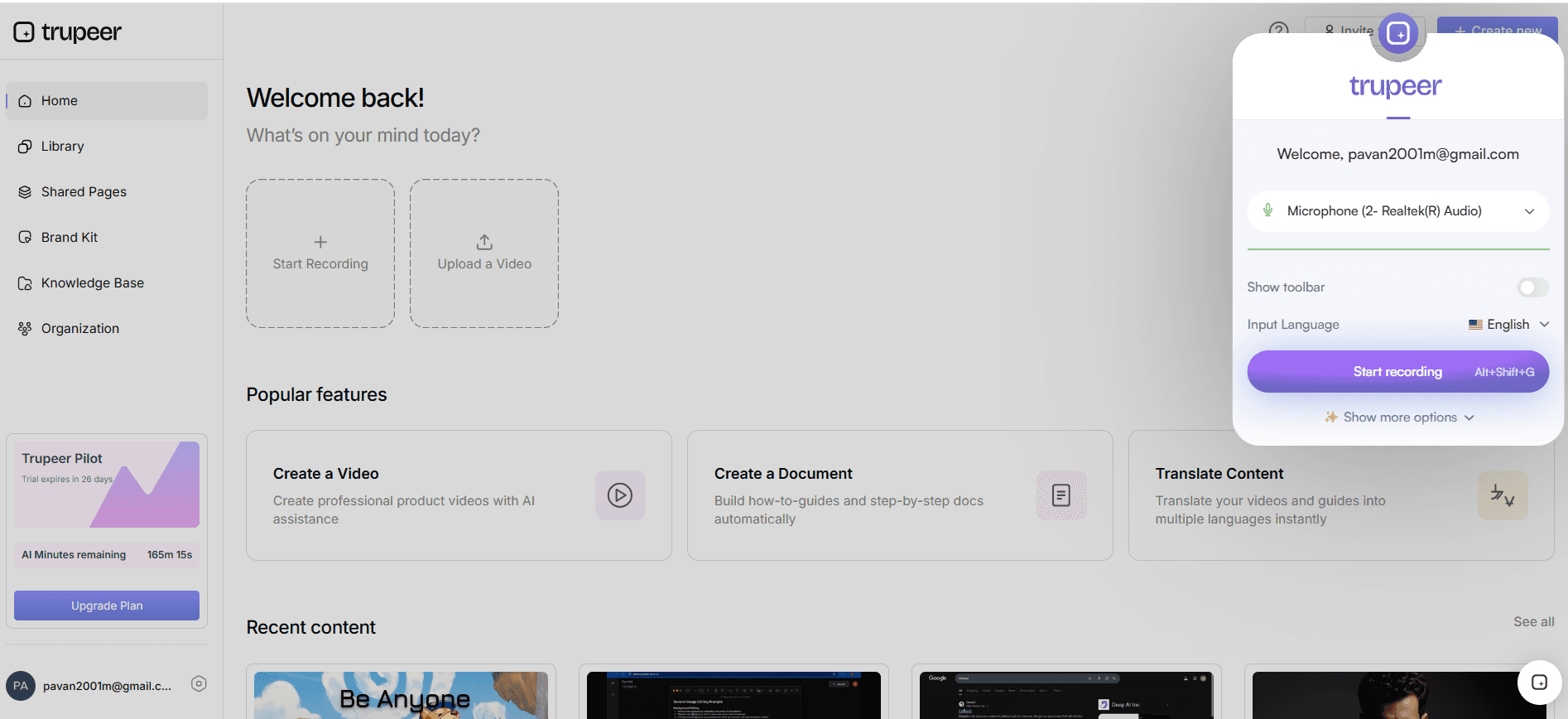
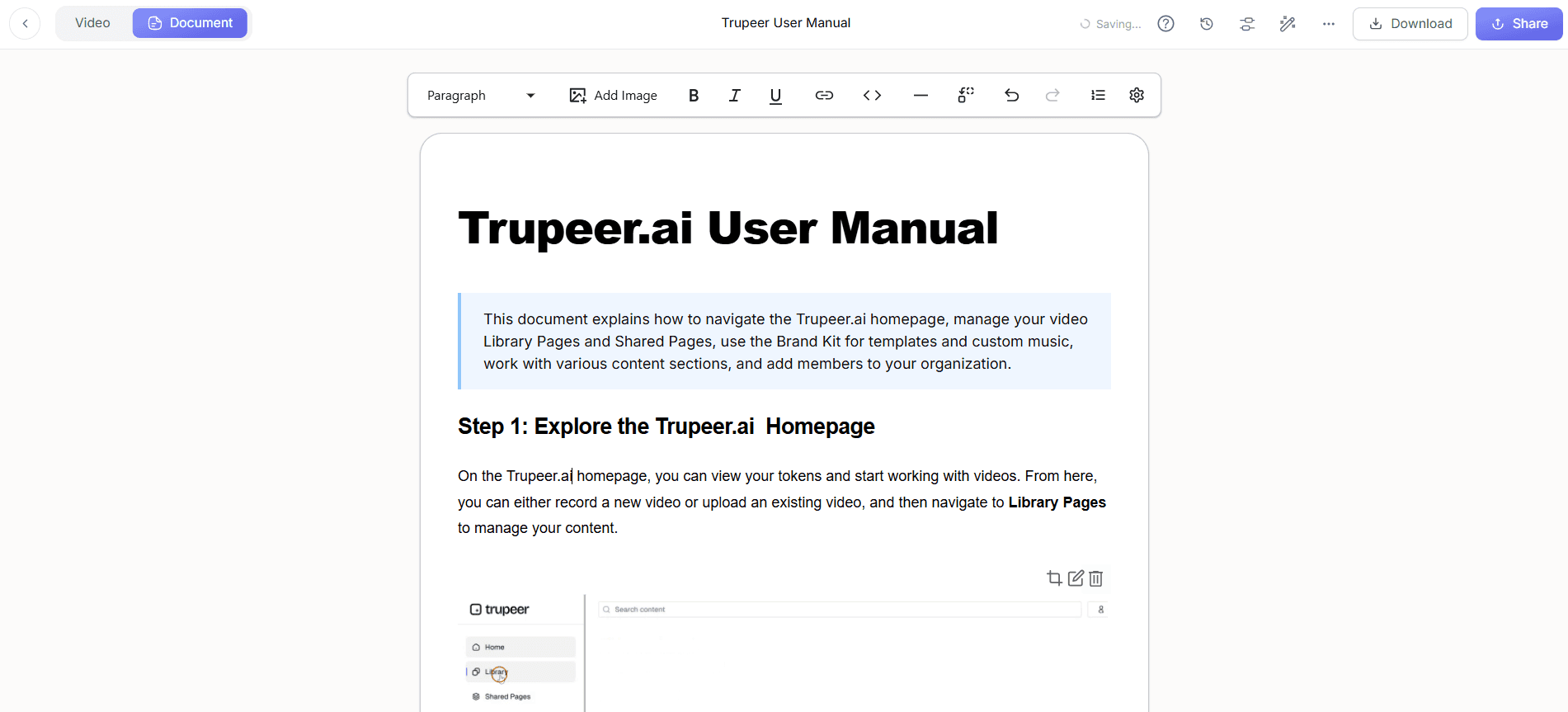
Trupeer helps teams reach hypercare exit criteria faster by making documentation easy to create, find and fix:
Capture fixes as they happen: when a team member or the original team solves a problem, record it with the AI screen recorder and get a step-by-step SOP and video from that recording.
Update only what changed: re-record the step that changed instead of rewriting the whole document.
Give the team one place to look: publish SOPs and videos to a searchable knowledge base, organized by process, so answers don't depend on the old team.
Support every location: translation keeps SOPs, voiceovers and captions consistent across sites and languages.
Prove documentation is complete: link every process on the exit scorecard to a current SOP and video, so "documentation complete" is evidence, not an opinion.
Onboard backfills quickly: new hires who join during or after hypercare learn from the same library, which supports the team-stability criterion.
Starting earlier helps even more. Genpact used Trupeer to turn recorded process sessions and SME walkthroughs into 500+ SOPs and training videos in five languages in 3 months for a program that would otherwise have taken 12. Read the Genpact customer story.
Hypercare Exit Checklist
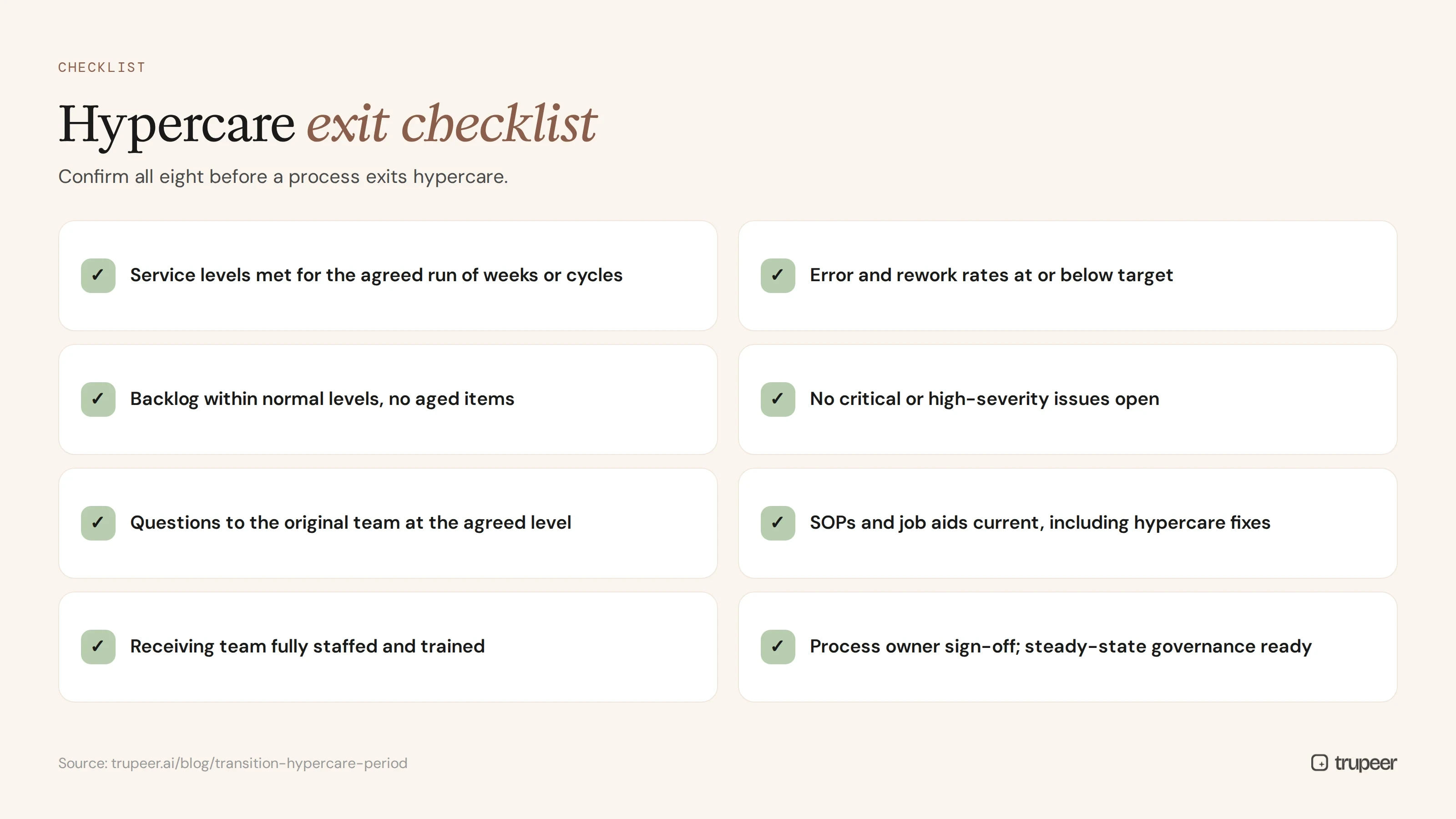
Want the full version? Download the hypercare checklist (PDF), covering preparation, the 30-day plan and exit criteria.
Before a process exits hypercare, confirm that:
Service levels have been met for the agreed run of weeks or business cycles.
Error and rework rates are at or below target.
Backlog is within normal levels, with no aged items.
No critical or high-severity issues remain open.
Questions and escalations to the original team are at the agreed level.
SOPs and job aids are current and include every fix made during hypercare.
The receiving team is fully staffed and trained.
The process owner has signed off, and steady-state governance is ready to take over.
For the phases before hypercare, see our guides to the GBS transition methodology, GCC setup knowledge transfer and how to reduce transition timelines with AI documentation.
Conclusion
The transition hypercare period protects service while a new team finds its feet. How long it lasts matters less than how you decide it's over. Exit on agreed metrics, not a calendar date, and decide process by process, and hypercare ends when the operation is genuinely ready.
The quickest route to those metrics is documentation the new team can rely on. Start free with Trupeer and turn every KT session and hypercare fix into SOPs and videos your team can find in seconds.
Related reading
Enterprise Software Rollouts: SAP, Workday & Salesforce Go-Lives
How to Cut Time to Proficiency in Transitions (and How Genpact Did It)
How to Run Knowledge Transfer in a Vendor-to-Vendor Transition When the Incumbent Is Leaving
Process Documentation for Outsourcing: What Should You Capture Before Go-Live?
Frequently Asked Questions
What does hypercare mean?
Hypercare is a period of intensive support. In IT and ERP projects it is the first weeks after a go-live, when the project team stays on to help users and fix issues until the new system is stable. In customer service, it means giving new or at-risk customers extra attention for a set period.
How long should a hypercare period last?
There's no fixed length. It depends on process complexity, volume, business cycles, the quality of knowledge transfer and the experience of the receiving team. Plan an estimated duration, but exit based on agreed metrics.
What are hypercare exit criteria?
Measurable conditions a process must meet before hypercare ends, such as sustained SLA attainment, error rates at target, normal backlog, no critical open issues, low dependency on the original team, current documentation and business sign-off.
Why shouldn't you exit hypercare on a fixed date?
A date doesn't measure readiness. Exiting too early can cause service dips and escalations, while staying in too long keeps paying for double support and delays steady-state governance.
What happens during hypercare?
The receiving team runs the process with the original team on standby. Issues are logged and triaged daily, metrics are reported frequently, and documentation and training are corrected as gaps appear.
Can hypercare be extended?
Yes, but extend it only for the processes that haven't met the exit criteria, with a dated action plan that targets the specific gaps, rather than extending the whole wave.
How can you shorten the hypercare period?
Improve knowledge transfer before go-live: record KT sessions, turn them into SOPs and videos, document exceptions, publish everything in a searchable knowledge base, and update it with every fix during hypercare.
What is the difference between hypercare and steady state?
Hypercare is a temporary period of extra support and close monitoring after go-live. Steady state is business as usual, with regular service reviews and normal governance once the process has met its exit criteria.
Powiązane blogi