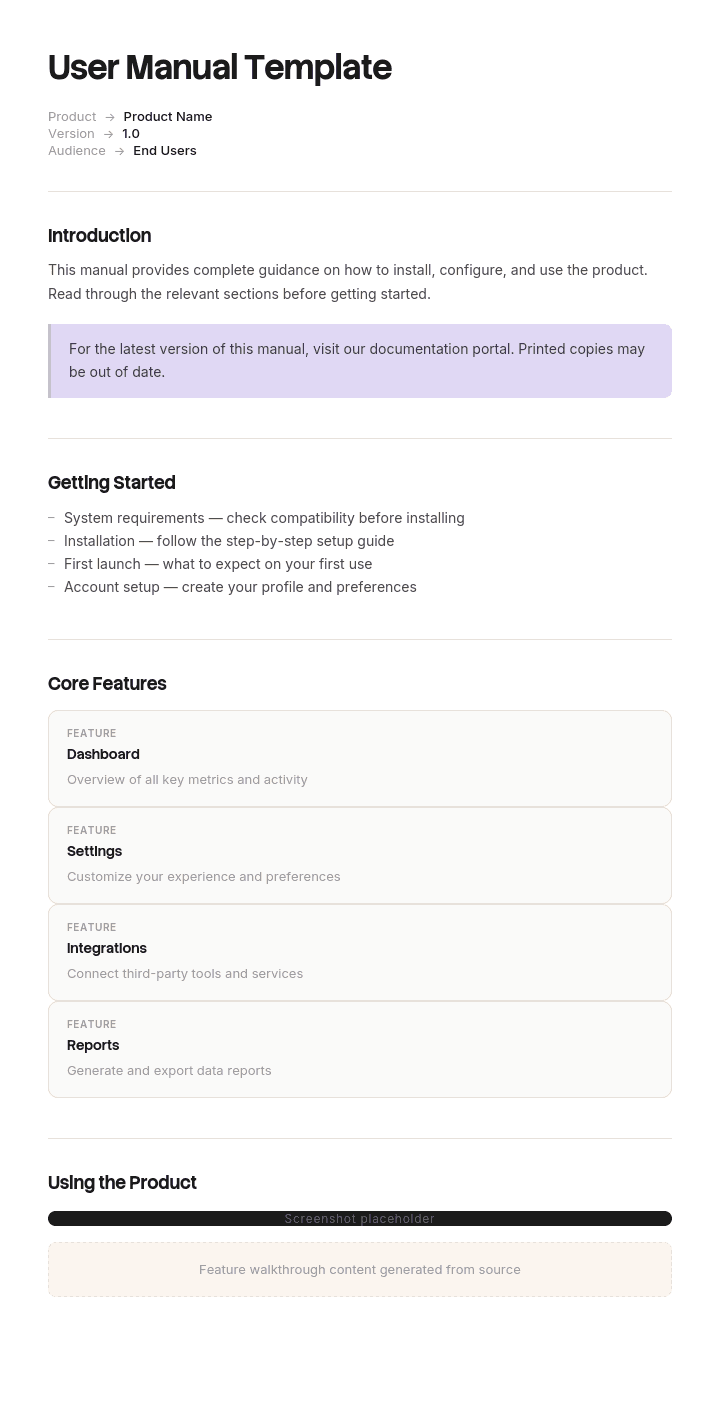
Gebruik deze sjabloon
Een geweldige gebruikershandleiding verandert een verwarde klant in een zelfverzekerde klant - en verlaagt de supportbelasting aanzienlijk. Met Trupeer kun je uren besparen op het schrijven van gebruikershandleidingen door te starten met een gratis gebruikershandleiding-sjabloon, dit aan te passen met je brand guidelines en onze AI manual creator te gebruiken om product walkthroughs om te zetten in gepolijste videohandleidingen.
Dit gebruikershandleiding-sjabloon biedt een gestructureerd kader om productoverzicht, instructies voor installatie, feature walkthroughs, instellingen, troubleshooting en veelgestelde vragen vast te leggen - handig voor softwareproducten, hardwareapparaten en serviceaanbiedingen. Zodra het is ingevuld, genereert Trupeer een AI video manual en kun je het met één klik vertalen naar 65+ talen voor wereldwijde klanten.
Zo pas je dit sjabloon aan in Trupeer
Stap 1: Open het gedeelte Templates
Ga in het hoofdmenu naar het gedeelte Templates.

Stap 2: Selecteer en open een sjabloon
Klik op een willekeurig sjabloon waarmee je wilt werken om het te openen.

Stap 3: Breid de sjabloonweergave uit
Indien nodig, breid de sjabloonweergave uit om de volledige indeling en details duidelijk te zien.

Stap 4: Bewerk het sjabloon
Klik op Bewerken om te beginnen met het aanpassen van het geselecteerde sjabloon.

In de editor kun je:
Nieuwe secties toevoegen
Opmaakregels definiëren of bijwerken
Een logo toevoegen en de positie en bijbehorende instellingen aanpassen
Stap 5: Sla je aangepaste sjabloon op
Nadat je alle noodzakelijke wijzigingen hebt doorgevoerd, klik je op Opslaan om het bijgewerkte sjabloon als je eigen sjabloon op te slaan.

Stap 6: Bekijk vooraf en verfijn het sjabloon
Als je wilt zien hoe je aangepaste sjabloon eruitziet, open je de Voorbeeldweergave.

Vanaf het scherm met de voorbeeldweergave kun je, indien nodig, direct doorgaan met het maken van aanpassingen, zodat het sjabloon precies verschijnt zoals jij het wilt.
Met een gebruikershandleiding-sjabloon kun je:
Uren besparen op het schrijven: Sla de lege pagina over met een structuur die is gebouwd voor documentatie voor gebruikers.
Supporttickets verminderen: Duidelijke handleidingen helpen klanten selfservice te gebruiken - minder tickets en meer ruimte voor supportteams.
In lijn blijven met je merk: Pas je logo, lettertypen en kleuren toe met Trupeer's brand kit - zodat handleidingen aansluiten op de identiteit van je product.
Adoptie verbeteren: Klanten die je product begrijpen, gebruiken het vaker - en blijven langer.
Videowalkthroughs toevoegen: Voeg video-tutorials in voor stappen die je niet alleen met tekst kunt uitleggen.
Bereik wereldwijde klanten: Vertaal gebruikershandleidingen naar 65+ talen met één klik.
Een geweldige gebruikershandleiding is het verschil tussen adoptie en afhaken. Gebruik dit sjabloon om je handleiding duidelijk, volledig en eenvoudig te maken voor elke klant om te volgen.
Veelgestelde vragen
Wat is een gebruikershandleiding?
Een gebruikershandleiding is een document dat klanten helpt om een product effectief te gebruiken - met informatie over installatie, functies, instellingen, troubleshooting en best practices. Gebruikershandleidingen kunnen worden geschreven, visueel, op basis van video of interactief zijn en zijn doorgaans georganiseerd voor zowel de eerste installatie als voor doorlopend gebruik.
Wat moet er in een gebruikershandleiding staan?
Een complete gebruikershandleiding bevat een productoverzicht, wat er in de doos zit (voor hardware), instructies voor installatie of setup, walkthroughs van de kernfuncties, configuratie en instellingen, veelvoorkomende workflows, tips voor troubleshooting, veelgestelde vragen en contactinformatie voor support.
Hoe schrijf je een gebruikershandleiding?
Begin vanuit het perspectief van de gebruiker - wat moeten ze doen, en in welke volgorde? Gebruik eenvoudige taal. Splits complexe taken op in genummerde stappen. Voeg visuals toe - screenshots, diagrammen of video - voor elke belangrijke actie. Test de handleiding met echte gebruikers om te bevestigen dat deze hun vragen beantwoordt.
Wat is het verschil tussen een gebruikershandleiding en een gebruikersgids?
De termen worden vaak door elkaar gebruikt. Technisch gezien is een gebruikershandleiding uitgebreider (met alles over het product), terwijl een gebruikersgids vaak korter is en zich richt op taken (bijv. een getting-started guide). In de praktijk geven beide duidelijke instructies voor het gebruik van een product.
Hoe lang moet een gebruikershandleiding zijn?
Dat hangt af van het product. Een eenvoudige softwarefunctie heeft mogelijk genoeg aan een handleiding van 2 pagina's; een enterprise-applicatie heeft mogelijk een handleiding van 100 pagina's nodig, georganiseerd in secties. Richt je op wat gebruikers echt nodig hebben - schrap alles wat hen niet helpt om succesvol te zijn met het product.

