Gebruik deze sjabloon
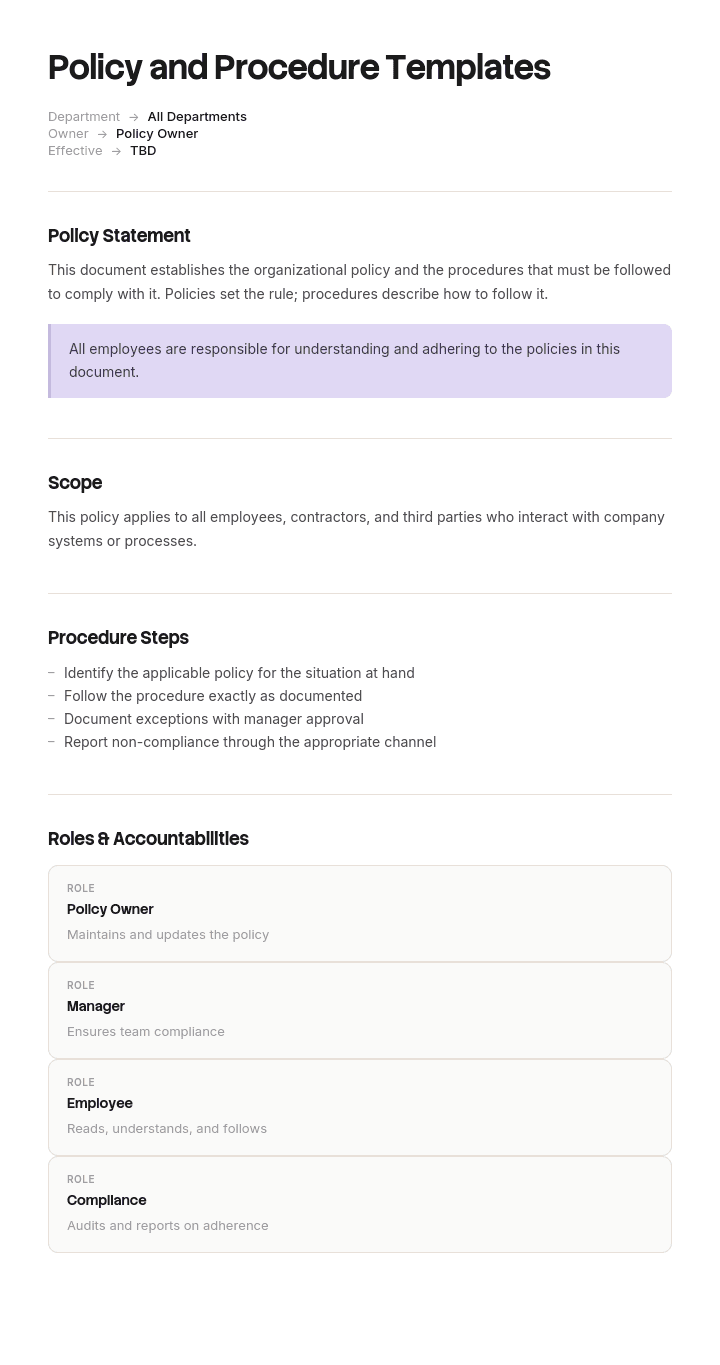
Policies and procedures are the operating system of any well-run organization - they define what's expected and how things get done. Met Trupeer kun je uren besparen op het schrijven van policies en procedures door te starten met gratis policy- en proceduretemplates, ze aan te passen met je brand guidelines en dichte beleidsdocumenten om te zetten in video-walkthroughs die medewerkers daadwerkelijk bekijken.
Wat is het verschil tussen een policy en een procedure?
Een policy beschrijft een regel en een standpunt. Het geeft aan wat er moet gebeuren, wat niet is toegestaan en wie beslist. Het is geschreven in de taal van verplichting, verandert zelden en wordt goedgekeurd door degene die het risico draagt.
Een procedure beschrijft hoe iets stap voor stap wordt gedaan door degene die het uitvoert. De procedure verandert telkens wanneer de systemen of het proces veranderen en wordt beheerd door het team dat het werk uitvoert, in plaats van door governance.
Een proces, dat in de meeste gidsen naast beide staat, is de bredere stroom waarbinnen een procedure valt. Meestal beslaat het meerdere rollen en meerdere procedures.
De praktische test is het werkwoord. Als je jezelf ziet schrijven met must, may not of is required to, dan schrijf je policy. Als je click, check, send of confirm schrijft, dan schrijf je procedure. Documenten die veel van beide bevatten, zijn meestal twee documenten die aan elkaar zijn gebonden, en onze SOP template dekt het procedurele deel correct.
Waarom bevatten de meeste policy libraries documenten die niemand nodig heeft?
Zoek naar policy templates en je krijgt vijftien, dertig of honderd en meer voorgeschoteld. Elke lijst wordt gepresenteerd als startpunt en de meeste organisaties behandelen het als een boodschappenlijst.
Het resultaat is voorspelbaar. Een library die is samengesteld uit templates en checklists van consultants, gegroeid over een decennium, met policies die niemand zich herinnert te hebben laten opstellen, over onderwerpen waar men nooit een probleem mee heeft gehad, met verwijzingen naar functietitels die niet meer bestaan.
Dit is erger dan minder policies hebben, om een specifieke reden. Een library die mensen niet kunnen vertrouwen, stopt volledig met geraadpleegd worden. Medewerkers leren dat iets opzoeken langzamer en minder betrouwbaar is dan het aan een collega vragen, en zodra dat een gewoonte wordt, blijven de policies die er echt toe doen ongelezen naast de policies die dat niet doen.
Dus de vraag is niet welke policies we moeten hebben. Het is welke policies we kunnen verantwoorden, en die verantwoording moet benoembaar zijn.
Zo pas je deze template aan in Trupeer
Stap 1: Open het gedeelte Templates
Ga naar het gedeelte Templates in de hoofd navigatie.

Stap 2: Selecteer en open een template
Klik op een willekeurige template waarmee je wilt werken om deze te openen.

Stap 3: Breid de templateweergave uit
Indien nodig, breid de templateweergave uit om de volledige lay-out en details duidelijk te zien.

Stap 4: Bewerk de template
Klik op Bewerken om te beginnen met het aanpassen van de geselecteerde template.

In de editor kun je:
Nieuwe secties toevoegen
Opmaakregels definiëren of bijwerken
Een logo toevoegen en de positie en gerelateerde instellingen aanpassen
Stap 5: Sla je aangepaste template op
Nadat je alle noodzakelijke wijzigingen hebt doorgevoerd, klik je op Opslaan om de bijgewerkte template als je eigen template op te slaan.

Stap 6: Bekijk en verfijn de template
Wanneer je wilt zien hoe je aangepaste template eruitziet, open je de Voorvertoning.

Vanaf het scherm met de voorvertoning kun je indien nodig direct doorgaan met het maken van aanpassingen, zodat de template precies verschijnt zoals je wilt.
Met policy- en proceduretemplates kun je:
Uren besparen op schrijven: Sla de lege pagina over met bewezen structuren voor elke policy.
Blijf compliant: Ingebouwde secties dekken de onderdelen die toezichthouders en auditors verwachten.
Blijf in lijn met je merk: Pas je logo, fonts en kleuren toe met Trupeer's brand kit.
Verbeter adoptie: Zet lange PDF's om in video-walkthroughs die medewerkers daadwerkelijk afmaken.
Standaardiseer wereldwijd: Gebruik dezelfde templates in alle regio's, met lokale aanpassingen.
Bereik elke medewerker: Vertaal policies naar 65+ talen met één klik.
Elke policy heeft een oorsprong die je kunt benoemen
Voeg bovenaan elke policy één veld toe: waarom dit bestaat. Niet het doel, dat is altijd een vorm van het waarborgen van consistentie, maar de oorsprong.
Er zijn drie legitieme opties.
Een wettelijke of regelgevende verplichting. Benoem het. Wetgeving voor gegevensbescherming, taken op het gebied van gezondheid en veiligheid, sectorregelgeving, arbeidsrecht. Als een specifieke wet of toezichthouder vereist dat deze policy bestaat, dan heeft de policy een oorsprong.
Een externe vereiste buiten de wet om. Een certificeringsstandaard, een voorwaarde van een verzekeraar, een contractuele vereiste van een klant, de voorwaarden van een financier. Dit zijn echte vereisten en die moeten specifiek worden benoemd, inclusief welke clausule.
Een incident of een bekend risico. Er is iets gebeurd, of er is bijna iets gebeurd, en de organisatie heeft besloten om herhaling te voorkomen. Leg vast wat het was en wanneer.
Een policy zonder een van de drie bestaat omdat een set templates het bevatte. Dat maakt het niet automatisch waardeloos, maar het betekent wel dat niemand het zal reviewen, niemand het zal handhaven en dat het in de library blijft staan, waardoor het alles eromheen verwatert.
Deze oefening—het veld achteraf invullen in een bestaande library—is ongemakkelijk en is het meest nuttige dat een governance-functie kan doen.
De verificatietest: wie controleert, hoe en hoe vaak
Het tweede veld is degene die een policy verandert van een verklaring in een controle.
Beantwoord voor elke policy drie dingen. Wie controleert dat het wordt nageleefd. Met welke methode, wat betekent: een audit, een steekproef, een systeemrapport, een akkoord van een manager. En met welke frequentie.
Als je niet alle drie kunt beantwoorden, heb je geen policy. Je hebt een voorkeur uitgesproken en de organisatie heeft geen manier om te weten of het wordt nageleefd.
Dat is niet altijd een reden om het te verwijderen. Soms is het een reden om de verificatie op te bouwen, vooral wanneer de policy echt risico met zich meebrengt. Maar het moet worden vastgelegd als een bevinding in plaats van impliciet te laten, omdat een niet-verifieerbare policy een specifiek type blootstelling is: je hebt een toezichthouder, verzekeraar of klant verteld dat je dit doet, en je kunt het niet aantonen.
Wanneer een document echt nuttig is en echt niet-verifieerbaar, herlabel het. Noem het guidance, geef het een team owner in plaats van een governance-goedkeuringsroute en haal het uit de policy library. Guidance is een legitieme en nuttige categorie, en doen alsof guidance policy is, is wat een library onbetrouwbaar maakt.
Gratis policy- en proceduretemplates: de structuur om over te nemen
Kopieer vanaf hier. De twee velden die met een asterisk zijn gemarkeerd, zijn de velden die standaard templates weglaten.
Header. Policy-titel. Referentienummer. Versie. Goedgekeurd door en datum. Ingangsdatum. Herzieningsdatum. Owner, als rol in plaats van als persoon.
Oorsprong. De verplichting, vereiste of het incident dat deze policy noodzakelijk maakt, specifiek benoemd.
Doel. Eén alinea. Waarvoor deze policy is, in gewone taal.
Scope. Voor wie het geldt en waar, inclusief eventuele groepen die expliciet zijn uitgesloten. Contractors en medewerkers van bureaus zijn de meest voorkomende omissie.
Definities. Alleen termen waarvan de betekenis het effect van de policy verandert. Geen begrippenlijst.
Policy statements. Genummerd. Elk statement is één verplichting, geschreven met must, may of must not. Vermijd should, want dat is niet afdwingbaar en komt in bijna elke zwakke policy voor.
Rollen en verantwoordelijkheden. Wie wat doet onder deze policy, per rol.
Verificatie. Wie compliance controleert, met welke methode, met welke frequentie en waar het bewijs wordt bewaard.
Schendingen. Wat er gebeurt wanneer de policy niet wordt nageleefd en wie het afhandelt.
Gerelateerde documenten. De procedures die deze policy implementeren, bij naam en locatie, in plaats van hier opnieuw te beschrijven.
Herzieningsgeschiedenis. Datum, versie, wat er is gewijzigd, wie heeft goedgekeurd.
Kopieer naar hier. Let op wat niet in de lijst staat: stappen. Als je policy genummerde instructies bevat voor het gebruik van een systeem, dan horen die in een aparte procedure waarnaar dit document verwijst.
Welke policies heeft je organisatie echt nodig?
Werk vanuit verplichtingen in plaats van vanuit een lijst met templates.
Begin met wat de wet vereist voor een organisatie van jouw type, omvang en sector. In de meeste jurisdicties is dat een korte en specifieke lijst die gezondheid en veiligheid, gegevensbescherming, arbeidszaken en alles wat sectorspecifiek is omvat. Je juridisch adviseur kan het in een uur opstellen en dat uur is het waard.
Voeg toe wat je certificeringen, verzekeraars, financiers en grotere klanten vereisen. Die komen met verwijzingen naar clausules, dus het oorsprongveld schrijft zichzelf.
Voeg de vereisten toe die je eigen geschiedenis afdwingt. Bekijk je incidentlog, je klachten, je bijna-incidenten en je verzekeringsclaims van de afgelopen drie jaar. Alles wat twee keer is gebeurd, verdient een policy of een procedure.
Stop dan. Voeg geen policies toe omdat een lijst van dertig templates ze suggereert. Het juiste aantal voor een kleine organisatie ligt vaak onder vijftien, en voor een middelgrote organisatie zelden boven zestig. Libraries van tweehonderd zijn bijna altijd het opgetelde restmateriaal van template packs, niet een doordachte set.
De woningcorporatie met 187 policies en 104 weeskinderen
Ferndale Housing beheert ongeveer negen duizend woningen met vierhonderdvijftig medewerkers. De policy library bevatte honderd en tachtig zeven documenten, opgebouwd over grofweg vijftien jaar uit template packs, consultants en opeenvolgende compliance-projecten.
De governance lead voerde een trace-oefening uit: voor elk document benoemde hij de verplichting of de gebeurtenis die het noodzakelijk maakt.
Eenenveertig traceserden naar een wettelijke of regelgevende vereiste. Drieëntwintig traceserden naar een certificering, verzekeraar of financieringsvoorwaarde. Negentien traceserden naar een specifiek incident uit het verleden. Honderd en vier hadden helemaal geen traceerbare oorsprong.
Van die honderd en vier hadden zesenzestig nooit een review gehad sinds de dag dat ze waren gemaakt. Eenendertig verwezen naar functietitels die niet meer bestonden. Twaalf waren in tegenspraak met een andere policy in dezelfde library.
Eén tegenstrijdigheid had hen al geld gekost. Twee policies gaven verschillende drempels voor wanneer een reparatie een noodreparatie wordt: de ene zei vierentwintig uur en de andere zei vier uur voor dezelfde categorie fout. Medewerkers van het callcenter pasten toe wat ze hadden geleerd. Een klacht die werd geëscaleerd naar de ombudsman hing deels af van welke policy van toepassing was, en de oplossing kostte drie weken aan juridische en executive tijd plus een schadevergoeding.
De diepere kosten kwamen naar voren in een medewerkersenquête. Zevenenzeventig procent van de medewerkers aan de frontlinie zei dat wanneer ze wilden weten wat de regel was, ze een collega zouden vragen in plaats van het op te zoeken.
De opschoonactie duurde een kwartier. Van de honderd en vier weeskinderen bleken er tweeëntwintig een echte oorsprong te hebben die niemand had vastgelegd en werden ze ermee herschreven. Negentien werden geclassificeerd als guidance, expliciet gelabeld, met een team owner en zonder goedkeuringsroute. Zesenenzestig werden ingetrokken.
De library ging van honderd en tachtig zeven documenten naar honderd en vijf.
Elke overgebleven policy kreeg vervolgens de velden oorsprong en verificatie toegevoegd. Veertien konden het verificatieveld helemaal niet invullen; dat werd vastgelegd als een governance-bevinding in plaats van als een documentatie-gat, omdat het betekende dat de organisatie regels had waarvan ze niet konden weten of ze werden nageleefd. Binnen een jaar hadden negen van die veertien een verificatieroute en vijf waren teruggezet naar guidance.
Twaalf maanden na de opschoonactie was het aandeel medewerkers aan de frontlinie dat zei dat ze een policy zouden opzoeken in plaats van een collega te vragen gestegen van negenentwintig procent naar achtenvijftig.
Hoe schrijf je een policy die mensen kunnen volgen
Schrijf eerst de policy statements en alles daarna. Het doel, de scope en de definities zijn makkelijker te schrijven zodra je weet wat je daadwerkelijk vereist, en als je ze eerst doet, krijg je meestal een lange inleiding rond een dunne regel.
Gebruik must en must not. Should is het woord dat verschijnt wanneer de auteur zich niet comfortabel voelt om zich vast te leggen, en een policy vol shoulds kan niet worden geschonden, wat betekent dat hij niet kan worden gehandhaafd.
Nummer elke statement, één verplichting per nummer. Statements die twee verplichtingen bevatten die met "and" zijn verbonden, worden halverwege nageleefd.
Schrijf voor de persoon die het moet naleven, niet voor de toezichthouder die het misschien leest. Beide doelgroepen zijn echt, en de compliance-doelgroep bepaalt of er daadwerkelijk iets gebeurt. Waar regelgevende taal onvermijdelijk is, zet je die in een appendix.
Benoem rollen in plaats van mensen en controleer dat elke genoemde rol nog bestaat.
Test het daarna: geef het aan iemand die het moet naleven en vraag wat die nu anders zou doen. Als het antwoord niets is, beschrijft de policy wat er al gebeurt (wat prima is, maar dan moet je het erkennen) of is het te abstract om op te handelen.
Taal en toon die een policy bruikbaar maken
Korte zinnen en de actieve vorm. "Managers must approve expenses over £500" in plaats van "expenses in excess of £500 are subject to managerial approval".
Gebruik de tweede persoon wanneer de policy op individuen van toepassing is, en de derde persoon wanneer hij op de organisatie van toepassing is. Ze door elkaar gebruiken in één document is gebruikelijk en verwarrend.
Gebruik gewone termen in plaats van juridische, tenzij de juridische term een betekenis heeft die de gewone term niet heeft. Wanneer je een gedefinieerde term moet gebruiken, definieer die dan één keer en gebruik hem consequent, en weersta de verleiding om de formulering te variëren voor elegantie.
Gebruik concrete drempels in plaats van oordelen. "Binnen twee werkdagen" is afdwingbaar. "Promptly" is dat niet.
Vermijd ook de passieve constructies die de actor verbergen. "It is expected that" vertelt niemand wat te doen. Als je niet kunt benoemen wie moet handelen, is de statement niet klaar.
Moet een policy en de bijbehorende procedure één document zijn?
Meestal niet, en de reden is onderhoud, niet netjesheid.
De twee hebben verschillende goedkeuringsroutes. Een policy heeft doorgaans goedkeuring nodig van de raad van bestuur, het executive team of een commissie. Een procedure heeft de operationele owner nodig. Als je ze samenbindt, vereist elke procedurewijziging, inclusief een wijziging veroorzaakt door een systeemupdate, opnieuw goedkeuring op het niveau van de policy. In de praktijk gebeurt die update niet, en het gecombineerde document wordt stilletjes onjuist in het procedurele deel, terwijl het formeel goedgekeurd blijft.
Ze veranderen ook in een heel ander tempo. Een data protection policy kan elke twee of drie jaar veranderen. De procedure voor het afhandelen van een subject access request verandert telkens wanneer het case management system verandert.
Houd ze gescheiden en koppel ze. De policy noemt de procedures die het implementeren. De procedure vermeldt welke policy hij dient. Wanneer de procedure een enkele, ingrijpende wijziging is op live systemen, is een method of procedure de juiste vorm, en wanneer het een terugkerende operationele taak is, is een SOP of een job aid dat.
Company policy templates en waar elk type thuishoort
Het gebruikelijke set company policies is onderverdeeld in groepen met verschillende owners. Dat is handig om te weten voordat je iets downloadt.
Employment en conduct. Disciplinair, klachten, afwezigheid, gelijkheid en diversiteit, flexibel werken, klokkenluiden. Beheerd door HR, goedgekeurd met juridische input en sterk gevormd door jurisdictie. Dit zijn de policies waar een generieke template het meest risicovol is.
Health, safety en environment. Health and safety policy, risicobeoordeling, incidentrapportage en alle sectorspecifieke taken. Vaak vereist door wetgeving boven een bepaald aantal medewerkers, met een voorgeschreven formulier.
Information en technology. Acceptable use, informatiebeveiliging, gegevensbescherming, remote working en procurement. Onze IT procurement policy template is een uitgewerkt voorbeeld van één van deze templates, correct geschreven, inclusief goedkeuringsrouting en drempels.
Financieel en commercieel. Kosten, gedelegeerde bevoegdheid, anti-bribery, belangenconflicten, procurement-drempels.
Operationeel en sectorspecifiek. Wat je toezichthouder, accreditatie of servicemodel ook vereist.
Neem templates uit de derde en vierde groep direct over, pas ze aan en ga verder. Neem templates uit de eerste twee met aanzienlijk meer zorg, omdat de inhoud jurisdictiespecifiek is en de kosten van een fout niet alleen een documentatieprobleem zijn.
Healthcare policy- en proceduretemplates: wat is anders
Healthcare policies trekken veel zoekverkeer en zijn echt een andere discipline, dus het is de moeite waard om er direct over te zijn.
Er veranderen drie dingen. Clinical policies vereisen goedkeuring via clinical governance en clinical authorship, en een generieke template kan dat niet leveren. De inhoud is gekoppeld aan specifieke toezichthouders en accreditatie-instanties, waarvan de vereisten voorschrijvend zijn en per land en per zorgsetting verschillen. En bewaartermijnen, versiebeheer en bewijs van erkenning door medewerkers worden meestal verplicht gesteld in plaats van als best practice, dus het proces eromheen is net zo belangrijk als het document.
De structuur op deze pagina werkt voor de administratieve en operationele policies die een zorgorganisatie nodig heeft, wat betekent: procurement, information governance, HR en facilities. Gebruik deze niet om clinical policy op te stellen.
Voor clinical content werk je vanuit de vereisten van je toezichthouder en de guidance van je professionele organisaties, en laat je de policy opstellen en goedkeuren via clinical governance. Dit is één van de weinige gevallen waarin starten vanuit een template echt de verkeerde aanpak is.
Meer algemeen is niets op deze pagina juridisch of compliance-advies. Employment, safety, data protection en sector regulation verschillen allemaal per jurisdictie, en elke policy op die gebieden moet worden beoordeeld door een gekwalificeerde adviseur voordat hij van kracht wordt.
Kan ik een policy- en proceduretemplate in Word of PDF krijgen?
Word of Google Docs voor het opstellen en voor de werkversie, aangezien policies meerdere rondes van commentaar en goedkeuring doorlopen en de herzieningsgeschiedenis ertoe doet.
PDF voor de gepubliceerde versie. Een policy die van kracht is, moet vaststaan, van een versiestempel zijn voorzien en gedateerd, zodat iedereen dezelfde versie leest en je kunt aantonen welke versie op een bepaalde datum van toepassing was. Dat laatste punt is belangrijker dan het klinkt wanneer iets wordt betwist.
Excel voor het policy register, niet voor de policies. Eén rij per document met titel, referentie, owner, goedkeuringsdatum, herzieningsdatum, oorsprong, verificatiemethode en laatst geverifieerd. Dat register maakt een library beheersbaar en is het artefact dat de meeste organisaties missen. Als je het sorteert op herzieningsdatum en op oorsprong, leer je in tien minuten meer over je governance dan door het lezen van een individuele policy.
Hoe houd je procedures actueel wanneer policies langzaam veranderen
Door de policy te scheiden van de procedure los je het goedkeuringsprobleem op en creëer je een onderhoudsprobleem: je hebt nu meer documenten en het procedurele deel verandert voortdurend.
Dat deel is waar de inspanning naartoe gaat, omdat het bijwerken van een procedure betekent dat iemand opnieuw screenshots maakt en stappen herschrijft voor een systeem dat ze al weten hoe ze moeten gebruiken, en dat werk verliest altijd van iets urgents.
Trupeer AI neemt het grootste deel daarvan weg. Degene die de taak uitvoert, legt het één keer vast en de output is een geschreven procedure met de stappen en schermen die al zijn vastgelegd, klaar om te controleren in plaats van om te componeren. De policy blijft stabiel en goedgekeurd, en de procedures eronder kunnen in een middag worden ververst wanneer een systeem verandert.
Leg het vast. Maak het merkbaar. Vertaal het. Trupeer it.
De SOP creator behandelt de procedures zelf, documentation houdt de policies en hun gekoppelde procedures bij elkaar, en wanneer de policy set beschrijft hoe een hele functie draait, behandelt onze operational manual template het samenstellen van dat overzicht zonder content te dupliceren. Setup-instructies staan in de document template setup guide.
Veelgestelde vragen
Is er een gratis policy- en proceduretemplate in Word?
De structuur hierboven plakt direct in Word of Google Docs, inclusief de oorsprong- en verificatievelden die standaard templates weglaten. Er is geen afgeschermde download en geen formulier. Vergrendel het header-blok wanneer je het opslaat als je huis-template, omdat de herzieningsdatum en owner-velden het vaakst leeg worden gelaten.
Is er een policy- en proceduretemplate in PDF?
Publiceer in PDF en stel op in een documenteditor. De gepubliceerde versie moet vaststaan en van een versiestempel zijn voorzien, zodat je kunt aantonen welke versie van kracht was op een bepaalde datum. Dat is het moment waarop een policy library je helpt of niet.
Is er een eenvoudige policytemplate voor een kleine organisatie?
Ja, en eenvoudiger is meestal beter. Header, oorsprong, doel, scope, genummerde statements, verantwoordelijkheden, verificatie, schendingen, herzieningsdatum. Dat is één pagina en het is een complete policy. Kleine organisaties komen in de problemen door grote template packs te adopteren in plaats van policies te schrijven die te kort zijn.
Waar kan ik company policy templates vinden om te downloaden?
Er zijn genoeg libraries die ze aanbieden en de waarschuwing gaat over welke groepen je eruit haalt. Financiële, commerciële en operationele templates passen goed aan. Employment, health and safety en data protection templates zijn jurisdictiespecifiek en moeten door een adviseur worden beoordeeld voordat je ze gebruikt, omdat de kosten van een overgenomen fout daar geen documentatiekosten zijn.
Wie moet een policy goedkeuren?
Degene die het risico draagt dat het beleid adresseert. Voor de meeste organisatorische policies betekent dat een executive of een board committee, en voor operationele policies het hoofd van de functie. De test is of de goedkeurder aansprakelijk zou kunnen worden gesteld als de policy ontoereikend zou blijken. Als niemand dat zou kunnen, is de goedkeuring administratief en wordt de policy niet gehandhaafd.
Hoe vaak moeten policies worden beoordeeld?
Jaarlijks voor alles met een wettelijke of regelgevende oorsprong, en elke twee tot drie jaar voor de rest, plus een trigger review zodra de wet verandert, er een incident plaatsvindt in dat gebied of de verantwoordelijke rol verandert. Alleen kalenderreviews leveren veel documenten op die ongewijzigd opnieuw worden uitgegeven, dus de triggers zijn belangrijker dan de cyclus.
Hoe lang moet een policy zijn?
Eén tot drie pagina's voor de meeste. Langer betekent meestal dat er procedure is binnengeslopen, of dat juridische tekst is overgenomen in plaats van te worden verwezen. Als een policy niet binnen vijf minuten kan worden gelezen door de mensen op wie hij van toepassing is, wordt hij door niemand gelezen behalve door een auditor.
Wat is het verschil tussen een policy, een procedure en een proces?
Een policy is de regel en wie beslist. Een procedure zijn de stappen voor één taak, uitgevoerd door één rol. Een proces is de bredere stroom waarbinnen die procedures vallen, meestal met meerdere rollen en eindigend in een uitkomst. Policies sturen processen aan; procedures voeren ze uit.

