Trupeer Blog

Imagine a scenario where your sales team is equipped to respond instantly when a prospect watches a product video. This is possible with real-time video engagement alerts. These alerts give your sales reps immediate notifications about viewer interactions, allowing them to engage with prospects at the moment their interest peaks. In fact, research shows that following up within five minutes of receiving a video engagement alert can increase the likelihood of converting a lead by up to 400%.
Real-time video engagement alerts are crucial for sales teams that rely on quick and effective communication to close deals. With the right setup, your team can use these alerts to act on buyer signals while the interest is hot. Whether you're a sales manager aiming to boost your team's efficiency or a sales rep looking to improve your conversion rates, setting up these alerts can be a big shift. For those interested in enhancing their video strategies further, ai/blog/ai-video-editing">AI video editing to create more engaging content.
Why do real-time video engagement alerts matter?
Real-time video engagement alerts matter because they transform passive content consumption into active sales opportunities. In the competitive landscape of B2B sales, timely engagement is everything. Prospective clients often watch sales videos at different times, and without alerts, these opportunities could slip through the cracks. By implementing these alerts, sales teams can immediately follow up with prospects who show interest, increasing the chances of conversion.
Sales operations managers and team leads benefit significantly from these alerts. They provide a clear view of how prospects interact with sales materials, giving insights into what content resonates most. With this data, teams can refine their strategies and focus on high-impact areas. The impact isn't just anecdotal; companies that integrate pre sales use case strategies with real-time alerts often see a measurable increase in lead conversion rates. This proactive approach ensures that no potential deal is missed, maintaining a steady and efficient sales funnel.
What are the benefits of setting up real-time video engagement alerts?
Setting up real-time video engagement alerts offers several substantial benefits that directly impact your sales team's performance and overall business outcomes.
Increased conversion rates. By receiving alerts as soon as a prospect engages with a video, sales reps can follow up immediately, capitalizing on the prospect's current interest. This immediate action can significantly increase conversion rates, potentially boosting them by 20-30%.
Enhanced prospect prioritization. Alerts help sales teams prioritize prospects based on their engagement level. High engagement signals a higher likelihood of conversion, allowing reps to allocate their time and resources more effectively.
Improved sales efficiency. With real-time alerts, sales reps spend less time guessing which leads to focus on. This efficiency translates into more closed deals and less wasted effort, optimizing the entire sales process.
Data-driven insights. Alerts provide valuable data on how prospects are interacting with content. This insight allows teams to refine their video content and strategies, ensuring that future efforts are more targeted and effective. using an video prospecting strategy can further enhance these insights.
simplified follow-up processes. Alerts integrate smoothly into existing CRM and communication tools, creating a cohesive workflow for follow-ups. This ensures no lead is left unattended and every prospect receives timely communication.
Consistent engagement tracking. Through consistent tracking of video engagement, sales teams can better understand prospect behaviors, allowing for more personalized and effective follow-up strategies. Using an AI video platform can enhance these tracking capabilities.
Which Trupeer features help you set up real-time video engagement alerts?
Trupeer offers several features that are instrumental in setting up and maximizing the effectiveness of real-time video engagement alerts for your sales team.
Viewer engagement analytics, drop-off, and heatmaps
Trupeer's viewer engagement analytics provide a detailed look into how your audience interacts with your videos. This feature tracks viewer drop-offs and engagement heatmaps, offering insights into which parts of your video capture the most interest. With this data, you can tailor your follow-ups to address specific points of interest. This capability makes it possible for sales reps to have informed conversations, directly addressing the areas prospects found most intriguing.
Collaborative review and approval workflows
Using Trupeer's collaborative review and approval workflows, teams can ensure that the content being pushed out is aligned with the company's sales strategy. This feature allows multiple stakeholders to review and approve video content before it goes live, ensuring consistent messaging. When alerts are triggered, reps can confidently engage with prospects knowing that the material has been vetted and approved. This process simplifies content creation and distribution, reducing the time from concept to execution.
AI-searchable knowledge base
The AI-searchable knowledge base is a big shift for sales teams looking to quickly access relevant video content. By indexing all videos with timestamp-level deep links, sales reps can instantly find and share the most pertinent clips with prospects. This feature allows teams to react swiftly to engagement alerts, providing prospects with the exact information they need, when they need it. Quick access to this information can make the difference between closing a deal and losing a prospect's interest.
Custom-domain hosting with SSO
Trupeer's custom-domain hosting with SSO ensures a smooth and branded experience for your prospects. When they receive a video engagement alert, they are directed to a professional, branded portal that enhances their perception of your company. This feature also integrates with existing authentication systems, providing a secure and efficient way for clients to access the content. By maintaining a consistent brand experience, prospects are more likely to engage positively with the material presented.
AI avatars / talking-head video
With Trupeer's AI avatars and talking-head video capability, sales teams can personalize their video content to better engage prospects. The option to create your own custom ai avatar video allows for a more interactive and engaging viewing experience. This personalization can be particularly effective when responding to engagement alerts, as it makes the communication feel more direct and tailored to the prospect. By using this level of personalization, sales teams can significantly enhance viewer interaction and interest.
How do you set up real-time video engagement alerts step by step with Trupeer?
Step 1: Record your sales video
Start by using Trupeer's browser-based recorder, which requires no installation. Simply navigate to the recording tool within Trupeer's platform and select the option to start a new recording. The AI screen recording with auto-zoom and click detection feature ensures that all critical interactions are captured with clarity. This tool automatically focuses on areas of interest, making your video more engaging. Once recorded, the video is immediately available for editing, which helps in maintaining a swift workflow. Expect the recording process to take only as long as your video does, with no additional setup delays.

Step 2: Enhance your video content
After recording, enhance your video using Trupeer's AI capabilities. Features like automatic filler-word removal and AI voiceover in 65+ natural voices can be applied with just a few clicks. Navigate to the editing section, select the enhancements you wish to apply, and let the AI handle the rest. The platform's ability to adjust pace and tone ensures that your message is conveyed effectively. Typically, these enhancements can be applied within minutes, making the process efficient and smooth for busy sales teams.
Step 3: Generate automatic SOPs
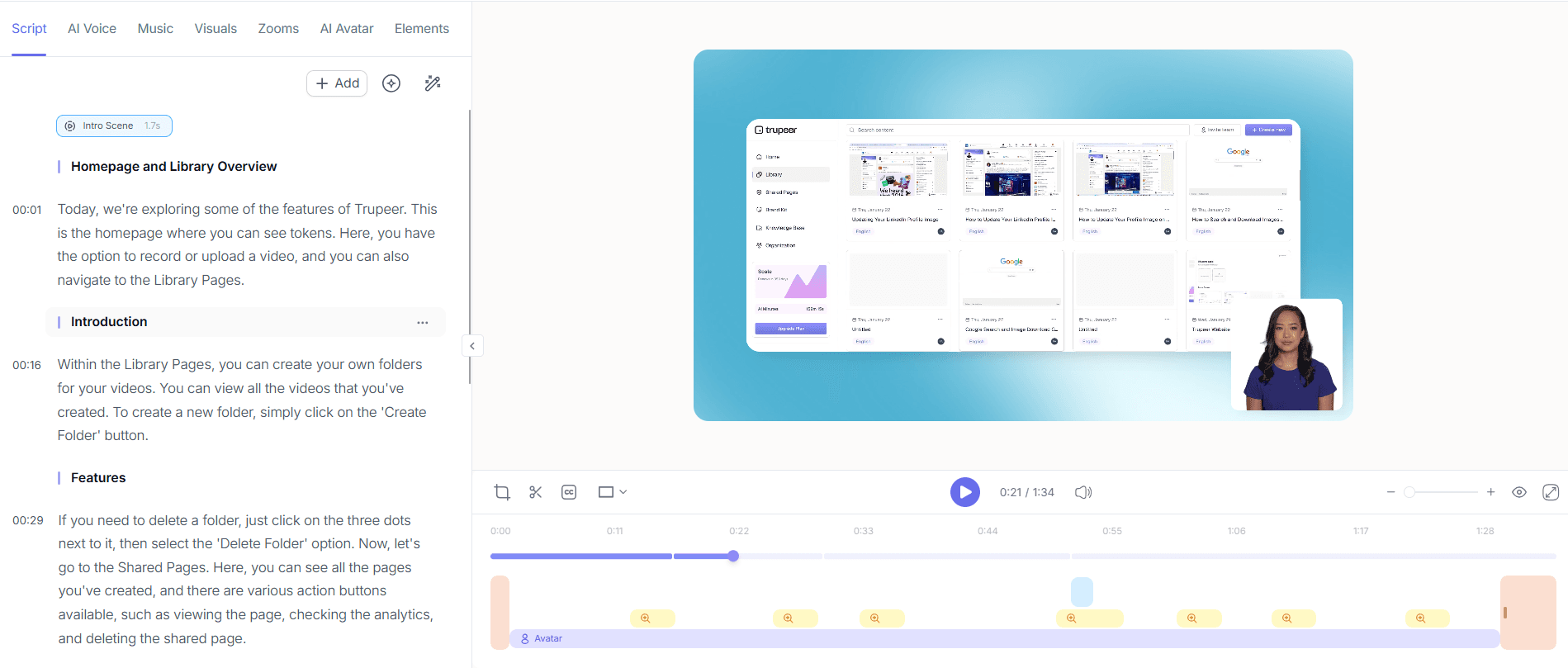
Turn your video into actionable documentation by using Trupeer's automatic SOP generation. After enhancing your video, select the 'Generate SOP' option. This feature converts your video into an edit-ready, exportable SOP, complete with time-stamped steps. This not only aids in internal training but also ensures that your messaging remains consistent. The SOP generation is swift, usually completing in under five minutes, allowing you to distribute these resources promptly.

Step 4: Set up real-time alerts
To set up real-time alerts, go to the measurement section of Trupeer's platform. Enable viewer engagement analytics, which will monitor video interactions and trigger alerts based on predefined criteria. Customize these criteria to suit your sales strategies, such as alerting when a prospect watches a specific percentage of the video. This setup ensures you're notified when prospects show significant interest, enabling a timely follow-up. The setup process is intuitive, taking approximately ten minutes to configure.

Step 5: Share and distribute your video
With Trupeer's custom-domain hosting, share your video securely and professionally. Navigate to the distribution section, select your video, and choose the sharing options. You can host the video on a custom domain with SSO to ensure a branded experience. also, embed the video in client-facing portals or as widgets within your CRM system. This flexibility allows for smooth integration into your existing workflows, ensuring prospects receive a consistent experience.

Step 6: Monitor and respond to alerts
Once alerts are active, monitor them through Trupeer's dashboard. When an alert is triggered, you'll receive an immediate notification, allowing you to act swiftly. Use the AI-searchable knowledge base to quickly access relevant content and personalize your response. This feature is crucial for maintaining engagement and increasing the likelihood of conversion. Typically, responding to an alert can be done within minutes, ensuring prospects remain engaged and interested in your offerings. Teams weighing tools often start with a Loom alternatives comparison before standardizing on a workflow.

What tips help you set up real-time video engagement alerts?
Setting up effective real-time video engagement alerts requires strategic planning and execution. Here are some practical tips to maximize the benefits of these alerts and enhance your sales process.
Customize alert criteria. Tailor the alert settings to trigger based on specific engagement levels or actions to prioritize high-value prospects.
Integrate with CRM systems. Ensure alerts feed directly into your CRM for a simplified workflow that aligns with your existing sales processes.
Use AI-enhanced content. Incorporate AI features like talking-head videos to make your content more engaging and personal.
Train your sales team. Educate your team on interpreting alert data and responding effectively to maximize conversion opportunities.
Refine based on analytics. Regularly review engagement analytics to adjust your alert criteria and improve response strategies.
Evaluate using alternatives. Compare tools with a Scribe alternative comparison to find the best fit for your needs.
Create video tutorials. use a video tutorial tool to train your team on using alert features effectively.
Frequently asked questions
How do real-time video engagement alerts work?
Real-time video engagement alerts work by monitoring interactions with your video content and notifying you when specific engagement criteria are met. These alerts are set up through a platform like Trupeer, where you define what actions trigger an alert, such as a viewer watching a certain percentage of a video. Once the criteria are met, the system sends a notification to your sales team, allowing them to take immediate action.
What are the best practices for setting up alerts in Trupeer?
The best practices for setting up alerts in Trupeer include customizing your alert criteria to align with your sales goals, integrating alerts with your CRM for simplified workflows, and using AI-enhanced content to increase engagement. also, regularly reviewing engagement analytics helps refine your alert settings to better capture high-value interactions. Training your team to interpret these alerts effectively is also crucial for maximizing their impact.
Why should I use Trupeer for video engagement alerts?
Trupeer offers several advantages for video engagement alerts, including AI-driven analytics, customizable alert criteria, and smooth integration with other systems. These features allow for precise targeting and efficient workflows, helping sales teams respond quickly to prospect engagement. Trupeer’s platform is designed to enhance the overall effectiveness of your video marketing efforts, making it a valuable tool for any sales team looking to improve conversion rates.
Can Trupeer handle multiple video formats and integrations?
Yes, Trupeer supports multiple video formats and integrates smoothly with various platforms. It offers multi-format export options, including MP4, HTML, and PDF, making it easy to share and distribute your content. Trupeer also integrates with other systems to simplify workflows, offering custom-domain hosting with SSO and embeddable video widgets. This flexibility ensures that your video content is accessible and functional across different platforms.
Does Trupeer support international teams with AI translation?
Yes, Trupeer supports international teams through its AI video translation feature. This allows videos to be translated into over 40 languages with lip-sync accuracy, making it easier to engage with a global audience. The translation process is efficient and integrates smoothly with your existing video content, ensuring that language barriers do not hinder your sales efforts. This feature is particularly beneficial for companies looking to expand their reach internationally.
Gerelateerde blogs


