Trupeer Blog
Summarise

Stel je dit eens voor: je hebt zojuist een potentiële klant een demovideo van je moderne software gestuurd. Dagen gaan voorbij en plots krijg je een melding: de prospect heeft de demo opnieuw bekeken. Dit is niet zomaar uit nieuwsgierigheid; dit is een signaal van oprechte interesse. Herbekijkmomenten zijn een goudmijn aan betrokkenheidsdata en duiden op actieve interne overweging en mogelijke koopintentie. Een recente studie wees uit dat prospects die demovideo's opnieuw bekijken 30% meer kans hebben om te converteren dan degenen die ze slechts één keer bekijken.
Het begrijpen van deze signalen kan je verkoopstrategie aanzienlijk verbeteren. Door te weten wanneer en hoe prospects interactie hebben met je demovideo's, kun je follow-ups afstemmen, aanvullende bronnen aanbieden of specifieke zorgen aanpakken, allemaal op het cruciale moment van besluitvorming. Met de juiste tools kun je deze inzichten niet alleen vastleggen, maar er ook effectief op inspelen, zodat je verkoopteam weloverwogen beslissingen neemt. Als je op zoek bent naar productdemovideo's maken die boeien en converteren, is het integreren van video-analyse in je workflow essentieel.
Waarom zijn follow-upvideoanalyses belangrijk?
In het competitieve landschap van B2B-verkoop is het begrijpen van prospectgedrag cruciaal. Elke interactie met je content levert waardevolle inzichten op in het niveau van interesse en de koopbereidheid van een prospect. Wanneer een prospect je demovideo opnieuw bekijkt, betekent dit dat hij of zij je oplossing serieus genoeg overweegt om de informatie nog eens te raadplegen. Dit is waar follow-upvideoanalyses in beeld komen.
Verkoopteams moeten meer weten dan alleen of een demo is bekeken. Ze moeten begrijpen hoe vaak, wanneer en welke onderdelen opnieuw zijn bekeken. Deze data transformeert je aanpak van reactief naar proactief. Als een prospect bijvoorbeeld een specifiek gedeelte over prijzen opnieuw bekijkt, kan dat je ertoe aanzetten een op maat gemaakte korting of een gedetailleerde uitleg van de kostenvoordelen aan te bieden. Als ze daarentegen herhaaldelijk een segment over functies bekijken, wijst dat op behoefte aan een diepere duik in die functionaliteiten. Dit soort gerichte follow-up kan de conversieratio's aanzienlijk beïnvloeden en het verschil maken tussen een gemiste kans en een gesloten deal.
Voor bedrijven die pre-salesworkflows gebruiken, is het begrijpen van deze analyses nog belangrijker. Het stelt verkoopteams in staat hun middelen strategisch in te zetten en zich te richten op prospects met het hoogste potentieel rendement. In een landschap waar tijd en aandacht schaars zijn, geeft het kunnen aanwijzen van momenten van verhoogde interesse je team het vermogen om toe te slaan terwijl het ijzer heet is, wat uiteindelijk de sluitingspercentages en omzet verbetert.
Wat zijn de voordelen van follow-upvideoanalyses?
Het integreren van follow-upvideoanalyses in je verkoopstrategie biedt een reeks voordelen die de effectiviteit en efficiëntie van je team aanzienlijk kunnen verhogen.
Verbeterde inzichten in betrokkenheid. Door opnieuw-bekijkgebeurtenissen te volgen, krijg je diepere inzichten in welke content aanslaat bij prospects. Deze inzichten kunnen toekomstige contentcreatie sturen, zodat je demo's prospects consequent betrekken en informeren.
Betere follow-uptiming. Als je begrijpt wanneer een prospect je video opnieuw bekijkt, kun je je follow-up perfect timen. Profiteer van momenten van piekinteresse om de kans op conversie te vergroten.
Gerichte contentlevering. Met gedetailleerde analyses kun je je content afstemmen op specifieke interesses van prospects, zoals aanvullende bronnen of specifieke productfuncties die verdere uitleg vereisen.
Hogere conversieratio's. Prospects die opnieuw met demo-content in aanraking komen, converteren vaker. Door AI-videobewerking te gebruiken, kun je follow-upstrategieën aanpassen en de kans vergroten dat deals worden gesloten.
Optimalisatie van resourceallocatie. Richt je inspanningen op prospects die oprechte interesse tonen. Deze strategie zorgt ervoor dat je verkoopteam tijd besteedt aan leads met het hoogste potentieel en de inzet van middelen effectief optimaliseert.
Verbetering van de strategie op basis van data. gebruik inzichten uit je AI-gestuurde videotool om verkoopstrategieën voortdurend te verfijnen. Deze voortdurende verfijning leidt tot effectievere outreach en hogere succespercentages.
Welke Trupeer-functies helpen je prospectvideo's opnieuw bekijken te volgen?
Trupeer biedt een uitgebreide set functies die is ontworpen om je te helpen het opnieuw bekijken van prospectvideo's effectief te volgen, zodat je elk cruciaal betrokkenheidssignaal vastlegt.
Analytics voor kijkersbetrokkenheid
Trupeer's analytics voor kijkersbetrokkenheid bieden gedetailleerde inzichten in hoe prospects omgaan met je demovideo's. Deze functie volgt elke weergave, herbekijking en zelfs specifieke secties van de video die opnieuw worden bezocht. Met deze data kun je vaststellen welke delen van je demo het meest aanslaan bij prospects en je follow-ups daarop afstemmen. Het analytics-dashboard presenteert deze data in een intuïtief formaat, waardoor je snel betrokkenheidsniveaus kunt beoordelen en outreach-inspanningen kunt prioriteren op basis van concrete interesse-signalen.
Samenwerkende review- en goedkeuringsworkflows
Met deze functie kun je feedback- en goedkeuringsprocessen rechtstreeks in je videoanalyseworkflow integreren. Door samen te werken met je team op basis van de inzichten uit herbekijkdata, kun je weloverwogen beslissingen nemen over hoe je je democontent en follow-upstrategieën kunt verfijnen. Deze samenwerkende aanpak zorgt ervoor dat je hele verkoopteam op één lijn zit en werkt met dezelfde datagedreven inzichten, wat de algehele effectiviteit vergroot.
Door AI doorzoekbare kennisbank
Trupeer's door AI doorzoekbare kennisbank indexeert elke opname met deep links op tijdstempelniveau. Deze mogelijkheid stelt verkoopteams in staat snel toegang te krijgen tot specifieke secties van demovideo's waarin prospects interesse hebben getoond. Door te begrijpen welke delen van een demo vaak opnieuw worden bezocht, kun je prospects gerichte informatie en bronnen bieden en hun specifieke behoeften en vragen nauwkeurig beantwoorden.
Automatische SOP-generatie
De automatische SOP-generatie-functie zet je demoopnamen om in bewerkbare, exporteerbare SOP's. Deze mogelijkheid helpt je je follow-upprocessen te standaardiseren op basis van inzichten uit videoanalyse. Door een gestructureerde en consistente aanpak te hanteren voor het verwerken van herbekijkdata, kun je ervoor zorgen dat je follow-ups zowel tijdig als relevant zijn, wat de kans op succesvolle conversies vergroot. Deze functie is vooral nuttig voor het coördineren van inspanningen binnen grotere verkoopteams.
Tool voor het maken van productdemovideo's
Trupeer's tool voor het maken van productdemovideo's is ontworpen om het maken van boeiende en informatieve demovideo's te vereenvoudigen. Met door AI aangestuurde verbeteringen en gebruiksvriendelijke bewerkingsopties kun je gepolijste demo's maken die de interesse van prospects vasthouden en behouden. De mogelijkheden van de tool, gecombineerd met de integratie in het Trupeer-analyseplatform, zorgen ervoor dat elke demo die je produceert is geoptimaliseerd voor betrokkenheid en meetbare resultaten.
Hoe volg je stap voor stap prospectvideo's opnieuw bekijken met Trupeer?
Stap 1: Leg de demo vast
Begin met het gebruik van Trupeer's AI-schermopname met automatische zoom en klikdetectie. Open de demo die je wilt opnemen en klik in de browsergebaseerde recorder van Trupeer op de optie voor schermopname. De tool past automatisch de zoom aan en legt muisklikken vast, zodat belangrijke acties worden gemarkeerd. Hierdoor ontstaat een boeiende en duidelijke demovideo. Zodra je klaar bent met opnemen, wordt de video rechtstreeks opgeslagen in je Trupeer-bibliotheek, klaar voor bewerking en distributie. Dit proces duurt doorgaans net zo lang als de demo zelf, plus een paar minuten voor configuratie en opslaan. Teams die tools vergelijken, beginnen vaak met een vergelijking van Loom-alternatieven voordat ze standaardiseren op één workflow.

Stap 2: Verbeter de video
Trupeer biedt het automatisch verwijderen van stopwoorden om je demo op te schonen. Navigeer naar het bewerkingsgedeelte en selecteer deze optie om "um," "ah," en lange pauzes te verwijderen. Je kunt indien nodig ook AI-voice-over toevoegen in meer dan 65 natuurlijke stemmen. Klik op de voice-overfunctie en kies de gewenste stem, snelheid en toon. Trupeer verwerkt deze wijzigingen in realtime, meestal binnen enkele minuten. Hierdoor ziet je demo er verzorgd uit en blijft de betrokkenheid van kijkers behouden, waardoor de kans groter is dat prospects kijken en opnieuw kijken.
Stap 3: Verspreid met aangepaste domeinen
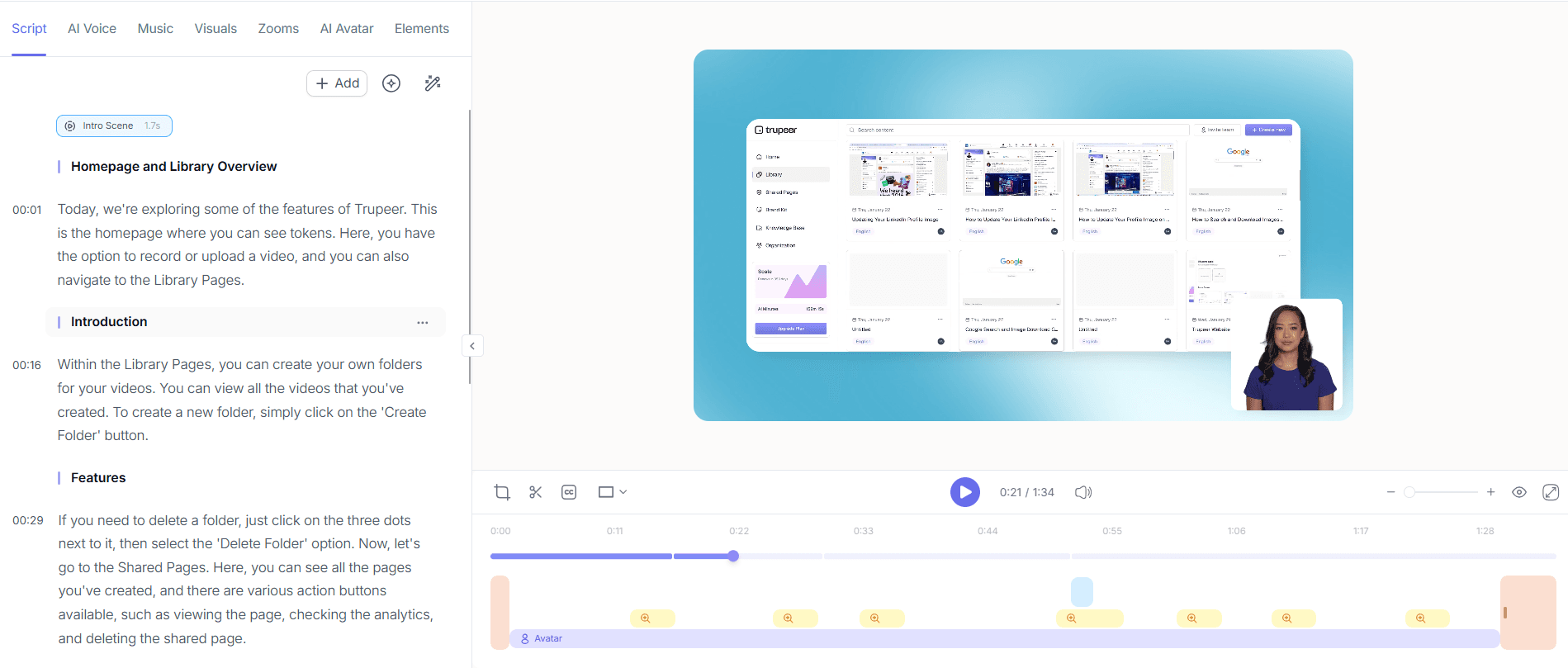
Na het bewerken is het tijd om je demo te verspreiden. Gebruik de hosting met aangepast domein en SSO van Trupeer om de video veilig te delen. Deze functie stelt je in staat de video te uploaden naar een gepersonaliseerd domein, met behoud van merkconsistentie. Ga naar het distributiegedeelte, selecteer de optie voor een aangepast domein en volg de aanwijzingen om je domein in te stellen. Hierdoor openen prospects je demo via een professioneel en gebrand portaal, wat hun kijkervaring verbetert en herbetrokkenheid stimuleert.

Stap 4: Monitor betrokkenheid van kijkers
Zodra je demo live is, worden de analytics voor kijkersbetrokkenheid van Trupeer cruciaal. Open deze in je dashboard om te volgen welke secties van de video worden bekeken en opnieuw bekeken. Deze data wordt realtime bijgewerkt en weergegeven in een gemakkelijk leesbaar formaat, zodat je snel segmenten met hoge interesse kunt identificeren. Gewoonlijk zie je betrokkenheidspatronen binnen 24 tot 48 uur na distributie. Gebruik deze inzichten om follow-ups te prioriteren bij prospects die herhaaldelijke interesse tonen.

Stap 5: Werk samen op basis van inzichten
Gebruik de samenwerkende review- en goedkeuringsworkflows van Trupeer om inzichten met je team te bespreken. Deel de analysedata rechtstreeks vanuit het platform en nodig teamleden uit om de bevindingen te beoordelen en erop te reageren. Deze functie ondersteunt vereenvoudigde communicatie en besluitvorming op basis van concrete data. Stel een beoordelingssessie in door naar het gedeelte voor samenwerkende workflows te gaan en de relevante teamleden te selecteren. Zo staat iedereen op één lijn en is iedereen klaar om op herbekijkdata te reageren.
Stap 6: Automatiseer follow-up-SOP's
Gebruik de automatische SOP-generatie van Trupeer om gestandaardiseerde follow-upprocedures op te stellen op basis van je inzichten. Vanuit het analysedashboard selecteer je de optie om een SOP te genereren uit een specifieke video. Trupeer maakt een bewerkbaar document dat belangrijke betrokkenheidspunten en aanbevolen acties uiteenzet. Exporteer de SOP in je voorkeursformaat, MP4, HTML, PDF of SCORM, en deel hem met je team. Dit proces duurt slechts enkele minuten en biedt een gestructureerde aanpak om conversiekansen te maximaliseren.

Welke tips helpen je prospectvideo's opnieuw bekijken te volgen?
Het effectief volgen van herbekijkmomenten van prospectvideo's vereist een strategische aanpak. Pas deze tips toe om je proces te verbeteren en optimaal gebruik te maken van je analysedata.
Gebruik timestamps effectief. Markeer belangrijke secties van je demo duidelijk met timestamps. Dit helpt je snel te identificeren welke delen prospects opnieuw bekijken, wat de precisie van je follow-up vergroot.
Standaardiseer je videoformaat. Behoud een consistent formaat voor al je demo's. Daardoor kun je analytics van verschillende video's eenvoudiger vergelijken en je strategie daarop afstemmen.
gebruik AI-voice-overs. gebruik Trupeer's AI-voice-over om duidelijkheid en betrokkenheid in je demo's te waarborgen. Dit vergroot de kans op herbekijken en diepere betrokkenheid van prospects.
Integreer met CRM-tools. Synchroniseer je analysedata met je CRM om follow-ups te vereenvoudigen. Deze integratie zorgt ervoor dat je verkoopteam rechtstreeks in hun workflow toegang heeft tot realtime inzichten.
Focus op segmenten met hoge betrokkenheid. Prioriteer follow-ups op basis van segmenten met de hoogste herbekijkpercentages. Deze strategie richt zich op prospects die de meeste interesse tonen.
Bekijk en verfijn regelmatig. Analyseer en pas je demo's voortdurend aan op basis van betrokkenheidsdata. Regelmatige verfijning zorgt ervoor dat je content relevant en impactvol blijft.
Verken alternatieve oplossingen. Vergelijk tools zoals Scribe-alternatieven voor SOP's om ervoor te zorgen dat je de beste oplossing voor je behoeften gebruikt.
Veel teams combineren dit met een documentatieplatform dat vanuit dezelfde opname geschreven handleidingen genereert, zodat de pitch en de instructie synchroon blijven.
Veelgestelde vragen
Hoe kan ik zien of een prospect mijn demovideo opnieuw heeft bekeken?
Trupeer biedt gedetailleerde analytics voor kijkersbetrokkenheid die aangeven wanneer een prospect je demovideo opnieuw bekijkt. Deze functie volgt elke weergave en herbekijking en markeert specifieke secties die opnieuw worden bezocht. Je ziet deze data in je dashboard, zodat je kunt identificeren welke delen van je demo de meeste interesse genereren. Door deze patronen te begrijpen, kun je je follow-ups afstemmen op specifieke interesses of vragen die prospects mogelijk hebben.
Wat zijn de best practices voor het gebruik van videoanalyse in sales?
Om videoanalyse effectief in sales te gebruiken, focus je op het integreren van deze inzichten in je algehele strategie. Begin met het identificeren van belangrijke betrokkenheidsmetrics, zoals herbekijkpercentages en segmenten met hoge betrokkenheid. Gebruik deze data om follow-ups te prioriteren en je boodschap af te stemmen op specifieke interesses van prospects. Zorg er ook voor dat je verkoopteam getraind is om analysedata te interpreteren en er efficiënt op te handelen. Bekijk en verfijn je aanpak regelmatig op basis van de nieuwste inzichten in betrokkenheid om je verkoopeffectiviteit te maximaliseren.
Waarom is het opnieuw bekijken van een demovideo belangrijk voor verkoopteams?
Het opnieuw bekijken van een demovideo is een sterk signaal van interesse en intentie van een prospect. Het geeft aan dat zij je product of dienst serieuzer overwegen en mogelijk specifieke vragen of interesses hebben die aandacht vereisen. Voor verkoopteams is dit een cruciale kans om in contact te komen met de prospect, aanvullende informatie te bieden en hen dichter bij conversie te brengen. Door herbekijkingen te volgen, kunnen verkoopteams hun inspanningen strategisch richten op leads met het hoogste potentieel, waardoor de algehele verkoopefficiëntie verbetert.
Kan Trupeer integreren met mijn bestaande verkooptools?
Ja, Trupeer kan integreren met diverse verkooptools om je workflow te vereenvoudigen. Door Trupeer te koppelen aan je CRM of andere verkoopplatforms, kun je betrokkenheidsdata en inzichten automatisch synchroniseren, zodat je team toegang heeft tot de meest actuele informatie. Deze integratie helpt verkopers leads te prioriteren op basis van betrokkenheid en hun outreach-inspanningen af te stemmen met behulp van nauwkeurige datapoints. Het verhoogt de algehele efficiëntie van je verkoopproces, waardoor effectievere follow-ups en hogere conversieratio's mogelijk worden.
Ondersteunt Trupeer videolokalisatie voor internationale prospects?
Ja, Trupeer ondersteunt videolokalisatie via de AI-videovertaling-functie. Deze tool vertaalt je demovideo's naar meer dan 40 talen, compleet met lipsynchronisatie, om een wereldwijd publiek effectief te betrekken. Lokalisatie zorgt ervoor dat je boodschap duidelijk en cultureel relevant is, wat cruciaal is voor het bereiken van prospects die geen Engels spreken. Deze mogelijkheid helpt je bereik te vergroten en de betrokkenheid van internationale prospects te verbeteren, waardoor je kansen op conversie in diverse markten toenemen.
Gerelateerde blogs


