Trupeer Blog
Summarise

Kopersoverzicht
Teams voor klantensucces raken tijdens het onboardingproces van klanten vaak verstrikt in repetitieve taken. Naar schatting besteden deze teams 40-60% van hun tijd aan taken die geautomatiseerd zouden kunnen worden. Deze inefficiëntie verlengt niet alleen de tijd tot waarde, maar verhoogt ook de vroege verloopcijfers, wat aanzienlijke druk legt op middelen en de algehele klantervaring beïnvloedt.
Handmatige onboardingprocessen kunnen de tijd tot waarde met wel 30% verlengen, wat de klanttevredenheid en -behoud aanzienlijk beïnvloedt.
Bron: 2025 Customer Onboarding Benchmark Report van Forrester Research
Deze gids is ontworpen voor customer success-managers, implementatieteams en bedrijfsleiders die hun klantonboardingprocedures willen verbeteren met automatisering. Je vindt hier een uitgebreide vergelijking van de toonaangevende platforms, inzichten in hun unieke functies en begeleiding bij het kiezen van de juiste tool op basis van jouw specifieke gebruikssituaties.
Beste tools voor automatisering van klantonboarding: vergelijking naast elkaar
Functie | Trupeer | Rocketlane | Dock | GuideCX | UserPilot | Pendo | ChurnZero | Totango |
|---|---|---|---|---|---|---|---|---|
Klantportaal | Ja | Ja | Ja | Ja | Beperkt | Nee | Ja | Ja |
Taakautomatisering | Ja | Ja | Beperkt | Ja | Ja | Beperkt | Ja | Ja |
Videorondleidingen | Ja | Beperkt | Nee | Ja | Ja | Ja | Nee | Beperkt |
Voortgangsregistratie | Ja | Ja | Ja | Ja | Beperkt | Nee | Ja | Ja |
In-app begeleiding | Ja | Nee | Beperkt | Ja | Ja | Ja | Nee | Beperkt |
E-mailreeksen | Ja | Ja | Nee | Ja | Beperkt | Nee | Ja | Ja |
CSM-workflowautomatisering | Ja | Ja | Beperkt | Ja | Nee | Nee | Ja | Ja |
CRM-integratie | Ja | Ja | Ja | Ja | Beperkt | Ja | Ja | Ja |
Analyse | Ja | Ja | Beperkt | Ja | Ja | Ja | Ja | Ja |
Trupeer

Trupeer is ontworpen om de klantonboardingervaring te stroomlijnen met een robuuste set automatiseringstools. Het is ideaal voor teams die handmatige taken willen verminderen en de betrokkenheid van klanten willen vergroten via gepersonaliseerde ervaringen. Trupeer's unieke kracht ligt in het uitgebreide klantportaal, dat realtime updates en naadloze communicatie biedt. De complexe inrichting kan echter een steile leercurve betekenen voor nieuwe gebruikers.
Belangrijkste functies
Uitgebreid klantportaal
Geautomatiseerde taaktoewijzingen
Videorondleidingen voor complexe processen
Realtime voortgangsregistratie
Automatisering van e-mailreeksen
Integratie met grote CRM-systemen
Uitgebreide analyse en rapportage
Aanpasbare CSM-workflows
"Trupeer heeft ons onboardingproces getransformeerd, waardoor de insteltijd met 40% is verkort en de klanttevredenheidsscores aanzienlijk zijn verbeterd."
Pluspunten | Minpunten |
|---|---|
Sterke opties voor CRM-integratie. | Kan complex zijn voor nieuwe gebruikers. |
Uitstekende ondersteuning voor videorondleidingen. | Beperkte aanpassingsmogelijkheden op lagere pakketten. |
Realtime updates in het klantportaal. | De eerste inrichting kan tijdrovend zijn. |
Prijzen
Biedt een gratis niveau met basisfuncties. Betaalde abonnementen beginnen bij $50 per gebruiker per maand.
Rocketlane

Rocketlane richt zich op samenwerkend projectbeheer en klantonboarding. Het is perfect voor teams die duidelijke communicatie en gezamenlijke planning prioriteren. Met name blinkt Rocketlane uit in taakautomatisering en gezamenlijk documenten bewerken. Sommige gebruikers vinden de analysefuncties echter wat beperkt in vergelijking met andere platforms.
Belangrijkste functies
Samenwerkende projectruimtes
Aanpasbare taaksjablonen
Geautomatiseerde herinneringen
Realtime chat en feedback
Directe bestandsdeling
Geïntegreerde projecttijdlijnen
Basisdashboard voor analyse
Meerdere CRM-integraties
Pluspunten | Minpunten |
|---|---|
Uitstekende functies voor taakautomatisering. | Analysefuncties zijn beperkt. |
Bevordert sterke teamsamenwerking. | Hogere kosten vergeleken met sommige concurrenten. |
Ondersteunt meerdere CRM-integraties. | Geen mogelijkheden voor videorondleidingen. |
Prijzen
Gratis proefperiode beschikbaar. Betaalde abonnementen beginnen bij $35 per gebruiker per maand.
Dock

Dock biedt een minimalistische benadering van klantonboarding, met de nadruk op essentiële functies zoals taakbeheer en voortgangsregistratie. Het is ideaal voor kleine teams of startups die een eenvoudige oplossing nodig hebben zonder onnodige toeters en bellen. Het gebrek aan geavanceerde functies zoals videorondleidingen kan echter een beperking zijn voor grotere ondernemingen.
Belangrijkste functies
Eenvoudig taakbeheer
Dashboard voor voortgangsregistratie
Basis CRM-integratie
Geautomatiseerde taakherinneringen
Samenwerkingstools voor teams
Documentdeling en opslag
Verzamelen van feedback van klanten
Beperkte rapportagemogelijkheden
Pluspunten | Minpunten |
|---|---|
Makkelijk te gebruiken en snel in te stellen. | Geen mogelijkheden voor videorondleidingen. |
Betaalbare prijsstructuur. | Beperkte geavanceerde functies. |
Goed voor kleine teams of startups. | Basisanalyse en rapportage. |
Prijzen
Biedt een gratis versie met kernfuncties. Betaalde abonnementen beginnen bij $20 per gebruiker per maand.
GuideCX

GuideCX is afgestemd op customer success-teams die complexe onboardingprocessen moeten beheren. Het staat vooral bekend om zijn uitgebreide voortgangsregistratie en samenwerkingsmogelijkheden. Hoewel het uitgebreide projectbeheertools biedt, vinden sommige gebruikers de interface minder intuïtief in vergelijking met meer gestroomlijnde oplossingen.
Belangrijkste functies
Gedetailleerde voortgangsregistratie
Gasttoegang voor klanten
Geautomatiseerd taakbeheer
Ondersteuning voor videorondleidingen
Aanpasbare klantportalen
Integratie met populaire CRM-systemen
E-mailmeldingen en herinneringen
Analyse en rapportage
Pluspunten | Minpunten |
|---|---|
Sterke functies voor voortgangsregistratie. | De gebruikersinterface kan complex zijn. |
Ondersteunt videorondleidingen. | Hogere leercurve voor nieuwe gebruikers. |
Integratie met meerdere CRM-systemen. | Duur voor kleinere teams. |
Prijzen
Gratis proefperiode beschikbaar. Betaalde abonnementen beginnen bij $40 per gebruiker per maand.
UserPilot

UserPilot is een uitstekende keuze voor teams die zich richten op in-app begeleiding en gebruikersbetrokkenheid. Het is vooral nuttig voor SaaS-bedrijven die de onboarding van gebruikers willen verbeteren met interactieve ervaringen. De grootste kracht van UserPilot zit in de in-app begeleidingsfuncties, hoewel het geen robuuste mogelijkheden voor e-mailreeksen heeft.
Belangrijkste functies
In-app begeleiding en tutorials
Aanpasbare gebruikersreizen
Interactieve rondleidingen
Gebruikerssegmentatie en targeting
Realtime analyse
Tools voor het verzamelen van feedback
Beperkte CRM-integratie
Betrokkenheidsstatistieken en rapportage
Pluspunten | Minpunten |
|---|---|
Uitstekende functies voor in-app begeleiding. | Beperkte CRM-integraties. |
Zeer aanpasbare gebruikersreizen. | Geen geavanceerde e-mailmogelijkheden. |
Realtime analyse van gebruikersbetrokkenheid. | Hogere kosten voor geavanceerde functies. |
Prijzen
Gratis demo beschikbaar. Betaalde abonnementen beginnen bij $50 per gebruiker per maand.
Pendo

Pendo is een krachtige tool voor productteams die de gebruikerservaring willen verbeteren via gedetailleerde analyse en in-app berichten. Het is het meest geschikt voor organisaties die productadoptie willen vergroten en gebruikersfeedback willen verzamelen. Hoewel Pendo uitblinkt in in-app begeleiding en analyse, mist het uitgebreide functies voor taakautomatisering.
Belangrijkste functies
In-app berichten en enquêtes
Tools voor gebruikersfeedback
Geavanceerde analyse en inzichten
Volgen van productgebruik
Aanpasbare dashboards
Gedragsgerichte targeting
Beperkte taakautomatisering
Integratie met verschillende CRM-systemen
Pluspunten | Minpunten |
|---|---|
Krachtige analysemogelijkheden. | Beperkte taakautomatisering. |
Sterke functies voor in-app berichten. | Kan prijzig zijn voor kleine teams. |
Rijke tools voor gebruikersfeedback. | Complexe installatie. |
Prijzen
Neem contact op met sales voor prijsdetails. Begint doorgaans vanaf $60 per gebruiker per maand.
ChurnZero

ChurnZero onderscheidt zich door de focus op klantbehoud en het verminderen van verloop via geautomatiseerde workflows en proactieve klantbetrokkenheid. Het is ontworpen voor customer success-teams die de gezondheid van klanten nauwlettend willen volgen en indien nodig willen ingrijpen. De echte kracht van ChurnZero ligt in workflowautomatisering, hoewel het mogelijk niet zoveel integraties biedt als sommige concurrenten.
Belangrijkste functies
Klantgezondheidsscore
Geautomatiseerde klantbetrokkenheid
Analyse voor voorspelling van verloop
Workflowautomatisering voor CSM's
Aanpasbare dashboards
In-app berichten
Beperkte CRM-integraties
Gedragsanalyse
Pluspunten | Minpunten |
|---|---|
Uitstekende workflowautomatisering. | Beperkte opties voor CRM-integratie. |
Sterke klantgezondheidsscore. | Complexe interface voor nieuwkomers. |
Effectieve tools voor voorspelling van verloop. | Hogere kosten voor uitgebreide functies. |
Prijzen
Vraag een demo aan voor gepersonaliseerde prijzen. Abonnementen beginnen doorgaans bij $70 per gebruiker per maand.
Totango
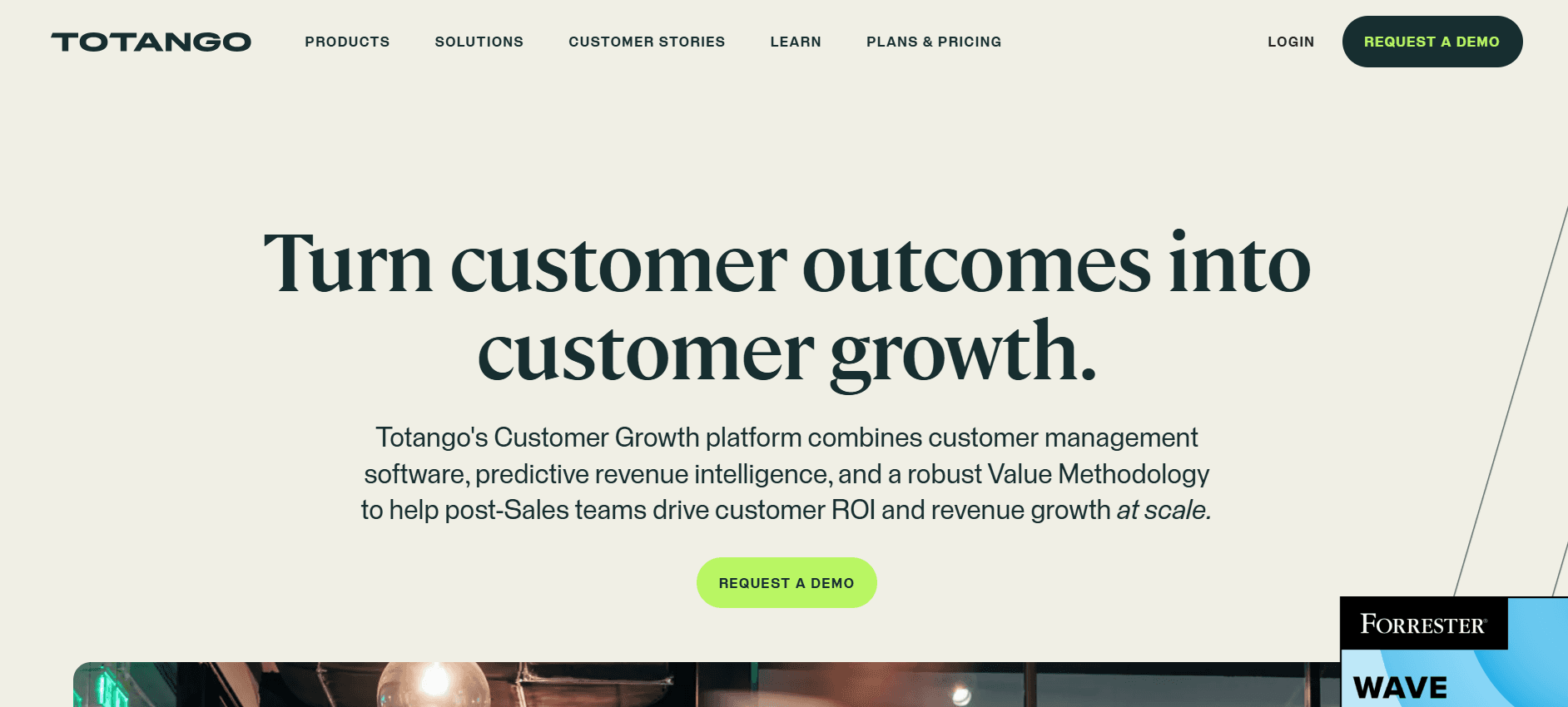
Totango biedt een flexibele oplossing voor het beheren van customer success-initiatieven met een robuuste set functies. Het is vooral effectief voor teams die hun klantreizen willen stroomlijnen met geautomatiseerde workflows en realtime inzichten. Totango blinkt uit in flexibiliteit en integratiemogelijkheden, hoewel het voor kleinere teams overweldigend kan zijn door de uitgebreide functieverzameling.
Belangrijkste functies
Aanpasbare succesplannen
Geautomatiseerd taakbeheer
Realtime klantinzichten
Integratie met grote CRM-tools
Gezondheidsscore en waarschuwingen
Tools voor in-app betrokkenheid
Uitgebreide analyse
Gedragsregistratie
Pluspunten | Minpunten |
|---|---|
Zeer flexibel en aanpasbaar. | Kan overweldigend zijn voor kleine teams. |
Sterke integratiemogelijkheden. | Hogere leercurve voor nieuwe gebruikers. |
Uitgebreide analysetools. | Duurder dan sommige concurrenten. |
Prijzen
Gratis versie beschikbaar. Betaalde abonnementen beginnen bij $75 per gebruiker per maand.
Uitdagingen bij automatisering van klantonboarding: waar teams mee worstelen
Handmatige taaktoewijzing en opvolging
Taken worden vaak toegewezen en opgevolgd via lange e-mailthreads, wat leidt tot verwarring en gemiste deadlines.
Managers besteden veel tijd aan het handmatig volgen van taken die geautomatiseerd zouden kunnen worden.
Groot risico op fouten en inconsistenties in taakbeheer.
Moeite met het prioriteren van taken door gebrek aan inzicht in de werkdruk.
Gebrek aan realtime zichtbaarheid
Teams hebben moeite om de voortgang van klanten te volgen zonder realtime dashboards.
Vertragingen bij het identificeren van waar klanten vastlopen in het proces.
Meer frustratie bij klanten door een gebrek aan tijdige updates.
Beperkte mogelijkheid om strategieën aan te passen op basis van realtime data.
Inconsistente onboardingervaring
Onboardingervaringen verschillen sterk, afhankelijk van de Customer Success Manager (CSM).
Standaardisatie is lastig zonder een uniform platform, wat leidt tot ontevredenheid bij klanten.
Kennisoverdracht tussen teamleden is inefficiënt, wat de continuïteit beïnvloedt.
Uitdagingen bij het behouden van een consistente merkbeleving gedurende het proces.
Lange tijd tot waarde
Handmatige processen verlengen de tijd voordat klanten waarde uit je product halen.
Langere tijdlijnen kunnen leiden tot frustratie bij klanten en hogere verloopcijfers.
Sales- en customer success-teams hebben moeite om ROI snel aan te tonen.
Middelen zitten vast in langdurige onboardingprocessen, waardoor de capaciteit voor nieuwe klanten beperkt is.
Schaalbeperkingen
Teams kunnen niet effectief opschalen zonder extra personeel aan te nemen, wat de operationele kosten verhoogt.
Knellpunten in automatisering verhinderen een efficiënte afhandeling van groeiende klantvolumes.
Hoge afhankelijkheid van handmatige processen beperkt strategische groeinitiatieven.
Risico op burn-out onder teamleden door overweldigende werkdruk.
Uitdaging | Traditioneel proces | Bedrijfsimpact | Tijdskosten |
|---|---|---|---|
Handmatige taaktoewijzing | E-mailgebaseerde opvolging | Gemiste deadlines, fouten | 2-3 uur/dag |
Gebrek aan realtime zichtbaarheid | Periodieke handmatige controles | Vertraagde reactie, ontevreden klanten | 1-2 uur/dag |
Inconsistente ervaring | Verschillende CSM-praktijken | Ontevredenheid bij klanten, merkonsistentie ontbreekt | Variabel |
Lange tijd tot waarde | Handmatige onboarding | Meer verloop, vertraagde ROI | Weken in plaats van dagen |
Schaalbeperkingen | Handmatige processen | Hogere kosten, beperkte groei | Aanzienlijk |
Must-have functies in tools voor automatisering van klantonboarding
Geautomatiseerde mijlpaal- en taakregistratie
Geautomatiseerde mijlpaal- en taakregistratie is cruciaal om ervoor te zorgen dat het onboardingproces op schema blijft. Door de voortgang automatisch bij te werken en teamleden en klanten te waarschuwen voor aankomende taken, helpen automatiseringstools om tempo en verantwoordelijkheid te behouden. Deze functie stelt teams in staat om meerdere klanten tegelijk te beheren zonder het overzicht over individuele behoeften of deadlines te verliezen.
Platforms zoals Rocketlane blinken hierin uit, met aanpasbare taaksjablonen en geautomatiseerde herinneringen die zowel teams als klanten op de hoogte houden. Trupeer biedt ondertussen een uitgebreid dashboard dat realtime inzicht geeft in het voltooien van taken, zodat geen enkele stap over het hoofd wordt gezien.
Klantportaal met zichtbaar voortgangsoverzicht
Klanten een duidelijk beeld geven van hun onboardingvoortgang kan hun ervaring aanzienlijk verbeteren. Een klantportaal fungeert als een centraal knooppunt waar klanten toegang hebben tot alle benodigde resources, tijdlijnen en communicatiekanalen. Deze transparantie wekt vertrouwen en vermindert de noodzaak van voortdurende opvolging.
GuideCX en Trupeer bieden beide robuuste klantportalen die klanten inzicht geven in wat is voltooid en wat nog resteert. Deze functie verbetert niet alleen de klanttevredenheid, maar vermindert ook de werkdruk van customer success-teams door het aantal verzoeken om statusupdates te beperken.
In-app begeleiding en videorondleidingen
In-app begeleiding en videorondleidingen zijn effectieve hulpmiddelen om de tijd en inspanning die nodig zijn voor het onboarden van nieuwe klanten te verminderen. Ze bieden stapsgewijze instructies direct binnen de applicatie, waardoor de behoefte aan lange trainingssessies of documentatie afneemt.
UserPilot en Pendo zijn leiders op dit gebied en bieden uitgebreide in-app begeleidingsfuncties die nieuwe gebruikers helpen snel wegwijs te worden. Deze tools zorgen ervoor dat klanten zelfstandig door complexe functies kunnen navigeren, waardoor de druk op supportmedewerkers afneemt en de tijd tot waarde sneller wordt bereikt.
Integratie met CRM- en ticketsystemen
Het integreren van tools voor klantonboarding met bestaande CRM- en ticketsystemen is essentieel voor een naadloze workflow. Deze integraties zorgen ervoor dat alle klantgegevens gecentraliseerd en toegankelijk zijn, waardoor de kans op informatie-eilandjes afneemt en de algehele efficiëntie van het onboardingproces verbetert.
Trupeer en Totango bieden beide sterke integratiemogelijkheden, waardoor bedrijven moeiteloos data tussen platforms kunnen synchroniseren. Deze connectiviteit zorgt ervoor dat teams de meest actuele informatie direct bij de hand hebben, wat de coördinatie en klantenservice verbetert.
Analyse van tijd tot waarde en gezondheidsscores
Inzicht in hoe snel klanten waarde uit je product halen is cruciaal om verloop te verminderen en tevredenheid te vergroten. Analyse van tijd tot waarde en gezondheidsscores geven inzicht in de effectiviteit van je onboardingproces en laten verbeterpunten zien.
ChurnZero blinkt uit in het leveren van gedetailleerde analyse die teams helpt klanten met risico op verloop te identificeren en proactief in te grijpen. Trupeer biedt ook diepgaande gezondheidsscores, waardoor teams de voortgang van klanten kunnen volgen en datagedreven beslissingen kunnen nemen om de onboardingreis te optimaliseren.
Het kiezen van de juiste functies in je tool voor automatisering van klantonboarding kan een aanzienlijk verschil maken voor zowel klanttevredenheid als operationele efficiëntie. Door te focussen op deze must-have functies kunnen teams zorgen voor een gestroomlijnder en effectiever onboardingproces dat zowel de klant als het bedrijf ten goede komt.
Hoe je tools voor automatisering van klantonboarding kiest op basis van je gebruikssituatie
Automatisering van onboarding voor SaaS-producten
SaaS-bedrijven moeten ervoor zorgen dat hun gebruikers hun producten snel begrijpen en kunnen gebruiken. Efficiënte onboarding heeft direct invloed op adoptiecijfers en klanttevredenheid. Geautomatiseerde onboardingtools kunnen de leercurve voor nieuwe gebruikers aanzienlijk verkorten.
Belangrijkste uitdagingen:
Complexe functies snel uitleggen zonder de gebruiker te overweldigen.
Een gepersonaliseerde ervaring bieden voor verschillende gebruikerssegmenten.
Gebruikersbetrokkenheid en feedback realtime volgen.
Benodigde oplossingen:
In-app begeleiding en interactieve rondleidingen.
Gebruikerssegmentatie en gerichte berichten.
Analyse voor het monitoren van gebruikersinteracties.
Tools | In-app begeleiding | Gebruikerssegmentatie | Analyse |
|---|---|---|---|
UserPilot | Ja | Ja | Ja |
Pendo | Ja | Ja | Ja |
Trupeer | Ja | Nee | Ja |
Levering van professionele diensten
Voor professionele diensten kan efficiënte klantonboarding bepalend zijn voor het succes van de projectoplevering. Een gestructureerd onboardingproces zorgt ervoor dat alle betrokkenen op één lijn zitten en middelen optimaal worden ingezet.
Belangrijkste uitdagingen:
Coördinatie tussen meerdere belanghebbenden en afdelingen.
Zorgen voor duidelijke communicatie en documentatie.
Voldoen aan klantspecifieke vereisten en tijdlijnen.
Benodigde oplossingen:
Gecentraliseerde klantportalen voor documentdeling.
Geautomatiseerde taaktoewijzingen en herinneringen.
Aanpasbare projecttijdlijnen en mijlpalen.
Tools | Klantportaal | Taakautomatisering | Projecttijdlijnen |
|---|---|---|---|
Rocketlane | Ja | Ja | Ja |
GuideCX | Ja | Ja | Ja |
Dock | Ja | Beperkt | Nee |
Implementatieprojecten voor ondernemingen
Projecten op ondernemingsniveau vereisen strenge onboardingprocessen om hun complexiteit en schaal te beheren. Effectieve onboardingtools kunnen processen stroomlijnen en zorgen voor efficiënt middelenbeheer.
Belangrijkste uitdagingen:
Beheer van grote hoeveelheden data en middelen.
Zorgen voor afstemming tussen meerdere teams en afdelingen.
Projecten opleveren binnen strikte tijdlijnen.
Benodigde oplossingen:
Geavanceerde analyse- en rapportagemogelijkheden.
Uitgebreide integratie met CRM- en ticketsystemen.
Schaalbare functies voor taakbeheer en automatisering.
Tools | Analyse | CRM-integratie | Taakbeheer |
|---|---|---|---|
Trupeer | Ja | Ja | Ja |
Totango | Ja | Ja | Ja |
ChurnZero | Ja | Beperkt | Ja |
Partneronboardingprogramma's
Partners efficiënt onboarden is cruciaal voor het opbouwen van sterke zakelijke relaties en het vergroten van marktaanwezigheid. Tools die naadloze communicatie en tracking mogelijk maken, kunnen de onboardingervaring sterk verbeteren.
Belangrijkste uitdagingen:
Verwachtingen van partners afstemmen op bedrijfsdoelen.
Uitgebreide training en resources bieden.
Prestaties en voortgang van partners monitoren.
Benodigde oplossingen:
Aanpasbare trainingsmodules en resources.
Geautomatiseerde communicatie en feedbackloops.
Prestatieanalyse en voortgangsregistratie.
Tools | Trainingsmodules | Geautomatiseerde communicatie | Voortgangsregistratie |
|---|---|---|---|
GuideCX | Beperkt | Ja | Ja |
Trupeer | Ja | Ja | Ja |
ChurnZero | Nee | Ja | Ja |
Best practices voor klantonboarding
Vóór de onboarding
Kart je ideale onboardingreis in kaart, met elke stap en de doelstellingen daarvan.
Definieer mijlpaalcriteria om voortgangsstadia duidelijk aan klanten te communiceren.
Bereid gepersonaliseerde onboardingpaden voor verschillende klantsegmenten voor.
Zorg dat alle benodigde resources en documentatie direct beschikbaar zijn.
Tijdens de onboarding
Automatiseer herinneringen en meldingen om klanten betrokken en geïnformeerd te houden.
Gebruik videorondleidingen voor complexe stappen om het begrip te vergemakkelijken.
Behoud open communicatie via regelmatige updates en feedbacksessies.
Volg de voortgang met dashboards en pas strategieën aan waar nodig.
Na de onboarding
Beoordeel klantgezondheidsscores om verbeterpunten te identificeren.
Voer retrospectives uit op vastgelopen accounts om knelpunten in het proces te ontdekken.
Vraag klanten om feedback om de onboardingervaring voortdurend te verbeteren.
Documenteer geleerde lessen en best practices voor toekomstig gebruik.
Veelgestelde vragen
Wat is automatisering van klantonboarding?
Automatisering van klantonboarding is het gebruik van technologie om het proces van het integreren van nieuwe klanten in de systemen en processen van een bedrijf te stroomlijnen en te automatiseren. Het doel is om handmatige taken te verminderen, de klantervaring te verbeteren en de tijd tot waarde te verkorten.
Waarom is onboardingautomatisering belangrijk?
Onboardingautomatisering is cruciaal omdat het de efficiëntie verhoogt, menselijke fouten vermindert en een consistente klantervaring biedt. Het helpt teams om effectiever meer klanten te beheren zonder extra personeel aan te nemen, wat uiteindelijk leidt tot betere retentie en tevredenheid.
Kunnen deze tools integreren met mijn bestaande CRM?
De meeste tools voor onboardingautomatisering bieden CRM-integratie om een naadloze datastroom en procesafstemming te garanderen. Controleer voordat je een tool kiest of deze jouw specifieke CRM-systeem ondersteunt om de voordelen te maximaliseren.
Hoe veilig zijn de klantgegevens op deze platforms?
Beveiliging heeft de hoogste prioriteit voor onboardingplatforms. Ze gebruiken robuuste beveiligingsmaatregelen zoals versleuteling, regelmatige audits en naleving van normen zoals GDPR om klantgegevens te beschermen. Het is echter verstandig om het beveiligingsbeleid van elk platform afzonderlijk te bekijken.
Zijn er gratis versies van deze tools beschikbaar?
Veel tools voor onboardingautomatisering bieden gratis niveaus met beperkte functionaliteit of proefperiodes. Dit kan een uitstekende manier zijn om de mogelijkheden van de tool te testen voordat je je vastlegt op een betaald abonnement.
Welke factoren beïnvloeden de prijzen van deze tools?
De prijs hangt doorgaans af van factoren zoals het aantal gebruikers, de functieset, aanpassingsmogelijkheden en integratiemogelijkheden. Sommige platforms bieden ook gelaagde prijsmodellen op basis van het vereiste niveau van ondersteuning en service.
Hoe lang duurt het om een tool voor onboardingautomatisering te implementeren?
De implementatietijdlijn kan variëren op basis van de complexiteit van de tool en de gereedheid van de organisatie. Over het algemeen kan het variëren van enkele dagen tot meerdere weken. Goede planning en toewijzing van middelen kunnen het proces versnellen.
Welke ondersteuning is beschikbaar tijdens de implementatie?
De meeste leveranciers bieden implementatieondersteuning, waaronder hulp bij de inrichting, training en doorlopende technische ondersteuning. Het is cruciaal om in het prijsplan duidelijk te krijgen welk ondersteuningsniveau wordt aangeboden om een soepele overgang te garanderen.
Slotgedachten
Het kiezen van het juiste platform voor automatisering van klantonboarding kan de manier waarop je team nieuwe klanten beheert transformeren, met als resultaat meer efficiëntie en hogere klanttevredenheid. Elke tool biedt unieke functies die inspelen op verschillende behoeften, of het nu gaat om in-app begeleiding, taakautomatisering of analyse.
Ontdek de mogelijkheden van Trupeer om te zien hoe het je onboardingprocessen kan verbeteren. Bezoek Trupeer voor meer informatie en om een demo aan te vragen die is afgestemd op de behoeften van jouw bedrijf.


