Usa esta plantilla
La confusión sobre quién posee qué es uno de los mayores drenajes ocultos del rendimiento del equipo. Con Trupeer, puedes ahorrar horas en la alineación del equipo empezando con una plantilla gratuita de funciones y responsabilidades, personalizándola con tus directrices de marca y convirtiendo las definiciones de roles en resúmenes en vídeo que cada miembro del equipo puede ver en 5 minutos.
¿Qué es una plantilla gratuita de funciones y responsabilidades?
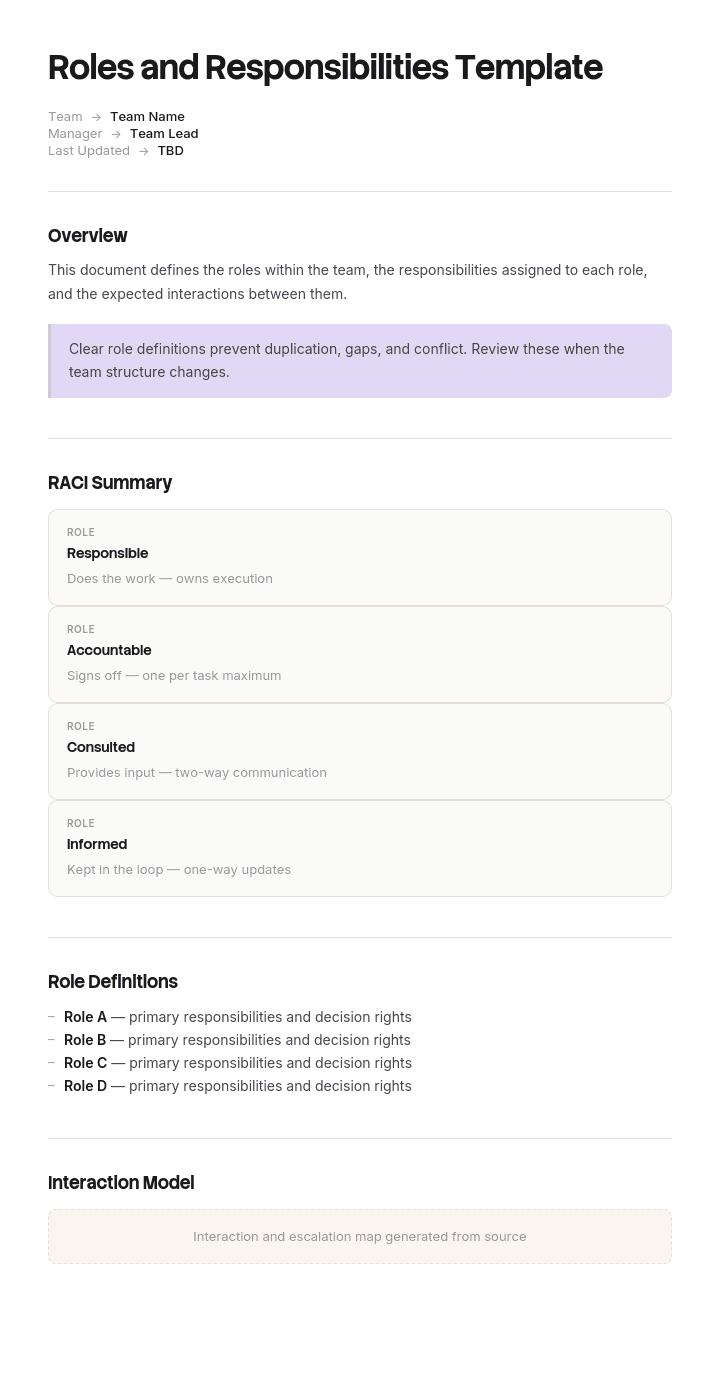
Una plantilla gratuita de funciones y responsabilidades es una estructura reutilizable para registrar quién hace qué dentro de un equipo, un proyecto o una organización.
Casi todas las versiones de este documento hacen bien la primera mitad de ese trabajo y no hacen nada en la segunda. Registra lo que hace cada rol, en actividades, y se detiene. Lo que no registra es quién está autorizado para decidir, y ahí es donde los roles realmente chocan.
La plantilla no es el documento. Proporciona una tabla con una columna para el rol y otra para las responsabilidades, y se tarda dos minutos en crearla. Lo que determina si lo que queda evita una discusión es si aparecen en él los elementos controvertidos, y por definición los elementos controvertidos no son los obvios.
El formato sigue el uso. Un documento Word de plantilla gratuita de funciones y responsabilidades se adapta a un documento que se lee y se acuerda. Una versión gratuita de Excel de plantilla de funciones y responsabilidades se adapta a una matriz con muchos roles a la vez. Una plantilla gratuita de funciones y responsabilidades en PPT se adapta a presentar una estructura a un equipo. Un PDF de plantilla gratuita de funciones y responsabilidades es la versión acordada y distribuida.
Por qué los documentos de funciones y responsabilidades fallan
Lee uno y fíjate en los verbos.
Posee. Supervisa. Gestiona. Garantiza. Apoya. Coordina. Se coordina con. Es responsable de.
Cada uno de esos verbos es elástico. Dos personas pueden creer cada una que posee algo, actuar en consecuencia y no estar equivocadas según la redacción. Dos personas pueden creer cada una que la otra garantiza algo, y ambas estar igualmente respaldadas por el texto.
Esa elasticidad es la razón por la que estos documentos son fáciles de acordar y inútiles en una disputa. Todo el mundo lee su propia interpretación en la misma frase, exactamente como ocurre con una línea de alcance ambigua, y nadie descubre el desacuerdo hasta el momento en que cuesta algo.
El problema más profundo es que las actividades son la unidad equivocada. Las actividades se comparten de forma natural. Varias personas contribuyen a la calidad, a la relación con el cliente, al presupuesto. Escribir que esos tres roles están implicados en la calidad es cierto y no le dice nada a nadie.
Las decisiones no se comparten. O puedes aprobar algo o no. O puedes comprometer a la organización con un coste o tienes que pedirlo. Esa cualidad binaria es lo que hace que las decisiones sean la unidad útil, y por eso un documento que enumera veinte actividades por rol puede dejar completamente sin indicar la asignación real de autoridad.
Cómo personalizar esta plantilla en Trupeer
Paso 1: Abre la sección de plantillas
Ve a la sección Plantillas desde la navegación principal.

Paso 2: Selecciona y abre una plantilla
Haz clic en cualquier plantilla con la que quieras trabajar para abrirla.

Paso 3: Amplía la vista de la plantilla
Si es necesario, amplía la vista de la plantilla para ver el diseño completo y los detalles con claridad.

Paso 4: Edita la plantilla
Haz clic en Editar para empezar a modificar la plantilla seleccionada.

Dentro del editor, puedes:
Añadir secciones nuevas
Definir o actualizar reglas de formato
Añadir un logotipo y ajustar su posición y la configuración relacionada
Paso 5: Guarda tu plantilla personalizada
Después de realizar todos los cambios necesarios, haz clic en Guardar para almacenar la plantilla actualizada como tuya.

Paso 6: Previsualiza y ajusta la plantilla
Cuando quieras ver cómo se ve tu plantilla personalizada, abre la Previsualización.

Desde la pantalla de previsualización, puedes seguir haciendo ajustes directamente si es necesario, asegurando que la plantilla aparezca exactamente como la quieres.
Con una plantilla de funciones y responsabilidades puedes:
Ahorra horas en la alineación: Omite la página en blanco con una estructura creada para la claridad.
Reduce la confusión: Campos integrados para la propiedad, los derechos de decisión y la rendición de cuentas eliminan la ambigüedad.
Mantén el estilo de tu marca: Aplica tu logotipo, fuentes y colores usando el kit de marca de Trupeer.
Comunica con claridad: Convierte los documentos de roles en recorridos en vídeo que todos pueden asimilar rápido.
Estandariza en todos los proyectos: Usa la misma plantilla para cada equipo e iniciativa.
Llega a equipos globales: Traduce las definiciones de roles a 65+ idiomas con un solo clic.
Asigna decisiones, no actividades
El cambio consiste en construir el documento a partir de una lista de decisiones en lugar de una lista de personas.
Empieza por anotar cada decisión y cada entrega que haya causado, o pudiera causar, un desacuerdo sobre quién la posee. No el trabajo completo. Solo la superficie controvertida. En la mayoría de los equipos, eso está entre quince y treinta elementos.
Luego, para cada uno, registra cuatro cosas. Quién decide. Hasta qué límite. A quién hay que consultar primero. A quién se le informa después.
Dos patrones de fallo aparecen de inmediato cuando haces esto, y ambos son lo bastante comunes como para esperarlos.
Elementos sin propietario. Nadie ha recibido autoridad, así que en la práctica se decide por quien se da cuenta primero, o se queda en espera. Son los que se acaban dejando fuera.
Elementos con dos propietarios. Ambas personas creen que tienen la decisión, así que ambas actúan y chocan en el punto donde se encuentran las dos acciones. Son los que provocan las discusiones que la gente recuerda.
Una prueba diagnóstica útil antes de empezar. Toma tu documento actual y, para cada línea de responsabilidad, pregúntate qué ocurre si esta persona dice que no. Si la respuesta es que se detiene, la línea describe una autoridad real. Si la respuesta es que alguien más lo hace de todos modos, o que pasa a una reunión, entonces la línea describe participación en lugar de responsabilidad, y la participación no es para lo que sirve el documento.
Los verbos elásticos son la pista. Cualquier línea construida sobre supervisa, apoya, garantiza o coordina casi siempre describe participación. Esas líneas pueden quedarse, pero son contexto. Las decisiones son el documento.
Qué debe contener una plantilla de funciones y responsabilidades
Siete componentes. La tabla de decisiones es la que hace el trabajo.
Componente | Qué hace |
|---|---|
Alcance | Qué equipo, proyecto o función cubre, y qué no cubre. |
Roles, no personas | Nombrado por rol con el titular actual en una columna separada, para que una salida no deje el documento obsoleto. |
Propósito por rol | Una frase sobre por qué existe el rol. Más de una frase suele significar dos roles. |
Tabla de decisiones | Cada decisión controvertida, quién decide, hasta qué límite, a quién se consulta y a quién se informa. |
Actividades | Lo que hace cada rol día a día. Contexto útil, y no la parte que resuelve disputas. |
Escalado | A dónde va una decisión cuando está por encima del límite de alguien o cuando está realmente en disputa. |
Revisión y versión | Cuándo se acordó, por quién y cuándo se revisará de nuevo. |
La columna de límite vale su espacio. La autoridad rara vez es ilimitada, y "aprueba cambios de alcance" significa algo distinto con dos mil libras y con cincuenta mil. Indicar el número elimina toda una clase de discusión.
Nombrar roles en lugar de personas es la otra mejora silenciosa. Los documentos escritos en torno a individuos se vuelven obsoletos con la primera salida, y reescribirlos es un trabajo suficiente como para que la mayoría de las organizaciones simplemente dejen de mantenerlos.
Plantilla gratuita de funciones y responsabilidades: la estructura para copiar
Rellenada con un ejemplo real en lugar de marcadores de posición. El escenario es una colaboración con un cliente en una consultoría.
Copia desde aquí.
Alcance. Cubre roles en colaboraciones con clientes en la práctica de datos. No cubre proyectos internos, gestión de línea ni revisiones de rendimiento, que se rigen por separado.
Roles.
Rol | Titular actual | Por qué existe este rol |
|---|---|---|
Líder de la colaboración | R Castellan | Posee el resultado comercial de la colaboración y la relación con el cliente |
Responsable de entrega | P Osei | Posee el plan, el equipo y la entrega dentro del alcance acordado |
Líder de la práctica | J Marchetti | Posee los estándares técnicos en todas las colaboraciones |
Tabla de decisiones. La parte que importa.
Decisión | Decidida por | Hasta | Consultado primero | Informado después |
|---|---|---|---|---|
Aceptar un cambio de alcance del cliente | Líder de la colaboración | 8 horas de esfuerzo | Responsable de entrega | Líder de la práctica |
Aceptar un cambio de alcance por encima de eso | Líder de la práctica | Sin límite | Líder de la colaboración y Responsable de entrega | Finanzas |
Comprometerse con una fecha con el cliente | Responsable de entrega | Cualquiera | Líder de la colaboración | Cliente, por el Líder de la colaboración |
Añadir una persona al equipo | Responsable de entrega | Dentro del presupuesto aprobado | Líder de la práctica para encaje de habilidades | Finanzas |
Desviarse de un estándar técnico | Líder de la práctica | Sin límite | Responsable de entrega | Líder de la colaboración |
Pausar el trabajo por falta de pago | Líder de la colaboración | Cualquiera | Finanzas | Responsable de entrega |
Aprobar una entrega como completada | Responsable de entrega | Cualquiera | Líder de la práctica donde aplique un estándar | Líder de la colaboración |
Escalar al patrocinador del cliente | Líder de la colaboración | Cualquiera | Responsable de entrega | Líder de la práctica |
Actividades. Contexto en lugar de resolución. El Líder de la colaboración gestiona la relación con el cliente, pronostica los ingresos y gestiona las renovaciones. El Responsable de entrega gestiona el plan, las reuniones de seguimiento y el registro de riesgos. El Líder de la práctica revisa el enfoque técnico en el arranque y en cada entrega importante.
Escalado. Cualquier cosa por encima de un límite indicado, o en disputa entre dos roles, se envía al Director de la práctica en un plazo de dos días laborables. Nada espera a la reunión mensual.
Revisión. Acordada el 4 de abril por los tres titulares de rol y el Director de la práctica. Revisada cada seis meses, e inmediatamente cuando un rol cambia de manos o cuando se detecta que una decisión no tiene un propietario claro.
Copia hasta aquí.
Ocho decisiones. Normalmente es suficiente, y son las ocho sobre las que antes se discutía.
Ejemplo de funciones y responsabilidades: tres personas que lo poseían todo
Ashgrove Analytics, una consultoría de datos de unas ciento cuarenta personas, tenía un documento de funciones y responsabilidades que todos habían leído y nadie discutía.
Decía que el Líder de la colaboración posee la relación con el cliente y el resultado comercial. El Responsable de entrega gestiona la entrega y garantiza la calidad. El Líder de la práctica supervisa los estándares en todas las colaboraciones.
Posee, garantiza, supervisa. Tres verbos elásticos, y en ninguna parte se indicaba quién podía aprobar un cambio de lo que se había vendido.
En una colaboración, el cliente pidió a mitad del proyecto una fuente de datos adicional para incluirla. El Líder de la colaboración lo aceptó en la llamada, razonablemente, porque proteger la relación era explícitamente su responsabilidad. El Responsable de entrega incorporó el trabajo al plan, razonablemente, porque asumió que cualquier cosa acordada con el cliente ya estaba valorada. El Líder de la práctica se enteró a final de mes.
No se había valorado. Trescientas cuarenta horas, unas setenta y una mil libras, entregadas y no facturadas.
Lo incómodo de la revisión era que eso había ocurrido cuatro veces ese año en cantidades más pequeñas, y nadie los había conectado, porque cada caso parecía un fallo individual en lugar de un patrón. La cifra anual se acercaba a unas ciento noventa mil libras de alcance no facturado.
Nadie actuó fuera de sus responsabilidades. Los tres actuaron exactamente dentro del documento, y eso fue lo que lo hizo posible.
La reescritura llevó una tarde y produjo veintidós decisiones en lugar de tres descripciones de roles. Al escribirlas, salieron dos cosas de inmediato. Cinco decisiones no tenían propietario en absoluto, incluido quién podía pausar el trabajo por falta de pago, que simplemente nunca se había asignado. Tres tenían dos propietarios, incluido el que les costó esas setenta y una mil.
Al año siguiente, el alcance no facturado llegó a veinticuatro mil libras. El documento no se hizo más largo. Se volvió específico sobre ocho o nueve cosas que antes eran elásticas.
Cómo definir funciones y responsabilidades en seis pasos
Enumera las decisiones, no las personas. Todo lo que se discute, todo lo que ha causado un desacuerdo, todo lo que se detendría si nadie lo decidiera. Quince a treinta elementos para la mayoría de los equipos.
Asigna exactamente un decisor a cada una. No un comité. Si dos nombres parecen necesarios, el elemento son dos decisiones y debe dividirse.
Añade el límite. Hasta qué valor, qué escala o qué riesgo. Sin límite es una respuesta válida y debe escribirse en lugar de darse por implícita.
Añade quién se consulta y quién se informa. No es lo mismo, y confundirlos es cómo la gente acaba sintiéndose excluida de decisiones que en realidad nunca tomó.
Busca los huecos y los duplicados. Cada elemento sin propietario o con dos propietarios es un argumento futuro que puedes tener barato ahora.
Acordarlo con los titulares de rol en la misma sala. Un documento distribuido para comentarios no recibe comentarios. Un documento leído en voz alta en una sala produce las objeciones que importan.
El paso seis no es opcional. El valor de este ejercicio está en gran medida en el desacuerdo que saca a la luz, y el desacuerdo no aparece por correo electrónico.
Plantilla de funciones y responsabilidades frente a RACI
Estos se comparan constantemente y responden a preguntas diferentes.
Una matriz RACI asigna actividades a roles, marcando cada una como responsable, accountable, consultado o informado. Su fortaleza es la cobertura. Al distribuir treinta actividades entre ocho roles, te muestra de un vistazo dónde nadie es accountable y dónde tres personas lo son.
Un documento de funciones y responsabilidades describe cada rol en sus propios términos, con propósito, actividades y autoridad. Su fortaleza es que una persona puede leer su propia fila y entender su trabajo.
Funcionan bien juntos y mal como sustitutos. Una RACI es difícil de leer como individuo, ya que tu fila está dispersa en una cuadrícula amplia. Una descripción de rol es difícil de comprobar en busca de huecos, ya que tienes que tener todos los roles en la cabeza a la vez.
El enfoque práctico es construir la RACI para encontrar los huecos y, después, escribir el documento de rol para que la gente pueda usarlo realmente. Cuando no coinciden, la RACI suele tener razón sobre la cobertura y el documento de rol suele tener razón sobre los matices.
Una advertencia sobre RACI en particular. La letra accountable es la que lleva la autoridad, y es la que más a menudo se asigna a quien es más senior, en lugar de a quien debería decidir. Si tu matriz tiene el mismo nombre accountable para todo, ha registrado una jerarquía en lugar de una asignación.
Funciones y responsabilidades del empleado frente a funciones y responsabilidades del equipo
Dos documentos relacionados con propósitos diferentes, y la distinción determina qué plantilla necesitas.
Una plantilla Word de funciones y responsabilidades del empleado describe el trabajo de una sola persona. Está muy cerca de la descripción del puesto, se usa en reclutamiento, incorporación y conversaciones de rendimiento, y se redacta por titular de rol.
Una plantilla de funciones y responsabilidades del equipo describe cómo encajan varios roles. Se usa para eliminar solapamientos y huecos, y su valor proviene de ver los roles uno al lado del otro, más que de la profundidad de cualquiera de ellos.
Escribir la segunda cuando necesitas la primera produce resúmenes demasiado superficiales para incorporar a cualquiera. Escribir la primera cuando necesitas la segunda produce una pila de documentos que parecen completos y, en conjunto, dejan cuatro cosas sin propietario.
Si una parte del trabajo abarca varias personas y algo sigue quedando entre ellas, necesitas la versión del equipo. Si alguien se incorpora o se está evaluando un puesto, necesitas la versión individual.
Una nota que merece tomarse en serio. Un documento de funciones y responsabilidades no es un contrato de empleo, y cambiar las funciones de alguien puede tener implicaciones contractuales y legales dependiendo de la jurisdicción y de lo que diga su contrato. Trata este documento como una aclaración operativa e involucra a RR. HH. o a un asesor cualificado antes de usarlo para modificar los términos de alguien.
Ejemplos de funciones y responsabilidades en tres escenarios
Equipo de proyecto. Las decisiones que importan son quién aprueba un cambio de alcance, quién puede comprometer una fecha externamente, quién acepta una entrega como hecha y quién puede detener el trabajo. Esas cuatro cubren la mayor parte del conflicto de roles del proyecto, y la secuenciación detallada pertenece al alcance del proyecto en lugar de aquí.
Departamento o función. Las decisiones se refieren a la autoridad presupuestaria, la contratación, la aprobación del gasto externo y la firma del trabajo que deja el departamento. Los límites importan más aquí que en cualquier otro lugar, ya que la misma decisión se repite con valores muy diferentes.
Proceso transversal. Quejas de clientes, incidentes, compras. El fallo característico es que la responsabilidad pasa entre funciones y nadie posee la entrega, por lo que lo útil es quién posee cada cosa en cada etapa y quién posee la transición entre etapas.
En los tres casos, los elementos que merece la pena anotar son los que alguien ya se ha equivocado antes. Un documento que enumera treinta responsabilidades no controvertidas y omite las dos controvertidas ha invertido su esfuerzo en el lugar equivocado.
Mantenerlo actualizado cuando la gente se va
Los documentos de roles se degradan de una forma específica. Se redactan en torno a las personas que están actualmente en el puesto, así que la primera salida hace que una sección sea incorrecta, la reescritura se pospone y, dentro de un año, todo el documento se convierte silenciosamente en histórico.
Tres hábitos lo evitan. Nombrar roles en la estructura y personas en una sola columna separada, de modo que una salida cambie una celda. Vincular la revisión al evento en lugar del calendario, lo que significa que el documento se revisa cada vez que un rol cambia de manos. Y registrar la fecha y los nombres de todos los que lo acordaron, ya que un documento sin fecha y sin firmantes no tiene peso en el argumento que se escribió para resolver.
El desencadenante más fuerte para la revisión es el que Ashgrove encontró. Cada vez que una decisión resulta no haber tenido un propietario claro, eso es evidencia sobre el documento, y la solución es añadir el elemento en lugar de recordar la conclusión.
Lo que una plantilla gratuita de funciones y responsabilidades no puede arreglar
Una estructura que realmente no funciona. Si dos roles están en conflicto permanente, a veces el diseño está mal en lugar de la documentación. Escribirlo claramente lo hará visible, lo cual es útil, y no lo resolverá.
Autoridad que nadie usará. Una persona a la que se le da una decisión y que no se siente capaz de tomarla la remitirá hacia arriba de todos modos. Eso es un problema de gestión, no de documentación.
La seniority por encima del documento. Si una persona senior decide rutinariamente cosas asignadas a otra, el documento describe una intención en lugar de una práctica, y las personas a su alrededor aprenderán a ignorarlo rápidamente.
Ambigüedad heredada de una descarga. Ninguna plantilla gratuita de funciones y responsabilidades gratuita descarga tus elementos controvertidos, porque son específicos de tu organización. La plantilla te da una cuadrícula, y la cuadrícula no es la parte difícil.
Muestra cómo se hace el trabajo, no solo quién lo hace
Un documento de funciones y responsabilidades dice quién posee una parte del trabajo. No dice cómo se realiza ese trabajo, y ambas cosas se confunden cuando alguien nuevo asume el rol.
Ese vacío es donde fallan las entregas. El nuevo titular sabe que posee la aprobación de las entregas y no tiene idea de qué comprobó realmente el titular anterior antes de aprobar una. Los procedimientos escritos rara vez lo cierran, porque el lector tiene que reconstruir una secuencia de pasos a partir de un texto y se rinde.
Trupeer AI lo cierra. Quien tenga el rol registra la tarea una vez y el resultado es un recorrido escrito con capturas de pantalla ya capturadas y colocadas, junto con un vídeo, en tu propia marca. El documento de rol dice lo que posees. La grabación muestra cómo lo hizo la persona antes que tú.
Regístralo. Ponle marca. Tradúcelo. Hazlo Trupeer.
Esa combinación importa más en la entrega, que es exactamente cuando un documento de roles se vuelve a leer y exactamente cuando se pierde la parte no documentada. Cuando los equipos abarcan varios idiomas, la misma grabación produce el mismo recorrido en cada uno, así que un rol realizado en tres países es realmente el mismo rol.
Los recorridos están en tu base de conocimiento y también sirven como material de formación para quien asuma el rol a continuación. El detalle a nivel de tarea pertenece a las instrucciones de trabajo debajo. La coherencia con el resto de tus documentos es cuestión de configurar el kit de marca una vez, y la configuración se cubre en la guía de configuración de plantillas de documentos.
Preguntas frecuentes
¿Hay una versión Word gratuita de la plantilla de funciones y responsabilidades?
Word se adapta a este documento, porque se lee, se comenta y se acuerda, y porque la tabla de decisiones encaja cómodamente dentro de una página de contexto. Crea la plantilla gratuita de funciones y responsabilidades en Word con los roles en una tabla y las decisiones en otra, y mantén la tabla de decisiones en la primera o segunda página.
Coloca a los titulares de rol actuales en una sola columna en lugar de a lo largo del texto. Esa única elección significa que una salida actualiza una celda en lugar de activar una reescritura, que es la diferencia entre un documento que se mantiene actualizado y uno que se convierte silenciosamente en histórico.
¿Hay una versión gratuita de Word de la plantilla de funciones y responsabilidades?
La mayor parte de lo que ofrece la descarga gratuita de la plantilla Word de funciones y responsabilidades es una cuadrícula de dos columnas de rol y responsabilidades, que es la mitad que no resuelve nada.
Añade dos cosas a la plantilla que uses. Una columna de decisiones que indique quién puede aprobar qué, y una columna de límite que indique hasta qué valor. Esas dos adiciones tardan diez minutos y son lo que convierte una descripción en algo que resuelve una discusión.
¿Hay una versión gratuita de Excel de la plantilla de funciones y responsabilidades?
Excel es la elección correcta cuando estás mirando muchos roles a la vez, que es cuando estás buscando huecos y solapamientos. El diseño gratuito de Excel de la plantilla de funciones y responsabilidades te permite poner las decisiones en las filas y los roles en las columnas y ver inmediatamente dónde una fila no tiene propietario o tiene dos.
Haz ese análisis en una hoja de cálculo y, después, escribe la versión legible en un documento. Una cuadrícula es excelente para encontrar problemas y deficiente para ayudar a una persona a entender su propio trabajo.
¿Hay una versión gratuita de PPT de la plantilla de funciones y responsabilidades?
Las diapositivas sirven para presentar una estructura a un equipo, especialmente en una reorganización o en el arranque de un proyecto donde el objetivo es que todos vean cómo encajan las piezas. Un deck de PPT de plantilla gratuita de funciones y responsabilidades lo hace bien.
No puede incluir la tabla de decisiones con límites y consulta, que es la parte que evita disputas. Presenta la forma en las diapositivas y, después, distribuye el documento. Una estructura acordada solo en una reunión se recuerda de forma distinta por cada persona que estuvo allí.
¿Hay una plantilla gratuita de funciones y responsabilidades en PDF?
PDF es la versión acordada. Una vez que los titulares de rol lo hayan discutido y resuelto los elementos controvertidos, exporta un PDF de plantilla gratuita de funciones y responsabilidades con la fecha de acuerdo y los nombres de todos los que lo acordaron.
Ese registro importa más de lo que suena. El documento existe para resolver desacuerdos, y una versión sin fecha y sin firmantes es fácil de descartar como un borrador de alguien justo en el momento en que se necesita.
¿Merece la pena usar una descarga gratuita de la plantilla de funciones y responsabilidades?
La cuadrícula tarda unos dos minutos en crearse, así que una descarga gratuita de la plantilla de funciones y responsabilidades te ahorra muy poco. Lo que no puede proporcionar es tu lista de decisiones controvertidas, y esa lista es el valor total del ejercicio.
Si adoptas una, comprueba si tiene alguna columna para la autoridad. Casi ninguna lo hace. Cada plantilla publicada que he visto pregunta qué hace cada rol y ninguna pregunta qué puede aprobar cada rol.
¿Hay una versión Word de plantilla de funciones y responsabilidades del empleado?
Sí, y es un documento diferente de la versión para el equipo. Un archivo Word de plantilla de funciones y responsabilidades del empleado cubre el trabajo de una sola persona: propósito, actividades principales, decisiones que asume, a quién informa y cómo se evalúa su trabajo.
Úsalo para la incorporación, para conversaciones de rendimiento y junto con el reclutamiento. Ten en cuenta que está muy cerca de la descripción del puesto y, por lo tanto, cerca del contrato de empleo, así que involucra a RR. HH. antes de usarlo para cambiar lo que se espera que haga alguien.
¿Qué es una plantilla de funciones y responsabilidades del equipo?
Una plantilla de funciones y responsabilidades del equipo coloca varios roles uno al lado del otro para que los solapamientos y los huecos se vuelvan visibles, algo que ninguna descripción individual de rol puede hacer.
Úsala cuando el trabajo siga quedando entre personas, cuando dos personas estén duplicando esfuerzos o al inicio de un proyecto cuando nadie haya trabajado junto antes. El resultado que importa no son las descripciones, sino la lista corta de decisiones que resultaron no tener propietario.

