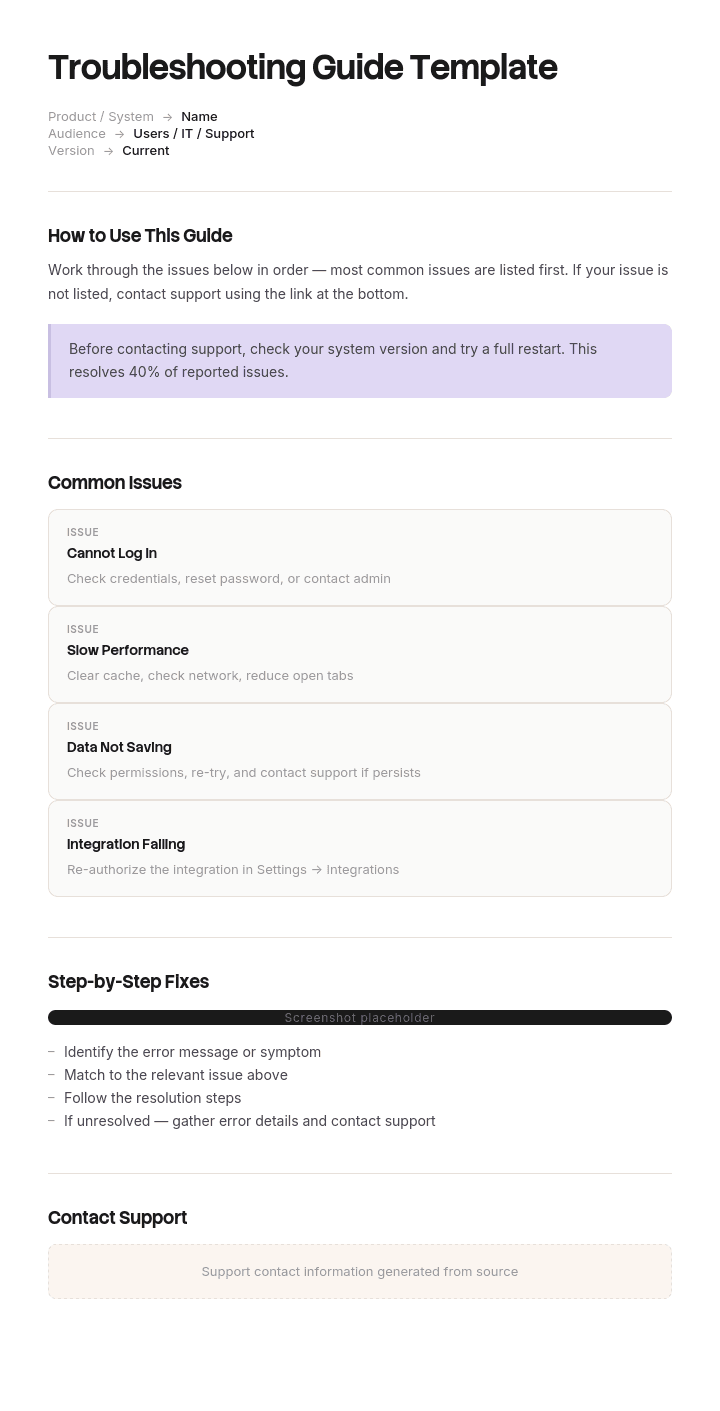
Verwenden Sie diese Vorlage
Ein klarer Leitfaden zur Fehlerbehebung spart Stunden an Support-Zeit und verhindert Kundenfrust. Mit Trupeer können Sie Stunden beim Erstellen von Leitfäden zur Fehlerbehebung sparen, indem Sie mit einer kostenlosen Vorlage starten, sie mit Ihren Brand Guidelines anpassen und Fehlerbehebungsabläufe in Video-Übersichten umwandeln, denen Nutzer in Echtzeit folgen können.
Was ist eine kostenlose Vorlage für einen Leitfaden zur Fehlerbehebung?
Eine kostenlose Vorlage für einen Leitfaden zur Fehlerbehebung ist eine wiederverwendbare Struktur, um jemandem dabei zu helfen, ein Problem zu diagnostizieren und zu beheben: die Symptome, die wahrscheinlichen Ursachen, die Prüfungen, die sie voneinander unterscheiden, und die Lösungen.
Es ist das einzige Dokument in der Dokumentenfamilie, dessen Aufgabe das Eingrenzen ist. Ein Verfahren sagt Ihnen, wie man etwas macht. Ein Nachschlagewerk sagt Ihnen, was etwas ist. Ein Leitfaden zur Fehlerbehebung beginnt mit einer unerwünschten Situation und muss von dort zu einer Ursache gelangen – das ist eine andere Aufgabe, die eine andere Struktur erfordert.
Fast jede veröffentlichte Vorlage verfehlt das, weil sie alle als Listen von Problemen mit Lösungen daneben aufgebaut sind, und eine Liste erfordert, dass der Leser bereits weiß, welches Problem er hat.
Das Format folgt der Nutzung. Eine kostenlose Vorlage für einen Leitfaden zur Fehlerbehebung als Word-Datei passt zum Leitfaden selbst. Eine kostenlose Vorlage für einen Leitfaden zur Fehlerbehebung als Excel-Version passt zur Symptom-Ursache-Matrix dahinter. Eine kostenlose Vorlage für einen Leitfaden zur Fehlerbehebung als PDF – oder irgendein PDF eines Leitfadens zur Fehlerbehebung – passt zur Version, die jemand mit sich führt oder ausdruckt, was besonders dann wichtig ist, wenn die Störung bei dem Gerät liegt, auf dem man den Leitfaden andernfalls lesen würde.
Leitfäden zur Fehlerbehebung werden rückwärts geschrieben
Hier liegt der strukturelle Fehler – und sobald Sie ihn gesehen haben, werden Sie ihn in jedem Leitfaden erkennen, den Sie öffnen.
Leitfäden zur Fehlerbehebung werden von Menschen geschrieben, die die Antwort kennen. Ein Ingenieur, der dieselbe Störung schon zweihundert Mal diagnostiziert hat, weiß: Es ist der Luftfilter. Also schreiben sie den Eintrag so: Wenn der Luftfilter verschmutzt ist, erreicht der Ofen nicht die gewünschte Temperatur und der Ventilator klingt lauter als üblich.
Dieser Satz ist völlig korrekt. Er geht von der Ursache zum Symptom.
Der Leser hat das Symptom. Er hat einen Ofen, der nicht heiß genug wird – und keine Ahnung, was ein Luftfilter damit zu tun hat. Um diesen Eintrag zu finden, müsste er bereits das vermuten, was der Leitfaden ihm gleich sagen wird.
Die gleiche Störung taucht als Organisation auf. Leitfäden werden nach Subsystem, Bauteil oder Modul strukturiert, weil so die Menschen denken, die das Gerät warten. Wassersystem, Heizung, Steuerplatine, Türmechanismus. Um einen Leitfaden so zu nutzen, müssen Sie zuerst entscheiden, in welchem Subsystem Sie sich befinden – und diese Entscheidung ist der größte Teil der Diagnose – und genau festlegen, was der Leser nicht tun kann.
So wird der Leitfaden nach Ursache indexiert und nach Symptom aufgerufen, und die Lücke zwischen diesen beiden Punkten ist der Moment, in dem der Leser aufgibt und jemanden anruft.
Die Zählung dauert zwei Minuten. Lesen Sie Ihre Überschriften und markieren Sie jede als Ursache oder Symptom. In den meisten Leitfäden gewinnen die Ursachen deutlich.
So passen Sie diese Vorlage in Trupeer an
Schritt 1: Öffnen Sie den Bereich „Vorlagen“
Gehen Sie im Hauptmenü zum Bereich „Vorlagen“.

Schritt 2: Wählen und öffnen Sie eine Vorlage
Klicken Sie auf eine beliebige Vorlage, mit der Sie arbeiten möchten, um sie zu öffnen.

Schritt 3: Erweitern Sie die Vorlagenansicht
Falls nötig, erweitern Sie die Vorlagenansicht, um das vollständige Layout und die Details klar zu sehen.

Schritt 4: Bearbeiten Sie die Vorlage
Klicken Sie auf „Bearbeiten“, um mit der Anpassung der ausgewählten Vorlage zu beginnen.

Im Editor können Sie:
Neue Abschnitte hinzufügen
Formatierungsregeln definieren oder aktualisieren
Ein Logo hinzufügen und seine Position sowie die zugehörigen Einstellungen anpassen
Schritt 5: Speichern Sie Ihre angepasste Vorlage
Klicken Sie nach allen notwendigen Änderungen auf „Speichern“, um die aktualisierte Vorlage als Ihre eigene zu speichern.

Schritt 6: Vorschau ansehen und die Vorlage feinjustieren
Wenn Sie sehen möchten, wie Ihre angepasste Vorlage aussieht, öffnen Sie die Vorschau.

Ausgehend vom Vorschau-Bildschirm können Sie bei Bedarf weiterhin direkt Anpassungen vornehmen – so stellen Sie sicher, dass die Vorlage genau so erscheint, wie Sie es möchten.
Mit einer Vorlagenstruktur für einen Leitfaden zur Fehlerbehebung können Sie:
Stunden beim Schreiben sparen: Überspringen Sie die leere Seite – mit einer Struktur, die für Inhalte zur Fehlerbehebung entwickelt wurde.
Support-Tickets reduzieren: Klare Anleitungen zur Fehlerbehebung helfen Nutzern, sich selbst zu helfen.
Im Markenauftritt bleiben: Nutzen Sie Ihr Logo, Ihre Schriftarten und Farben mit Trupeer's Brand Kit.
Probleme schneller lösen: Integrierte Diagnoseabläufe helfen Support-Mitarbeitern und Nutzern, sich schnell zurechtzufinden.
Support standardisieren: Verwenden Sie für jeden Leitfaden zur Fehlerbehebung dieselbe Vorlage.
Globale Nutzer erreichen: Übersetzen Sie Leitfäden zur Fehlerbehebung mit einem Klick in 65+ Sprachen.
Nach Symptom indexieren, nach Ausschluss sortieren
Zwei Regeln – und das ist die gesamte Methode.
Jeder Einstieg ist ein Symptom, in den Worten der Person, die es hat. Nicht „unzureichende Luftzufuhr“, sondern „der Ofen wird nicht heiß genug“. Nicht „Authentifizierungsfehler“, sondern „er sagt, mein Passwort ist falsch“. Die Formulierung ist genauso wichtig wie die Struktur, denn ein Leser, der sucht oder scannt, gleicht gegen die eigene Beschreibung dessen ab, was er sieht.
Wenn ein Symptom mehrere gängige Formulierungen hat, listen Sie alle auf. Kunden sagen, das Essen kommt nass heraus, Ingenieure sagen, der Dampferzeuger produziert zu viel Dampf – und beide sollten zum selben Eintrag führen.
Innerhalb jedes Symptoms sortieren Sie die Prüfungen nach dem Grad, in dem sie Möglichkeiten ausschließen. Genau hier unterscheiden sich Leitfäden am stärksten von Listen.
Eine Liste möglicher Ursachen unter einem Symptom hilft nicht viel, wenn es neun davon gibt. Was der Leser braucht, ist eine Abfolge – und die richtige erste Prüfung ist die, die mit dem geringsten Aufwand die meisten Möglichkeiten entfernt. Eine Prüfung, die zwei Minuten dauert und ein Drittel der Fälle löst, gehört an Schritt eins – unabhängig davon, in welchem Subsystem sie sitzt. Ein Ausbau, der vierzig Minuten dauert und etwas Seltenes bestätigt, gehört zuletzt – auch wenn es logisch danach folgt.
Die Sortierregel ist Häufigkeit multipliziert mit Einfachheit. Wie oft ist das die Ursache, und wie günstig ist es, sie ein- oder auszuschließen? Sortieren Sie nach diesem Produkt absteigend – dann beginnt der Leitfaden, die Arbeit zu übernehmen, die der Experte sonst im Kopf macht.
Daraus ergeben sich zwei Dinge. Prüfungen aus unterschiedlichen Subsystemen landen nebeneinander – das stört die Menschen, die die Geräte warten, und hilft den Menschen, die sie reparieren. Und jede Prüfung muss sagen, was ihr Ergebnis ausschließt – nicht nur, was es bedeutet –, denn das ist es, was dem Leser zeigt, wohin er als Nächstes gehen soll.
Die Prüfungen richtig anordnen
Drei Dinge müssen Sie bei jeder Prüfung festhalten.
Was zu tun ist – und was Sie sehen werden. Wie bei jedem Verfahren zählt das beobachtbare Ergebnis, nicht der Eindruck.
Was jedes Ergebnis ausschließt. Wenn der Filter sauber ist, schließt das eine Einschränkung der Luftzufuhr vollständig aus – dann überspringen Sie Schritt vier und fünf. Wenn er verschmutzt ist, reinigen Sie ihn und testen Sie erneut, bevor Sie weitergehen. Wenn Sie das Ausschließen benennen, wird der Leitfaden zu einem Diagnosewerkzeug statt zu einem Bestandsverzeichnis.
Wohin Sie als Nächstes gehen, je nach Ergebnis. Explizit. Ein Leser mitten in der Diagnose hat ein Ergebnis in der Hand und braucht die nächste Anweisung – nicht einen Absatz, den er erst interpretieren muss.
Dieses dritte Element liefert ein Flussdiagramm von Natur aus, und eine Tabelle muss sorgfältig geschrieben werden, um es bereitzustellen. Außerdem ist es die häufigste Auslassung: Leitfäden, die Prüfungen auflisten und den Leser allein damit lassen, was ein negatives Ergebnis bedeutet.
Eine weitere Regel, die sich lohnt zu übernehmen: Wenn eine Prüfung erfordert, etwas auseinanderzubauen, setzen Sie davor einen Stopp. Alles, was danach kommt, kostet echte Zeit – und der Leser sollte wissen, dass er von günstigen Prüfungen zu teuren wechselt.
Was eine Vorlage für einen Leitfaden zur Fehlerbehebung enthalten muss
Neun Komponenten. Die zweite und die fünfte sind die, die die meisten Vorlagen weglassen.
Komponente | Was sie macht |
|---|---|
Symptom-Index | Jedes Symptom in den Worten des Lesers, mit Synonymen, als Einstieg. |
Prüfungen nach Ausschluss sortiert | Häufigkeit mal Einfachheit, nicht nach Subsystem. |
Erwartetes Ergebnis pro Prüfung | Was der Leser sehen wird – so formuliert, dass es fehlschlagen kann. |
Was jedes Ergebnis ausschließt | Der Diagnoseinhalt – und was den Leitfaden zu einem Leitfaden statt zu einer Liste macht. |
Wohin Sie als Nächstes gehen, je nach Ergebnis | Explizites Routing – sowohl für ein positives als auch für ein negatives Ergebnis. |
Stopp-Punkte | Bevor etwas Teures, Unumkehrbares oder eine andere Kompetenz erforderlich ist. |
Weiterleitung (Escalation) | Wann Sie mit der Diagnose aufhören und wen Sie anrufen sollen – mit den Informationen, die bereitliegen müssen. |
Sicherheitshinweise | Unmittelbar vor dem Schritt, den sie betreffen – nicht vorne gesammelt. |
Version und zuletzt überprüft | Einschließlich, für welche Geräte- oder Softwareversionen der Leitfaden gilt. |
Die Zeile „Weiterleitung (Escalation)“ ist ihr Platz wert. Ein Leitfaden ohne Stopp-Punkt ermutigt jemanden, über die Grenze seiner Kompetenz hinaus weiterzumachen – und die Klausel „Informationen, die bereitliegen müssen“ macht aus einem Hilferuf eine sinnvolle Übergabe statt eine Beschreibung von Verwirrung.
Wenn die Geräte elektrische, Druck-, Höhen- oder andere geregelte Gefahren betreffen, sollte der Leitfaden neben einer Risikobewertung liegen und von einer sachkundigen Person überprüft werden. Nichts auf dieser Seite ersetzt das.
Kostenlose Vorlage für einen Leitfaden zur Fehlerbehebung: die Struktur zum Kopieren
Mit einem echten Beispiel statt Platzhaltern. Das Gerät ist ein gewerblicher Kombidämpfer.
Kopieren Sie von hier.
Symptom-Index. In den Worten des Lesers, mit Synonymen.
Der Ofen wird nicht heiß genug. Wird auch gemeldet als: dauert zu lange zum Garen, Essen ist nicht durchgegart, Temperaturleuchte bleibt an.
Das Essen kommt nass heraus. Wird auch gemeldet als: zu viel Dampf, matschig, Dampf schaltet sich nicht ab.
Der Ofen lässt sich nicht einschalten. Wasser tritt darunter aus. Die Tür schließt nicht dicht. Fehlercode im Display, siehe Code-Index.
Symptom: Der Ofen wird nicht heiß genug. Prüfungen nach Häufigkeit mal Einfachheit sortiert.
# | Prüfung | Sie sollten sehen | Wenn ja | Wenn nein |
|---|---|---|---|---|
1 | Luftfilter ausbauen und prüfen, 2 Minuten | Filter sichtbar klar, Licht geht durch | Filter ist in Ordnung. Einschränkung der Luftzufuhr ausgeschlossen, weiter zu 2. | Reinigen oder ersetzen, 15 Minuten Aufheizzyklus durchführen, erneut testen. Löst etwa ein Drittel dieser Anrufe. |
2 | Dichtheit der Tür prüfen, mit einem Papierstreifen an vier Punkten, 3 Minuten | Papier greift an allen vier Punkten | Dichtung ist in Ordnung, weiter zu 3. | Dichtung ersetzen. Vor dem Fortfahren erneut testen. |
3 | Drehzahl des Display-Ventilators gegen die Typenschildangabe ablesen, 2 Minuten | Innerhalb von 10 Prozent der Nennwerte | Ventilator ist in Ordnung, weiter zu 4. Motor und Laufrad ausgeschlossen. | Fehler am Ventilator oder Laufrad, siehe Abschnitt 7. |
4 | Widerstand des Heizelements an der Klemmenleiste prüfen, 8 Minuten. Zuerst trennen. | Alle drei innerhalb der Toleranz auf dem Typenschild | Heizelemente in Ordnung, weiter zu 5. | Ausgefallenes Heizelement ersetzen. |
5 | Stopp-Punkt. Ab hier erfordert das Entfernen der Rückwand und etwa 40 Minuten. Bestätigen Sie das mit dem Kunden, bevor Sie fortfahren. | |||
6 | Kalibrierung des Temperatursensors der Steuerung, 40 Minuten | Messwert innerhalb von 3 Grad eines kalibrierten Fühlers | Sensor in Ordnung, an technischen Support weiterleiten | Sensor neu kalibrieren oder ersetzen |
Warnung vor Schritt 4. Trennen Sie lokal am Trennschalter und sichern Sie die Anlage ab, bevor Sie die Klemmenleiste öffnen. Dieser Schritt betrifft unter Spannung stehende elektrische Komponenten, falls die Trennung nicht verifiziert wurde.
Weiterleitung (Escalation). Nach Schritt 6 an den technischen Support weiterleiten. Bereithalten: Seriennummer, Fehlerhistorie aus dem Display, Ergebnisse der Schritte 1 bis 6 sowie die Wasserhärte-Messung des Standorts.
Version. Version 9. Gilt für Modelle ab 2019 mit Firmware 4 oder höher. Frühere Modelle: siehe Legacy-Leitfaden. Zuletzt an einer funktionsfähigen Einheit im März überprüft.
Kopieren Sie bis hier.
Beachten Sie, dass Schritt eins ein Filter ist und Schritt drei ein Ventilator – und diese liegen in unterschiedlichen Subsystemen in der eigenen Dokumentation des Herstellers. Das ist beabsichtigt und genau der Punkt der Übung.
Beispiel für einen Leitfaden zur Fehlerbehebung: 61 Prozent beim ersten Versuch behoben
Marchbank Catering Equipment betreut etwa viertausendzweihundert gewerbliche Küchenstandorte mit achtunddreißig Außendienstingenieuren.
Der Leitfaden zur Fehlerbehebung für seinen Kombidämpfer umfasste zweiundsechzig Seiten und war technisch hervorragend. Er war von zwei Senior-Ingenieuren verfasst und sinnvoll nach Subsystemen organisiert: Wassersystem, Heizung, Steuerplatine, Türmechanismus, Dampferzeuger.
Die Quote beim ersten Versuch lag bei einundsechzig Prozent. Die durchschnittliche Zeit vor Beginn jeder tatsächlichen Reparatur betrug siebenundvierzig Minuten.
Beide Werte waren über Jahre stabil und wurden so interpretiert, dass sie die Schwierigkeit des Geräts widerspiegeln.
Anschließend begleitete ein Engineering Manager sechs Ingenieure eine Woche lang und beobachtete, wie der Leitfaden tatsächlich genutzt wurde.
Ingenieure kommen mit einem Symptom, denn das ist das, was der Kunde meldet. Der Ofen wird nicht heiß genug. Das Essen kommt nass heraus. Irgendetwas läuft aus. Um einen Leitfaden zu nutzen, der nach Subsystemen organisiert ist, müssen Sie zuerst entscheiden, in welchem Subsystem Sie sich befinden – und diese Entscheidung ist der größte Teil der Diagnose.
Erfahrene Ingenieure übersprangen den Leitfaden komplett und arbeiteten aus dem Gedächtnis – deshalb lag die Quote beim ersten Versuch bei einundsechzig Prozent statt niedriger. Neuere Ingenieure arbeiteten die Subsysteme in der Reihenfolge ab, in der der Leitfaden sie präsentierte, was bedeutete, dass sie beim Problem „Heizung“ zuerst das Wassersystem prüften.
Das zweite Ergebnis war noch deutlicher. Die häufigste Ursache dafür, dass der Ofen die Temperatur nicht erreicht, war ein verschmutzter Luftfilter – das machte etwa ein Drittel dieser Anrufe aus, und die Prüfung dauerte zwei Minuten. Sie erschien auf Seite einundvierzig im Abschnitt zur Luftzufuhr, der nach Wasser und Heizung kam.
So wurde die wertvollste Prüfung im gesamten Dokument – mit großem Abstand – von jedem, der der Struktur folgte, erst an vierter oder fünfter Stelle erreicht.
Die Überarbeitung fügte keinen neuen technischen Inhalt hinzu. Vierzehn Einstiegssymptome in der Sprache der Kunden, jeweils mit Synonymen. Innerhalb jedes Symptoms wurden die Prüfungen nach Häufigkeit mal Einfachheit sortiert. Explizites Routing für beide Ergebnisse jeder Prüfung und ein Stopp-Punkt, bevor etwas erforderlich wird, das länger als zehn Minuten dauert.
Die Quote beim ersten Versuch stieg von einundsechzig Prozent auf neunundsiebzig. Die durchschnittliche Diagnosezeit vor Beginn einer Reparatur sank von siebenundvierzig Minuten auf achtzehn.
Die wichtigste Einsparung waren Rückbesuche. Jeder kostete etwa einhundertvierzig Pfund plus einen verlorenen Termin in einem ohnehin engen Zeitplan – und die Reduktion zahlte sich in der ersten Quartalsperiode mehrfach aus.
Die zweiundsechzig Seiten enthielten die richtigen Antworten auf jede Frage. Sie waren für die Menschen organisiert, die sie geschrieben haben.
So erstellen Sie in sechs Schritten einen Leitfaden zur Fehlerbehebung
Um Inhalte für einen Leitfaden zur Fehlerbehebung zu erstellen, starten Sie in der Ticket-Queue oder im Call-Log, in den Worten, in denen sie gemeldet wurden. Nicht aus dem Gerätehandbuch, das nach Bauteilen organisiert ist.
Zählen Sie, wie oft jedes Symptom auftritt. Die Häufigkeit entscheidet, welche Symptome die detaillierteste Behandlung bekommen, und die meisten Leitfäden geben allem gleich viel Platz.
Listen Sie für jedes Symptom die möglichen Ursachen auf, das ist der Teil, den Experten als leicht empfinden.
Ordnen Sie die Prüfungen nach Häufigkeit mal Einfachheit. Das ist der Schritt, der die Neusortierung erzeugt – und es lohnt sich, das mit den Daten zu tun statt nach Gefühl, denn Experten unterschätzen systematisch, wie oft die „langweilige“ Ursache tatsächlich die Ursache ist.
Schreiben Sie, was jedes Ergebnis ausschließt und wohin es als Nächstes geht. Beide Ergebnisse. Eine Prüfung mit nur einer positiven Route lässt den Leser genau dort stecken, wo er vorher war.
Testen Sie es mit jemandem Unerfahrenen, an einer echten Störung. Jeder Punkt, an dem sie zögern, ist ein Defekt – und die Lösung steckt im Dokument, nicht in einer Erklärung.
Schritt vier ist der Ort, an dem der Wert entsteht, und Schritt eins macht es möglich. Beides hängt von Daten ab, die Ihre Organisation bereits hat, aber selten für diesen Zweck nutzt.
Flussdiagramm oder Tabelle?
Beides funktioniert – und beide passen zu unterschiedlichen Situationen.
Ein Flussdiagramm bildet die Diagnoselogik von Natur aus ab, denn Verzweigungen sind genau wofür ein Flussdiagramm da ist. Es ist das bessere Format, wenn die Diagnose wirklich ein Entscheidungsbaum mit mehreren Ebenen ist – und es ist das Format, das die meisten Menschen im Kopf haben, wenn sie an Fehlerbehebung denken.
Der Nachteil ist die Wartung. Diagramme sind schwieriger zu bearbeiten als Tabellen, daher veralten Flussdiagramme eher – und ein veraltetes Flussdiagramm ist schwerer zu korrigieren als ein veralteter Absatz. Außerdem skalieren sie schlecht: Eine Grafik, die vierzehn Symptome mit jeweils sechs Prüfungen abdeckt, ist in jeder Größe unlesbar, in der man sie tatsächlich ansehen würde.
Eine Tabelle pro Symptom mit Spalten für die Prüfung, das erwartete Ergebnis und wohin es für jedes Ergebnis weitergeht, enthält dieselben Informationen und lässt sich viel leichter warten. Das ist das Format im obigen Beispiel – und für die meisten Leitfäden ist es die bessere Standardeinstellung.
Die praktische Antwort für einen Leitfaden jeder Größe ist: eine Tabelle pro Symptom, mit einem Flussdiagramm nur für die zwei oder drei Symptome, bei denen die Verzweigung wirklich so komplex ist, dass man eines braucht.
Leitfaden zur Fehlerbehebung, Runbook oder FAQ?
Drei Dokumente, die sich überschneiden – und unterschiedlich eingegeben werden.
Ein Leitfaden zur Fehlerbehebung startet mit einem Symptom und grenzt auf eine Ursache ein. Seine Struktur ist diagnostisch, und der Leser weiß nicht, was falsch ist.
Ein Runbook ist eine Abfolge, die für eine bekannte Aufgabe oder eine bekannte Störung ausgeführt wird. Der Leser weiß, was er tut, und braucht die Schritte in der richtigen Reihenfolge – und das Runbook-Template deckt das ab, einschließlich, wie man mit einem Übergabeteil in der Mitte umgeht.
Eine FAQ beantwortet eine Frage, die jemand hat – und das kann eine Störung sein oder auch nicht. Ihre Einheit ist die Frage, nicht das Symptom, und sie grenzt nicht ein.
Ein Quick-Reference-Guide ist für jemanden, der weiß, was zu tun ist, und nur eine Erinnerung an eine bestimmte Einzelheit braucht – und die Seite zum Quick-Reference-Guide erklärt, wie man ihn auffindbar macht.
Die häufigste Verwechslung ist zwischen den ersten beiden. Ein Leitfaden, der davon ausgeht, dass Sie die Ursache kennen, ist ein Runbook mit dem falschen Titel – und er ist für die Person nutzlos, die sie nicht kennt.
Was eine kostenlose Vorlage für einen Leitfaden zur Fehlerbehebung nicht beheben kann
Symptome, die niemand gezählt hat. Keine kostenlose Vorlage für einen Leitfaden zur Fehlerbehebung als kostenloser Download enthält Ihre Call-Daten – und die Reihenfolge hängt vollständig davon ab.
Expertenintuition, die nie erfasst wurde. Der erste Check Ihres besten Ingenieurs ist der wertvollste Inhalt, den Sie haben – und er wird ihn nicht aufschreiben, weil es für ihn offensichtlich ist.
Eine Struktur, die aus einem Download übernommen wurde. Die beste kostenlose Vorlage für einen Leitfaden zur Fehlerbehebung ist die, die Sie nach Symptom indexieren und aufzeichnen können, was jede Prüfung ausschließt – und die meisten können das nicht, ohne neu zu schreiben.
Ein Leitfaden, der aus dem Handbuch geschrieben wurde. Gerätehandbücher sind nach Bauteilen organisiert, weil so das Gerät aufgebaut ist. Diese Struktur wiederzuverwenden garantiert das Problem mit dem Ursache-Index.
Störungen ohne Lösung auf der Ebene des Lesers. Einige Diagnosen enden in einer Weiterleitung, und ein Leitfaden sollte das früh sagen – statt jemanden eine Stunde lang zu lassen, bis er zu diesem Schluss kommt.
Erfassen Sie, was der Experte zuerst prüft
Die gesamte Methode oben hängt davon ab zu wissen, welche Prüfung die meisten Möglichkeiten ausschließt – und dieses Wissen liegt bei zwei oder drei Personen, die es nicht einfach aufschreiben können.
Fragen Sie einen erfahrenen Ingenieur, wie er einen Ofen diagnostiziert, der nicht heiß genug wird, und Sie erhalten eine Liste möglicher Ursachen – denn so klingt die Frage, als würde sie genau das verlangen. Beobachten Sie, wie er es macht, und Sie sehen etwas anderes: Er prüft den Filter, bevor er seine Tasche abgestellt hat, weil ihm zweihundert Anrufe beigebracht haben, wo er anfangen muss. Diese Reihenfolge ist der Inhalt – und sie ist in seiner eigenen Beschreibung unsichtbar.
Trupeer AI erfasst das direkt. Die Person führt die Diagnose während der Aufnahme durch, und das Ergebnis ist eine schriftliche Schritt-für-Schritt-Übersicht mit bereits erfassten und platzierten Bildern – neben dem Video – in Ihrem eigenen Branding. Die Abfolge in der Aufnahme ist die Abfolge, die Sie aufschreiben sollten, weil es das ist, was sie tatsächlich getan haben – nicht das, was sie sagen würden, was sie tun.
Nehmen Sie es auf. Machen Sie es zu Ihrer Marke. Übersetzen Sie es. Trupeer it.
Drei Dinge folgen. Wenn Sie zwei oder drei Ingenieure bei derselben Störung aufnehmen, sehen Sie, wo sie sich unterscheiden – und die Reihenfolge des schnellsten ist in der Regel die richtige, um sie zu standardisieren. Das Video dient einem neueren Ingenieur, der sich auf einen Anruf vorbereitet, und der schriftliche Leitfaden dient ihm vor Ort – aus einer einzigen Aufnahme. Und wenn ein Servicenetzwerk mehrere Sprachen umfasst, erzeugt dieselbe Aufnahme in jeder Sprache denselben Leitfaden, sodass sich die Diagnoseabfolge nicht nach Land unterscheidet.
Das Material liegt in Ihrer Knowledge Base und dient gleichzeitig als Training für neue Ingenieure – also für die Zielgruppe, für die der Leitfaden existiert. Reparaturverfahren auf Schritt-Ebene gehören in die Arbeitsanweisungen darunter. Konsistenz über Ihre Dokumente hinweg ist eine Frage, das Brand Kit einmal festzulegen – und das Setup wird im Leitfaden zum Einrichten von Dokumentvorlagen behandelt.
Häufig gestellte Fragen
Gibt es eine kostenlose Vorlage für einen Leitfaden zur Fehlerbehebung als Word-Version?
Word passt zum Leitfaden, weil es einen Symptom-Index mit Tabellen kombiniert und überarbeitet werden muss, wenn sich Störungen und Lösungen ändern. Eine kostenlose Vorlage für einen Leitfaden zur Fehlerbehebung als Word-Datei ist das richtige Arbeitsformat.
Erstellen Sie eine Tabelle pro Symptom statt eine Tabelle für alles, und stellen Sie ein, dass Tabellen nicht über Seiten hinweg aufgeteilt werden. Eine diagnostische Tabelle, die über eine Seitenfalte hinweg gebrochen ist, ist der Punkt, an dem Leser ihre Position verlieren – und sie halten das Dokument normalerweise einhändig.
Gibt es eine kostenlose Vorlage für einen Leitfaden zur Fehlerbehebung als Excel-Version?
Excel passt zur Analyse hinter dem Leitfaden – nicht zum Leitfaden selbst. Eine kostenlose Vorlage für einen Leitfaden zur Fehlerbehebung als Excel-Datei ist der richtige Ort, um eine Zeile pro Störung mit Symptom, Ursache, Häufigkeit und Prüfzeit abzulegen und nach Häufigkeit mal Einfachheit zu sortieren.
Diese Sortierung erzeugt die Reihenfolge der Prüfungen. Führen Sie die Analyse in einer Tabellenkalkulation durch und schreiben Sie dann den Leitfaden in einem Dokument, denn der Leser braucht Text-Routing, das Zellen nur schlecht abbilden.
Gibt es eine kostenlose Vorlage für einen Leitfaden zur Fehlerbehebung als PDF?
PDF passt zur Version, die jemand mit sich führt, ausdruckt oder offline speichert – und das ist hier wichtiger als bei den meisten Dokumenten, weil die Störung bei dem Gerät liegen kann, auf dem man den Leitfaden andernfalls lesen würde.
Exportieren Sie eine kostenlose Vorlage für einen Leitfaden zur Fehlerbehebung als PDF mit dem Symptom-Index auf Seite eins und Lesezeichen pro Symptom, damit der Leser springen kann statt zu scrollen. Fügen Sie die Version sowie an, für welche Geräte- oder Softwareversionen sie gilt.
Wo finde ich ein PDF zu einem Leitfaden zur Fehlerbehebung, das sich zum Kopieren lohnt?
Gerätehersteller veröffentlichen diese, und ein Leitfaden zur Fehlerbehebung als PDF aus der Service-Dokumentation eines Herstellers ist die nützlichste verfügbare Quelle, weil er für Ingenieure geschrieben wurde, die stundenweise abrechnen.
Lesen Sie sie für zwei Dinge. Ob die Einstiegspunkte Symptome oder Komponenten sind – was die meisten falsch machen. Und ob jede Prüfung angibt, was ihr Ergebnis ausschließt – das ist der Teil, der ein diagnostisches Dokument von einer Liste möglicher Ursachen unterscheidet.
Gibt es ein Beispiel für einen Leitfaden zur Fehlerbehebung, das ich anpassen kann?
Die ausgefüllte Struktur oben ist eines – und sie ist bewusst nur ein einzelnes Symptom statt ein kompletter Leitfaden, weil das Symptom dort lebt, wo das Muster ist.
Für ein Beispiel eines Leitfadens zur Fehlerbehebung aus Ihrer eigenen Organisation ist der schnellste Weg, Ihre drei häufigsten Anrufe zu nehmen und sie richtig zu schreiben – symptom-indexiert und nach Ausschluss sortiert. Diese drei decken einen überraschend großen Anteil am Volumen ab, und die Übung zeigt Ihnen, was der Rest braucht.
Wie erstelle ich Inhalte für einen Leitfaden zur Fehlerbehebung von Grund auf?
Starten Sie mit dem Call-Log statt mit dem Handbuch. Ziehen Sie die letzten drei Monate gemeldeter Störungen heran, gruppieren Sie sie nach dem, was der Kunde gesagt hat, statt nach dem, was sich als falsch herausgestellt hat – und zählen Sie sie.
Nehmen Sie dann das wichtigste Symptom und schreiben Sie es richtig. Damit Inhalte für einen Leitfaden zur Fehlerbehebung funktionieren, sind die zwei entscheidenden Entscheidungen: Der Einstiegspunkt ist ein Symptom und die Prüfungen sind nach dem sortiert, was sie ausschließen. Alles andere ist Formatierung.
Gibt es eine kostenlose Vorlage für einen Leitfaden zur Fehlerbehebung als kostenloser Download, die sich lohnt zu nutzen?
Die Tabellenstruktur dauert zwanzig Minuten zum Erstellen, und jede veröffentlichte Version ist eine Liste von Problemen und Lösungen – daher spart ein kostenloser Download einer Vorlage für einen Leitfaden zur Fehlerbehebung wenig.
Beurteilen Sie jede davon anhand einer Frage. Sind die Überschriften Symptome oder Ursachen? Wenn es Ursachen sind, übernimmt die Vorlage die Störung, die diese Seite beschreibt – und der Leser muss die Antwort kennen, bevor er sie finden kann.
Was ist die beste kostenlose Vorlage für einen Leitfaden zur Fehlerbehebung?
Die beste kostenlose Vorlage für einen Leitfaden zur Fehlerbehebung ist die, die es Ihnen ermöglicht, nach Symptom zu indexieren und aufzuzeichnen, was jede Prüfung ausschließt – was in der Praxis bedeutet: eine einfache Tabelle statt eines gestalteten Layouts.
Wenn Sie Optionen vergleichen, prüfen Sie, ob es eine Spalte gibt, in der festgehalten ist, wohin man geht, wenn eine Prüfung negativ ausfällt. Fast keine haben eine – und genau deshalb bekommen Leser drei Prüfungen „durch“, und rufen dann jemanden an.

