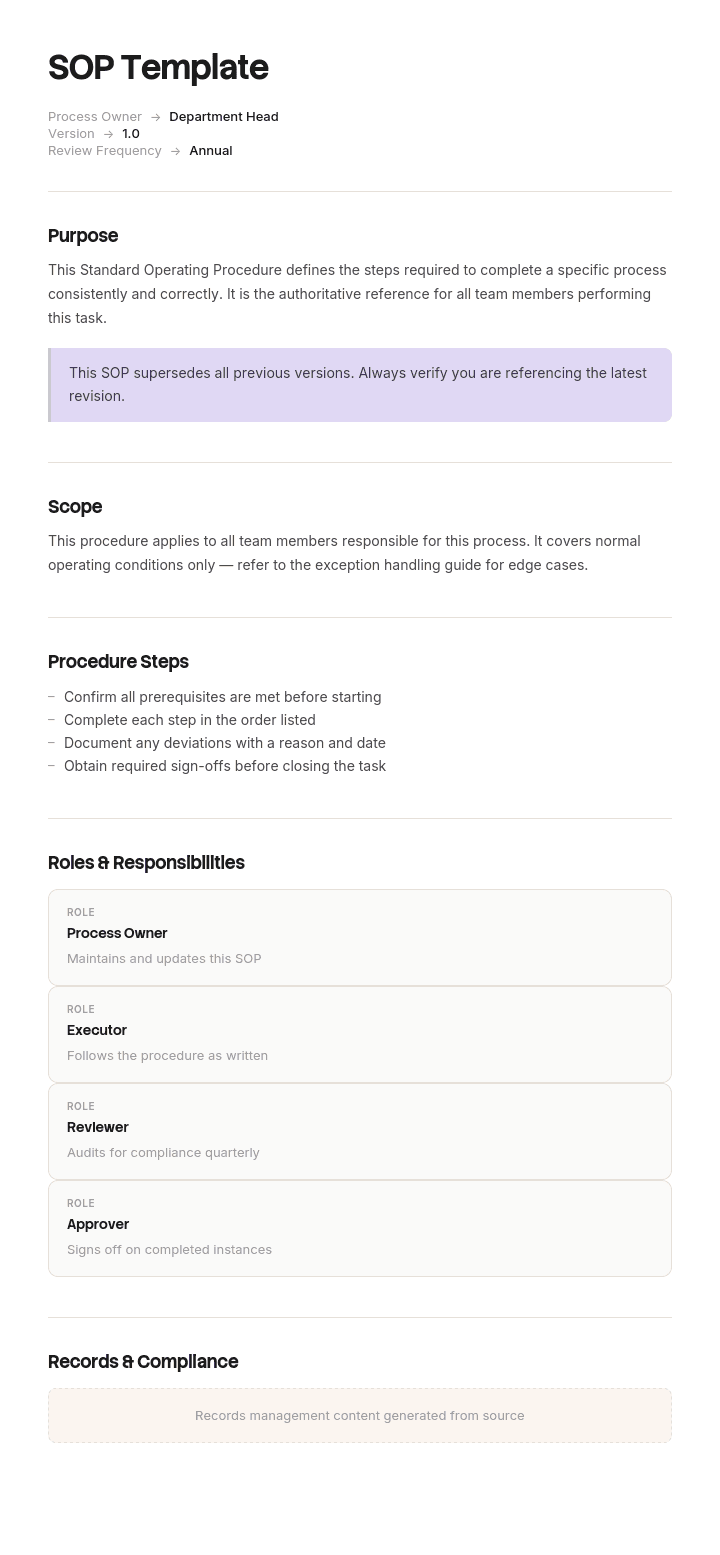
Verwenden Sie diese Vorlage
Standard Operating Procedures (SOPs) sind das Rückgrat für konsistente Abläufe – in der Fertigung, im Gesundheitswesen, in der Softwareentwicklung, im Servicebereich und darüber hinaus. Mit Trupeer können Sie sich beim Schreiben von SOPs Stunden sparen, indem Sie mit einer kostenlosen SOP-Vorlage starten, sie mit Ihren Brand-Richtlinien anpassen und schriftliche SOPs in klare Video-Durchläufe umwandeln, die Teams wirklich nutzen.
Was ist eine kostenlose SOP-Vorlage?
Eine kostenlose SOP-Vorlage ist eine wiederverwendbare Struktur zum Verfassen einer Standard Operating Procedure: ein Dokument, das festlegt, wie ein bestimmter Prozess durchgeführt wird, von wem, in welcher Reihenfolge – damit er jedes Mal auf die gleiche Weise abläuft.
Vorlagen dafür gibt es überall und sie sind nahezu identisch. Zweck, Geltungsbereich, Rollen, Schritte und ein Versionsfeld. Diese Struktur ist richtig und lässt sich in fünfzehn Minuten nachbauen.
Was eine Prozedur, der Menschen folgen, von einer unterscheidet, die ungelesen bleibt, liegt nicht in der Vorlage. Es ist eine Entscheidung darüber, was dokumentiert werden soll – und fast alle treffen sie in der falschen Reihenfolge.
Das Format folgt der Anwendung. Eine kostenlose SOP-Vorlage als Word-Datei ist der Ort, an dem die meisten Prozeduren geschrieben, geprüft und freigegeben werden, und ein einfaches Standard Operating Procedure Template Word-Layout ist der richtige Ausgangspunkt für die meisten Teams. Eine kostenlose SOP-Vorlage als Excel-Version eignet sich für Prozeduren, die im Wesentlichen tabellarisch sind, etwa Checklisten und wiederkehrende Zeitpläne. Eine kostenlose SOP-Vorlage als PDF ist die ausgegebene und kontrollierte Version – weshalb die meisten Publisher ein Standard Operating Procedure Template Word-PDF-Paar anbieten.
Was ist eine Standard Operating Procedure?
Eine dokumentierte, wiederholbare Methode zur Durchführung eines Prozesses, so formuliert, dass unterschiedliche Personen zu unterschiedlichen Zeiten dasselbe Ergebnis erzielen.
Drei Dinge unterscheiden sie von anderen Dokumenten. Sie beschreibt einen Prozess statt einer Aufgabe, daher erstreckt sie sich in der Regel über mehr als eine Person oder Rolle. Sie ist verbindlich statt beratend – das heißt, sie sagt, was zu tun ist, statt worüber man nachdenken sollte. Und sie ist kontrolliert, das bedeutet: Sie hat eine Version, einen Verantwortlichen und ein Datum, denn eine Prozedur, die niemand pflegt, hört ziemlich schnell auf, eine Standardprozedur zu sein.
Die zugehörigen Dokumente liegen darüber und darunter. Eine Richtlinie legt fest, was wahr sein muss und warum. Eine Prozedur legt fest, wie der Prozess abläuft. Eine Arbeitsanweisung legt fest, wie eine einzelne Aufgabe darin durchgeführt wird. Die falsche Ebene ist der häufigste strukturelle Fehler – weiter unten wird darauf eingegangen.
Wenn mehrere Prozeduren gemeinsam existieren, braucht die Sammlung ein eigenes Management, das das SOP-Manual abdeckt.
So passen Sie diese Vorlage in Trupeer an
Schritt 1: Öffnen Sie den Bereich Vorlagen
Gehen Sie im Hauptmenü zum Bereich Vorlagen.

Schritt 2: Vorlage auswählen und öffnen
Klicken Sie auf eine beliebige Vorlage, mit der Sie arbeiten möchten, um sie zu öffnen.

Schritt 3: Ansicht der Vorlage erweitern
Falls nötig, erweitern Sie die Vorlagenansicht, um das vollständige Layout und die Details klar zu sehen.

Schritt 4: Vorlage bearbeiten
Klicken Sie auf „Bearbeiten“, um mit der Anpassung der ausgewählten Vorlage zu beginnen.

Im Editor können Sie:
Neue Abschnitte hinzufügen
Formatierungsregeln definieren oder aktualisieren
Ein Logo hinzufügen und Position sowie zugehörige Einstellungen anpassen
Schritt 5: Speichern Sie Ihre angepasste Vorlage
Nachdem Sie alle notwendigen Änderungen vorgenommen haben, klicken Sie auf „Speichern“, um die aktualisierte Vorlage als Ihre eigene zu sichern.

Schritt 6: Vorschau ansehen und Vorlage feinjustieren
Wenn Sie sehen möchten, wie Ihre angepasste Vorlage aussieht, öffnen Sie die Vorschau.

Ausgehend vom Vorschau-Bildschirm können Sie bei Bedarf weiterhin direkt Anpassungen vornehmen – so stellen Sie sicher, dass die Vorlage genau so erscheint, wie Sie es möchten.
Mit einer SOP-Vorlage können Sie:
Stunden bei der Dokumentation sparen: Überspringen Sie die leere Seite – mit einer bewährten Struktur für jede Standard Operating Procedure.
Teams übergreifend standardisieren: Verwenden Sie für jeden Prozess, jede Region und jede Schicht dieselbe SOP-Vorlage.
Fehler reduzieren: Klare, konsistente Prozeduren verringern Fehler und Nacharbeit – besonders in regulierten Branchen.
Im Brand bleiben: Nutzen Sie Ihr Logo, Ihre Schriften und Farben mit Trupeer’s Brand Kit – damit jede SOP konsistent aussieht.
Schneller schulen: Kombinieren Sie SOPs mit KI-gestützten Video-Durchläufen, um neue Mitarbeitende und Freelancer schnell einzuarbeiten.
Globale Teams erreichen: Übersetzen Sie SOPs mit nur einem Klick in 65+ Sprachen.
Menschen öffnen eine SOP, wenn etwas ungewöhnlich ist
Sehen Sie sich an, wie Prozeduren tatsächlich genutzt werden – und ein Muster dominiert.
Niemand schlägt an einem normalen Tag eine Prozedur nach, wenn er etwas bereits fünfzig Mal gemacht hat. Man arbeitet aus Gewohnheit, korrekt – und das Dokument liegt in einem Ordner.
Man greift danach, wenn etwas anders ist. Ein Schritt ist nicht abgeschlossen. Ein Dokument ist nicht angekommen. Der Kunde hat etwas Unerwartetes gesagt. Das System zeigt einen Status an, den niemand erkennt. Jemand Neues übernimmt und hat das noch nie zuvor gemacht.
Mit anderen Worten: Prozeduren werden genau in den Momenten geöffnet, in denen sie am wenigsten helfen – denn fast jede SOP dokumentiert den Weg, auf dem alles wie vorgesehen läuft.
Dieser Weg ist der, den niemand aufschreiben muss. Er ist erfahrenen Menschen bereits bekannt – und er ist am einfachsten zu formulieren. Deshalb wird er auch aufgeschrieben.
Die Folge ist nicht, dass das Dokument falsch ist. Sondern dass es nicht mehr reicht. Jemand folgt den Schritten eins bis sechs, stößt auf eine Situation, die die Prozedur nicht erwähnt, und improvisiert. Wenn diese Situation wiederkehrt – und das tut sie in der Regel – improvisiert jeder separat. Innerhalb eines Jahres wird derselbe Prozess dann auf mehrere verschiedene Arten durchgeführt, von Menschen, die alle glauben, sie würden die Prozedur befolgen.
Die Verzweigungen dokumentieren
Die Korrektur besteht darin, den gewöhnlichen Weg als „Rückgrat“ zu behandeln und die Abweichungen als Inhalt.
Stellen Sie für jeden Schritt eine Frage: Was könnte hier anders sein? Dokumentieren Sie dann die zwei oder drei häufigsten Antworten – jeweils mit dem, was in jedem Fall zu tun ist.
Drei Quellen zeigen Ihnen, was die Verzweigungen tatsächlich sind – und keine davon ist Einbildung.
Beobachten Sie den Prozess, wenn er mehrfach durchgeführt wird. Nicht einmal. Abweichungen zeigen sich nur über Wiederholungen hinweg, und die Person, die den Prozess ausführt, wird sie nicht erwähnen, weil sie nicht mehr als Abweichungen wahrgenommen werden.
Fragen Sie, was in den letzten fünf Fällen schiefgelaufen ist. Menschen erinnern sich sehr lebhaft an Vorfälle, aber eher vage an Prozesse. Daher liefert diese Frage bessere Informationen als die Frage, wie der Prozess funktioniert.
Lesen Sie Beschwerden, Fehler und Eskalationen. Jede davon ist eine Verzweigung, die jemand ohne Anleitung getroffen hat.
Schreiben Sie dann jede Verzweigung neben den Schritt, zu dem sie gehört – statt in einem Anhang. Wer bei Schritt vier auf ein Problem stößt, findet keinen Abschnitt „Ausnahmen“ auf Seite neun. Und falls doch, muss er rekonstruieren, wo er sich gerade befindet.
Zwei Regeln verhindern, dass das Dokument aufbläht. Dokumentieren Sie nur Verzweigungen, die wiederkehren – denn eine wirklich einmalige Situation braucht eine Person, nicht eine Prozedur. Und sagen Sie für jede Verzweigung, wer entscheidet, wenn die Antwort nicht offensichtlich ist, denn die Hälfte dessen, was wie eine fehlende Anweisung aussieht, ist tatsächlich eine fehlende Berechtigung.
Was eine SOP-Vorlage enthalten muss
Neun Bestandteile. Die Spalte „Verzweigungen“ ist der Teil, der bestimmt, wie das Dokument verwendet wird.
Komponente | Was sie bewirkt |
|---|---|
Titel und Nummer | Eine stabile Kennung, auf die man sich im Gespräch und in der Schulung beziehen kann. |
Zweck | Ein Satz dazu, was diese Prozedur erreicht und warum das wichtig ist. |
Geltungsbereich | Was abgedeckt ist und ausdrücklich, was nicht – einschließlich angrenzender Prozesse mit eigenen Prozeduren. |
Wer sie ausführen darf | Rollen, Berechtigungen und ggf. erforderliche Schulungen oder Autorisierungen. |
Was Sie vor dem Start benötigen | Zugriff, Informationen, Ausrüstung, Freigaben. Alles, was eine andere Person erfordert, sollte gekennzeichnet werden – denn dort bleiben Menschen am häufigsten hängen. |
Schritte | Jeweils eine Aktion, in der richtigen Reihenfolge, mit dem, wie das Ergebnis aussehen soll. Eine Schritt-für-Schritt-Standard Operating Procedure Template Word-Layout ist der übliche Ausgangspunkt. |
Verzweigungen | Neben jedem Schritt, bei dem es typischerweise Unterschiede gibt – mit dem, was zu tun ist, und wer entscheidet. |
Eskalation | Wen man kontaktieren soll, wenn die Verzweigungen aufgebraucht sind – und wie schnell. |
Verantwortlicher, Version und zuletzt geprüft | Im Footer jeder Seite, damit Leser einschätzen können, ob sie ihm vertrauen sollten. |
Die letzte Zeile leistet mehr Arbeit, als ihre Größe vermuten lässt. Leser bewerten, ob sie einem Dokument folgen sollen, teilweise danach, ob es gepflegt aussieht. Eine Prozedur ohne Datum wird als alt angenommen – meist zu Recht.
Kostenlose SOP-Vorlage: die Struktur zum Kopieren
Mit einem echten Beispiel statt Platzhaltern. Der Prozess besteht darin, ein neu gekauftes Fahrzeug an einen Kunden in einem Autohaus zu übergeben.
Von hier kopieren.
Titel und Nummer. Fahrzeugübergabe an den Kunden. SOP-SLS-004.
Zweck. Die Übergabe eines gekauften Fahrzeugs vollständig durchführen, sodass der Kunde mit dem richtigen Fahrzeug, den richtigen Unterlagen und einem klaren Verständnis dafür dasteht, was als Nächstes passiert.
Geltungsbereich. Umfasst die Übergabe von neuen und gebrauchten Fahrzeugen an Retail-Kunden. Deckt keine Flottenlieferungen ab, die nach SOP-SLS-009 erfolgen, und keine Übergabe von Miet-/Servicefahrzeugen.
Wer sie ausführen darf. Verkaufsberater, die eine Übergabe-Schulung abgeschlossen haben. Ein Sales Manager muss bei jeder Übergabe anwesend sein, die eine Finanzierungsvereinbarung über einen festgelegten Wert beinhaltet.
Was Sie vor dem Start benötigen. Fahrzeug gereinigt und betankt. Registrierung bestätigt. Finanzierungsunterlagen zurückgegeben und unterschrieben. Jede vereinbarte Nachbesserungsarbeit abgeschlossen und freigegeben. Übergabepaket gedruckt.
Schritte und Verzweigungen.
# | Schritt | Sie sollten sehen | Wenn es anders ist |
|---|---|---|---|
1 | Bestätigen, dass das Fahrzeug bereit ist und zur Bestellung passt | Fahrzeug auf der Übergabe-Bucht, gereinigt, korrekte Spezifikation | Nicht gereinigt: Bieten Sie dem Kunden ein Getränk an und warten Sie fünfzehn Minuten, oder buchen Sie neu. Geben Sie kein ungereinigtes Fahrzeug heraus. Eine Manager-Freigabe ist für eine Neuterminierung nicht erforderlich. |
2 | Bestätigen, dass die Registrierung vollständig ist | Registrierungsdokument oder Bestätigungsreferenz vorhanden | Nicht über: Übergabe kann nur mit Manager-Freigabe auf Händlerkennzeichen erfolgen. Erklären Sie dem Kunden, was das bedeutet, bevor er ankommt – nicht am Tag selbst. |
3 | Bestätigen, dass die Finanzierungsunterlagen zurückgegeben wurden | Unterschriebene Vereinbarung im Paket | Nicht zurückgegeben: Fahrzeug nicht freigeben. Kontaktieren Sie den Kreditgeber und informieren Sie den Kunden noch am selben Tag statt beim Termin. |
4 | Bestätigen, dass jede vereinbarte Arbeit abgeschlossen ist | Nachbesserungsbogen freigegeben/unterschrieben | Teil auf Rückstand: Übergabe mit gebuchter Arbeit anbieten – schriftlich, mit Datum. Sales Manager kann eine Kulanzgeste bis zur angegebenen Grenze autorisieren. |
5 | Den Fahrzeugtausch mit dem Kunden prüfen | Zustand entspricht der Bewertung | Zustand schlechter als angegeben: neu bewerten, bevor Sie abschließen. Jede Anpassung über der angegebenen Schwelle ist eine Entscheidung des Managers, nicht des Sales Executive. |
6 | Den Kunden durch das Fahrzeug führen | Kunde hat die Bedienelemente für den Schlüssel selbst bedient | Kunde in Eile: Bieten Sie einen Rückruf innerhalb von achtundvierzig Stunden an und vermerken Sie ihn. Überspringen Sie keine sicherheitsrelevanten Bedienelemente. |
7 | Dokumente und Schlüssel übergeben | Kunde hält beides, Checkliste unterschrieben | |
8 | Folgekontakt buchen | Kontakt im System geplant |
Eskalation. Alles, was oben nicht abgedeckt ist, geht an den diensthabenden Sales Manager. Alles, was einen Streit über Geld betrifft, geht am selben Tag an den General Manager.
Verantwortlicher, Version, Prüfung. Verantwortlich: Group Sales Manager. Version 6, zuletzt geprüft am 11. April, nächste Prüfung im April des nächsten Jahres. Unmittelbar geprüft bei jeder Änderung am Finanzierungsprozess oder am Übergabesystem.
Von hier kopieren.
Sechs Verzweigungen über acht Schritte. Die ursprüngliche Version dieser Prozedur hatte acht Schritte und keine Verzweigungen – genau das ist der Punkt des Beispiels unten.
SOP-Beispiel: Vierzig Prozent der Übergaben ließen die Prozedur zurück
Die Ravenglass Motor Group betreibt neun Autohäuser mit etwa vierhundertachtzig Mitarbeitenden. Ihre Fahrzeugübergabe-Prozedur umfasste vierzehn Schritte, war gut geschrieben und wurde bei jeder Übergabetheke laminiert.
Sie beschrieb eine Übergabe, bei der alles bereit war.
Irgendwann stellte jemand fest, dass bei sechzig Übergaben an drei Standorten die Prozedur nicht mehr anwendbar war, und dokumentierte jeden Punkt, an dem sie aufhörte zu gelten.
In ungefähr vierzig Prozent der Übergaben war mindestens eine Sache nicht so, wie die Prozedur es annahm. Das Fahrzeug war nicht rechtzeitig gereinigt. Die Finanzierungsunterlagen waren nicht vom Kreditgeber zurückgekommen. Ein Teil war auf Rückstand. Der Fahrzeugtausch war in einem schlechteren Zustand als angegeben. Die Registrierung war nicht durchgegangen.
Keine dieser Abweichungen war selten. Mehrere davon kamen jede Woche an jedem Standort vor. Und die Prozedur sagte nichts über irgendeine davon – daher lief das Dokument bei Schritt vier oder Schritt sechs aus und der Sales Executive improvisierte.
Neun Standorte improvisierten auf neun Arten.
Die Folgen zeigten sich an Orten, die niemand mit der Prozedur verbunden hatte. Die Kundenzufriedenheit bei der Übergabe variierte zwischen dem besten und dem schlechtesten Standort um vierunddreißig Punkte, und Beschwerden häuften sich fast vollständig auf die Ausnahmefälle statt auf die gewöhnlichen. Ein Standort bot routinemäßig Kraftstoffgutscheine an, wenn ein Fahrzeug nicht bereit war, und ein anderer bot nichts an – was die Kunden herausfanden, indem sie miteinander sprachen.
Die Überarbeitung fügte keine Schritte hinzu. Sie ergänzte elf dokumentierte Verzweigungen, abgeleitet aus den sechzig Beobachtungen: jeweils mit dem, was zu tun ist, was dem Kunden gesagt wird und was angeboten werden darf, ohne einen Manager zu fragen.
Dieses letzte Element war wichtiger als erwartet. Ein erheblicher Teil dessen, was wie ein inkonsistenter Service aussah, war tatsächlich inkonsistente Autorität. Niemand hatte festgehalten, was ein Sales Executive anbieten darf. Daher boten einige großzügig an, andere gar nichts – und beides war ohne Anleitung jeweils vertretbar.
Zwölf Monate später hatte sich die Zufriedenheitslücke zwischen den Standorten von vierunddreißig Punkten auf neun verringert, und die Beschwerden zur Übergabe waren um etwa zweiundfünfzig Prozent zurückgegangen.
Die Prozedur wurde um ungefähr eine Seite länger. Was sich geändert hat: Sie hörte nicht mehr genau in dem Moment auf, in dem jemand sie aufgreift.
So schreiben Sie eine SOP in sechs Schritten
Beobachten Sie den Prozess, mehrere Male, durch verschiedene Personen. Nicht einmal – und nicht durch Fragen. Menschen beschreiben den beabsichtigten Prozess und führen dann den tatsächlichen aus.
Schreiben Sie zuerst den gewöhnlichen Weg, eine Aktion pro Schritt, mit dem, wie das Ergebnis aussehen soll.
Finden Sie die Verzweigungen. Aus Ihren Beobachtungen, aus der Frage, was in den letzten fünf Fällen schiefgelaufen ist, und aus den Aufzeichnungen zu Beschwerden und Fehlern.
Schreiben Sie jede Verzweigung neben ihren Schritt, einschließlich der Person, die entscheidet, wenn eine Entscheidung erforderlich ist.
Lassen Sie jemanden folgen, der es noch nie gemacht hat. Jede Frage, die sie stellen, ist ein Mangel. Schreiben Sie die Antwort auf, statt sie zu erklären.
Setzen Sie Verantwortlichen, Version und Datum in den Footer, und legen Sie ein Prüfdatum fest, bevor Sie veröffentlichen – nicht danach.
Schritt fünf ist der günstigste Qualitätsmechanismus, der verfügbar ist – und der am häufigsten übersprungen wird. Ein Autor kann die eigenen Annahmen nicht sehen, und eine fremde Person findet sie in zwanzig Minuten.
SOP-Formate: Schritte, hierarchisch und Flussdiagramm
Drei Formate – und die Auswahl sollte sich nach dem Prozess richten, nicht nach Vorlieben.
Einfache Schritt-Formatierung. Eine nummerierte Liste. Richtig für kurze, lineare Prozesse mit wenigen Entscheidungen. Die meisten Prozeduren sollten so aufgebaut sein, und viele werden ohne Grund unnötig kompliziert gemacht.
Hierarchisches Format. Nummerierte Schritte mit nummerierten Unterpunkten. Geeignet für längere Prozesse, bei denen einige Schritte Details brauchen und andere nicht – und bei denen unterschiedliche Rollen unterschiedliche Teile übernehmen. Das Format, auf das sich die meisten großen Organisationen einigen.
Flussdiagramm-Format. Ein Diagramm. Wirklich besser, wenn der Prozess entscheidungsintensiv ist und die Verzweigungen wichtiger sind als die Reihenfolge – was nach dem Argument dieser Seite eher mehr Prozesse betrifft als die, die normalerweise gezeichnet werden. Der Aufwand liegt in der Pflege: Ein Diagramm ist schwieriger zu bearbeiten als eine Liste, und ein veraltetes Flussdiagramm ist schwerer zu korrigieren als ein veralteter Absatz.
Ein praktischer Hybrid funktioniert gut: Schritte als Tabelle, mit einer Verzweigungsspalte daneben – wie im Beispiel oben. So bleibt die Bearbeitbarkeit einer Liste erhalten, während die Entscheidungen erfasst werden, die ein Flussdiagramm zeigen würde.
Welches Format Sie auch wählen: Nutzen Sie es durchgängig in Ihren Prozeduren. Leser lernen ein Format kennen, und ein Manual mit drei unterschiedlichen Formaten kostet jedes Mal einen Moment der Neuorientierung.
SOP-Vorlagen nach Abteilung
Jede Funktion braucht Prozeduren, und die Gewichtung verschiebt sich zwischen ihnen deutlich.
Vertrieb und Business Development. Prozeduren decken Pipeline-Handling, Angebotserstellung und Übergabe ab, und die Verzweigungen betreffen in der Regel eher Berechtigungen als die Methode. Das Business-Development-SOP deckt das ab.
Marketing. Freigabe- und Publikationsschritte dominieren, und die entscheidenden Verzweigungen drehen sich um alles, was nach der Veröffentlichung nicht mehr rückgängig gemacht werden kann – das Digital-Marketing-SOP adressiert.
Kundenservice. Prozeduren werden zum Zeitpunkt der Nutzung gelesen – mitten im Gespräch. Das verändert, wie sie aufgebaut sein müssen. Abgedeckt im Kundenservice-SOP.
IT. Zugriffs-, Änderungs- und Incident-Prozeduren, mit umfangreichem Eskalationsinhalt. Das IT-SOP deckt diese ab.
HR. Die Konsequenzen variieren je nach Schweregrad, und die Prozedur muss sie klar voneinander unterscheiden – außerdem gilt das Arbeitsrecht durchgehend.
Fertigung, Lager und Bau. Prozeduren liegen über detaillierten Arbeitsanweisungen und Sicherheitsdokumentation, und die Grenze zwischen den drei Bereichen sollte explizit festgehalten werden – andernfalls landen alle drei in einem Dokument.
Gesundheitswesen, Pharma, Lebensmittel- und Finanzdienstleistungen. Die Kontrolle von Prozeduren ist in diesen Branchen eine regulatorische Anforderung – nicht nur bewährte Praxis. Mit definierten Verpflichtungen für Freigaben, Verteilung, Schulungsnachweise und Aufbewahrung. Erstellen Sie nach dem jeweils geltenden Standard mit qualifiziertem Input. Nichts auf dieser Seite ersetzt das.
SOP, Arbeitsanweisung, Richtlinie oder Prozesslandkarte?
Vier Dokumente auf vier Ebenen – und die falsche Wahl ist der häufigste strukturelle Fehler.
Eine Richtlinie legt fest, was wahr sein muss und warum. Kurz, selten geändert, und sie sagt niemandem, wie man irgendetwas macht.
Eine Standard Operating Procedure legt fest, wie ein Prozess abläuft: wer was in welcher Reihenfolge macht. Sie erstreckt sich normalerweise über Rollen hinweg, und das ist die Ebene, die diese Seite abdeckt.
Eine Arbeitsanweisung legt fest, wie eine einzelne Aufgabe innerhalb dieser Prozedur durchgeführt wird – in ausreichender Detailtiefe, damit auch jemand ohne Vorkenntnisse sie ausführen kann. Das Vorlagen-Set für Arbeitsanweisungen deckt das ab.
Eine Prozesslandkarte ist ein Diagramm desselben Prozesses – nützlich, um Übergaben und Verzögerungen zu erkennen, statt um ihm zu folgen.
Der Test ist: Wer liest es und was tut er als Nächstes? Wenn der Leser wissen muss, was erlaubt ist, dann ist das eine Richtlinie. Wenn sie wissen müssen, was in welcher Reihenfolge passiert, dann ist das eine Prozedur. Wenn sie wissen müssen, welche Taste sie drücken sollen, dann ist das eine Arbeitsanweisung.
Wenn man Aufgabendetails in eine SOP schreibt, entsteht ein Dokument mit vierzig Seiten – zu lang, um es als Überblick zu lesen, und zu allgemein, um es als Anleitung zu befolgen. Das ist der eine häufigste Fehler in Prozedur-Sets.
Was eine kostenlose SOP-Vorlage nicht beheben kann
Ein Prozess, auf den sich niemand einigt. Wenn drei Personen ihn auf drei Arten ausführen und alle glauben, ihre sei die richtige, ist das Niederschreiben eine Entscheidung statt eine reine Dokumentationsaufgabe – und sie muss von jemandem mit Autorität getroffen werden, bevor überhaupt etwas geschrieben wird.
Prozeduren, die Absichten beschreiben. Ein Dokument, das so geschrieben ist, wie der Prozess funktionieren sollte, wird von den Menschen, die ihn tatsächlich ausführen, still ignoriert – und Sie erfahren es bei einem Audit oder einem Vorfall.
Fehlende Autorität. Die Hälfte dessen, was wie eine Lücke in einer Prozedur aussieht, ist eine Lücke in den Berechtigungen. Keine kostenlose SOP-Vorlage wird Ihnen sagen, was eine Person entscheiden darf.
Keine Pflege. Eine Prozedur ist nur dann eine Standardprozedur, wenn sie aktuell ist – und Aktualität kostet Zeit. Was das auf Ebene eines gesamten Prozedur-Sets bedeutet, wird auf der SOP-Manual-Seite behandelt.
Zeigen Sie den Prozess statt ihn zu beschreiben
Der schwierigste Teil beim Schreiben einer SOP ist nicht das Schreiben. Es ist herauszufinden, was tatsächlich passiert.
Fragen Sie jemanden, wie er etwas macht, und Sie erhalten den beabsichtigten Prozess – komprimiert, mit den unbequemen Stellen geglättet und ohne Workarounds, weil sie diese nicht mehr bemerken. Deshalb beschreiben Prozeduren, die am Schreibtisch geschrieben werden, den „Happy Path“: Der Happy Path ist das, woran sich Menschen erinnern.
Trupeer AI schließt diese Lücke direkt. Jemand führt den Prozess aus, während er aufzeichnet, und das Ergebnis ist eine schriftliche Schritt-für-Schritt-Prozedur mit bereits erfassten, annotierten Screenshots – zusammen mit einem Video – in Ihrer eigenen Markenwelt. Da es sich um eine Aufzeichnung der tatsächlichen Ausführung handelt und nicht um eine Beschreibung, sind die Abweichungen sichtbar: die zusätzliche Bestätigung, das Feld, das zweimal ausgefüllt werden muss, der Schritt, der nur in einer bestimmten Reihenfolge funktioniert.
Aufzeichnen. Gebrandet. Übersetzen. Trupeer.
Drei Konsequenzen ergeben sich speziell für Prozeduren. Wenn man denselben Prozess aufzeichnet, der von zwei oder drei Personen durchgeführt wird, werden die Verzweigungen schneller sichtbar als durch jedes Interview – denn die Unterschiede zwischen ihnen sind die Verzweigungen. Eine erneute Aufzeichnung nach einer Systemänderung ist schneller als das Bearbeiten – und genau das macht eine Prozedur aktuell, wenn jemand sie braucht. Und wenn Teams über Sprachen oder Standorte hinweg arbeiten, erzeugt dieselbe Aufzeichnung in jedem Fall dieselbe Prozedur – sodass eine Standard Operating Procedure wirklich standardisiert ist, statt aus neun lokalen Varianten zu bestehen, die nur denselben Titel teilen.
Das Material liegt in Ihrer Knowledge Base und dient gleichzeitig als Training für neue Mitarbeitende – wofür die meisten Prozedur-Sets ohnehin still genutzt werden. Konsistenz über Ihre Dokumente hinweg erreichen Sie, indem Sie das Brand Kit einmal festlegen – und die Einrichtung wird im Guide zur Einrichtung von Dokumentvorlagen erklärt.
Häufig gestellte Fragen
Gibt es eine kostenlose SOP-Vorlage als Word-Version?
Word ist der Ort, an dem die meisten Prozeduren geschrieben werden, weil sie aus Fließtext plus nummerierten Schritten bestehen. Sie durchlaufen die Prüfung, werden freigegeben und ausgegeben. Eine kostenlose SOP-Vorlage als Word-Datei ist das richtige Arbeitsformat für fast jedes Team.
Eine Einstellung lohnt sich, bevor Sie irgendetwas schreiben: Tragen Sie die Prozedurnummer, den Verantwortlichen, die Version und das Datum der letzten Prüfung in den Seiten-Footer ein, damit sie auf jeder Seite erscheinen. Wer bei Seite drei einer Prozedur landet, muss wissen, ob er ihr vertrauen kann – das Deckblatt hilft dabei nicht.
Gibt es eine einfache Standard Operating Procedure-Vorlage als Word-Version?
Ja, und „einfach“ ist die richtige Standardeinstellung statt eines Kompromisses. Ein einfaches Standard Operating Procedure Template Word-Layout mit einer Seite, Zweck, wer sie ausführen darf, was Sie zuerst benötigen und nummerierten Schritten deckt die meisten Prozesse korrekt ab.
Fügen Sie eine Spalte hinzu: Was zu tun ist, wenn dieser Schritt anders ist. Diese eine Ergänzung ist der Unterschied zwischen einer Prozedur, die hilft, wenn jemand sie tatsächlich öffnet, und einer, die bei Schritt vier aufhört, anwendbar zu sein.
Gibt es eine Schritt-für-Schritt Standard Operating Procedure-Vorlage als Word-Version?
Die Schrittstruktur ist der einfache Teil – und jede veröffentlichte Vorlage hat sie. Eine Schritt-für-Schritt Standard Operating Procedure Template Word-Datei gibt Ihnen nummerierte Schritte, was korrekt ist, und eine Aktion pro Schritt – das ist die Regel, die die meisten Entwürfe brechen.
Teilen Sie alles, was das Wort „and“ enthält. Ein Schritt, der zwei Aktionen abdeckt, lässt sich nicht verifizieren, kann nach einer Unterbrechung nicht fortgesetzt werden und verbirgt die Verzweigung, die zur zweiten Hälfte gehört.
Gibt es eine SOP-Vorlage als Word-Datei, die sich zum Download lohnt?
Die meisten veröffentlichten Vorlagen sind im Großen und Ganzen identisch. Ein SOP-Vorlagen-Download als Word spart Ihnen daher etwa fünfzehn Minuten statt einen Nachmittag.
Bewerten Sie jede davon anhand einer Frage. Gibt es irgendwo die Möglichkeit, festzuhalten, was passiert, wenn Dinge nicht wie erwartet laufen? Im Grunde keine – und genau das ist der Teil einer Prozedur, der bestimmt, ob sie genutzt wird.
Gibt es eine Kombination aus Standard Operating Procedure-Vorlage als Word und PDF?
Die meisten Publisher bieten beides an, und die Kombination spiegelt wider, wie Prozeduren tatsächlich verwaltet werden. Die Standard Operating Procedure Template Word-PDF-Anordnung bedeutet: Die Word-Datei ist der Arbeitsentwurf, und das PDF ist die ausgegebene, kontrollierte Version.
In regulierten Umgebungen hat diese Unterscheidung Gewicht. Das ausgegebene PDF ist die kontrollierte Version, die Word-Datei nicht. Und dass Menschen mit einem nicht kontrollierten Entwurf arbeiten, ist ein häufiges Audit-Ergebnis.
Gibt es eine kostenlose SOP-Vorlage als PDF?
PDF ist die ausgegebene Version. Exportieren Sie eine kostenlose SOP-Vorlage als PDF bei der Freigabe mit Version und Datum auf jeder Seite – und behalten Sie die editierbare Quelle, denn Prozeduren ändern sich, und ein Dokument, das Sie nur durch Neuberechnung erneut ausgeben können, wird nicht erneut ausgegeben.
Wenn ein Auditor fragen kann, welche Prozedur an einem bestimmten Datum in Kraft war, bewahren Sie die überholten PDFs auf, statt sie zu überschreiben.
Gibt es eine kostenlose SOP-Vorlage als Excel-Version?
Excel eignet sich für Prozeduren, die wirklich tabellarisch sind: wiederkehrende Checklisten, Zeitpläne und alles, bei dem es pro Vorkommen eine Freigabe-Spalte gibt. Eine SOP-Vorlage als Excel-Datei funktioniert gut für solche Fälle und schlecht für Fließtext.
Außerdem ist es der richtige Ort für das Register aller Ihrer Prozeduren – mit Verantwortlichem, Version und Prüfdatum pro Zeile, was wichtig wird, sobald Sie mehr als etwa ein Dutzend haben.
Was ist der Unterschied zwischen einer SOP und einer Arbeitsanweisung?
Eine SOP beschreibt einen Prozess, der meist mehrere Rollen umfasst, und beantwortet die Frage, wer was in welcher Reihenfolge macht. Eine Arbeitsanweisung beschreibt eine einzelne Aufgabe darin und beantwortet, wie man diese Aufgabe physisch ausführt.
Der praktische Test ist die nächste Aktion des Lesers. Wenn sie nach dem Lesen wissen, was als Nächstes passiert, aber nicht, was sie mit den Händen tun sollen, haben Sie eine SOP geschrieben, wo eine Arbeitsanweisung gebraucht worden wäre. Beide sind legitime Dokumente und sollten nicht dasselbe Dokument sein.

