Verwenden Sie diese Vorlage
Eine großartige Feature-Veröffentlichung geht nicht darum, Code auszurollen – sondern darum, die Akzeptanz zu steigern. Mit Trupeer sparen Sie Stunden bei der Startplanung, indem Sie mit einer kostenlosen Vorlage für Feature-Releases beginnen, sie mit Ihren Markenrichtlinien anpassen und Startpläne in Video-Updates verwandeln, die Teams hinter jeder Veröffentlichung auf einen gemeinsamen Nenner bringen.
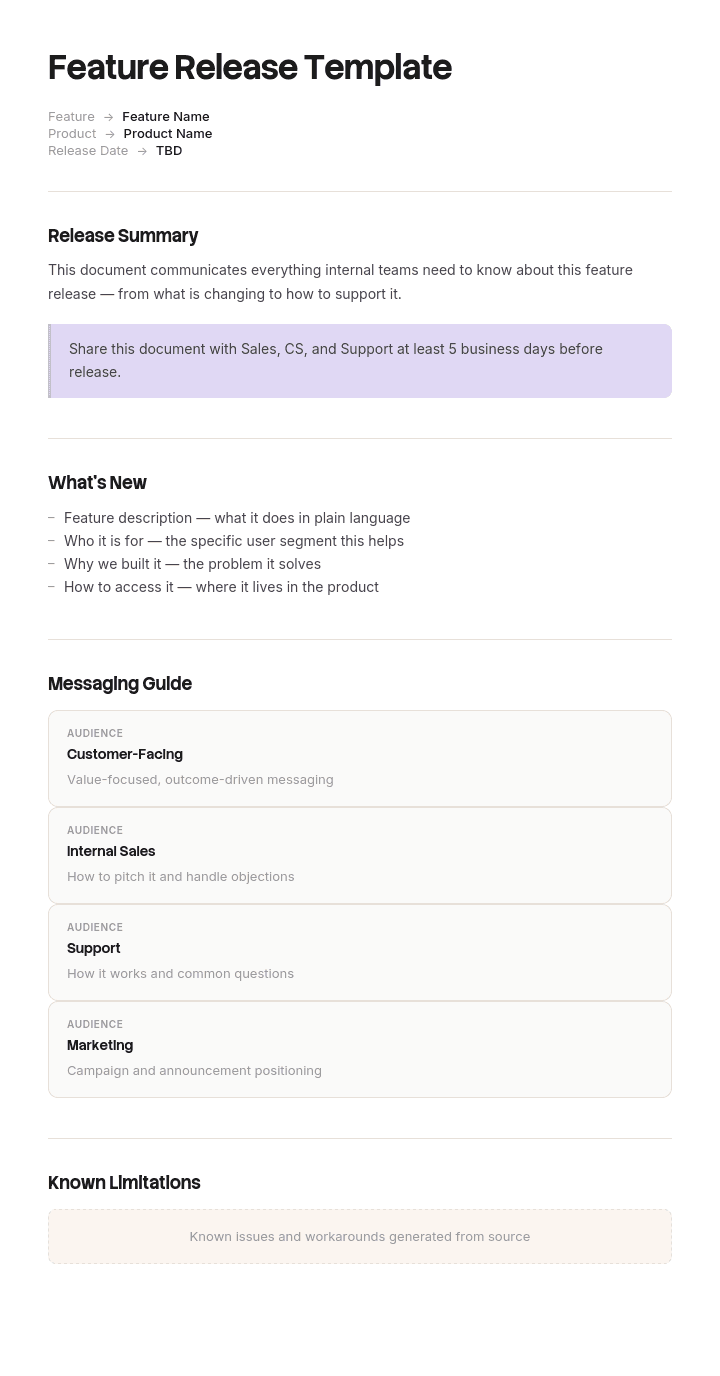
Diese Vorlage für Feature-Releases bietet einen strukturierten Rahmen, um Umfang der Veröffentlichung, Zielgruppe, Wertversprechen, Botschaften, Launch-Plan, Schulungen und Erfolgskennzahlen zu erfassen – nützlich für SaaS-Produktstarts, App-Updates und Feature-Rollouts in Unternehmen. Kombinieren Sie sie mit unserem Anwendungsfall für Sales Enablement, erstellen Sie KI-Video-Walkthroughs und übersetzen Sie sie in 65+ Sprachen für globale Launches.
So passen Sie diese Vorlage in Trupeer an
Schritt 1: Öffnen Sie den Vorlagen-Bereich
Gehen Sie über die Hauptnavigation zum Vorlagen-Bereich.

Schritt 2: Wählen Sie eine Vorlage aus und öffnen Sie sie
Klicken Sie auf eine beliebige Vorlage, mit der Sie arbeiten möchten, um sie zu öffnen.

Schritt 3: Erweitern Sie die Vorlagenansicht
Falls erforderlich, erweitern Sie die Vorlagenansicht, um das vollständige Layout und die Details klar zu sehen.

Schritt 4: Bearbeiten Sie die Vorlage
Klicken Sie auf Bearbeiten, um mit der Anpassung der ausgewählten Vorlage zu beginnen.

Im Editor können Sie:
Neue Abschnitte hinzufügen
Formatierungsregeln definieren oder aktualisieren
Ein Logo hinzufügen und seine Position sowie zugehörige Einstellungen anpassen
Schritt 5: Speichern Sie Ihre angepasste Vorlage
Nachdem Sie alle erforderlichen Änderungen vorgenommen haben, klicken Sie auf Speichern, um die aktualisierte Vorlage als Ihre eigene zu speichern.

Schritt 6: Zeigen Sie die Vorlage in der Vorschau an und verfeinern Sie sie
Wenn Sie sehen möchten, wie Ihre angepasste Vorlage aussieht, öffnen Sie die Vorschau.

Im Vorschaubereich können Sie bei Bedarf weiterhin direkt Anpassungen vornehmen, sodass die Vorlage genau so aussieht, wie Sie es möchten.
Mit einer Vorlage für Feature-Releases können Sie:
Stunden bei der Startplanung sparen: Überspringen Sie die leere Seite mit einer Struktur, die für Produkteinführungen entwickelt wurde.
Funktionsübergreifende Teams aufeinander abstimmen: Integrierte Abschnitte für Produkt, Marketing, Vertrieb und Support.
Der Marke treu bleiben: Wenden Sie Ihr Logo, Ihre Schriftarten und Farben mit dem Brand-Kit von Trupeer an.
Die Akzeptanz steigern: Integrierte Felder für Botschaften und Schulungen sorgen dafür, dass Kunden die Funktion tatsächlich nutzen.
Veröffentlichungen standardisieren: Verwenden Sie dieselbe Vorlage für jedes Feature-Release.
Globale Teams erreichen: Übersetzen Sie Launch-Materialien mit einem Klick in 65+ Sprachen.
Eine großartige Vorlage für Feature-Releases verwandelt Veröffentlichungsdaten in Akzeptanz-Events. Verwenden Sie diese Vorlage, um Funktionen einzuführen, die Kunden tatsächlich finden, nutzen und schätzen.
Häufig gestellte Fragen
Was ist ein Feature-Release-Plan?
Ein Feature-Release-Plan ist ein Dokument, das alles erfasst, was für einen erfolgreichen Launch einer neuen Produktfunktion erforderlich ist – einschließlich Umfang der Funktion, Zielgruppe, Wertversprechen, Botschaften, Launch-Abfolge, Schulung, Support-Bereitschaft und Erfolgskennzahlen. Er bringt Produkt, Marketing, Vertrieb und Support aufeinander ab.
Was sollte ein Feature-Release-Plan enthalten?
Ein vollständiger Feature-Release-Plan umfasst den Umfang der Veröffentlichung, Zielgruppe und Anwendungsfall, Wertversprechen und Botschaften, Launch-Abfolge (Beta, GA, Kommunikation), Enablement-Materialien (Schulungen, Demos, KB-Artikel), Support-Bereitschaft, Erfolgskennzahlen und einen Plan zur Überwachung nach dem Launch.
Wie führt man eine Funktion erfolgreich ein?
Planen Sie frühzeitig – binden Sie Marketing, Vertrieb und Support ein, bevor der Code ausgeliefert wird. Definieren Sie Zielgruppe und Botschaft klar. Erstellen Sie Enablement-Materialien (Schulungen, Demos, Dokumentation). Wählen Sie die richtige Launch-Stufe (ohne Ankündigung, Beta, vollständiger Launch). Kommunizieren Sie breit. Überwachen Sie die Akzeptanz und iterieren Sie schnell auf Basis von Feedback.
Was ist der Unterschied zwischen einem Feature-Release und einem Produktlaunch?
Ein Produktlaunch führt typischerweise ein größeres neues Produkt auf dem Markt ein. Ein Feature-Release fügt einem bestehenden Produkt neue Funktionen hinzu. Launches sind in der Regel größere Ereignisse mit mehr PR; Feature-Releases finden häufiger statt und konzentrieren sich auf bestehende Kunden und Interessenten.
Wie misst man den Erfolg eines Feature-Releases?
Verfolgen Sie die Akzeptanzrate (% der berechtigten Nutzer, die die Funktion innerhalb von X Tagen verwendet haben), die Nutzungsintensität, den Einfluss auf die Bindung, das Volumen der Support-Tickets, die Kundenzufriedenheit und den Umsatzbeitrag bei monetarisierten Funktionen. Die wichtigste Kennzahl hängt vom Zweck der Funktion ab – Akzeptanz, Engagement oder Umsatz.

