Trupeer Blog
Zusammenfassen

Überblick für Käufer
Customer-Success-Teams geraten häufig in einen Strudel aus sich wiederholenden Onboarding-Aufgaben. Es wird geschätzt, dass 40–60 % ihrer Zeit durch manuelle Prozesse gebunden sind, die sich automatisieren ließen. Diese Ineffizienz erhöht nicht nur die Time-to-Value, sondern trägt auch zu frühem Client Churn bei.
Laut einem Bericht reduzieren Unternehmen, die das Onboarding automatisieren, die Time-to-Value um bis zu 30 %.
Quelle: Onboarding Automation Report von Tech Insights, 2026
Sie finden hier einen detaillierten Vergleich der führenden Software für das Client-Onboarding im Jahr 2026. Er ist für Teams konzipiert, die ihre Onboarding-Prozesse straffen, den manuellen Aufwand reduzieren und die Kundenzufriedenheit verbessern möchten. Egal, ob Sie ein kleines Startup oder ein großes Unternehmen sind: Wenn Sie diese Tools verstehen, können Sie fundierte Entscheidungen treffen.
Beste Software für Client-Onboarding: Direkter Vergleich
Feature | Trupeer | Rocketlane | Dock | GuideCX | UserPilot | Pendo | ChurnZero | Gainsight |
|---|---|---|---|---|---|---|---|---|
Client-Portal | Ja | Ja | Ja | Ja | Nein | Nein | Ja | Ja |
Task-Automatisierung | Ja | Ja | Begrenzt | Ja | Ja | Begrenzt | Ja | Ja |
Video-Walkthroughs | Ja | Nein | Nein | Ja | Ja | Ja | Nein | Begrenzt |
Fortschrittsverfolgung | Ja | Ja | Ja | Ja | Begrenzt | Ja | Ja | Ja |
In-App-Guidance | Ja | Begrenzt | Nein | Ja | Ja | Ja | Nein | Ja |
E-Mail-Sequenzen | Ja | Ja | Nein | Ja | Begrenzt | Nein | Ja | Ja |
CSM-Workflow-Automatisierung | Ja | Ja | Begrenzt | Ja | Nein | Nein | Ja | Ja |
CRM-Integration | Ja | Ja | Ja | Ja | Begrenzt | Ja | Ja | Ja |
Analytics | Ja | Ja | Begrenzt | Ja | Ja | Ja | Ja | Ja |
Trupeer

Trupeer ist darauf ausgelegt, das Client-Onboarding mit fortschrittlichen Automatisierungs- und umfangreichen Anpassungsfunktionen zu verbessern. Besonders geeignet ist es für Teams, die komplexe Onboarding-Prozesse betreuen und dafür detaillierte Nachverfolgung sowie Analytics benötigen. Trupeer hebt sich durch sein Client-Portal ab, das Transparenz und Interaktion während der gesamten Onboarding-Reise bietet. Für kleinere Teams mit einfacheren Anforderungen ist es jedoch möglicherweise nicht die erste Wahl.
Wichtige Funktionen
Umfassendes Client-Portal
Automatisiertes Task-Management
Analytics und Reporting in Echtzeit
Anpassbare E-Mail-Sequenzen
Support für Video-Walkthroughs
Tools für In-App-Guidance
Reibungslose CRM-Integration
CSM-Workflow-Automatisierung
„Trupeer hat unseren Onboarding-Prozess deutlich verbessert und die Time-to-Value halbiert.“
Jane Doe, Director of Customer Success bei TechCorp (Quelle: G2)
Vorteile
Nachteile
Unterstützt komplexe Onboarding-Prozesse mühelos.
Für kleinere Teams möglicherweise zu umfangreich.
Bietet ein umfassendes Client-Portal für Transparenz.
Höhere Kosten im Vergleich zu einfacheren Lösungen.
Detaillierte Analytics- und Reporting-Funktionen.
Die Lernkurve kann für neue Nutzer steil sein.
Preisgestaltung
Trupeer bietet eine kostenlose Testversion, mit kostenpflichtigen Plänen ab 49 $ pro Nutzer und Monat.
Rocketlane

Rocketlane ist auf Projektmanagement für das Client-Onboarding spezialisiert und eignet sich daher hervorragend für Teams, die mehrere parallele Projekte betreuen. Seine Stärke liegt in der Task-Automatisierung und der Zusammenarbeit im Team. Rocketlane ist dank der intuitiven Oberfläche leicht zu bedienen, es können jedoch einige fortschrittliche Funktionen fehlen, etwa Video-Walkthroughs und In-App-Guidance.
Wichtige Funktionen
Umfangreiche Task-Automatisierung
Tools für kollaboratives Projektmanagement
Anpassbare Workflows
Fortschrittsverfolgung in Echtzeit
Dashboards für Kunden
Reibungslose Integration mit Drittanbieter-Apps
Detailliertes Reporting und Analytics
Starke Automatisierung von E-Mail-Sequenzen
Vorteile
Nachteile
Ideal für die Verwaltung komplexer Projekte mit vielen Aufgaben.
Fehlende Funktionen für Video-Walkthroughs.
Fördert eine hervorragende Zusammenarbeit im Team.
Begrenzte Funktionen für In-App-Guidance.
Einfach zu bedienen mit einer intuitiven UI.
Höherer Preis als bei einigen Wettbewerbern.
Preisgestaltung
Rocketlane bietet eine 14-tägige kostenlose Testversion, mit Plänen ab 19 $ pro Nutzer und Monat.
Dock

Dock ist eine schlanke Onboarding-Lösung, die besonders stark darin ist, Portale für Kunden bereitzustellen. Sie ist ideal für Teams, die ihren Kunden einen klaren Überblick über den Fortschritt ihres Onboardings geben müssen. Obwohl Dock benutzerfreundlich und bezahlbar ist, fehlen einige der fortschrittlicheren Automatisierungsfunktionen, die in anderen Tools zu finden sind.
Wichtige Funktionen
Portal für Kunden zur Transparenz
Basis-Task-Management
Einfache Fortschrittsverfolgung
Anpassbare Vorlagen
Integration mit beliebten Tools
Basis-Analytics
Funktionen zum Teilen von Dokumenten
E-Mail-Benachrichtigungen
Vorteile
Nachteile
Sehr benutzerfreundlich und einfach einzurichten.
Begrenzte Funktionen für Task-Automatisierung.
Bezahlbare Option für kleinere Teams.
Fehlende fortschrittliche Analytics-Funktionen.
Starkes Portal für Kunden.
Unterstützt keine In-App-Guidance.
Preisgestaltung
Dock bietet eine kostenlose Version mit eingeschränkten Funktionen, mit Premium-Plänen ab 9 $ pro Nutzer und Monat.
GuideCX

GuideCX ist für Teams konzipiert, die konsistente Onboarding-Erlebnisse für verschiedene Kunden bereitstellen müssen. Es glänzt in den Bereichen Automatisierung und Fortschrittsverfolgung und ist daher eine Top-Wahl für größere Teams. Allerdings kann das Fehlen fortschrittlicher Video- und In-App-Guidance-Funktionen für manche ein Nachteil sein.
Wichtige Funktionen
Umfassende Task-Automatisierung
Fortschrittsverfolgung in Echtzeit
Konsistente Onboarding-Vorlagen
Tools für die Zusammenarbeit mit Kunden
Integration mit CRM-Systemen
Anpassbare E-Mail-Benachrichtigungen
Detaillierte Analytics
Automatisierte Erinnerungen
Vorteile
Nachteile
Exzellent für konsistente Onboarding-Erlebnisse.
Fehlende Unterstützung für Video-Walkthroughs.
Starke Automatisierungsfunktionen.
Kann für kleinere Teams teuer sein.
Echtzeit-Transparenz über den Fortschritt der Kunden.
Begrenzte Funktionen für In-App-Guidance.
Preisgestaltung
GuideCX bietet eine 30-tägige kostenlose Testversion, mit kostenpflichtigen Plänen ab 300 $ pro Monat für bis zu 10 Nutzer.
UserPilot

UserPilot ist perfekt für Teams, die In-App-Guidance und Walkthroughs umsetzen möchten. Es ist eine hervorragende Wahl für SaaS-Unternehmen, die das Nutzerengagement und das Onboarding-Erlebnis verbessern wollen. Während UserPilot bei der In-App-Guidance besonders stark ist, ist es möglicherweise nicht die beste Lösung für Teams, die eine umfassende Task-Automatisierung benötigen.
Wichtige Funktionen
In-App-Guidance und Walkthroughs
Tracking des Nutzerengagements
Anpassbare Nutzer-Flows
Erweiterte Segmentierung
Tools zur Feedback-Erfassung
Integration mit gängigen CRMs
Analytics zur Nutzung in Echtzeit
Personalisierte Nachrichten
Vorteile
Nachteile
Exzellent für In-App-Guidance und Nutzerengagement.
Begrenzte Möglichkeiten zur Task-Automatisierung.
Starke Optionen zur Anpassung von Nutzer-Flows.
Möglicherweise nicht für alle Onboarding-Prozesse geeignet.
Reibungslose CRM-Integration.
Höhere Kosten für Premium-Funktionen.
Preisgestaltung
UserPilot bietet eine kostenlose Testversion, mit kostenpflichtigen Plänen ab 249 $ pro Monat.
Pendo

Pendo eignet sich besonders für Teams, die sich auf Produkt-Analytics und In-App-Guidance konzentrieren möchten. Seine Stärke liegt darin, detaillierte Einblicke in das Nutzerverhalten und das Engagement zu liefern, wodurch es ideal für Produktteams ist. Allerdings sind die Möglichkeiten zur Task-Automatisierung bei Pendo begrenzt, was für Teams, die ein umfassendes Onboarding-Tool suchen, ein Nachteil sein kann.
Wichtige Funktionen
In-App-Messaging und Guides
Analytics zur Produktnutzung
Tools für Nutzer-Feedback
Anpassbare Dashboards
Tracking des Engagements
Integration mit CRM- und Support-Tools
Segmentierung und Targeting
Support für Mobile Apps
Vorteile
Nachteile
Stark bei Produkt-Analytics und Nutzer-Insights.
Begrenzte Funktionen zur Task-Automatisierung.
Sehr gute Möglichkeiten für In-App-Guidance.
Höhere Preisstufe für fortgeschrittene Funktionen.
Umfassende Tools für Nutzer-Feedback.
Erfordert Einrichtung und ein anfängliches Training.
Preisgestaltung
Pendo bietet einen kostenlosen Plan mit Basisfunktionen, mit Pro-Plänen ab 6.000 $ pro Jahr.
ChurnZero

ChurnZero ist ein leistungsstarkes Tool für Customer-Success-Teams, die sich darauf konzentrieren, Churn zu reduzieren und die Kundenbindung zu erhöhen. Es ist vollgepackt mit Automatisierungs- und Analytics-Funktionen, die tiefe Einblicke in den Kundenstatus und das Engagement liefern. Allerdings kann es für Teams, die nur grundlegende Onboarding-Funktionen benötigen, zu komplex sein.
Wichtige Funktionen
Scoring des Kundenstatus
Analytics zur Churn-Vorhersage
Automatisiertes Mapping der Customer Journey
In-App-Messaging und Alerts
CRM-Integration
Task-Automatisierung
Anpassbare Dashboards
Tracking des Engagements
Vorteile
Nachteile
Exzellent, um Churn zu reduzieren und die Kundenbindung zu verbessern.
Komplexe Einrichtung und Konfiguration.
Detaillierte Analytics zum Kundenstatus.
Kann für kleinere Teams teuer sein.
Umfassende Möglichkeiten zur Task-Automatisierung.
Steile Lernkurve.
Preisgestaltung
ChurnZero bietet eine Demo, mit individueller Preisgestaltung basierend auf Teamgröße und Anforderungen.
Gainsight
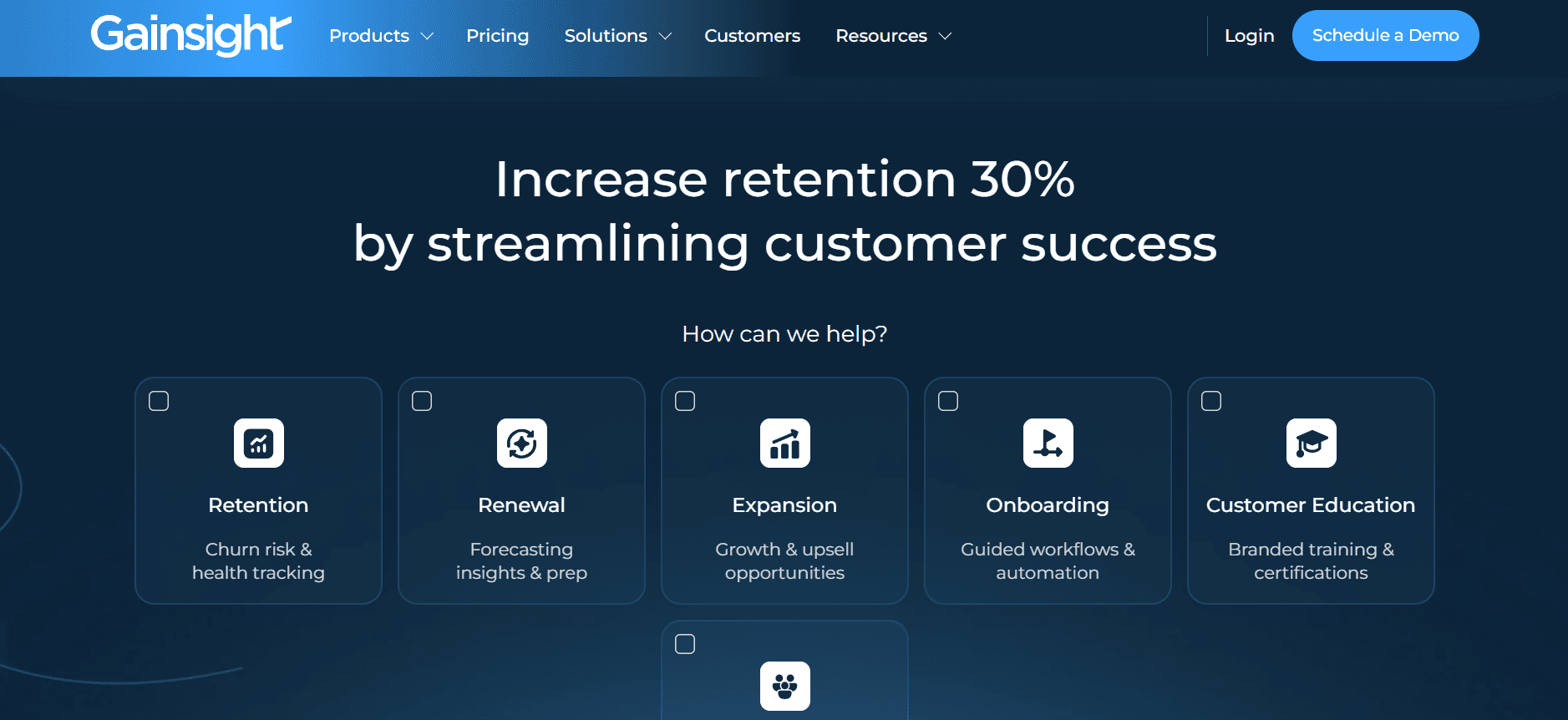
Gainsight ist ein hoch angesehenes Tool für Customer-Success-Profis und bietet robuste Analytics sowie Tracking des Engagements. Besonders hilfreich ist es für größere Teams, die detaillierte Einblicke in das Verhalten der Kunden benötigen. Während es bei Analytics herausragt, kann das Tool für kleinere Teams oder solche mit begrenzten Anforderungen an das Onboarding überdimensioniert sein.
Wichtige Funktionen
Umfassendes Health-Scoring
Analytics zur Customer Journey
Automatisierte Playbooks
CRM- und Ticketing-Integration
Tracking des Engagements
Anpassbares Reporting
In-App-Messaging
Tools zur Churn-Vorhersage
Vorteile
Nachteile
Robuste Analytics für Customer-Success-Teams.
Hohe Kosten im Vergleich zu anderen Tools.
Starke Integrationsmöglichkeiten.
Komplexe Oberfläche, die Training erfordert.
Sehr gute Funktionen für das Engagement-Tracking.
Möglicherweise nicht ideal für kleinere Teams.
Preisgestaltung
Gainsight bietet eine individuelle Preisgestaltung basierend auf der Größe und den Anforderungen der Organisation.
Herausforderungen beim Client-Onboarding: Womit Teams zu kämpfen haben
Manuelle Zuweisung von Aufgaben und Nachverfolgung
Aufgaben werden oft per E-Mail zugewiesen, was zu Verwirrung führt.
Es fehlt ein zentrales System, um die Fertigstellung von Aufgaben nachzuverfolgen.
Schwierigkeiten, Aufgaben anhand von Dringlichkeit oder Wichtigkeit zu priorisieren.
Häufige Nachfassaktionen sind erforderlich, was die Arbeitsbelastung für CSMs erhöht.
Keine Echtzeit-Transparenz über den Fortschritt der Kunden
CSMs können nicht einfach erkennen, wo sich Kunden im Onboarding-Prozess befinden.
Verzögerte Erkennung von Engpässen oder Problemen, mit denen Kunden konfrontiert sind.
Fehlende Transparenz für Kunden bezüglich ihres eigenen Fortschritts.
Unfähigkeit, den Bedarf oder mögliche Bedenken der Kunden proaktiv anzugehen.
Inkonsistentes Onboarding-Erlebnis
Das Onboarding unterscheidet sich deutlich je nach CSM.
Kunden erhalten unterschiedliche Service- und Support-Level.
Standardprozesse werden nicht durchgängig über alle Teams hinweg angewendet.
Erhöhtes Risiko für Fehler oder übersprungene Schritte.
Lange Time-to-Value
Kunden brauchen Wochen statt Tage, um den Produktnutzen zu erkennen.
Ein langwieriges Onboarding führt zu sinkender Kundenzufriedenheit.
Verzögerte Umsatzrealisierung für das Unternehmen.
Höheres Risiko für Client Churn während der Onboarding-Phase.
Skalierungsprobleme im CS-Team
Das Teamwachstum hängt direkt davon ab, dass mehr CSMs eingestellt werden.
Unfähigkeit, das steigende Kundenvolumen effizient zu bewältigen.
Manuelle Prozesse begrenzen die Anzahl der Kunden, die ein CSM betreuen kann.
Hohe Betriebskosten aufgrund von Ineffizienzen.
Herausforderung
Traditioneller Prozess
Auswirkung auf das Business
Zeitaufwand
Manuelle Task-Zuweisung
Aufgaben-Zuweisung und Tracking per E-Mail
Mehr Fehler und zusätzlicher Nachfassaufwand
20–30 % der CSM-Zeit
Keine Echtzeit-Transparenz
Periodische manuelle Updates von Kunden
Verzögerte Reaktion auf Kundenprobleme
15–25 % der CSM-Zeit
Inkonsistentes Onboarding-Erlebnis
Unterschiedliche Vorgehensweisen je nach CSM
Unterschiedliche Kundenzufriedenheit
10–15 % der CSM-Zeit
Lange Time-to-Value
Lange Onboarding-Schritte
Weniger Kundenzufriedenheit und mehr Churn
30–40 % der Kundenzeit
Skalierungsprobleme im CS-Team
Manuelle Prozesse ohne Automatisierung
Hohe Betriebskosten
Variiert mit dem Kundenvolumen
Must-have-Funktionen in Tools für das Client-Onboarding
Automatisiertes Tracking von Meilensteinen und Aufgaben
Automatisiertes Tracking von Meilensteinen stellt sicher, dass sowohl Teams als auch Kunden einen klaren Überblick über den Fortschritt haben. Diese Funktion ermöglicht es CSMs, vordefinierte Meilensteine festzulegen, die Alerts auslösen, sobald sie erreicht oder verpasst werden – und macht manuelle Updates überflüssig. Tools wie Trupeer sind in diesem Bereich besonders stark und bieten anpassbare Meilensteine sowie detailliertes Task-Tracking, das Transparenz und Verantwortlichkeit verbessert.
Solche Automatisierung reduziert nicht nur die Arbeitsbelastung für CSMs, sondern stellt auch sicher, dass Kunden stets über ihren Fortschritt informiert sind. Sie hilft dabei, Engpässe frühzeitig zu erkennen, sodass Teams Probleme angehen können, bevor sie eskalieren – und verbessert letztlich das Kundenerlebnis.
Portal für Kunden mit Fortschrittsübersicht
Ein Portal für Kunden ist entscheidend, um während des Onboarding-Prozesses Transparenz und Interaktion zu ermöglichen. Es stellt Kunden den Zugriff auf ihre Onboarding-Aufgaben, Meilensteine und alle Ressourcen bereit, die sie benötigen. Rocketlane und Dock bieten hervorragende Portale, die die Zusammenarbeit mit Kunden und die Sichtbarkeit erleichtern.
Diese Funktion stärkt nicht nur die Kunden, indem sie ihnen die Kontrolle über ihr Onboarding gibt, sondern reduziert auch den Bedarf an ständiger Kommunikation mit CSMs. Kunden können sich selbst bedienen und Antworten auf ihre Fragen schnell finden – das führt zu einem effizienteren Onboarding-Prozess.
In-App-Guidance und Video-Walkthroughs
In-App-Guidance und Video-Walkthroughs sind essenziell, um komplexe Prozesse zu vereinfachen und das Nutzerengagement zu steigern. Diese Funktionen ermöglichen es Kunden, die Software in ihrem eigenen Tempo zu erlernen und zu erkunden. UserPilot ist hier besonders stark und bietet robuste Tools zum Erstellen interaktiver Guides und Walkthroughs.
Wenn diese Elemente in den Onboarding-Prozess integriert werden, können Teams die Lernkurve für neue Kunden reduzieren und sicherstellen, dass sie das Produkt effektiv nutzen können. Diese Funktion ist besonders hilfreich für SaaS-Produkte mit komplexen Funktionen oder Oberflächen.
CRM- und Ticketing-Integration
Die Integration in CRM- und Ticketing-Systeme ist entscheidend, um einen reibungslosen Informationsfluss zwischen Sales, Support und Customer-Success-Teams sicherzustellen. Tools wie Gainsight und ChurnZero bieten robuste Integrationsoptionen, die helfen, eine einheitliche Sicht auf die Customer Journey beizubehalten.
Durch diese Integration können Teams Kundeninteraktionen über verschiedene Plattformen hinweg nachverfolgen – damit keine Informationen verloren gehen und das Kundenerlebnis konsistent sowie verbunden bleibt. Außerdem ermöglicht sie besseres Reporting und Analytics, da alle Kundendaten zentralisiert sind.
Analytics zur Time-to-Value und Health Scores
Analytics zur Time-to-Value und Health Scores liefern Einblicke, wie schnell Kunden die Vorteile eines Produkts erkennen. Diese Kennzahlen sind entscheidend, um die Kundenzufriedenheit zu verstehen und Churn vorherzusagen. Trupeer bietet umfassende Analytics, die Teams dabei unterstützen, diese wichtigen Kennzahlen effektiv zu verfolgen.
Durch das Monitoring von Time-to-Value und Health Scores können Teams Kundenprobleme proaktiv angehen, Onboarding-Erlebnisse gezielt anpassen und sicherstellen, dass Kunden den Nutzen erhalten, den sie erwarten. Diese Funktion ist besonders nützlich, um Kunden mit erhöhtem Risiko zu identifizieren und Bindungsstrategien umzusetzen.
Diese Must-have-Funktionen sind für jedes Tool zum Client-Onboarding entscheidend, das die Effizienz steigern, die Kundenzufriedenheit verbessern und Churn reduzieren möchte. Wenn Teams ein Tool wählen, das diese Möglichkeiten bietet, können sie ihre Prozesse straffen, konsistente Onboarding-Erlebnisse liefern und letztlich das Unternehmenswachstum vorantreiben.
So wählen Sie Tools für das Client-Onboarding nach Ihrem Use Case aus
Automatisierung des SaaS-Produkt-Onboardings
Für SaaS-Unternehmen ist Onboarding entscheidend, da es die Nutzerakzeptanz und Kundenbindung direkt beeinflusst. Das wichtigste Ziel besteht darin, den Onboarding-Prozess zu straffen, um die Time-to-Value zu reduzieren. Dieser Use Case erfordert Tools, die eine hervorragende In-App-Guidance und automatisiertes Task-Management bieten.
Hohe Nutzeranzahl mit unterschiedlichen Anforderungen.
Komplexe Produktfunktionen, die detaillierte Erklärungen erfordern.
Bedarf an skalierbaren Lösungen, die mit der Nutzerbasis wachsen.
In-App-Guidance und Walkthroughs.
Automatisiertes Tracking von Tasks und Meilensteinen.
Umfassende Analytics für das Nutzerverhalten.
Feature
UserPilot
Pendo
In-App-Guidance
Ja
Ja
Task-Automatisierung
Begrenzt
Begrenzt
Analytics
Ja
Ja
Bereitstellung von Professional Services
Professional-Services-Unternehmen müssen sicherstellen, dass das Onboarding konsistent und personalisiert ist, um Vertrauen bei Kunden aufzubauen. Der Onboarding-Prozess sollte reibungslos ablaufen und sowohl für den Serviceanbieter als auch für den Kunden eine hohe Transparenz bieten.
Kundenspezifische Onboarding-Anforderungen.
Bedarf an klarer Kommunikation und Zusammenarbeit.
Hoher Grad an Anpassung bei Onboarding-Tasks.
Portal für Kunden mit Fortschrittsübersicht.
Anpassbares Task-Management.
Integrierte Kommunikationstools.
Feature
Rocketlane
Dock
Client-Portal
Ja
Ja
Anpassung
Ja
Begrenzt
Kommunikationstools
Ja
Nein
Enterprise-Implementierungsprojekte
Unternehmen haben oft mit komplexen Implementierungsprojekten zu tun, die robuste Projektmanagement- und Kollaborationstools erfordern. Diese Projekte benötigen ein detailliertes Tracking und eine Koordination über mehrere Teams hinweg.
Groß angelegte Projekte mit mehreren Stakeholdern.
Bedarf an detaillierten Projektzeitplänen und Tracking.
Zusammenarbeit über Abteilungen hinweg.
Umfangreiche Task-Automatisierung und Tracking.
Umfassendes Reporting und Analytics.
Reibungslose Integration mit Enterprise-Tools.
Feature
Trupeer
Gainsight
Task-Automatisierung
Ja
Ja
Reporting
Ja
Ja
Integration
Ja
Ja
Partner-Onboarding-Programme
Für Unternehmen, die auf Partner angewiesen sind, sind effiziente Onboarding-Programme entscheidend, um starke Beziehungen aufrechtzuerhalten. Diese Programme müssen konsistent und skalierbar sein, um die unterschiedlichen Anforderungen verschiedener Partner abzudecken.
Vielzahl an Partner-Typen und Anforderungen.
Bedarf an standardisierten Onboarding-Prozessen.
Bedeutung der Pflege starker Partnerbeziehungen.
Standardisierte Vorlagen und Workflows.
Skalierbare Onboarding-Prozesse.
Konsistente Kommunikation und Updates.
Feature
GuideCX
ChurnZero
Standardisierung
Ja
Begrenzt
Skalierbarkeit
Ja
Ja
Kommunikation
Ja
Ja
Best Practices für das Client-Onboarding
Vor dem Onboarding
Planen Sie Ihre ideale Onboarding-Reise, um wichtige Touchpoints zu identifizieren.
Definieren Sie Kriterien für Meilensteine, um klare Erwartungen zu setzen.
Wählen Sie die richtigen Tools, die zu Ihren Onboarding-Zielen passen.
Entwickeln Sie standardisierte Vorlagen und Workflows für konsistente Ergebnisse.
Während des Onboardings
Automatisieren Sie Erinnerungen, um Kunden zu binden und informiert zu halten.
Nutzen Sie Video-Walkthroughs für komplexe Schritte, um das Verständnis zu verbessern.
Sorgen Sie für eine konsistente Kommunikation, um Vertrauen und Transparenz aufzubauen.
Überwachen Sie den Fortschritt kontinuierlich, um Probleme frühzeitig zu erkennen und anzugehen.
Nach dem Onboarding
Überprüfen Sie die Health Scores, um Kundenzufriedenheit und Engagement zu bewerten.
Führen Sie Retrospektiven für festgefahrene Accounts durch, um Herausforderungen zu verstehen und zu lösen.
Sammeln Sie Feedback, um Onboarding-Prozesse zu verfeinern und zu verbessern.
Feiern Sie Kundenerfolge, um positive Erfahrungen zu verstärken.
Häufig gestellte Fragen
Was ist Software für das Client-Onboarding?
Software für das Client-Onboarding hilft Unternehmen dabei, den Onboarding-Prozess für neue Kunden zu automatisieren und zu straffen. Sie umfasst typischerweise Funktionen wie Task-Management, Fortschrittsverfolgung, Kommunikation mit Kunden und Analytics, um das gesamte Onboarding-Erlebnis zu verbessern.
Wer kann von Tools für das Client-Onboarding profitieren?
Diese Tools sind für Customer-Success-Teams, Sales-Teams und alle Organisationen hilfreich, die regelmäßig neue Kunden oder Partner onboarden. Besonders nützlich sind sie in SaaS-, Professional-Services- und Enterprise-Umgebungen, in denen effizientes Onboarding entscheidend ist.
Wie integrieren sich Onboarding-Tools in CRM-Systeme?
Onboarding-Tools integrieren sich über APIs und Plugins in CRM-Systeme, sodass ein reibungsloser Datenaustausch möglich ist. Diese Integration stellt sicher, dass alle Kundeninteraktionen und Daten plattformübergreifend verfügbar sind und eine einheitliche Sicht auf die Customer Journey entsteht.
Können diese Tools mehrere Projekte gleichzeitig verwalten?
Ja, die meisten Onboarding-Tools sind darauf ausgelegt, mehrere Projekte gleichzeitig zu managen. Sie bieten Funktionen wie anpassbare Workflows und Task-Automatisierung, damit Teams verschiedene Onboarding-Prozesse parallel effizient nachverfolgen und verwalten können.
Gibt es kostenlose Versionen von Software für das Client-Onboarding?
Viele Tools für das Client-Onboarding bieten kostenlose Testversionen oder kostenlose Versionen mit eingeschränkten Funktionen. Diese Optionen ermöglichen es Unternehmen, die Fähigkeiten der Software zu testen, bevor sie sich für einen kostenpflichtigen Plan entscheiden. Fortgeschrittene Funktionen erfordern jedoch in der Regel ein Abonnement.
Welche Faktoren beeinflussen die Kosten für Onboarding-Software?
Die Kosten für Onboarding-Software können je nach Anzahl der Nutzer, Funktionsumfang, Grad der Anpassung und Integrationsmöglichkeiten variieren. Enterprise-Tools mit robusten Analytics- und Automatisierungsfunktionen sind in der Regel teurer als Basislösungen.
Wie lange dauert es, ein Onboarding-Tool zu implementieren?
Die Implementierungszeit kann je nach Komplexität des Tools und den Anforderungen der Organisation variieren. Einfache Setups können ein paar Tage dauern, während komplexere Integrationen mit bestehenden Systemen mehrere Wochen in Anspruch nehmen können.
Müssen diese Tools für eine effektive Nutzung trainiert werden?
Obwohl viele Tools so konzipiert sind, dass sie intuitiv bedienbar sind, wird häufig ein Training empfohlen, um alle Funktionen vollständig zu nutzen und einen reibungslosen Onboarding-Prozess sicherzustellen. Einige Anbieter bieten Trainingssitzungen und Ressourcen an, um Teams beim Start zu unterstützen.
Fazit
Die richtige Software für das Client-Onboarding kann Ihre Prozesse zur Kundenbindung grundlegend verändern – mit einer schnelleren Time-to-Value und einer verbesserten Kundenzufriedenheit. Wenn Sie Ihre spezifischen Anforderungen und Herausforderungen sorgfältig bewerten, können Sie ein Tool auswählen, das zu Ihren Unternehmenszielen passt und Ihren Onboarding-Workflow optimiert.
Trupeer sticht als umfassende Lösung für Teams hervor, die ihre Onboarding-Prozesse mit robusten Funktionen und erstklassigem Kundensupport verbessern möchten. Um zu entdecken, wie Trupeer Ihr Client-Onboarding-Erlebnis aufwerten kann, besuchen Sie Trupeer noch heute.
Verwandte Blogbeiträge



