Trupeer Blog
Zusammenfassen

Überblick für Käufer
Customer-Success-Teams geraten häufig durch repetitive Onboarding-Aufgaben in eine zeitliche Sackgasse und verbrauchen 40–60% ihrer Zeit. Dieser manuelle Ansatz verlängert nicht nur die Zeit bis zum ersten messbaren Nutzen (Time-to-Value), sondern trägt auch zu frühem Kundenabwanderung (Churn) bei. Eine Studie von Forrester Research aus dem Jahr 2025 zeigte, dass Unternehmen, die Automatisierung in Onboarding-Prozessen einsetzen, innerhalb des ersten Jahres eine 30%ige Verringerung der Kundenabwanderung verzeichnen konnten.
Unternehmen, die automatisierte Onboarding-Tools nutzen, verzeichnen innerhalb des ersten Jahres eine 30%ige Verringerung der Kundenabwanderung.
Quelle: Forrester Research, 2025
Dieser Leitfaden ist für Customer-Success-Teams erstellt, die ihre Onboarding-Prozesse straffen und die Arbeitsbelastung durch manuelle Aufgaben reduzieren möchten. Er behandelt Tools, die das Client-Onboarding automatisieren, und bietet Einblicke in ihre jeweiligen Funktionen, Stärken und Grenzen. Egal, ob Sie ein kleines Unternehmen sind, das skalieren möchte, oder ein Enterprise-Unternehmen, das die Kundenzufriedenheit steigern will: Dieser Leitfaden hilft Ihnen, eine fundierte Entscheidung zu treffen.
Die besten Tools zur Client-Onboarding-Automatisierung: Direkter Vergleich
Funktion | Trupeer | Rocketlane | Dock | GuideCX | UserPilot | Pendo | ChurnZero | Totango |
|---|---|---|---|---|---|---|---|---|
Client-Portal | Ja | Ja | Ja | Ja | Nein | Eingeschränkt | Ja | Eingeschränkt |
Task-Automatisierung | Ja | Ja | Eingeschränkt | Ja | Eingeschränkt | Ja | Ja | Ja |
Video-Durchläufe | Ja | Ja | Nein | Eingeschränkt | Ja | Ja | Nein | Eingeschränkt |
Fortschrittsverfolgung | Ja | Ja | Ja | Ja | Eingeschränkt | Ja | Ja | Ja |
In-App-Guidance | Ja | Eingeschränkt | Nein | Ja | Ja | Ja | Ja | Eingeschränkt |
E-Mail-Sequenzen | Ja | Ja | Eingeschränkt | Ja | Nein | Ja | Ja | Ja |
Automatisierung von CSM-Workflows | Ja | Ja | Nein | Ja | Eingeschränkt | Ja | Ja | Ja |
CRM-Integration | Ja | Ja | Eingeschränkt | Ja | Ja | Ja | Ja | Ja |
Analytics | Ja | Ja | Ja | Eingeschränkt | Eingeschränkt | Ja | Ja | Ja |
Trupeer

Trupeer ist für Unternehmen konzipiert, die ihren Client-Onboarding-Prozess mithilfe von Automatisierung straffen möchten. Besonders hilfreich ist es für mittelgroße bis große Unternehmen, die eine hohe Anzahl an Clients betreuen. Trupeer sticht durch sein umfassendes Client-Portal und seine leistungsstarken Funktionen zur Task-Automatisierung hervor und sorgt so für ein reibungsloses Onboarding-Erlebnis.
Dank der nahtlosen Integration in verschiedene CRMs ist Trupeer bei Customer-Success-Teams besonders beliebt. Für kleinere Unternehmen ist es jedoch möglicherweise nicht die beste Wahl, da der Funktionsumfang sehr umfangreich ist und für Startups mit begrenzten Ressourcen überwältigend wirken kann.
Wichtige Funktionen
Automatisiertes Task-Management
Client-Portal mit Echtzeit-Fortschrittsverfolgung
Video-Durchläufe
Erweiterte Analytics- und Reporting-Funktionen
In-App-Guidance
Automatisierung von E-Mail-Sequenzen
Integration von CRM- und Ticketing-Systemen
Individuell anpassbare Workflow-Automatisierung
„Trupeer hat unsere Onboarding-Zeit drastisch reduziert, sodass wir uns schneller darauf konzentrieren können, unseren Kunden einen echten Mehrwert zu liefern.“
Vorteile
Nachteile
Umfassendes Client-Portal erhöht die Transparenz.
Komplexe Einrichtung kann für kleine Teams einschüchternd sein.
Sehr gute Optionen für CRM-Integrationen.
Hohe Kosten für kleinere Unternehmen.
Starke Task-Automatisierung reduziert den manuellen Aufwand.
Erfordert eine umfangreiche anfängliche Konfiguration.
Breites Spektrum an Analytics-Funktionen.
Der umfangreiche Funktionsumfang kann überwältigend sein.
Preisgestaltung
Trupeer bietet eine kostenlose Testphase, wobei kostenpflichtige Pläne ab 49 $ pro Nutzer und Monat beginnen.
Rocketlane

Rocketlane ist ein dynamisches Tool für Teams, die ihren Client-Onboarding-Prozess beschleunigen möchten. Es eignet sich besonders für SaaS-Unternehmen und professionelle Dienstleister, die für neue Kunden einen reibungslosen Übergang benötigen. Rocketlane ist für seine kollaborativen Funktionen bekannt und stellt sicher, dass sowohl interne Teams als auch Kunden während der gesamten Onboarding-Reise auf dem gleichen Stand sind.
Während Rocketlane bei der Zusammenarbeit besonders stark ist, ist die Funktion für Video-Durchläufe eingeschränkt, was für Unternehmen, die stark auf visuelle Guides angewiesen sind, ein Nachteil sein kann. Dennoch machen die benutzerfreundliche Oberfläche und das robuste Task-Management Rocketlane zu einem starken Kandidaten im Bereich Onboarding-Automatisierung.
Wichtige Funktionen
Kollaborative Projekt-Workspaces
Task-Updates in Echtzeit
Integration von Kundenfeedback
Automatisierte Task-Erinnerungen
Meilensteinverfolgung
Vorlagenanpassung
Progress-Analytics
CRM-Integration
Vorteile
Nachteile
Starke Kollaborationsfunktionen für Team-Synergien.
Eingeschränkte Möglichkeiten für Video-Durchläufe.
Benutzerfreundliche Oberfläche reduziert die Onboarding-Zeit.
Höhere Preise für funktionsreiche Pläne.
Effektive Tools für das Task-Management.
Einige erweiterte Funktionen erfordern eine Lernkurve.
Anpassbare Vorlagen erhöhen die Flexibilität.
Zusätzliche Kosten für Premium-Support.
Preisgestaltung
Rocketlane bietet Pläne ab 29 $ pro Nutzer und Monat, mit einer kostenlosen Testphase.
Dock

Dock bietet ein schlankes Client-Onboarding-Erlebnis mit einer einfachen, benutzerfreundlichen Oberfläche und ist damit eine ausgezeichnete Wahl für kleine bis mittelgroße Unternehmen. Es bietet wichtige Onboarding-Funktionen, ohne Nutzer mit Komplexität zu überfordern, allerdings fehlen einige erweiterte Funktionen wie Video-Durchläufe.
Besonders hilfreich ist es für Unternehmen, die Wert auf einfache Bedienbarkeit legen und grundlegende Onboarding-Tools benötigen. Die eingeschränkten Möglichkeiten zur Task-Automatisierung von Dock könnten jedoch nicht zu größeren Unternehmen passen, die umfassendere Lösungen suchen.
Wichtige Funktionen
Anpassbare Client-Workspaces
Basis-Task-Management
Einfache Fortschrittsverfolgung
Automatisierte Erinnerungen
Erfassung von Client-Feedback
Vorlagenbibliothek
E-Mail-Benachrichtigungen
CRM-Integration
Vorteile
Nachteile
Einfach für kleine Teams zu nutzen.
Fehlen erweiterter Automatisierungsfunktionen.
Bezahlbare Preisgestaltung für kleine Unternehmen.
Keine Video-Durchläufe zur Client-Anleitung.
Anpassbare Workspaces verbessern die Nutzererfahrung.
Eingeschränkte Analytics-Funktionen.
Gute Optionen für CRM-Integrationen.
Basis-Vorlagenoptionen.
Preisgestaltung
Dock bietet eine kostenlose Stufe, wobei erweiterte Funktionen ab 15 $ pro Nutzer und Monat beginnen.
GuideCX

GuideCX sticht durch seinen Fokus auf Zusammenarbeit und Transparenz im Onboarding-Prozess hervor. Es ist besonders nützlich für Branchen, die stark auf Kundenbindung und Feedback angewiesen sind. Durch die Bereitstellung einer Echtzeit-Einsicht in den Projektstatus stellt GuideCX sicher, dass Kunden während ihrer gesamten Reise informiert und eingebunden sind.
Allerdings könnten die eingeschränkten In-App-Guidance-Funktionen ein Nachteil für Teams sein, die interaktive Onboarding-Erlebnisse bevorzugen. Trotz allem machen die starken Integrationsmöglichkeiten von GuideCX es zu einem Favoriten bei Unternehmen, die maßgeschneiderte Onboarding-Lösungen benötigen.
Wichtige Funktionen
Projektverfolgung in Echtzeit
Tools für die Zusammenarbeit mit Kunden
Transparente Task-Verwaltung
Feedback-Loops
Automatisierte Benachrichtigungen
Anpassbare Dashboards
Progress-Analytics
CRM-Integration
Vorteile
Nachteile
Exzellente Funktionen für die Zusammenarbeit mit Kunden.
Eingeschränkte Möglichkeiten für In-App-Guidance.
Echtzeit-Tracking erhöht die Transparenz.
Hohe Kosten für zusätzliche Funktionen.
Starke Optionen für Integrationen.
Komplex für kleine Teams.
Anpassbare Dashboards.
Erfordert Onboarding für neue Nutzer.
Preisgestaltung
GuideCX bietet eine kostenlose Testphase, wobei kostenpflichtige Pläne ab 39 $ pro Nutzer und Monat beginnen.
UserPilot

UserPilot ist auf Teams zugeschnitten, die ihr Onboarding-Erlebnis durch In-App-Guidance und Nutzerbindung verbessern möchten. Es ist ideal für SaaS-Plattformen, die sicherstellen wollen, dass Nutzer ihre Produkte ohne externe Hilfe navigieren können. Während UserPilot bei der Bereitstellung von In-App-Guidance besonders stark ist, fehlen umfassende Funktionen zur Task-Automatisierung.
Dieses Tool eignet sich am besten für Unternehmen, die sich auf nutzerzentrierte Onboarding-Erlebnisse konzentrieren. Wer jedoch eine umfangreiche Automatisierung benötigt, könnte es als unzureichend empfinden. Die wettbewerbsfähige Preisgestaltung macht es für Startups und kleinere Teams zugänglich.
Wichtige Funktionen
In-App-Guidance
Analytics zur Nutzerbindung
Anpassbare Onboarding-Flows
Erfassung von Feedback
Interaktive Durchläufe
Tracking der Feature-Akzeptanz
Behavioral Targeting
CRM-Integration
Vorteile
Nachteile
Starke Funktionen für In-App-Guidance.
Eingeschränkte Möglichkeiten zur Task-Automatisierung.
Bezahlbar für kleine Unternehmen.
Erfordert eine anfängliche Einrichtung für eine effektive Nutzung.
Anpassbare Onboarding-Flows.
Weniger geeignet für große Enterprise-Unternehmen.
Großartig für Nutzerbindung.
Fehlen erweiterter Optionen für Integrationen.
Preisgestaltung
UserPilot bietet eine kostenlose Stufe, wobei erweiterte Pläne ab 25 $ pro Nutzer und Monat beginnen.
Pendo

Pendo bietet eine umfassende Lösung für das Onboarding – dank starker Analytics- und In-App-Guidance-Funktionen. Es ist ideal für Unternehmen, die das Nutzerverhalten verstehen und ihre Onboarding-Prozesse entsprechend anpassen möchten. Die Stärke von Pendo liegt in der Fähigkeit, detaillierte Nutzer-Insights zu sammeln, allerdings zu einem Premium-Preis.
Dieses Tool ist perfekt für Enterprises, die Daten für verbesserte Nutzererlebnisse nutzen möchten. Für kleinere Unternehmen könnten die Kosten jedoch unerschwinglich sein – insbesondere dann, wenn sie die erweiterten Funktionen nicht vollständig ausschöpfen.
Wichtige Funktionen
Erweiterte Nutzer-Analytics
In-App-Messaging
Nutzer-Segmentierung
Geführte Onboarding-Erlebnisse
Tracking der Feature-Akzeptanz
Anpassbare Dashboards
Erfassung von Feedback
CRM-Integration
Vorteile
Nachteile
Umfassende Analytics und Insights.
Hohe Kosten für kleine Unternehmen.
Starke Funktionen für In-App-Guidance.
Komplexe Einrichtung für neue Nutzer.
Anpassbare Nutzer-Segmentierung.
Erfordert Einarbeitung für erweiterte Funktionen.
Effektive Tools für die Feature-Akzeptanz.
Eingeschränkt in unteren Tarifen.
Preisgestaltung
Pendo bietet eine kostenlose Stufe mit eingeschränkten Funktionen. Kostenpflichtige Pläne starten bei 50 $ pro Nutzer und Monat.
ChurnZero

ChurnZero ist eine Customer-Success-Plattform, die sich darauf konzentriert, die Kundenabwanderung durch verbessertes Onboarding und Client-Management zu reduzieren. Sie ist besonders nützlich für Unternehmen, die Kunden-Health-Scores verfolgen und eingreifen möchten, bevor Probleme entstehen. Die Echtzeit-Alerts und Automatisierungsfunktionen von ChurnZero machen es zu einem leistungsstarken Tool für proaktives Customer-Management.
Allerdings könnte das Fehlen umfassender Video-Durchläufe eine Einschränkung für Teams sein, die auf visuelle Onboarding-Hilfen angewiesen sind. Trotz allem machen die starken Integrationsmöglichkeiten und der Fokus auf Kundenbindung ChurnZero zu einem wertvollen Asset für wachsende Unternehmen.
Wichtige Funktionen
Alerts für Kunden in Echtzeit
Automatisierung und Workflow-Management
Customer-Health-Scoring
Feedback- und Survey-Tools
Analyse des Churn-Risikos
In-App-Messaging
Fortschrittsverfolgung
CRM-Integration
Vorteile
Nachteile
Starker Fokus auf Kundenbindung.
Eingeschränkte Optionen für Video-Durchläufe.
Echtzeit-Alerts verbessern die Reaktionsfähigkeit.
Komplexität bei der Einrichtung für kleine Teams.
Umfassende Funktionen für Health-Scoring.
Höhere Kosten für volle Funktionalität.
Effektive Tools zur Analyse des Churn-Risikos.
Erfordert Anpassungen für beste Ergebnisse.
Preisgestaltung
ChurnZero bietet keine kostenlose Stufe. Die Preisgestaltung startet bei 49 $ pro Nutzer und Monat.
Totango
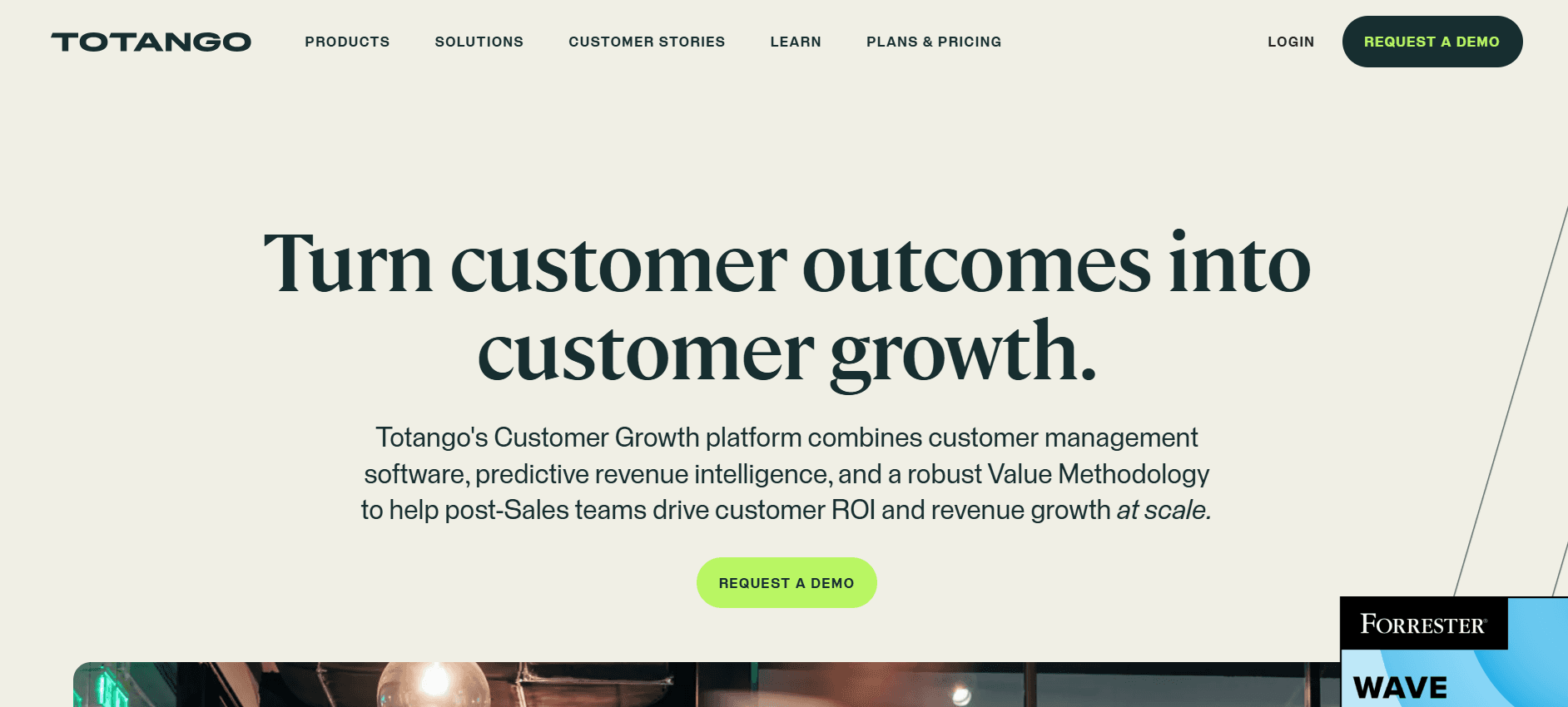
Totango bietet eine flexible Plattform für Customer Success und hilft Unternehmen dabei, das Onboarding zu straffen – mit Fokus auf Kundenbindung und Kundenretention. Es eignet sich besonders für Enterprises, die komplexe Onboarding-Prozesse mit mehreren Stakeholdern verwalten müssen. Totango ist besonders stark darin, detaillierte Kunden-Insights bereitzustellen und Engagement-Kennzahlen zu verfolgen.
Allerdings könnten die eingeschränkten In-App-Guidance-Funktionen von Totango für Teams, die einen praxisnahen Onboarding-Ansatz priorisieren, nicht ideal sein. Trotz allem machen die leistungsstarken Analytics- und Integrationsfunktionen Totango zu einer starken Option für groß angelegte Abläufe.
Wichtige Funktionen
Tracking der Kundenbindung
Detaillierte Analytics und Reporting
Anpassbare Onboarding-Reisen
Management von Health Scores
Task-Automatisierung
Erfassung von Feedback
Integration von CRM und Ticketing
Fortschrittsverfolgung
Vorteile
Nachteile
Starke Analytics- und Reporting-Tools.
Eingeschränkte Optionen für In-App-Guidance.
Anpassbare Onboarding-Reisen.
Komplexe Einrichtung für neue Nutzer.
Effektives Tracking der Kundenbindung.
Höhere Kosten für erweiterte Funktionen.
Umfassende Integrationsmöglichkeiten.
Erfordert Anpassungen für eine optimale Nutzung.
Preisgestaltung
Totango bietet eine kostenlose Stufe mit eingeschränkten Funktionen. Kostenpflichtige Pläne starten bei 39 $ pro Nutzer und Monat.
Herausforderungen bei der Automatisierung des Client-Onboardings: Womit Teams zu kämpfen haben
Manuelle Zuweisung von Aufgaben und Nachverfolgung
Aufgaben werden oft per E-Mail zugewiesen, was zu Unordnung führt.
CSMs verbringen übermäßig viel Zeit damit, die Erledigung von Aufgaben manuell nachzuverfolgen.
Fehlende zentrale Sichtbarkeit der Aufgaben führt zu verpassten Deadlines.
Eine zu starke Abhängigkeit von E-Mails kann dazu führen, dass wichtige Details übersehen werden.
Keine Echtzeit-Sichtbarkeit in den Fortschritt der Clients
CSMs haben nur begrenzte Einblicke, wo sich Clients im Onboarding-Prozess befinden.
Clients bleiben im Unklaren über ihren eigenen Fortschritt.
Diese fehlende Transparenz kann zu Frust bei den Clients und zum Abbruch führen.
Updates in Echtzeit sind entscheidend für die proaktive Lösung von Problemen.
Inkonsistentes Onboarding-Erlebnis
Das Onboarding unterscheidet sich stark je nach einzelnen CSMs.
Clients erhalten uneinheitliche Informationen und Guidance.
Standardisierung ist ohne eine einheitliche Plattform schwierig.
Diese Inkonsistenz kann sich negativ auf die Kundenzufriedenheit auswirken.
Lange Time-to-Value
Clients erwarten, dass sie schnell einen Mehrwert sehen, doch manuelle Prozesse verzögern dies.
Längeres Onboarding kann zu frühem Churn führen.
Eine langsame Time-to-Value wirkt sich auf die Rendite (ROI) des Kunden aus.
Automatisierung kann diese Zeit deutlich verkürzen, indem Prozesse beschleunigt werden.
Herausforderungen beim Skalieren
CS-Teams haben Schwierigkeiten, steigende Client-Volumina ohne zusätzliches Personal zu bewältigen.
Manuelle Prozesse lassen sich nicht effizient mit dem Unternehmenswachstum skalieren.
Automatisierung ist erforderlich, um größere Client-Basen effektiv zu managen.
Ohne Skalierung riskieren Unternehmen, Clients aufgrund von Ineffizienzen zu verlieren.
Herausforderung
Traditioneller Prozess
Auswirkung auf das Business
Zeitaufwand
Manuelle Task-Zuweisung
E-Mail und Tabellenkalkulationen
Hohe Fehlerquoten, verpasste Deadlines
20–30% der CSM-Zeit
Keine Echtzeit-Sichtbarkeit
Periodische manuelle Updates
Frust bei Clients und Churn
10–15% der CSM-Zeit
Inkonsistentes Erlebnis
Unterschiedlicher Ansatz der CSMs
Sinkende Kundenzufriedenheit
Variiert je nach CSM
Lange Time-to-Value
Manuelle Onboarding-Schritte
Früher Churn bei Clients
Wochen statt Tage
Herausforderungen beim Skalieren
Hinzufügen von Headcount
Steigende Kosten, Ineffizienzen
Hoch bei Wachstum
Must-have-Funktionen in Tools zur Client-Onboarding-Automatisierung
Automatisiertes Tracking von Meilensteinen und Aufgaben
Automatisiertes Tracking von Meilensteinen und Aufgaben ist entscheidend, um sicherzustellen, dass Clients das Onboarding effizient durchlaufen. Durch die Automatisierung dieser Prozesse können Teams Fehler minimieren und sicherstellen, dass alle Schritte rechtzeitig abgeschlossen werden. Tools wie Trupeer sind besonders stark darin, automatisierte Erinnerungen und Fortschrittsverfolgung bereitzustellen – das hilft, sowohl Teams als auch Clients informiert und eingebunden zu halten.
Diese Funktion reduziert den manuellen Zusatzaufwand, der mit dem Tracking einzelner Aufgaben verbunden ist, sodass CSMs sich auf strategischere Aktivitäten konzentrieren können. Rocketlane und GuideCX bieten ebenfalls robuste Funktionen zur Task-Verfolgung, die sich gut in Workflows des Projektmanagements integrieren lassen.
Client-Portal mit Fortschrittsübersicht
Ein Client-Portal schafft Transparenz und stellt sicher, dass Clients jederzeit über ihren Fortschritt informiert sind. Diese Funktion ist besonders hilfreich, um Kundenanfragen zum Onboarding-Status zu reduzieren und das Kundenerlebnis zu verbessern. Tools wie Dock und GuideCX bieten intuitive Portale, über die Clients ihre Onboarding-Reise und die nächsten Schritte einsehen können.
Solche Portale können außerdem Feedback-Mechanismen enthalten, über die Clients ihr Erlebnis einfach bewerten und Input zum Onboarding-Prozess geben können – und so einen bidirektionalen Kommunikationskanal schaffen.
In-App-Guidance und Video-Durchläufe
In-App-Guidance und Video-Durchläufe sind essenziell, um Clients bei der Navigation durch komplexe Systeme praxisnah zu unterstützen. UserPilot und Pendo sind in diesem Bereich führend und bieten anpassbare In-App-Tutorials sowie Durchläufe, die Nutzer Schritt für Schritt durch die Software führen. Dieser Ansatz reduziert den Bedarf an Live-Support und ermöglicht es Clients, sich in ihrem eigenen Tempo selbst zu bedienen.
Diese Tools sind besonders vorteilhaft in SaaS-Umgebungen, in denen Nutzer häufig neue Funktionen schnell und effizient erlernen müssen. Die visuelle Natur von Video-Durchläufen macht sie zu einem effektiven Mittel, um die Akzeptanz von Funktionen zu erhöhen.
CRM- und Ticketing-Integration
Die nahtlose Integration in CRM- und Ticketing-Systeme stellt sicher, dass alle Client-Interaktionen und Daten zentralisiert sind und liefert so einen vollständigen Überblick über die Client-Reise. Tools wie Trupeer und Totango bieten hervorragende Integrationsmöglichkeiten, sodass Teams Daten über Plattformen hinweg synchronisieren und Workflows straffen können.
Diese Funktion ist entscheidend, um die Datenintegrität zu wahren und sicherzustellen, dass Client-Informationen aktuell und für alle Teammitglieder zugänglich sind. Sie unterstützt außerdem besseres Reporting und Analytics – beides ist entscheidend für kontinuierliche Verbesserungen.
Analytics zur Time-to-Value und Health Scores
Analytics zur Time-to-Value und Health Scores liefern Einblicke darüber, wie schnell Clients den Mehrwert aus Ihrem Produkt oder Ihrer Dienstleistung erkennen. ChurnZero ist besonders stark darin, Echtzeit-Health-Scores bereitzustellen, die Teams auf potenzielle Churn-Risiken aufmerksam machen. Diese Kennzahlen ermöglichen es Teams, Probleme proaktiv anzugehen, bevor sie die Kundenzufriedenheit beeinträchtigen.
Durch die Analyse der Time-to-Value können Unternehmen Engpässe im Onboarding-Prozess identifizieren und datenbasierte Entscheidungen treffen, um ihre Workflows zu optimieren. Diese Funktion ist für jedes Unternehmen essenziell, das die Kundenbindung und -zufriedenheit langfristig verbessern möchte.
So wählen Sie Tools zur Client-Onboarding-Automatisierung passend zu Ihrem Use Case
Automatisierung des Onboardings für SaaS-Produkte
Für SaaS-Unternehmen ist ein reibungsloses und effizientes Onboarding entscheidend für Kundenbindung und -zufriedenheit. Das wichtigste Ziel ist, Nutzern zu helfen, das Produkt schnell und effektiv zu verstehen und zu nutzen – ohne umfangreichen Support zu benötigen.
Wichtige Herausforderungen:
Hohe Churn-Raten aufgrund schlechter Onboarding-Erfahrungen
Schwierigkeiten beim Tracking von Nutzerakzeptanz und -bindung
Ressourcenintensive manuelle Onboarding-Prozesse
Benötigte Lösungen:
In-App-Guidance und Tutorials
Automatisiertes Tracking von Tasks und Meilensteinen
Umfassende Analytics und Nutzer-Feedback
Tool
In-App-Guidance
Analytics
Task-Automatisierung
UserPilot
Ja
Eingeschränkt
Nein
Pendo
Ja
Ja
Eingeschränkt
Trupeer
Ja
Ja
Ja
Bereitstellung professioneller Dienstleistungen
Für Unternehmen, die professionelle Dienstleistungen anbieten, ist ein effizientes Client-Onboarding entscheidend, um Mehrwert zu liefern und die Erwartungen der Kunden zu steuern. Der Prozess umfasst häufig die Koordination mehrerer Stakeholder und die Sicherstellung einer klaren Kommunikation.
Wichtige Herausforderungen:
Koordination von Aufgaben über Teams und Kunden hinweg
Transparenz und Kommunikation aufrechterhalten
Erwartungen an Scope und Zeitplan steuern
Benötigte Lösungen:
Client-Portal mit Fortschrittsübersicht
Automatisierte Benachrichtigungen und Erinnerungen
Funktionen für kollaboratives Projektmanagement
Tool
Client-Portal
Zusammenarbeit
Benachrichtigungen
Rocketlane
Ja
Ja
Ja
GuideCX
Ja
Ja
Ja
Dock
Ja
Eingeschränkt
Eingeschränkt
Enterprise-Implementierungsprojekte
Enterprises stehen oft vor komplexen Onboarding-Prozessen, die eine sorgfältige Planung und Umsetzung erfordern. Der Fokus liegt darauf, sicherzustellen, dass jeder Aspekt der Implementierung effektiv nachverfolgt und gesteuert wird.
Wichtige Herausforderungen:
Komplexität bei der Steuerung mehrerer beweglicher Teile
Sicherstellen der Kundenbindung während des gesamten Prozesses
Fortschritt verfolgen und rechtzeitig liefern
Benötigte Lösungen:
Detaillierte Analytics und Reporting
Anpassbare Workflows und Automatisierung
Fortschrittsverfolgung in Echtzeit
Tool
Analytics
Workflow-Automatisierung
Fortschrittsverfolgung
Totango
Ja
Ja
Ja
ChurnZero
Ja
Ja
Ja
Trupeer
Ja
Ja
Ja
Partner-Onboarding-Programme
Unternehmen, die mit Partnern arbeiten, benötigen einen reibungslosen Onboarding-Prozess, um gegenseitigen Erfolg sicherzustellen. Der Fokus liegt darauf, starke Beziehungen aufzubauen und Partnern die Tools bereitzustellen, die sie für ihren Erfolg brauchen.
Wichtige Herausforderungen:
Sicherstellen der Abstimmung und klarer Kommunikation
Ressourcen und Trainings effizient bereitstellen
Partner-Performance und Feedback überwachen
Benötigte Lösungen:
Ressourcenbibliotheken und Trainingsmodule
Erfassung und Analyse von Feedback
Automatisierte Kommunikationstools
Tool
Ressourcenbibliothek
Feedback-Erfassung
Automatisierte Kommunikation
Trupeer
Ja
Ja
Ja
Pendo
Eingeschränkt
Ja
Ja
GuideCX
Ja
Eingeschränkt
Ja
Best Practices für die Client-Onboarding-Automatisierung
Vor dem Onboarding
Planen Sie Ihre ideale Onboarding-Reise, um wichtige Touchpoints zu identifizieren.
Definieren Sie klare Kriterien für Meilensteine, um Konsistenz sicherzustellen.
Bereiten Sie eine Ressourcenbibliothek vor, um Clients während des gesamten Prozesses zu unterstützen.
Setzen Sie Erwartungen mit Ihren Clients hinsichtlich Zeitplan und Zielen des Onboardings.
Während des Onboardings
Automatisieren Sie Erinnerungen, damit Clients bei Tasks und Meilensteinen im Zeitplan bleiben.
Nutzen Sie Videotutorials für komplexe Schritte, um das Verständnis zu verbessern.
Checken Sie regelmäßig bei Ihren Clients ein, um Feedback einzusammeln und Bedenken zu adressieren.
Stellen Sie sicher, dass alle Teammitglieder Zugriff auf aktuelle Client-Informationen haben.
Nach dem Onboarding
Überprüfen Sie Health Scores, um potenzielle Risiken und Chancen zur Verbesserung zu identifizieren.
Führen Sie Retrospektiven durch, um zu bewerten, was gut gelaufen ist und wo es Verbesserungsbedarf gibt.
Bleiben Sie mit Ihren Clients in Kontakt, indem Sie fortlaufenden Support und Ressourcen bereitstellen.
Verbessern Sie den Onboarding-Prozess kontinuierlich auf Basis von Client-Feedback und Ergebnissen.
Häufig gestellte Fragen
Was ist Client-Onboarding-Automatisierung?
Client-Onboarding-Automatisierung nutzt Technologie, um den Prozess der Integration neuer Clients in ein Unternehmen zu straffen und zu automatisieren. Sie hilft, manuelle Aufgaben zu reduzieren, die Effizienz zu verbessern und die Client-Erlebnisse zu steigern – unter anderem durch Tools wie automatisiertes Task-Tracking, In-App-Guidance und Analytics.
Warum ist Onboarding für Customer Success wichtig?
Onboarding ist entscheidend, weil es den Rahmen für die gesamte Beziehung des Kunden zu Ihrem Unternehmen setzt. Ein effektives Onboarding stellt sicher, dass Clients Ihr Produkt oder Ihre Dienstleistung verstehen, den Mehrwert schnell erkennen und eingebunden bleiben – was letztlich Churn reduziert und die Zufriedenheit erhöht.
Können Tools zur Onboarding-Automatisierung mit bestehenden CRM-Systemen integriert werden?
Ja, die meisten Tools zur Onboarding-Automatisierung sind so konzipiert, dass sie sich nahtlos in gängige CRM-Systeme integrieren lassen. Diese Integration ermöglicht die Synchronisierung von Daten und bietet einen zentralen Überblick über Client-Interaktionen – für eine effizientere Workflow-Steuerung und genauere Daten.
Welche typischen Systemanforderungen gelten für Tools zur Onboarding-Automatisierung?
Die Systemanforderungen variieren je nach Tool, umfassen aber in der Regel eine stabile Internetverbindung und einen modernen Webbrowser. Einige Tools bieten möglicherweise Desktop- oder Mobile-Apps, die zusätzliche Anforderungen haben können. Am besten prüfen Sie beim Anbieter die spezifischen Details.
Gibt es kostenlose Versionen von Tools zur Onboarding-Automatisierung?
Viele Tools zur Onboarding-Automatisierung bieten kostenlose Stufen mit eingeschränkten Funktionen. Diese Versionen eignen sich für kleine Teams oder Unternehmen, die gerade erst starten. Möglicherweise fehlen jedoch erweiterte Funktionen, die größere Organisationen oder Unternehmen mit komplexen Onboarding-Anforderungen benötigen.
Worauf sollte ich achten, wenn ich die Kosten eines Onboarding-Tools bewerte?
Berücksichtigen Sie den Funktionsumfang, die Skalierbarkeit und die Integrationsmöglichkeiten. Bewerten Sie außerdem die Kosten im Verhältnis zum potenziellen ROI durch verbesserte Effizienz und weniger Kundenabwanderung. Prüfen Sie, ob zusätzliche Gebühren für Premium-Support oder Anpassungsoptionen anfallen.
Wie lange dauert es, ein Tool zur Onboarding-Automatisierung zu implementieren?
Die Implementierungszeit variiert je nach Tool und der Komplexität Ihres Onboarding-Prozesses. Einfache Setups können ein paar Tage dauern, während komplexere Implementierungen mehrere Wochen in Anspruch nehmen können. Planung und Ressourcenallokation sind entscheidend für einen erfolgreichen Rollout.
Welche Unterstützung ist während der Implementierung typischerweise verfügbar?
Die meisten Anbieter bieten Onboarding-Support über Dokumentation, Tutorials und Kundenservice. Einige stellen möglicherweise dedizierte Onboarding-Spezialisten oder Consultants bereit, die bei Setup und Konfiguration helfen. Wichtig ist, diese Ressourcen zu nutzen, um eine reibungslose Implementierung sicherzustellen.
Fazit
Tools zur Client-Onboarding-Automatisierung bieten erhebliche Vorteile, indem sie den manuellen Aufwand reduzieren, die Kundenzufriedenheit verbessern und letztlich den Geschäftserfolg vorantreiben. Mit dem richtigen Tool kann Ihr Team ein konsistentes und effizientes Onboarding-Erlebnis liefern und die Time-to-Value für Ihre Kunden beschleunigen.
Trupeer sticht als vielseitige Lösung hervor und bietet robuste Funktionen sowie nahtlose Integrationen. Wenn Sie bereit sind, Ihren Onboarding-Prozess zu transformieren und den Erfolg Ihrer Kunden zu steigern, entdecken Sie die Angebote von Trupeer unter Trupeer und sehen Sie, wie es Ihre Anforderungen erfüllen kann.
Verwandte Blogbeiträge


