Trupeer Blog
Zusammenfassen

Überblick für Käufer
In der wettbewerbsintensiven Landschaft von 2026 ist ein reibungsloser Prozess für das Nutzer-Onboarding nicht nur „nice-to-have“, sondern zwingend erforderlich. Unternehmen setzen zunehmend auf Videoinhalte, um diesen Prozess effektiver und ansprechender zu gestalten. Eine der dringendsten Herausforderungen für Unternehmen ist die veraltete Beschaffenheit ihrer Onboarding-Videos, die oft keine Voiceovers, kein Branding und keine Analysen enthalten. Das ist ein erhebliches Problem, denn 86% der Kunden würden einem Unternehmen treu bleiben, das in Onboarding-Inhalte investiert.
86% der Kunden sagen, dass sie einem Unternehmen treu bleiben würden, das in Onboarding-Inhalte investiert.
Quelle: Wyzowl State of Video 2024
Dieser Leitfaden ist für Führungskräfte, Produktmanager und Customer-Success-Teams gedacht, die ihr Nutzer-Onboarding mit den besten Video-Plattformen, die 2026 verfügbar sind, verbessern möchten. Wir zeigen Tools, die nicht nur Videoaufnahmen ermöglichen, sondern auch erweiterte Funktionen wie KI-Voiceover, individuelles Branding und Analysen zum Zuschauerverhalten bieten. Egal, ob Sie ein Startup oder ein etabliertes Unternehmen sind: Wenn Sie diese Plattformen verstehen, können Sie das richtige Tool auswählen, um Ihr Onboarding sowohl effizient als auch ansprechend zu gestalten.
Beste Video-Plattformen für das Onboarding neuer Nutzer: Direkter Vergleich
Funktion | Trupeer | Loom | Synthesia | Vidyard | Wistia | Camtasia | Descript | Screencast-O-Matic | Riverside |
|---|---|---|---|---|---|---|---|---|---|
Kernfunktionen | |||||||||
Bildschirmaufzeichnung | Ja | Ja | Nein | Ja | Nein | Ja | Ja | Ja | Ja |
Video-Hosting | Ja | Ja | Nein | Ja | Ja | Nein | Ja | Ja | Nein |
KI-Funktionen | |||||||||
KI-Voiceover | Begrenzt | Nein | Ja | Nein | Nein | Nein | Begrenzt | Nein | Nein |
KI-Avatar | Nein | Nein | Nein | Ja | Nein | Nein | Nein | Nein | Nein |
Professionelle Funktionen | |||||||||
Individuelles Branding | Ja | Begrenzt | Ja | Ja | Ja | Nein | Begrenzt | Begrenzt | Nein |
Interaktive Elemente | Ja | Nein | Begrenzt | Ja | Begrenzt | Nein | Begrenzt | Nein | Nein |
Integrationen | |||||||||
Analytics | Ja | Begrenzt | Ja | Ja | Ja | Begrenzt | Ja | Begrenzt | Nein |
Mehrsprachigkeit | Ja | Nein | Ja | Begrenzt | Begrenzt | Nein | Begrenzt | Nein | Nein |
Free Tier | Ja | Ja | Nein | Ja | Nein | Ja | Ja | Ja | Nein |
Trupeer

Trupeer ist eine führende Plattform zur Erstellung interaktiver und ansprechender Onboarding-Videos. Sie richtet sich sowohl an kleine Unternehmen als auch an große Organisationen, die das Nutzerengagement durch personalisierte Videoinhalte steigern möchten. Trupeer sticht durch seine Fähigkeit hervor, individuelles Branding, interaktive Elemente und detaillierte Analysen zu integrieren. Das macht es zu einer ausgezeichneten Wahl für Unternehmen, die eine starke Markenpräsenz beibehalten möchten und gleichzeitig Einblicke in das Zuschauerverhalten gewinnen wollen.
Wichtige Funktionen
Bildschirmaufzeichnung mit KI-optimierten Voiceovers
Optionen für individuelles Branding für Logos und Farben
Engagement-Analytics mit Tracking des Zuschauerabbruchs
Interaktive Elemente wie Quizze und Formulare
Mehrsprachige Unterstützung für globale Zielgruppen
Automatisch generierte Untertitel und Übersetzungen
Kostenloser Tarif mit grundlegenden Funktionen
Integration mit wichtigen CRM-Plattformen
„Die benutzerfreundliche Oberfläche und die umfangreichen Analysen von Trupeer haben unseren Onboarding-Prozess verändert – er ist jetzt sowohl effizient als auch ansprechend.“
Pro
Contra
Umfangreiche Analysen liefern tiefe Einblicke in die Video-Performance.
Erweiterte Funktionen sind hinter höherpreisigen Tarifen gesperrt.
Optionen für individuelles Branding helfen, eine starke Markenidentität zu bewahren.
Begrenzte KI-Voiceover-Funktionen im Vergleich zu spezialisierten Tools.
Interaktive Elemente steigern das Engagement der Zuschauer deutlich.
Die Erstkonfiguration kann für Nutzer mit wenig Erfahrung komplex sein.
Preisgestaltung
Trupeer bietet einen kostenlosen Tarif mit grundlegenden Funktionen, während kostenpflichtige Pläne ab $25 pro Monat starten und erweiterte Analysen sowie Optionen zur Anpassung bieten.
Loom

Loom ist zu einer beliebten Wahl für schnelle, informelle Video-Kommunikation geworden – insbesondere innerhalb von Teams. Besonders geeignet ist es für Startups und kleine Unternehmen, die ein unkompliziertes Tool für Bildschirm- und Webcam-Aufzeichnungen benötigen. Obwohl Loom vor allem durch seine Einfachheit und Benutzerfreundlichkeit überzeugt, fehlen ihm weitergehende Funktionen wie KI-Voiceover und interaktive Elemente. Das kann für manche Nutzer eine Einschränkung sein.
Wichtige Funktionen
Sofortige Bildschirm- und Webcam-Aufzeichnung
Einfache Freigabe über Links und Einbettung
Basis-Video-Trimming und -Bearbeitung
Analytics zum Engagement der Zuschauer
Integration mit beliebten Collaboration-Tools
Reaktionen und Kommentare direkt in Videos
Kostenloser Tarif mit eingeschränkten Funktionen
Desktop- und Mobile-App verfügbar
Pro
Contra
Extrem benutzerfreundlich – ideal für die schnelle Erstellung von Videos.
Fehlende erweiterte Bearbeitungsfunktionen und KI-Fähigkeiten.
Lässt sich nahtlos in gängige Produktivitätstools integrieren.
Keine Optionen für individuelles Branding verfügbar.
Der kostenlose Tarif ermöglicht eine umfangreiche Nutzung ohne Kosten.
Eingeschränkte Analytics im Vergleich zu fortschrittlicheren Plattformen.
Preisgestaltung
Loom bietet einen kostenlosen Tarif mit Basisfunktionen. Der Business-Plan startet bei $10 pro Nutzer und Monat und bietet erweiterte Aufzeichnungs- und Collaboration-Tools.
Synthesia

Synthesia ist besonders bekannt für seine KI-gestützten Funktionen zur Erstellung von Videos. Das macht es zu einer herausragenden Wahl für Unternehmen, die KI nutzen möchten, um professionelle Videos zu erstellen – ohne ein Setup für eine physische Aufnahme. Ideal für Unternehmen, die mehrsprachige Videos benötigen, überzeugt Synthesia mit der Fähigkeit, Videos mit KI-Avataren und Voiceovers zu generieren. Für Nutzer, die Live-Action-Aufnahmen benötigen, ist es jedoch möglicherweise nicht geeignet.
Wichtige Funktionen
KI-generierte Avatare für Video-Präsentationen
Mehrsprachige Voiceover-Funktionen
Individuell anpassbare Vorlagen für konsistentes Branding
Integration in bestehende Videobibliotheken
Skalierbare Videoproduktion für große Kampagnen
Zugriff und Bearbeitung in der Cloud
Detaillierte Analytics zur Performance-Überwachung
API-Zugriff für automatisierte Workflows
Pro
Contra
KI-Avatare und Voiceovers ermöglichen die Erstellung von Videos ohne Kamera.
Unterstützt keine Live-Action-Videoaufzeichnung.
Sehr effektiv für internationale Zielgruppen dank mehrsprachiger Unterstützung.
Steile Lernkurve für Nutzer, die mit KI-Tools nicht vertraut sind.
Individuell anpassbares Branding sorgt für Konsistenz über Kampagnen hinweg.
Höhere Kosten im Vergleich zu einfacheren Tools mit weniger Funktionen.
Preisgestaltung
Synthesia bietet keinen kostenlosen Tarif an. Die Preise starten bei $30 pro Video und beinhalten den vollständigen Zugriff auf KI-Avatare sowie mehrsprachige Voiceovers.
Vidyard

Vidyard ist eine leistungsstarke Plattform für Unternehmen, die Video-Marketing und Sales priorisieren. Bekannt für seine umfangreichen Analysen und individuellen Branding-Funktionen ist Vidyard ideal für Unternehmen und Marketing-Teams, die Engagement- und Conversion-Raten steigern möchten. Für kleinere Teams, die keine umfangreichen Marketing-Funktionen benötigen, kann es jedoch überdimensioniert sein.
Wichtige Funktionen
Erweiterte Analytics und Einblicke in die Zuschauer
Individuell anpassbarer Videoplayer mit Branding
Interaktive CTAs und Formulare in Videos
Integration mit CRM- und Marketing-Automation-Tools
Video-SEO-Funktionen für bessere Auffindbarkeit
Personalisierte Videobotschaften für Sales-Outreach
Hochwertiges Video-Hosting und Streaming
Sicherheitsfunktionen für den Enterprise-Einsatz
Pro
Contra
Umfangreiche Analysen helfen dabei, Marketingstrategien zu optimieren.
Kann für kleine Unternehmen mit knappen Budgets teuer sein.
Interaktive Elemente steigern das Engagement der Zuschauer und die Conversion.
Komplexe Funktionen können für Nicht-Marketing-Teams überfordernd sein.
Nahtlose Integration mit führenden CRM-Plattformen.
Erfordert ein dediziertes Team, um das volle Potenzial auszuschöpfen.
Preisgestaltung
Vidyard bietet einen kostenlosen Tarif für Einzelpersonen, während Team-Pläne ab $15 pro Nutzer und Monat starten. Enthalten sind erweiterte Analytics sowie Integrationen.
Wistia

Wistia ist eine Plattform, die sich an Marken richtet, die ihre Video-Marketingaktivitäten mit individuellem Branding und detaillierten Einblicken verbessern möchten. Am besten geeignet ist sie für Marketing-Teams und Unternehmen, die darauf fokussiert sind, ihre Markenpräsenz online aufzubauen. Für Nutzer, die jedoch grundlegende Bildschirmaufzeichnungsfunktionen benötigen, ist es möglicherweise nicht die beste Wahl.
Wichtige Funktionen
Video-Hosting mit Optionen für individuelles Branding
Detaillierte Analytics zum Engagement von Videos
Interaktive Funktionen wie Annotationen und CTAs
SEO-Optimierung für Videoinhalte
Integration mit Marketing- und CRM-Tools
Hochwertiges Video-Streaming
Datenschutz- und Sicherheitskontrollen
Lead-Generierungstools in Videos
Pro
Contra
Individuelles Branding stärkt die Markenidentität.
Unterstützt keine grundlegende Bildschirmaufzeichnung.
Detaillierte Analysen helfen dabei, das Zuschauerverhalten zu verstehen.
Begrenzte kostenlose Optionen; Funktionen in höheren Tarifen kosten mehr.
Interaktive Elemente erhöhen das Engagement und die Lead-Erfassung.
Nicht ideal für Teams, die nach einem einfachen Videotool suchen.
Preisgestaltung
Wistia bietet keinen kostenlosen Tarif an. Die kostenpflichtigen Pläne starten bei $19 pro Monat und bieten essentielle Tools für Video-Marketing sowie Analytics.
Camtasia

Camtasia ist eine leistungsstarke Software für Bildschirmaufzeichnung und Video-Bearbeitung. Sie eignet sich ideal für Lehrkräfte, Trainer und Teams, die Schulungsinhalte erstellen. Bekannt ist sie für ihre umfassende Bearbeitungssuite und ihre einfache Bedienung. Deshalb ist sie besonders beliebt bei Nutzern, die schnell hochwertige, didaktische Videos produzieren möchten. Allerdings kann das Fehlen von Hosting und umfangreicheren Analytics für manche Nutzer eine Einschränkung sein.
Wichtige Funktionen
Bildschirmaufzeichnung mit vollständigen Bearbeitungsfunktionen
Große Auswahl an Videoeffekten und Animationen
Eingebaute lizenzfreie Musik und Soundeffekte
Annotationen, Einblendungen und Quizze in Videos
Individuell anpassbare Vorlagen für konsistente Video-Stile
Hochwertige Exportoptionen für mehrere Plattformen
Interaktive Quizze und Umfragen
Integration in Learning-Management-Systeme
Pro
Contra
Umfangreiche Bearbeitungstools machen es ideal für Schulungsinhalte.
Fehlende integrierte Video-Hosting- und Analytics-Funktionen.
Einfach zu bedienen mit einer Vielzahl an Effekten und Animationen.
Nicht geeignet für Live-Action-Videoaufzeichnung.
Interaktive Elemente wie Quizze verbessern das Lernen.
Höhere anfängliche Kosten im Vergleich zu einfacheren Tools.
Preisgestaltung
Camtasia bietet keinen kostenlosen Tarif an. Einmalige Käufe kosten $299 und beinhalten lebenslangen Zugriff auf alle Funktionen sowie Updates.
Descript

Descript ist ein vielseitiges Tool, das eine einzigartige Kombination aus Audio- und Video-Bearbeitung bietet. Damit eignet es sich ideal für Content Creator und Podcaster. Bekannt für seine innovativen Transkriptions- und Bearbeitungsfunktionen, ist Descript besonders gut für Teams, die Inhalte schnell erstellen und verfeinern müssen. Für Nutzer, die erweiterte Video-Hosting- oder Analytics-Funktionen suchen, ist es jedoch möglicherweise nicht die beste Wahl.
Wichtige Funktionen
Automatische Transkription für einfaches Bearbeiten
Overdub-Funktion für KI-generierte Voiceover-Edits
Multi-Track Audio- und Video-Bearbeitung
Bildschirmaufzeichnung mit sofortiger Bearbeitung
Gemeinsame Bearbeitung mit Echtzeit-Feedback
Einfache Veröffentlichungs- und Freigabeoptionen
Integration mit Podcast-Hosting-Plattformen
Tools für Sounddesign und Mixing
Pro
Contra
Einzigartige Transkriptions- und Overdub-Funktionen für schnelle Edits.
Fehlende detaillierte Video-Hosting- und Analytics.
Sehr gut für die Erstellung von Podcast- und Videoinhalten.
Nicht ideal für hochpolierte Video-Produktion.
Kooperative Tools verbessern Workflows im Team.
Einstiegshürde für nicht-technische Nutzer.
Preisgestaltung
Descript bietet einen kostenlosen Tarif mit eingeschränkten Funktionen, während kostenpflichtige Pläne ab $15 pro Nutzer und Monat starten und vollständigen Zugriff auf seine erweiterte Bearbeitungssuite bieten.
Screencast-O-Matic

Screencast-O-Matic ist ein unkompliziertes Tool für Bildschirmaufzeichnung und Video-Bearbeitung. Es eignet sich perfekt für Lehrkräfte, Trainer und kleine Unternehmen. Durch seine einfache Bedienung und Erschwinglichkeit ist es eine attraktive Option für alle, die schnell verständliche Inhalte erstellen möchten. Allerdings fehlen ihm einige der erweiterten Funktionen, die in spezialisierteren Tools zu finden sind – etwa KI-Enhancements und detaillierte Analytics.
Wichtige Funktionen
Einfache Bildschirm- und Webcam-Aufzeichnung
Basis-Bearbeitungsfunktionen für die schnelle Erstellung von Videos
Cloud-Hosting und Freigabefunktionen
Integration mit Google Drive und YouTube
Bibliothek mit Stock-Musik und Soundeffekten
Video-Untertitel und Annotationen
Schnelle Optionen zum Exportieren von Videos
Kostenlose und Pro-Versionen verfügbar
Pro
Contra
Preiswert und einfach für grundlegende Videoanforderungen.
Eingeschränkte erweiterte Funktionen im Vergleich zu anderen Tools.
Cloud-Hosting erleichtert das Teilen und die Zusammenarbeit.
Keine KI-Funktionen oder interaktiven Elemente.
Die kostenlose Version bietet einen guten Gegenwert für einfache Projekte.
Fehlende umfangreiche Analytics und Optionen für Branding.
Preisgestaltung
Screencast-O-Matic bietet eine kostenlose Version mit Basisfunktionen. Der Deluxe-Plan startet bei $1.65 pro Monat und bietet zusätzliche Bearbeitungs- und Hosting-Funktionen.
Riverside
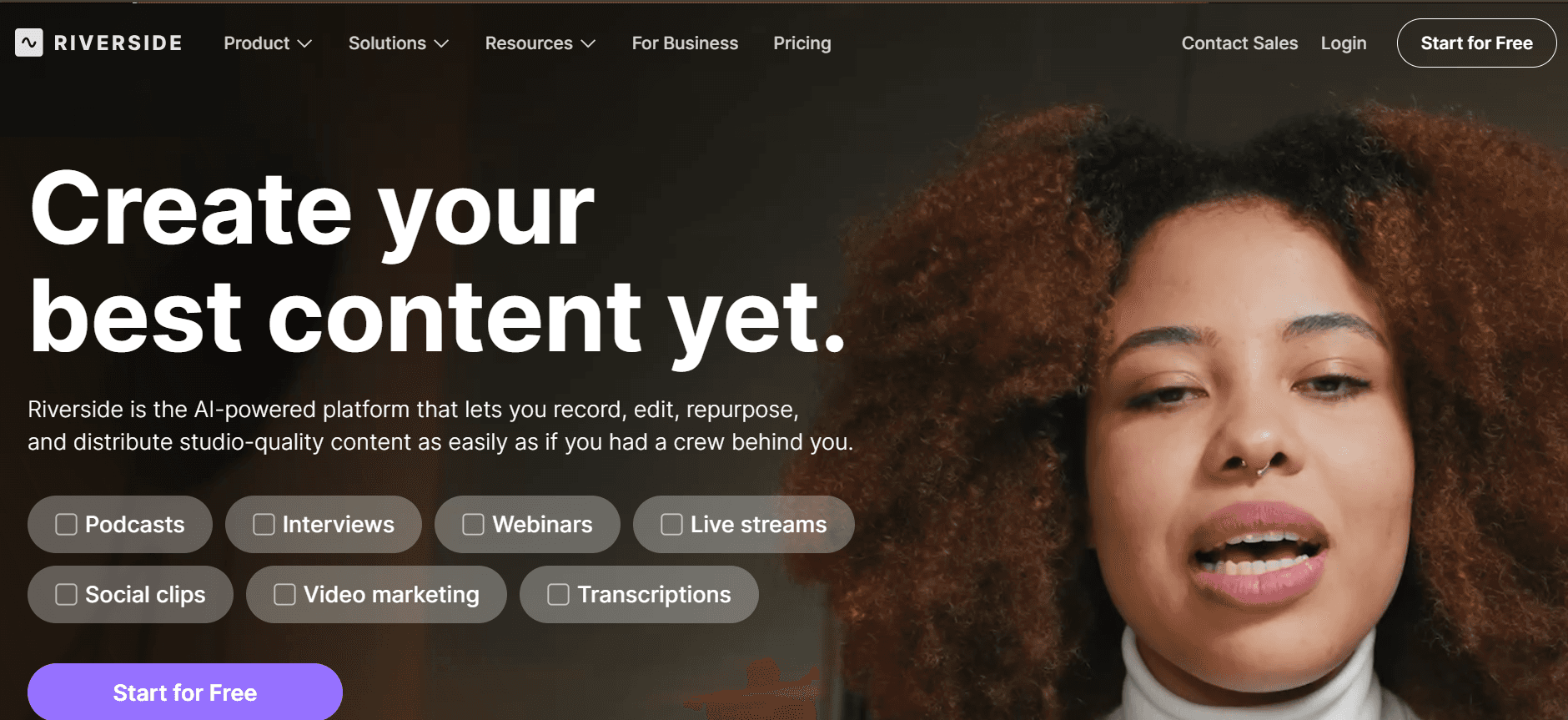
Riverside ist eine hochwertige Aufzeichnungsplattform, die sich ideal für Podcaster und Content Creator eignet, die besonders auf Audio- und Videoqualität achten. Sie ist perfekt für Interviews oder Podcasts und bietet eine Reihe von Tools, um professionelle Aufnahmen sicherzustellen. Wenn Sie jedoch eine Plattform mit tiefgehender Video-Bearbeitung oder erweiterten Marketing-Funktionen suchen, erfüllt Riverside möglicherweise nicht alle Anforderungen.
Wichtige Funktionen
Audio- und Videoaufzeichnung in Studio-Qualität
Separate Spuren für jeden Teilnehmer
Funktionen für Live-Streaming
Automatische Backups und Cloud-Speicher
Einfache Einladungen und Verwaltung von Gästen
Integration mit Video-Conference-Tools
Einfache Bearbeitungsfunktionen für schnelle Ergebnisse
Lokale Aufzeichnung für hochwertige Ausgaben
Pro
Contra
Hochwertige Aufzeichnung für den professionellen Einsatz.
Fehlende erweiterte Video-Bearbeitungs- und Analytics-Funktionen.
Separate Audiospuren verbessern die Flexibilität in der Postproduktion.
Keine KI-Enhancements oder interaktiven Funktionen.
Integration mit Streaming-Plattformen erhöht die Reichweite.
Der Preis kann hoch sein, wenn nur grundlegende Funktionen benötigt werden.
Preisgestaltung
Riverside bietet keinen kostenlosen Tarif an. Die Preise starten bei $15 pro Monat und bieten Zugriff auf hochwertige Aufzeichnungs- und Streaming-Funktionen.
Herausforderungen bei Onboarding-Videos für Kunden: Womit Teams zu kämpfen haben
1. Videos wirken unprofessionell ohne ein passendes Aufnahme-Setup
Viele Teams haben keinen Zugriff auf professionelle Kameras und Mikrofone, was zu einer schlechten Videoqualität führt.
Ohne einen dedizierten Studio-Bereich sind Hintergrundgeräusche und Probleme mit der Beleuchtung häufig.
Fehlende Erfahrung in der Videoproduktion führt oft zu eher amateurhaften Ergebnissen.
Professionelle Bearbeitungssoftware kann für kleine Teams komplex und teuer sein.
2. Die Produktions-Pipeline ist langsam (Tage pro Video)
Die Abstimmung zwischen Texterstellung, Video-Produktion und Schnitt kann zeitaufwendig sein.
Überarbeitungen und Freigaben verlängern den Produktionszeitraum deutlich.
Begrenzte Ressourcen bedeuten, dass Teams nicht gleichzeitig an mehreren Videos arbeiten können.
Verzögerungen in der Produktion können die rechtzeitige Veröffentlichung neuer Produktfunktionen beeinträchtigen.
3. Inhalte werden nach Produkt-Updates schnell veraltet
Häufige Produkt-Updates erfordern fortlaufende Video-Aktualisierungen, um weiterhin korrekt zu bleiben.
Das Aktualisieren von Videos erfolgt traditionell durch erneutes Aufnehmen, Bearbeiten und erneutes Veröffentlichen.
Veraltete Inhalte können neue Nutzer verwirren und die Zufriedenheit beeinträchtigen.
Teams haben oft Schwierigkeiten, mit dem Tempo der Produktänderungen Schritt zu halten.
4. Keine Personalisierung über verschiedene Kundensegmente hinweg
Generische Videos werden den spezifischen Bedürfnissen unterschiedlicher Kundengruppen nicht gerecht.
Personalisierter Content erfordert mehr Ressourcen und Planung.
Ohne Segmentierung sinkt die Wirksamkeit von Onboarding-Videos.
Fehlende Integration von Kundendaten begrenzt die Möglichkeit, Inhalte gezielt anzupassen.
5. Begrenzte Daten zu Engagement und Zuschauerabbruch
Traditionelle Methoden liefern keine detaillierten Einblicke in die Interaktionen der Zuschauer.
Zu verstehen, an welcher Stelle Zuschauer aussteigen, ist entscheidend, um Inhalte zu verbessern.
Fehlende Analytics bedeuten, dass Teams den Erfolg ihrer Videos nicht messen können.
Datengestützte Entscheidungen werden durch unzureichende Engagement-Kennzahlen erschwert.
Herausforderung | Traditioneller Prozess | Auswirkung auf das Business | Zeitaufwand |
|---|---|---|---|
Unprofessionelle Videos | Manuelles Setup und einfache Bearbeitung | Schlechter erster Eindruck | 5-10 Stunden pro Video |
Langsame Produktion | Sequentielle Abarbeitung von Aufgaben | Verzögerte Feature-Launches | 7-14 Tage pro Video |
Veraltete Inhalte | Neu aufnehmen und bearbeiten | Verwirrte Nutzer, mehr Support-Tickets | 3-5 Stunden pro Update |
Keine Personalisierung | Generische Video-Erstellung | Weniger Engagement | 2-4 Stunden pro Segment |
Begrenzte Analytics | Basis-Zuschaueranzahl | Verpasste Optimierungsmöglichkeiten | Laufend, variiert je nach Analyse |
Must-have-Funktionen in Tools für Onboarding-Videos
KI-gestützte Bildschirmaufzeichnung mit Voiceover
KI-gestützte Bildschirmaufzeichnung reduziert drastisch Zeit und Aufwand, die benötigt werden, um hochwertige Onboarding-Videos zu erstellen. Durch das automatische Generieren von Voiceovers entfällt die Notwendigkeit, professionelle Sprecher einzusetzen. So können Teams schnell polierte Inhalte erstellen. Trupeer bietet beispielsweise eine KI-Voiceover-Funktion, die sich nahtlos in Bildschirmaufzeichnungen integriert und auch mit begrenzten Ressourcen einen professionellen Touch liefert.
Diese Funktion ist entscheidend, um über alle Videos hinweg einen konsistenten Ton beizubehalten und den Onboarding-Prozess stimmiger zu machen. Teams können sich darauf konzentrieren, ansprechende Skripte zu erstellen, während die KI die Moderation übernimmt. So klingt jedes Video professionell und überzeugend.
Individuelles Branding (Logo, Farben, CTAs)
Optionen für individuelles Branding sind für jedes Unternehmen unverzichtbar, das über seine Onboarding-Videos eine starke visuelle Identität aufbauen möchte. Tools wie Vidyard und Wistia bieten umfangreiche Anpassungsmöglichkeiten für das Branding. So können Unternehmen ihre Logos, Farben und Calls-to-Action nahtlos in Videos integrieren. Diese Konsistenz im Branding stärkt die Wiedererkennbarkeit der Marke und das Vertrauen bei neuen Nutzern.
Durch das Einbetten individueller CTAs in Videos können Unternehmen Nutzer gezielt zu bestimmten Aktionen führen – etwa zur Anmeldung für einen Newsletter oder zur Erkundung zusätzlicher Funktionen. Das verbessert das gesamte Onboarding-Erlebnis.
Automatisch generierte Untertitel und Übersetzungen
Automatisch generierte Untertitel und Übersetzungen sind entscheidend, um ein globales Publikum zu erreichen. So wird sichergestellt, dass Onboarding-Inhalte für alle Nutzer zugänglich sind – unabhängig von Sprachbarrieren. Plattformen wie Synthesia sind in diesem Bereich besonders stark und bieten mehrsprachige Unterstützung, die Inhalte automatisch in verschiedene Sprachen übersetzt.
Untertitel unterstützen nicht nur das Verständnis, sondern steigern auch das Engagement, da Videos in lauten Umgebungen oder für Nutzer mit Hörbeeinträchtigungen besser zugänglich werden. Diese Funktion ist besonders wichtig für Unternehmen, die international expandieren möchten: Sie ermöglicht es, unterschiedliche Kundengruppen zu bedienen, ohne für jede Sprache separaten Content erstellen zu müssen.
Engagement-Analytics mit Tracking des Zuschauerabbruchs
Zu verstehen, wie Nutzer mit Onboarding-Videos interagieren, ist entscheidend, um Inhalte zu optimieren und das Nutzerengagement zu verbessern. Erweiterte Analysefunktionen liefern Einblicke in das Verhalten der Zuschauer – etwa wo sie aussteigen und welche Abschnitte ihre Aufmerksamkeit halten. Tools wie Vidyard und Trupeer bieten umfassende Analyse-Dashboards, die Unternehmen dabei helfen, datenbasierte Entscheidungen über ihren Videocontent zu treffen.
Mit diesen Erkenntnissen können Teams ihre Videos so verfeinern, dass sie die Bedürfnisse der Nutzer besser treffen. Das erhöht die Wahrscheinlichkeit für ein erfolgreiches Onboarding. Dieser datenbasierte Ansatz sorgt dafür, dass sich Videoinhalte weiterentwickeln und mit der Zeit verbessern – im Einklang mit den Vorlieben und Erwartungen der Nutzer.
Einfache Content-Updates ohne erneutes Aufnehmen
Häufige Produkt-Updates machen regelmäßige Content-Aktualisierungen erforderlich. Das kann jedoch sehr ressourcenintensiv sein, wenn Videos komplett neu aufgenommen werden müssen. Tools, die einfache Updates unterstützen, ermöglichen es Teams, bestehende Videos zu ändern, ohne bei Null zu starten. Descript bietet beispielsweise eine einzigartige Bearbeitungsfunktion, mit der Änderungen direkt aus dem Transkript heraus vorgenommen werden können. Das vereinfacht den Update-Prozess erheblich.
Diese Fähigkeit stellt sicher, dass Onboarding-Inhalte aktuell und korrekt bleiben. So sinkt das Risiko von Verwirrung bei Nutzern und das gesamte Onboarding-Erlebnis wird verbessert. Indem Teams weniger Zeit und Aufwand in Updates investieren müssen, können sie sich stärker darauf konzentrieren, neuen Content zu erstellen und bestehende Prozesse weiterzuentwickeln.
Interaktive Elemente
Interaktive Elemente wie Quizze, Umfragen und anklickbare Links innerhalb von Videos steigern das Nutzerengagement deutlich. Sie verwandeln passives Zuschauen in ein aktives Lernerlebnis. Plattformen wie Trupeer und Wistia bieten Tools, um diese Elemente zu integrieren. So werden Nutzer dazu ermutigt, mit dem Content zu interagieren und zentrale Botschaften zu verstärken.
Diese Funktionen machen den Onboarding-Prozess nicht nur ansprechender, sondern liefern Teams auch wertvolles Feedback zu Verständnis und Engagement-Leveln der Nutzer. Durch die Integration interaktiver Elemente können Unternehmen eine personalisiertere und wirkungsvollere Onboarding-Reise für ihre Nutzer gestalten.
So wählen Sie Video-Plattformen für das Onboarding neuer Nutzer – basierend auf Ihrem Use Case
Produkt-Willkommensvideos und Videos zur Einrichtung der ersten Sitzung
Diese Videos sind entscheidend, um einen starken ersten Eindruck zu hinterlassen und Nutzer durch die anfängliche Einrichtung zu führen. Sie sollten kurz, klar und ansprechend sein, damit Nutzer sofort verstehen, wie sie mit Ihrem Produkt starten.
Wichtige Herausforderungen:
Für Klarheit und Engagement sorgen, ohne neue Nutzer zu überfordern
Essenzielle Informationen schnell und effektiv vermitteln
Konsistenz mit der Markenbotschaft sicherstellen
Benötigte Lösungen:
Einfache, intuitive Tools zur Videoerstellung mit individuellem Branding
KI-Voiceover für eine klare Kommunikation
Analytics, um Nutzerengagement und Verständnis zu messen
Tool
Benutzerfreundlichkeit
Individuelles Branding
Analytics
Trupeer
Ja
Ja
Ja
Loom
Ja
Begrenzt
Begrenzt
Vidyard
Begrenzt
Ja
Ja
Feature-Walkthroughs für Self-Serve-Kunden
Feature-Walkthroughs sind darauf ausgelegt, spezifische Funktionen zu präsentieren und Nutzern zu helfen, das Beste aus Ihrem Produkt herauszuholen. Diese Videos sollten detailliert, aber dennoch leicht zu verfolgen sein. So können Nutzer Funktionen in ihrem eigenen Tempo erkunden.
Wichtige Herausforderungen:
Komplexe Funktionen abdecken, ohne das Interesse der Zuschauer zu verlieren
Schritt-für-Schritt-Anleitungen klar und präzise bereitstellen
Sicherstellen, dass der Content mit Produktänderungen aktuell bleibt
Benötigte Lösungen:
Detaillierte Video-Bearbeitungsfunktionen für mehr Klarheit
Einfache Content-Update-Funktionen, um Produktänderungen zu berücksichtigen
Interaktive Elemente, um Nutzer einzubinden
Tool
Bearbeitungsfunktionen
Content-Updates
Interaktive Elemente
Camtasia
Ja
Nein
Ja
Descript
Ja
Ja
Begrenzt
Wistia
Begrenzt
Nein
Ja
Kundenschulungs-Video-Serie
Video-Serien zielen darauf ab, Nutzer in größerem Umfang zu schulen und dabei mehrere Aspekte Ihres Produkts oder Ihrer Dienstleistung abzudecken. Diese Videos müssen ansprechend und informativ sein und fungieren oft als erweitertes Ressourcenangebot für Nutzer.
Wichtige Herausforderungen:
Das Engagement der Zuschauer über mehrere Videos hinweg aufrechterhalten
Konsistente Qualität und Botschaften sicherstellen
Integration in andere Schulungsressourcen
Benötigte Lösungen:
Umfassende Analytics, um das Engagement der Zuschauer zu verfolgen
Individuelles Branding, um die Markenidentität zu stärken
Integrationsmöglichkeiten mit Learning-Management-Systemen
Tool
Engagement-Analytics
Branding
Integration
Vidyard
Ja
Ja
Ja
Synthesia
Ja
Ja
Begrenzt
Trupeer
Ja
Ja
Ja
Onboarding-E-Mail-Video-Sequenzen
Das Einbetten von Videos in Onboarding-E-Mails kann das Nutzerengagement deutlich steigern. Es liefert visuelle Inhalte, die textbasierte Anweisungen ergänzen. Diese Videos müssen kurz und überzeugend sein, um die Aufmerksamkeit der Nutzer schnell zu gewinnen.
Wichtige Herausforderungen:
Videos kurz halten, ohne wichtige Informationen zu verlieren
Sicherstellen, dass sie mit E-Mail-Plattformen kompatibel sind
Das Engagement der Zuschauer über E-Mails hinweg verfolgen
Benötigte Lösungen:
Kurze, wirkungsvolle Tools zur Videoerstellung
Nahtlose Integration in E-Mail-Marketing-Software
Detaillierte Analytics, um die Video-Performance in E-Mails zu verfolgen
Tool
Kontrolle der Videolänge
E-Mail-Integration
E-Mail-Analytics
Loom
Ja
Begrenzt
Begrenzt
Vidyard
Ja
Ja
Ja
Trupeer
Ja
Ja
Ja
Customer-Success-Check-in-Videos
Check-in-Videos sind persönlich und gezielt. Sie sollen den Kontakt zu Nutzern halten und Unterstützung anbieten. Sie sollten personalisiert und informativ sein, echten Mehrwert liefern und zeigen, dass sich das Unternehmen um seine Kunden kümmert.
Wichtige Herausforderungen:
Content für einzelne Nutzer personalisieren
Professionelle Qualität mit persönlichem Touch in Einklang bringen
Regelmäßige Updates und rechtzeitige Bereitstellung sicherstellen
Benötigte Lösungen:
KI-Tools für die Erstellung personalisierter Inhalte
Einfach zu bedienende Plattformen für Videobotschaften
Integration in CRM-Systeme für zeitnahe Follow-ups
Tool
Personalisierung
Benutzerfreundlichkeit
CRM-Integration
Synthesia
Ja
Begrenzt
Nein
Trupeer
Ja
Ja
Ja
Wistia
Begrenzt
Begrenzt
Ja
Best Practices für die Erstellung von Onboarding-Videos
Vor der Produktion
Definieren Sie klare Ziele für jedes Video, um sie an den Bedürfnissen der Nutzer auszurichten.
Erstellen Sie ein detailliertes Skript, um eine fokussierte Dramaturgie sicherzustellen.
Wählen Sie die passenden Tools basierend auf den spezifischen Anforderungen an die Funktionen.
Planen Sie einen realistischen Zeitplan für Produktion und Review.
Während der Produktion
Sorgen Sie für hochwertiges Audio und Video, damit das Ergebnis professionell wirkt.
Integrieren Sie Branding-Elemente konsistent im gesamten Video.
Nutzen Sie interaktive Elemente, um die Zuschauer aktiv einzubinden.
Zeichnen Sie in Abschnitten auf, um Bearbeitung und Updates zu erleichtern.
Nach der Produktion
Führen Sie eine gründliche Prüfung durch und sammeln Sie Feedback von relevanten Stakeholdern.
Testen Sie das Video mit einer kleinen Nutzergruppe für erste Reaktionen.
Veröffentlichen Sie Videos mit Analytics-Tracking, um die Wirksamkeit zu messen.
Aktualisieren Sie Inhalte regelmäßig, um Produktänderungen und Nutzerfeedback abzubilden.
Häufig gestellte Fragen
Was sind Onboarding-Videos?
Onboarding-Videos sind kurze, erklärende Clips, die neue Nutzer durch die ersten Schritte bei der Nutzung eines Produkts oder einer Dienstleistung führen. Sie sollen Nutzer schulen, einbinden und dabei unterstützen, zentrale Funktionen und Features zu verstehen.
Warum sollte ich Video für das Onboarding nutzen?
Videoinhalte sind ansprechend und leicht zu verarbeiten. Dadurch eignen sie sich hervorragend für das Onboarding. Sie können komplexe Informationen einfach vermitteln, unterschiedliche Lernstile berücksichtigen und ein visuelles sowie auditives Lernerlebnis bieten.
Können Onboarding-Videos interaktiv sein?
Ja, viele Plattformen bieten interaktive Funktionen wie Quizze, anklickbare Links und Call-to-Action-Buttons. Diese binden die Zuschauer ein, liefern sofortiges Feedback und verbessern so das Lernerlebnis.
Welche Tools kann ich nutzen, um Onboarding-Videos zu erstellen?
Es gibt mehrere Tools, die jeweils einzigartige Funktionen bieten. Trupeer, Vidyard und Loom sind beliebte Optionen. Sie decken ein Spektrum ab – von Bildschirmaufzeichnung bis hin zu detaillierten Analytics.
Gibt es kostenlose Tools für die Erstellung von Onboarding-Videos?
Ja, einige Plattformen wie Loom und Screencast-O-Matic bieten kostenlose Tarife mit grundlegender Funktionalität. Funktionen wie erweiterte Analytics und individuelles Branding können jedoch ein kostenpflichtiges Abonnement erfordern.
Wie viel kostet es, ein professionelles Onboarding-Video zu erstellen?
Die Kosten variieren je nach Tool und benötigten Funktionen. Professionelle Tools mit umfassenden Funktionen können zwischen $10 und $30 pro Monat und Nutzer liegen.
Wie integriere ich Onboarding-Videos in mein Produkt?
Onboarding-Videos können direkt in die Benutzeroberfläche Ihres Produkts integriert werden, per E-Mail versendet oder auf einem Learning-Management-System gehostet werden. Wählen Sie eine Methode, die zu Ihrer Strategie für Nutzerengagement passt.
Wie oft sollten Onboarding-Videos aktualisiert werden?
Videos sollten regelmäßig aktualisiert werden, um neue Funktionen, Änderungen in der Benutzeroberfläche und Nutzerfeedback abzubilden. Ein quartalsweiser Review wird empfohlen, damit der Content relevant und wirksam bleibt.
Abschließende Gedanken zur Auswahl der richtigen Video-Plattform
Die Investition in die richtige Video-Plattform für das Onboarding kann die Zufriedenheit und Bindung der Nutzer deutlich verbessern. Da es verschiedene Tools mit unterschiedlichen Funktionen gibt, ist es entscheidend, Ihre Auswahl an den spezifischen Anforderungen Ihres Unternehmens und den Erwartungen Ihrer Nutzer auszurichten. Ob Sie einfache Bildschirmaufzeichnung oder erweiterte interaktive Funktionen benötigen: Es gibt ein Tool, das auf Ihre Anforderungen zugeschnitten ist.
Für alle, die ihren Onboarding-Prozess mit einer umfassenden Lösung auf ein höheres Niveau bringen möchten, bietet Trupeer ein hervorragendes Gleichgewicht aus Funktionalität, Benutzerfreundlichkeit und Anpassungsmöglichkeiten. Besuchen Sie Trupeer, um zu entdecken, wie ihre Plattform Ihre Onboarding-Videos in leistungsstarke Tools für Nutzerengagement und -bindung verwandeln kann.
Verwandte Blogbeiträge



