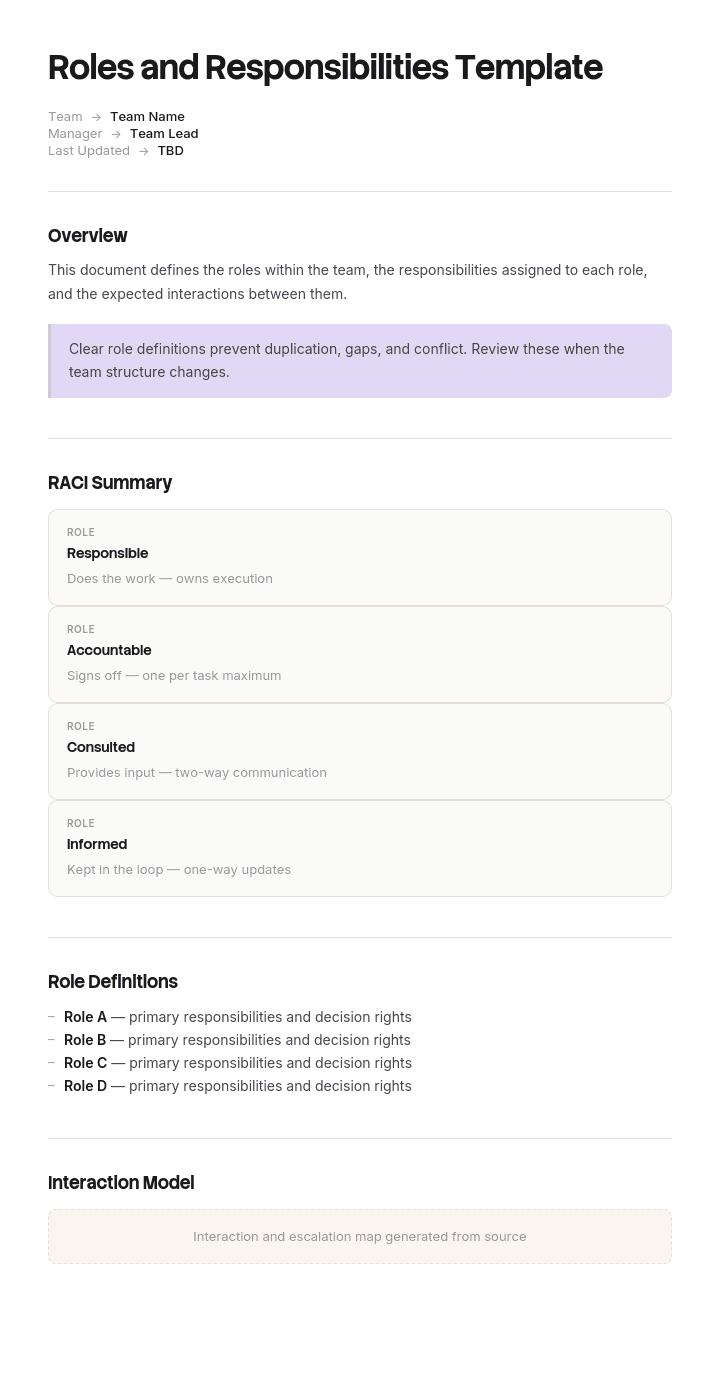
使用此模板
对“谁拥有什么”的混淆,是团队绩效中最大的隐性消耗之一。使用 Trupeer,你可以从一份免费的角色与职责模板开始,通过你的 品牌规范 进行定制,并将角色定义转换为每位团队成员都能在 5 分钟内观看的在线视频摘要,从而节省数小时的团队对齐时间。
什么是免费的角色与职责模板?
免费的角色与职责模板是一种可重复使用的结构,用于记录团队、项目或组织中“谁做什么”。
几乎所有版本的这份文件,上半部分都能把事情做对,下半部分却完全做不到。它记录每个角色在活动中做什么,然后就停了。它不记录的是:谁被允许做决定——而真正发生角色冲突的,正是这些决定。
模板不是文件本身。它提供一张表:一列是角色,一列是职责,搭建起来只需两分钟。最终成品能否避免争执,取决于其中是否包含那些存在争议的事项;而按定义,那些争议事项通常并不是最显而易见的。
格式遵循用途。免费的角色与职责模板 Word 文档适合用于需要被阅读并达成一致的文件。免费的角色与职责模板 Excel 版本适合一次性覆盖多个角色的矩阵。免费的角色与职责模板 PPT 适合向团队展示一个结构。免费的角色与职责模板 PDF 则是已达成一致并已流转的版本。
为什么角色与职责文件会失败
读一份,然后注意动词。
拥有。监督。管理。确保。支持。协调。对接。负责。
这些动词都很“弹性”。两个人都可能认为自己拥有某件事,各自按这个理解行事,并且仅凭措辞都不会错。两个人也可能都认为对方“确保”某件事,而文本同样能同等地支持这种理解。
正因为这种“弹性”,这些文件才容易达成一致,却在争议中毫无用处。每个人都会把自己的理解读进同一句话里——就像含糊的范围描述那样——直到某个时刻它开始“造成代价”,才有人发现分歧。
更深层的问题是:活动是错误的单位。活动天然是共享的。多个人会共同贡献质量、客户关系和预算。写下“有三个角色参与质量”是对的,但它并不会告诉任何人有用的信息。
决定并不会共享。要么你能批准某件事,要么你不能。要么你可以把组织承诺到某个成本上,否则你就必须提出请求。这种二元特性使“决定”成为真正有用的单位;因此,一份按角色列出二十项活动的文件,可能完全没有写清楚实际的授权分配。
如何在 Trupeer 中自定义此模板
步骤 1:打开模板(Templates)部分
从主导航进入 Templates(模板)部分。

步骤 2:选择并打开模板
点击任意你想使用的模板以将其打开。

步骤 3:展开模板视图
如有需要,展开模板视图以清晰查看完整布局和细节。

步骤 4:编辑模板
点击 Edit(编辑)开始修改所选模板。

在编辑器中,你可以:
添加新章节
定义或更新格式规则
添加徽标并调整其位置及相关设置
步骤 5:保存你的自定义模板
完成所有必要更改后,点击 Save(保存),将更新后的模板存为你的版本。

步骤 6:预览并微调模板
当你想查看自定义模板的效果时,打开 Preview(预览)。

在预览界面中,如有需要,你还可以继续直接进行调整,确保模板呈现得完全符合你的预期。
使用角色与职责模板,你可以:
节省对齐时间:跳过空白页面,直接使用为清晰度打造的结构。
减少混淆:内置用于“归属、决策权与问责”的字段,消除歧义。
保持品牌一致:使用 Trupeer 的品牌套件应用你的徽标、字体和颜色。
清晰沟通:将角色文档转换为每个人都能快速理解的视频讲解。
跨项目标准化:为每个团队与每项计划使用同一模板。
覆盖全球团队:一键将角色定义翻译为 65+ 种语言。
分配的是决定,而不是活动
改变在于:从“决定清单”而不是“人员清单”来构建这份文件。
首先,把每一个决定以及每一个曾经(或可能)引发“谁拥有它”的分歧的交付物都写下来。不是整个工作。只写那些存在争议的部分。在大多数团队中,这通常在十五到三十项之间。
然后,对每一项记录四件事:谁做决定。决定的上限是多少。谁必须先被咨询。谁在之后会被告知。
当你这样做时,会立刻出现两种失败模式,而且两种都足够常见,值得预期。
没有负责人(owner)的事项。 没有人被赋予授权,因此在实践中要么由最先注意到的人来决定,要么就会被搁置。这些就是会被丢掉的事项。
有两个负责人(owner)的事项。 两个人都认为自己握有决定权,于是两个人都会行动,而当两种行动在同一点相遇时就会冲突。这些就是会引发人们记住的争执的事项。
开始之前的一个有用诊断。拿你现有的文件,对每一条职责问:如果这个人说“不”,会发生什么?如果答案是“事情就停了”,那么这条描述的是实际授权。如果答案是“反正会由别人做”,或“会转到会议上”,那么这条描述的是参与而不是责任;而参与并不是这份文件要解决的内容。
那些“弹性动词”就是关键线索。任何基于“监督、支持、确保或协调”来写的条目,几乎总是在描述参与。那些条目可以保留,但它们只是背景。决定才是文件的核心。
角色与职责模板必须包含什么
七个组成部分。其中“决策表”才是完成工作的那一项。
组件 | 它做什么 |
|---|---|
范围(Scope) | 覆盖哪些团队、项目或职能,以及不覆盖什么。 |
角色,而不是人 | 按角色命名,并在单独一列中标注当前持有人,这样即使有人离开,文件也不会失效。 |
每个角色的目的 | 一句话说明该角色存在的原因。通常超过一句话意味着其实是两个角色。 |
决策表 | 每一项存在争议的决定:谁做决定、上限是多少、谁需要先被咨询、谁在之后会被告知。 |
活动 | 每个角色日常做什么。提供有用的背景信息,而不是用来解决争议的部分。 |
升级(Escalation) | 当决定超出某人的权限上限,或确实存在争议时,决定会去哪里。 |
审阅与版本 | 何时达成一致、由谁达成一致,以及下一次何时会被重新审阅。 |
“上限”这一列非常值得占用空间。授权很少是无限的;“批准范围变更”在两千英镑和五万英镑时意味着完全不同的事情。写出具体数字,就能消除一整类争论。
把角色命名出来,而不是把人写进去,是另一个安静但重要的改进。围绕个人撰写的文件在第一次离职时就会过时,而重写它们的工作量足够大,许多组织最终会干脆停止维护。
免费角色与职责模板:可直接复制的结构
用真实示例填充,而不是占位符。场景是一家咨询公司的客户合作。
从这里开始复制。
范围(Scope)。 覆盖数据实践中的客户合作角色。不覆盖内部项目、直线管理或绩效评估,这些由其他流程分别管理。
角色(Roles)。
角色 | 当前持有人 | 该角色存在的原因 |
|---|---|---|
合作负责人(Engagement Lead) | R Castellan | 拥有合作的商业结果以及客户关系 |
交付经理(Delivery Manager) | P Osei | 拥有计划、团队以及交付到已约定范围的责任 |
实践负责人(Practice Lead) | J Marchetti | 拥有所有合作中的技术标准 |
决策表(Decision table)。 最关键的部分。
决定(Decision) | 由谁决定(Decided by) | 上限(Up to) | 先咨询(Consulted first) | 之后告知(Informed after) |
|---|---|---|---|---|
接受来自客户的范围变更 | 合作负责人(Engagement Lead) | 8 小时的投入 | 交付经理(Delivery Manager) | 实践负责人(Practice Lead) |
接受超过该上限的范围变更 | 实践负责人(Practice Lead) | 无上限 | 合作负责人(Engagement Lead)和交付经理(Delivery Manager) | 财务(Finance) |
与客户确认日期 | 交付经理(Delivery Manager) | 任何 | 合作负责人(Engagement Lead) | 客户,由合作负责人(Engagement Lead)告知 |
为团队添加一名成员 | 交付经理(Delivery Manager) | 在已批准预算内 | 实践负责人(Practice Lead),用于评估技能匹配 | 财务(Finance) |
偏离某项技术标准 | 实践负责人(Practice Lead) | 无上限 | 交付经理(Delivery Manager) | 合作负责人(Engagement Lead) |
因未付款而暂停工作 | 合作负责人(Engagement Lead) | 任何 | 财务(Finance) | 交付经理(Delivery Manager) |
批准交付物为已完成 | 交付经理(Delivery Manager) | 任何 | 实践负责人(Practice Lead),在适用标准的情况下 | 合作负责人(Engagement Lead) |
升级至客户的赞助人(sponsor) | 合作负责人(Engagement Lead) | 任何 | 交付经理(Delivery Manager) | 实践负责人(Practice Lead) |
活动(Activities)。 提供背景,而不是解决方案。合作负责人负责客户关系、预测收入并处理续约。交付经理负责计划、每日站会以及风险日志。实践负责人在启动会以及每个主要交付物节点审查技术方案。
升级(Escalation)。 超出已声明上限的事项,或在两个角色之间存在争议的事项,会在两个工作日内提交给实践总监(Practice Director)。不需要等待每月会议。
审阅(Review)。 由三位角色持有人及实践总监于 4 月 4 日达成一致。每六个月审阅一次;当角色交接发生或发现某项决定没有明确负责人时,也会立即审阅。
Copy to here.
八项决定。通常这就足够了,而且这八项正是之前争论过的那八项。
角色与职责示例:三个人都“拥有”它
Ashgrove Analytics 是一家约一百四十人的数据咨询公司,团队里每个人都读过一份角色与职责文件,也没有人对其内容提出异议。
文件写明:合作负责人拥有客户关系与商业结果。交付经理负责交付并确保质量。实践负责人监督所有合作中的标准。
拥有、确保、监督。三个“弹性动词”,以及文件中没有任何一句话说明:谁可以批准对已售出的内容做出变更。
在一次合作中,客户在项目进行到中途时要求额外加入一个数据源。合作负责人在电话会议中同意了——这是合理的——因为保护客户关系明确是她的职责。交付经理把这项工作合理地吸收到计划中,因为他认为只要与客户达成一致就已经计入定价。实践负责人则在月末才知道。
这项工作并没有被计入定价。三百四十小时,约七万一千英镑的工作量已交付但未开票。
审阅中最令人不适的部分在于:这类情况当年发生了四次,只是规模更小,而没有人把它们联系起来,因为每次看起来都像是个人的偶发失误,而不是一种模式。年度未开票的范围更接近于十九万英镑。
没有人做出超出其职责范围的事。三个人都严格按照文件行事,这也正是事情之所以能发生的原因。
重写花了一个下午,最终得到的不是三份角色描述,而是二十二项决定。把它们写下来后,立刻暴露出两件事:有五项决定根本没有负责人,包括“谁可以因未付款而暂停工作”——这项从未被分配。还有三项决定有两个负责人,包括那项让他们损失了七万一千英镑的决定。
在接下来的一年里,未开票的范围达到了两万四千英镑。文件并没有变长。它只是把之前那些“弹性”的内容,具体化为大约八到九项。
如何用六个步骤定义角色与职责
列出决定,而不是列出人员。所有存在争议的事项、所有引发分歧的事项、所有如果没人做决定就会停下来的事项。大多数团队是十五到三十项。
为每一项只指定一个决策者。不是委员会。如果两个名字都显得必要,那么这项其实是两个决定,应该拆开。
添加上限。上限到什么价值、什么规模或什么风险。无限是一个有效答案,应该写出来,而不是用“默认”来暗示。
添加“先咨询”和“之后告知”。这两者不是同一回事,混淆它们就是让人最终感觉自己被排除在从未真正握有的决定之外。
查找空白与重复。每一项没有负责人或有两个负责人的内容,都是你现在就能以较低成本解决的未来争议。
在同一间房里与角色持有人达成一致。为征求意见而流转的文件通常不会收到真正的意见。把文件在房间里大声读出来,才会产生真正重要的反对点。
第六步不是可选项。这个练习的价值很大程度上来自它暴露出的分歧,而分歧不会通过邮件自然浮现。
角色与职责模板 vs RACI
这两者经常被拿来对比,但它们回答的是不同的问题。
一个 RACI 矩阵 会把活动与角色对应起来,并标注每项活动由谁负责(Responsible)、谁承担问责(Accountable)、谁需要被咨询(Consulted)或谁需要被告知(Informed)。它的优势是覆盖面。把三十项活动铺开到八个角色上,你可以一眼看出哪里没有人承担问责,以及哪里有三个人。
一个 角色与职责文件 会用各自的语境来描述每个角色:目的、活动与授权。它的优势在于,一个人可以阅读自己的那一行,并理解自己的工作。
它们配合得很好,但作为替代品就很糟。RACI 作为个人阅读很难,因为你的那一行会分散在一个很大的网格里。角色描述要检查空白也很难,因为你必须同时把所有角色都放在脑中。
更实用的做法是:先搭建 RACI 来找出空白,再写出角色文件,让人们真正能用起来。只要双方有分歧,RACI 通常在覆盖面上是对的,而角色文件通常在细微差别上更准确。
关于 RACI 的一个特别提醒。问责(Accountable)那一项承载的是授权,而它往往被分配给组织中最资深的人,而不是应该做决定的人。如果你的矩阵里“问责”对所有事项都是同一个名字,那记录的更像是层级关系,而不是授权分配。
员工角色与职责 vs 团队角色与职责
两份相关文件,但用途不同;而这种区别决定了你需要哪一种模板。
一个 员工角色与职责模板 Word 文档描述的是某一个人的工作。它与岗位说明书非常接近,用于招聘、入职引导以及绩效沟通,并且是按“角色持有人”来撰写的。
一个 团队角色与职责模板 则描述多个角色如何组合在一起。它用于消除重叠与空白;它的价值来自于把角色并排看,而不是来自其中任何一个角色的深度。
当你需要第一种却写第二种时,得到的总结会太浅,无法用于让任何人完成入职引导。当你需要第二种却写第一种时,你会得到一叠看起来都很完整、但合起来仍有四件事没有人负责的文件。
如果一项工作涉及多个人,并且总有东西在他们之间“掉落”,你需要团队版本。如果有人正在加入,或某个岗位正在被评估,你需要个人版本。
一个值得认真对待的说明:角色与职责文件不是劳动合同;在不同司法辖区以及合同条款内容的前提下,变更某人的职责可能带来合同与法律层面的影响。请把这份文件视为运营层面的澄清,并在用它来修改任何人的条款之前,先咨询 HR 或合格的顾问。
三个场景中的角色与职责示例
项目团队。真正重要的决定包括:谁批准范围变更、谁可以在外部承诺日期、谁可以把交付物判定为已完成、谁可以停止工作。这四项覆盖了大多数项目角色冲突;而详细的先后顺序应放在 项目范围 中,而不是放在这里。
部门或职能。相关决定涉及预算授权、招聘、批准外部支出,以及签字确认那些会让部门“交付出去”的工作。这里的上限比任何地方都更重要,因为同一类决定会在非常不同的数值下反复出现。
跨职能流程。客户投诉、事件、采购。典型的失败在于:责任在职能之间传递,没有人拥有交接,因此真正有用的内容是:每个阶段由谁负责,以及阶段之间的过渡由谁负责。
在这三种场景中,值得写下来的都是:有人之前已经做错过的那些事项。列出三十项彼此无争议的职责,却遗漏了那两项存在争议的内容,就把精力用在了错误的地方。
当人员离开时如何保持最新
角色文件会以一种特定方式“衰减”。它是围绕当前在岗的人写的,所以第一次离职就会让某一部分变得错误;重写会被推迟,而在一年内,这份文件会悄悄变成历史资料。
三个习惯可以避免这种情况。把结构中的角色命名出来,并把人员放在同一列的单独位置,这样离职只会改变一个单元格。把审阅绑定到事件而不是日历——意味着只要角色交接发生,文件就会被重新审阅。并且记录日期以及所有同意者的姓名,因为一份没有日期、也没有签字的文件,在它被用来解决争议的那一刻,几乎没有任何分量。
最强的审阅触发器来自 Ashgrove 的发现:只要某个决定最终被证明没有明确负责人,那就是关于文件的证据;修复的方法不是记住结论,而是把那一项补进去。
免费角色与职责模板无法解决什么
一个确实行不通的结构。如果两个角色长期处于永久冲突,有时问题不在于文档,而在于设计本身。把它清楚地写出来会让问题显形,这很有用,但它不会自动解决冲突。
没人会使用的授权。被赋予决定权的人如果觉得自己无法做决定,最终还是会把问题往上推。这是管理问题,而不是文档问题。
资历凌驾于文件之上。如果资深人员总是例行地决定本应由他人负责的事项,那么文件描述的是一种意图而不是一种实践;周围的人会很快学会无视它。
从下载中继承来的模糊。任何免费的角色与职责模板下载都不会包含你的争议事项,因为这些事项是与你的组织强相关的。模板给你的是一张网格,而网格本身并不是难点。
展示工作如何完成,而不仅是由谁完成
角色与职责文件会说明:谁拥有某项工作的归属。但它不会说明:这项工作如何被执行;当有人接手角色时,这两者就会在理解上被混淆。
正是这个空白导致交接失败。新的持有人知道自己要批准交付物,但却不知道前任在批准之前实际检查了什么。书面流程很少能真正填补这个空白,因为读者需要从文字中重建一串步骤,然后就会放弃。
Trupeer AI 会填上这个空白。无论谁持有该角色,都只需要记录一次任务;输出会是一份带截图的书面讲解,截图已被捕获并放置好,并且与视频一起放在你自己的品牌风格中。角色文件告诉你“你拥有什么”。记录则展示“前任是如何完成的”。
记录下来。做成品牌风格。翻译它。用 Trupeer 来实现。
这种配对在交接时最重要——也正是在角色文件被重新阅读、而未被记录的那一半内容会被遗失的时候。若团队跨越多种语言,同一份记录会在每种语言中生成相同的讲解;因此在三个国家完成的同一角色,确实就是同一个角色。
这些讲解放在你的 知识库 中,同时也可作为下一位接手者的 培训材料。任务级别的细节应放在下方的 工作指引 中。与其他文档保持一致,只需要先设置一次你的 品牌套件;而文档模板的设置内容则在 文档模板设置指南 中有说明。
常见问题
是否有免费的角色与职责模板 Word 文档版本?
有。Word 适合这份文件,因为它会被阅读、讨论并达成一致;同时,决策表也能很自然地放在一页上下文中。用角色与职责模板 Word 文档构建你的免费版本:把角色放在一个表格里,把决定放在另一个表格里,并将决策表保留在第一页或第二页。
把当前的角色持有人放在单独的一列中,而不是分散在全文各处。这个选择意味着离职只会更新一个单元格,而不会触发重写——这就是“文件保持最新”与“文件悄悄变成历史资料”之间的差别。
是否有免费的角色与职责模板 Word 免费版本?
大多数免费的角色与职责模板 Word 下载提供的内容,是一个两列表格:角色与职责各占一列;而那一半并不能解决任何问题。
在你使用的任意模板上添加两样东西:一列写明谁可以批准什么;再加一列写明上限到什么数值。这两项添加只需要十分钟,并且正是它们把一份描述变成能真正平息争议的内容。
是否有角色与职责模板 Excel 的免费版本?
当你需要一次性查看很多角色时,Excel 是正确的选择——这也是你在寻找空白与重叠的时候。角色与职责模板 Excel 的免费布局允许你把决定写在行里,把角色放在列上,并能立刻看出某一行是否没有负责人或是否有两个负责人。
先在电子表格中完成这项分析,再把可读版本写进文档中。网格非常适合用来发现问题,但不擅长帮助个人理解自己的工作。
是否有免费的角色与职责模板 PPT 版本?
幻灯片适合向团队展示一个结构,尤其是在组织调整或项目启动时——重点是让每个人都能看到各部分如何拼合在一起。免费的角色与职责模板 PPT 演示文稿可以很好地做到这一点。
但它无法携带带有上限与咨询机制的决策表——而这正是用来防止争议的部分。先在幻灯片中呈现结构,再流转文档。只在会议中达成一致的结构,会被在场的每个人以不同方式记住。
是否有免费的角色与职责模板 PDF?
PDF 是已达成一致的版本。等角色持有人讨论并敲定所有存在争议的事项后,将角色与职责模板 PDF 导出为免费版本,并附上达成一致的日期以及所有同意者的姓名。
这份记录比听起来更重要。文件的存在是为了平息分歧;而没有日期、也没有签字的版本,在它被需要的那一刻,很容易被当作某个人的草稿而直接忽略。
是否有值得使用的免费角色与职责模板免费下载安装?
这个网格搭建起来大约需要两分钟,所以免费的角色与职责模板免费下载安装几乎帮你省不了多少时间。它无法提供的是你的“争议决定清单”,而这份清单才是整个练习的全部价值。
如果你采用它,请检查它是否包含任何“授权”相关的列。几乎没有模板会包含。你见过的每一份已发布模板都会问“每个角色做什么”,却没有问“每个角色可以批准什么”。
是否有员工角色与职责模板 Word 版本?
有,而且它与团队版本是不同的文件。员工角色与职责模板 Word 文件涵盖的是某一个人的工作:目的、主要活动、其承担的决定、其向谁汇报,以及如何评估其工作。
用于入职引导、绩效沟通,并可与招聘一起使用。注意它与岗位说明书非常接近,因此也与劳动合同非常接近;因此在用它来改变“某人被期望做什么”之前,请先咨询 HR。
什么是团队角色与职责模板?
团队角色与职责模板会把多个角色并排设置,让重叠与空白变得可见;这是任何单个角色描述都无法做到的事情。
当工作总是在不同人之间“掉落”、当两个人在重复投入精力,或在项目开始时(因为之前没人一起协作过)都可以使用它。真正重要的输出不是那些描述,而是那份短清单:最终发现没有负责人负责的决定。

