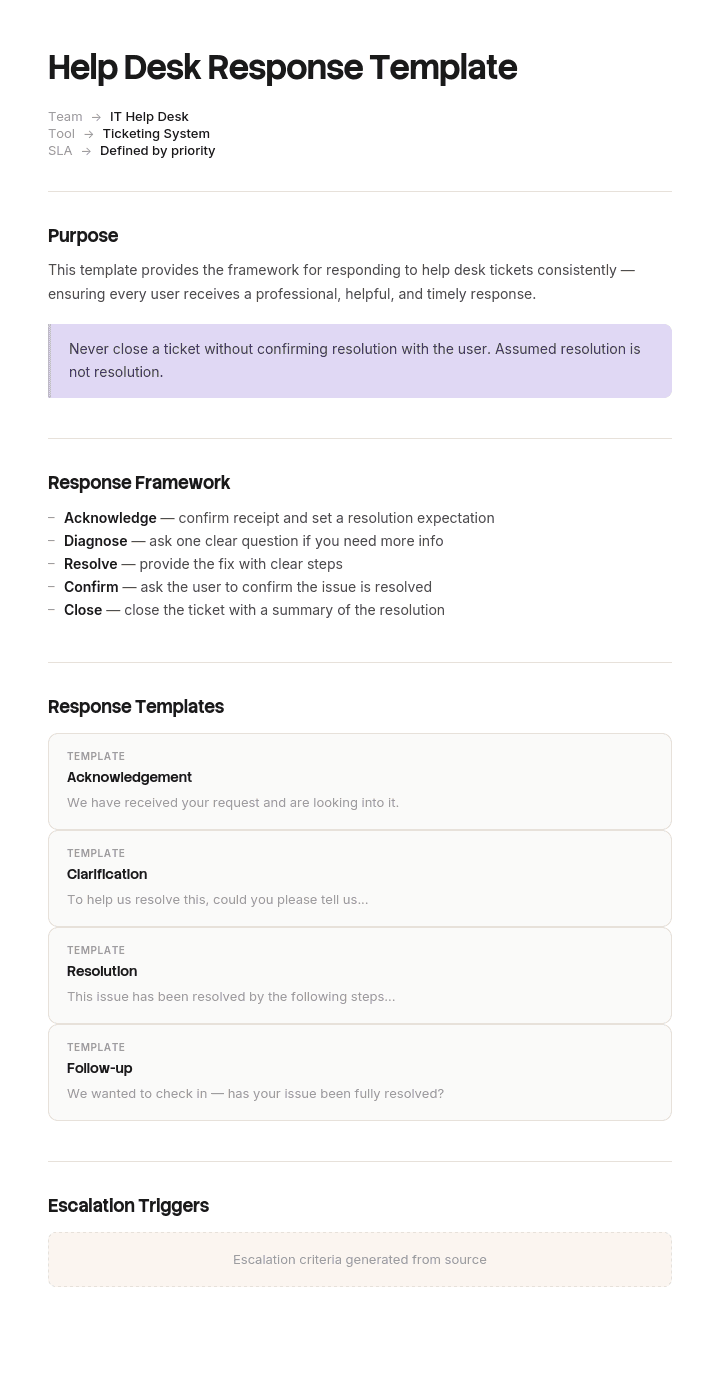
使用此模板
优秀的工单支持回复需要在速度、准确性和同理心之间取得平衡。使用 Trupeer,您可以从一份免费的工单支持回复模板开始,结合品牌规范进行定制,并将常见回复转换为客户可观看的视频答案,从而节省数小时的回复模板编写时间。
套用回复确实能解决真实问题。支持人员每天要把同样的五句话打上四十次,而在大多数情况下,保持一致性比原创性更重要。
但它们也会带来真实问题:客户一眼就能看出来。完全模板化的回复读起来像是“没有人写过的回复”。而在有人已经很烦的工单里,这比更慢、更笨拙的人工回复更糟。
下面的模板正是为此而设计的:先搭好骨架模板,再写清具体内容。
下载工单支持回复模板
格式 | 适合用于 |
|---|---|
Word(.docx) | 完整资料库,可直接改写并粘贴到您的工单系统 |
桌面可打印的快速参考,以及“短语禁用卡” | |
Excel(.xlsx) | 模板总表:名称、触发词、负责人、最近审核日期、使用情况 |
Google Docs | 与将要使用这些模板的支持团队一起起草 |
免费、可编辑、无水印。在加载之前先调整措辞。一个听起来像另一家公司的模板资料库,是让您的支持内容变得通用最快的方式。
哪些内容要模板化,哪些绝不能模板化
让套用回复真正有效的规则是:模板化回复的结构,以及那些很难写对的句子。每次都要写清具体内容。
模板化这些
任何回复的开头与结尾。
所有带有法律、合规或政策含义的内容——因为精确措辞很重要。
拒绝回复。因为好与坏的“拒绝”差别,完全取决于措辞。
升级通知。这样客户始终能收到相同的信息。
标准的流程性指引,例如重置密码或提交访问请求。
任何每周发送次数超过十次的内容。
绝不要模板化这些
对客户具体案例中“实际出了什么问题”的描述。
当确实发生故障时的道歉。模板化的道歉是能被识别出来的,而且读起来像是轻蔑。
任何回应情绪化信息的内容。如果有人写了三段来表达自己有多沮丧,那么套用回复会确认他们的怀疑:没人真的在听。
复杂或不常见问题的第一条回复。
发给本月已经对您有过糟糕体验的客户的任何内容。
实用测试:如果客户写了具体且个性化的内容,那么您回复中的至少一句必须用“无法提前写好”的措辞来引用它。
如何在 Trupeer 中定制此模板
步骤 1:打开“模板”板块
从主导航进入“模板”板块。

步骤 2:选择并打开模板
点击任意您想要处理的模板以打开它。

步骤 3:展开模板视图
如有需要,展开模板视图以清晰查看完整布局与细节。

步骤 4:编辑模板
点击“编辑”开始修改所选模板。

在编辑器中,您可以:
添加新的内容区块
定义或更新格式规则
添加徽标,并调整其位置及相关设置
步骤 5:保存您的定制模板
完成所有必要修改后,点击“保存”,将更新后的模板存为您的版本。

步骤 6:预览并微调模板
当您想查看定制模板的效果时,打开“预览”。

在预览界面中,如有需要,您还可以继续直接进行调整,确保模板呈现得正是您想要的样子。
使用工单支持回复模板,您可以:
写作省时:支持人员可复用经过验证的回复,而不是从零开始编写。
提升一致性:内置模板确保每位客户都能收到同等质量的回复。
保持品牌风格:使用 Trupeer 的品牌套件应用您的徽标、语气和字体。
缩短回复时间:模板可显著减少首次响应所需时间。
让团队口径一致:在每个渠道与班次中使用相同的模板。
触达全球客户:一键将回复翻译为 65+ 种语言。
三个变量
每一条回复都由三个因素决定,而大多数模板资料库只处理第一个。
阶段。工单处于哪个状态:已确认、处理中、受阻、已升级、已解决。
情绪温度。客户的感受是例行公事、轻微不便、沮丧、愤怒或心情受挫。相同的阶段在不同情绪温度下需要不同措辞。
您是否能提供帮助。是、部分可以、暂时不行,或不行。最难写的通常是最后两种。
仅按阶段组织的资料库会给支持人员提供正确的结构,却给出错误的语气。下面每个模板都会标注:当情绪温度变化时,措辞会如何调整。
确认
第一条回复,也是最可能被完全自动化的那条。
感谢您的联系。您的参考编号是 [ID],目前已由 [name or team] 接手。我会在 [time] 前给您带来更新,即使我当时还没有完整答案。
承诺更新,而不是解决。一个您能兑现的承诺,比一个乐观但无法兑现的承诺更有价值。
如果客户很沮丧,在进入流程细节前先加一句确认其感受:听起来确实让人很烦,我明白为什么。让我认真查看一下,并在 [time] 前回复您。
不要先发送自动确认,然后在目标时间到期前什么都不做。确认会在客户的脑海里启动一段“等待计时”。
请求信息
为了把事情推进下去,我需要 [一个具体信息]。拿到之后,我应该就能为您 [结果]。如果更方便,您也可以 [替代方式发送]。
每条消息只提一个请求。把三个问题放在一封邮件里,通常只会得到一个答案,并再来一次往返。
说清楚您会如何使用它。“你能发一张截图吗”只是任务。“这张错误截图会告诉我这是缓存问题还是其他原因”才是理由。
状态更新
关于 [ID] 的快速更新。我已经 [您做了什么],接下来我会 [下一步]。我预计在 [time] 前解决。您这边不需要做任何事。
在对方催促之前先发这条信息。未经催促的更新,价值相当于对催促的多次快速回复,因为它表明工单正在被处理,而不是被搁置着。
如果没有进展,就直接说明,不要跳过更新:目前还没有进展可以报告,我知道这不是您想听到的。[原因]。我将在 [time] 前给您下一次更新。
沉默会把耐心变成投诉。
周转时间或延迟
这比我之前告诉您的时间更久了,我很抱歉。[真实原因。] 修订后的时间是 [新日期]。如果这会给您带来问题,请告诉我,我会看看能怎么帮您优先处理。
写出新的日期。“尽快”不是日期,会被理解为回避。
只道一次简短的歉,然后回到事实。没有信息的反复道歉,更像是在管理,而不是在服务。
升级通知
我已将此事升级给 [name or team],因为 [原因]。他们会在 [time] 前与您联系。您的参考编号仍然是 [ID],我也会保持在抄送中,确保不会有任何信息遗漏。
一定要说明原因。没有原因的升级,会让人觉得事情在各部门之间被“转来转去”,而升级通知正是为了修复这种感觉。
保持抄送也很重要。最常见的升级失败是原支持人员消失了,而客户却没有人可以去催。
解决
现在已经解决了。原因是 [cause],我已经 [您做了什么]。您应该会看到 [预期结果]。如果之后又发生类似情况,请在这里回复,它会直接回到我这里。
写清楚原因。“现在已经修复了”会让客户失去信心:它是否会一直保持修复状态?这也是解决类回复中最常见的薄弱点。
如果这个“修复”其实是变通方案而不是真正的修复,请说明:现在又能正常使用了,不过我得跟您说实话:这是一种变通方案,而不是彻底的修复。底层问题已记录为 [reference]。您可能还会再次遇到,如果遇到了,请在这里回复。
解决后的跟进
我在 [date] 之后查看了 [ID] 的情况。现在一切仍按预期正常工作吗?如果没有,只要在这里回复即可。
两到三天后再跟进,并且只针对重要或会反复出现的情况。对每一条例行工单都跟进会造成噪音,并且会让人们学会忽略您的消息。
关闭无响应的工单
关于 [ID] 我这边还没有收到回复,所以我先把它关闭。不会丢失任何内容;回复这条消息会立即重新打开工单,并保留全部历史记录。如果您更想从头开始,也完全可以。
不要悄悄关闭。没有任何通知就消失的工单,等同于让客户以为您已经放弃了。
明确说明:回复会重新打开工单,因为大多数人会以为已关闭的工单就已经消失。
当您无法提供帮助时
这是最难的一类,也是模板质量最需要发挥作用的地方。
不是您支持的内容
很遗憾,这不在我们能提供帮助的范围内。[如果您知道谁能处理,请说明。] 我很抱歉没能提供更多帮助。
比起对支持边界做冗长解释,简短更友好。
不存在的功能
目前没有,而且我也不想给您一个含糊的“也许”。这项功能尚未安排。有些人会改用 [workaround],但它可能对您有效,也可能无效。我已经记录了您的请求,我们也会跟踪这类需求,所以即使我无法承诺任何结果,它也确实算数。
永远不要承诺您无法控制的路线图。那种“我们会去看看”的模糊说法如果最终无果,会比坦诚的“不行”消耗更多信任。
他们不喜欢的政策决定
我理解这会让人很烦。我们之所以 [policy],是因为 [真实原因]。这一次我无法为您破例,也不想假装我在核查——因为我已经知道答案了。您可以做的是 [替代方案(如有)]。
解释原因。“这是我们的政策”如果没有原因,最容易升级工单。
当您搞错了
您说得对,我很抱歉。[哪里出了问题],这责任在我们而不是您做错了什么。我已经 [采取的行动],并且 [如何避免再次发生]。如果这件事还有任何未解决的部分,请告诉我,我会直接处理。
让这件事真正奏效的有四点:不要急着辩护,要快速达成一致。要具体说明哪里出了问题。不要把责任推给客户的其他部门。最后要说清楚是什么阻止它再次发生,因为这决定了他们是否会继续信任。
这是最值得认真写、也最不值得逐字照搬的模板。
故障与事件
期间
我们已知悉 [issue] 正影响 [scope],并正在处理。我会在 [time] 前无论是否已修复都向您更新。您这边不需要做任何事。
主动通知所有受影响的人,在他们联系您之前就发出。一条故障消息可以避免几十个工单。
之后
截至 [time],问题已解决。原因是 [用通俗语言描述的原因],并在 [duration] 内影响了 [scope]。[您将如何防止再次发生。] 对此次中断我感到抱歉。
发布通俗语言的原因说明。故障后的模糊表述会被解读为隐瞒,而从事技术工作的客户会注意到。
按情绪温度调整
同一条消息在四种不同情绪温度下的写法。
例行公事: 现在已经处理好了。[原因与修复]。其他任何问题,直接回复即可。
轻微不便: 抱歉让您遇到这个问题,现在已经处理好了。[原因与修复]。这不应该再发生;如果发生了,请在这里回复。
沮丧: 抱歉,这不该花这么久。现在已经修复了。[原因与修复]。我也 [如何避免再次发生],因为您不应该需要一直催促。
愤怒: 您坚持推进是对的,我也很抱歉,直到您生气才把事情解决。 [原因与修复]。我已经 [采取的行动],并在内部说明了为什么之前没有更早发现。如果还有任何地方不对劲,请直接回到我这里。
这四种情况下信息完全相同。变化在于:在更早或更晚的时点给出确认,以及是否要明确点出失败。无论哪种方向写错都很昂贵:例行工单里道歉过多会显得怪异;对愤怒工单却确认不足,则几乎必然导致升级。
禁用短语
不要用 | 改成 |
|---|---|
I'm sorry you feel that way | I'm sorry, that shouldn't have happened |
Unfortunately, as per our policy | We don't do that, and the reason is [reason] |
Your call is important to us | Nothing. Just answer |
We're experiencing higher than normal volumes | We're behind. Your ticket is with me and I'll update you by [time] |
Please be advised | Nothing. Start the sentence |
I'll look into it and get back to you | I'll [specific action] and come back to you by [time] |
As soon as possible | A date |
That's a known issue | That's a known issue, logged as [ref], and here's the current status |
Another team handles that | I've passed this to [team] and they'll respond by [time] |
Kindly do the needful | Anything else |
它们的共同模式是:把“回避承诺”的那句话替换成具体要做的事情。
打造您自己的资料库
拉取您最近 200 条外发回复,看看支持人员到底会反复写哪些内容。
先从十个模板开始,不要从三十个开始。覆盖范围不如质量重要,而未使用的模板只会让选择器变得杂乱。
用您团队的语气来写,而不是用模板的语气。把它们读出来。
清晰标记变量部分,这样就能一眼看出哪些内容必须个性化。
按触发词命名,而不是按内容命名。“客户 5 天未回复”比“跟进 2”更好。
让您最优秀的支持人员来审核。他们本来就写得很好,而他们的措辞就是最好的素材。
在真实工单上测试,再进行推广。
建立总表,记录负责人、最近审核日期和使用情况。
每季度复审,移除任何未使用的内容,并更新所有引用了已变更产品或政策的模板。
维护资料库
最常见的失败模式是:资料库里有四十个模板,但只有十二个是最新的。
跟踪使用情况。任何一个季度都未使用的模板,要么不需要了,要么找不到了,而这两种情况都值得知道。经常被使用的模板则值得进一步打磨。
在任何产品、定价或政策发生变更后都要复审。因为引用旧状态的模板会被没有注意到变化的支持人员发送出去。
同时留意“偏移”:支持人员停止使用某个模板,改写成自己的版本。通常意味着该模板写错了,而他们写出来的版本反而更好。向他们要过来。
衡量指标
响应时间,应当随之下降。
重新打开率,不应上升。如果模板化的解决回复导致重新打开率上升,说明这些答案太通用。
模板化回复与人工回复的 CSAT,如果您能做分组分析。显著差距会告诉您:模板化在哪些地方造成了伤害。
模板使用分布。少数模板被频繁使用,其余从不使用,这种情况很常见。按需裁剪。
拒绝后的升级率。如果拒绝回复经常导致升级,那么问题不在拒绝本身,而在拒绝的措辞。
最佳实践
模板化骨架,写清具体内容。
对真实故障的道歉绝不要模板化。
承诺更新,而不是承诺解决。
每条收集信息的消息只提一个请求。
在解决回复中始终写出原因。
在回复中始终写出日期,而不是“尽快”。
升级时要说明原因。
告诉大家:回复会重新打开已关闭的工单。
根据情绪温度调整确认措辞,同时保持信息内容一致。
每季度复审并裁剪掉没人用的模板。
常见错误
对情绪化消息完全套用模板回复。
模板化的道歉——客户会立刻识别出来。
包含四十个模板的资料库,其中三分之一已过期。
由不处理工单的人编写的模板。
按内容命名而不是按触发词命名,导致支持人员找不到。
没有标明哪些部分必须个性化。
“根据我们的政策”但没有附带原因。
悄悄关闭工单。
解决回复只说“已修复”,却不说明哪里出了问题。
把变通方案当作修复来呈现。
故障原因模糊不清,让人感觉在隐瞒。
从竞争对手的资料库逐字照搬模板,导致支持内容听起来像另一家公司。
用链接回复,让客户能观看相关内容
在 Trupeer AI 中打开模板,应用您的品牌套件,确保面向客户的回复与您其他材料保持一致,并直接编辑任意内容区块。设置说明在模板指南中。
查看支持人员最常使用哪些模板。大多数团队里,相当一部分是流程类:如何重置、在哪里找到、如何完成设置步骤。对于这些内容,书面回复往往总是略显不足,因为用一段话描述界面比“展示出来”更难。
把流程录下来,Trupeer AI 会基于同一次录制生成书面指南以及一段带讲解的视频演示。这样模板就变成两句话加一个链接,而不是九个编号步骤。回复会更短、后续提问更少,并且您还能在客户联系您之前就让他们先看到一篇文章。
翻译它为 65+ 种语言,并把这套内容保存在您的知识库中,让它同时具备自助服务能力。
录下来。做成品牌风格。翻译它。用 Trupeer 来呈现。
常见问题
Word 里有免费的工单支持回复模板吗?
有。Word 文件包含完整资料库,并按工单阶段组织,同时已标记变量部分,方便您清楚哪些内容必须个性化。免费下载安装,无需注册,无水印。
PDF 里有免费的工单支持回复模板吗?
有。它是可打印的桌面快速参考,其中包括“短语禁用卡”,这也是最值得贴出来的一页。
Excel 里有免费的工单支持回复模板吗?
有。不过 Excel 保存的是模板总表,而不是回复本身:模板名称、触发词、负责人、最近审核日期和使用情况。它能防止资料库“越堆越多”,最终变成四十个模板,其中三分之一已过期。
我可以下载免费的工单支持回复模板吗?
可以。每种格式都可免费下载安装,不需要账号,也不需要署名。
最好的免费工单支持回复模板是什么?
确认回复与解决回复。因为它们夹在每个工单的两端,而且也是最常被写得很糟的两类内容。确认回复应当承诺更新而不是承诺解决;解决回复应当写出原因,而不仅仅是确认“已修复”。
有工单回复模板吗?
有。本页面提供的就是工单回复模板,覆盖确认、信息请求、状态更新、延迟、升级、解决、跟进以及关闭无响应工单;同时也包含更难的情况:当您无法提供帮助,或您之前搞错了。
Word 里有工单模板吗?
有,不过那是另一份文档。工单表单、用于采集信息的字段以及解决代码都在客户工单与解决模板中。本页面讲的是您要发给客户的内容。
有免费的工单系统模板吗?
有。在客户工单与解决模板页面中,包括适用于没有工单系统工具的团队的 Excel 工单日志。
什么是工单支持回复模板?
针对会反复出现的场景预先写好的回复,并作为“套用回复”加载到您的工单系统中。用得好,它能为支持人员提供一致的结构与难句的正确措辞;用得不好,就会生成客户一眼能看出“没人写过”的回复。
套用回复绝不能用于哪些情况?
真实故障的道歉、对客户具体案例中“具体出了什么问题”的描述、回应情绪化信息的回复、复杂或不常见问题的第一条回复,以及发给近期已经对您有过糟糕体验的客户的任何内容。在这些情况下,模板化回复都会在某种程度上确认:没人真的在认真听。
你们需要多少条工单支持回复模板?
十到十五条足以覆盖大多数团队。包含三十条或更多模板的资料库,往往会混入支持人员找不到的模板,以及一些已过期的模板。覆盖范围不如质量与可查找性重要,所以先从小规模开始,只添加支持人员确实会反复写的内容。
如何写出一条优秀的支持回复?
第一句要回答或确认。写出具体时间,而不是“尽快”。说明您已经做了什么,而不是说“我正在查看”。在解决时写出原因,并让您回到客户这里的路径变得清晰。根据对方有多生气来调整“确认”放在前面的程度。
支持人员应当避免哪些短语?
“I'm sorry you feel that way”,这不是道歉。“As per our policy”但没有原因。“As soon as possible”不要替代日期。“We're experiencing higher than normal volumes”,因为大家都能理解。“I'll look into it and get back to you”,这等于没有任何承诺。
当您无法提供帮助时,应该怎么回复?
要清楚地说“不”,并给出原因。如果存在替代方案,就提供替代方案。如果您已经知道答案,就不要承诺“我会去查看”。也不要承诺您无法控制的路线图。诚实的“不”会被记住得比那种模糊的“也许”更好,因为它不会把事情带向无果。
多久需要更新一次工单支持回复模板?
每季度一次;此外,在任何产品、定价或政策发生变更后要立即更新。因为引用旧状态的模板会被没有注意到变化的支持人员发送出去。跟踪使用情况,并移除任何一个季度都未使用的模板。
我可以定制这些工单支持回复模板吗?
可以,而且在使用之前您应该定制。逐字采用的资料库会让您的支持内容听起来像另一家公司。用您团队的语气把每一条读出来,并重写任何听起来不像您自己的内容。


